Otter Stats: Devin usage in your Mac menu bar (my own product)

Chris Wozniczek


What it is
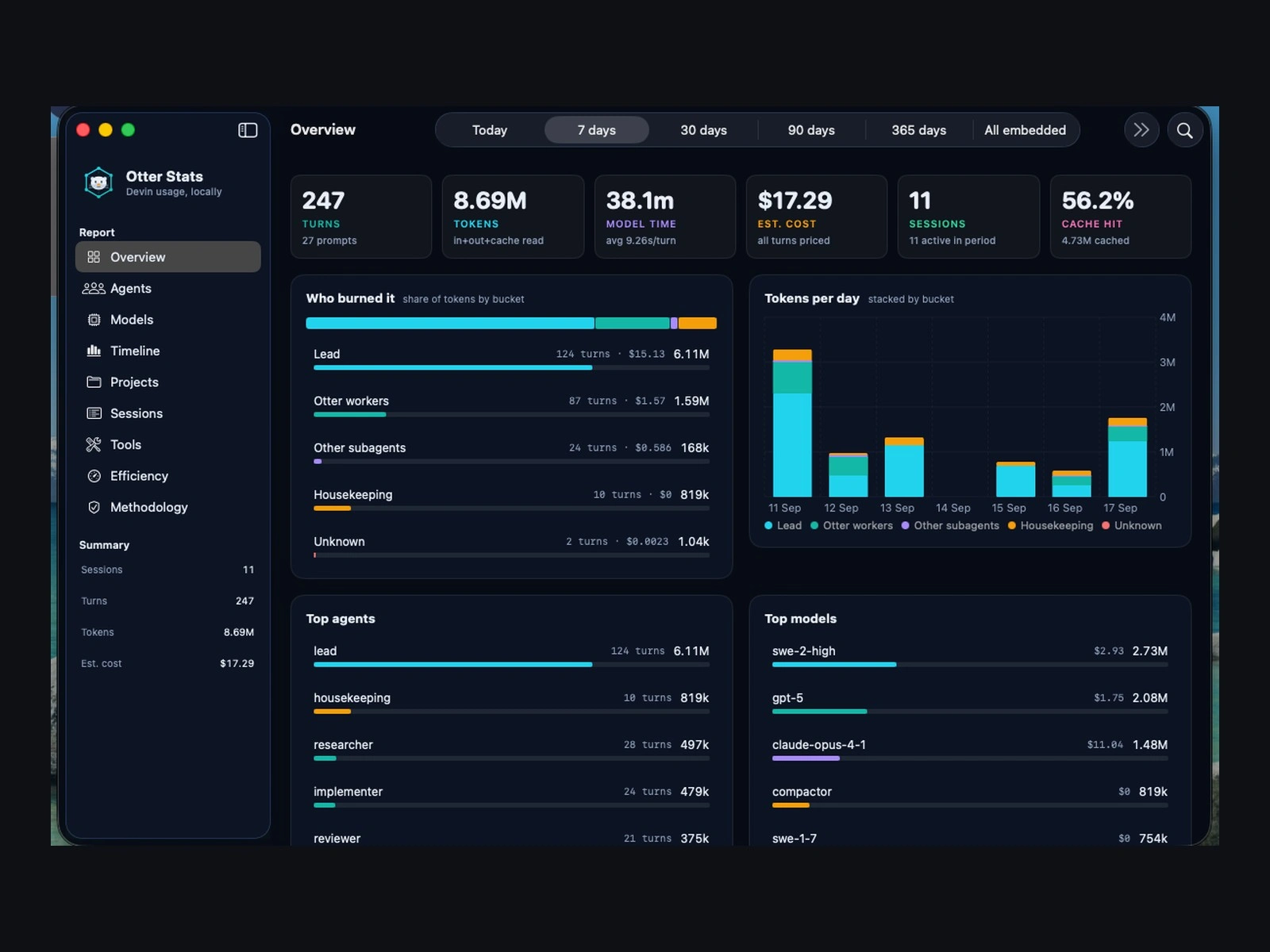
Otter Stats is my own product: a native macOS menu-bar app that shows what your Devin sessions cost. Cost, tokens, turns and model time, per agent, model, project and session. It is not client work.
The problem
If you run a lot of AI agent sessions, the bill is easy to see and hard to explain. I wanted to know which agent, project or session used the most, without sending my usage data anywhere.
What you get
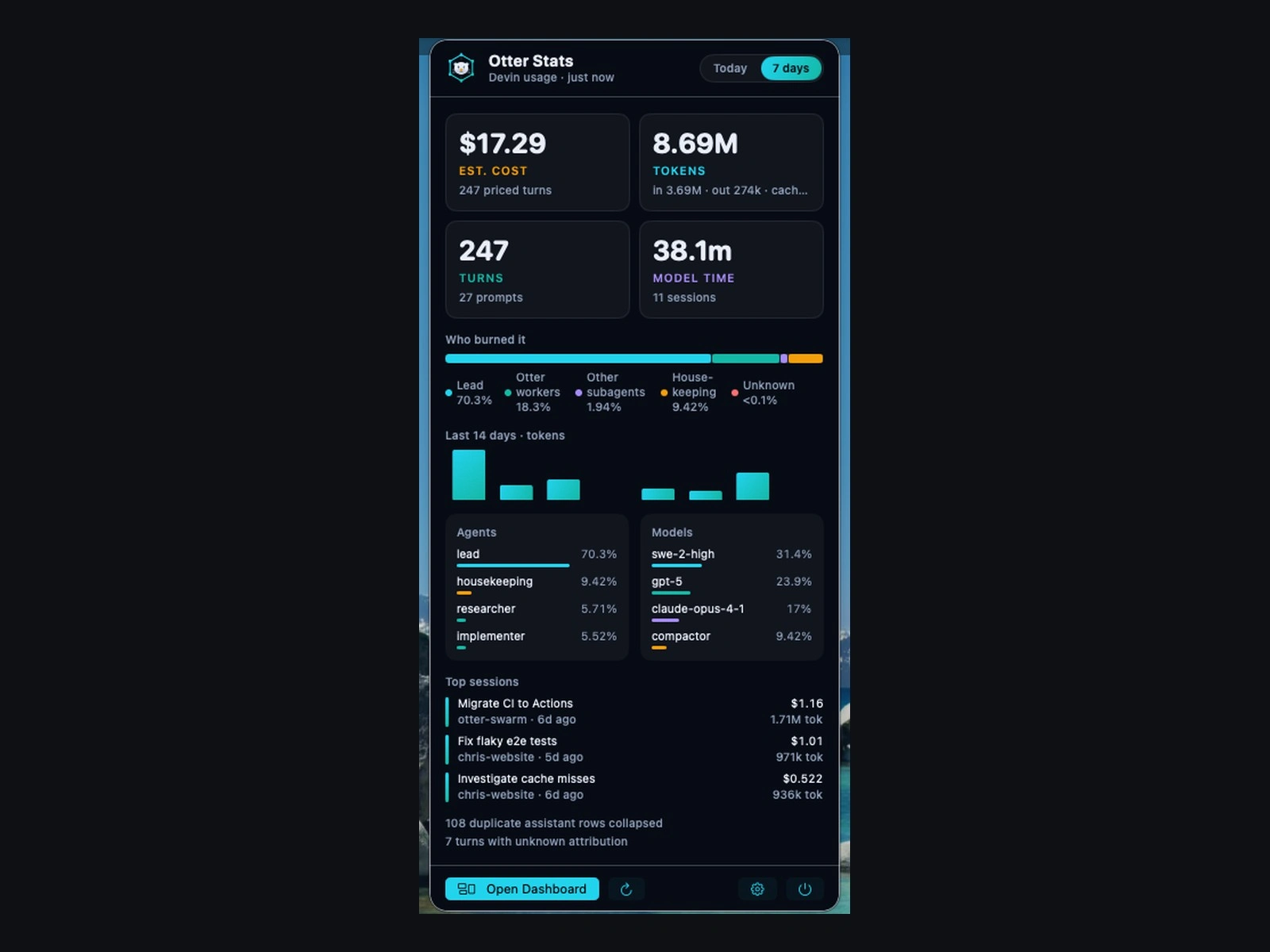
Menu bar: a live number (cost, tokens, turns or model time for today or 7 days) and a popover with key figures, a 14-day timeline, and top agents, models and sessions.
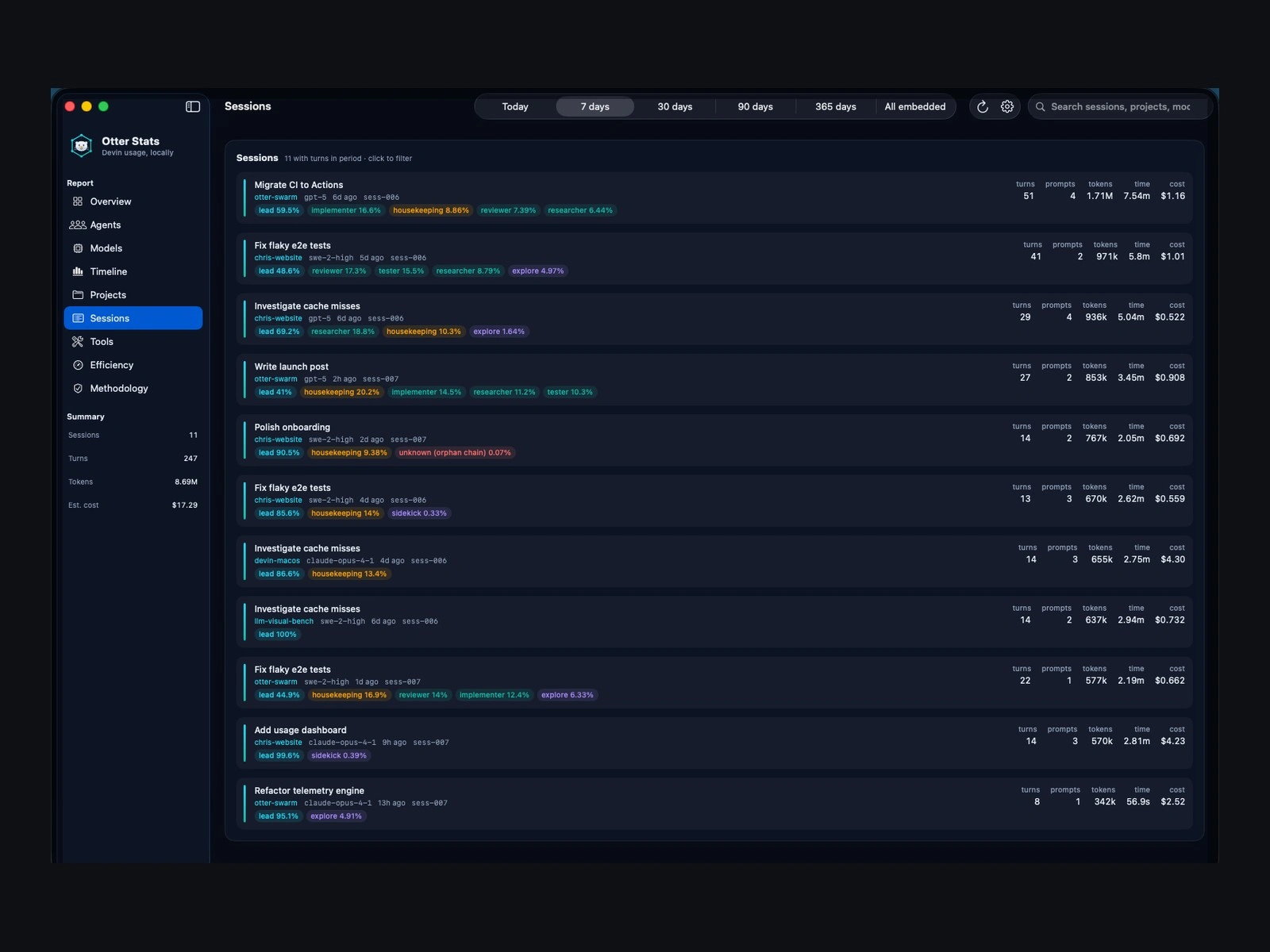
Dashboard: a full window with Overview, Agents, Models, Timeline, Projects, Sessions, Tools, Efficiency and Methodology tabs, with search and click-to-filter.
Data-quality notes: duplicates, unknown attribution, missing metrics and unpriced models are shown, not hidden.
How it works
It opens the local Devin sessions database read-only. No data leaves the Mac.
Each assistant turn is walked up the message tree to its root, so every cost is attributed to the right agent and session.
Releases are built by GitHub Actions and installed with Homebrew.
What it shows about my work
A data-heavy dashboard done as a native app: careful numbers, clear charts and a privacy model that is part of the design.
Stack
Swift, SwiftUI, SQLite (read-only), Swift Package Manager, GitHub Actions, Homebrew cask.
Source and download: github.com/chris-wozniczek/otter-stats
Like this project
Posted Oct 2, 2026
My own product. A native macOS menu-bar app that shows Devin cost, tokens, turns and model time per agent, project and session. Data stays on the Mac.
Likes
0
Views
1