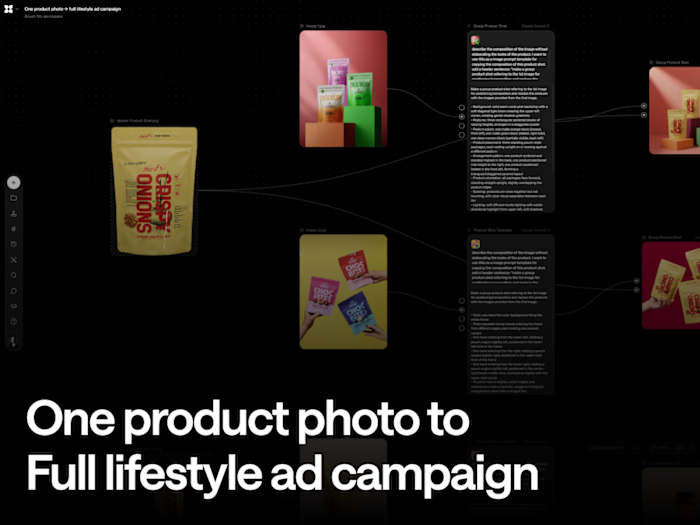
Workflow Steps
Stage A - Individual model + garment composites (repeat per model)
Step 1 - Model Reference (Image Node)
Upload a neutral model photo. Label "Model Reference 1." Repeat for each model
Step 2 - Garment Reference (Image Node)
Upload that model's garment design/reference. Label "Garment Reference 2," "Garment Reference 3," etc. one per model.
Step 3 - Dress Change Request (Text-to-Text Node, Claude Sonnet 5 / Opus 5)
Connect that model's Step 1 + Step 2. Prompt: "Change the dress of the model in image 1 from the current outfit to the new dress design in image 2, ensuring the new dress style is reflective of the provided dress details."
Claude returns a full construction brief silhouette, neckline, fabric, drape not just a yes/no, giving the render step real detail to work from (visible in your "Picturing the transformation..." and "Here's the styling direction applied..." outputs).
Step 4 - Render the composite (Image Node, Seedream 5 Pro / Nano Banana 2)
Connected to Step 3's output. Produces "Dress Transformation Design" and "Gown Styling Details" - each model now in their new outfit, individually, on a plain background. This is Output 1 repeat Steps 1-4 once per model.
Step 5 - Quality check
Check each model's identity and garment
Stage B - Combine into one posed duo composition
Step 6 - Posture Reference (Image Node)
A Reference photo of two people standing together in the pose/interaction you want. Label "two girl standing.jpg."
Step 7 - Posture Analysis (Image-to-Text Node, Claude Sonnet 5)
Connect Step 6. Prompt: "Analyze the body posture, standing style, and facial expression of each person in this image — ignore hairstyle and clothing entirely. For each person, describe: their stance (weight distribution, foot placement, leg position), the angle of their body relative to camera, arm placement, head/neck tilt, shoulder position, posture energy, and facial expression. Also describe the spatial relationship and interaction between them."
This deliberately strips out garment/hair so the output is a pure pose-and-mood brief, reusable regardless of what either model is wearing.
Step 8 - Generate the duo composition (Image Node, Nano Banana 2)
Connect Step 7's posture brief + both models' Output 1 (Step 4, one per model). Produces "Posing Composition" / "Dynamic Duo Pose" — Output 2, both dressed models combined into one image, holding the exact stance/interaction from the reference.
Step 9 - Quality check
Check both models' identity and garments held correctly in the combined shot
Stage C - Place the duo into a real-world background
Step 10 - Background Reference (Image Node)
Upload a real photo of two people in the actual location/lighting/composition you want the final hero image to have. Label "Background reference.jpg."
Step 11 - Image Replacement Task (Image-to-Text Node, Claude Opus 5)
Connect Step 10. Prompt: "Replace the two people in this reference image with these two people [Output 2], keeping their exact clothing, hairstyle, and appearance as shown. Preserve the reference image's exact pose, positioning, physical interaction, camera angle, and composition — only change who the two people are. Match the natural lighting, color grade, and background from the reference."
Step 12 - Generate the final hero image (Image Node, Nano Banana 2)
Connect Step 11's brief + Output 2 (Step 8) + Background Reference (Step 10). Produces "Image Swap Description" / "Position Swap Brief" the two dressed, posed models now composited into the real-world scene, matching its lighting, pose, and framing exactly.
Step 13 - Quality check
Check and confirm identity, garments, and pose all held through the final placement, and that lighting/color grade genuinely matches the background reference rather than looking pasted in.
Step 14 - Export