Built with MagicPath
Forge ISP: Unified Operations Dashboard for ISPs

Vincent Pasili


Forge ISP :- A Unified Operations Dashboard for Internet Service Providers(Concept template)
Role: Product Designer & Frontend Engineer
Stack: React 19 · TypeScript · Vite · Tailwind CSS · Framer Motion · Recharts · Lucide
Year: 2026
Overview
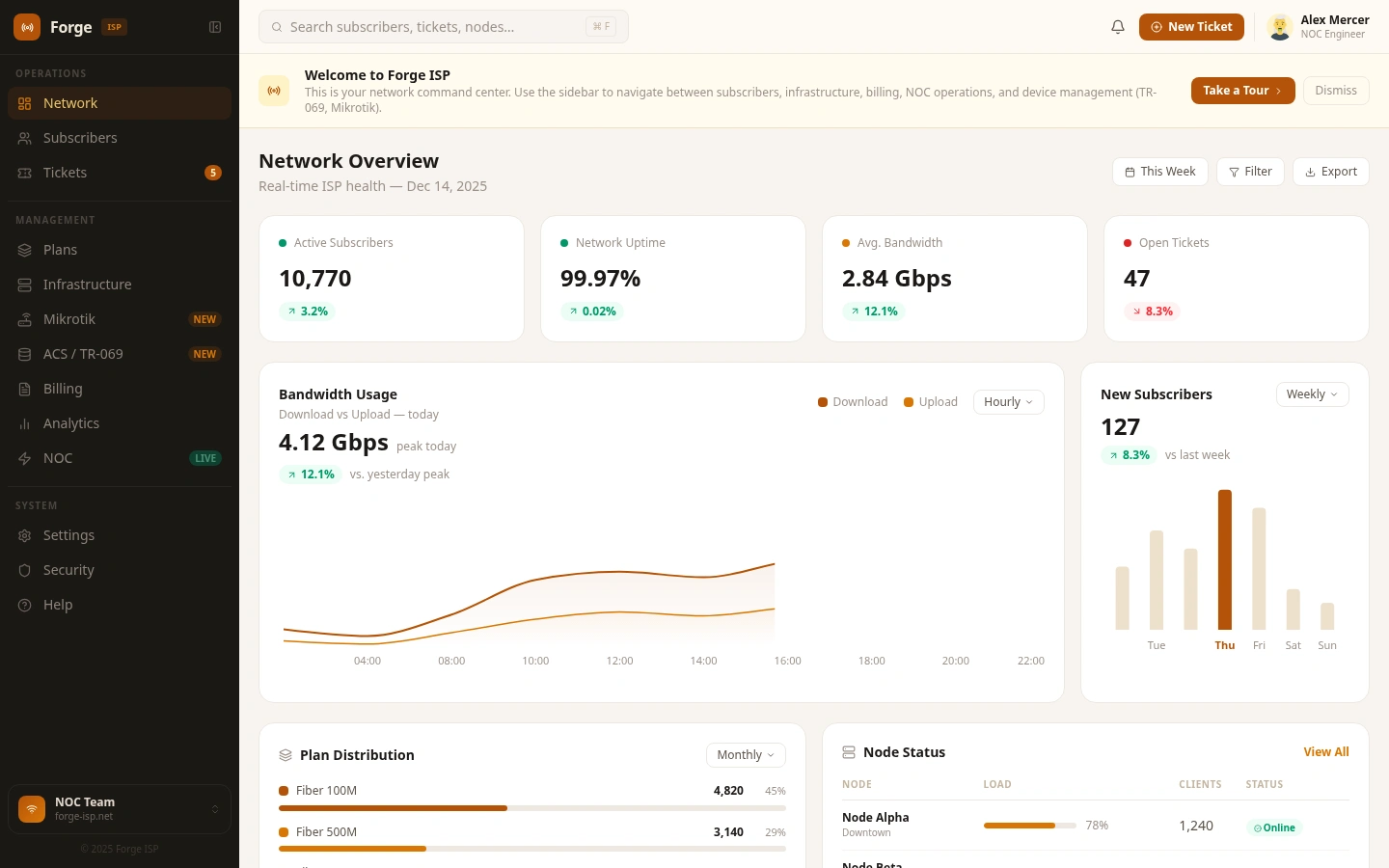
Forge ISP is a single-pane-of-glass operations dashboard for the people who actually keep an internet service provider running; NOC operators, network engineers, and support teams. It replaces the five-to-ten disconnected tools an ISP team typically juggles every shift with one calm, purpose-built workspace.
The product spans 13 surfaces, from real-time network health to TR-069 device provisioning to subscriber billing, wired together by a consistent visual language and a navigation model organised around how engineers actually work, not how vendors group features.
The problem
ISP engineering teams live across a fragmented toolchain. On any given shift an operator may bounce between:
Winbox or RouterOS for Mikrotik node management
A GenieACS / OpenACS console for TR-069 provisioning
A RADIUS console for authentication and session management
A custom billing portal for invoices and plans
A separate helpdesk like JIRA or Zendesk for support tickets
Grafana or Zabbix for infrastructure monitoring
SSH terminals for direct server access
Each handoff is friction. Engineers lose time, act on stale data, and lack a single view that correlates network health with billing, ticket load, or device state. The cost is measured in slower incident response, missed SLAs, and burned-out shifts.
Forge ISP exists to consolidate that toolchain into one coherent environment without dumbing down any of it.
Design principles
Reduce cognitive load, not capability. Simplification here means giving every feature a logical home and surfacing only what is contextually relevant. It does not mean cutting power-user functionality.
Calm over loud. The first iteration used a high-glare amber against deep brown. Operators flagged eye fatigue across long shifts, so the palette was retuned around a warm cream surface, a single muted amber primary (
#B45309), and ghost-fill active states instead of solid highlights. The dashboard had to hold up under an eight-hour NOC watch.Flow-first navigation. The sidebar is grouped by operational intent rather than feature taxonomy:
Operations; Network, Subscribers, Tickets
Management; Plans, Infrastructure, Mikrotik, ACS / TR-069, Billing, Analytics, NOC
System; Settings, Security, Help
Welcome the new operator. A first-run banner introduces the workspace, points to the primary surfaces, and offers a guided tour rather than dropping a brand-new engineer straight into the deep end.
Surface tour
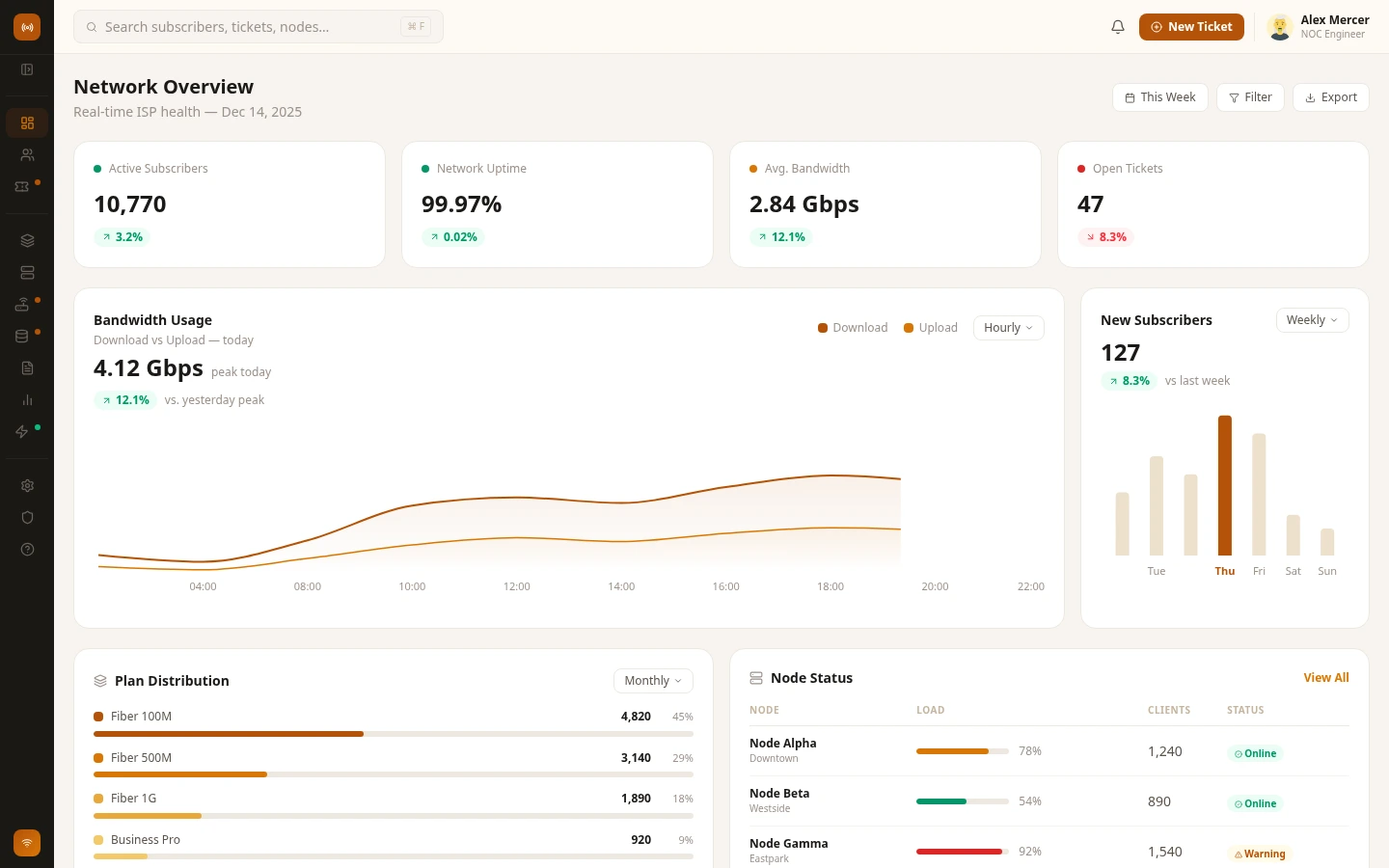
Network Overview - the home base
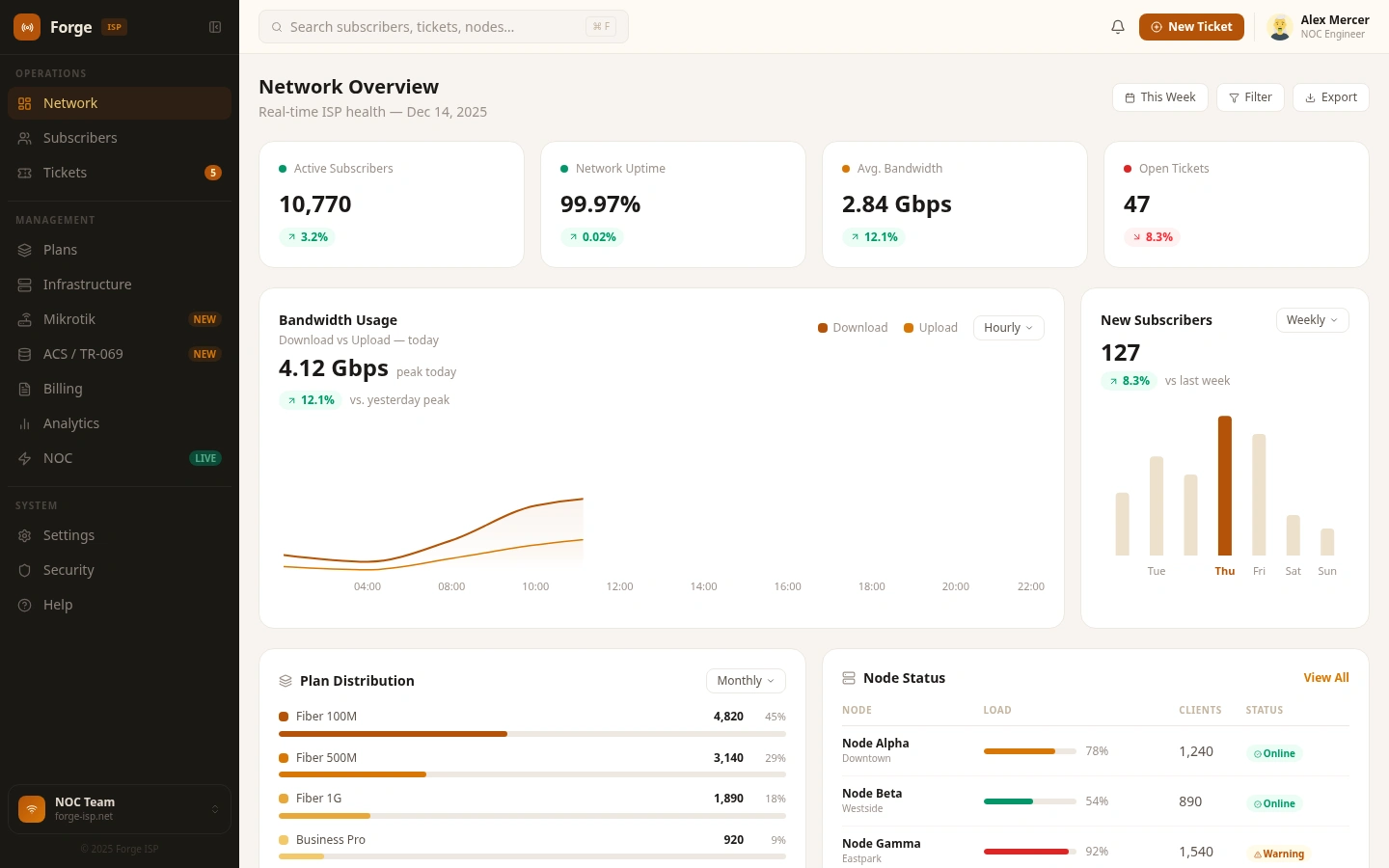
The default landing surface. Everything an operator needs in the first ten seconds of a shift:
Active subscriber count, network uptime, average bandwidth, and open tickets; each with a directional delta against the previous period
Bandwidth usage chart with download / upload split and an hourly resolution toggle
Weekly new-subscriber bar chart for revenue trend at a glance
Plan distribution breakdown by tier
Live node status list with utilisation bars and online / warning state
The header carries the date, a
This Week range picker, filters, and an export action - the full shape of the NOC's morning report.Subscribers - the customer ledger
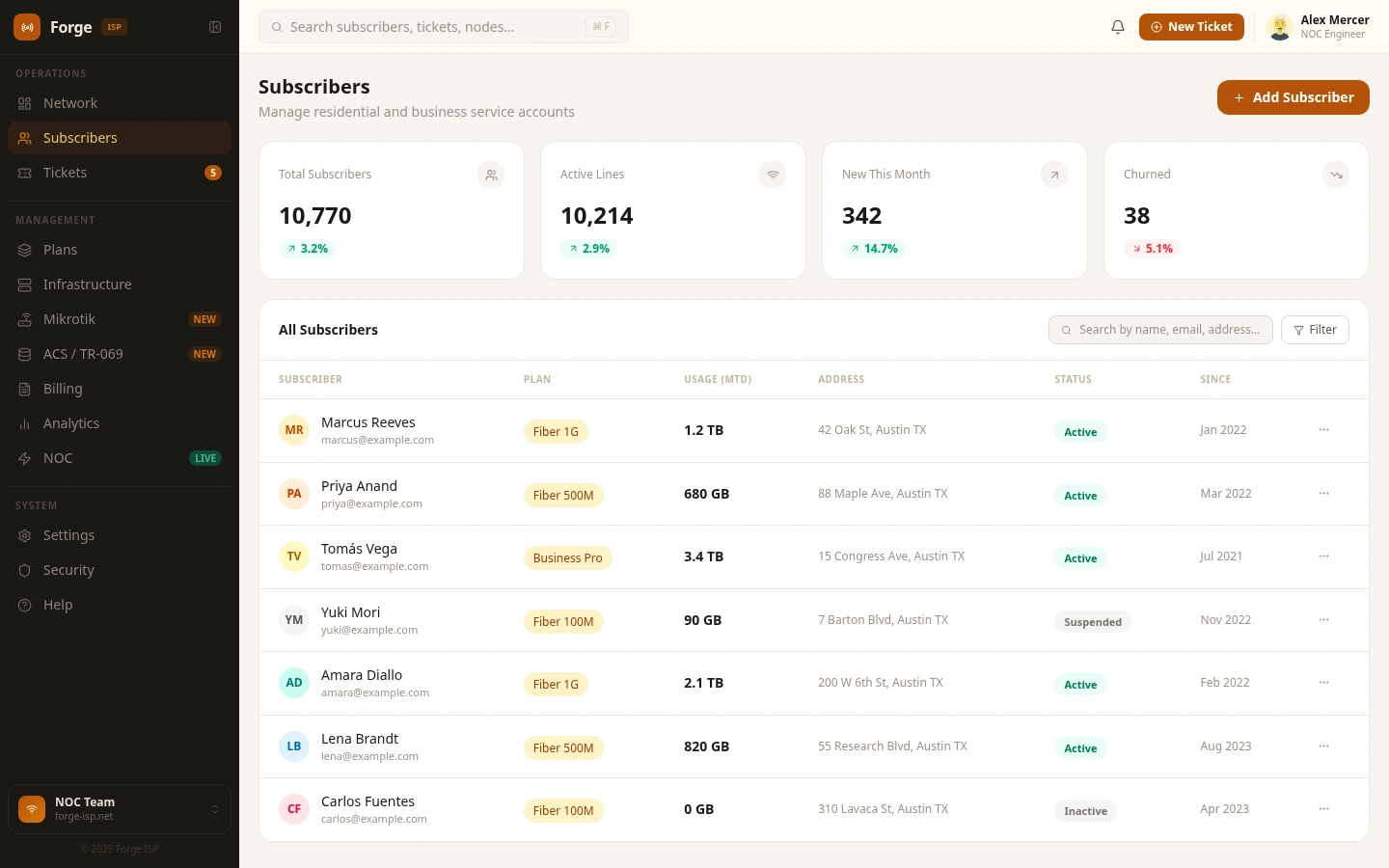
A searchable, filterable list of every service account. Status badges mark Active, Suspended, Overdue, and Churned. Bulk actions cover suspend, reactivate, and plan reassignment. Drilling into any row exposes profile, plan, payment history, CPE binding, and RADIUS session log.
Tickets - a workspace, not a backlog
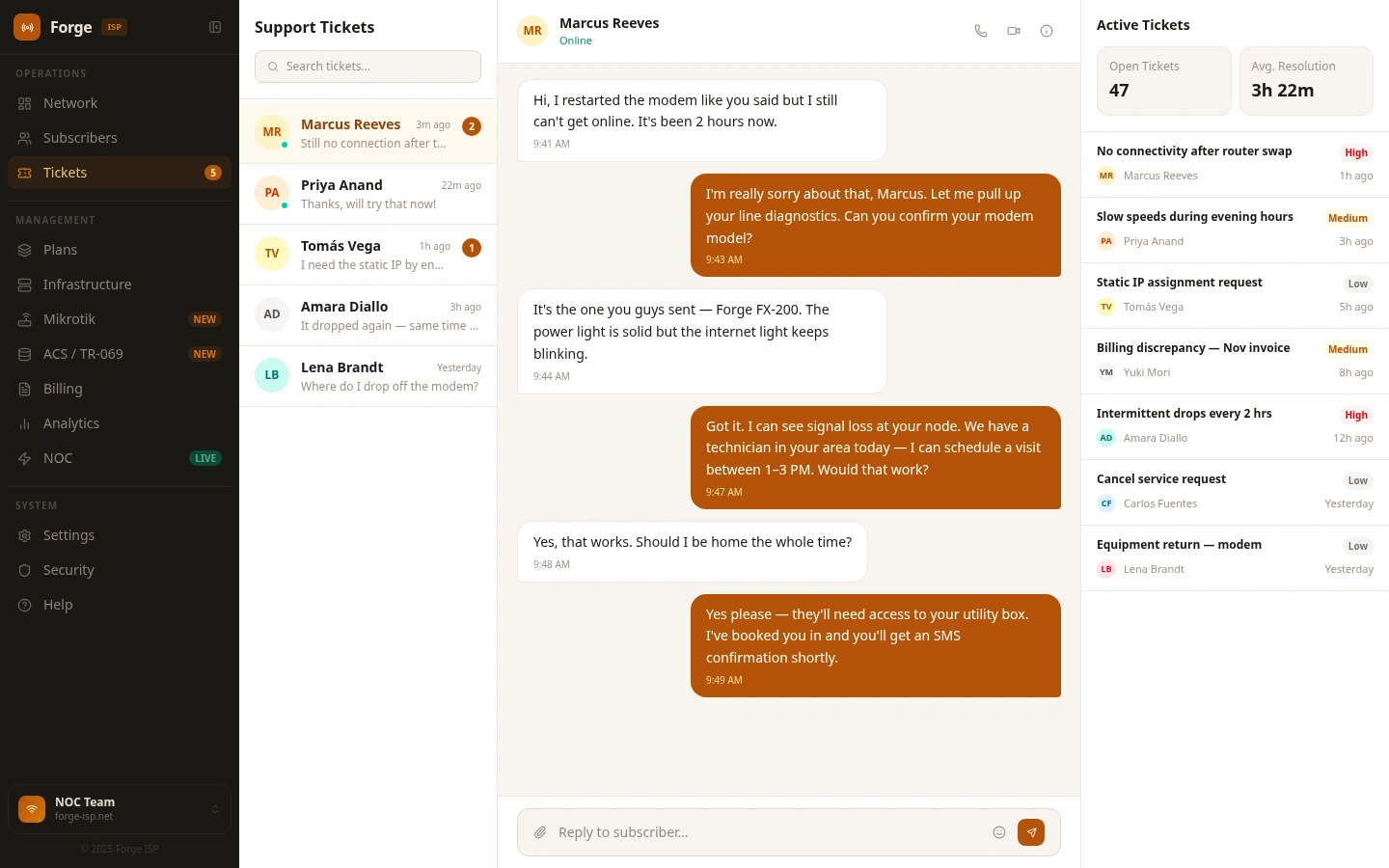
Tickets gets a bespoke layout: list panel on the left, conversation in the centre, active ticket sidebar on the right. The top bar collapses on this surface to give the conversation maximum vertical room. Priority tags use colour and text together; one click jumps from a ticket back to the bound subscriber profile.
Plans - the service catalog
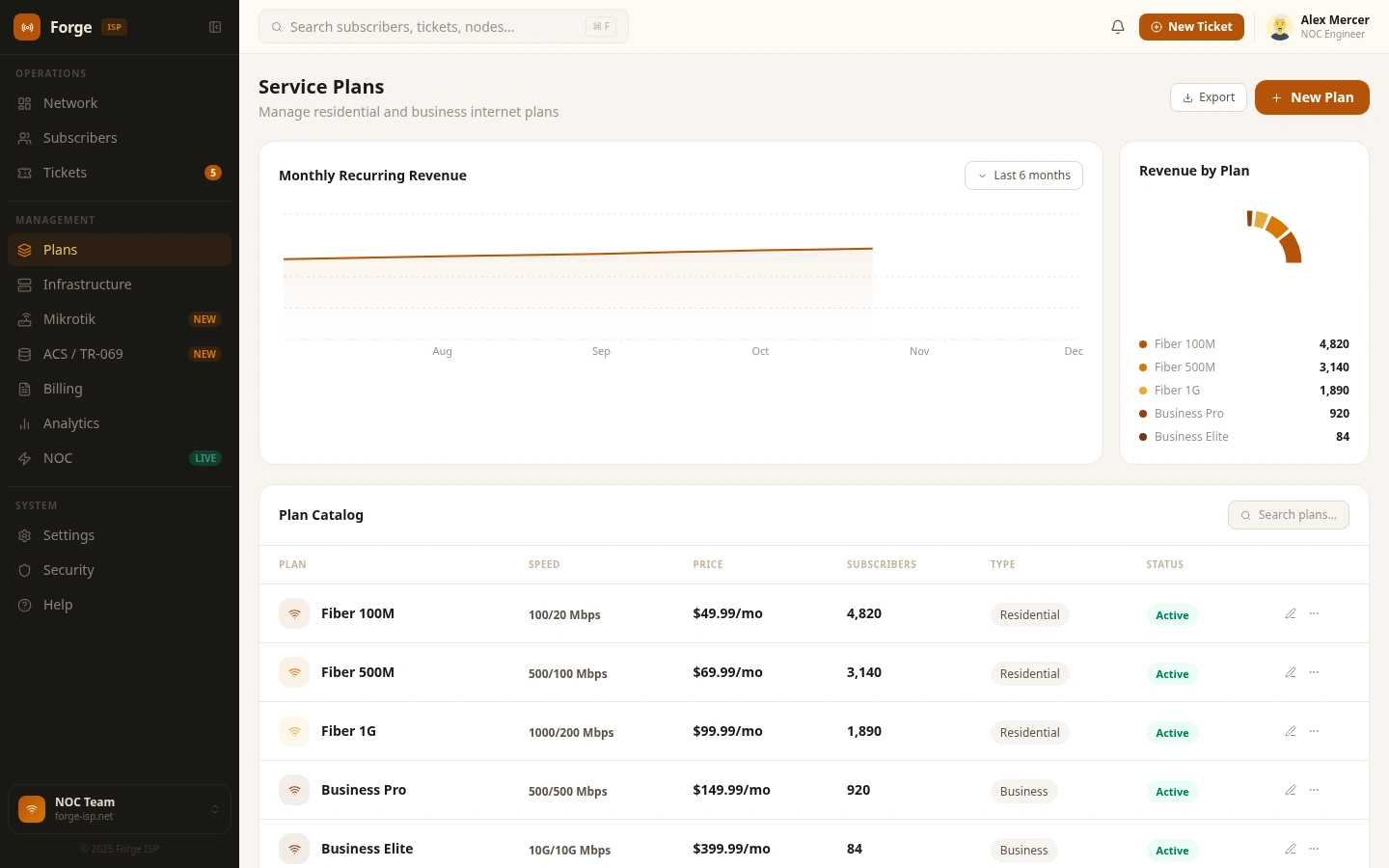
A visual inventory of every service plan with speed tier, price, and live subscriber count. Plan cards expose featured / legacy / discontinued flags. The editor handles speed limits, FUP policy, burst settings, and pricing in one place.
Infrastructure - physical and logical topology
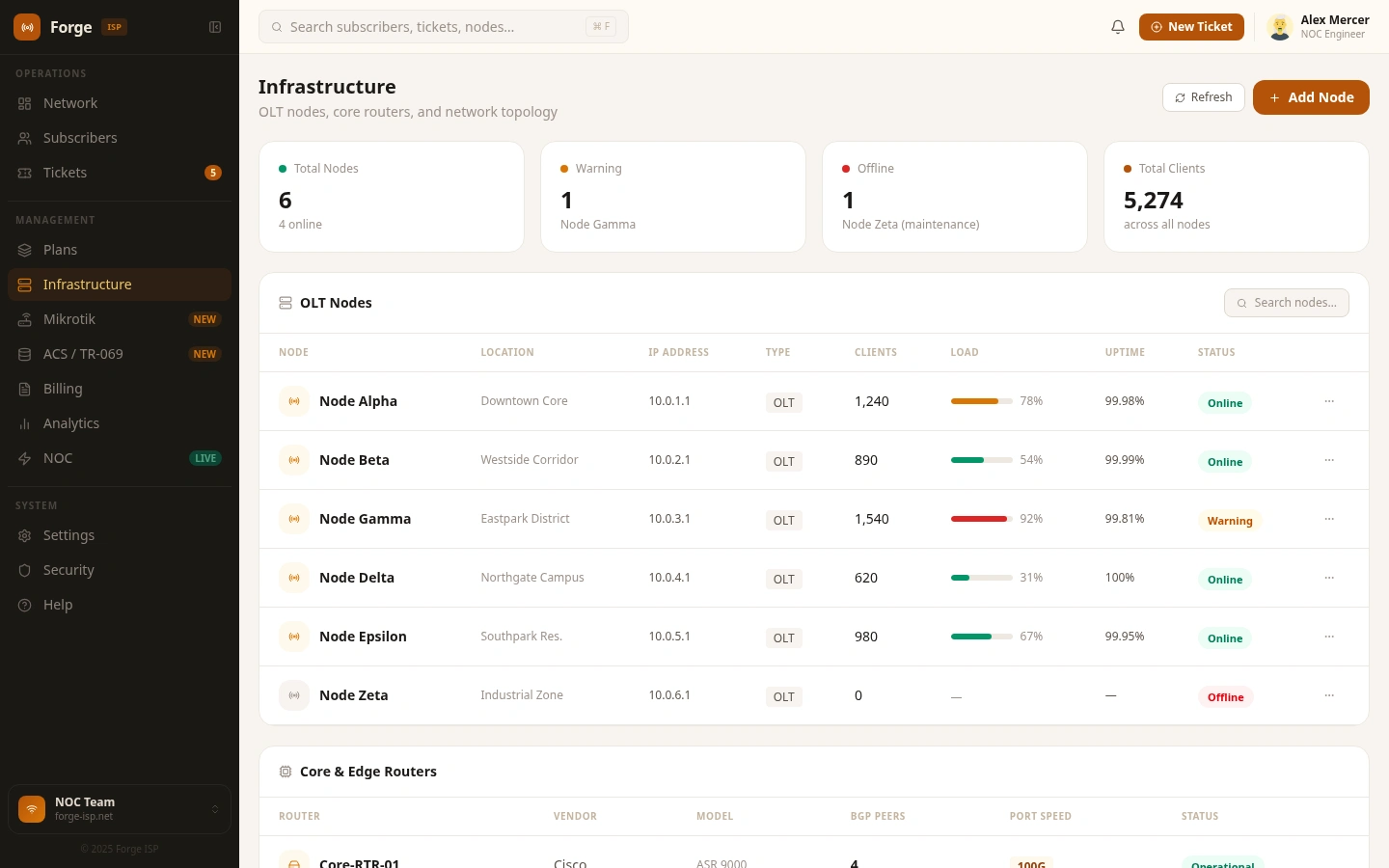
A full topology surface for PoPs, distribution nodes, and server hosts:
Node table with status, uptime, and load
Per-host CPU, RAM, and disk utilisation
Inter-node link health with latency and packet-loss columns
Geographic region grouping for multi-market operators
Inline add and edit modals for provisioning new nodes
Mikrotik - RouterOS-native management
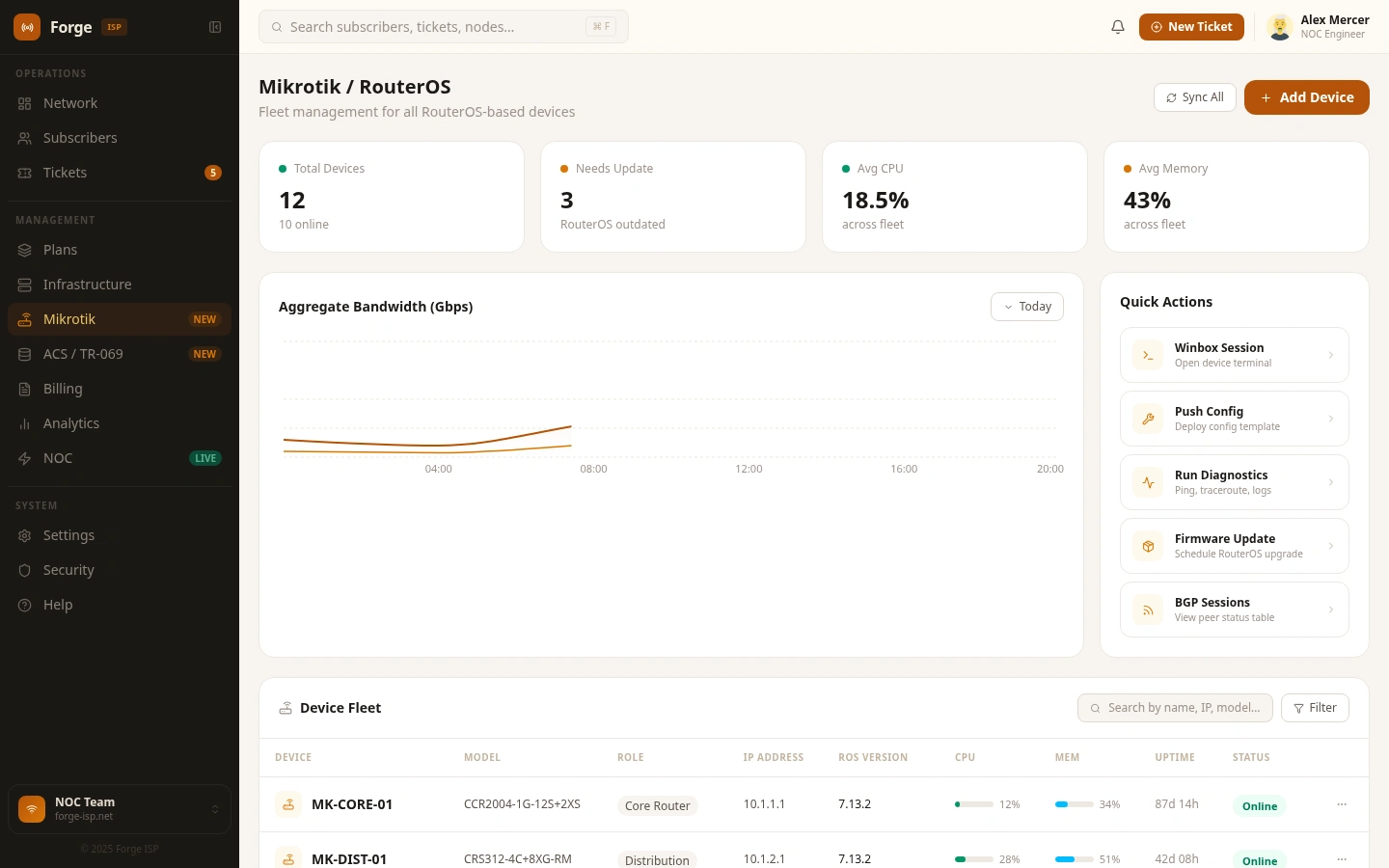
A dedicated surface for Mikrotik fleets: the workhorse hardware most independent ISPs run on:
Device roster across RB, CCR, and CRS series with IP, version, and board type
Per-node interface up / down state and traffic counters
Live PPPoE session table bound to subscriber records
Queue tree monitor showing simple-queue and PCQ utilisation
Script console for pushing RouterOS scripts to single nodes or groups
BGP peer state, prefix counts, and uptime on edge routers
Live API connectivity indicator per device
ACS / TR-069 - CPE lifecycle
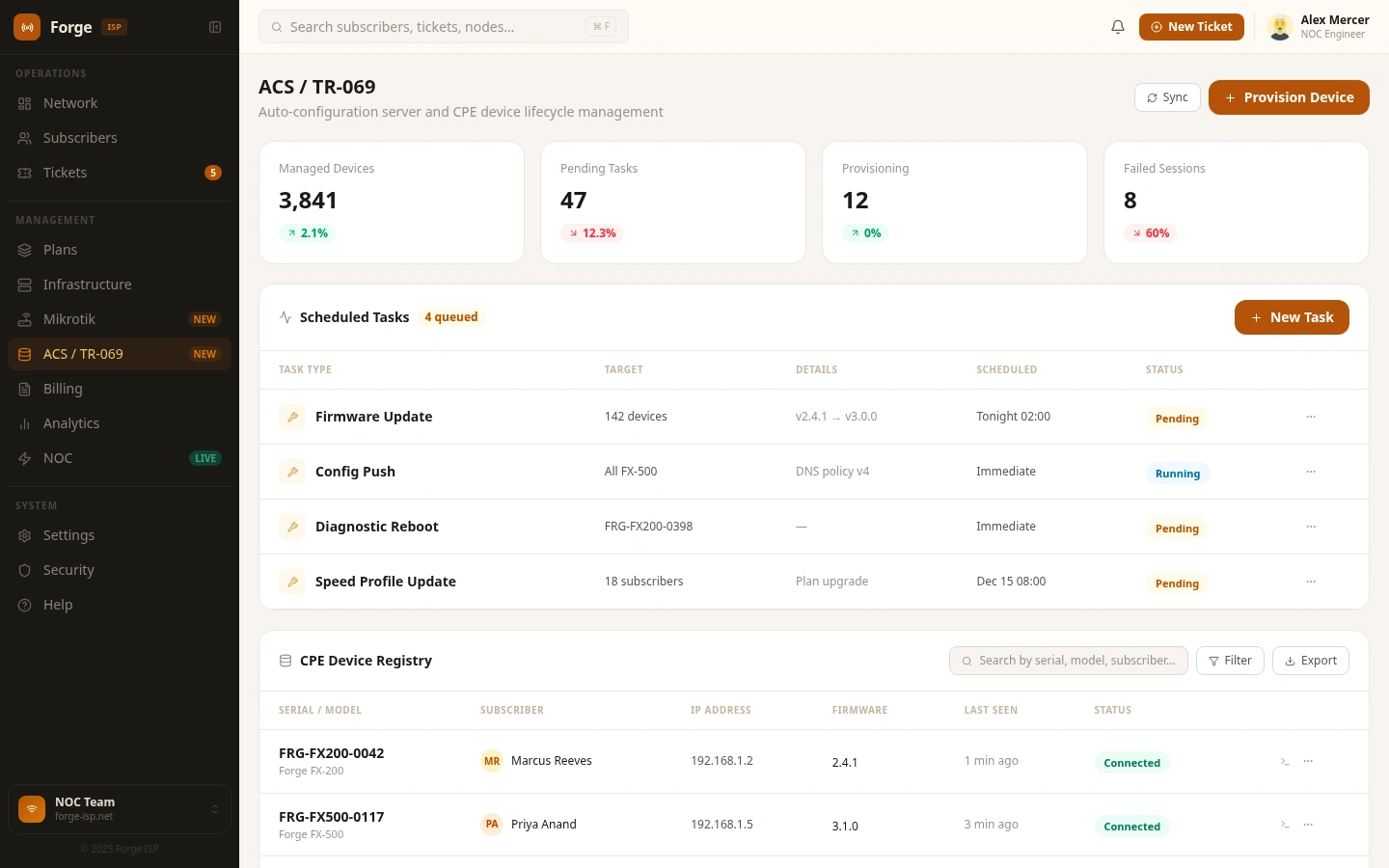
A full ACS panel structured around the TR-069 / CWMP standard, compatible with GenieACS, FreeACS, and commercial ACS platforms:
CPE registry with serial, model, firmware, last-inform time, and connected status
Live TR-069 session monitor for inform sessions, connection requests, and the RPC queue
Remote parameter get / set against TR-098 and TR-181 data models
Scheduled or immediate firmware push across device groups
Remote ping, traceroute, and connection diagnostics from the dashboard
Provisioning profiles for templated CPE onboarding
Per-device or per-group inform interval control
Billing - revenue operations
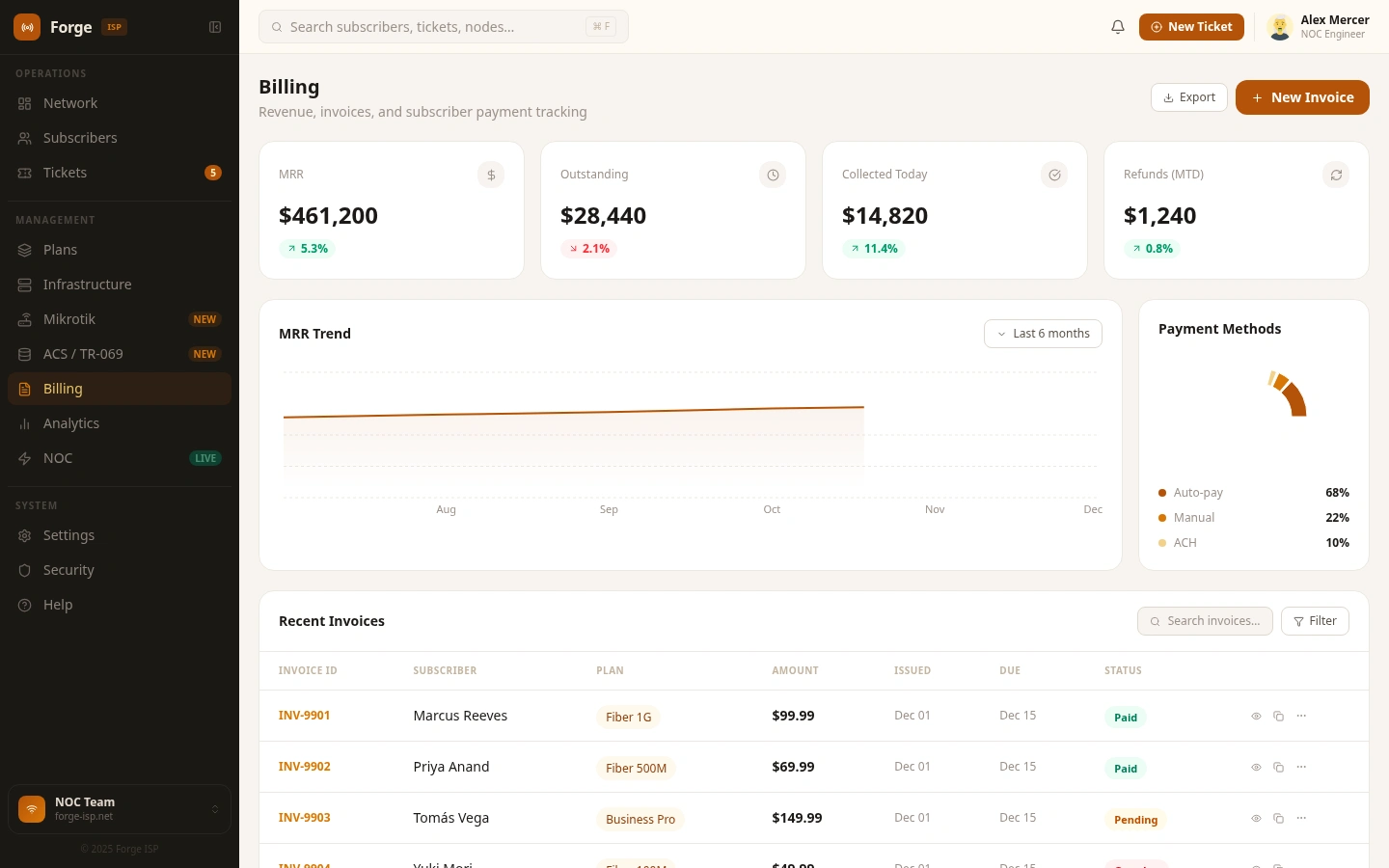
For ISP finance and ops:
Top-level KPIs for MRR, ARR, collection rate, and outstanding balance
Invoice register with Paid, Unpaid, Overdue, and Void states
Per-subscriber and aggregate payment history timeline
One-click CSV / PDF export for accounting handoff
Automated invoice generation triggered from plan assignment
Analytics - operational intelligence
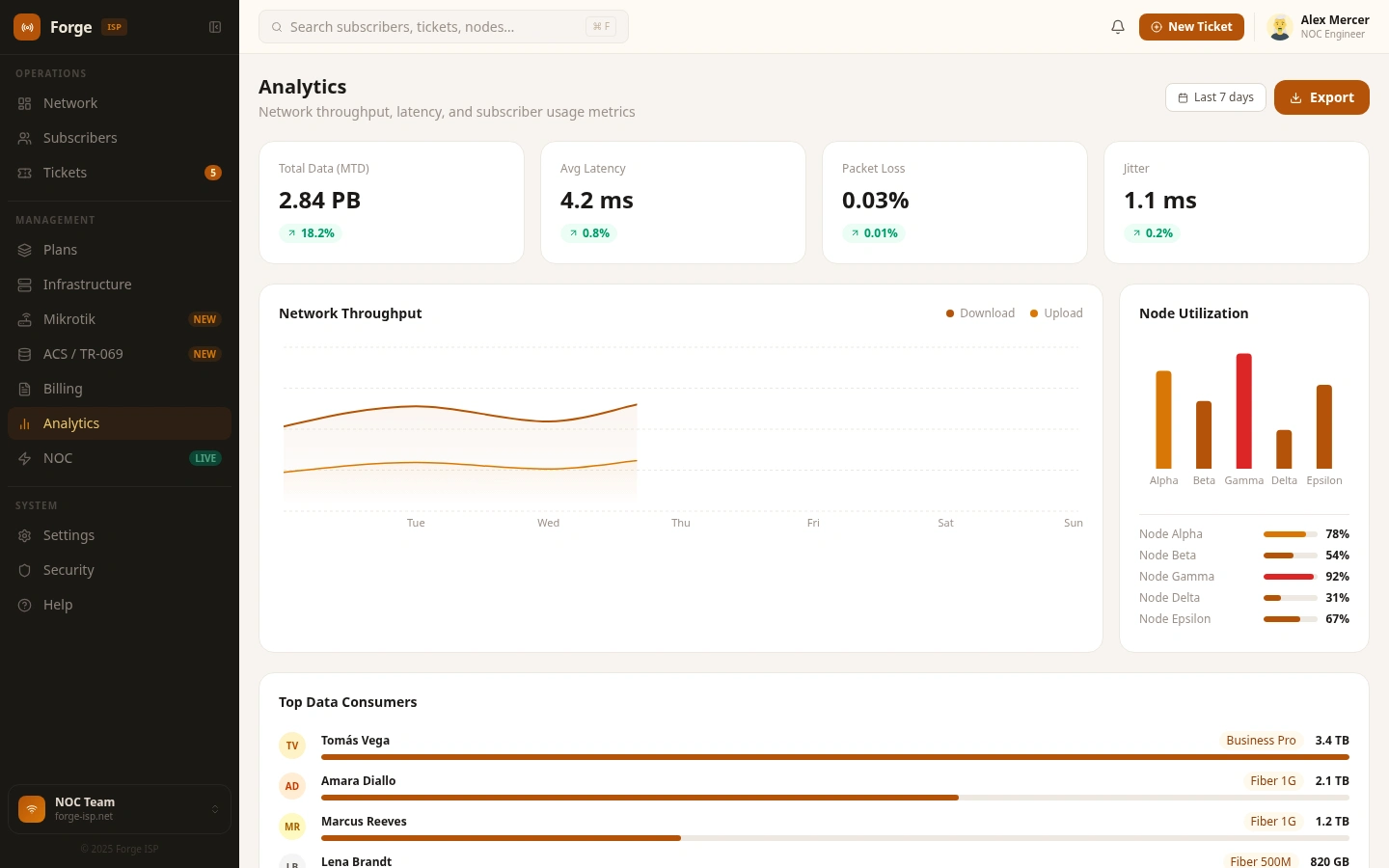
Cross-domain trends, not one-off charts:
Bandwidth across rolling 7-day, 30-day, and 90-day windows
Subscriber growth curve with net adds, churn, and reactivation
Revenue trend line with forecast overlay
Fault frequency heatmap surfacing the noisiest nodes
Revenue and subscriber share by plan tier
NOC - the live incident floor
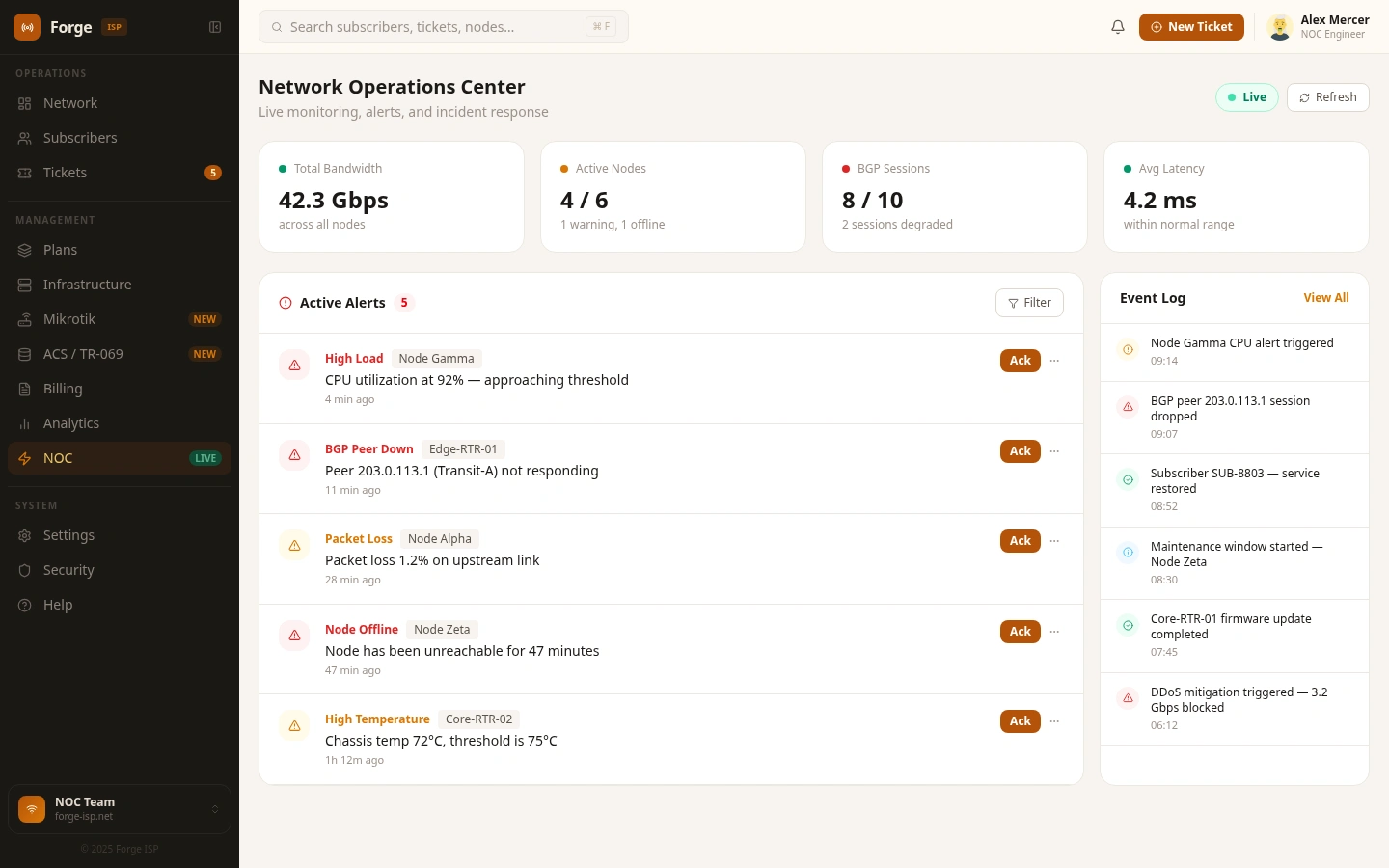
The realtime incident management surface. Streaming alarm feed with severity, source, and age. A persistent event log with ack-and-resolve workflow. A maintenance window scheduler that suppresses alerts during planned downtime. An on-call roster with active shift and escalation path. SLA timers per incident for time-to-acknowledge and time-to-resolve.
Settings - the configuration surface
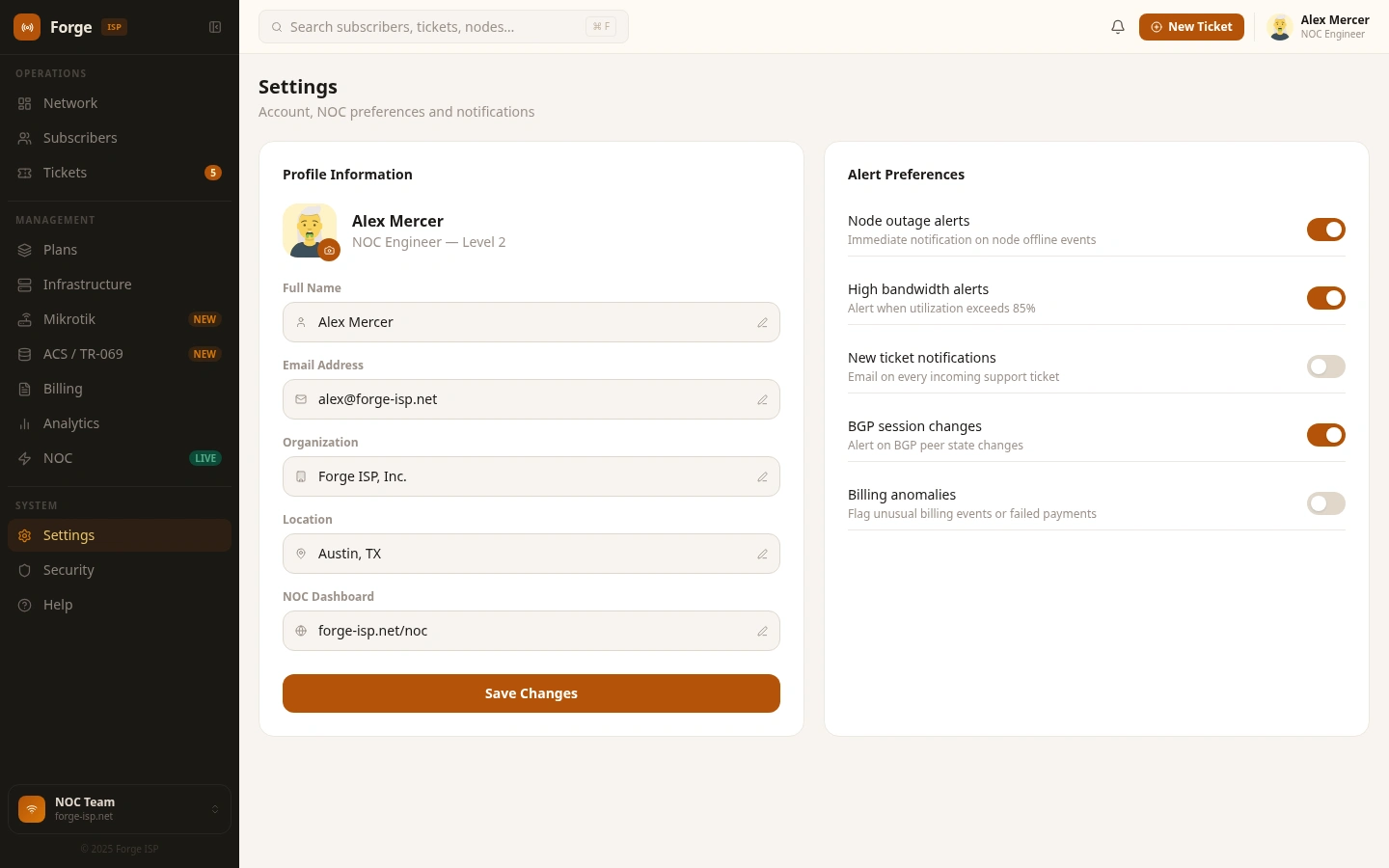
System-wide configuration in one place: organisation profile, notification routing across email / Slack / webhook, RADIUS and ACS endpoint config, white-label branding for reseller deployments, and data retention policy for logs, sessions, and invoices.
Security - access control and audit
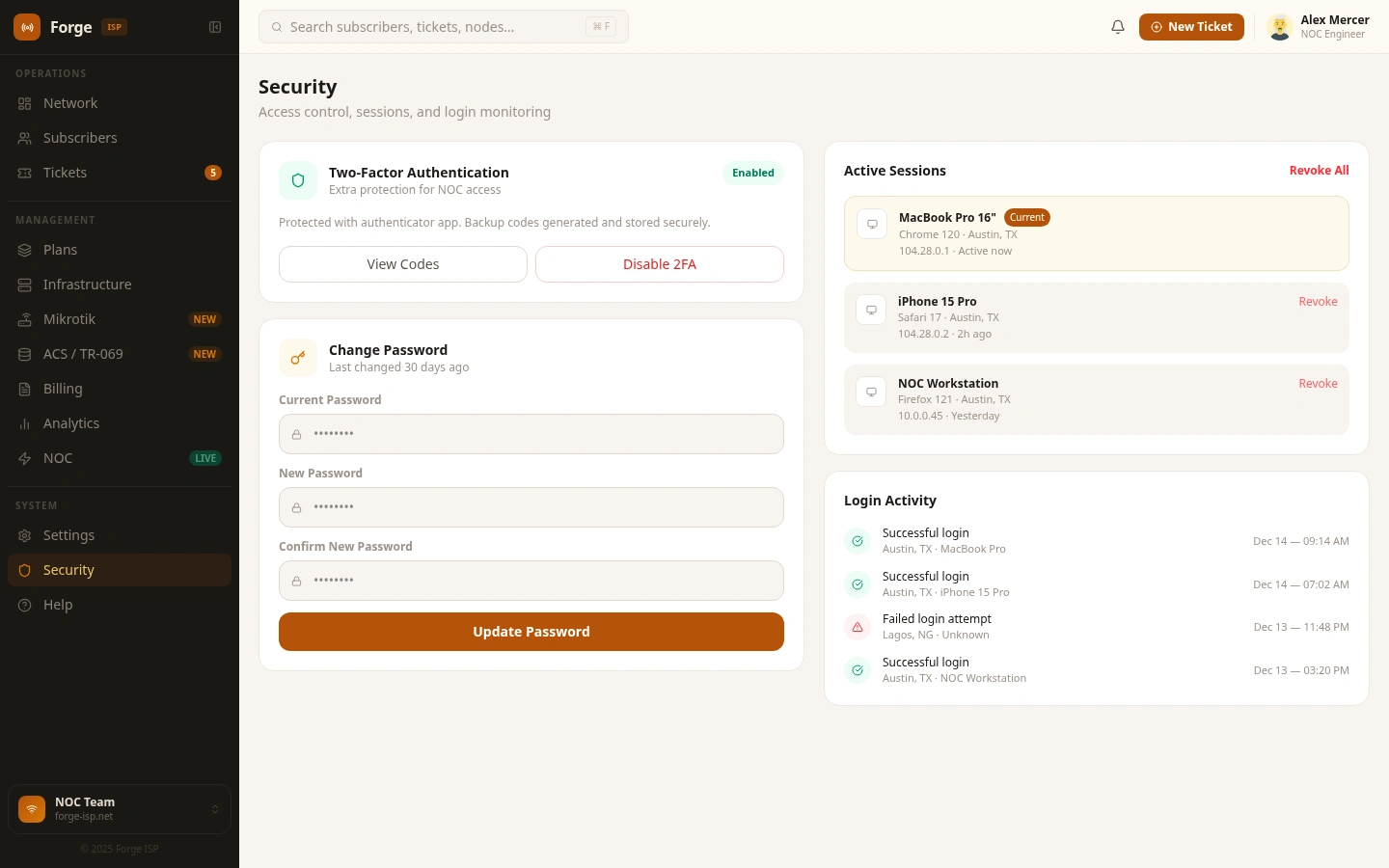
Roles for Admin, NOC, Support, and Read-only. A timestamped audit log of every configuration change and login. API key issuance and revocation. IP allowlisting by source range. Per-user MFA enrolment status.
Help - guided support
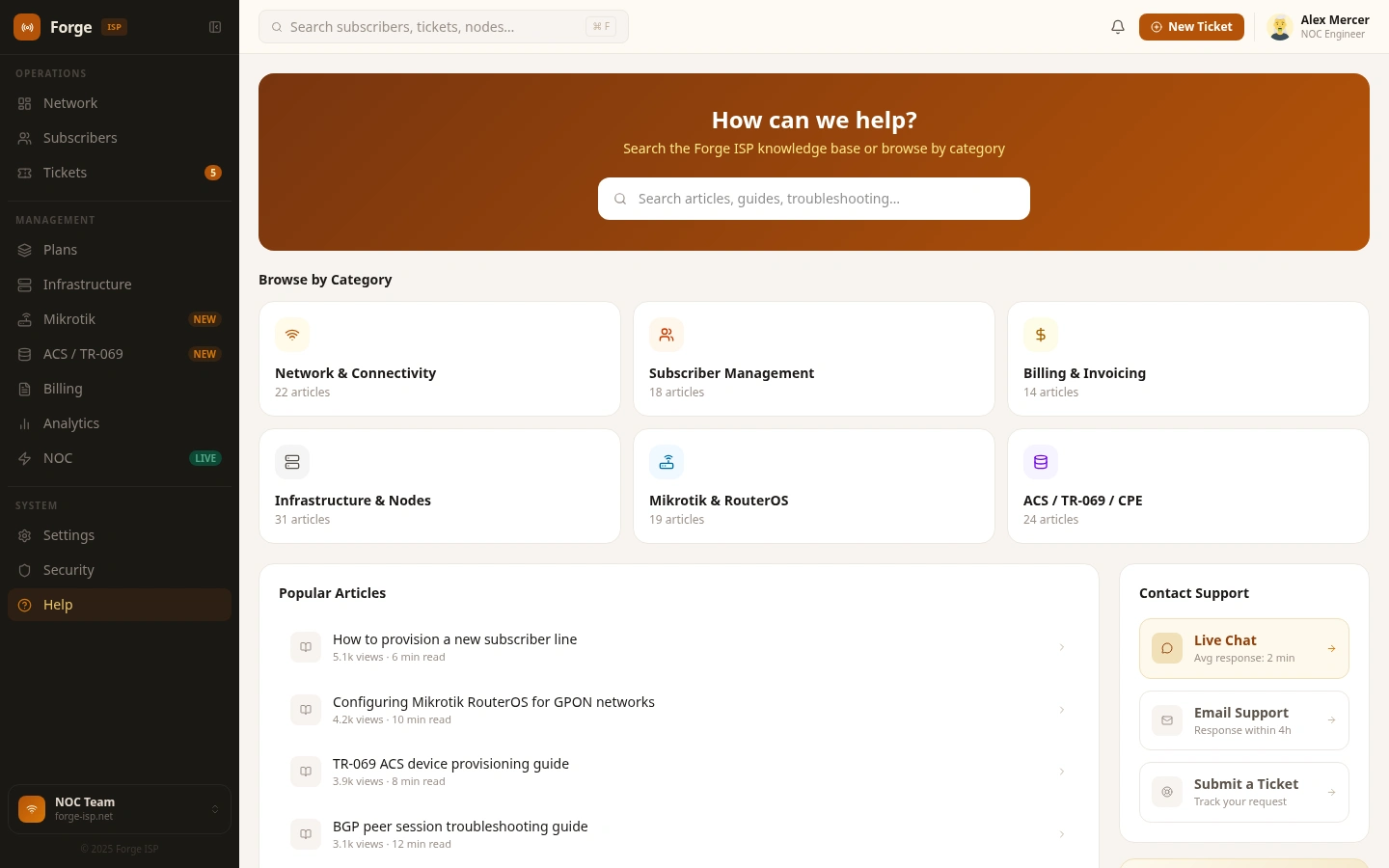
In-product documentation, onboarding tour replay, and a direct path to support so an engineer never has to leave the workspace to find an answer.
Interaction details
Collapsible sidebar. The navigation rail collapses from 248 px to 56 px on demand, expanding back on hover or toggle. The collapsed state persists across sessions. This matters when a NOC operator wants the alarm feed or a full-width chart to dominate the screen.
Skeleton loading. Every page transition renders a shimmer skeleton matching the destination layout before data resolves. No layout shift, no jarring fill, the navigation feels instantaneous even when content takes a beat.
Page transitions. Framer Motion drives a subtle
y: 12 → 0 and opacity: 0 → 1 transition over 200 ms with an ease-out curve. Enough motion to communicate layering, not enough to distract from monitoring work.Welcome flow. First-time users land on a banner that explains what the workspace is, points to the primary surfaces, and offers a guided tour or a dismiss path.
Visual system
The palette is centralised in a single token object so palette adjustments are a one-line change:
Background - warm stone
#F7F4F0Sidebar - deep warm near-black
#1A1814Primary - muted amber
#B45309Active state - ghost-fill
rgba(180, 83, 9, 0.12) rather than a solid highlightSurface card -
#FFFFFF on cream #FEFAF4Text -
#1C1917 primary, #5C534A mid, #9C9189 subStatus colour is never the sole differentiator; very badge carries a text label as well, and contrast on primary text exceeds WCAG AA 4.5:1.
Technical decisions worth flagging
Single forced-light theme at runtime. The shell strips the
dark class on <html> before React mounts and overrides system-preference change events. The dashboard is intentionally one calibrated environment rather than a flippable theme; dark mode lives on the future roadmap once the palette has been re-tuned for night shifts.URL-param entry hooks.
?mode=editable and ?shouldSkipAnimations=true disable Framer Motion on first paint. This makes the workspace embeddable inside a host that needs deterministic layouts.Component boundaries. A shell file owns the sidebar, top bar, collapse logic, loading states, and welcome gate. A pages module owns every page-level component, all shared sub-components;
PageHeader, KpiCard, PrimaryBtn, OutlineBtn, StatusBadge and every chart configuration. Two files, clear ownership.Tailwind CSS v4 with OKLCH tokens. No
tailwind.config.js. The full token system lives in src/index.css using @theme inline, with shadcn-compatible variable names so any shadcn primitive drops in cleanly.Path alias
@/*. Wired in both tsconfig.app.json and vite.config.ts for ergonomic imports across a flat src tree.Accessibility
All interactive elements are real
<button> or <a>, no click handlers on divsFocus rings are preserved for keyboard navigation
Status colour is always paired with a text label
Sidebar collapse exposes an explicit
aria-labelRecharts tooltips inherit keyboard accessibility from the library
Responsive strategy
The dashboard is designed primarily for the 1280 px and wider environments where NOC monitors and engineering workstations actually live. Below 1024 px the sidebar collapses to its icon rail by default, KPI grids reflow from four to two columns, charts shrink in height, and lower-priority table columns hide progressively. Below 768 px the dashboard treats itself as a read-only summary while write operations like provisioning and billing edits require desktop context.
What's next
Real-time WebSocket data feed for live metric streaming
A RADIUS live session table to round out the auth surface
Command palette via ⌘K
A right-slide notification drawer
Optional dark-mode toggle, palette-tuned for night shifts
Multi-tenant / reseller view for managed-service operators
Mobile NOC alert view for on-call rotation
Outcome
Forge ISP shows what an ISP engineering dashboard should be in 2026; unified, calm, deeply functional, and respectful of the operator's time. It is not a simplified dashboard. It is a professional-grade tool designed for people who run networks for a living, built end-to-end with React 19, TypeScript, Vite, Tailwind v4, Framer Motion, and Recharts.
Design and engineering — MagicPath, 2025
Like this project
Posted May 10, 2026
A pro-grade dashboard design template for ISPs. Consolidates NOC, billing, and TR-069 into a calm, unified workspace. Built for engineers.
Likes
3
Views
108
Timeline
Jan 1, 2025 - Dec 31, 2026
Clients
MagicPath