Built with MagicPath
Development of Prometheus Self-Service Platform for Fiberwave

Vincent Pasili


Prometheus - Bringing a Kenyan Internet Provider Online
How I built a self-service platform that runs the day-to-day operations of a fast-growing internet company in Western Kenya.
Who This Was Built For
Fiberwave Internet Solutions provides WiFi to homes and businesses in Western Kenya. They serve over 7,000 customers across several counties - most pay daily or weekly via M-Pesa, Kenya’s mobile money system. The team is small. The customer base is growing fast.
Before Prometheus, every part of the business ran on something different - a separate tool for billing, a spreadsheet for plans, WhatsApp for support, manual phone calls for activations. That patchwork worked when they had a few hundred customers. At seven thousand, things were starting to slip through the cracks.
This is the story of replacing that with a single platform that does everything.
What Was Going Wrong
The old way of doing things had three core problems.
Customers waited too long to get online. When someone paid through M-Pesa, an admin would manually look up the receipt, find their account, set their plan, and message them their password. The whole process could take hours. People complained.
Money slipped through. Vouchers got resold by the same agent twice. Customers whose plans had expired stayed connected for days because no one had time to disable them manually. There was no good way to see how much each area was earning week-to-week.
There was no way to self-serve. If a customer wanted to renew, they had to call the office during work hours. If they wanted to know how much time they had left on their plan, they had to ask. The team spent half their day on the phone explaining things.
The team needed a system that handled the mechanical work automatically - payments, activations, renewals, expirations - so they could focus on the things that actually need a human.
The Result
Prometheus is now in production. It does five things, well:
Activates customers automatically the moment their M-Pesa payment confirms
Manages a fleet of routers across multiple locations from one screen
Lets customers buy and renew their plans themselves, on their phones
Sends them friendly SMS reminders before their plans expire
Gives the team a real-time view of revenue, network health, and support tickets
What used to take hours now takes seconds. What used to need a phone call now happens through a captive portal or a self-service web app.
The Public Face
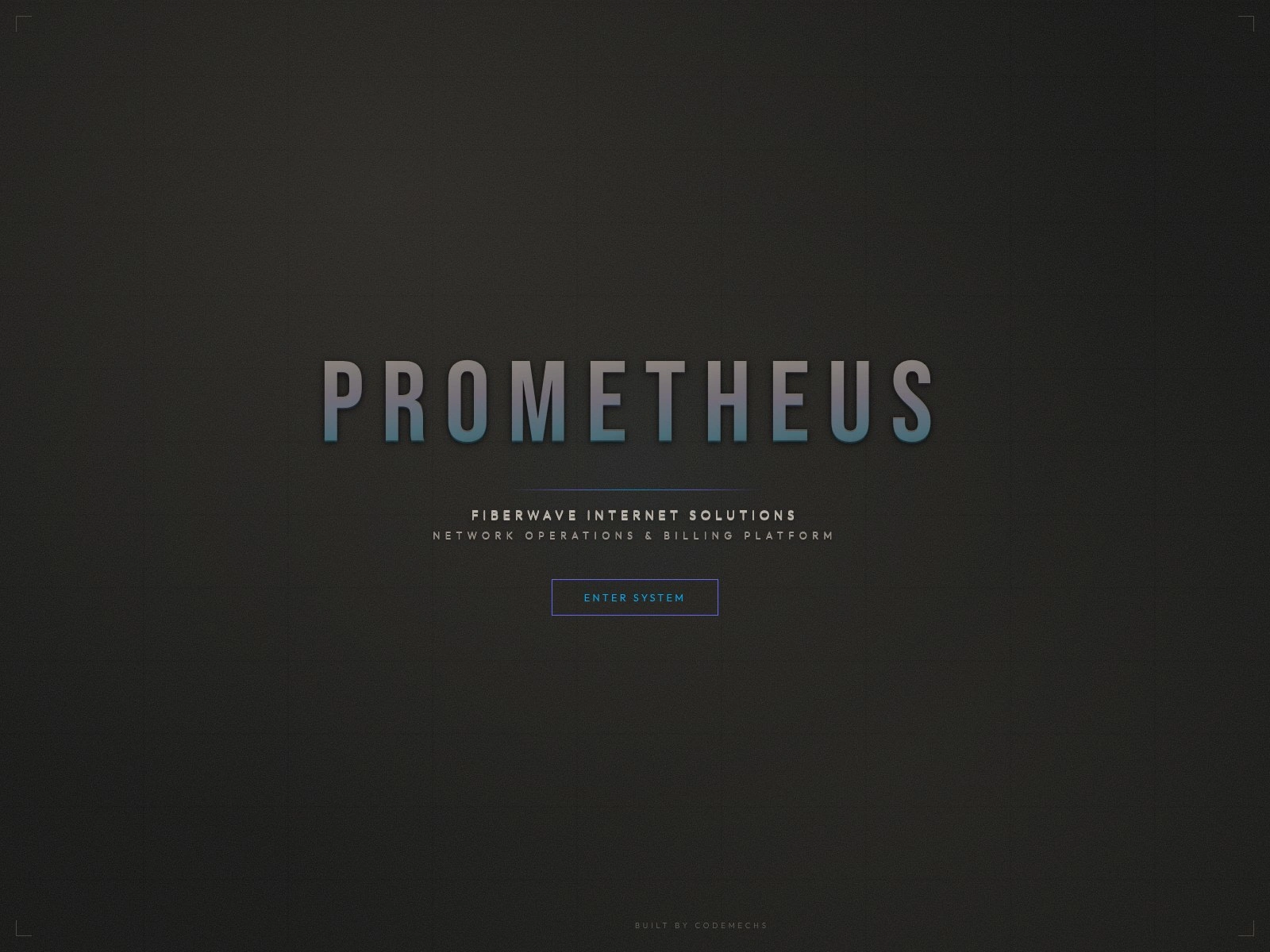
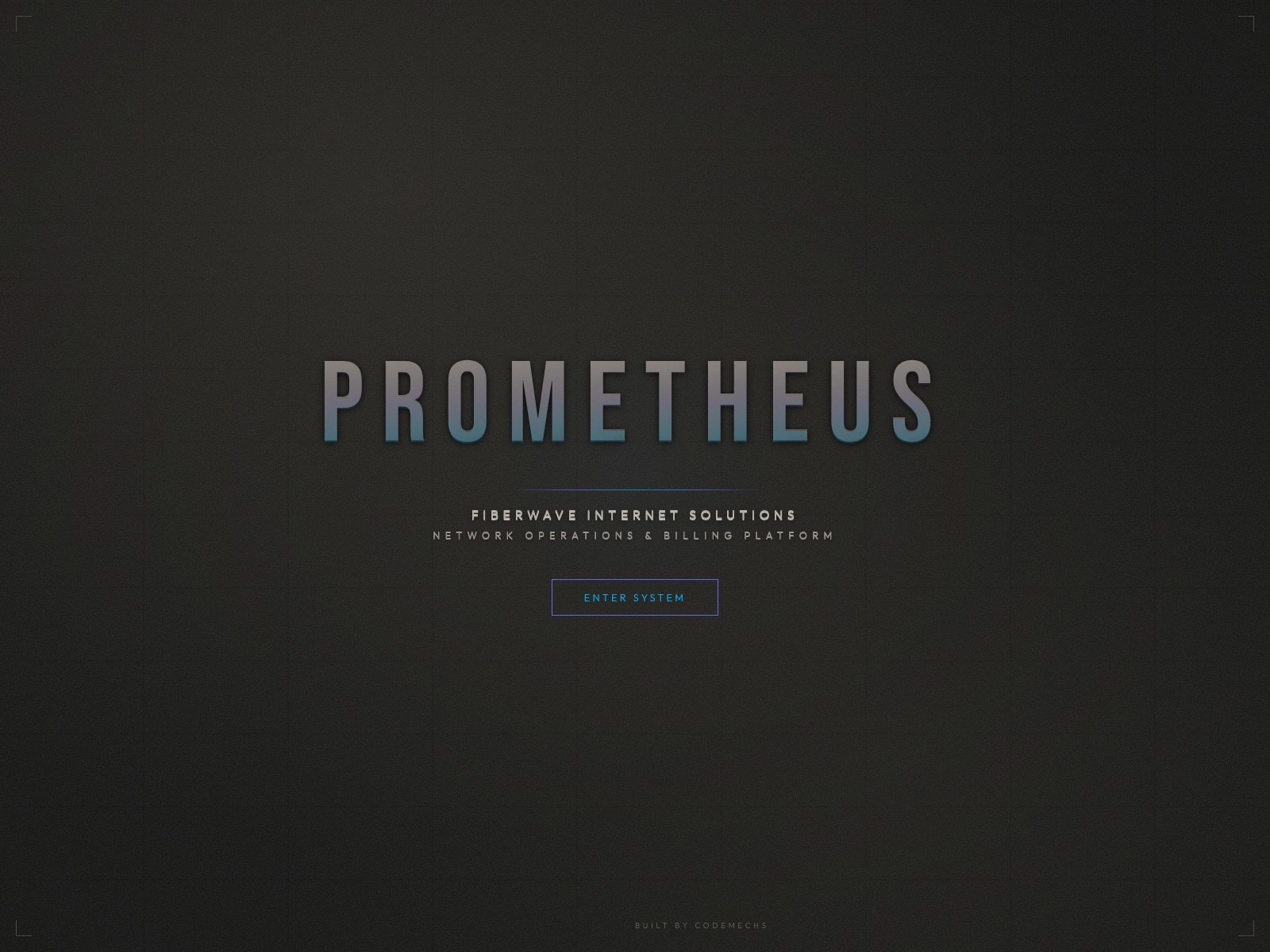
The landing page is the first thing anyone sees - customers, prospective signups, agents looking up the company. It introduces Fiberwave, links to plans, and gives staff a clean entry point to the admin app. Branded with the Fiberwave palette, mobile-first, and intentionally lean - no third-party trackers, no marketing scripts, no cookie banner.
Signing In
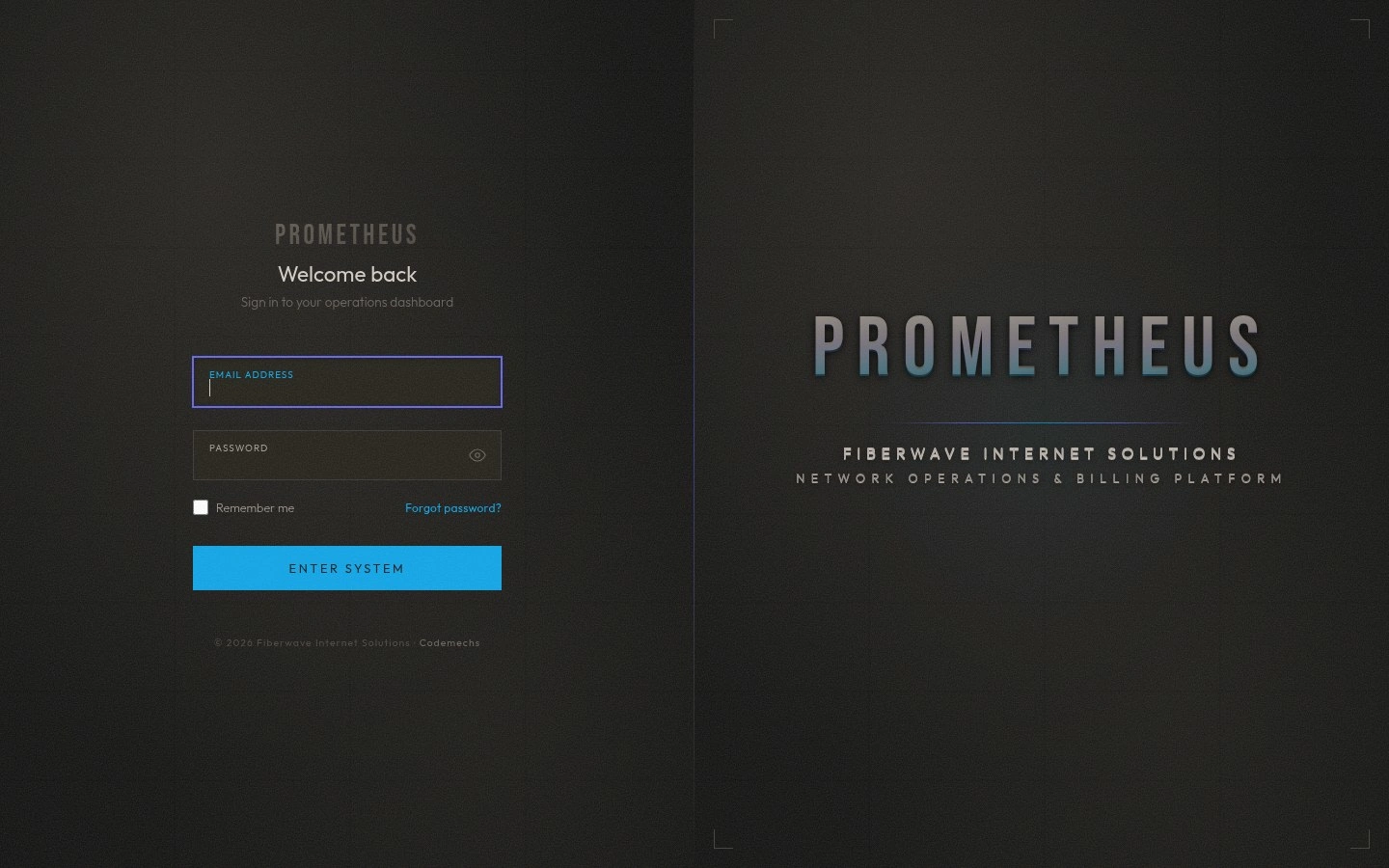
Staff sign in here. The form is deliberately quiet - it’s a tool, not a marketing surface. New staff arrive at this page after clicking the invitation link in their email or SMS. They set their own password the first time. From there, every login is a clean session, with role and zone enforced from the moment the page loads.
The Operations Dashboard
This is what the team sees every morning.
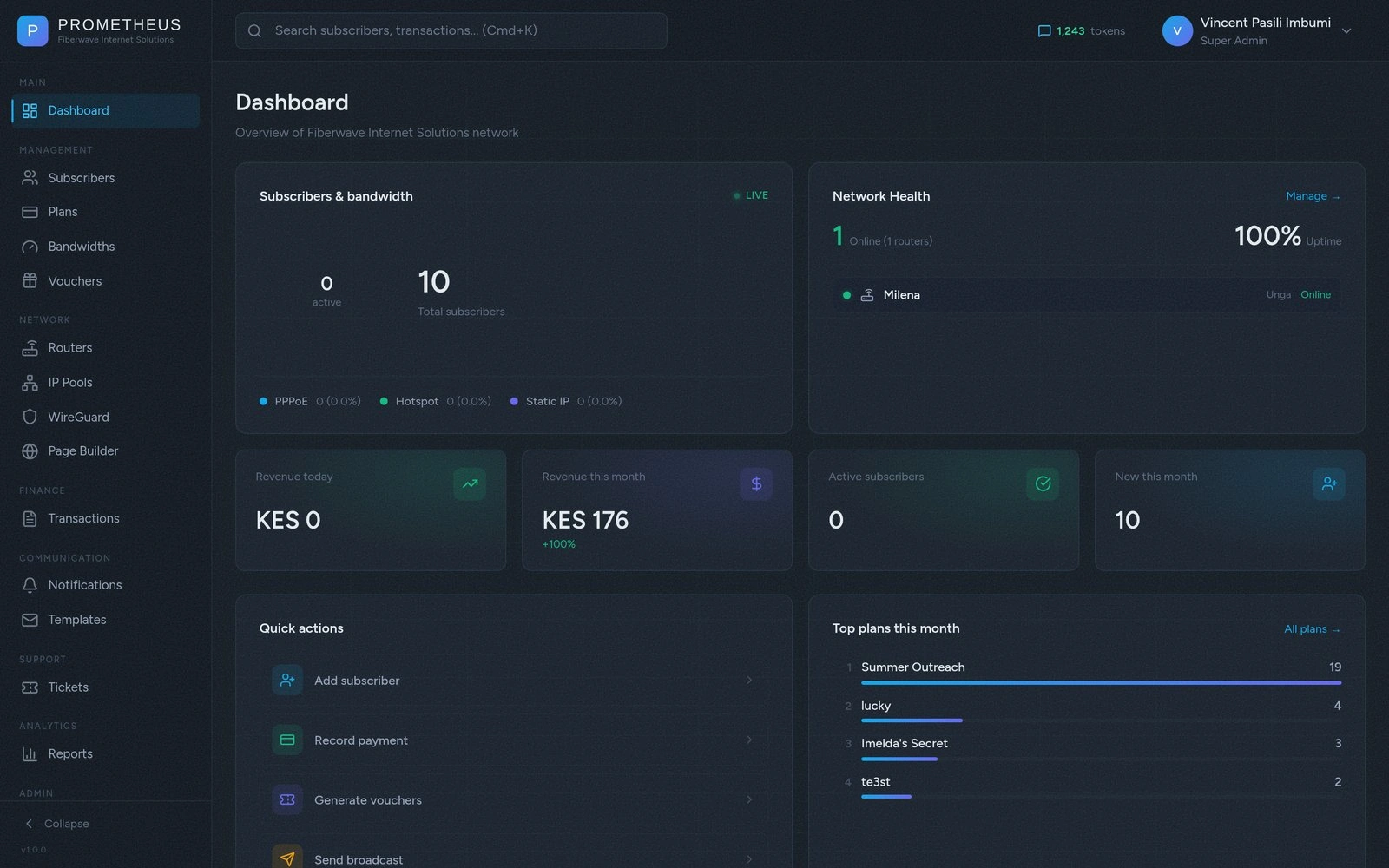
At a glance: how many customers are active right now, how much money came in this month and how that compares to last month, how many support tickets are open, and the live status of every router in the field. If something goes down, it shows up here in red. If revenue trends downward two weeks in a row, you see it before it becomes a problem.
The router list at the bottom is more than just a status board - every entry is clickable, takes you to that router’s details, and tells you the last time it phoned home. If a router in Eldoret has been offline for an hour, the technician for that zone gets a clear signal to investigate.
Customers, End to End
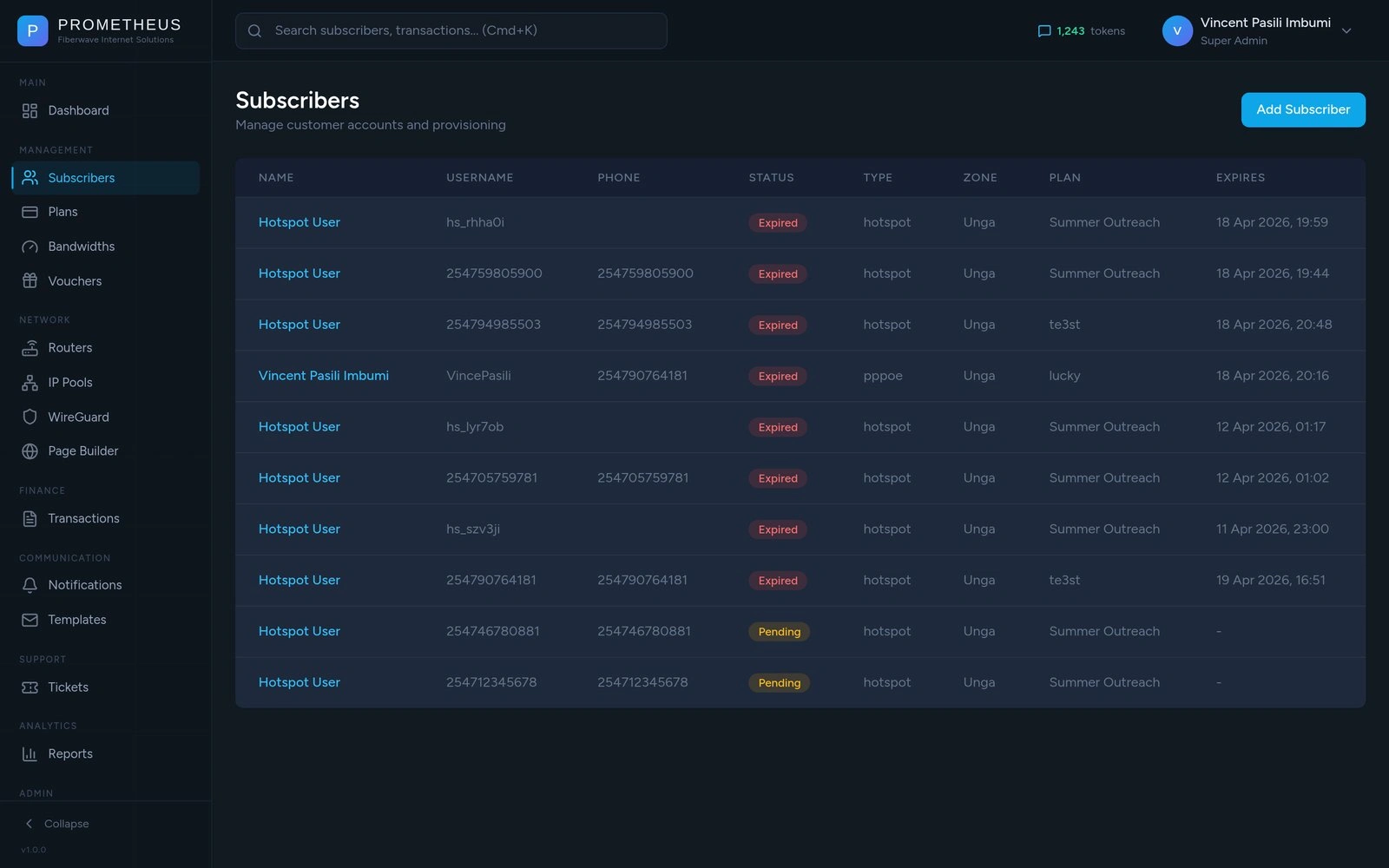
Every customer is a record with everything you need: their name, phone, current plan, expiry date, which router they’re connected to, and where they live. From this screen the team can find any customer in seconds, change their plan, top them up, suspend them, or look at their full payment history.
When a new customer is added, the system handles the rest:
Their account is created in the network’s authentication system
Their credentials get pushed to the right router
An SMS goes out with their username, password, and a recovery code
An audit log entry records who created them and when
If anything fails - say the SMS provider has a temporary issue - the rest still works. The customer gets connected; the SMS retries on its own. Nothing requires a human to babysit it.
Plans That Just Work
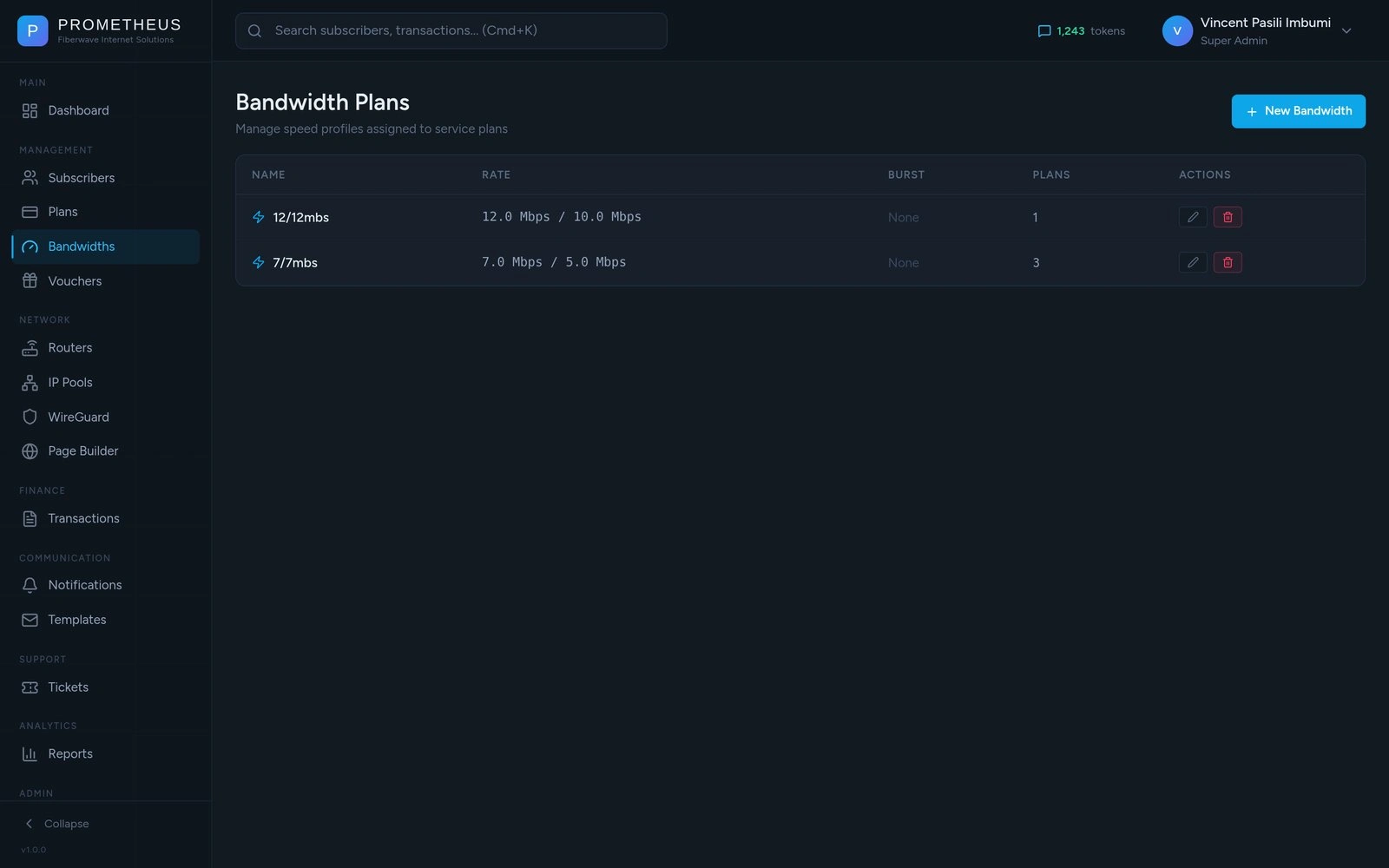
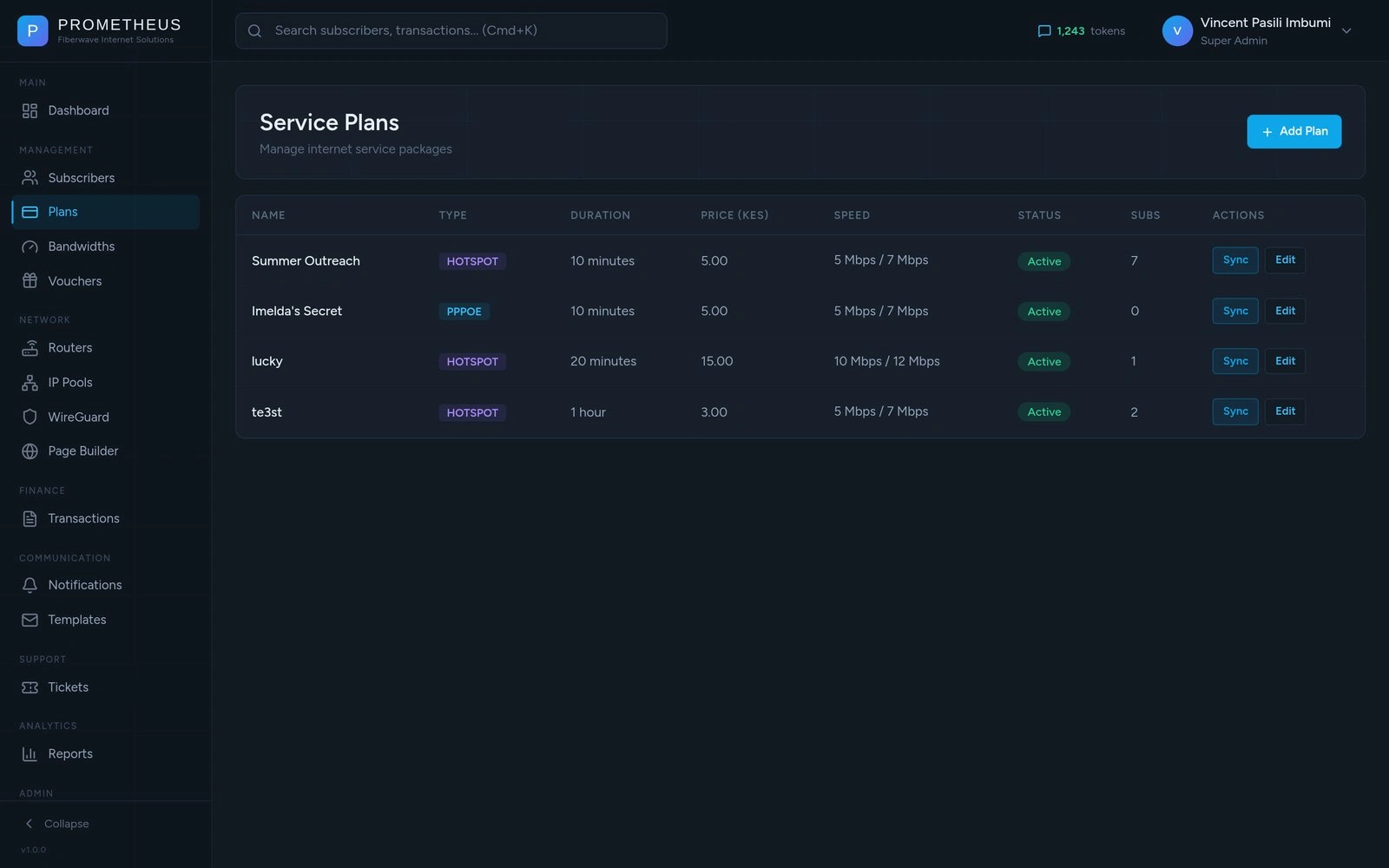
Plans are how Fiberwave packages internet - “30 minutes for Ksh 20”, “7 days for Ksh 300”, “1 month for Ksh 1,000”. Each plan has a price, a duration, and a speed.
When a customer activates a plan, the speed limit is enforced automatically by the network. When the duration runs out, they’re disconnected automatically. The team doesn’t manually adjust anything per-customer - they just create the plan once, and every customer who buys it gets the same treatment.
Bandwidth presets are the building blocks: 5 Mbps, 10 Mbps, fiber-grade speeds. Plans pick a bandwidth and add a duration. Change a bandwidth, and every plan that uses it updates everywhere.
The Money
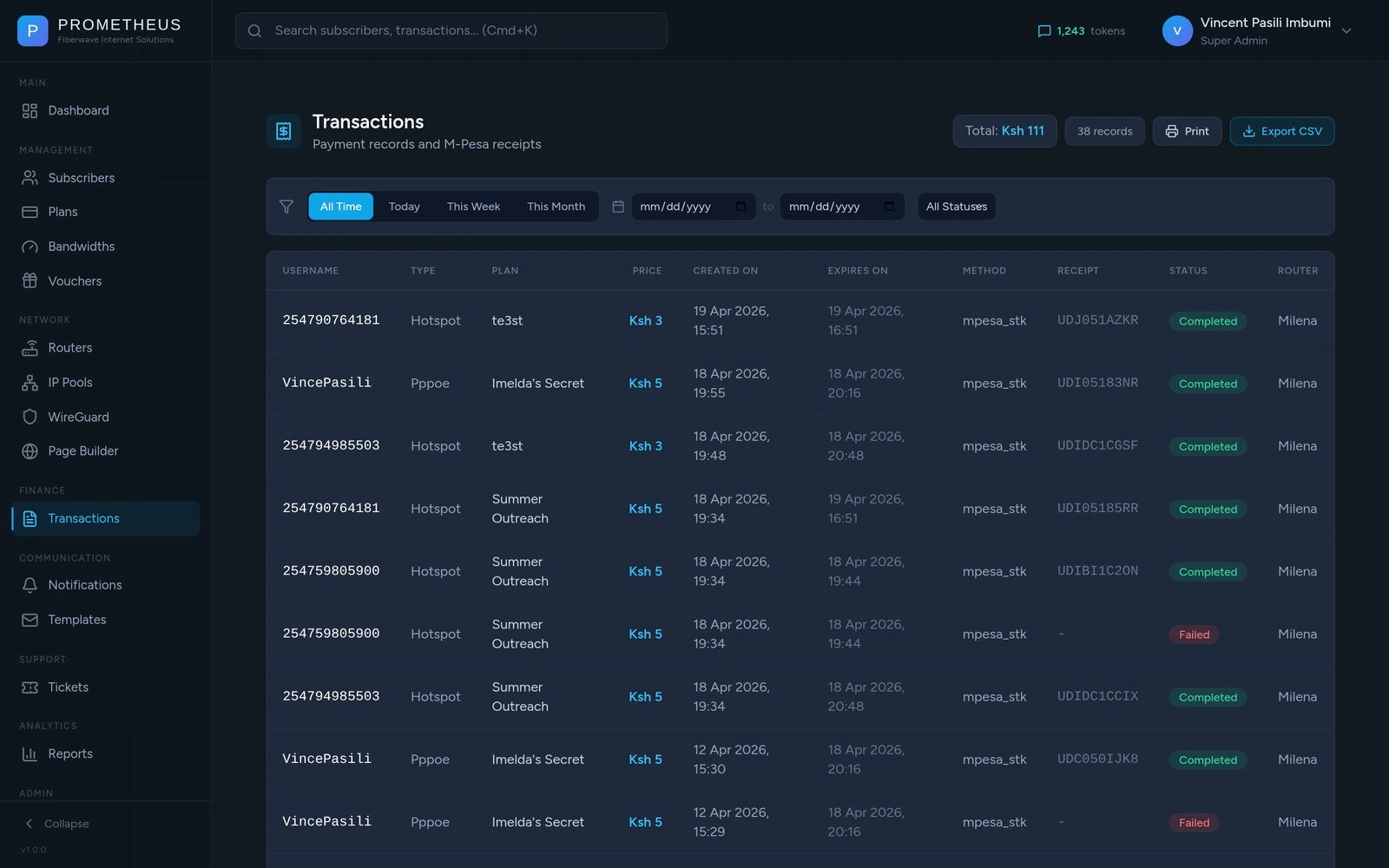
Every payment lives in one place - whether it came through M-Pesa from the captive portal, was triggered by an admin, or came in through a voucher. The team can filter by today, this week, this month, or any custom date range. Status (Completed / Pending / Failed) is colour-coded.
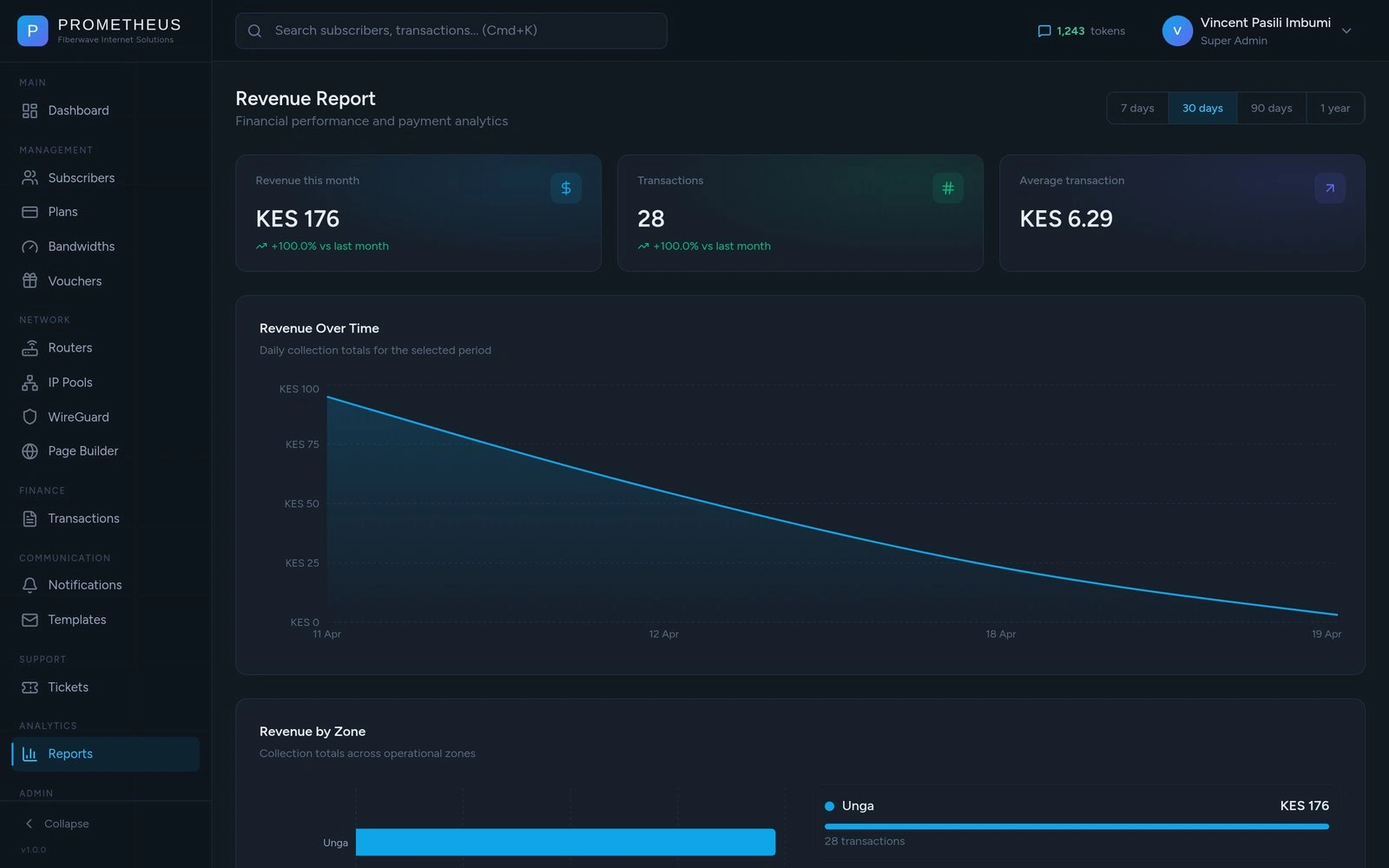
Reports answer the questions the owner actually asks at the end of the month:
How much did we make this month vs. last?
Which area is growing fastest?
What’s our average transaction size?
CSV export with filters preserved. Print button for paper records. The accountant can grab the file at month-end and reconcile against the M-Pesa statements without writing a single SQL query.
Vouchers - The Reseller Channel
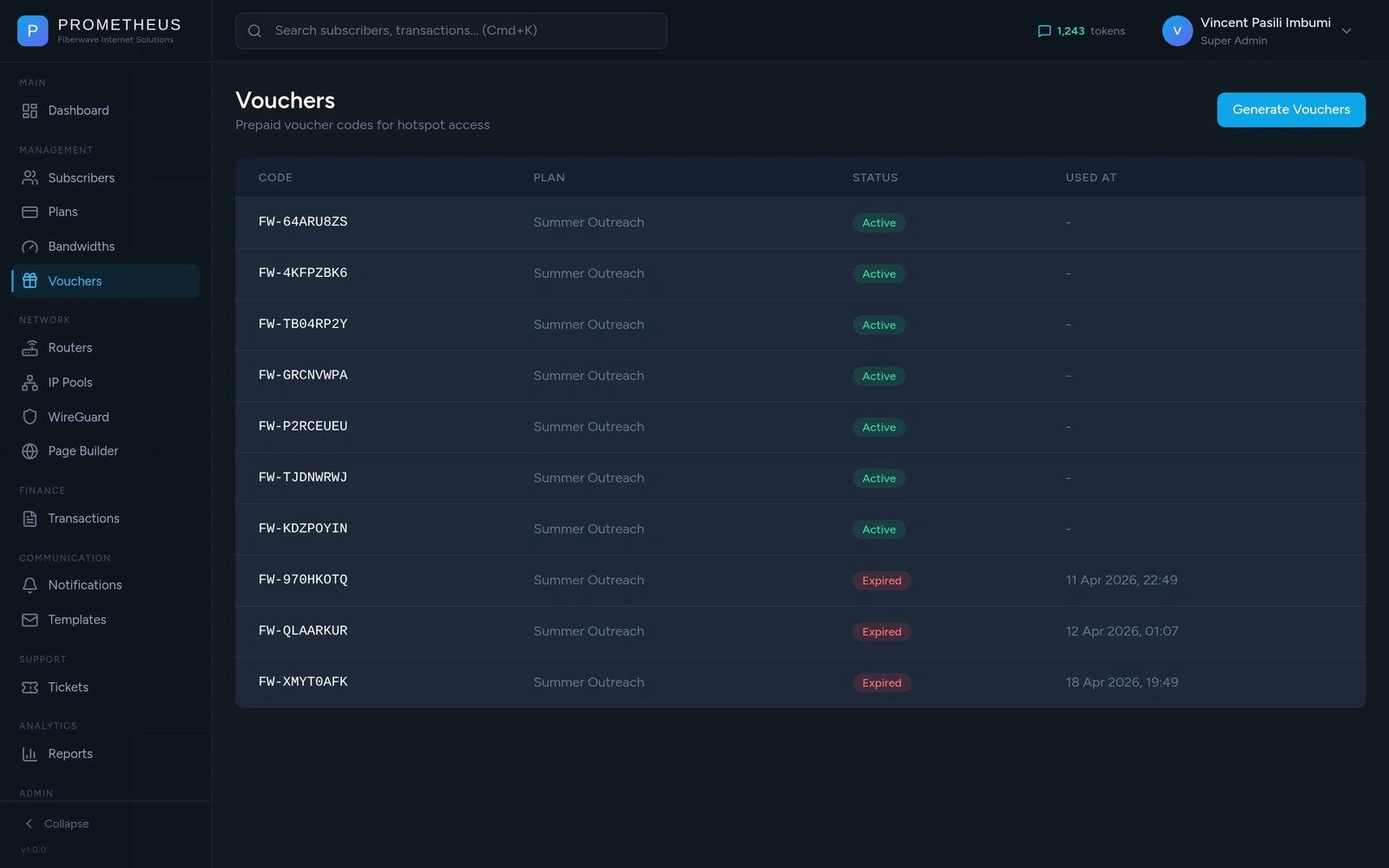
A big slice of Fiberwave’s revenue comes from agents - small kiosks and mobile vendors who buy bundles of internet vouchers and resell them. Vouchers used to be paper slips with handwritten codes; now they’re generated in batches, each tied to a specific plan, each redeemable exactly once.
A customer at a kiosk pays the agent in cash, gets a code on a printed receipt, walks home, connects to WiFi, types the code into the captive portal, and is online. The system marks the voucher used, creates their account, and shows their credentials. If they try to use the same code twice, it tells them politely it’s already been redeemed.
For the agent: less cash to carry, no fake codes, instant verification. For Fiberwave: every voucher is accountable.
The Router Fleet
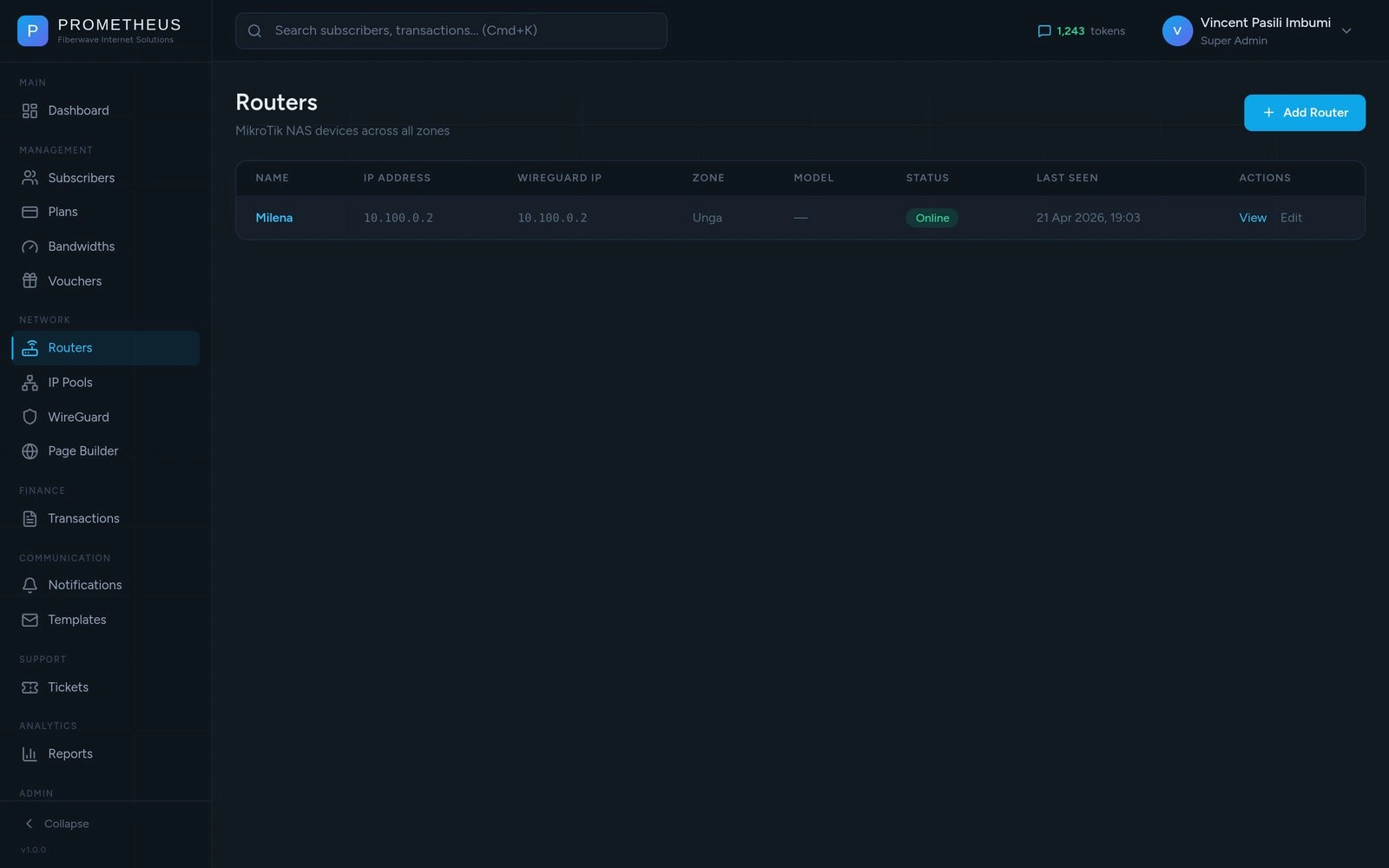
Fiberwave’s customers connect through MikroTik routers - small computers placed at each location that handle the actual internet connection. There are several of them in the field, and managing them used to mean physically driving to a site or remote-desktopping into one router at a time.
Prometheus changes that. Every router shows up on one screen with its name, location, online/offline status, and how recently it checked in. Adding a new one walks you through a wizard: enter its details, pick the network it should serve, choose the kind of customers it’ll handle (homes, hotspot users, or both). The system writes the configuration to the router automatically. What used to take a senior technician an hour now takes the wizard about three minutes.
When a router goes offline, the dashboard turns its dot red and the technician on call gets a heads-up. When a customer in that area tries to log in, the system knows their router is down and gives them a more useful error than “incorrect password.”
The Captive Portal - Page builder + the user captive portal page
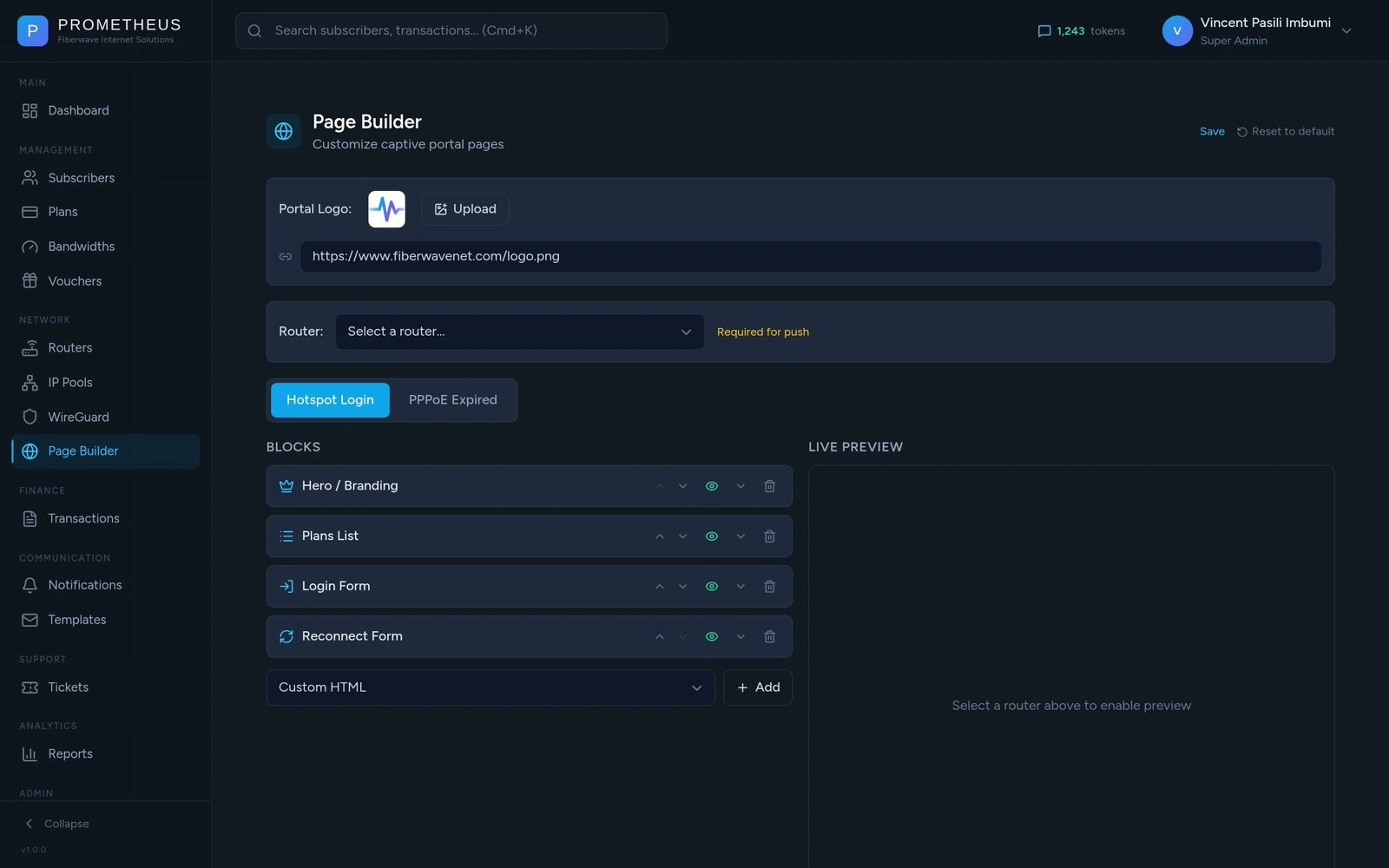
Page builder
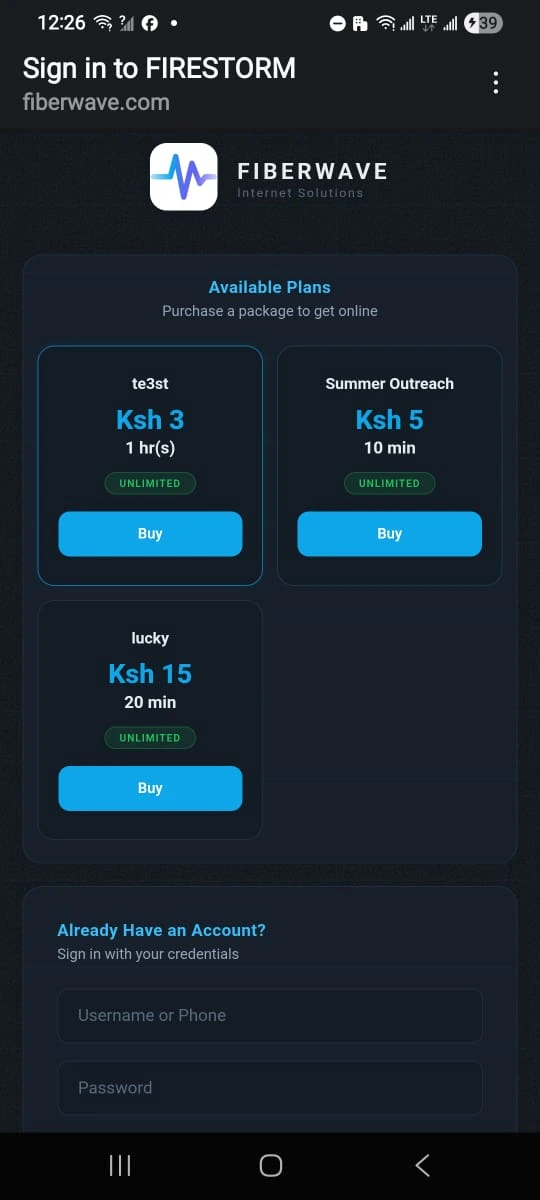
Captive portal on mobile
This is the WiFi sign-in page customers see when they connect to a Fiberwave hotspot. Tap into the network, open a browser, and the page loads automatically - same as you’d see in a hotel or coffee shop.
What used to be a generic, unbranded page is now fully customisable. The team builds it like Lego: a Hero block at the top with the company name and logo, a Plans List showing what’s for sale (with prices in shillings), a Login form for returning customers, a Voucher Redemption box, and a Reconnect form for customers who lost their session. Drag to reorder. Toggle to hide. Preview in real time. Push to every router in the fleet with one click.
The page itself is built to load on a basic Android phone over a slow connection - no fancy frameworks, no big images. Customers see something that loads in a second, looks good, and works.
When Plans Expire
When a customer’s plan runs out, two things should happen: their connection should stop working, and they should be given an obvious way to renew without calling the office.
The system handles both. The moment expiry hits, the customer is disconnected. The next time they open a browser, they land back on the captive portal with their existing details pre-filled and a list of plans to buy. One M-Pesa STK Push later, they’re back online - no human in the loop.
For long-term customers (PPPoE), the system is even more proactive: they get an SMS three days before expiry, and another at one day. Most renew before they’re disconnected at all.
Customer Support
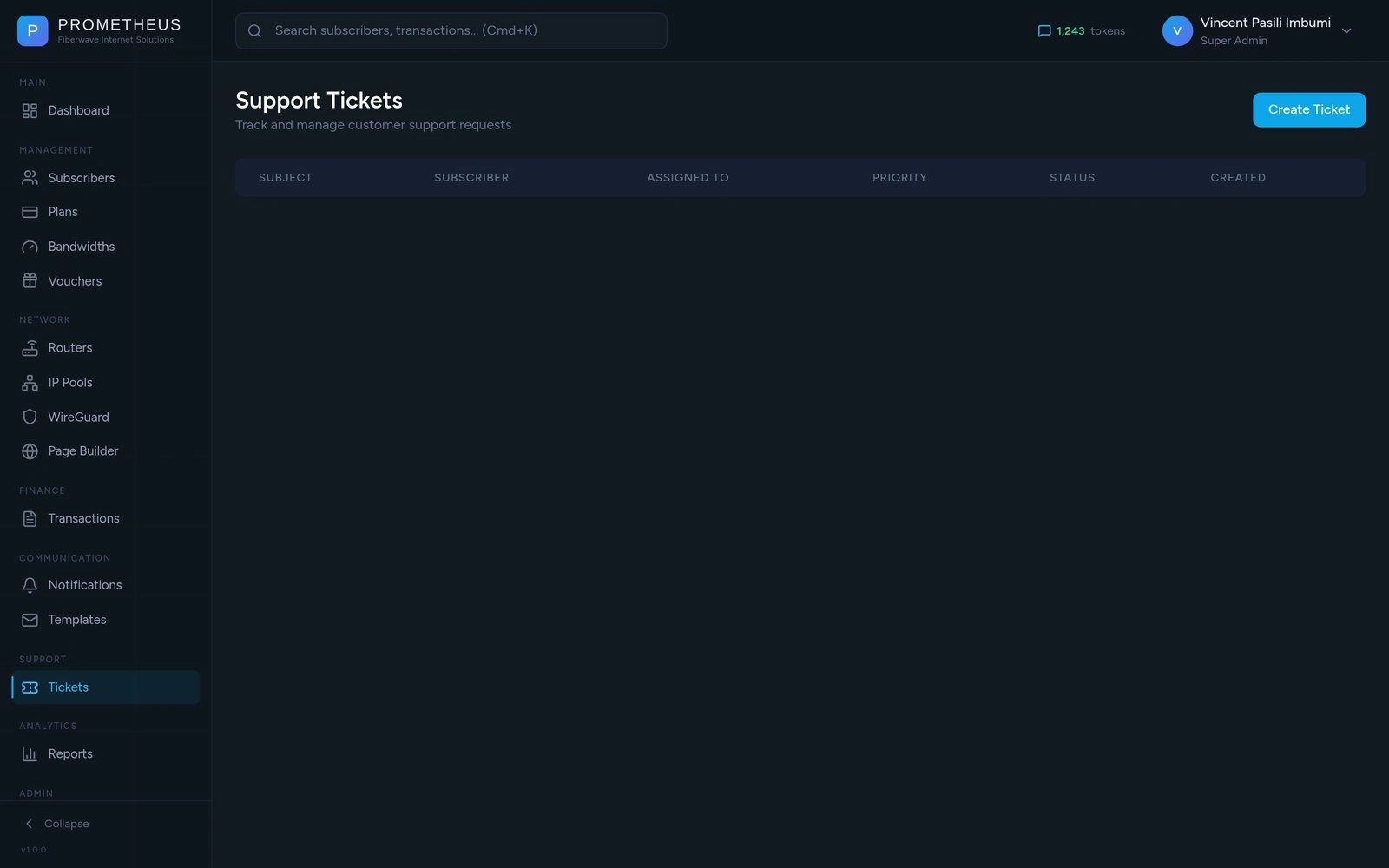
When a customer calls in or walks into the office, the agent opens a ticket. Type in their phone number - if they’re an existing customer, the system links them automatically. Pick the request type (PPPoE, hotspot, general), set the severity, write what’s wrong, optionally assign it to a technician.
From the ticket detail page, anyone on the team can see what’s happening, reassign it, comment on it, or mark it resolved. No more lost sticky notes. No more “I told someone about this last week.”
Staff & Roles
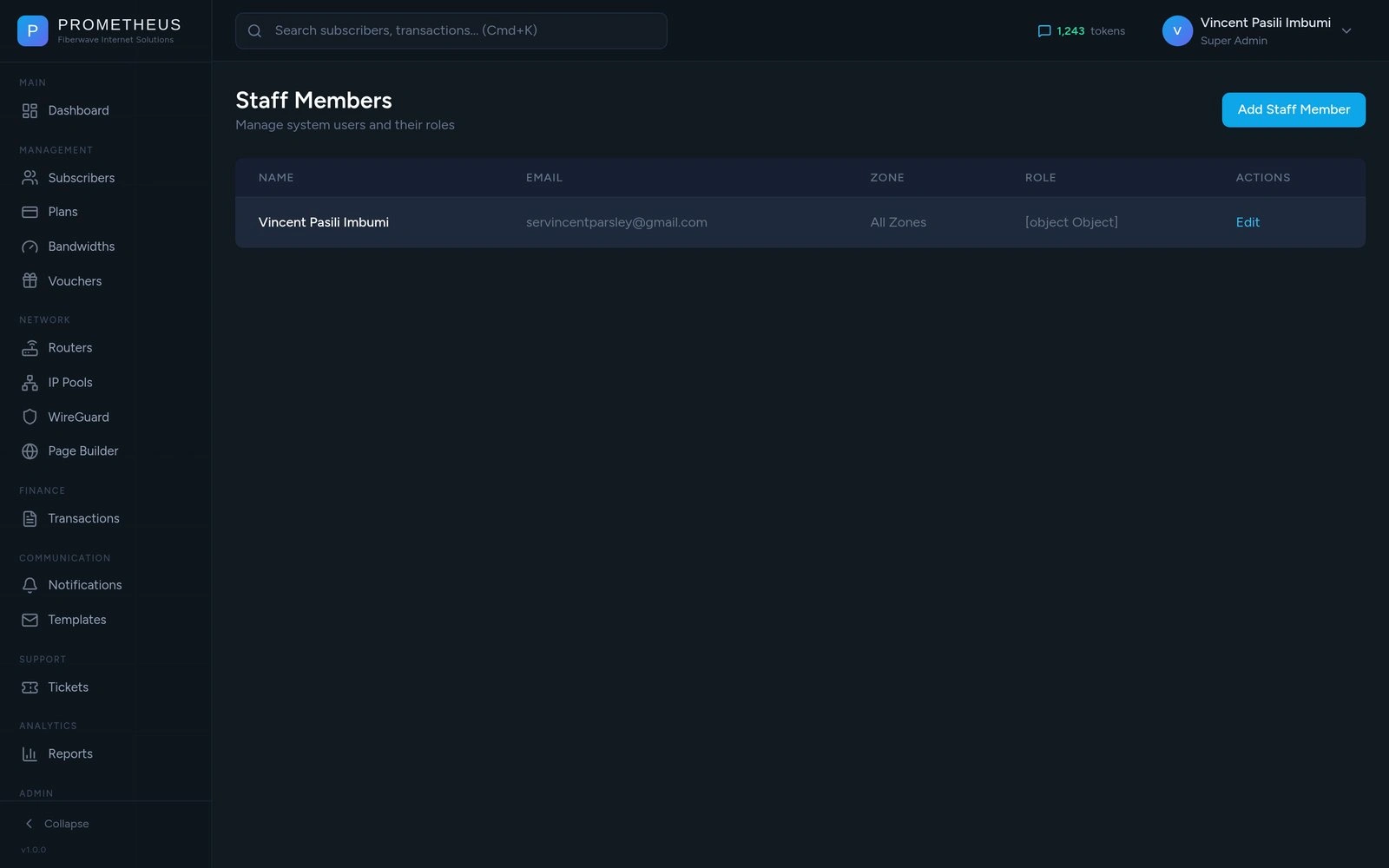
The team has different roles - admins, support staff, technicians, viewers. A technician for the Eldoret zone only sees customers and routers in Eldoret; a super-admin sees everything. This isn’t just cosmetic - the system actually prevents a technician from seeing customers outside their zone, even if they go looking for them.
Adding a new staff member is invitation-based: admin enters their name, email, phone, and role; the system emails them a private link that expires in 7 days. They click it, set their own password, and they’re in. The admin never sees or types the staff password. No shared credentials, no “it’s password123 like everyone else.”
The Customer’s Self-Service Portal
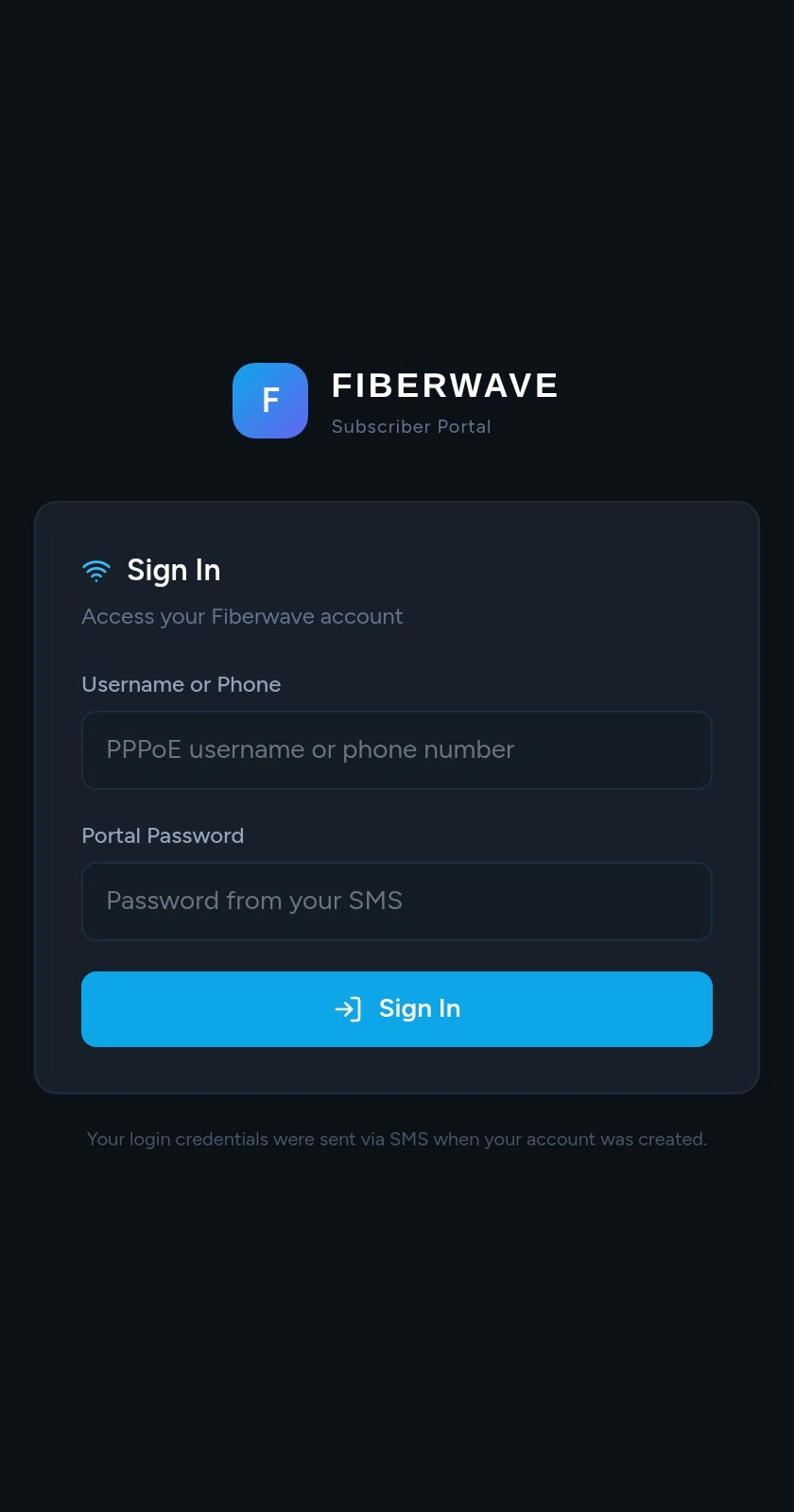
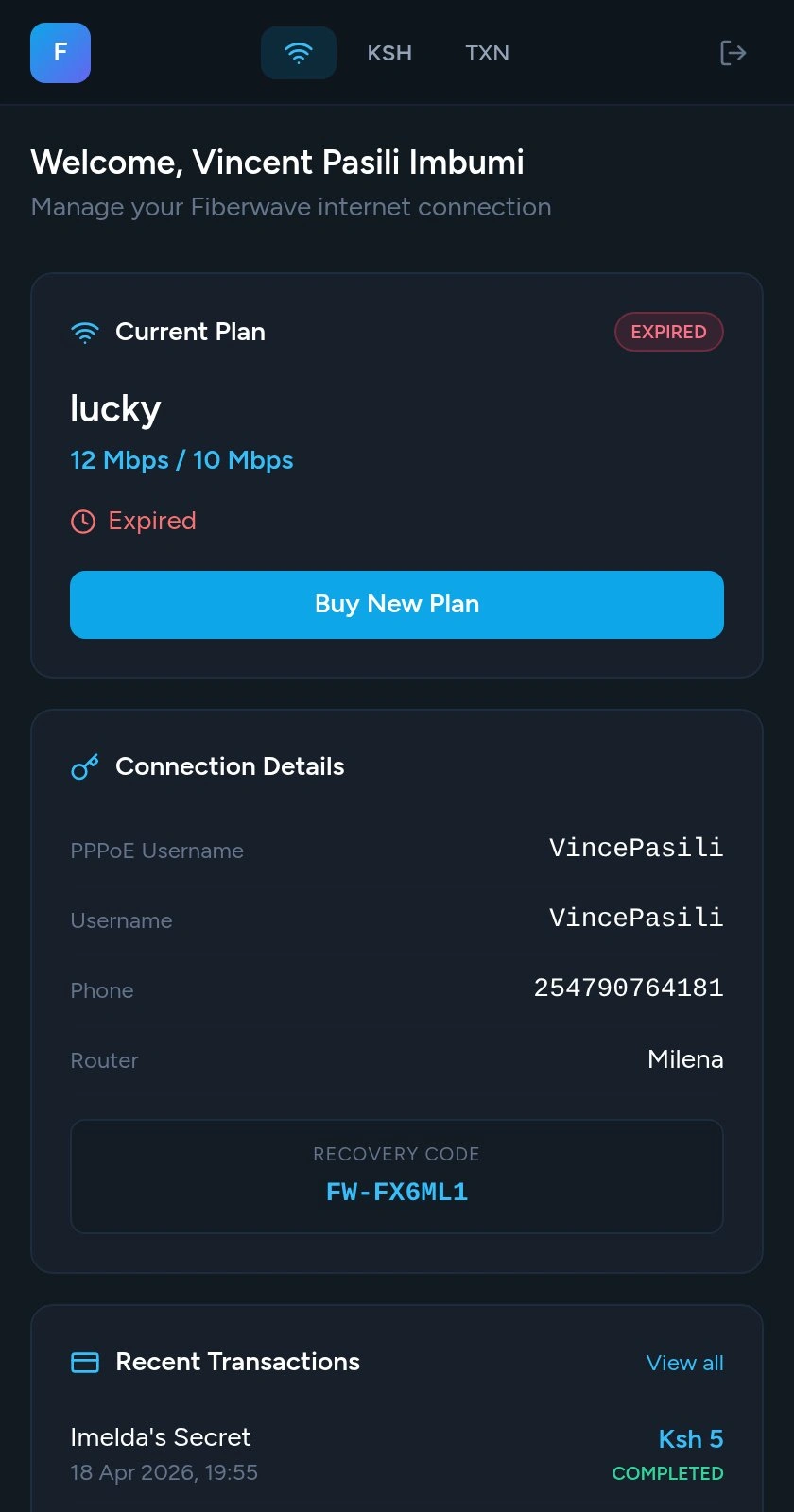

This is the part customers see. They log in with the same username and password they use to connect - no extra account to remember. They see their current plan, exactly how much time they have left, recent payments, and a button to buy or renew.
When they tap “Buy” on a plan, M-Pesa pops up on their phone. They enter their PIN. A few seconds later the page refreshes - plan active, internet flowing.
This single page eliminated a huge chunk of the team’s daily phone calls. Customers who used to call the office to ask “how much time do I have left” now just open the portal.
Settings & Health
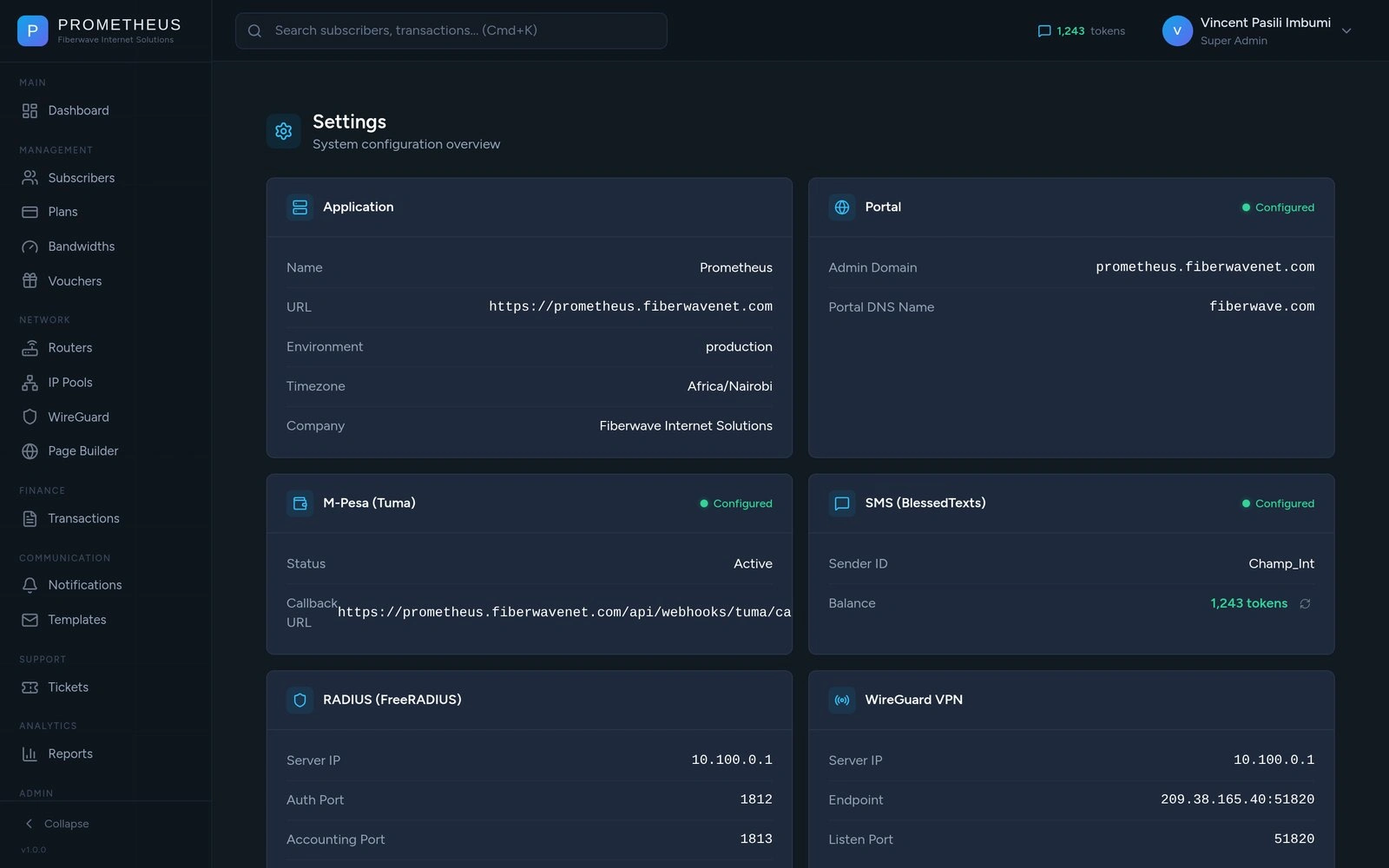
A simple page for the operations team: is M-Pesa connected, is SMS connected, how many SMS tokens do we have left right now (it polls live and changes colour as the balance drops). The token balance also shows in the top corner of every page so you never get caught out trying to send 500 invitations with 50 tokens left.
Why It Works
Three principles guided the build.
Automate the boring stuff. Activating a customer, expiring a plan, sending a reminder, generating a voucher - none of these need a human. The team’s time is now spent on the things humans are actually good at: relationships, problem-solving, growth.
Make money easy. M-Pesa is the lifeblood of Kenyan business. Prometheus is built around it - every flow assumes the customer has a phone with M-Pesa, and every flow uses it. Payments confirm in seconds and activations happen the same second.
Show information clearly. Every page is designed so a non-technical person can use it. Status is colour-coded. Numbers are formatted in shillings, not raw decimals. Dates read “11 Apr 2026, 3:30PM” instead of computer timestamps. SMSes read “Thank you for purchasing the 30-day plan” instead of “subscriber.activated.success.”
In Production
Prometheus has been live in production for several months. It handles real M-Pesa payments daily, manages real customers across multiple zones, and runs on infrastructure the company fully owns. Hosting costs are under $50 a month - a fraction of what the team would have paid for an off-the-shelf SaaS that wouldn’t have fit Kenya’s payment system anyway.
The team uses it every day. Customers use it without instructions. New staff are onboarded in an hour. That’s the test that matters.
Built With
Prometheus is the product of a deliberate choice of tools - each one earning its place by removing friction somewhere it mattered.
Application stack
Laravel 11 - backend framework
Inertia.js - single-page experience without a separate API
React + TypeScript - admin and portal UIs
Tailwind CSS - design system in utility classes
Vite - fast frontend builds
Lucide - icon set
Headless UI - accessible primitives
Data & infrastructure
PostgreSQL 16 on DigitalOcean Managed Databases
Redis 7 - sessions and queues
Caddy - TLS, reverse proxy, security headers
Ubuntu 24.04 on a single DigitalOcean droplet
GitHub Actions - lint, test, build, deploy on every push
Network & telephony
MikroTik RouterOS - the routers in the field
FreeRADIUS 3 - authentication, accounting, bandwidth attributes
WireGuard - private VPN mesh between billing server and routers
ZeroTier - fallback tunnel for routers behind CGNAT
Spatie Permission - RBAC roles and zone scoping
Payments & messaging
M-Pesa Daraja API (via Tuma) - STK Push and C2B
BlessedTexts - bulk SMS delivery in Kenya
Brevo - transactional email (staff invitations, password resets)
Build process
Claude Code - AI-assisted pair programming throughout the build
Bolt - early UI prototyping for the landing page
VS Code - editor
Every choice here was made to fit Fiberwave’s reality: managed-but-cheap infrastructure, Kenyan payment and SMS providers, off-the-shelf RADIUS, MikroTik fleet they already owned, and a CI/CD loop that any contractor can pick up without a day of onboarding.
Built end-to-end as a sole engineer over three months, with Claude Code as a pair-programming companion. Live at prometheus.fiberwavenet.com.
Like this project
Posted Apr 22, 2026
A self-hosted CRM that turned a 7,000-subscriber WISP's manual chaos into automated provisioning, M-Pesa billing, and real-time router control.