Split | Payouts for small studios

View completed workspl1t-app.base44.app
Split
Split divides a studio's income between its team and prepares every invoice. A client pays once. Split reads the payment, splits it by each project's rules and, at month end, builds one invoice per person. The owner only handles the exceptions.
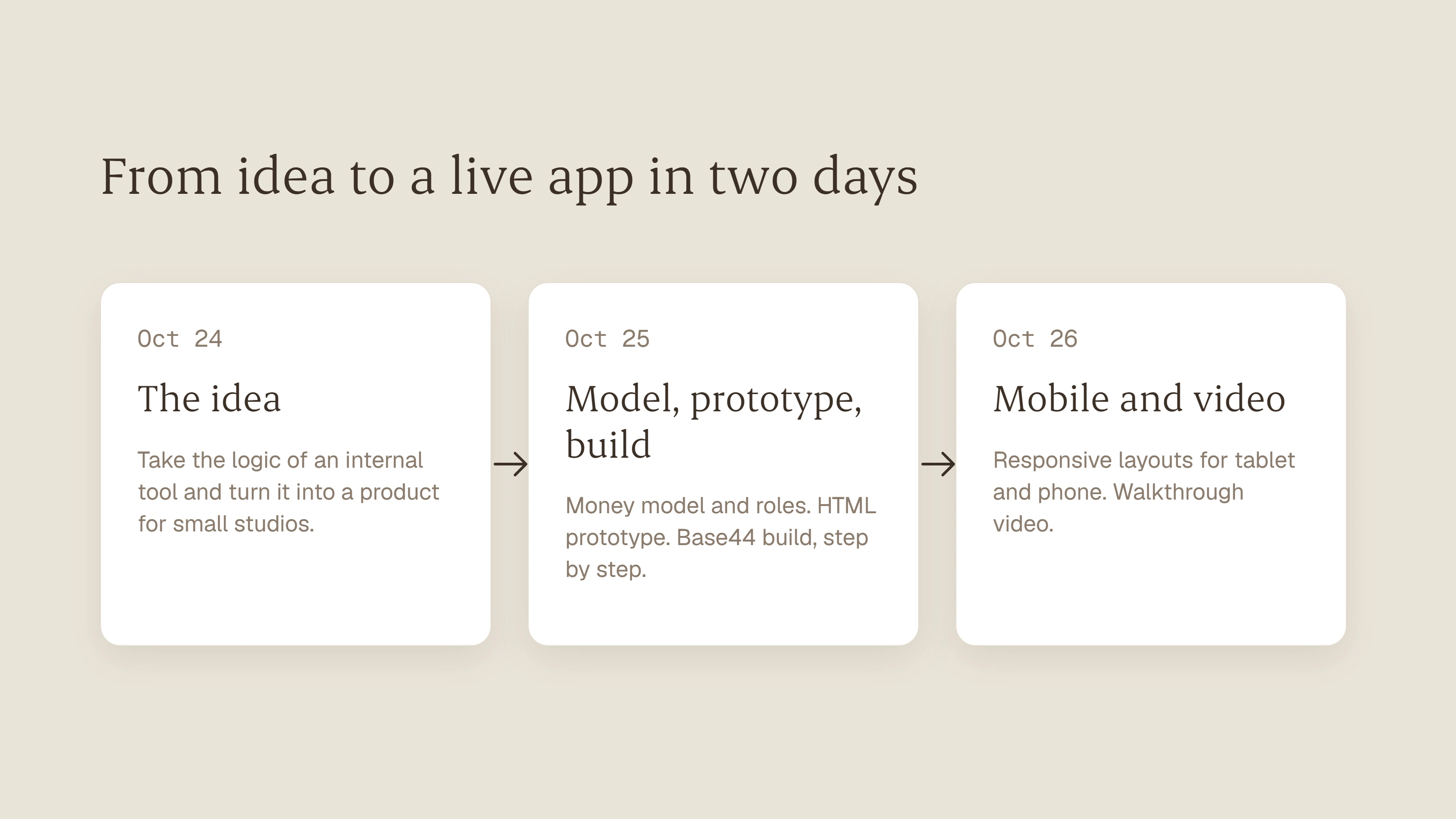
Built in two days, from the money model and the roles to the mobile version for the Base44 Challenge. The workspaces, people and clients in the demo are fictional.
The problem
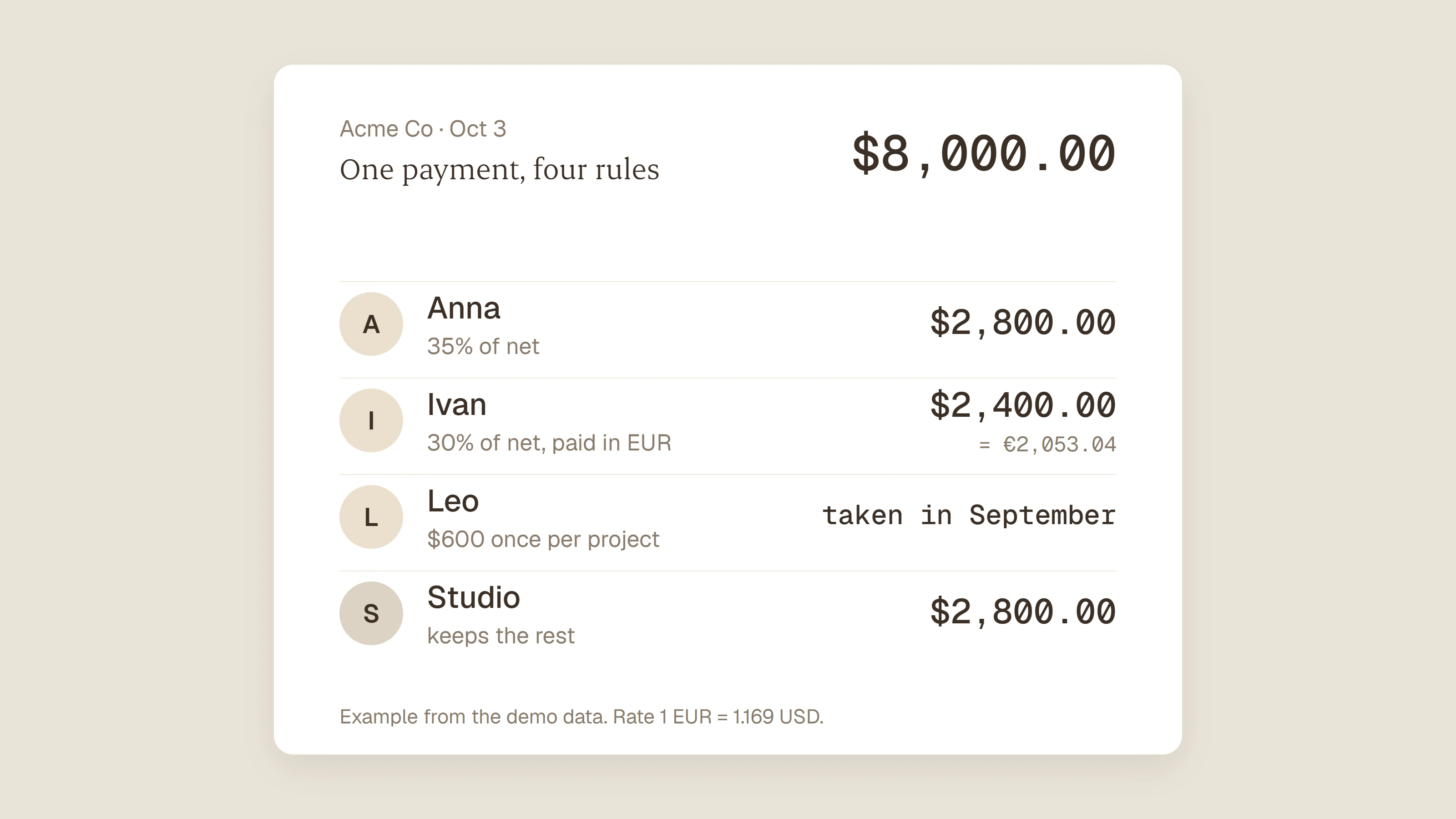
A studio gets one payment from a client and has to split it between freelancers and partners. One person gets a percentage, another a fixed fee, someone a one-time fee for the whole project. They live in different currencies and are paid from different bank accounts. Then every person sends an invoice, and the owner checks them one by one.
Every month, the same math, in a spreadsheet and a group chat.
The Idea
System calculates, a human handles the exceptions
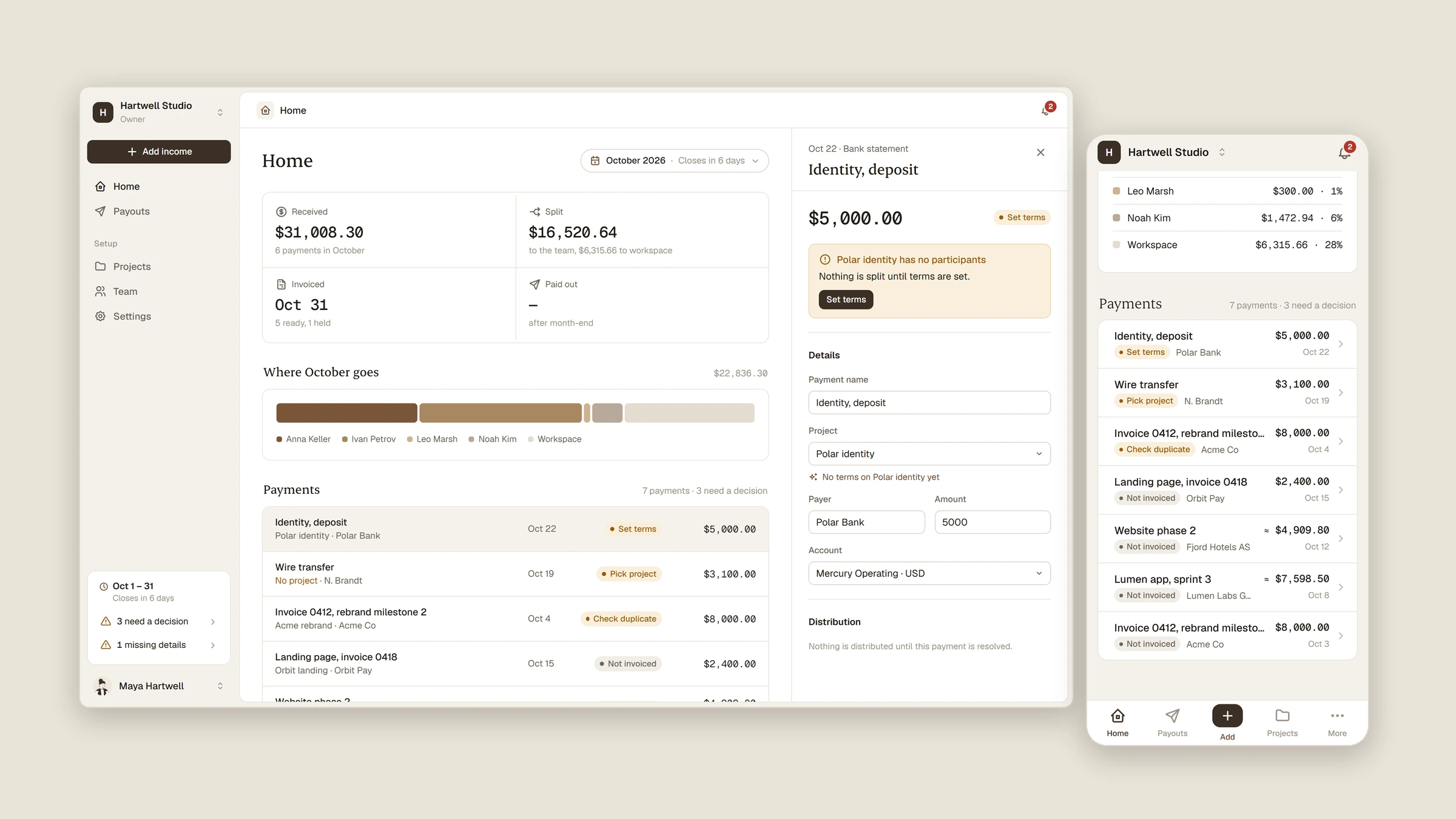
Most payments need no decision. Split reads them, matches the client to a project and divides the money by the project's terms.
Only three situations need a person: the payer is not recognised (Pick project), a payment looks like a duplicate (Possible duplicate), or a project has nobody on it yet (Needs terms). These are the only rows that ask for attention.
Add income as a conversation
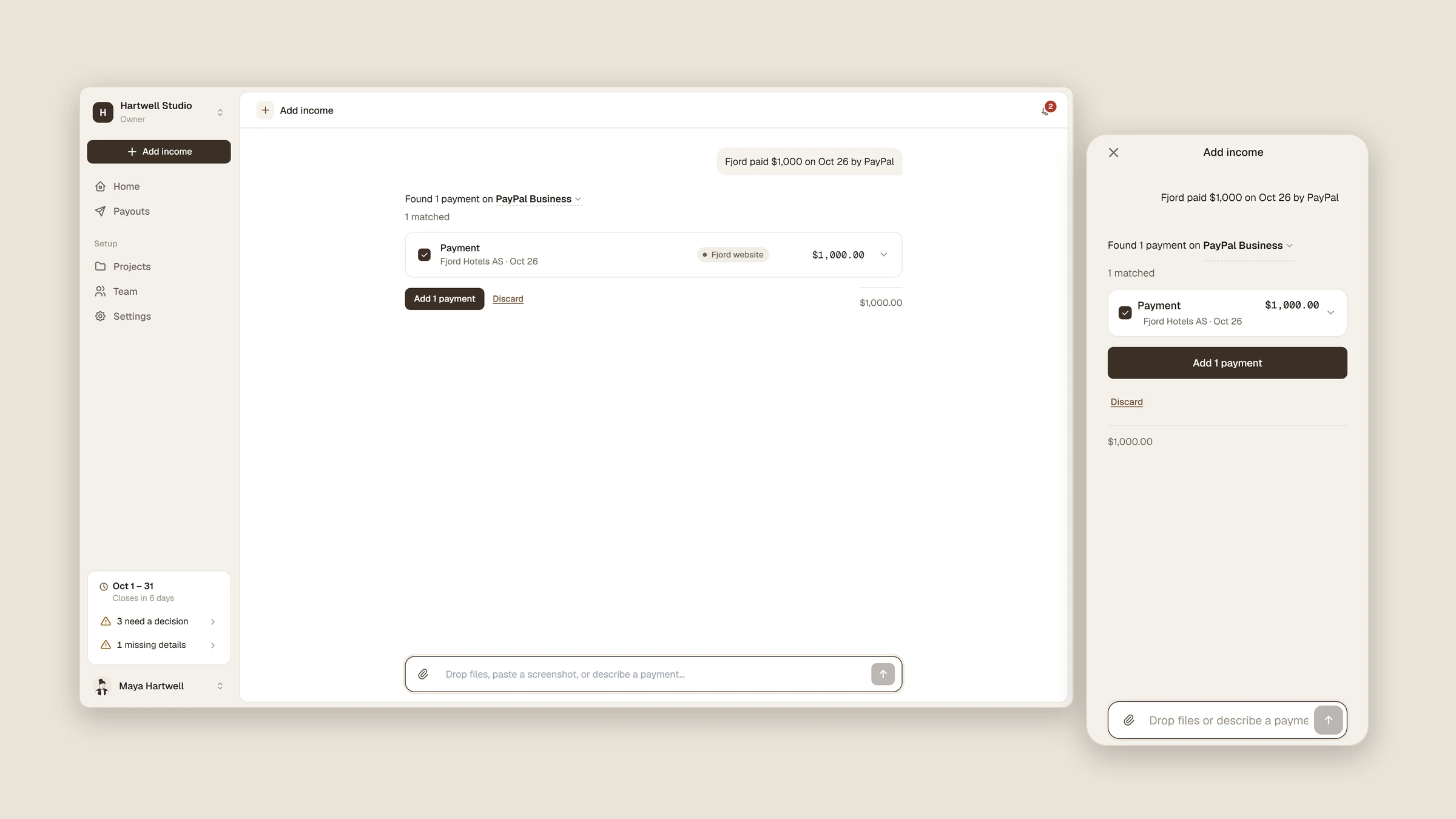
Instead of a form, the owner drops a bank statement, a screenshot or an invoice, or just writes it: “Fjord paid $1,000 on Oct 26 by PayPal.” Split finds the payment, matches the client to a project and the account, and asks only when it cannot tell. Everything can be fixed in place before it is saved.
One invoice per person per account
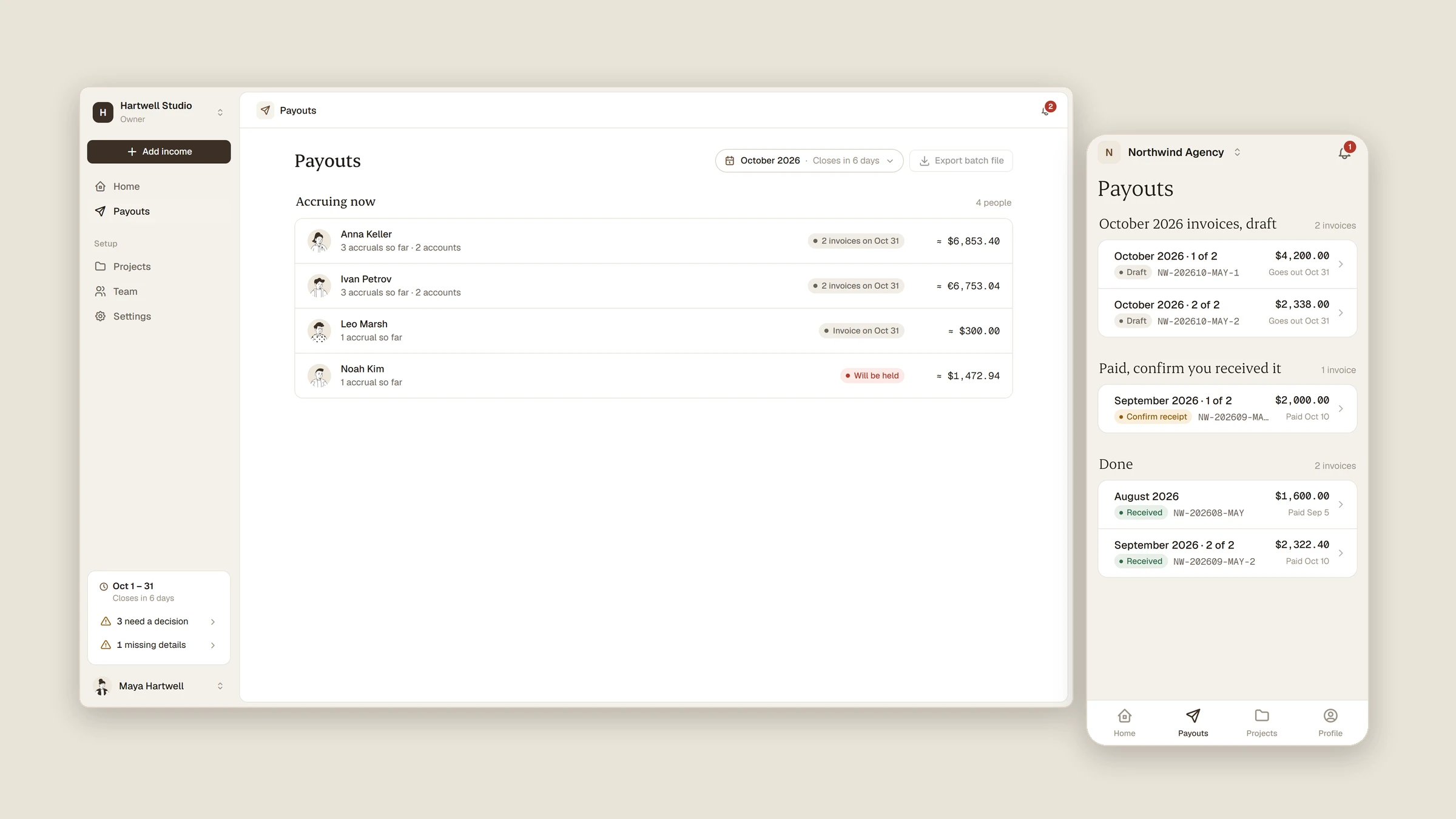
Money arrives on different bank accounts, and every account has its own payout format. So at month end Split builds one invoice per person for each account the money arrived on, issued by the person to the studio.
If a person has no payout details yet, their invoice is held and goes out as soon as they add them. Paying is one click, or one batch file for the bank for a whole account.
Set up in five steps
A new owner creates a workspace in five short steps: the workspace, a bank account, the first income, the team and the terms. The app builds itself on the right as they go, so the first screen after setup is already their own Split.
Desktop, tablet and phone
One interface on three sizes. On a phone the sidebar becomes a tab bar and the rows turn into cards. A contractor sees only their own projects, earnings and invoices.
Full walkthrough
1 like · 5 views · Oct 28, 2026
Split is a payout tool for small studios and agencies. A client pays once, Split divides the money between the team by each project's rules.