Mobile App Design | AI Voice Notes App | Smart Notes + AI App

Anna asol_design
Verified


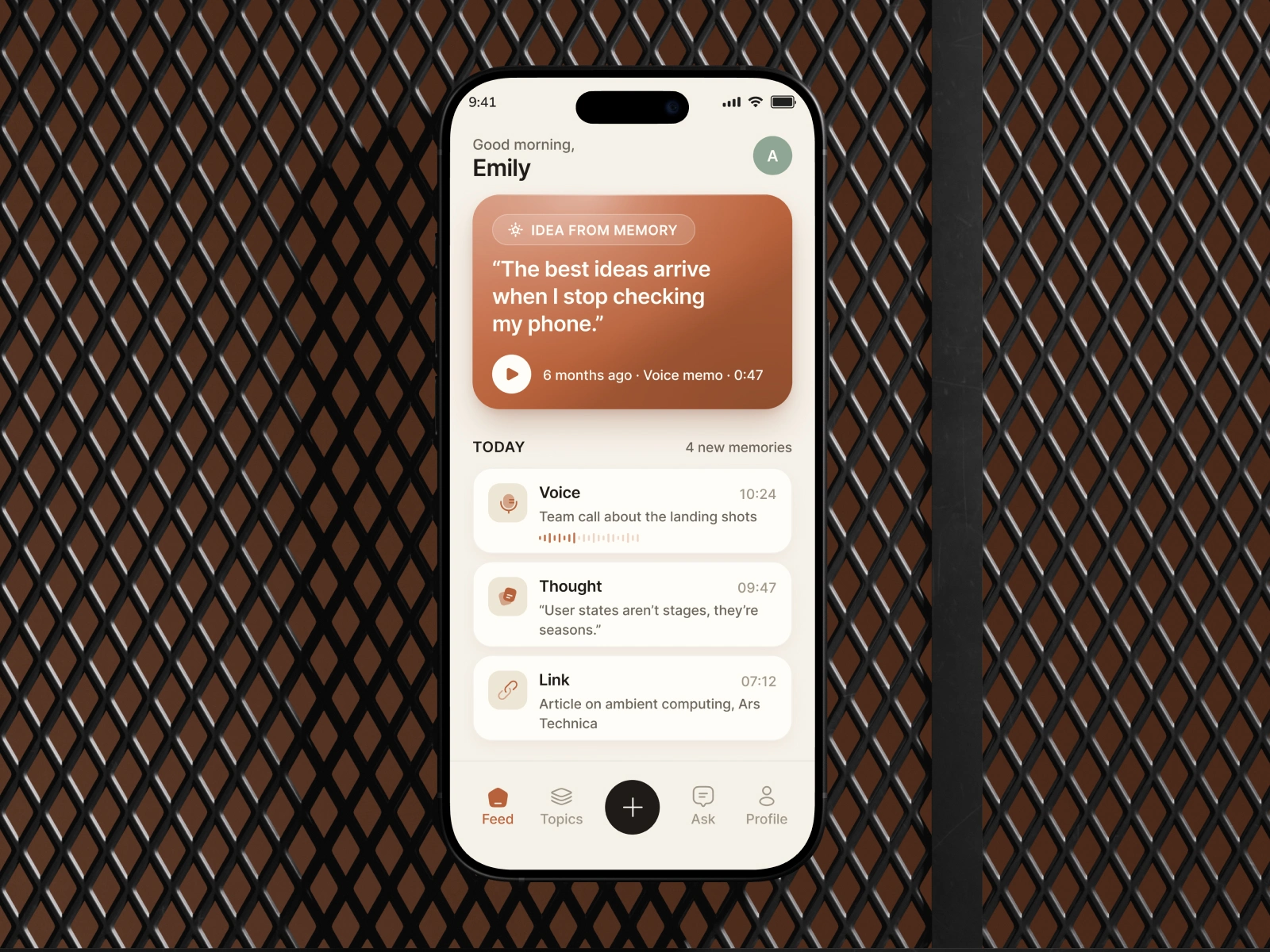
Most note-taking apps are built around capture.
But capture is not the real problem.
People save voice notes, thoughts, links, meeting ideas, reminders, and half-formed concepts every day. The information is technically there, but after a few weeks most of it becomes invisible.
For this AI voice notes mobile app concept, I wanted to rethink the entire notes experience around one question:
What if an AI notes app didn’t just store your ideas, but understood which ones keep coming back, when they become relevant again, and when they are worth turning into action?
🚩 Problem & Product Goal
Traditional note-taking apps create bigger and bigger archives.
The more users capture, the harder rediscovery becomes.
Search only works when users already remember: • what they are looking for • how they described it • where they saved it • roughly when they captured it
That creates a fundamental product problem.
The value of capture is immediate.
The value of stored information often disappears over time.
My goal was to design an AI-powered note-taking app that transforms passive storage into an active system for recall, pattern recognition, and action.
The core product loop became:
Capture → Understand → Connect → Resurface → Act
💡 Product Strategy
I deliberately avoided building another AI chatbot inside a notes app.
Instead, AI works as an invisible intelligence layer across the entire mobile experience.
The system understands: • voice notes • written thoughts • saved links • recurring themes • semantic relationships between memories • repeated ideas over weeks and months • which thoughts may deserve attention again
This changes the product promise from:
“Save your notes.”
to:
“Don’t lose the ideas that actually matter.”
🎙️ 1. Frictionless Voice Capture
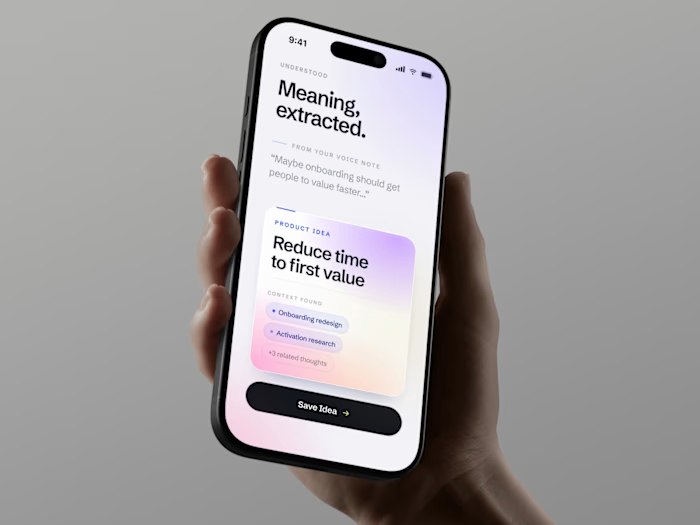
Voice is often the fastest way to capture an unfinished thought.
The recording flow is designed to reduce friction between having an idea and preserving it.
The experience includes: • instant voice recording • live transcription • automatic topic detection • lightweight AI categorization • contextual tags • clear recording states • fast post-recording actions
The user does not need to organize everything manually before the thought disappears.
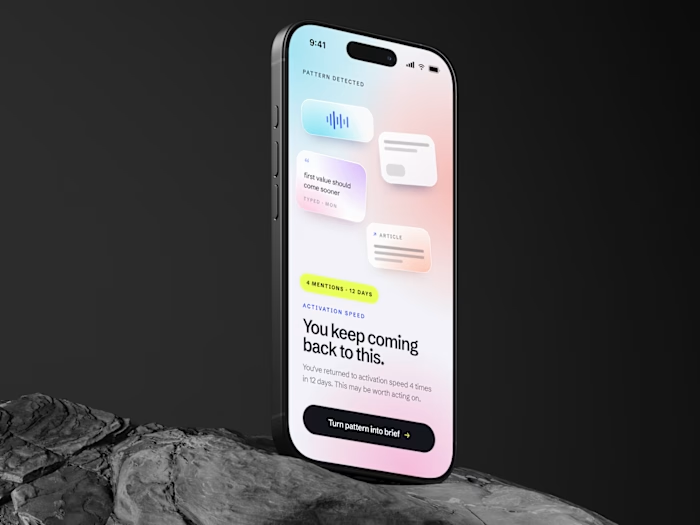
🧠 2. AI Pattern Recognition
The product does more than summarize individual notes.
It analyzes the user’s history and identifies recurring thoughts.
For example:
“You’ve returned to this thought 6 times this year.”
That signal can be more valuable than another AI summary.
A repeated idea can indicate: • an unresolved problem • an emerging project • a recurring ambition • a repeated frustration • a decision the user keeps postponing • something they genuinely care about
This is where AI becomes part of the product logic rather than a decorative feature.
🔄 3. Smart Resurfacing
The most important moment in the experience is not saving the note.
It is rediscovering it.
Instead of forcing users to search through an archive, the product can proactively resurface meaningful ideas with context:
• when the original thought appeared • how many times the theme returned • related notes • voice context • recurring patterns • why this memory may matter now
That creates a potential retention loop:
Capture → Forget → Rediscover → Recognize Value → Capture More
The more the product is used, the more useful the memory layer can become.
⚡ 4. From Thought to Action
Resurfacing an idea is useful.
But resurfacing without action can still become passive consumption.
So the experience creates a direct bridge between memory and execution.
A recurring thought can become: • a task • a reminder • an intention • a project • a decision • a follow-up action
The goal is to close the gap between:
“I keep thinking about this.”
and
“I’m finally going to do something with it.”
🎨 Mobile UI Design
For the visual direction, I wanted the product to feel human and premium rather than stereotypically “AI”.
The system uses: • warm ecru surfaces • dimensional terracotta and orange accents • immersive dark voice-recording states • subtle gradients and lighting • custom duotone iconography • large readable typography • controlled information density • strong contrast between reflective and active states
The darker recording screen becomes the visual hero of the experience, while the lighter screens make saved and resurfaced ideas feel calmer and more reflective.
The result is an AI productivity app design where AI feels embedded into the product instead of added as a separate chatbot layer.
📊 Measurable Product Targets
Because this is a product concept rather than a released application, I would measure success against product targets rather than inventing live results.
Key targets:
• 30%+ faster capture flow by reducing unnecessary steps • 40%+ increase in resurfaced-note engagement through contextual rediscovery • 20%+ improvement in weekly return rate through proactive resurfacing • 2× higher note-to-action conversion by connecting recurring ideas directly to tasks • 50% reduction in manual organization effort through automatic topic recognition and grouping
These are the kinds of metrics I would validate through product analytics, behavioral data, and experimentation after launch.
📈 The Bigger Product Opportunity
Most productivity apps compete on organization.
Folders. Tags. Search. Better sorting.
I think there is a bigger opportunity:
better recall.
Users do not necessarily need another place to store more information.
They need a product that understands:
what is worth remembering.
That can create stronger opportunities around: • retention • habit formation • personalization • premium AI features • long-term user data value • differentiated product positioning • subscription value
A note captured today can become more useful six months later.
That is a much stronger product loop than simply giving users another folder.
✨ AI Mobile App Design / Product Design / UX UI Design
I design mobile products around the full product loop:
Product Strategy → UX → Mobile UI → Activation → Retention → Monetization → Growth
If you’re building an AI app, productivity app, voice notes app, note-taking app, mobile SaaS product, or consumer mobile app, I can help turn the idea into an experience users understand, remember, and return to.
📲 Tell me what your mobile product does, I’ll show you where the strongest UX and growth opportunities are.
Mobile App UI UX Design Audit & Strategy $300
UI/UX Wellness & Health Mobile Startups From $8,000
UX/UI Design Mobile App – 350+ Projects
Like this project
Posted Aug 25, 2026
AI voice notes app UX/UI with smart resurfacing, live transcription & AI insights designed to improve retention, recall and note-to-action conversion
Likes
19
Views
126