
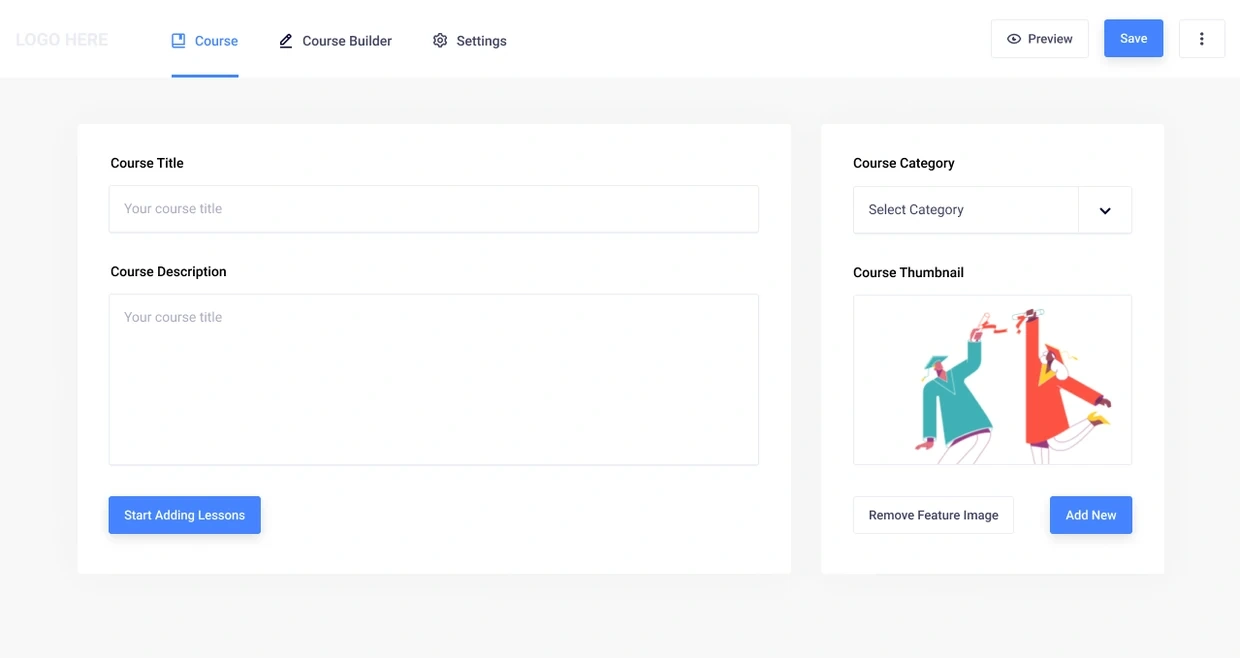
Masteriyo course creation starts with a course title and description before content building. Full original Figma frame; design content is sample data.
The project and my part in it
Masteriyo is an established WordPress LMS. I contributed product UI and UX within its wider team, including course and quiz flows and reusable interaction patterns.
A course author moves through several levels of detail: the course, its sections, individual lessons, a quiz and its answers. The challenge was keeping that structure understandable as the editing work became more detailed.
What shaped the design
The work sits within an established WordPress LMS and product team.
Sections, lessons, quizzes and answers are different levels of content.
Shared patterns need room for each question type’s settings.
THE DESIGN CHALLENGE
How do you help a course author build something complex without making every configuration decision compete at once?
The walkthrough starts with the first course information, grows into a course outline and then moves into quiz configuration. The interface keeps the larger structure in view as the author works on a smaller part.
01 / Help an author start a course
Help an author start a course
A title and description give the course an identity. The empty builder then offers concrete ways to add content, including a section, assignment or quiz, with documentation close by.
That is more useful than an empty panel, although the equal weight of the creation actions leaves a question for review: does a new author know which unit to create first?
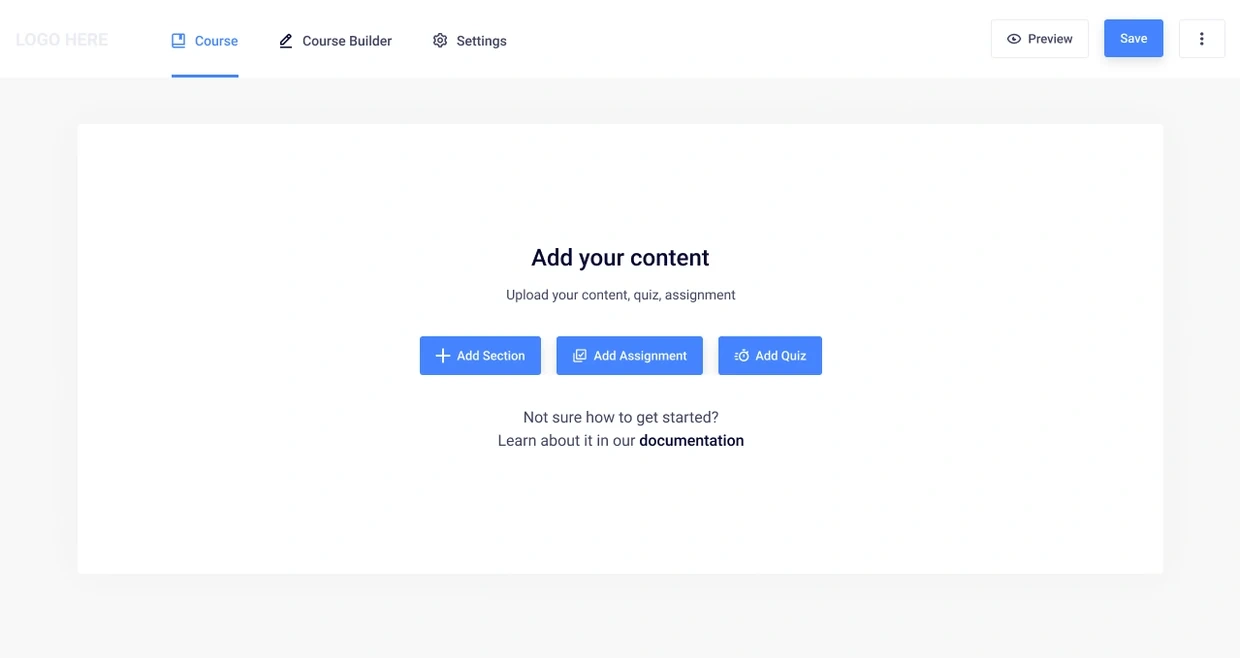
Offering several starting points gives flexibility; the most useful first action still needs to be clear.
02 / Keep the outline visible as content grows
Keep the outline visible as content grows
The populated builder places lessons inside their section. Add New Content belongs to the group, while Add New Section sits outside it. The layout helps explain what belongs where.
Open image ↗
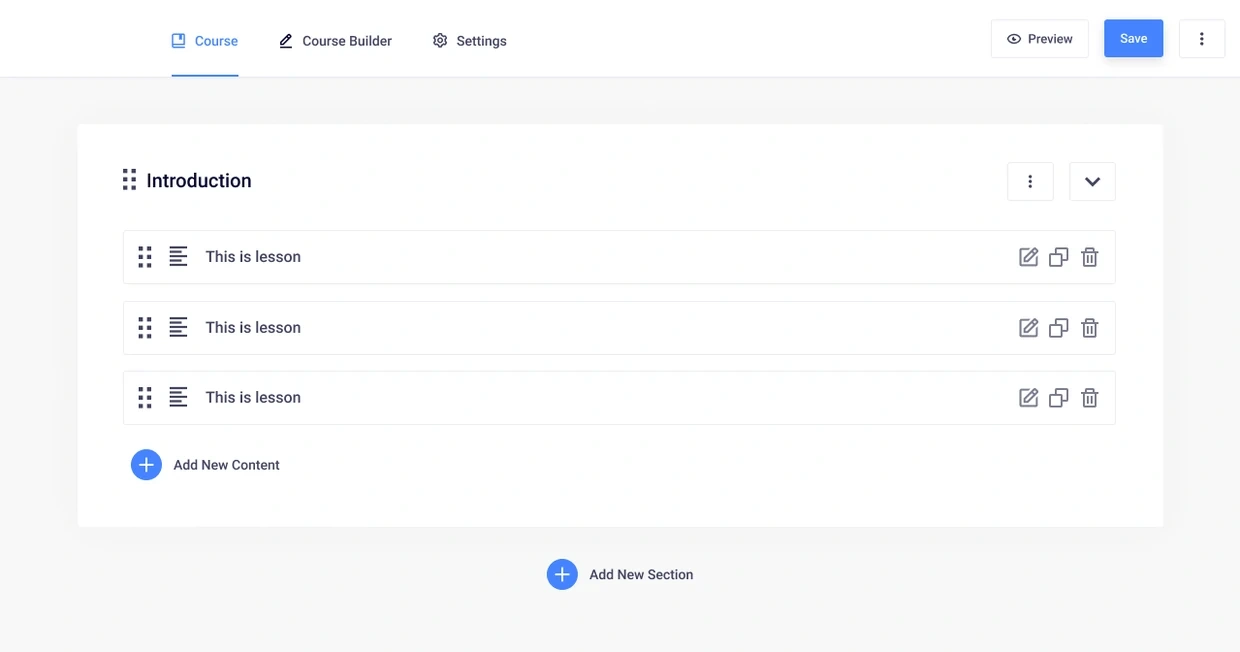
Masteriyo course outline groups lessons inside an Introduction section, with reorder, edit, duplicate and delete controls. Full original Figma frame; design content is sample data.
Open image ↗
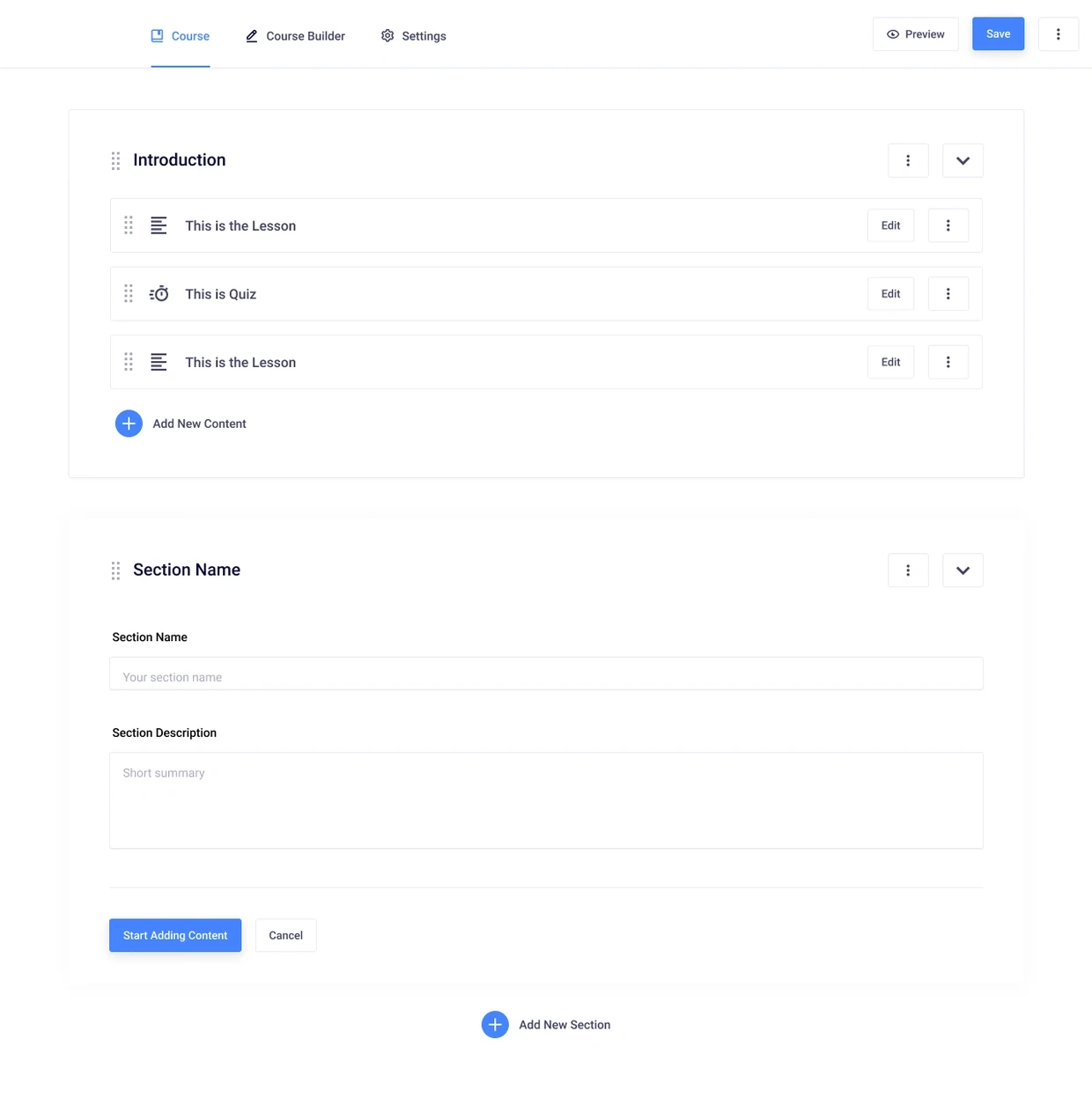
Masteriyo section editing keeps section-level settings beside the course outline. Full original Figma frame; design content is sample data.
Open image ↗
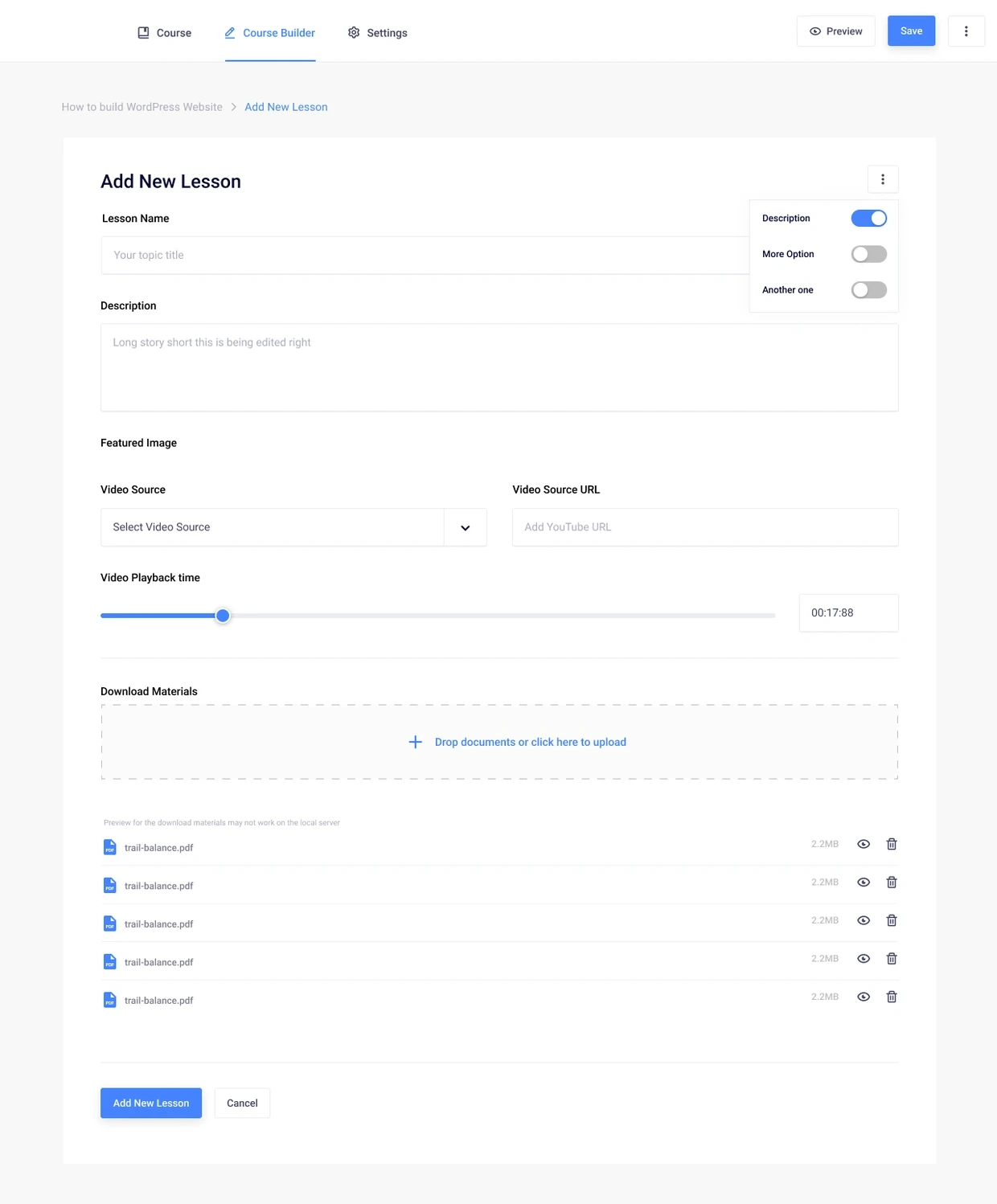
Masteriyo lesson editor groups content, attachments and lesson-specific settings. Full original Figma frame; design content is sample data.
Compact actions save space, but they need clear names, keyboard access and safe deletion behavior.
03 / Break quiz setup into manageable steps
Break quiz setup into manageable steps
Quiz setup separates Info, Questions and Settings. The author names the quiz before moving into the denser work of writing and configuring its questions.
Next and Cancel also need clear consequences. The handoff should explain what is saved, what is validated and what happens to unfinished work when someone leaves.
Open image ↗
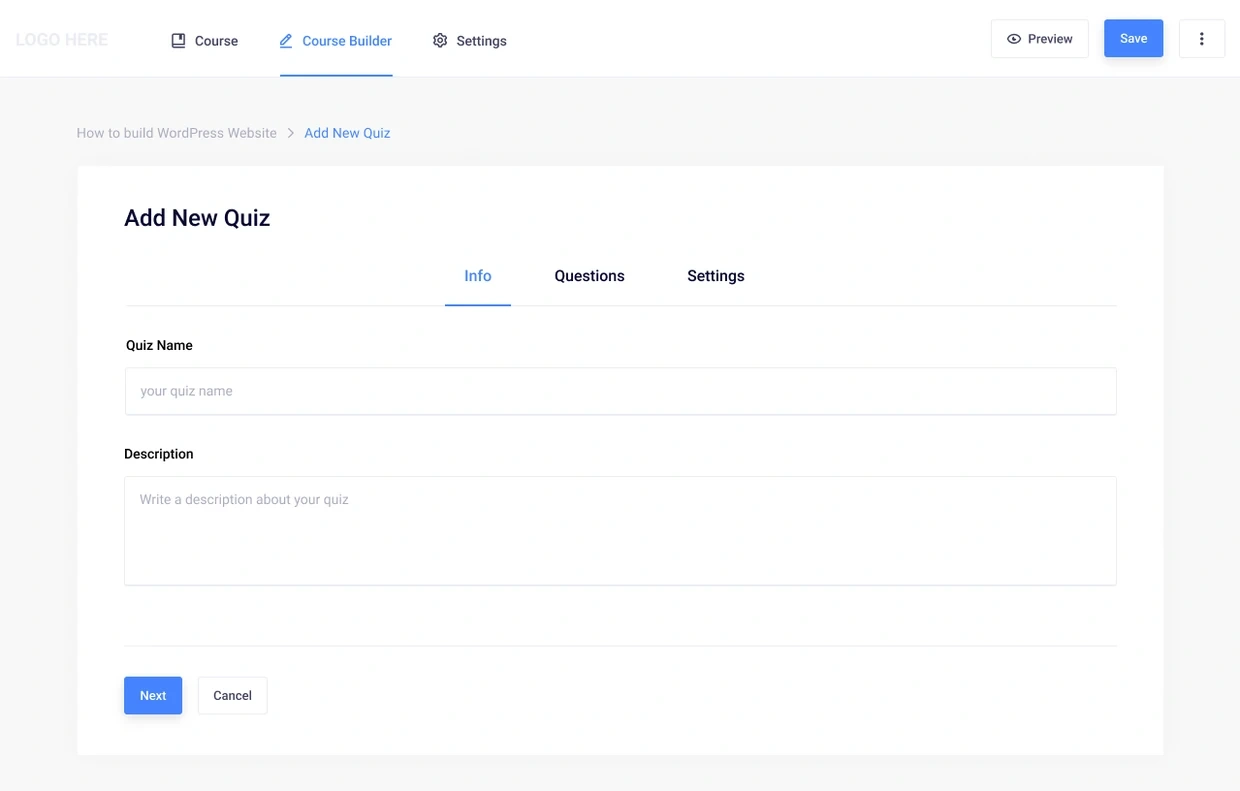
Masteriyo Add New Quiz form separates Info, Questions and Settings and offers Next and Cancel actions. Full original Figma frame; design content is sample data.
Staging the setup reduces competing decisions, provided the author can still tell where their work is saved.
04 / Keep the question in its quiz context
Keep the question in its quiz context
The editor keeps the question list above the expanded question. Type and points have a separate place from the answer rows, with settings below. An author can work on an answer without losing track of which question is open.
The true-or-false and multiple-choice screens show where the pattern stays familiar and where the content changes. Correct-answer feedback also needs more than color, and reordering needs an alternative to dragging.
Open image ↗
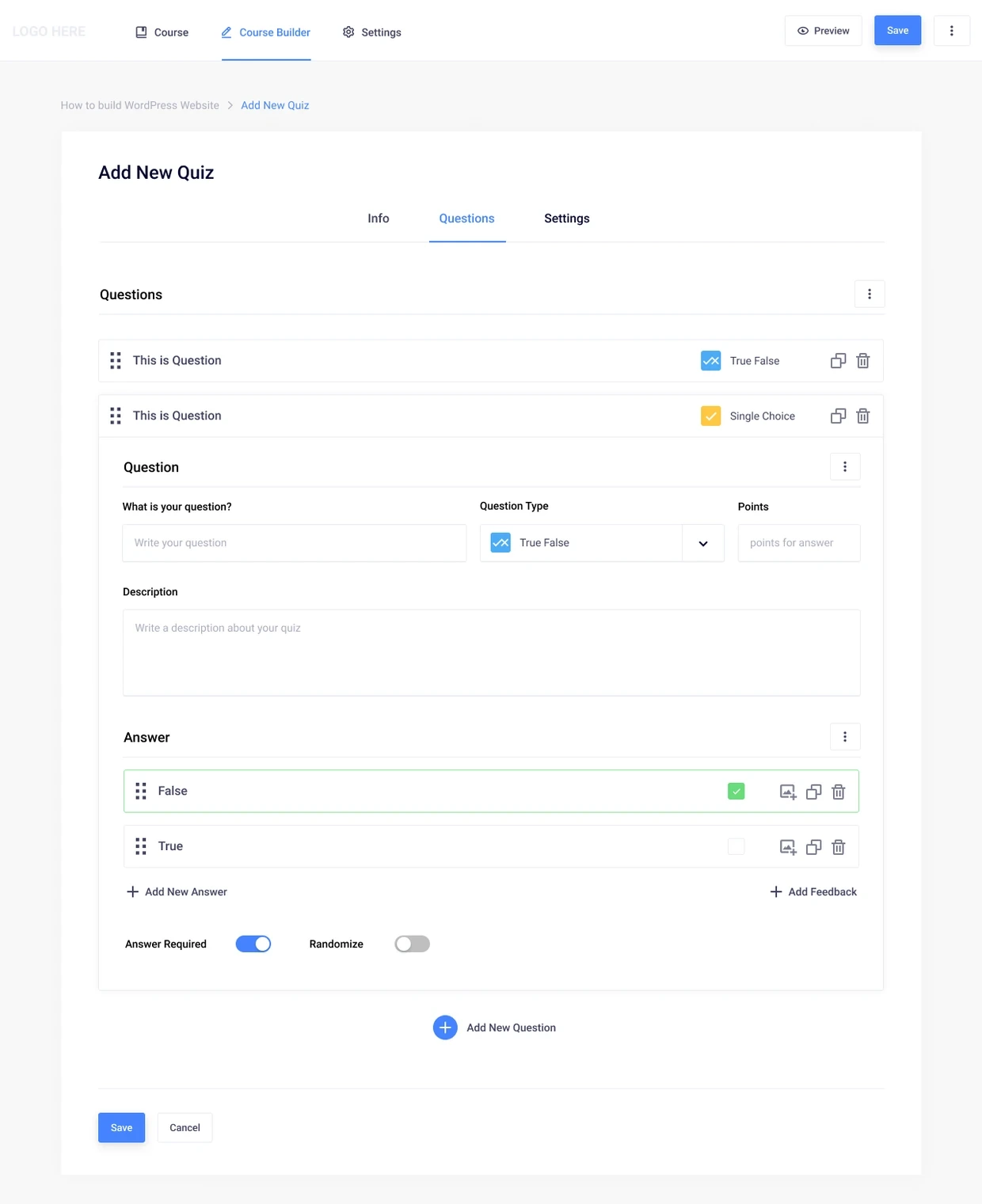
Masteriyo quiz editor keeps a question list above the expanded true-or-false editor, with answer selection and required and randomize settings. Full original Figma frame; design content is sample data.
Open image ↗
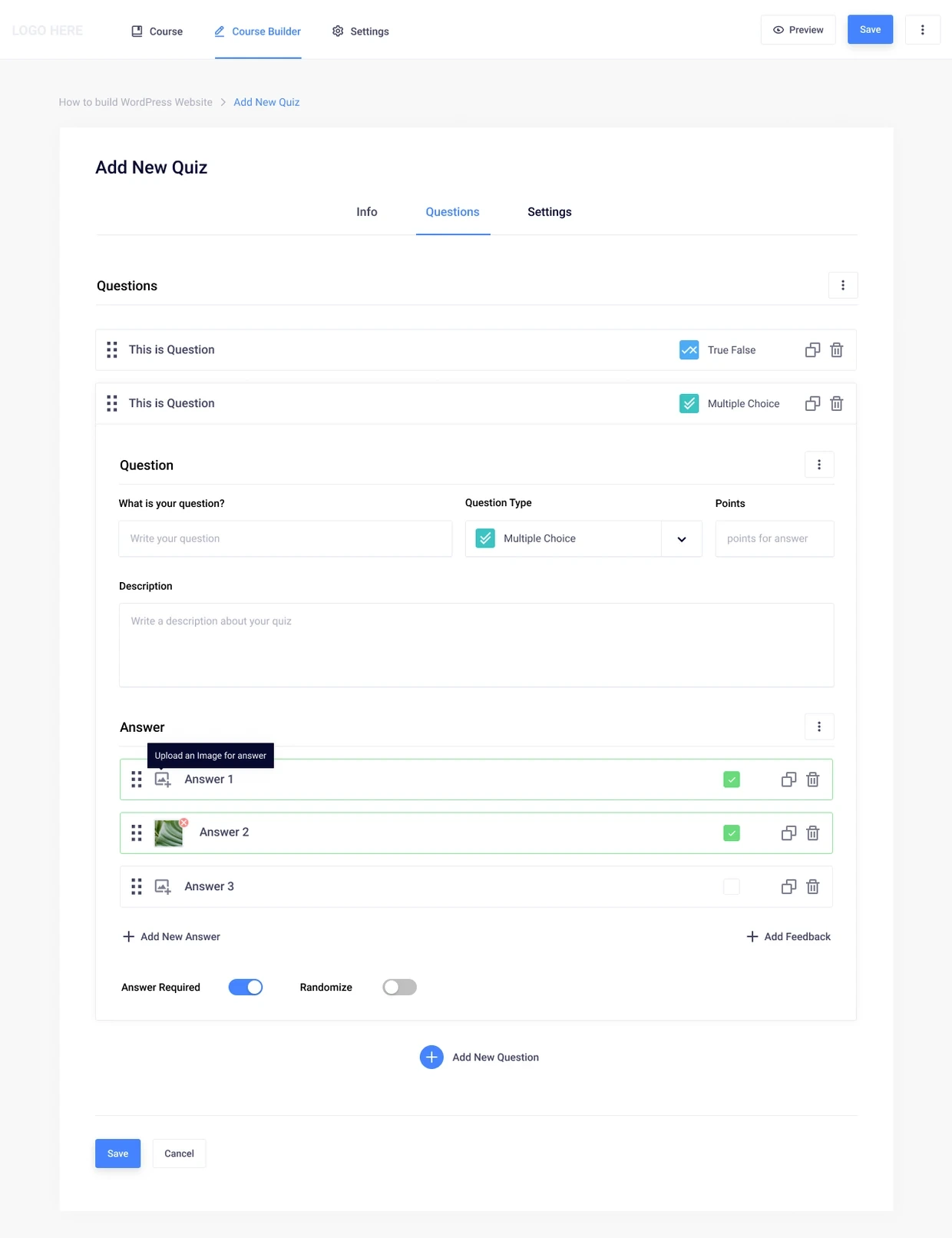
Masteriyo multiple-choice question design keeps answers, correct-answer selection and question settings together. Full original Figma frame; design content is sample data.
A consistent editor helps authors learn the pattern, while each question type still needs enough room for its own settings.
What I delivered
The eight complete authoring designs cover course details, the empty builder, outline, section and lesson editing, quiz setup and two question configurations. They are presented as team work within my contribution.
Outcomes and next steps
The design separates course organization from assessment detail. I do not have learner-completion, adoption or task-time measurements for this work.
What I would test next
Ask a course author to create a section, add a lesson and configure a quiz without losing their place in the course outline.
Review question reordering, an invalid answer and cancellation with unsaved changes; verify keyboard access and feedback alongside the visual hierarchy.
What I learned
A course builder is easier to follow when it keeps answering which level the author is editing. Course structure and answer configuration need different amounts of attention.
About the screens
Historical product-team design work, not sole authorship of Masteriyo. Static screens do not certify saving, scoring or learner outcomes.
Related work and reading
RELATED EXPLORATION
Design-system contribution
RELATED EXPLORATION
Components and implementation constraints
RELATED EXPLORATION
Handoff as shared understanding
0 likes · 0 views · Nov 7, 2026
Masteriyo (WordPress LMS) product design: course and quiz authoring flows, editors and reusable interaction patterns delivered as a team contribution.

