AI Learning Tools - Real-Time Voice & Video Generation

Rishabh Chopra


AI Learning Tools
Role: Solo Developer — AI Engineering, Full-Stack Development, Product Design
AI Development Full-Stack Development Voice AIOpenAI React Next.jsWHYSER teaches teenagers to build AI startups. But here's the thing — if you're teaching kids to build with AI, the learning experience itself should be AI-native. You can't teach the future using tools from 2015.
So I started building the AI tools that WHYSER students will actually use. Not one big platform launch. Independent experiments — each one testing a different way AI can make learning feel less like school and more like having a really smart co-founder sitting next to you.
Voice-guided lessons that actually listen to you. Explainer videos generated on demand in your language. A drawing canvas where AI brainstorms alongside you. Tutoring that follows real teaching methodology, not just "dump the PDF into ChatGPT."
Here's what each one does, and more importantly — why it matters.
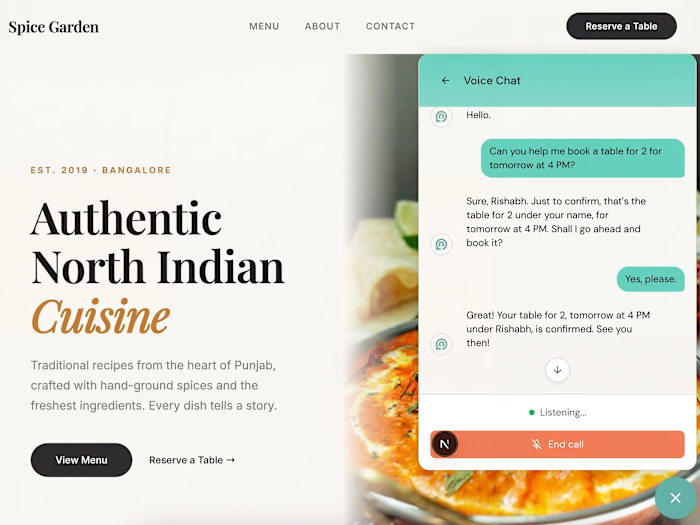
Transforming Books To Active Conversations that Make You Think
Reading, audiobooks & podcasts are all passive, one-way form of communication.
Conversations make you think.
WHYSER students read real business books — Blue Ocean Strategy, The Lean Startup, Zero to One. But a 15-year-old reading dense business strategy needs more than a PDF and willpower. They need someone walking them through it, chapter by chapter, checking if they actually understand.
Now, there are a hundred tools that let you "chat with a PDF." But most of them just dump the text into a context window and let you ask questions. The answers are accurate but shallow — like asking a stranger who speed-read the book 5 minutes ago. You get information. You don't get understanding.
This is fundamentally different. Upload any book, and the system doesn't just index the text. It extracts the chapter structure and generates a teaching plan using Understanding by Design — a real pedagogical framework used in curriculum design.
What does that mean in practice? The AI doesn't just answer questions. It introduces concepts, checks for prior knowledge, explains with examples, asks you Socratic questions, and only moves forward when you've demonstrated comprehension. It's the difference between asking Google and having a tutor. One gives you answers. The other makes sure you actually learn.
The voice conversation runs on OpenAI's Realtime API over WebRTC — the student speaks naturally, the AI responds with voice, and a real-time transcript appears in the interface. Underneath, the UbD teaching script keeps the conversation structured while leaving room for the student to go on tangents and come back.
It's like having J.K. Rowling teach you storytelling versus having someone read you the Wikipedia article about storytelling. Same information, completely different depth.
Built with: OpenAI Realtime API (WebRTC), Python FastAPI, Firebase Auth + Firestore, React, DaisyUI.
Slideshows You Can Talk To
WHYSER students learn through projects, not lectures. But when they encounter a new concept, the experience should feel like talking to a mentor — not clicking through slides.
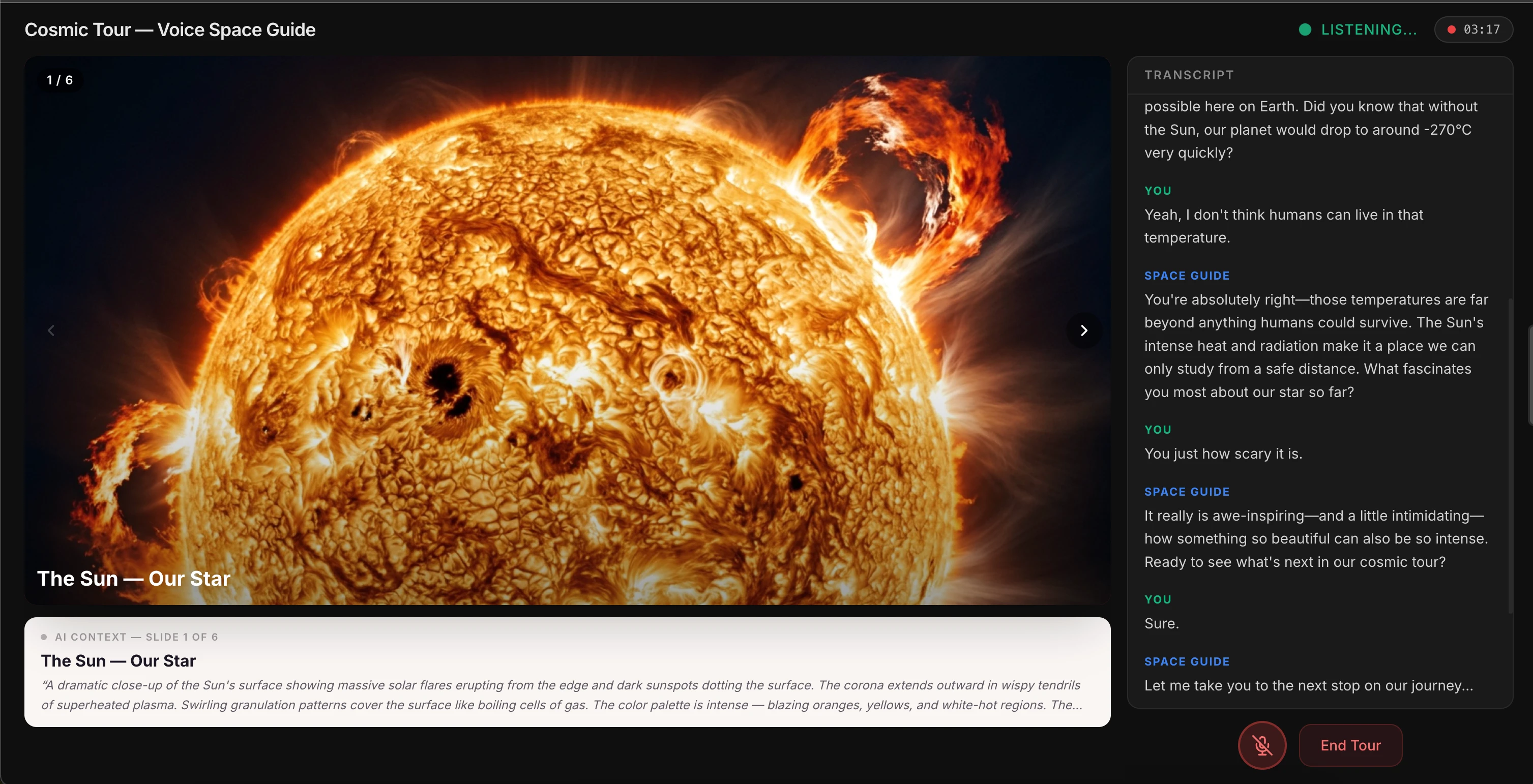
Think about it this way. Every voice-controlled presentation tool requires you to say "next slide." But that's not how conversations work. When you're talking to a museum guide and you say "oh cool, that makes sense" — they just move on to the next exhibit. They read you.
This tool does the same thing. You click "Start Cosmic Tour," and an AI guide starts talking about the solar system. You can interrupt — "How hot is the Sun?" — and it answers conversationally. But the real innovation is what happens when you're done with a topic.
Say "interesting" or "got it" — just casual conversational closure — and the AI picks up on it. It says "Let me show you the next one..." and advances the slide on its own. You never say "next." The AI reads your intent.
Under the hood, this works through OpenAI's Realtime API with function calling. The AI has two tools —
next_slide() and go_to_slide(n) — and a carefully engineered system prompt that tells it when to call them. Advance on casual closures. Don't advance when the user is actively asking questions. The prompt engineering is the product.It's like having a very smart teaching assistant. But here's the catch — you still need to design the logic for when the AI should move on versus when the student is still thinking. That's not an AI problem. That's a UX design problem disguised as an AI problem. Get it wrong, and the AI either interrupts you mid-thought or awkwardly waits forever. Get it right, and it feels like talking to someone who just... knows.
Built with: OpenAI Realtime API, WebRTC, Next.js 14, TypeScript. Server-side ephemeral token minting so the API key never touches the browser.
AI Video Generation — Custom Explainers on Demand
When a WHYSER student is learning about unit economics or network effects, they shouldn't have to hunt YouTube for a video that explains it at their level. The tool should generate one — right now, in their language, at their comprehension level.
That's what this does. Type a topic — "Explain the water cycle to a 7-year-old" — pick a target age and language, and the system generates a full animated explainer video with voiceover. No templates. No pre-made assets.
Three AI services working together: Gemini 2.0 Flash generates 200-400 lines of Manim Python code (animation sequences, text overlays, color schemes, synchronized narration markers), ElevenLabs generates the voiceover, and the system renders everything with FFmpeg.
But here's the part I'm most proud of. The first render is never perfect — text overlaps, pacing feels off, a visual might be unclear. So the system enters a refinement loop: it extracts frames from its own video (one per second using OpenCV), feeds them back to Gemini, and asks "what's wrong with this?" Gemini watches the output, identifies the issues, and generates improved code. A second render produces a cleaner video.
Think of it like a filmmaker watching their rough cut. They don't ship the first take. They watch it, see what doesn't work, and reshoot. This AI does the same thing — except the whole cycle takes 90 seconds.
That self-correction pattern is rare. Most AI systems generate once and ship. This one iterates. And it works in 6 languages — English, Hindi, Tamil, Spanish, Mandarin, Turkish.
Built with: Gemini 2.0 Flash, Manim Community, ElevenLabs, Azure TTS, OpenCV, FFmpeg, Python.
Collaborative AI Drawing — Brainstorming with an AI Co-Founder
WHYSER students brainstorm business models, sketch user flows, and map competitive landscapes. Whiteboards are great for that. But what if the whiteboard could draw alongside you?
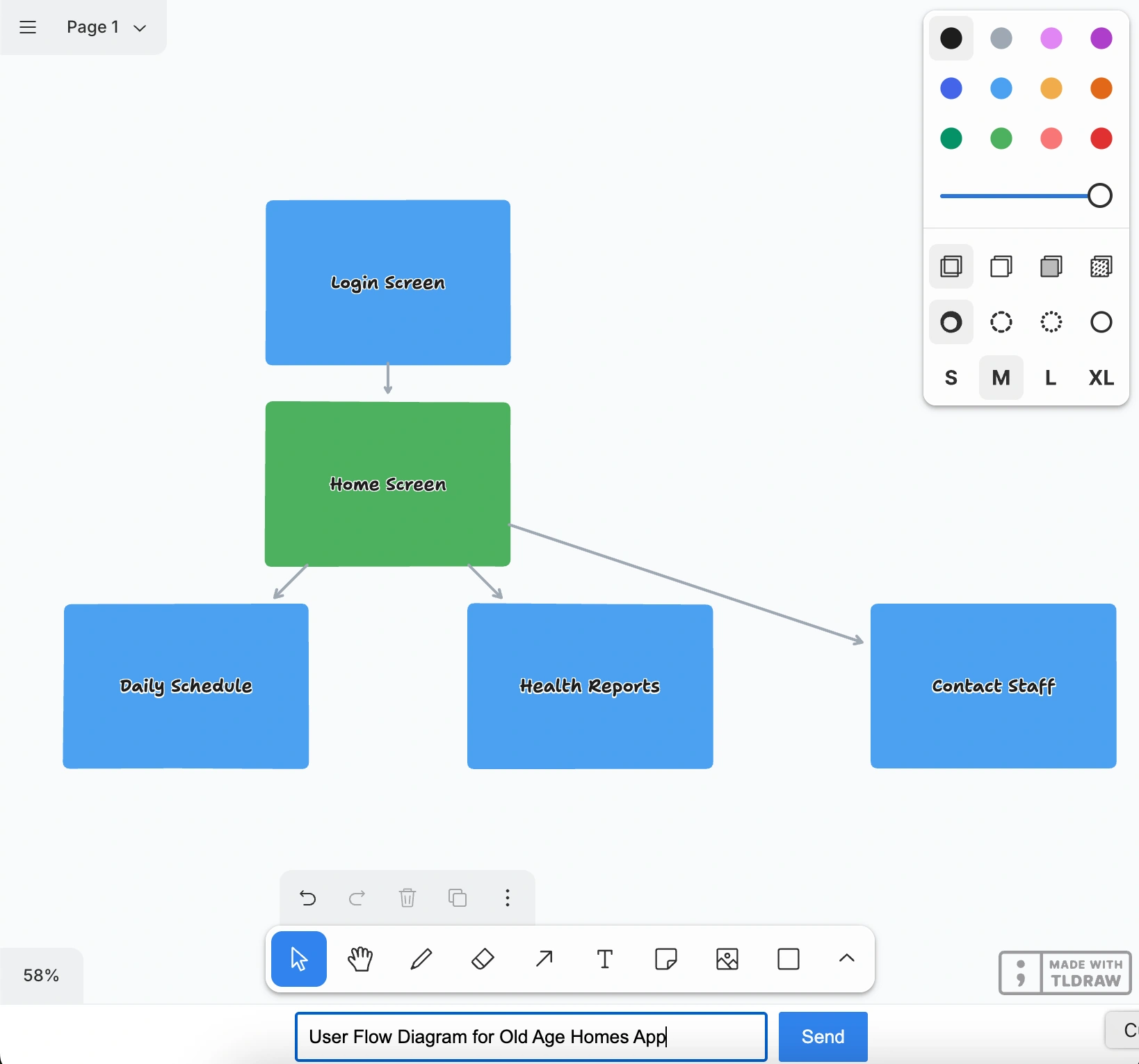
Type "Draw a flowchart showing how photosynthesis works" and watch. Shapes start appearing on the canvas — one by one, in real-time. A green rectangle labeled "Sunlight." An arrow pointing to "Chloroplast." More shapes. More connections. The AI is thinking out loud, visually, right next to your work.
It's like pair-programming, but for visual thinking. You describe what you want in plain English, and it materializes in front of you. Flowcharts, concept maps, business model canvases — anything you can draw with shapes and arrows.
Three engineering decisions that make this actually work:
SimpleIds — tldraw uses complex internal IDs for shapes. The system maps these to simple numbers ("0", "1", "2") before sending to the AI, dramatically cutting token waste.
SimpleCoordinates — all coordinates are translated relative to the user's current viewport. So the AI always draws where you're actually looking, not in some arbitrary corner of an infinite canvas.
Zod schema validation — the AI's JSON output is validated against a strict schema before any shapes render. If the AI generates something structurally invalid, it gets caught before it breaks the canvas.
And shapes stream in one at a time via Server-Sent Events as they're generated — you watch the AI think, instead of staring at a loading spinner.
Built with: tldraw, GPT-4o with structured output, Cloudflare Workers + Durable Objects, Server-Sent Events, React, TypeScript, Zod.
Technical Range
Across all these tools:
AI APIs: OpenAI Realtime API, GPT-4o, Google Gemini 2.0 Flash (with function calling), ElevenLabs TTS, Azure TTS, Groq
Frontend: React 18/19, Next.js 14, TypeScript, Tailwind, tldraw, BlockNote, Desmos API, Framer Motion, DaisyUI
Backend: Cloudflare Workers + Durable Objects, Python FastAPI, WebSocket servers, Server-Sent Events
Real-time: WebRTC for bidirectional audio, streaming JSON parsers, async generators, SSE
Video/Media: Manim (3Blue1Brown's animation engine), FFmpeg, OpenCV, frame extraction pipelines
Patterns: Function calling / tool use, structured output with Zod, agentic self-correction loops, RAG, coordinate transforms, real-time streaming parsers
Each tool was built independently. Test one capability. Push it until it works reliably. Move to the next. The goal isn't demos that look good in screenshots — it's building something WHYSER students will actually want to use every day.
Rishabh Chopra — Co-founder & CEO, WHYSER. Full Stack AI Engineer & Startup Consultant. Harvard Extension School, Learning Design & Technology. 8 years in EdTech. Previously at Udacity, where I solo-built UTools (15,000+ downloads).
Like this project
Posted Mar 12, 2026
AI learning tools built for whyser students — talk to slide-shows and books, generate teaching videos on demand, collaboratively draw and take notes with AI.