Swagat AI — Voice AI SAAS for Indian Small Businesses

Rishabh Chopra


Swagat AI — Voice AI SAAS for Indian Small Businesses
Role: Solo Developer — Product Strategy, AI Engineering, Full-Stack Development, Design
AI Development Full-Stack Development Voice AIOpenAI React Next.jsThere are 63 million small businesses in India. And most of them lose customers for the dumbest reason: nobody picks up the phone.
A customer finds a restaurant on Google Maps, calls to ask about the menu. No answer. They try a salon to check if 4 PM is open. No answer. They message a tutoring center about pricing. Reply comes 6 hours later — by which time they've booked somewhere else.
These owners aren't lazy. They're cooking. Cutting hair. Teaching a class. They can't sit by the phone all day. And they definitely can't spend ₹15,000/month on a receptionist just to answer "what time do you close?"
That's the problem. Now here's the solution.
Swagat AI is an AI receptionist that handles customer questions 24/7 — voice or text, Hindi and English — right from the business's website. Upload your menu, your price list, your FAQ. The AI handles the conversations. And when someone wants to book a table? The AI does that too. No human needed.
What the Customer Sees
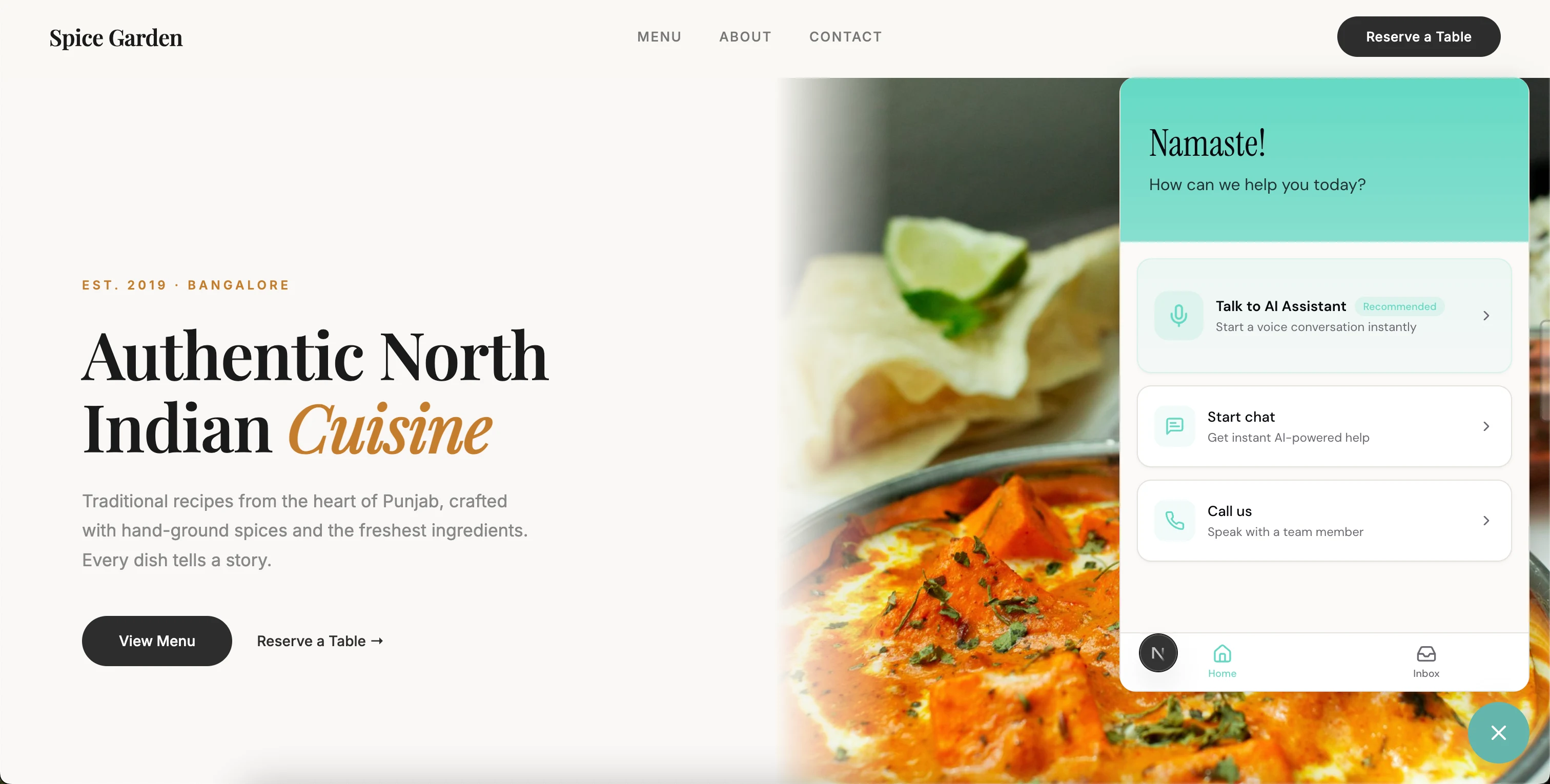
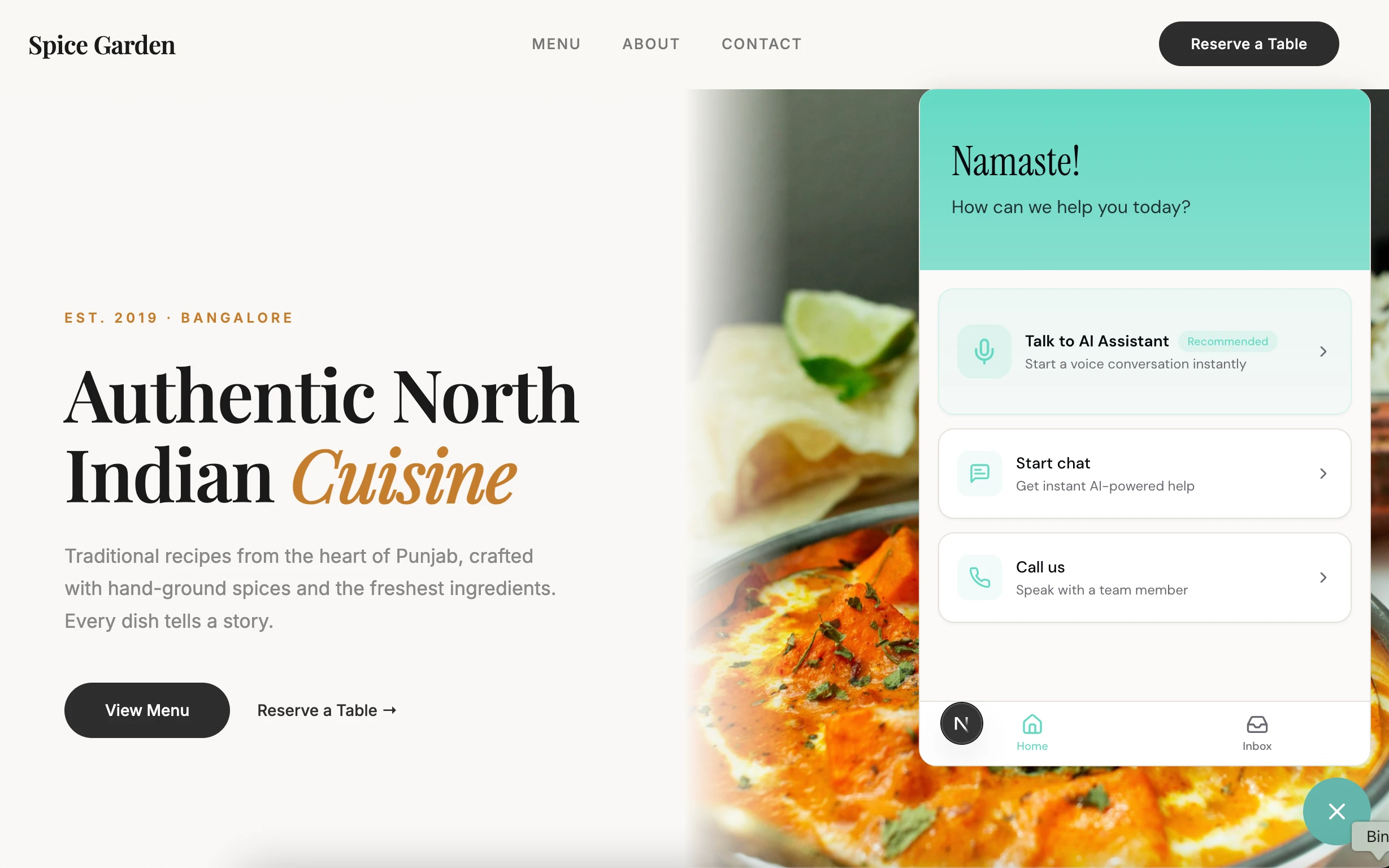
Small floating button in the corner of the website. Customer clicks it. Three options: talk to the AI by voice, text chat, or call the business directly.
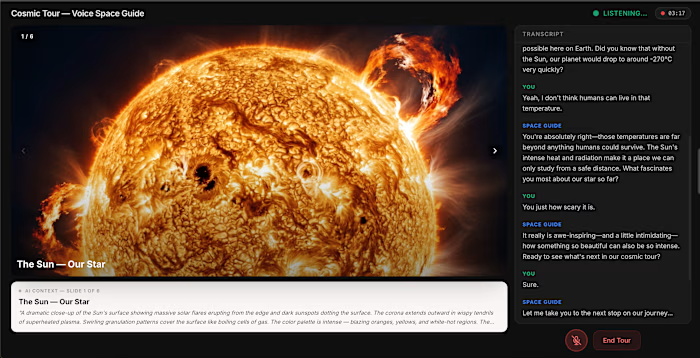
Most people pick voice — it's faster and more natural. "Do you have a table for 4 tonight?" "How much is a men's haircut?" "Are you open on Sunday?" Quick questions deserve instant answers.
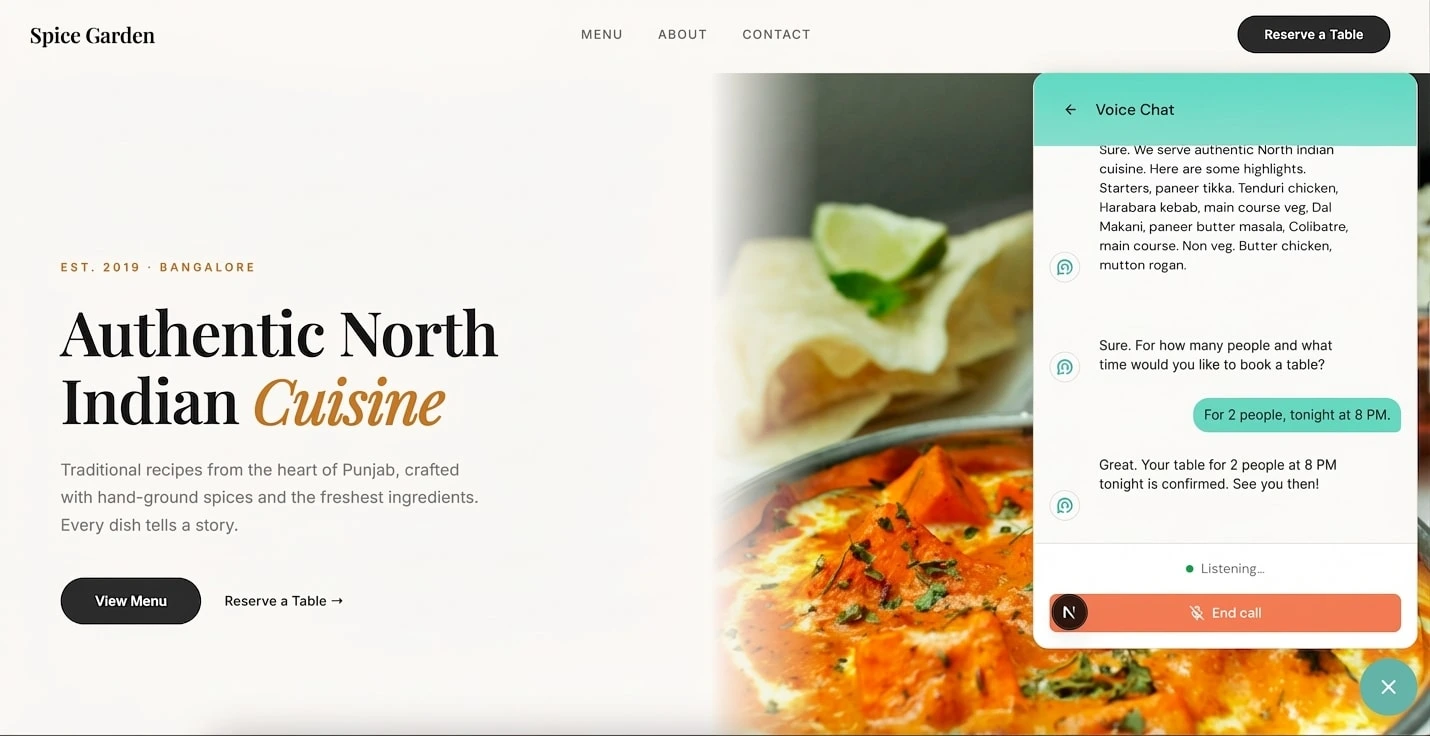
Tap the mic, ask your question, get an answer in under a second. Not a robot reading a script — a real conversational response that pulls from whatever the business owner uploaded.
But here's where it goes from "nice demo" to "actually useful." The AI doesn't just answer questions — it takes actions. A customer says "I'd like to book a table for 2 tomorrow at 7 PM." The AI collects their name, confirms the details naturally — "So that's a table for 2 under Rishabh, tomorrow evening at 7 — shall I book it?" — and makes the reservation. The business owner sees it pop up in their dashboard instantly. No phone tag. No missed bookings. Customer gets a confirmation in 30 seconds.
Think of it like this. Most AI assistants are like an encyclopedia — they can tell you things, but they can't do things. This one is more like an actual receptionist. It answers the phone, it checks the menu, and when you want to book — it books. That's the difference between a chatbot and an assistant.
And the critical design decision: if the AI doesn't know something — "Can I get a custom cake for my daughter's birthday?" — it doesn't make stuff up. It says: "I don't have that information, but I can connect you with the owner." Then it escalates to a human, with full context. The AI knows what it knows, and knows what it doesn't. No hallucinations. No fake prices. No made-up availability. That constraint is what makes it trustworthy — and trust is everything for a small business.
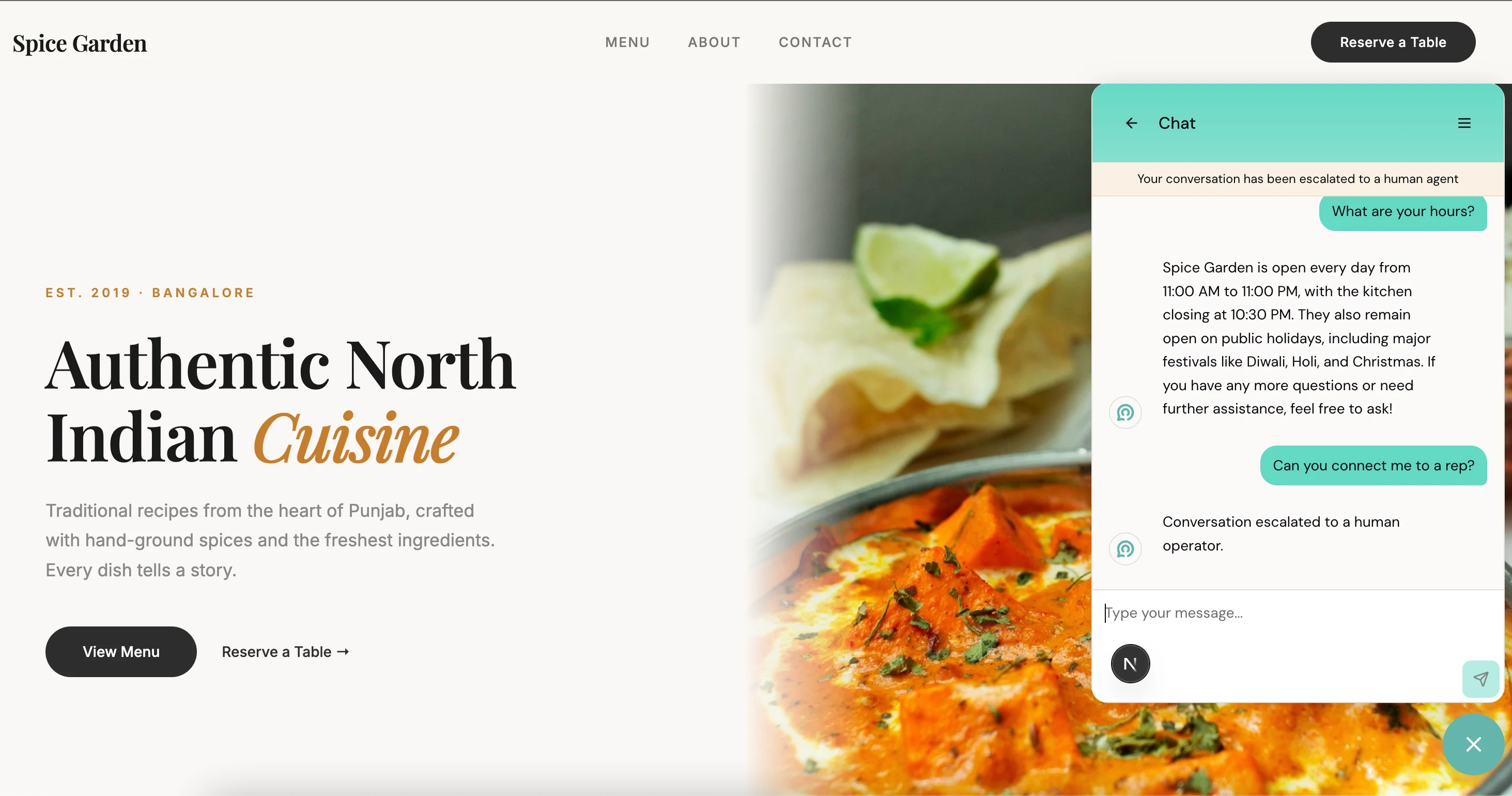
For people who prefer typing, text chat works the same way. AI searches the uploaded documents, finds the relevant section, gives a specific answer. Not generic filler — actual details from actual files.
What the Business Owner Sees
Setup takes 5 minutes. Sign up. Create your organization. Four-step checklist: upload documents, configure voice agent, customize greeting, install on website. If setup takes longer than 5 minutes, you've already lost the salon owner and the restaurant chef. They don't have time for configuration screens.
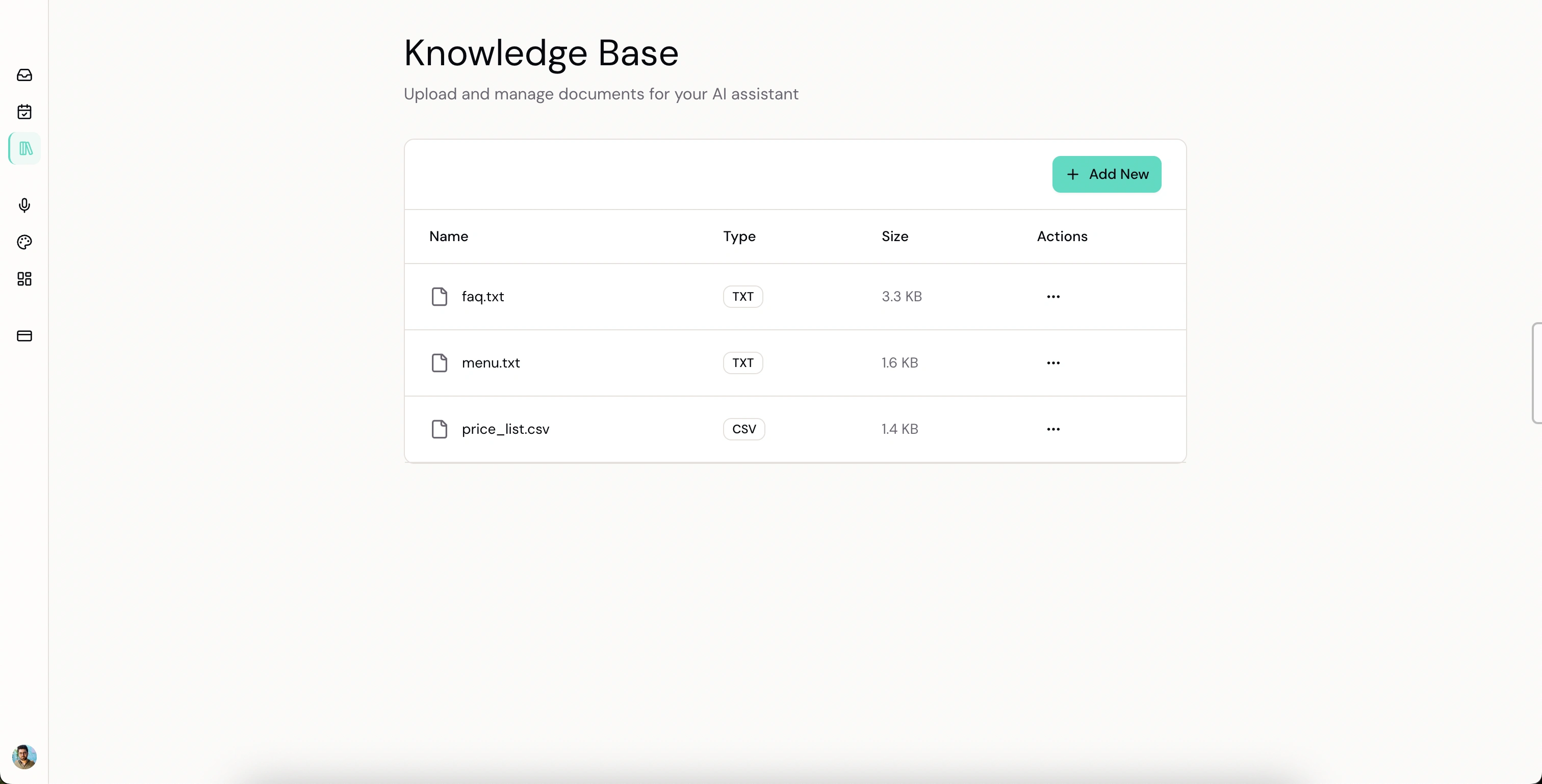
The knowledge base is where the AI gets its intelligence. Upload whatever you have — PDF menu, CSV price list, text file with FAQs. The system extracts the text, chunks it, generates embeddings, indexes everything.
From the owner's perspective? Drag, drop, done.
This is the core of the product. The AI only answers from documents you uploaded. It doesn't pull random stuff from the internet. Doesn't hallucinate. If the info isn't there, it says so and offers to escalate. That's the handbook — answer from the binder, and if it's not in the binder, connect them with the owner. Never guess.
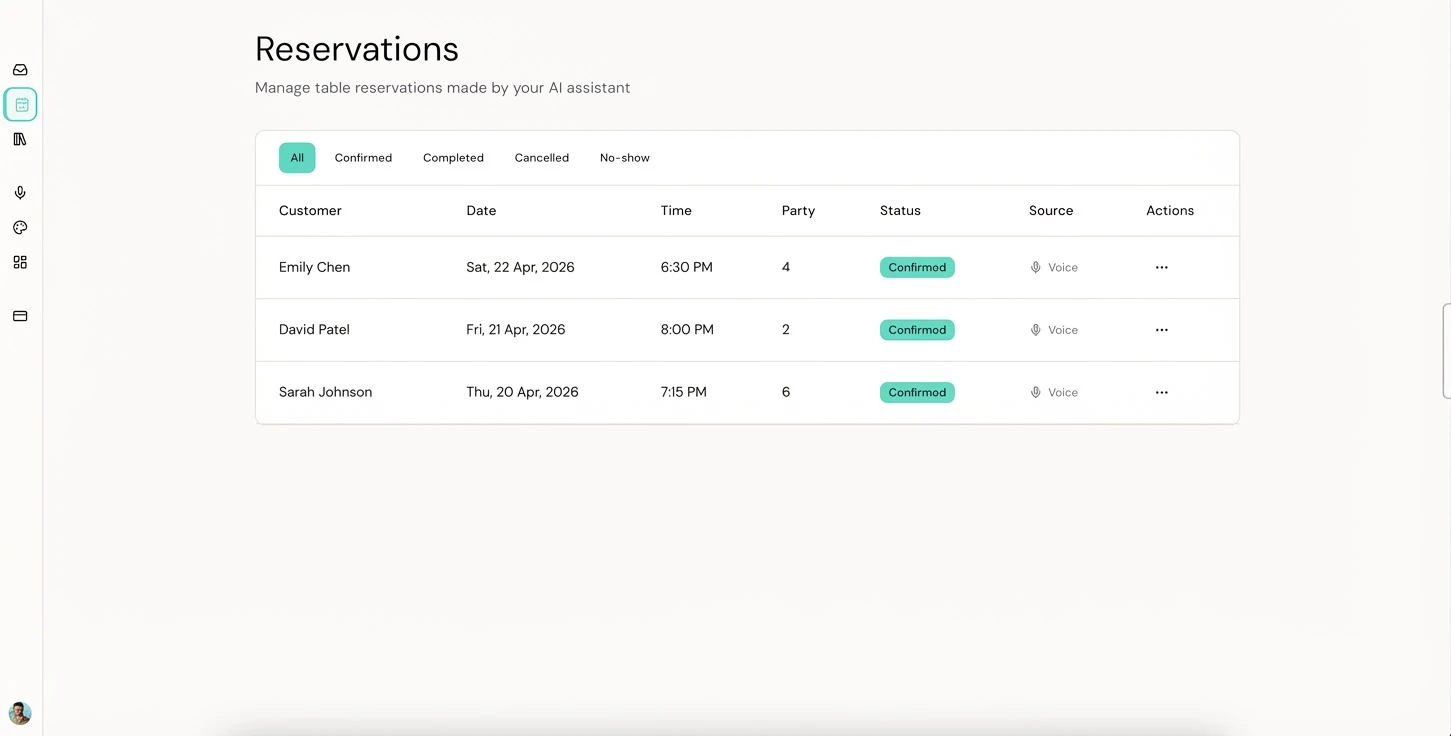
Every reservation the AI makes shows up here in real-time. Customer name, date, time, party size, whether it came from a voice call or was added manually. Status filters across the top — Confirmed, Completed, Cancelled, No-show.
This is the part that makes it real. The voice assistant doesn't just have conversations — it takes actions that show up in a dashboard the owner actually checks. A customer calls, books a table, and the owner sees it before they even hang up. That's the experience that turns "cool AI demo" into "I can't run my restaurant without this."
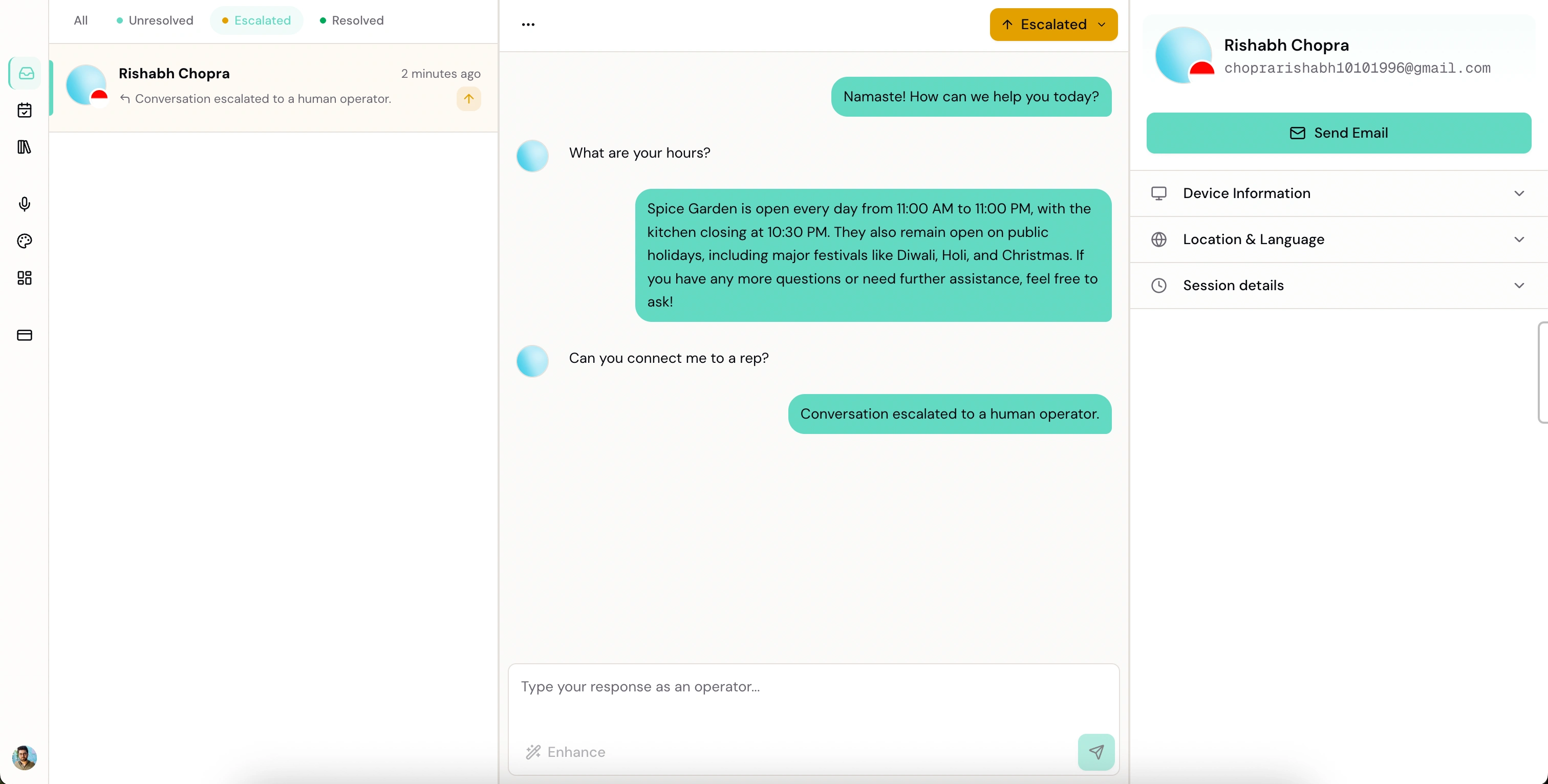
Every conversation — voice and text — shows up in the dashboard. Three states: unresolved (AI handling it), escalated (needs a human), resolved (done).
When something gets escalated, the owner sees the full history — what the customer asked, what the AI tried, why it couldn't help. They respond directly from the dashboard. There's an "Enhance" button that rewrites their draft into something more polished before sending. Not every business owner is comfortable writing professional responses — the tool meets them where they are.
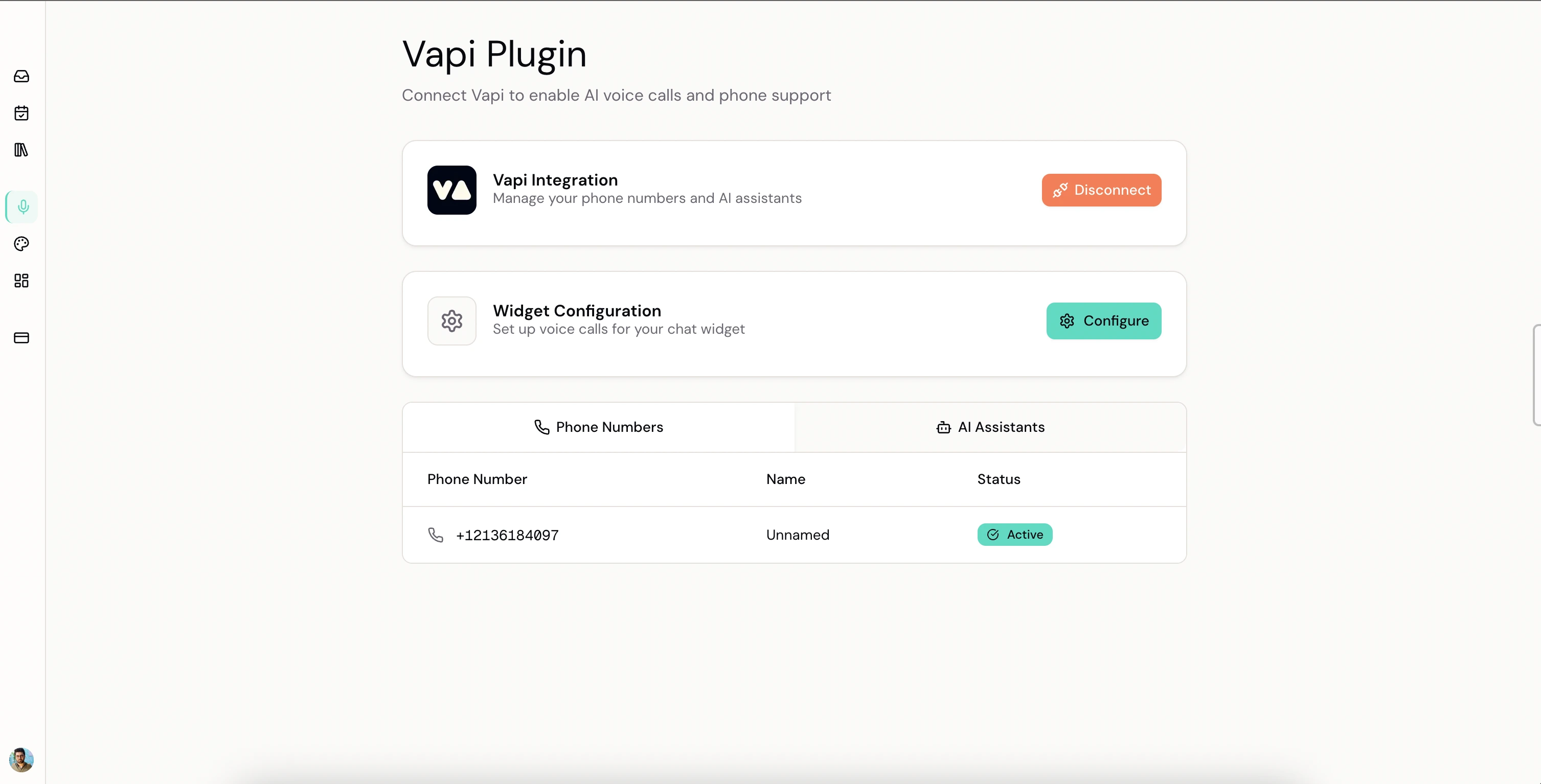
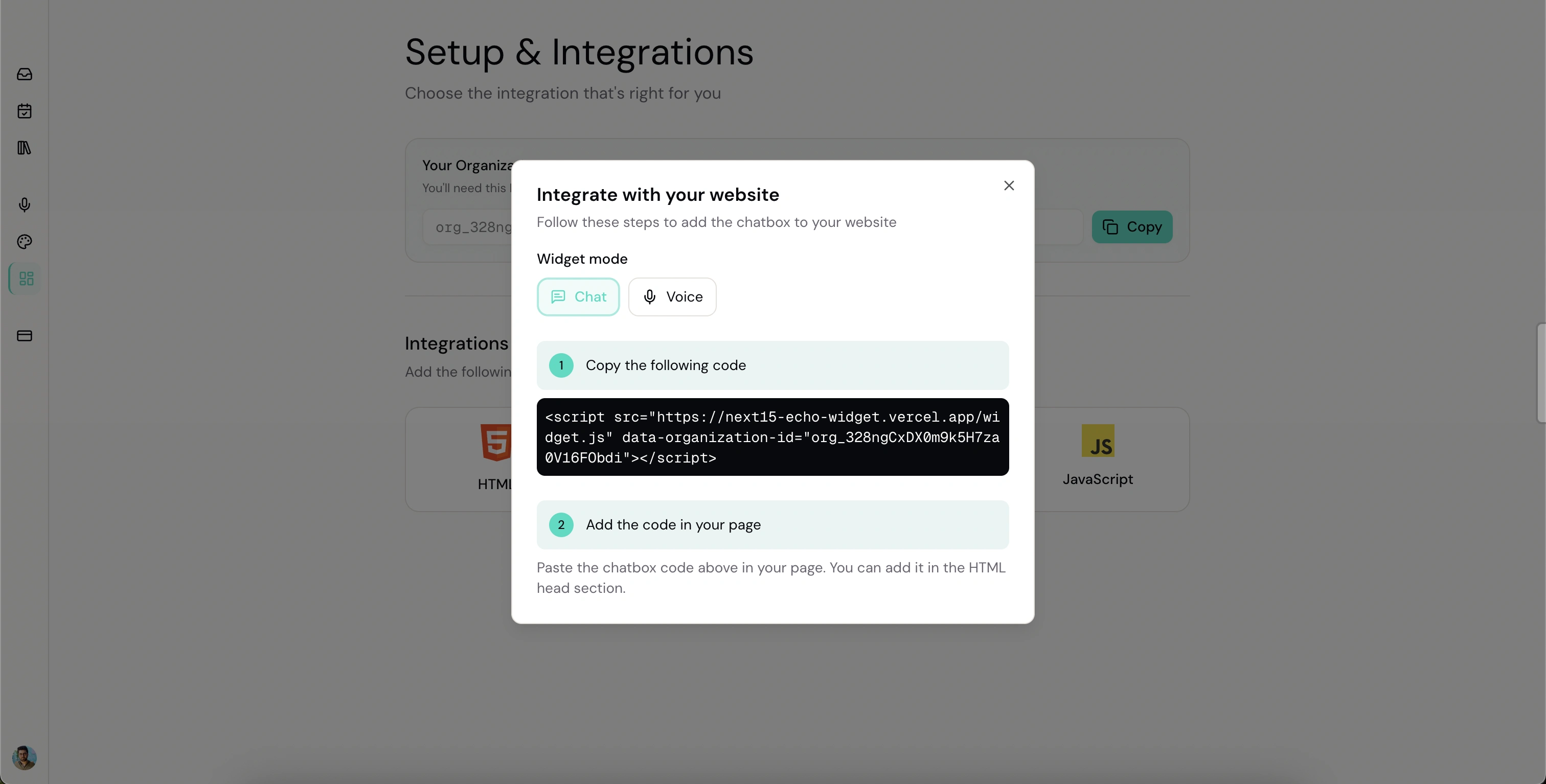
Installation is one line of code. Copy a script tag, paste it into your website HTML, save. Widget appears. You don't need to know what an iframe is. Paste, save, works.
The Technical Decisions
Let me walk you through the architecture, because the choices matter.
Next.js 15 monorepo. Three apps working together.
The dashboard — the owner's control center. Conversations, reservations, knowledge base, voice settings, widget customization, billing. Convex on the backend, chosen specifically because conversations and reservations need to be real-time. When a customer books a table through voice, the dashboard updates instantly. No polling. No refresh. The owner sees it appear live. That matters when you're managing an escalated conversation between cooking orders.
The widget — what the customer sees. Runs as an iframe embedded via a floating button. Lightweight, isolated from the host website. Three modes: text chat, voice (Vapi WebRTC), and phone.
The embed script — a Vite-built IIFE. Single JavaScript file. No dependencies. Creates the floating button, manages the iframe lifecycle, handles PostMessage communication between host page and widget. Works on WordPress, Shopify, custom HTML — anything. Exposes
window.SwagatWidget.show(), .hide(), .destroy() for programmatic control.Now the AI layer. Three pieces, and this is where it gets interesting.
The conversational agent runs on GPT-4o-mini via the @convex-dev/agent framework, with three tools: search the knowledge base, escalate to a human, and resolve the conversation. System prompt enforces strict rules — always search before answering, never fabricate, offer escalation when unsure. It's not a general chatbot. It's a constrained agent with a specific job. You're not giving it the whole internet — you're giving it a binder and saying "stay in your lane."
The RAG pipeline powers the search. Documents get chunked and embedded into 1536-dimensional vectors using OpenAI's text-embedding-3-small, indexed via @convex-dev/rag. Stored in Convex's vector search, namespaced by organization. Customer asks something, question gets embedded, similarity search returns the top 5 relevant chunks, search interpreter prompt formats them into a coherent answer. Restaurant A's menu never leaks into Salon B's answers.
The voice + tool-calling pipeline — this is the part I'm most proud of. Voice runs through Vapi with Deepgram Nova-3 for speech-to-text — specifically tuned for Indian English with keyword boosting for better accent recognition. GPT-4o-mini handles reasoning. Sub-600ms latency end to end.
But here's what makes it more than voice Q&A. The assistant can call server-side functions during a live conversation. Customer says "book a table for 2 tomorrow at 7" — the LLM triggers a
bookAppointment tool call. Vapi POSTs the parameters to a Convex HTTP endpoint. Endpoint validates, writes to the database, returns a confirmation string. The assistant reads it back: "All done, your table is booked!" Dashboard updates in real-time. The whole round-trip — speech to action to confirmation — happens in under 2 seconds.That's the Iron Man pattern. The AI is Jarvis. It doesn't just inform you — it acts on your behalf. But only within the boundaries you set. Only with the tools you give it. Only on the data you uploaded. That's the constraint that makes it reliable.
Auth is split: Clerk for the dashboard (JWT-based, every query filters by orgId for isolation), lightweight contact sessions for the widget (name + email, localStorage, 24-hour expiry).
Billing is org-level. Free tier gets the basic widget. Pro unlocks AI, voice, knowledge base, reservations, and team access. Free users see premium features at reduced opacity with an upgrade prompt. Show them what they're missing — that's better than hiding it.
What This Demonstrates
Three things:
Voice AI that takes real actions — bidirectional voice via Vapi WebRTC, Deepgram Nova-3 speech-to-text tuned for Indian English, GPT-4o-mini for reasoning, sub-600ms latency with natural turn-taking and interruption handling. But beyond Q&A — server-side tool calling lets the assistant take actions during a live call. LLM decides when to trigger a function, Vapi routes to a webhook, backend executes, result flows back into the conversation. Different actions, same architecture. This is the pattern behind every voice-enabled workflow.
RAG and knowledge base systems — document upload, text extraction, chunking, embedding generation with text-embedding-3-small (1536 dimensions), vector similarity search, answer synthesis through a search interpreter. Each organization's data namespaced and isolated. Same knowledge base powers both text chat (via agent framework) and voice calls (injected into the system prompt at call time). This is the foundational pattern behind every "connect AI to our data" project.
Full-stack SaaS — Next.js 15 monorepo, three coordinated apps, Convex real-time backend, Clerk JWT-based multi-tenant auth, org-level billing with feature gating, one-line embeddable widget. Real-time reservations, conversation management with escalation workflows, deploy mechanism that works on any website. Not a prototype — a product with real-time data, a billing flow, and a deploy mechanism.
And beyond the code — a specific market, a specific problem, a specific solution, and a specific experience designed for people who have 5 minutes and zero technical knowledge. That's the difference between building software and building a product.
Built with: Next.js 15, React 19, Convex, OpenAI GPT-4o-mini, Vapi, Deepgram Nova-3, Clerk, Tailwind CSS, shadcn/ui
Rishabh Chopra — Full Stack AI Engineer & Startup Consultant. Harvard Extension School, Learning Design & Technology. 8 years in EdTech. Previously at Udacity, where I solo-built UTools (20,000+ downloads).
Like this project
Posted Mar 12, 2026
AI receptionist for small businesses. Answers customer calls 24/7, books reservations via voice, and escalates to humans when needed. One-line website install.