UTools: Udacity's Student Retention Engine | 20,000+ downloads

Rishabh Chopra


Built UTools: Udacity's Student Retention Engine From Scratch
Role: Solo Developer, Product Designer, Researcher · Company: Udacity · Origin: Harvard Extension School Capstone · Downloads: 20,000+ on iOS & Android
React Native Expo Firebase Push Notifications GDPR ComplianceIn 2022, I was finishing my graduate certificate in Learning Design & Technology at Harvard Extension School. For my capstone, I needed a real problem — not a classroom exercise. I'd spent 5 years at Udacity by then — first as a student (7 Nanodegree programs), then as a mentor, then as Technical Operations Manager. I knew exactly what the problem was. Half the students were quitting for the same reason, and nobody had a scalable answer. My capstone became UTools. UTools became a real product with 20,000+ downloads.
The Problem Nobody Could Solve
Half the students who cancelled their Nanodegree subscription gave the same reason: "Not enough time."
It wasn't a time problem. It was a planning problem, a focus problem, and a communication problem — all at once. The company was running 20+ separate interventions across email, SMS, WhatsApp, and Slack. Email had spam issues. SMS had legal restrictions. WhatsApp cost tens of thousands of dollars a year. Slack buried important notifications under 100+ unread group messages. None of these channels drove immediate action.
I knew what was happening because I'd lived it. My first Nanodegree took me months longer than it should have — not because the material was hard, but because nobody gave me a system to follow. I had to build my own learning plan in a spreadsheet. That spreadsheet became UTools.
I Started With User Research, Not Code
Before writing a single line of code, I built personas from real student behavior patterns. Two stories kept showing up:
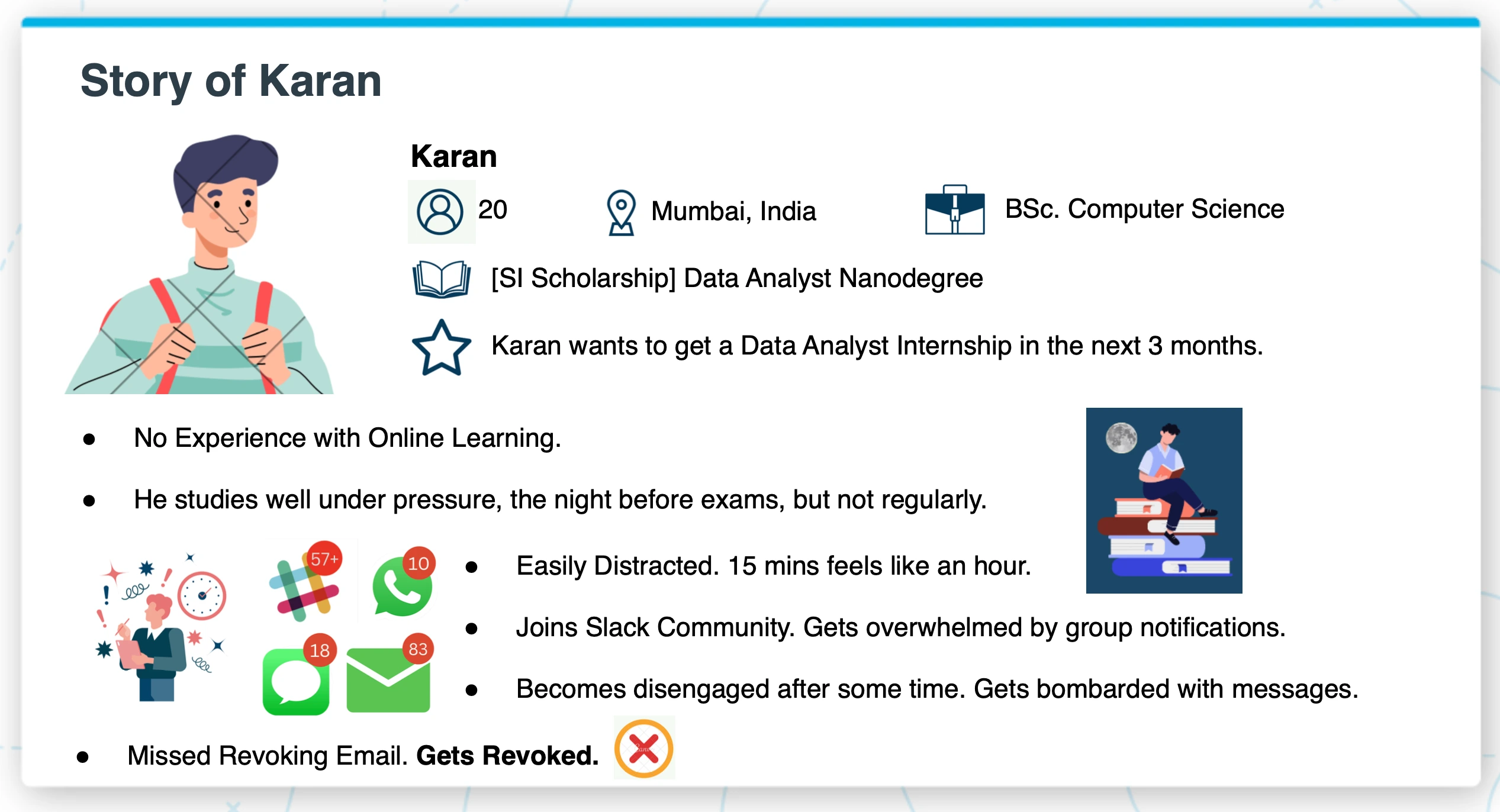
Karan is 20, studying for a Data Analyst internship. He's smart but has zero experience with online learning. He studies well the night before exams but can't maintain consistency. He joins the Slack community, gets overwhelmed by group notifications, disengages, misses a critical deadline email, and gets his access revoked.
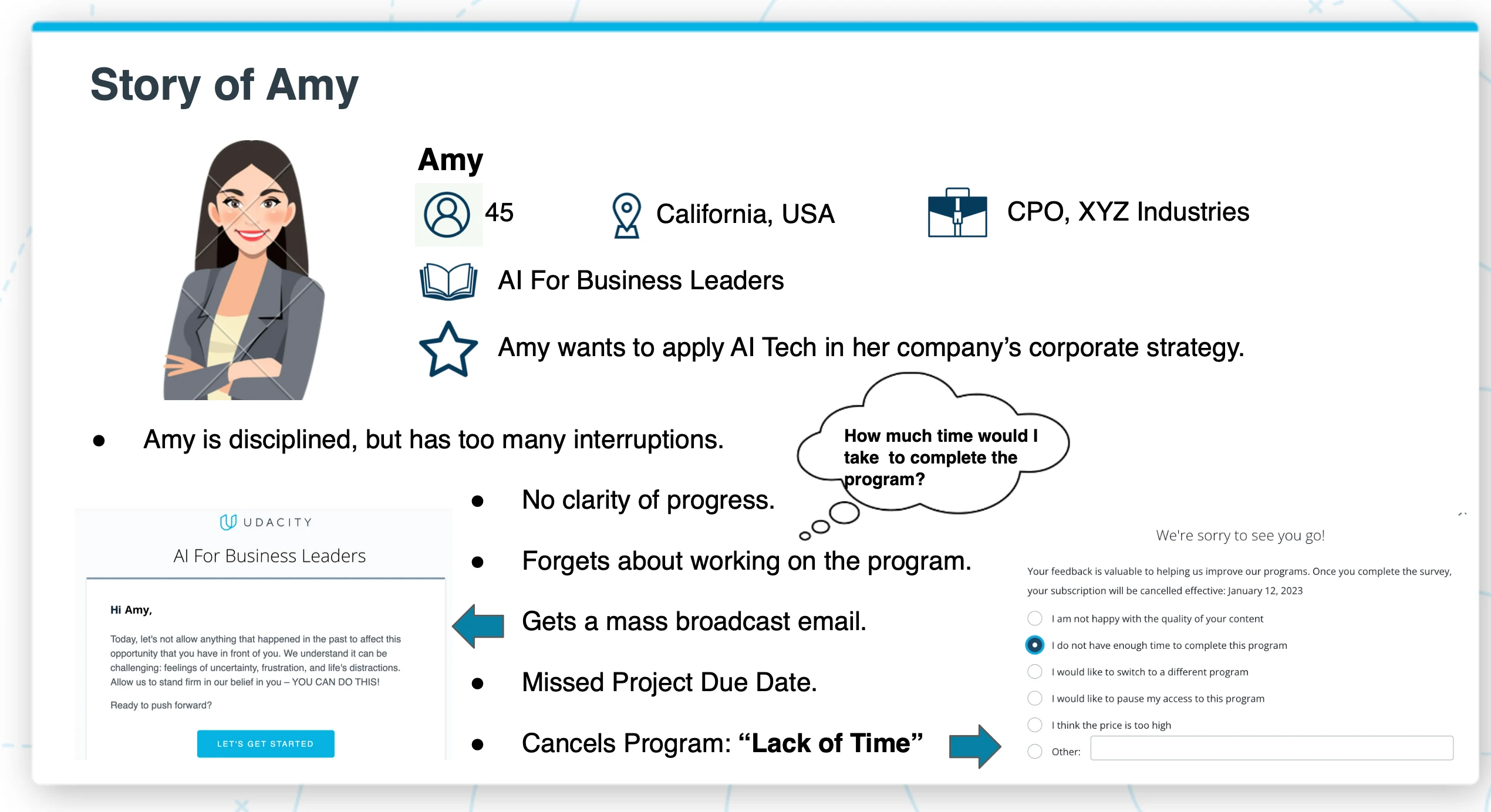
Amy is 45, a CPO trying to learn AI strategy. She's disciplined but has too many competing priorities. She has no clarity on her progress, forgets about the program for weeks, gets a generic broadcast email that doesn't land, misses her project deadline, and cancels — citing "Lack of Time."
Two completely different people. Same outcome. Same root cause: no system to keep them on track.
The Insight: A Nanodegree Is a Gym Membership
The advice given to students was correct: plan your week, focus in sprints, get an accountability buddy. But telling people best practices and giving them tools to execute those practices are two completely different things. It's like handing someone a gym membership and a pamphlet that says "lift weights 3x a week." Without a trainer, most people quit.
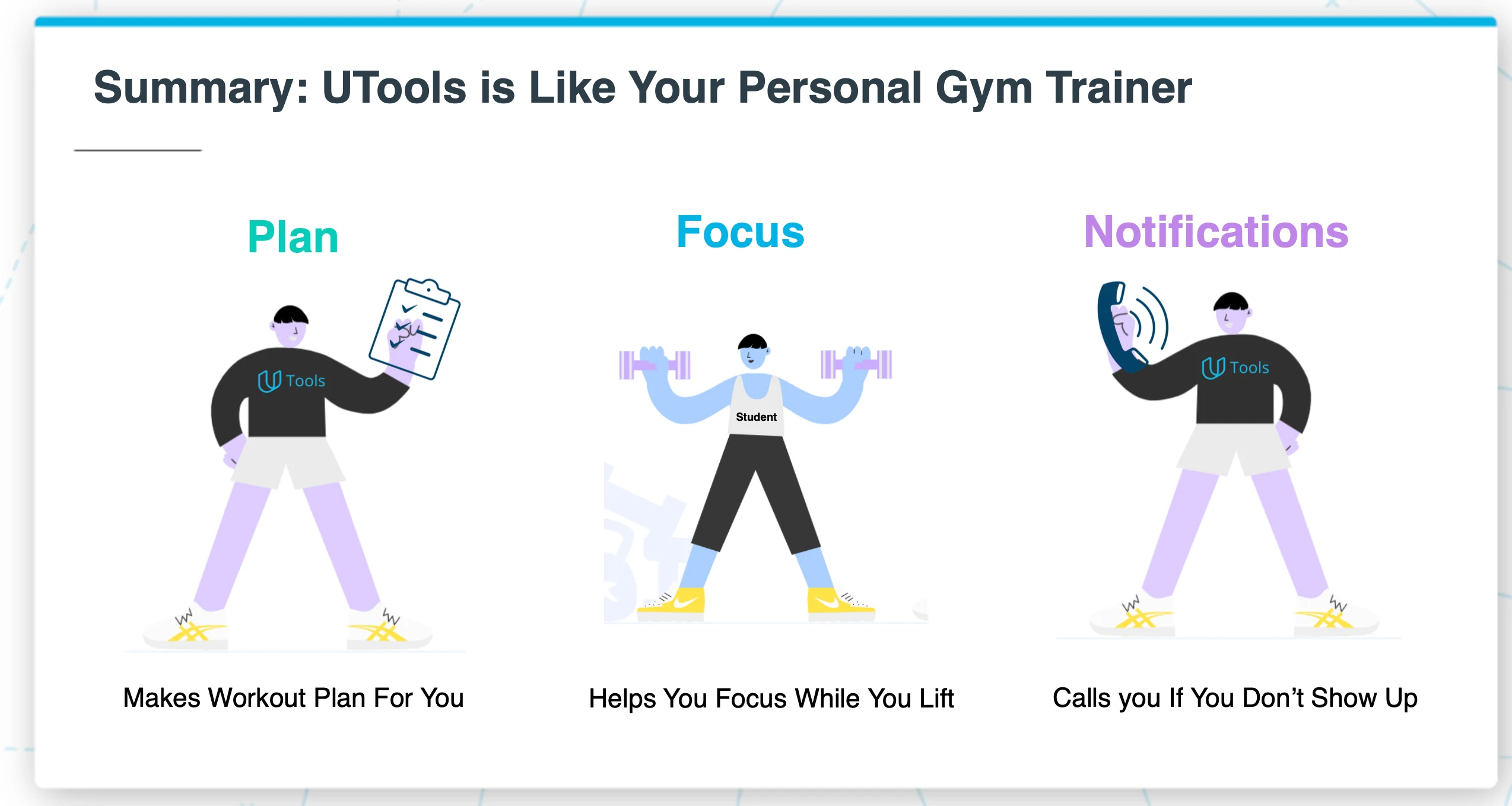
So I built the trainer.
The learning design frameworks I studied at Harvard — behavioral nudge theory, spaced practice, habit formation loops — became the architecture of the product. Every feature maps to a researched learning principle.
Three Tools That Work as a System
Plan: Commit to a Weekly Learning Schedule
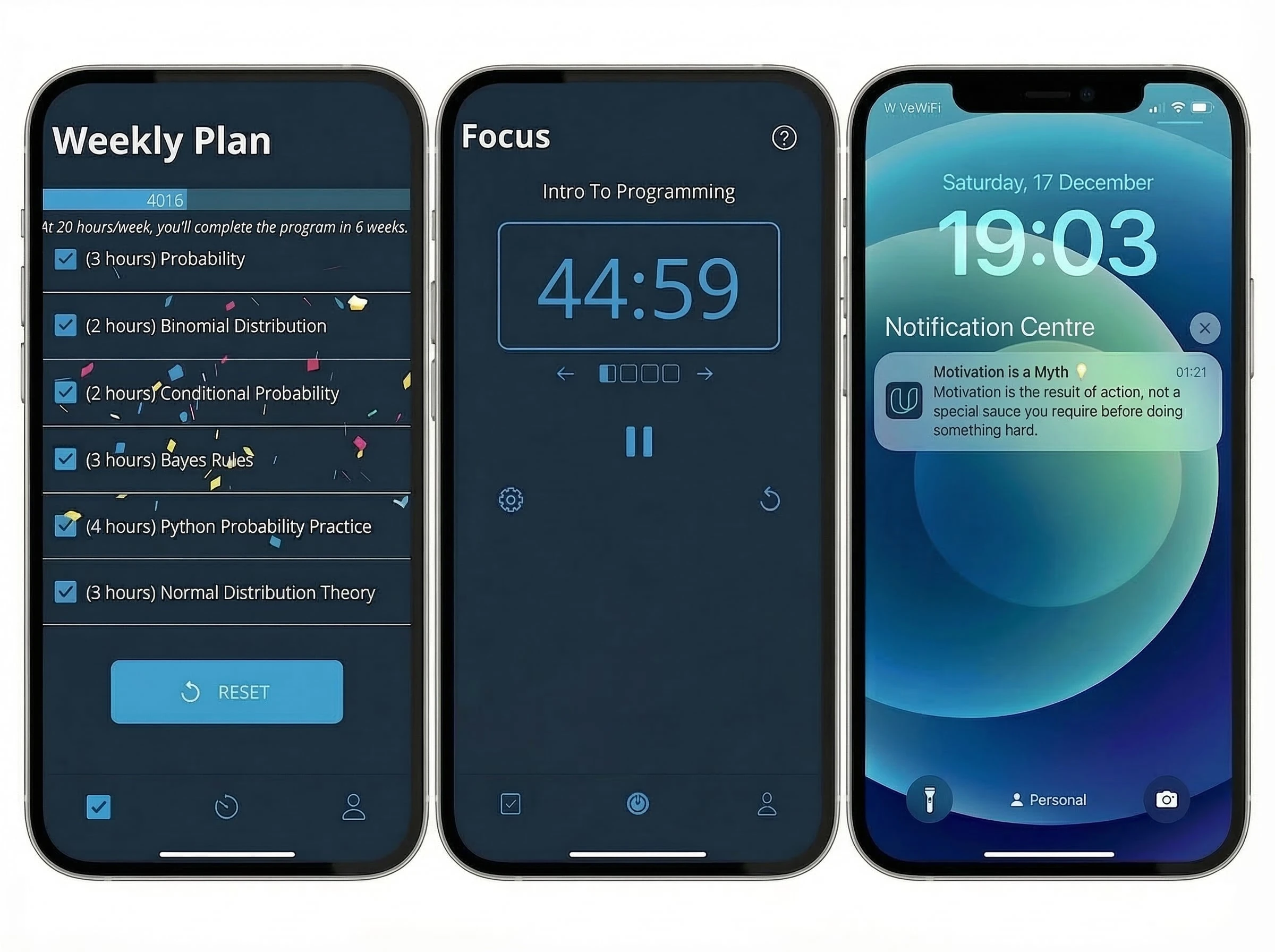
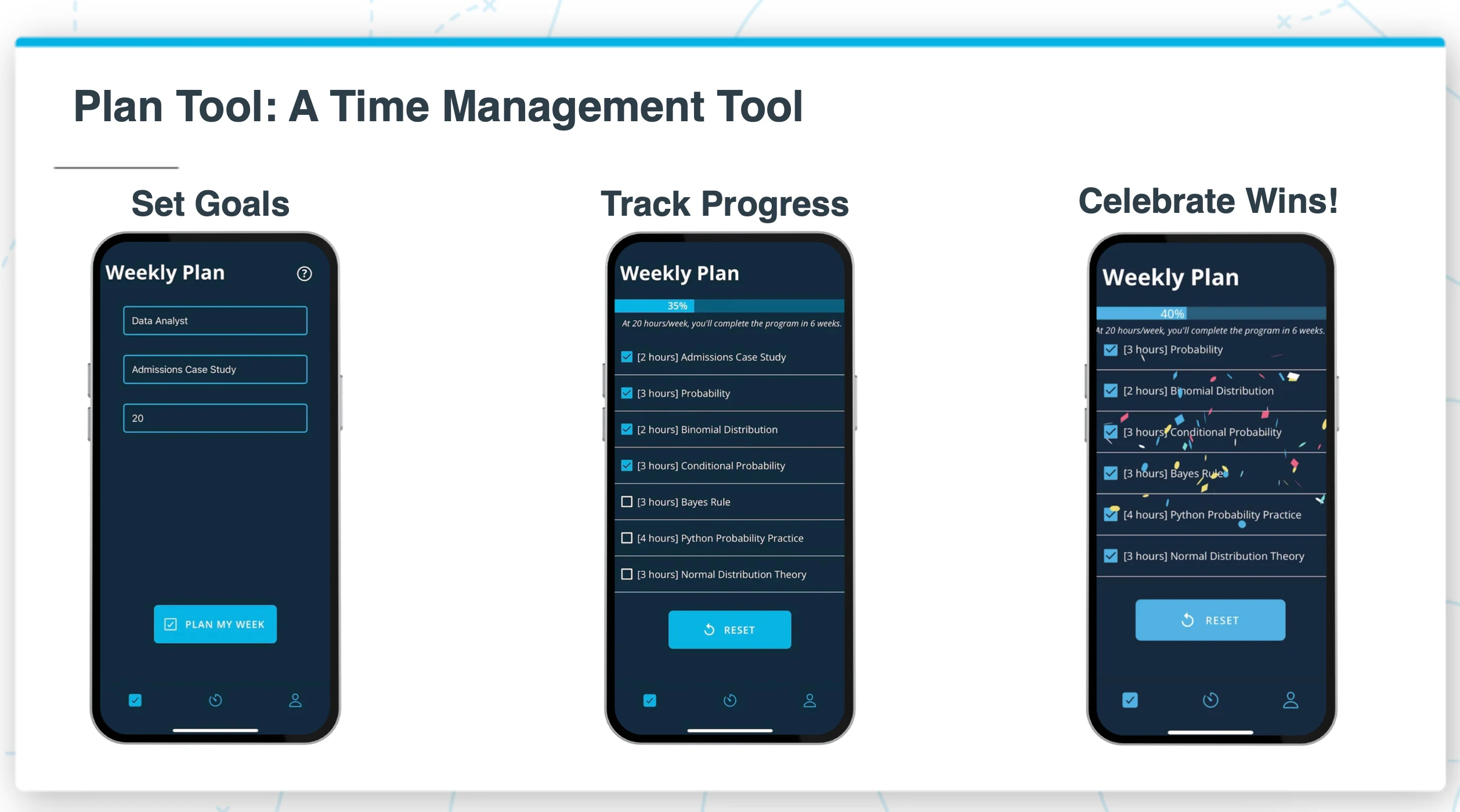
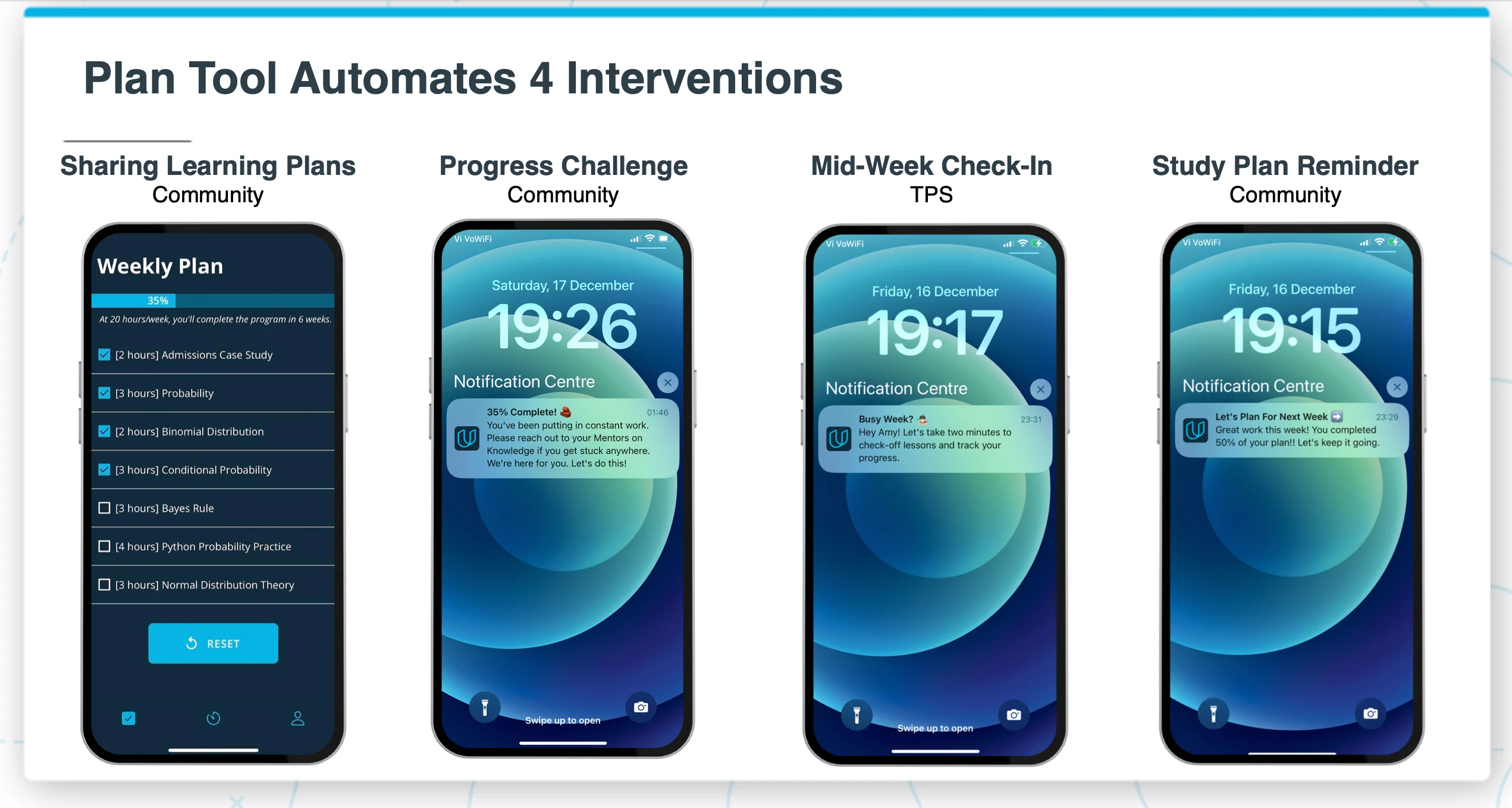
The Plan tool takes three inputs — your program, your current lesson, and how many hours you can dedicate this week — and generates a personalized study plan. As you check off lessons, you see your progress across the entire program. When you complete your weekly target, the app celebrates with confetti. Small, but it matters.
Research backs this up: the simple act of creating a concrete plan increases your chance of follow-through by 50%.
Focus: Build the Learning Habit
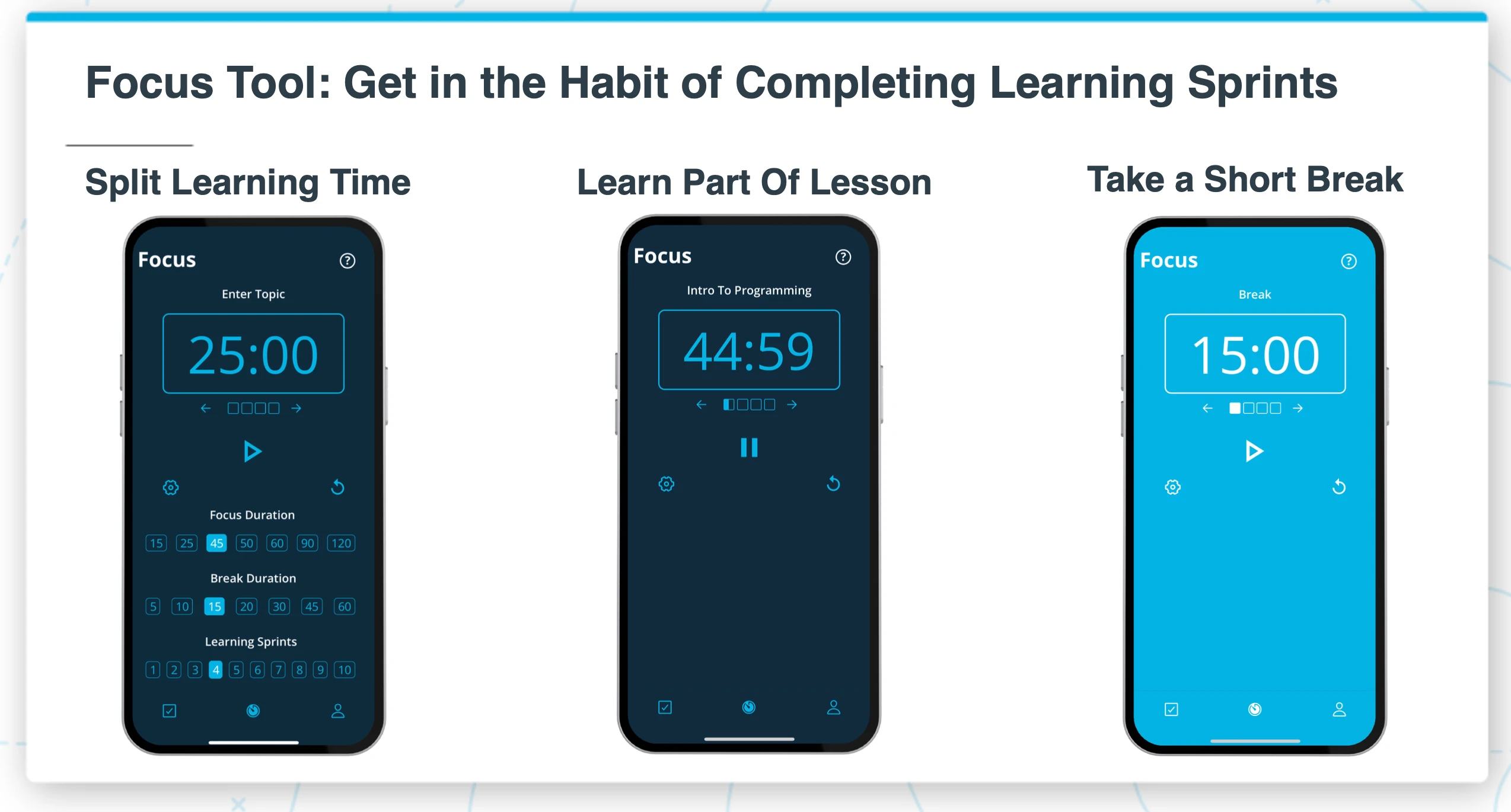
Most students can't sit and focus for an hour. They don't need to. The Focus tool uses the Pomodoro technique — customizable sprint duration, break duration, and session count. Start with 25-minute sprints. Build up over time. The goal isn't marathon study sessions. The goal is showing up every day.
Notifications: The Single Channel That Drives Action
This is where the real leverage is. Instead of scattering messages across email, SMS, WhatsApp, and Slack — all of which students ignore — I consolidated everything into push notifications. One channel. Persistent. High visibility. Zero cost. And every notification was designed to trigger a specific action, not just inform.
The Plan tool alone automated 4 separate interventions that were previously done manually by community managers.
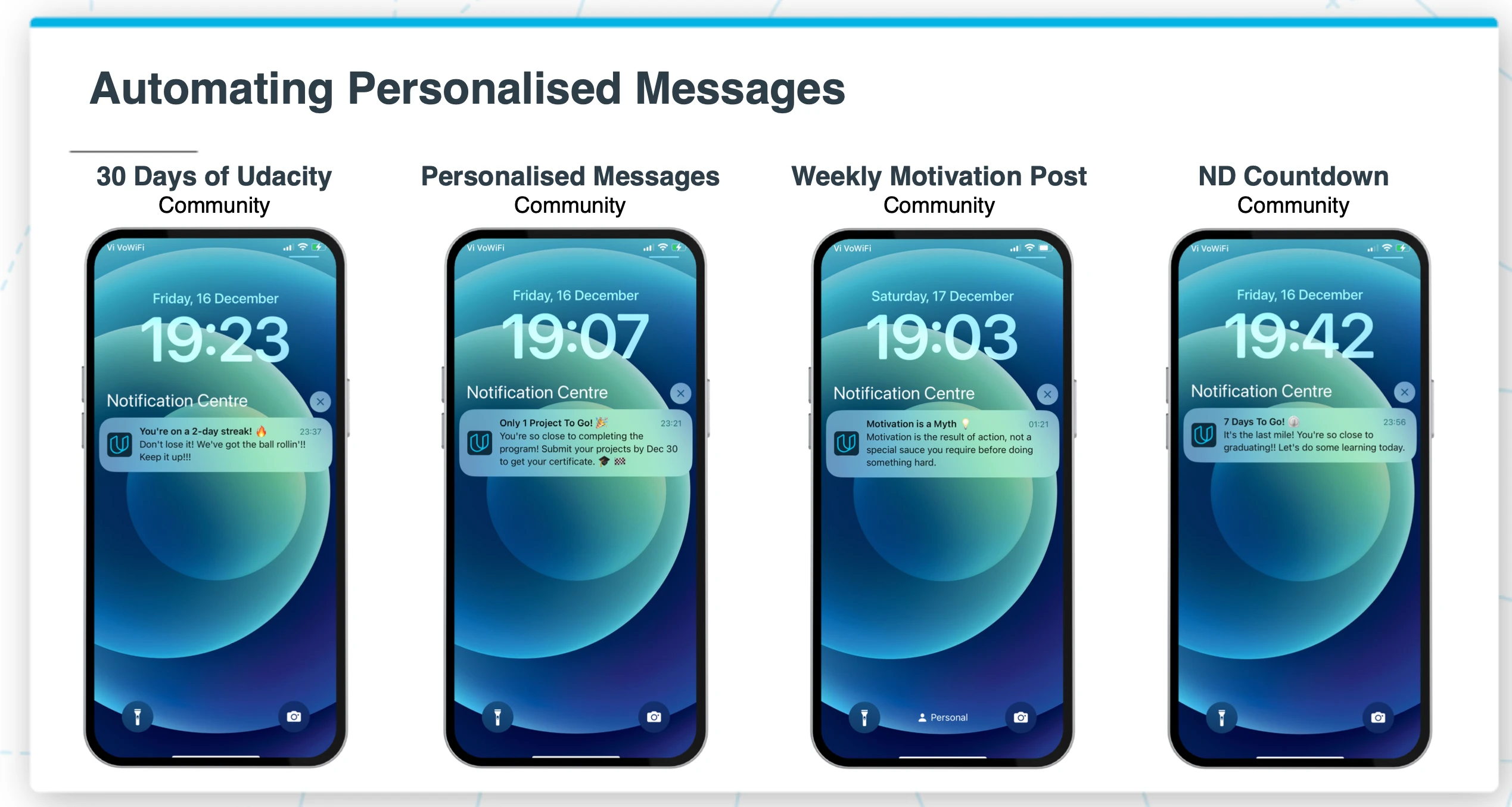
Every message was personalized and contextual. A streak nudge when you're building momentum. A milestone celebration when you're close to finishing. A motivational insight when engagement dips. A countdown when the deadline approaches.
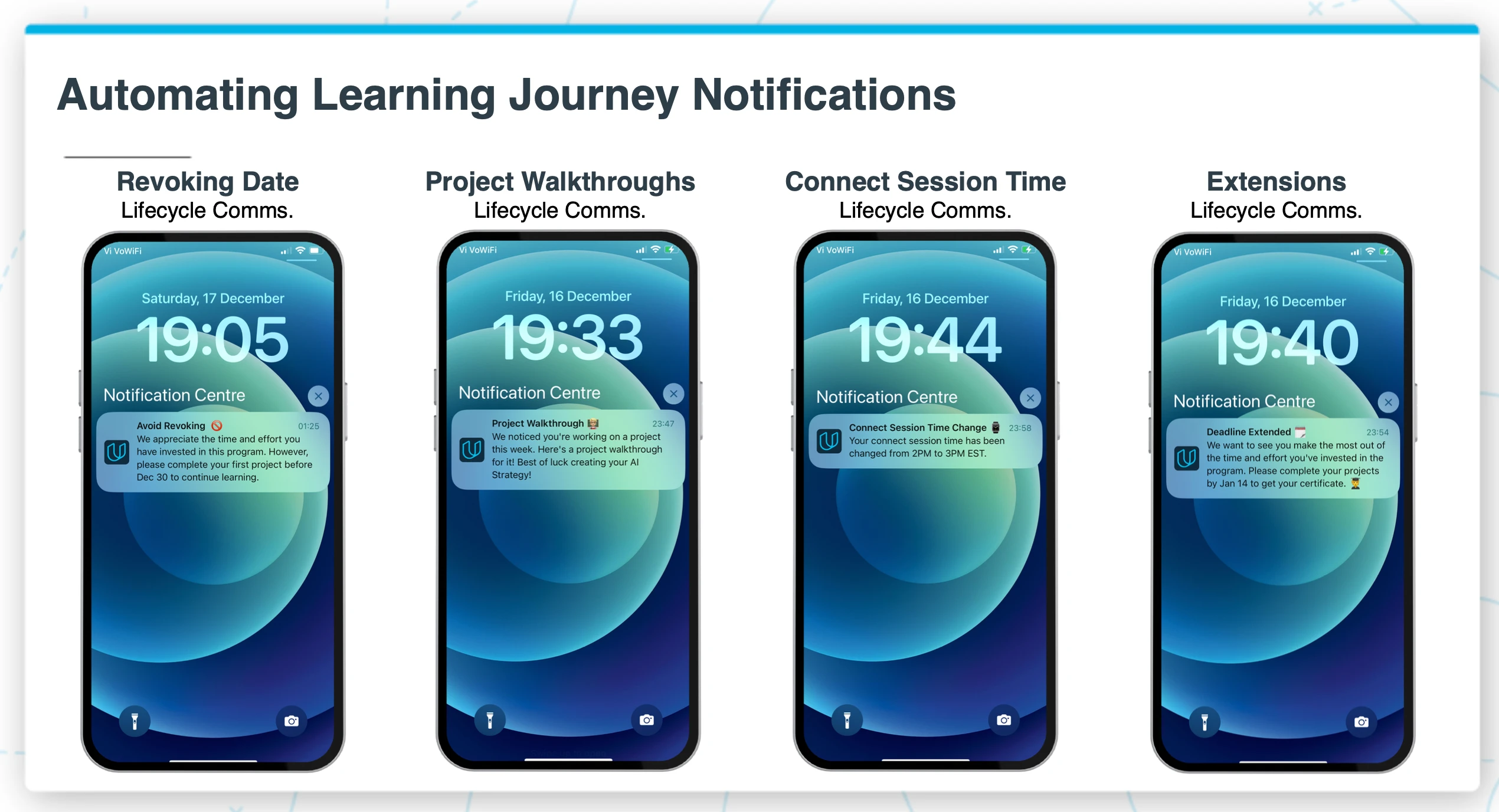
The most critical notifications — revoking warnings, project walkthroughs, schedule changes, deadline extensions — were previously buried in email or WhatsApp. Now they hit the lock screen directly, with clear language and a reason to open the app.
Phase 2: From Tool to Platform
Phase 1 automated 14 of 20 individual learner interventions. Phase 2 expanded the vision — turning UTools from a personal productivity tool into a learning community platform.
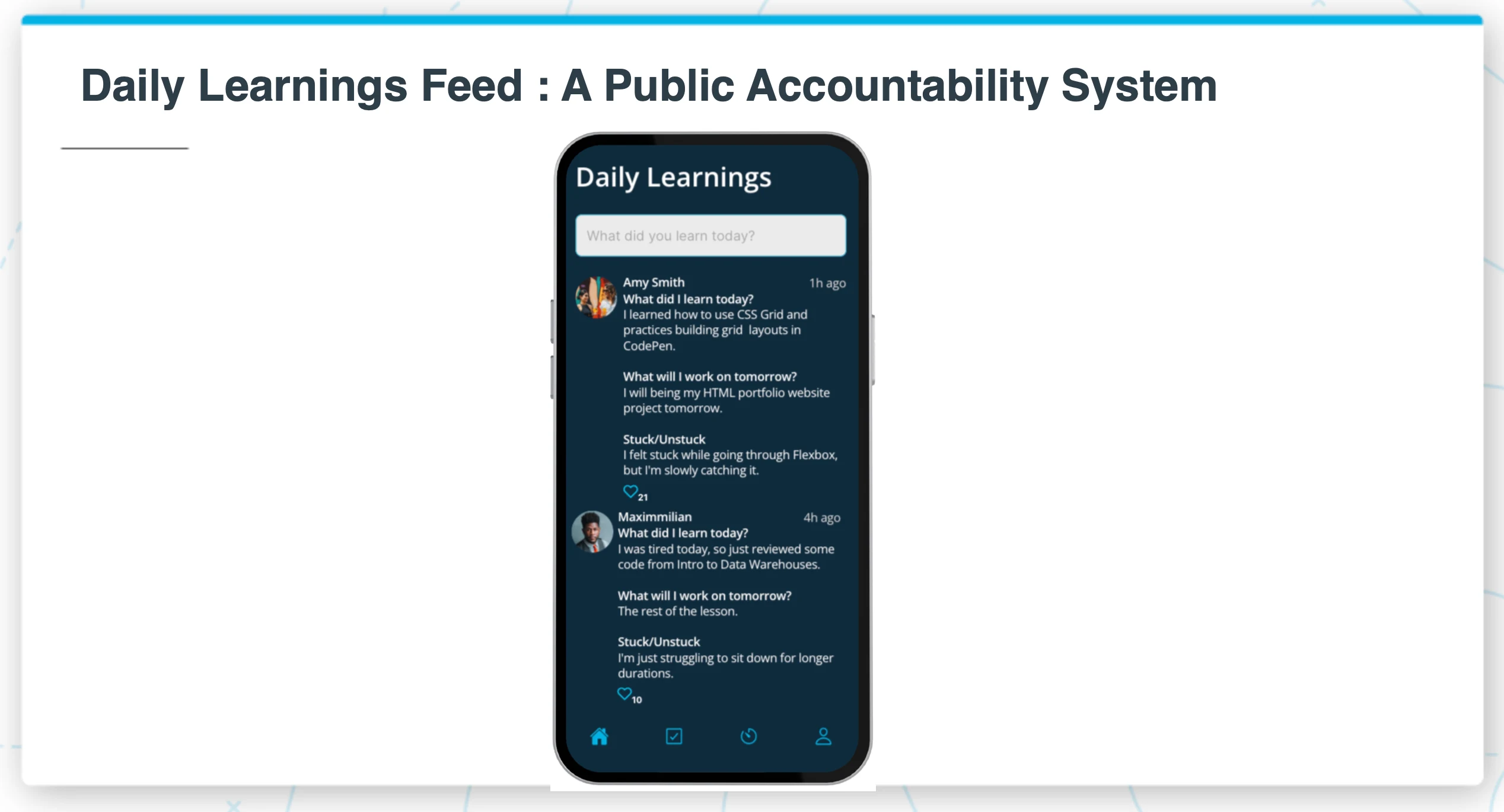
The Daily Learnings Feed created a public accountability system. Students shared what they learned today, what they'd work on tomorrow, and where they were stuck. Peer visibility turns learning from a solo grind into a shared journey.
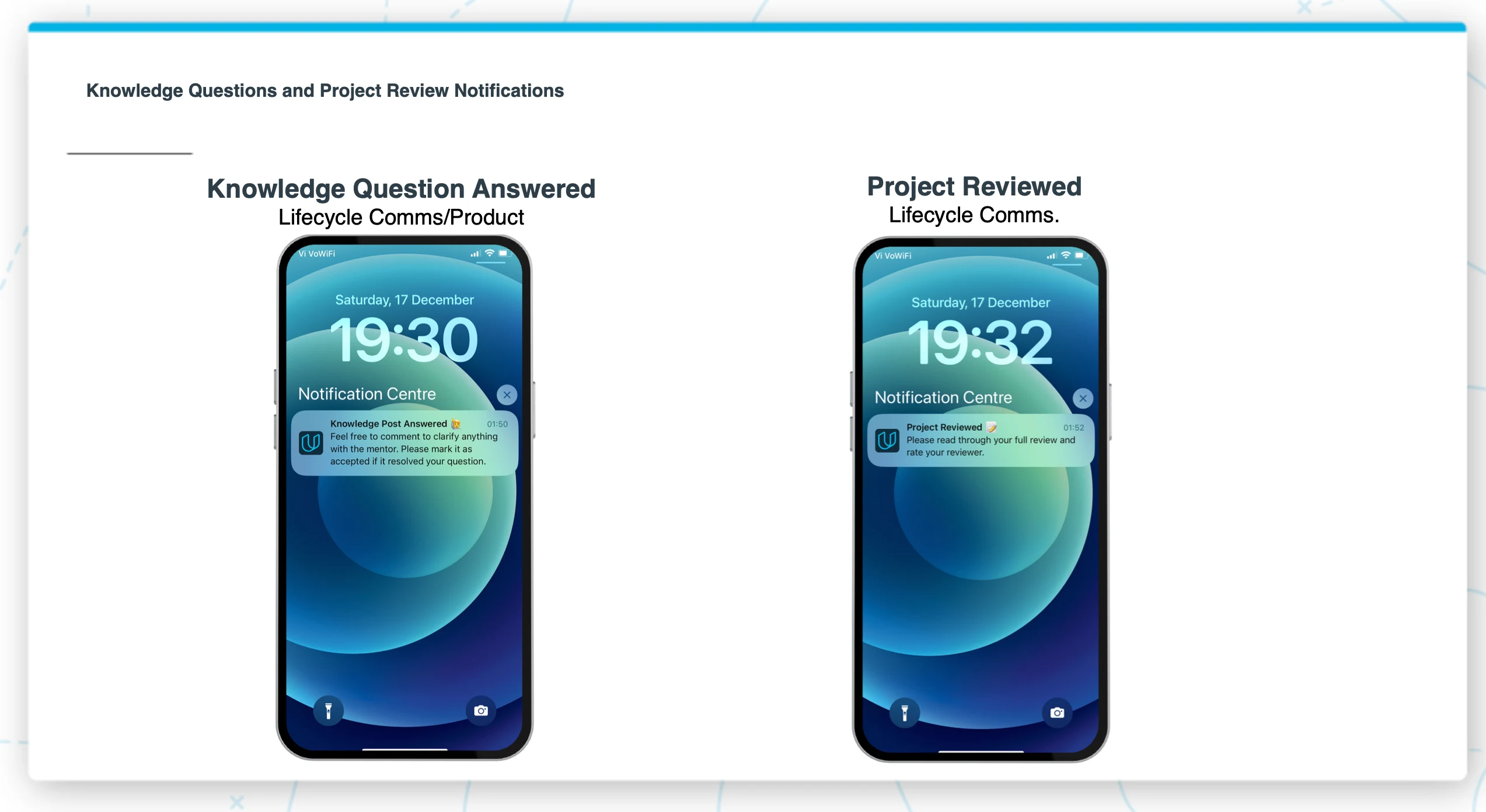
Additional Phase 2 notifications covered knowledge questions, project reviews, and gamification through Student of the Month — each one automating work that previously required manual effort from multiple teams.
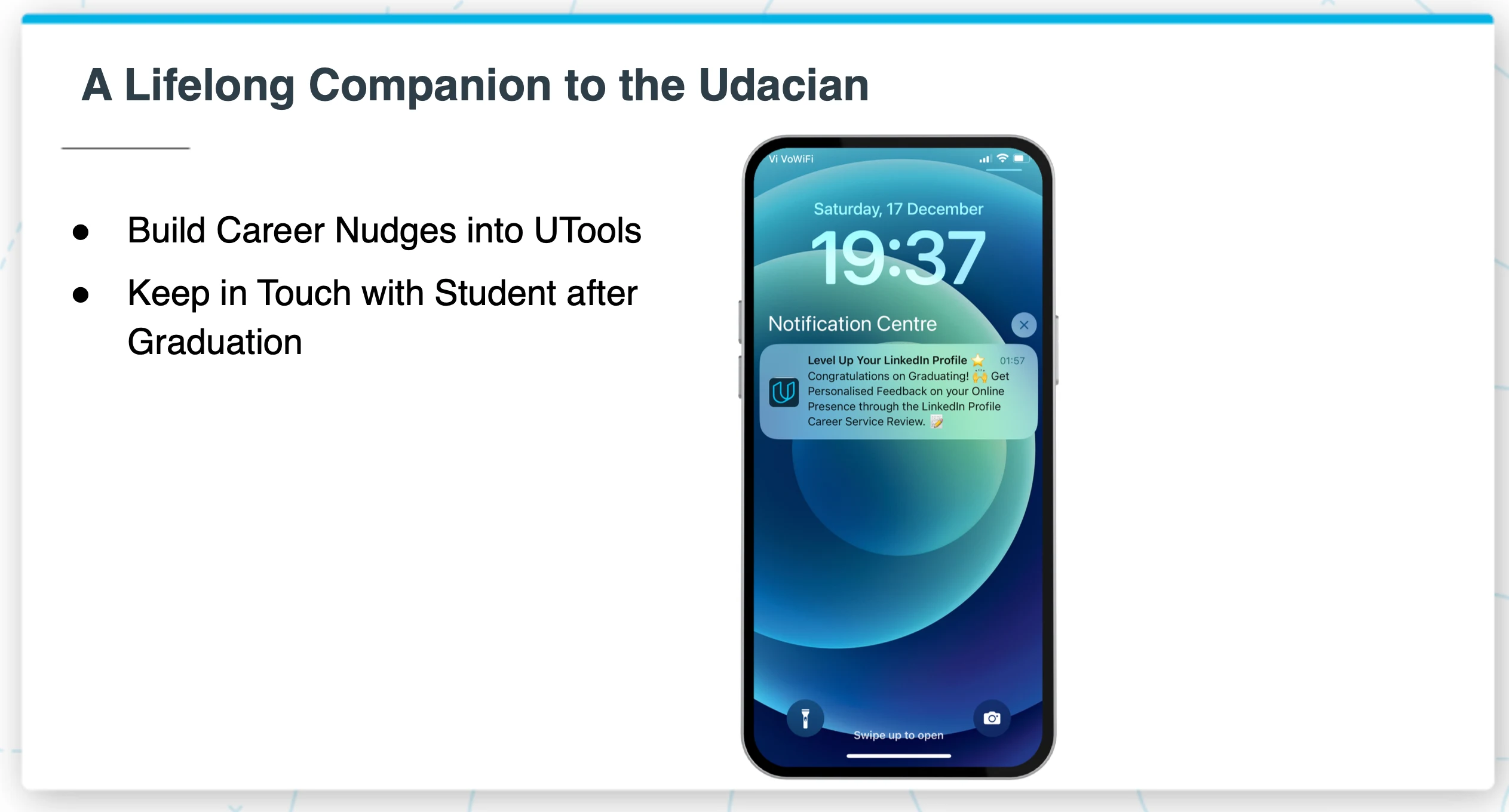
The long-term vision was bigger than course completion. UTools would stay with the student after graduation — nudging them to update their LinkedIn, take career services, enroll in the next program. A lifelong companion, not a temporary tool.
I Handled Compliance Myself
Most developers build the app and hand compliance to someone else. I didn't have that luxury — and I didn't want it. Data privacy was part of the product design, not an afterthought.
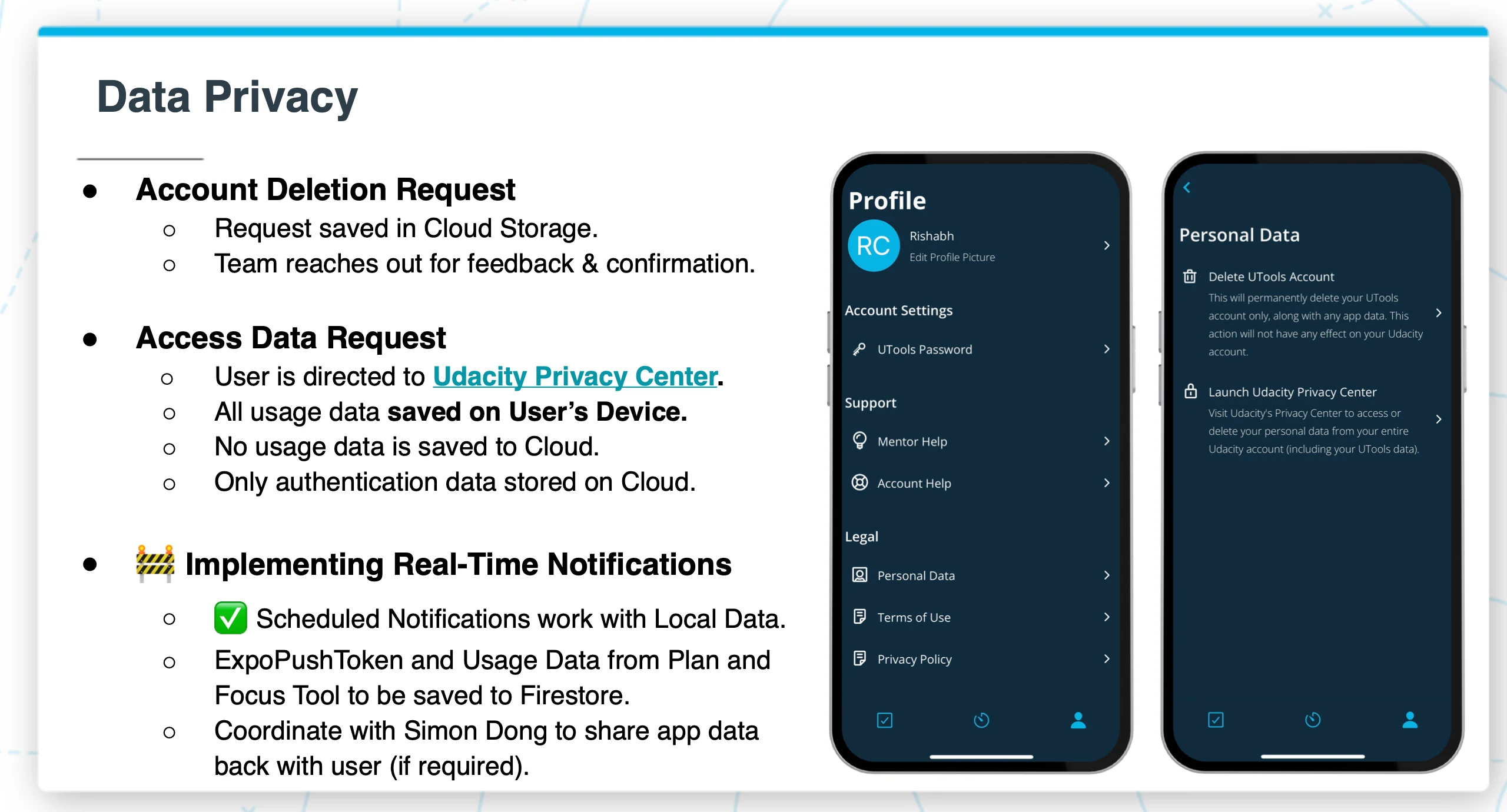
I worked directly with the legal team to get full approval. Key decisions I made and documented:
Data minimization: Usage data (plans, focus sessions) stored on-device only. Only authentication data stored in the cloud. No behavioral data leaves the phone unless explicitly needed for notifications.
Account deletion: Built a full account deletion flow — accessible from Profile → Personal Data → Delete Account. Request logged, team confirms, data purged within 7 days.
Data access: Users redirected to the company's Privacy Center for full data export. The app's own data stays transparent and local.
Security layers: Firebase Authentication for identity, Firestore Security Rules for data access gating, App Check for device attestation (ensuring requests come from the real app on an untampered device), and code obfuscation to prevent reverse engineering.
The Tech Choices Were Intentional
React Native + Expo: One codebase, two platforms. No need to open Android Studio or Xcode. EAS for building, updating, and submitting. Short feedback loop. Easy for any future developer to maintain — 100% JavaScript, no native modules.
Firebase (BaaS): Authentication, Firestore database, Cloud Storage, Analytics, Performance Monitoring, Cloud Messaging — all on the free tier. At our usage level, the running cost was literally $0/month. Even at 50K installs with 5K daily active users, projected cost was ~$12/month.
Push Notifications via Expo: Built a Node.js notification server using Expo's push SDK and Firebase Admin SDK. Notifications are scheduled, personalized, and routed based on user state — not batch-blasted.
Results
20,000+ downloads across iOS and Android
14 of 20 individual learner interventions automated in Phase 1
200+ hours/month of manual work eliminated across multiple teams
$0/month running cost on Firebase's free tier
1 developer. Research, design, development, compliance, App Store submission, and internal stakeholder management — all solo.
What I'd Build Differently Today
UTools was built in 2022–2023, before AI tools were production-ready for consumer apps. Today, I'd add three things:
AI-powered adaptive scheduling — instead of static weekly plans, the app would learn your patterns and adjust automatically. Had a rough Monday? The AI restructures your Tuesday through Friday.
Natural language check-ins — instead of manually checking off lessons, a quick voice note: "I finished the Probability section but got stuck on Bayes Rule." The AI logs progress and flags where you need help.
Predictive intervention timing — instead of rule-based notifications ("send at day 3 of inactivity"), AI models that predict when a student is about to disengage and intervene before they go silent.
This is exactly what I'm building now — AI-native apps that think, not just notify.
Built by Rishabh Chopra — Full Stack AI Engineer & Startup Consultant. I build AI-native mobile apps for founders who need more than code. Before I write a line of code, I research your users, analyze your competitors, and map every screen of the experience. Then I build it.
Harvard Extension School · Learning Design & Technology · 8 years in EdTech · React Native · Firebase · Supabase · OpenAI · Claude · Gemini
Like this project
Posted Mar 11, 2026
Solo-built productivity app. 20,000+ downloads on iOS & Android. Harvard capstone to App Store. $0/month running cost.
Likes
0
Views
7
Timeline
Jan 1, 2022 - Dec 31, 2023
Clients
Udacity