POS sistem app - UX/UI Design

Valentina Guerrero | Strategy-First Conversion Web Design
Verified


The Challenge
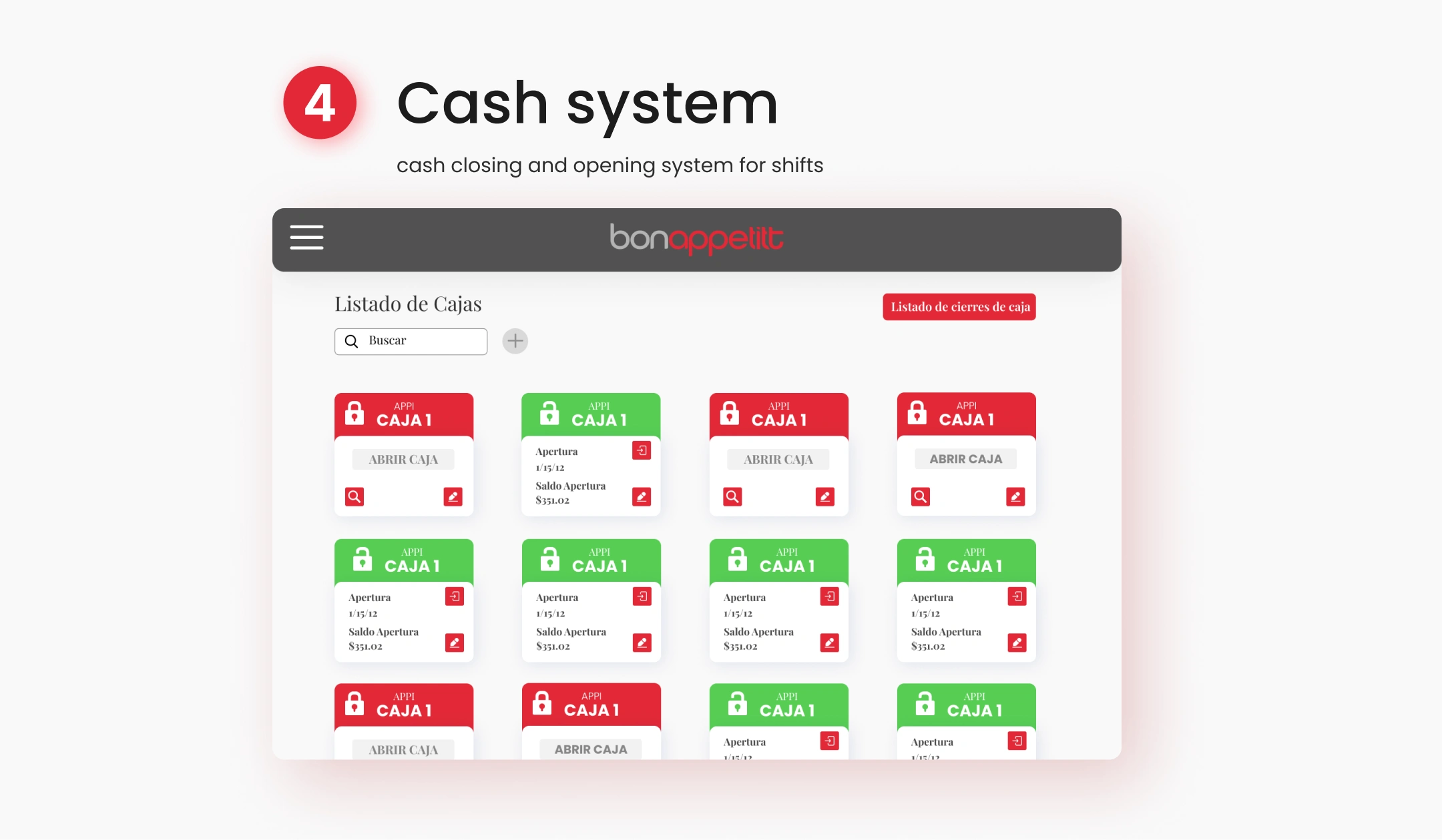
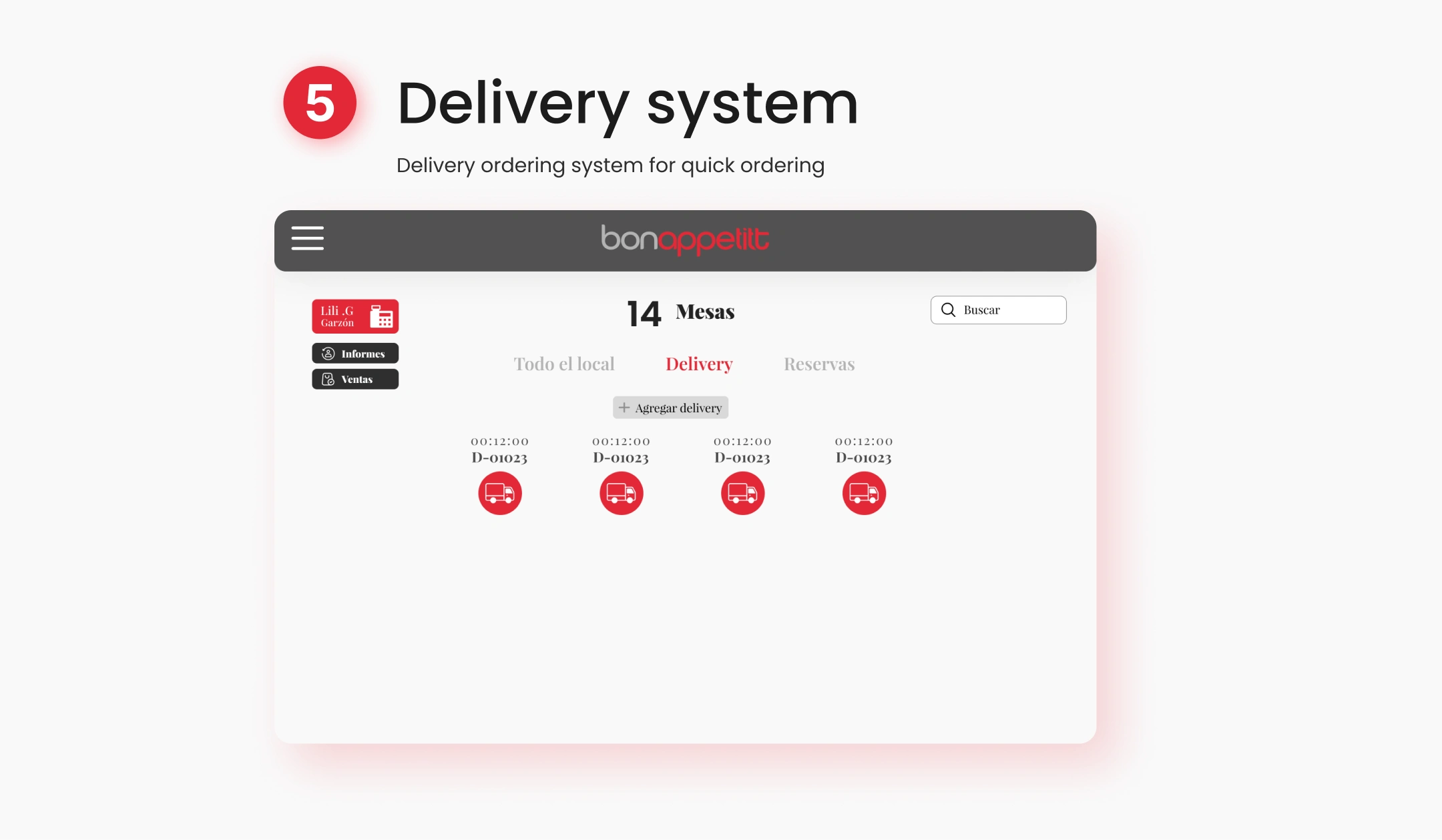
Design a point-of-sale system for restaurant management that handles orders, table assignments, inventory tracking, and end-of-day reporting. The app needed to work for servers taking orders on the floor, kitchen staff managing tickets, and managers reviewing daily performance, all within a single interface.
Research & Discovery
Studied 5 existing POS systems (Square, Toast, Lightspeed, Aloha, and Poster) to understand workflow patterns in restaurant environments. Key findings:
Most POS interfaces are designed for retail and adapted for restaurants, resulting in awkward table management and split-check flows
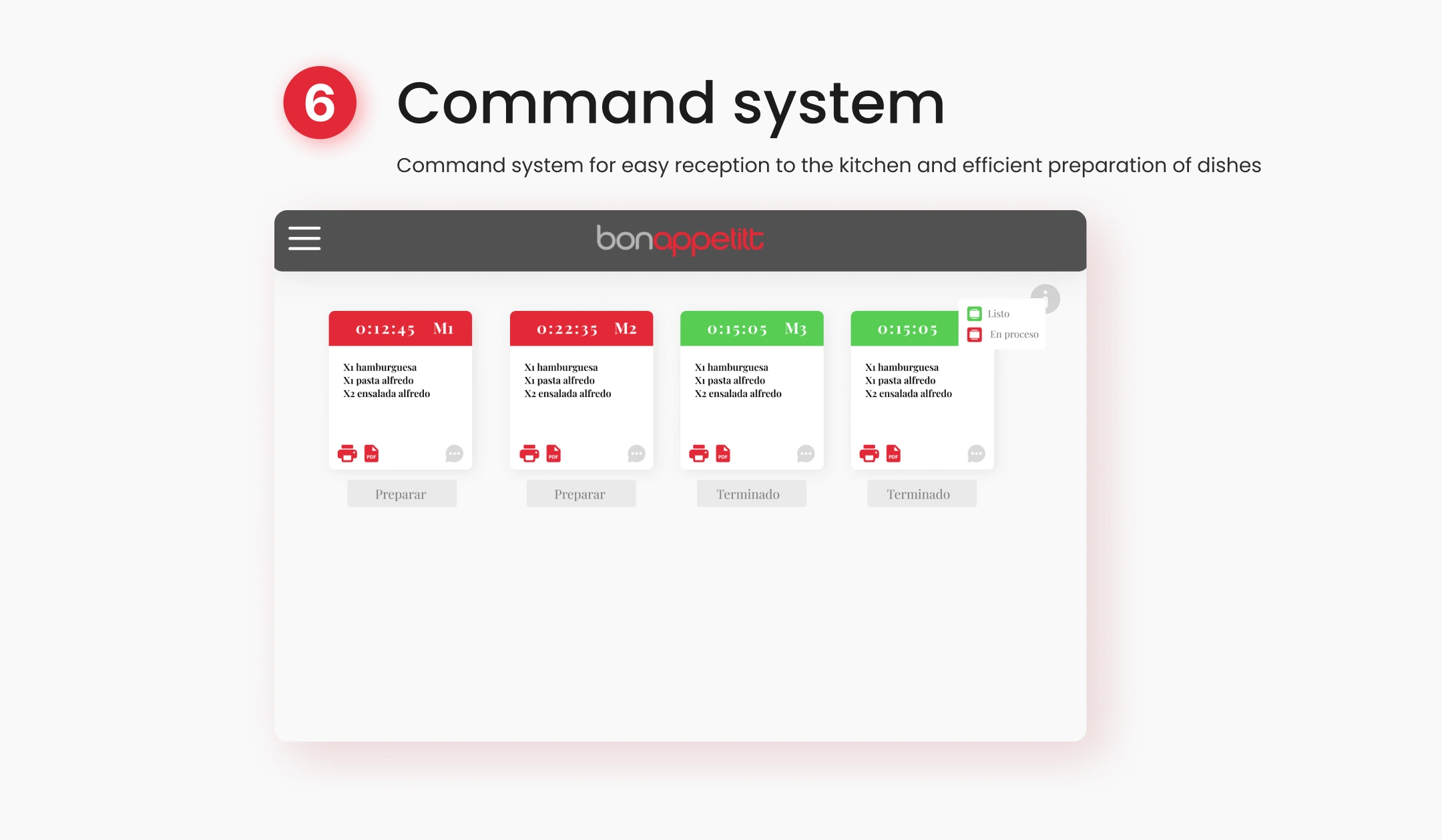
Kitchen display screens are often treated as an afterthought, with tiny text and no priority signaling
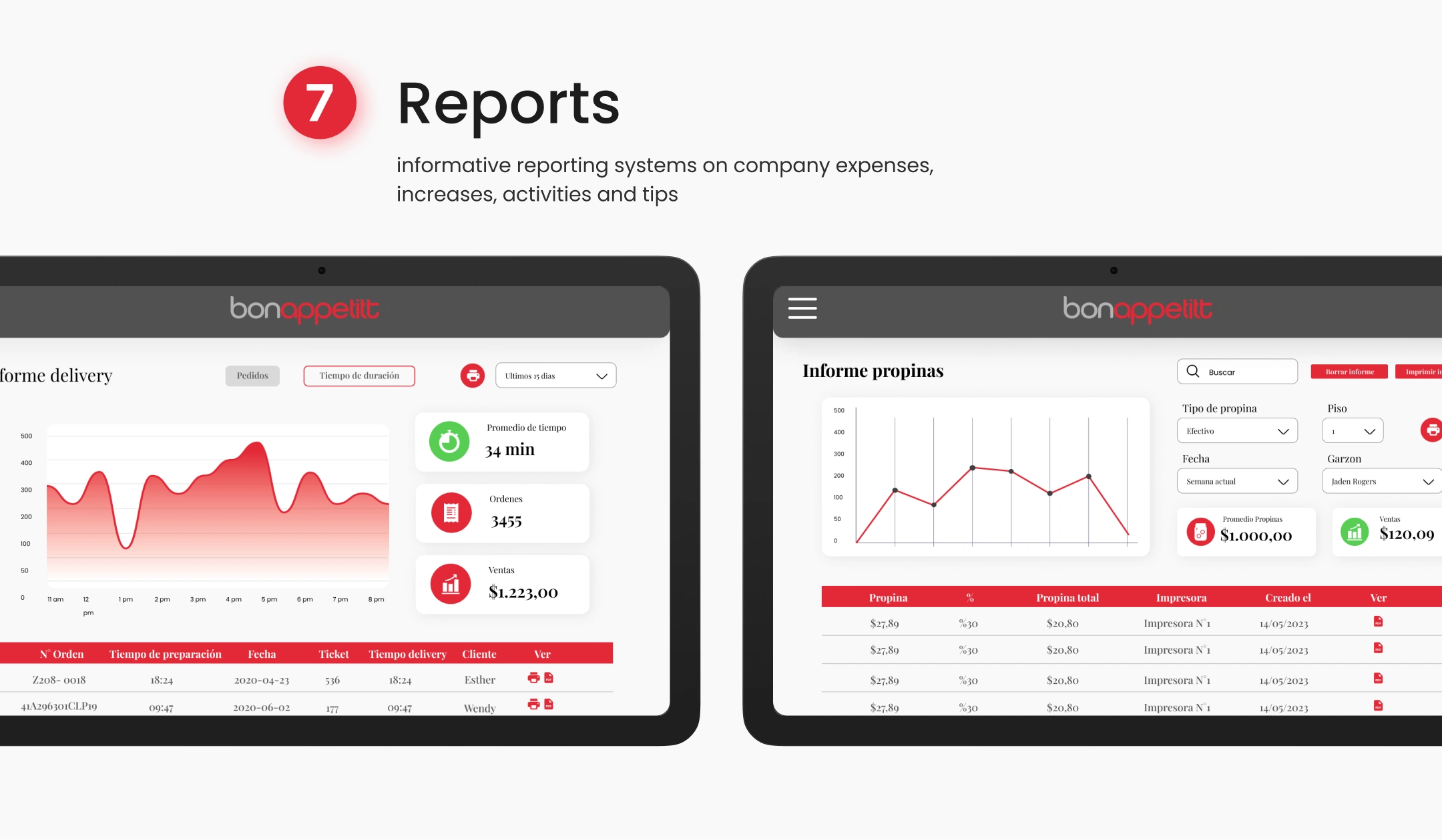
Managers need real-time data but usually have to wait until closing to see reports
Shadowed workflows at 2 restaurants to understand the real pace: a server takes an order in under 15 seconds, modifies it 30% of the time, and splits checks on ~20% of tables.
The Hard Problem: Speed Under Pressure
A restaurant POS lives in chaos. Servers are juggling 6 tables, the kitchen is backed up, and a customer just changed their order. Every extra tap costs real money in slower table turnover.
What made it difficult:
The system needs to handle 50+ menu items without scrolling through endless lists
Modifiers (no onion, extra sauce, allergy flags) add complexity to every single item
Servers use the system with one hand while carrying plates with the other, often in dim lighting
Errors are expensive: a wrong order means wasted food and an angry customer
How I solved it:
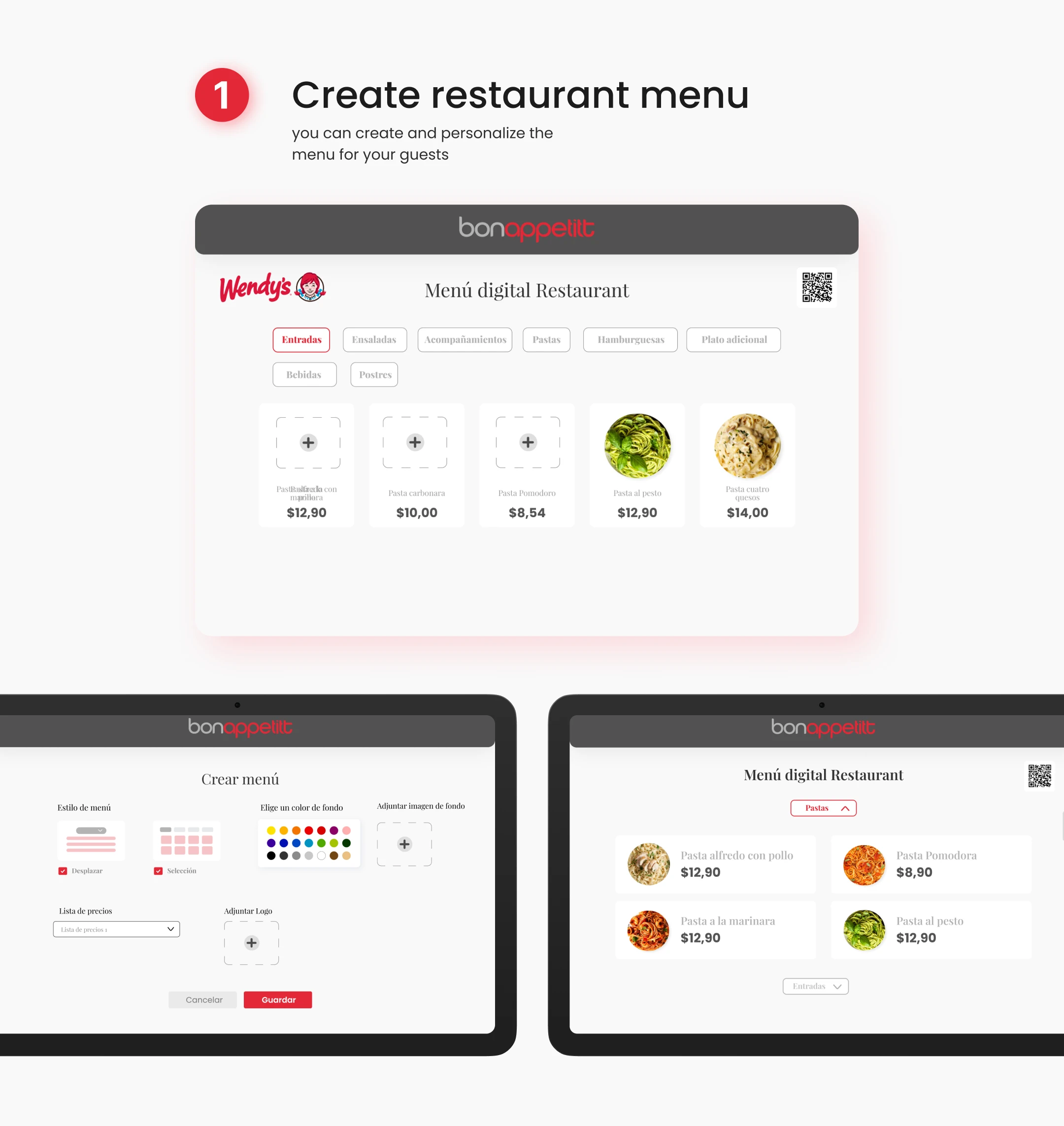
Category-first navigation with visual shortcuts: Instead of alphabetical lists, organized the menu by how servers think: "Drinks," "Starters," "Mains," "Desserts." Each category uses a color code that matches the physical menu, reducing cognitive mapping time.
Quick-modifier system: The 5 most common modifiers for each item appear as one-tap toggles immediately after selection. Less common modifications are one swipe away. This handles 80% of orders without opening a sub-menu.
Large touch targets with haptic confirmation: All buttons are minimum 48px with generous spacing. Each successful tap triggers a subtle vibration so servers know the input registered without looking at the screen.
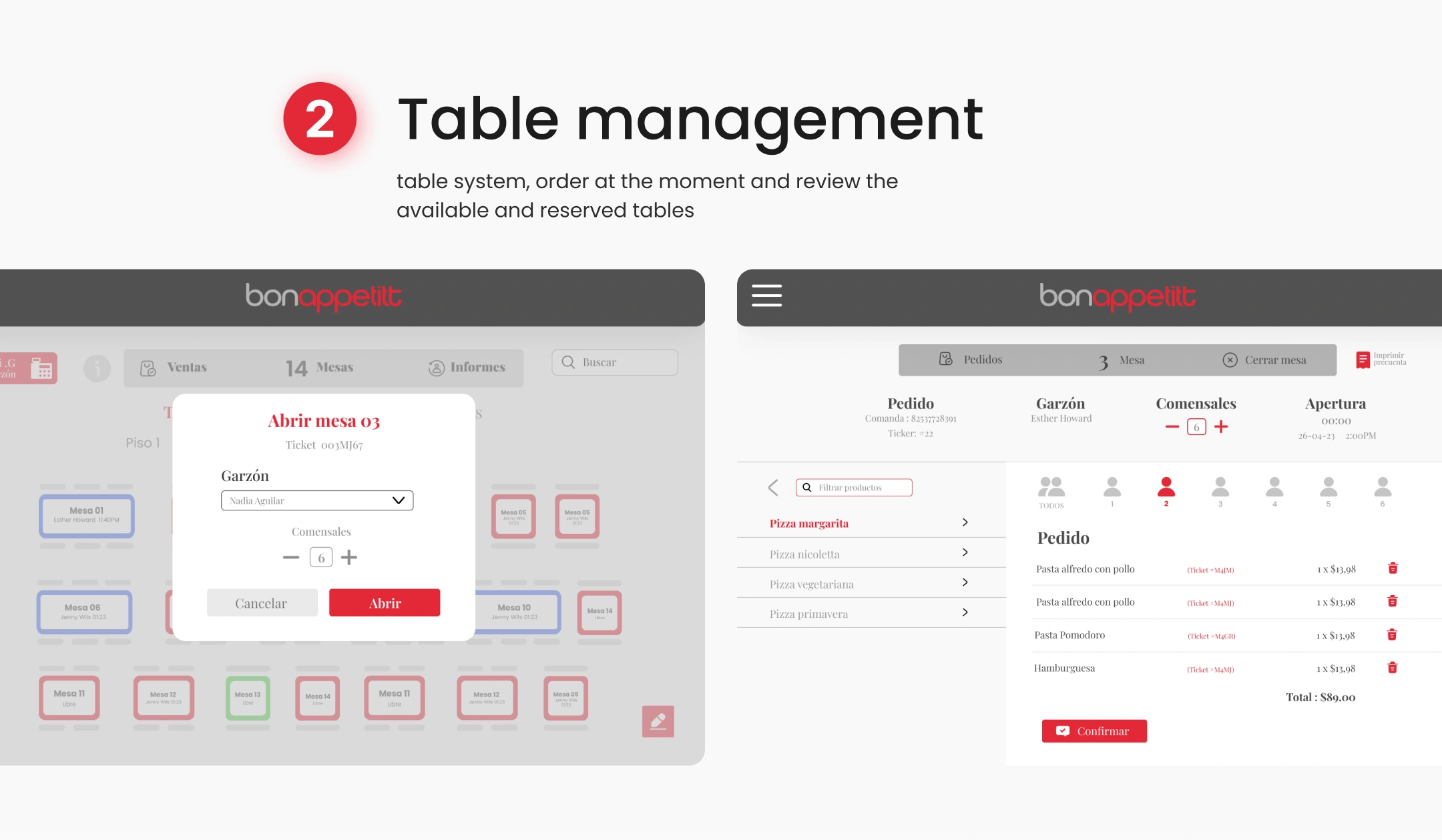
Smart order correction: Instead of deleting and re-adding items, servers can long-press any item in the current order to edit it in-place. The kitchen display shows the modification highlighted in yellow so staff knows what changed.
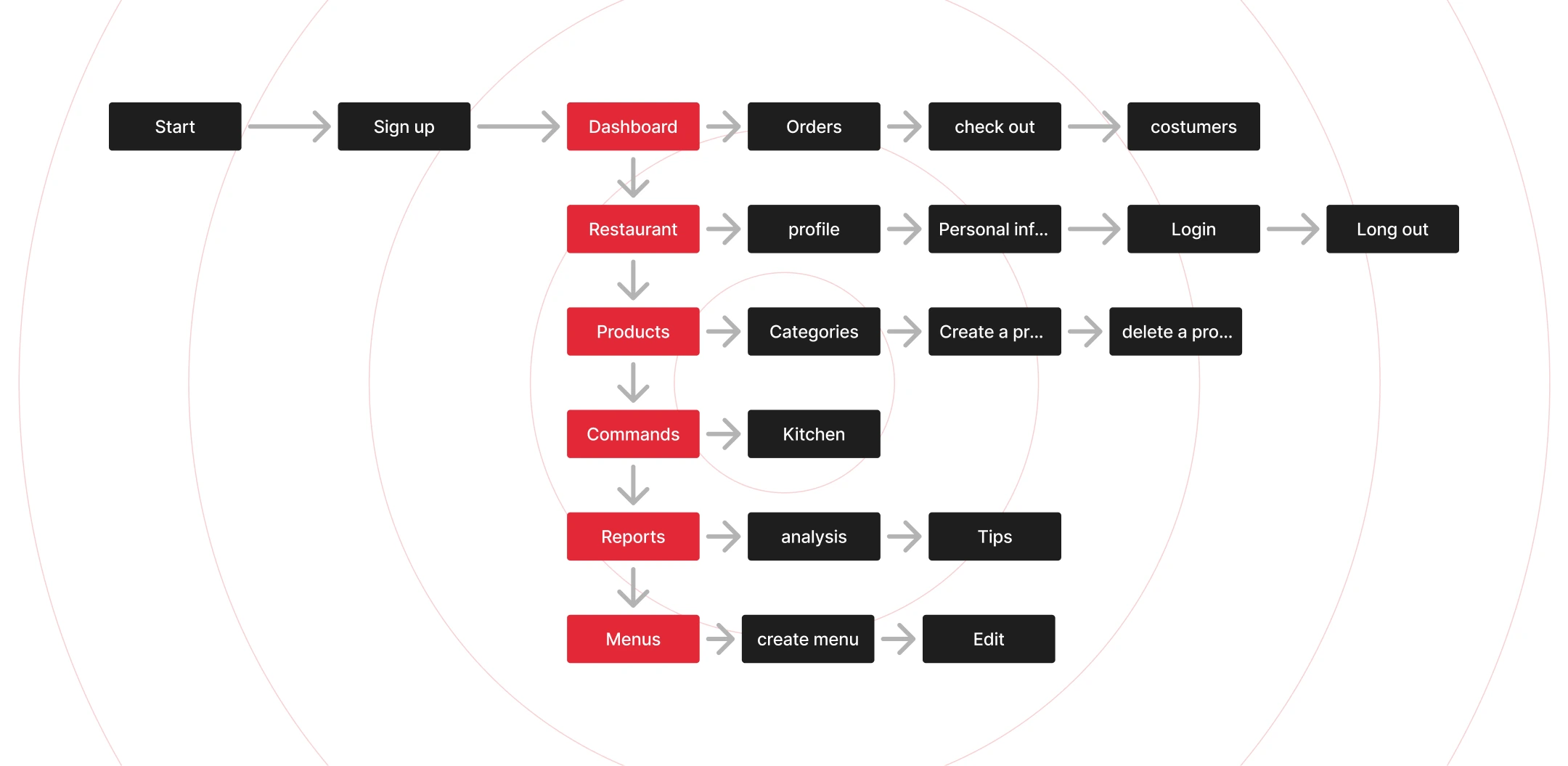
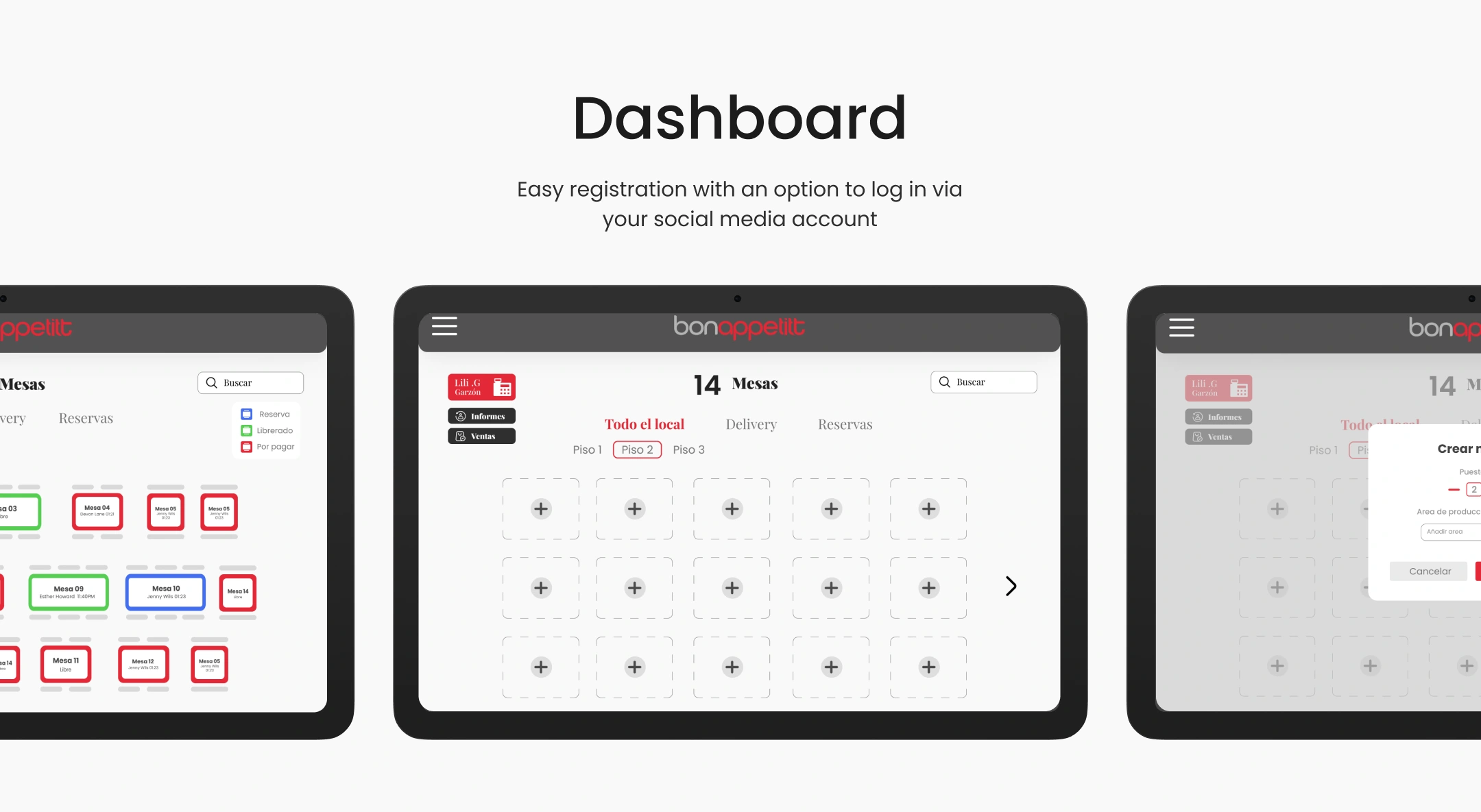
Real-time dashboard for managers: A persistent sidebar (collapsible on server view) shows live metrics: tables occupied, average ticket time, and revenue. No need to close out to check performance.
Visual Design
High-contrast dark theme optimized for restaurant lighting conditions
Color-coded order status system (new, in progress, ready, served) visible at a glance
Large typography for item names, smaller for prices and modifiers
Consistent grid layout that works on tablets (primary) and phones (server mobile view)
Outcome
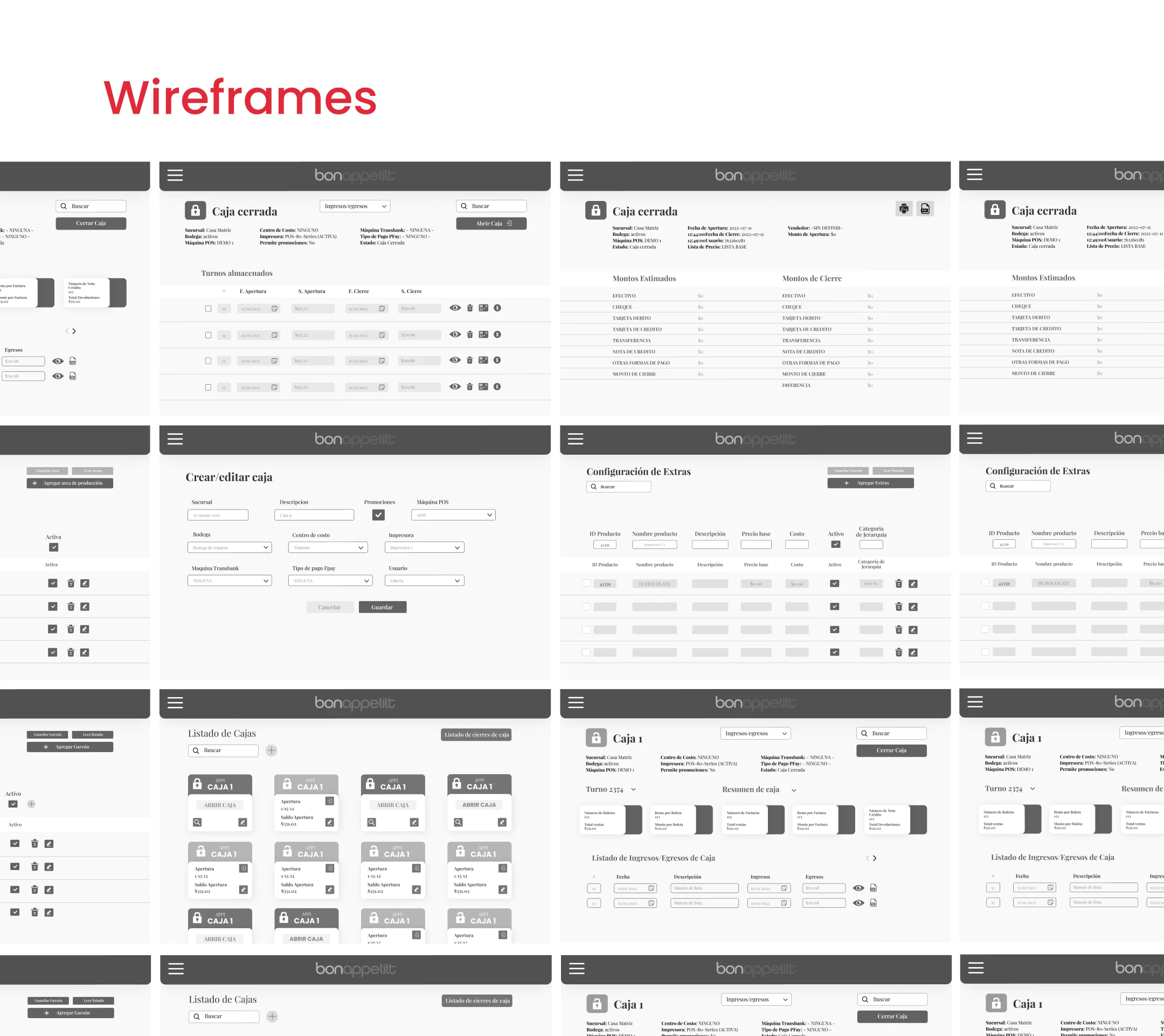
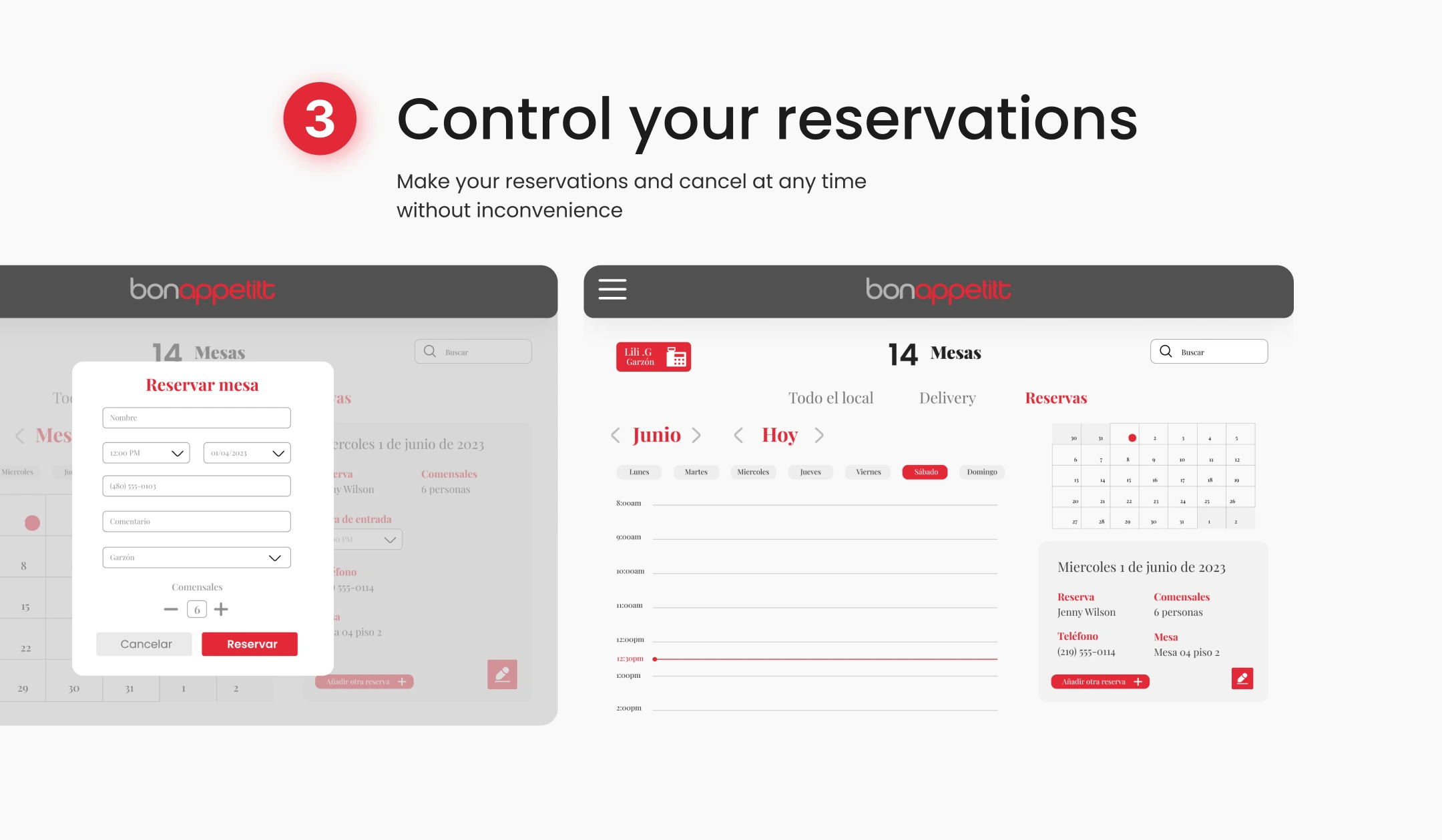
Delivered a complete POS design system covering server ordering, kitchen display, table management, and manager dashboard views. 45+ screens with interactive prototypes for user testing. Component library built for scalability as the client adds features like reservations and loyalty programs.
Like this project
What the client had to say
Working with Valentina Guerrero has been an extremely gratifying professional experience. Her contribution to the project resulted in an incredible development that has left me highly satisfied


Jose Correa, Apenox
Nov 5, 2025, Client
Posted Sep 16, 2024
The goal was to provide a comprehensive and efficient solution for restaurant management, which allows optimizing operations.
Likes
0
Views
49
Timeline
Sep 14, 2025 - Nov 4, 2025
Clients
Apenox