Built with Rive
Stride: Interactive Rive Onboarding Concept

Omar Jabr


Stride Onboarding Concept
Interactive onboarding concept, built entirely in Rive
Overview
Stride is a self-directed fitness onboarding concept built around a common product challenge: a user makes a choice early in an onboarding flow, and that choice needs to remain accurate and meaningful later in the experience.
The concept uses 5 interactive screens, including step-goal selection and screen-to-screen transitions. Rather than treating each screen as a separate animation export, the flow is structured as one connected Rive experience with shared data between components.
What I built
Interaction and UI motion design
5-screen onboarding flow
Interactive step-goal input
Nested Stateful Components
Rive State Machines and data flow
Lua scripting for interaction logic
Why it matters
Onboarding works best when each step feels connected to the one before it. In this concept, the step goal selected by the user can carry through the flow instead of disappearing when the screen changes.
The goal was to create an interaction system that feels responsive for the user while keeping the screen architecture reusable for a product team.
The Challenge / Problem
The interaction challenge
The onboarding flow needed to handle 2 things at once: let users set a step goal through a clear input, and carry that value from one self-contained screen to another without hardwiring the components together.
The first step-goal control used a circular dial. It looked expressive, but translating live pointer movement around a circle into an accurate value added unnecessary complexity. The better solution was a slider: easier to understand, easier to control, and better suited to the task.
Behind the scenes
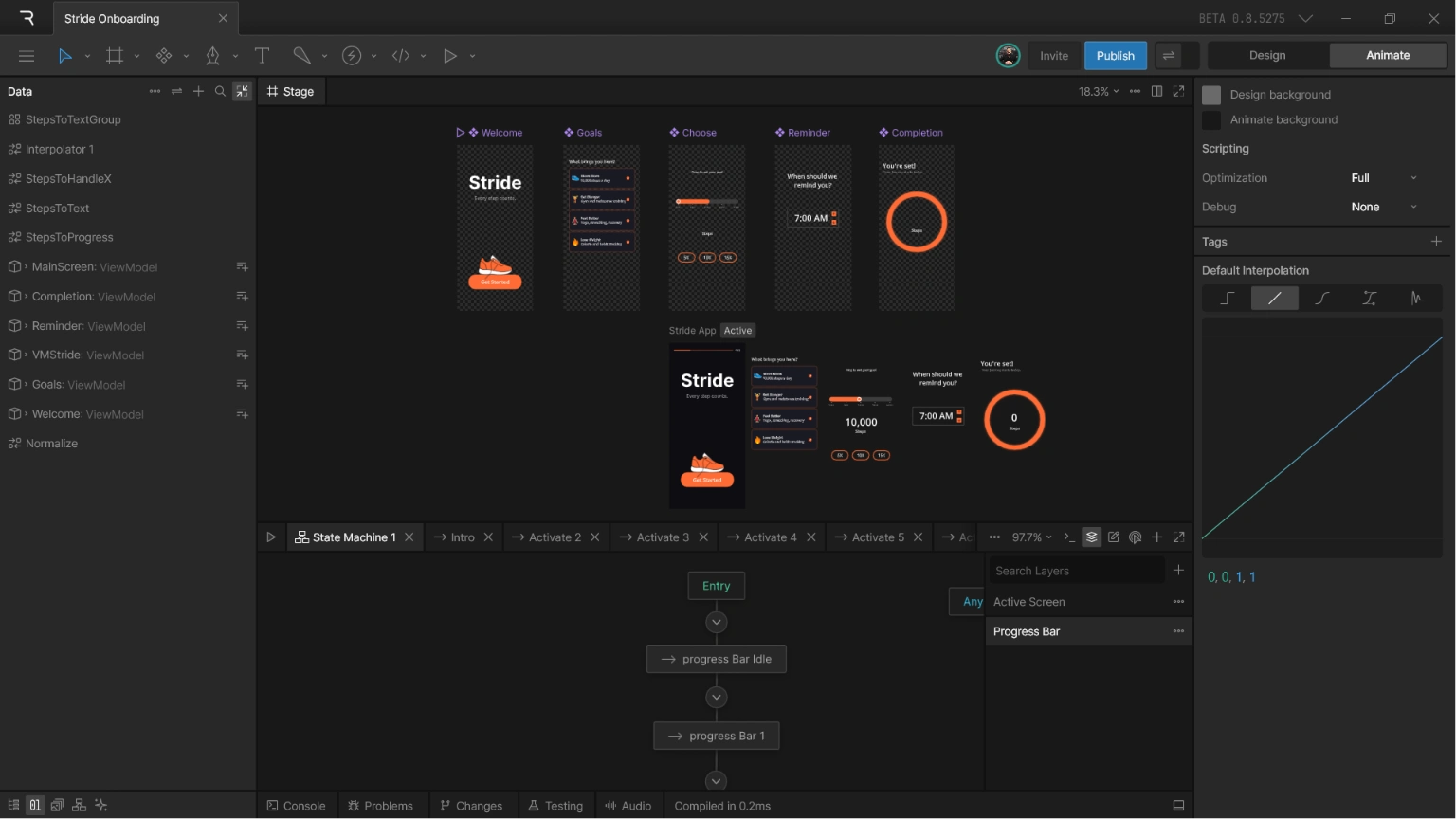
Inside Rive
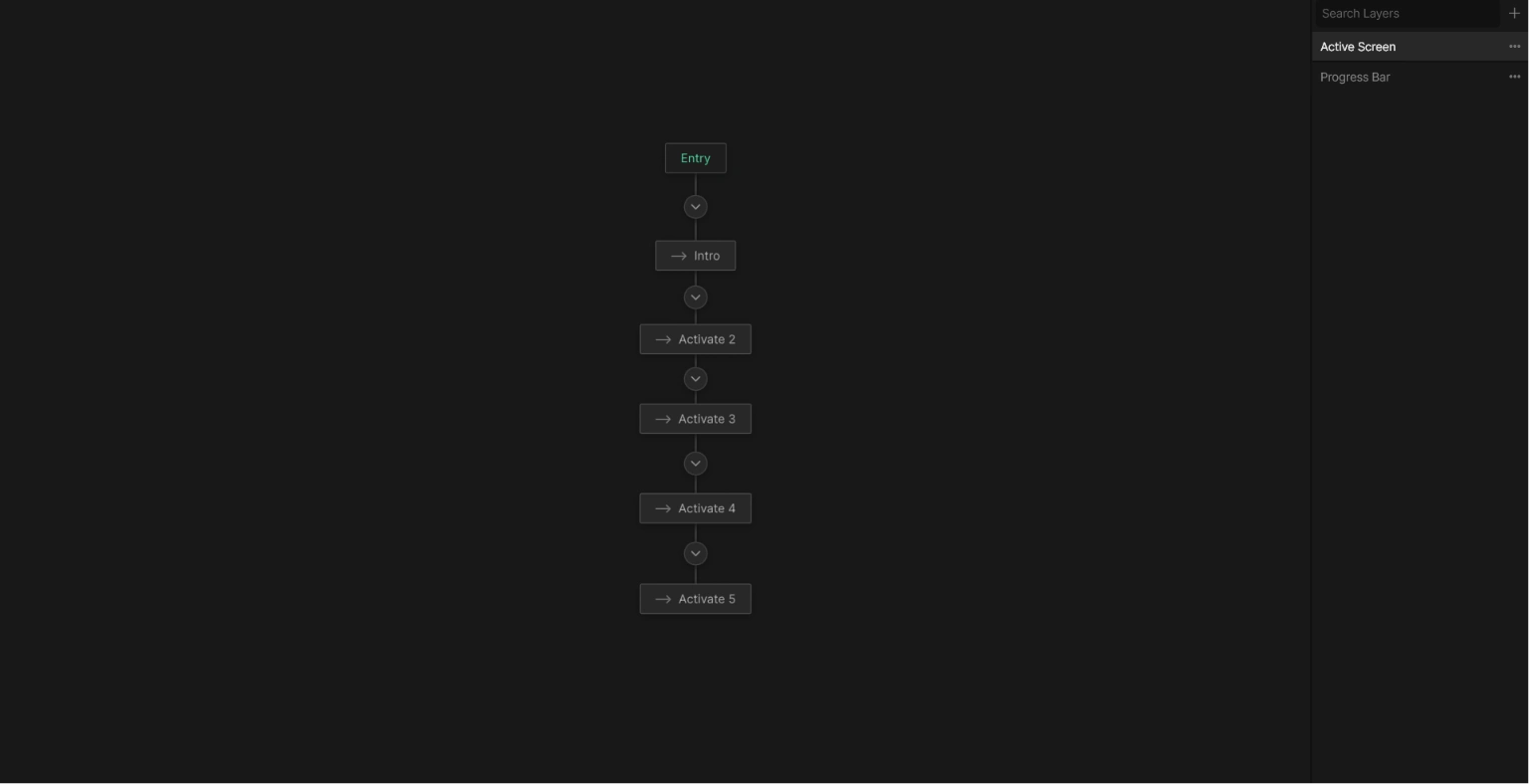
Main Screen State Machine
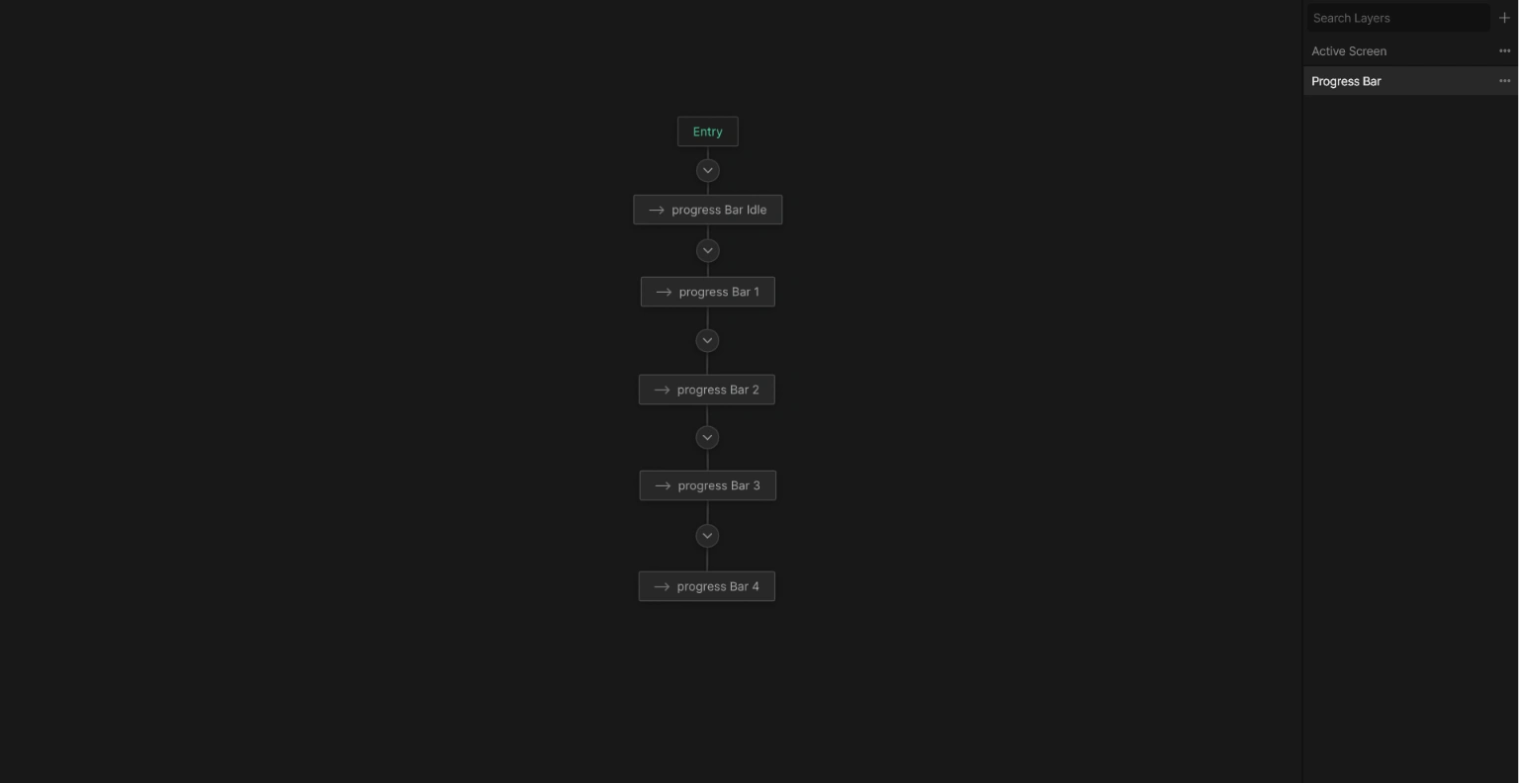
Main Screen State Machine
The Process
The solution
The Rive approach
Each of the 5 screens was built as a Stateful Component with its own state machine. They sit inside one main artboard, which receives an output from one screen and passes it as an input to another when needed.
For example, a value set on screen 3 can appear on screen 5 without connecting the 2 components directly. The main artboard acts as the shared layer between them, keeping each screen self-contained and the flow easier to extend.
Ring to Slider. After trying several fixes for the ring-tracking math, the better solution wasn't a simple fix; it was a different interaction. A slider only tracks one axis, not an angle around a circle, which makes the calculations much simpler. It's also a more intuitive control for setting a step goal on a fitness app than a circular dial. Instead of solving the harder problem directly, we designed around it.
Implementation value
The concept demonstrates how a product onboarding flow can be built as one interactive Rive experience rather than a collection of disconnected motion files. The interaction logic, state changes, and data flow live inside the component structure, ready for a developer to connect to the final product inputs.
Credits
Rive Animator
Interactive Designer
UI Designer
Tools: Rive, Lua scripting
Like this project
Posted Jul 22, 2026
A fitness app onboarding concept created in Rive with 5 interactive screens, step-goal input, and transitions using state machines, nested components, and Lua.
Likes
1
Views
23
Timeline
Jul 5, 2026 - Jul 20, 2026