Built with Rive
Interactive Rive Stopwatch Component

Omar Jabr

Stopwatch button
Reusable interactive stopwatch component in Rive
Overview
This is a reusable Rive UI component built around a familiar product interaction: start a timer, record laps, and reset it through a timed input sequence.
The component handles the interaction inside Rive. The first click starts the stopwatch, later clicks add laps, and a click inside a short reset window returns the component to its idle state without relying on external timers or click-counting code.
What I built
UI motion and interaction design
Stopwatch animation states
Start, lap, and timed-reset behavior
State Machine timing and reset-window logic
Reusable Rive component structure
The interaction challenge
The component needed to support 3 different actions through the same control: start the stopwatch, add laps while it is running, and reset it through a brief timed click window.
The challenge was making those actions feel clear and responsive without using external code to track clicks or manage the reset timing.
Demo
Why it matters
Small product controls often need more logic than their visual design suggests. A timer, recording control, confirmation action, or repeated input can all depend on timing and state changes that need to respond immediately.
This component shows how those rules can live inside a reusable Rive interaction, giving product teams a responsive UI behavior instead of a separate animation that engineering has to rebuild from scratch.
Implementation value
The stopwatch is a working example of a broader interaction pattern: using Rive State Machine timing to manage repeated input and a conditional reset action.
The same approach can be adapted for interface controls that need timed confirmations, repeat actions, short interaction windows, or state-based feedback without depending on external click-counting logic.
Behind the scenes
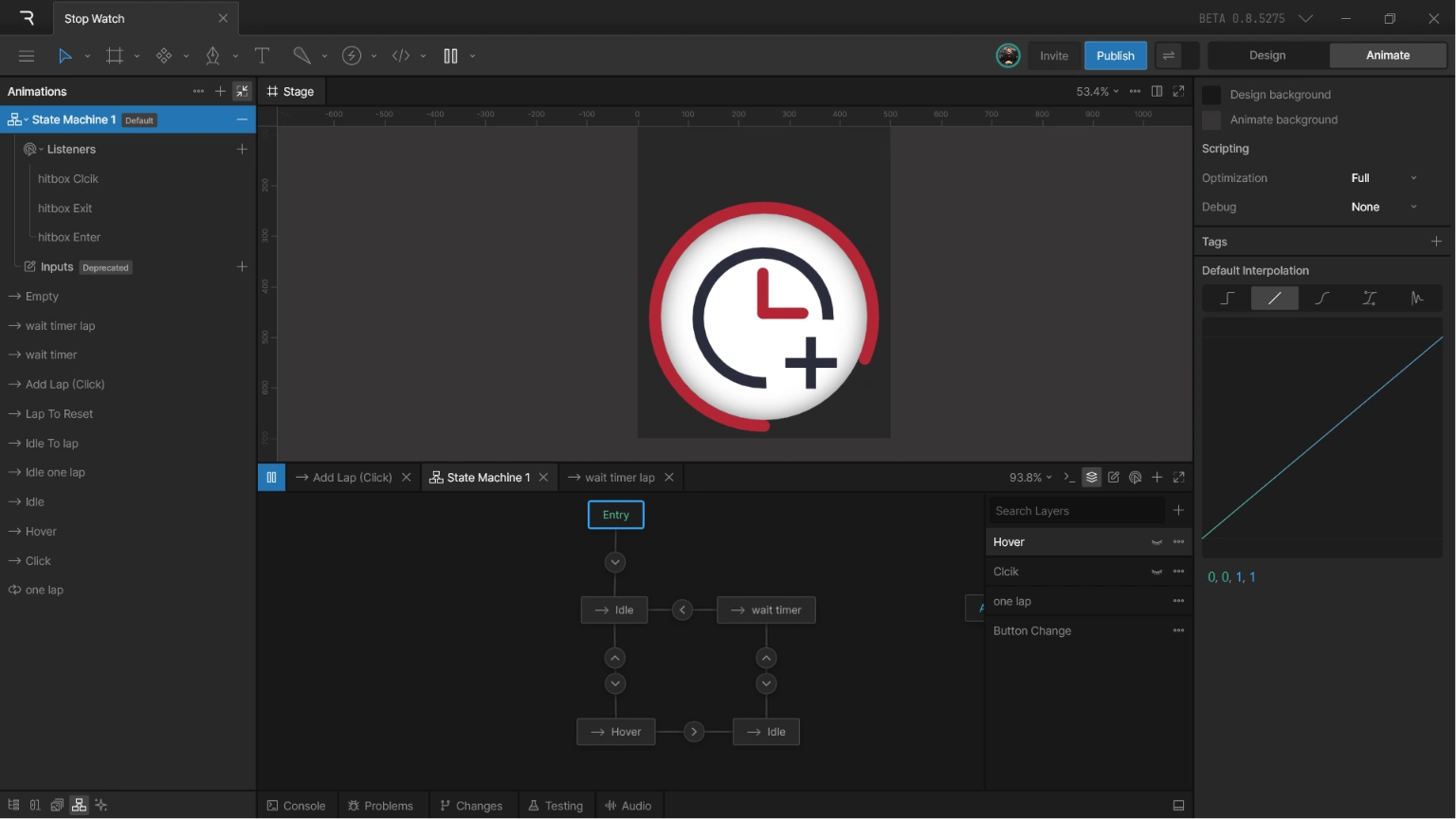
Inside Rive
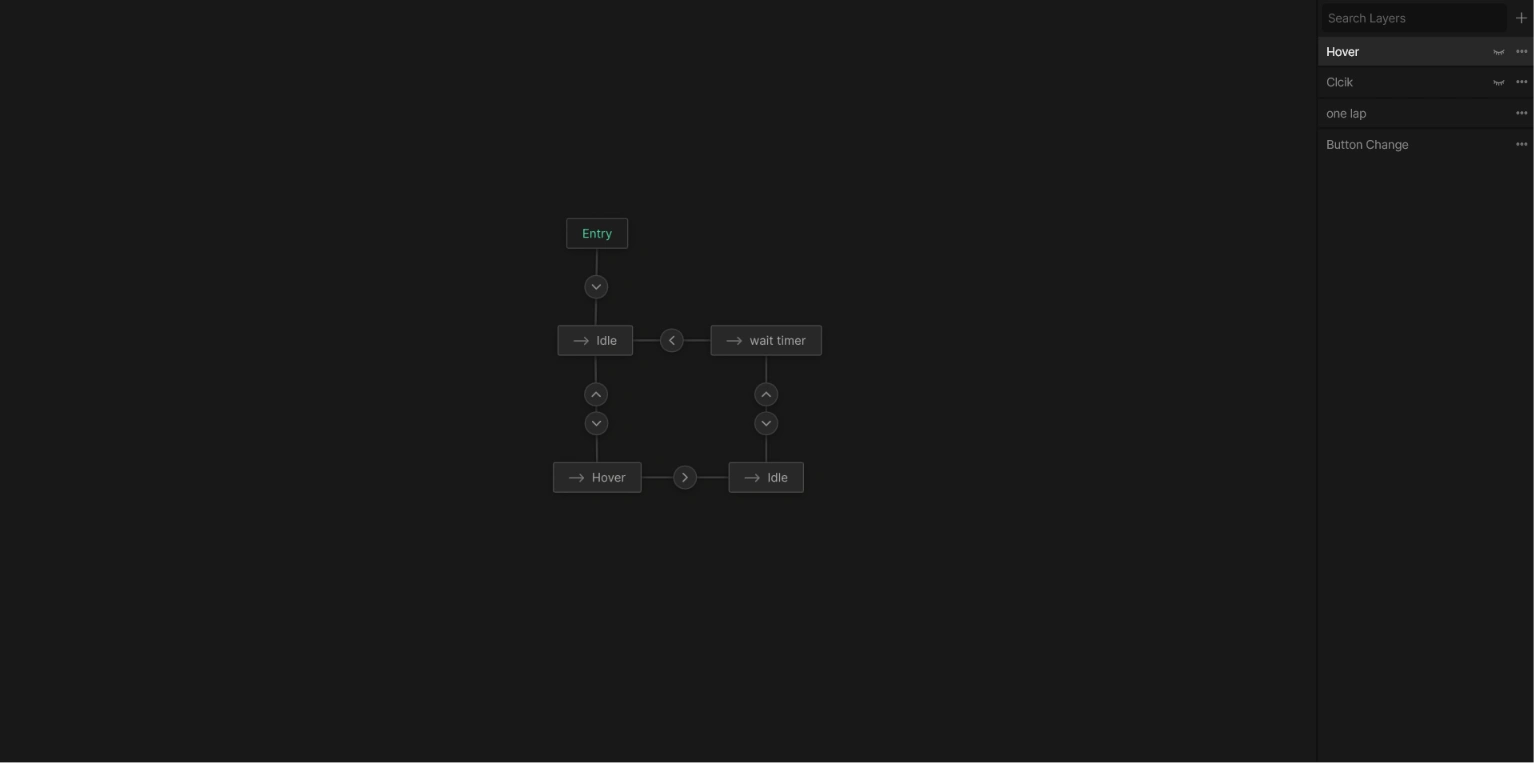
State Machine
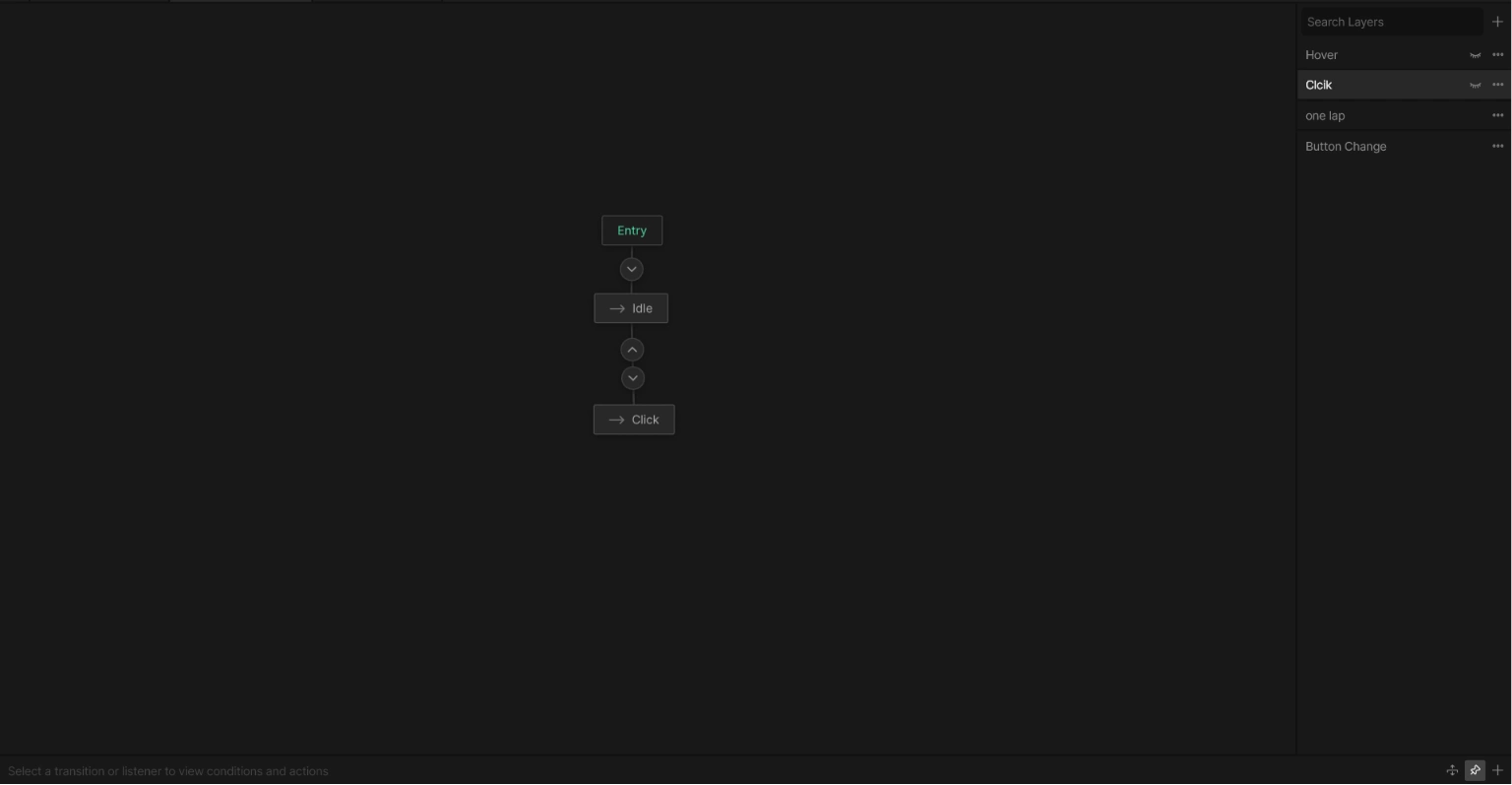
State Machine
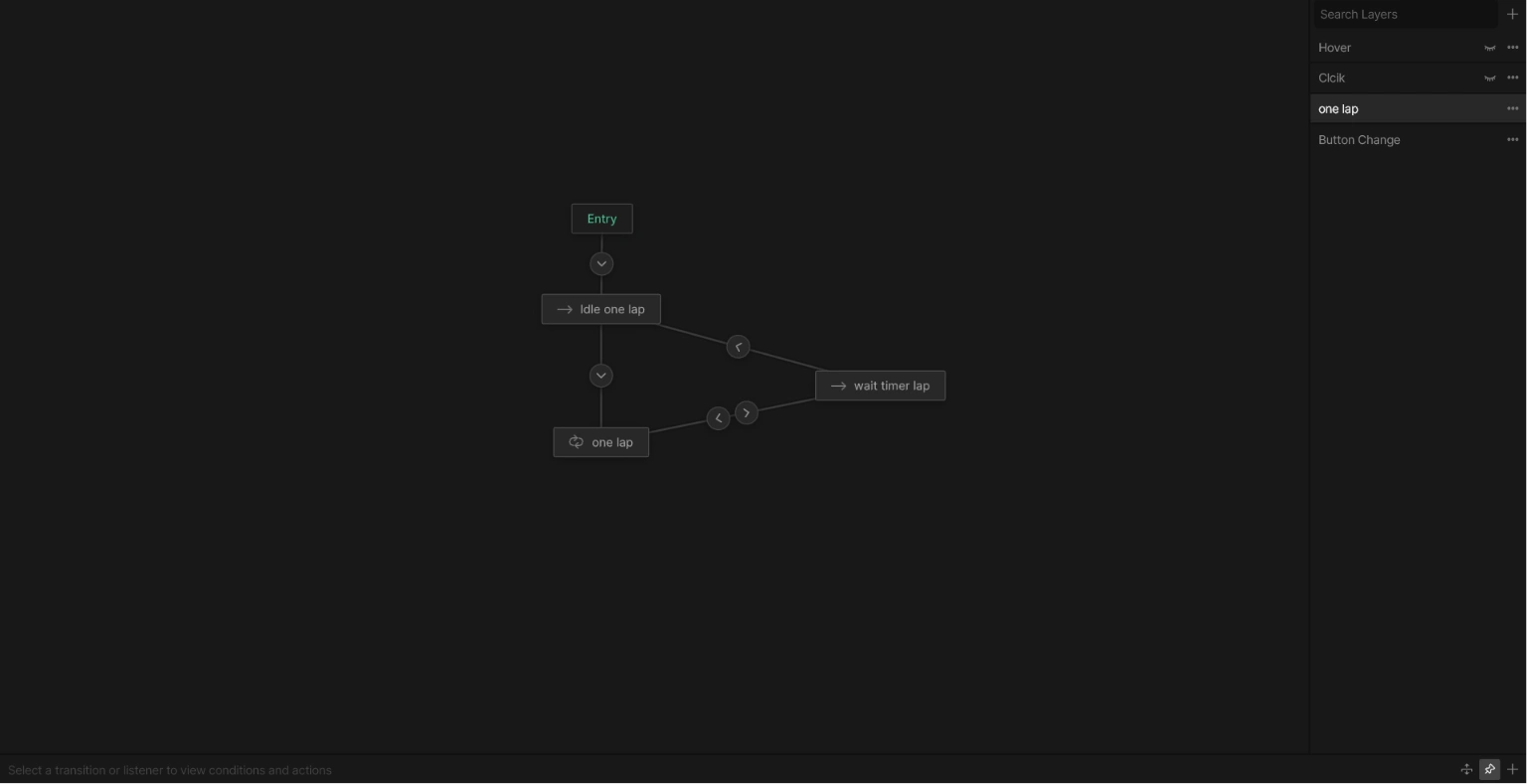
State Machine
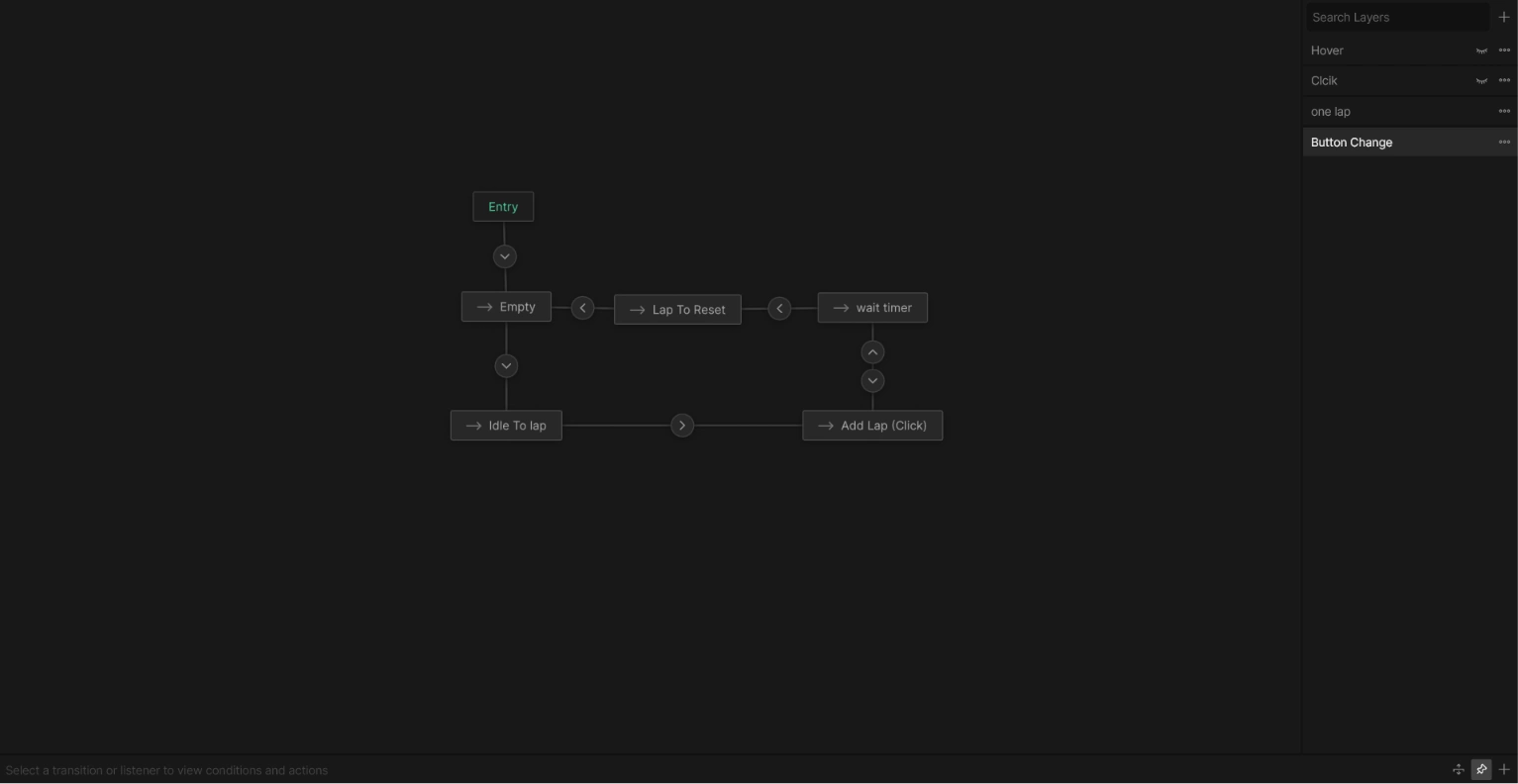
State Machine
The Rive approach
1. First click starts the stopwatch
The first click moves the component from idle into its running state.
2. Later clicks add laps
Once the stopwatch is running, each normal click records another lap. The control remains active so the user can keep adding laps while the timer runs.
3. A short reset window opens
After a lap interaction, the State Machine enters a short empty timing state. This state has no visual animation. Its only job is to listen for another click during a precise window.
4. A click inside the reset window resets the component
If another click arrives during that short window, the State Machine routes the component back to idle. The stopwatch is then ready to begin again from the first-click state.
5. No external timing code is required
The timing, lap behavior, and conditional reset are handled inside the Rive State Machine. The empty timing state acts as the logic layer that determines whether the next click adds another lap or resets the component
Credits
Rive Animator
Interactive Designer
UI Designer
Tools: Rive.
Like this project
Posted Jun 3, 2026
Rive stopwatch component: click to start, add laps with later clicks, then reset through a short timed window, all built in Rive with no external code.
Likes
1
Views
23
Timeline
May 14, 2026 - May 18, 2026