Spot Tracker Inventory & Order Tracking App

Inventory & Order Tracking App Case Study:
Industry: Supply Chain · Retail · FMCG Distribution Our role: Solution Architecture, UI/UX Design, App Development (mobile app and landing page)
Deliverable: A mobile app for store and warehouse teams, plus a marketing landing page
Tools: Figma , NextJs, NodeJs, Postgres
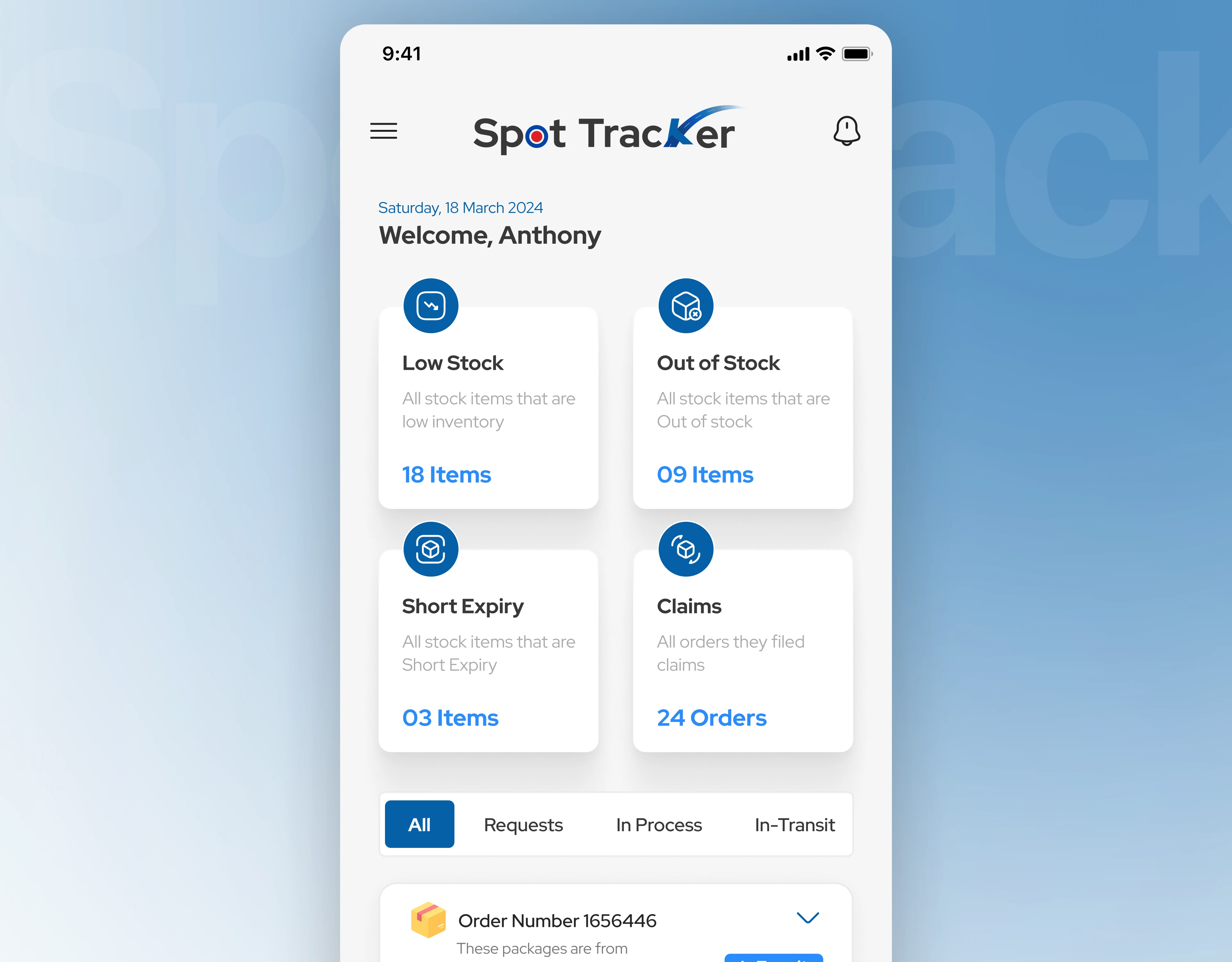
"Inventory app home dashboard with low stock, out of stock, short expiry and claims cards"
The one-line summary
For a store manager, running out of stock or receiving the wrong boxes costs real money. Spot Tracker puts stock levels, orders, barcode scanning and claims into one mobile app, so problems show up before they become losses.
The challenge: stock, orders and claims were scattered
Large retail and distribution businesses move products between manufacturers, warehouses and stores. In that chain, small mistakes add up:
Stores don't know what's running low until shelves are empty.
Orders are placed, packed, shipped and received by different people, and nobody sees the whole picture.
When items arrive damaged or wrong, filing a claim is slow and paper-based.
The brief was not "make an inventory app." It was:
How do you give a busy store worker, standing in a stockroom with a phone, a clear view of what to do next?
Our approach: follow the order, design for each role
We mapped one order from end to end, the same four steps used on the product's own landing page:
Store orders inventory
Back office approves and generates the invoice
Warehouse packs and delivers
Store receives and confirms
Each step has its own user, so we designed each screen around who is holding the phone: the store team, the warehouse team and the support desk. They share one status language (Process, Packed, Shipped, In Transit, Received), so everyone reads an order the same way.
The solution: five design decisions that make it work
1. A home screen that answers "what needs attention?"
The dashboard opens with four big cards: Low Stock, Out of Stock, Short Expiry and Claims, each with a live count. Below them, tabs (All, Requests, In Process, In-Transit) filter the day's orders. Bottom navigation keeps the four main areas one tap away: Dashboard, Inventory, Orders and History.
Business impact: Managers see risks in seconds, so they reorder before stock runs out and act on short-dated items before they expire.
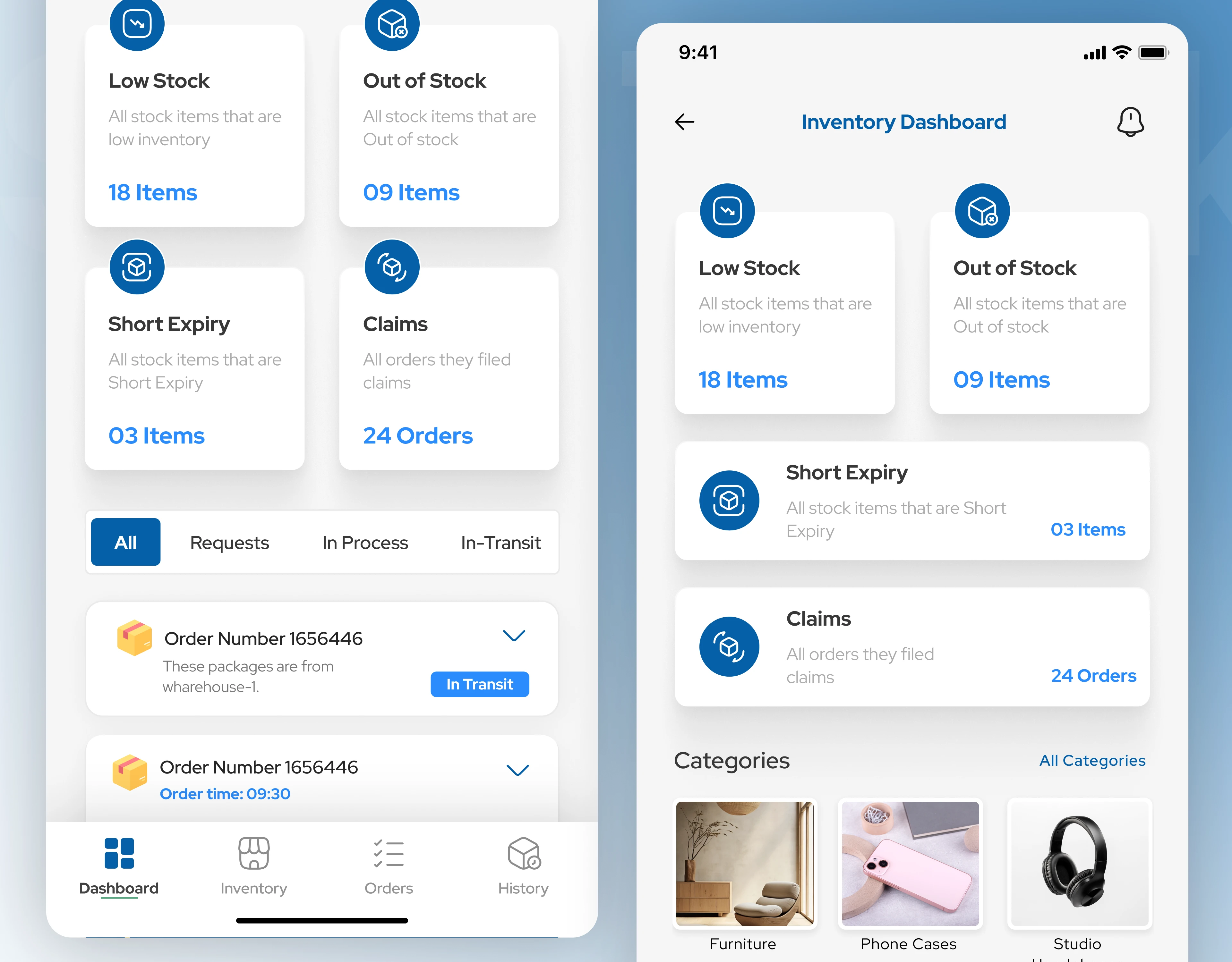
Inventory dashboard with category browsing, mobile app
2. Barcode scanning that builds an order in seconds
The scan screen fills the display with the camera and a simple viewfinder. When a barcode is recognised, the product, price and quantity appear in a card at the bottom, with one tap to add. A switch between Single Product and Multiple Product lets staff scan one item or a whole shelf. The cart icon at the top shows what's been added.
Business impact: Less typing and fewer wrong entries, so orders are faster and more accurate.
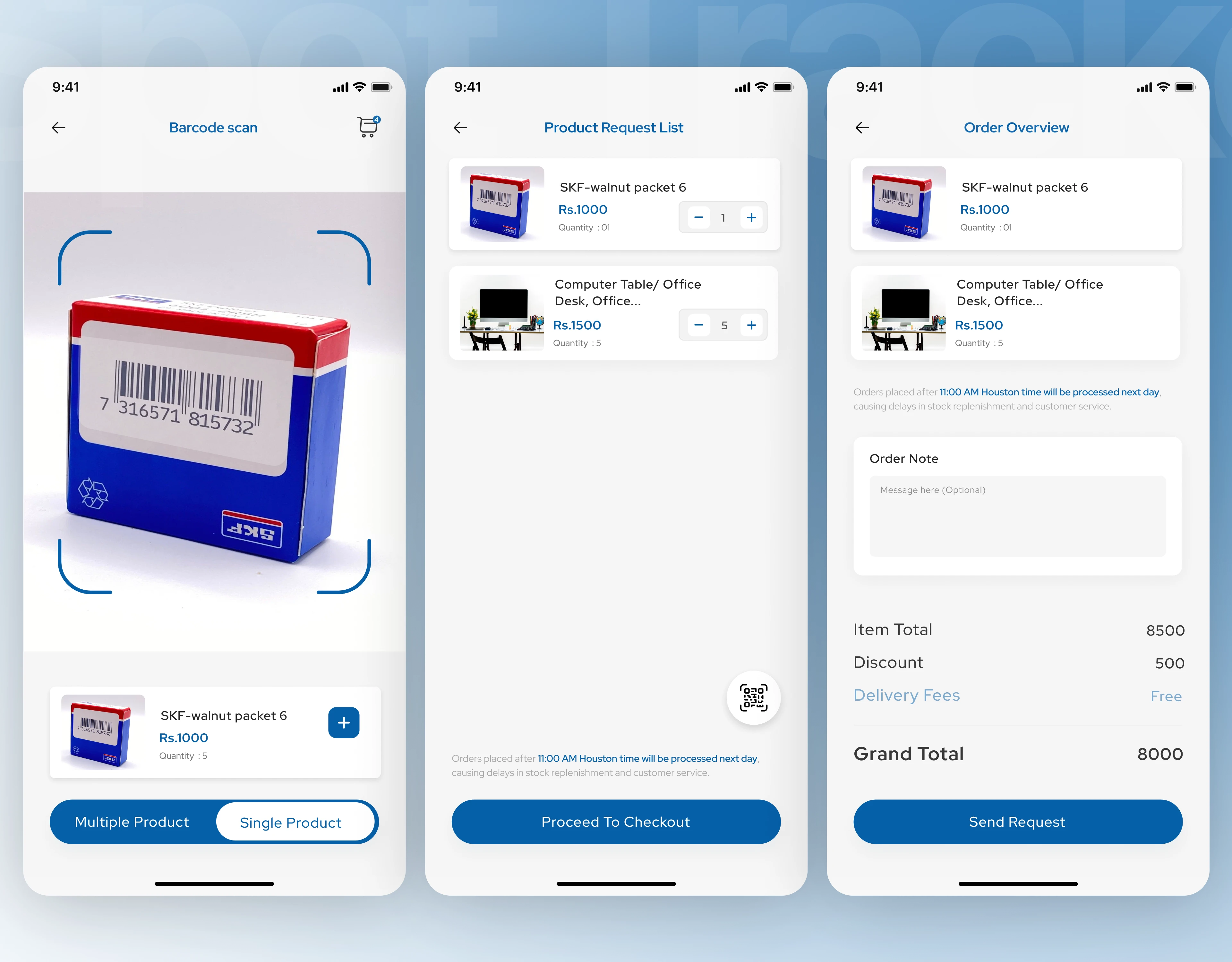
Barcode scanning screen for adding products to an order, inventory app
3. Order processing that mirrors the real flow
Orders move through clear tabs (Process, Packed, Shipped, In-Transit) with search and filter at the top. Each order shows its number, time and source, and an Accept button for the next step. Opening an order shows the products inside with price, quantity and a QR icon for verification. There are separate views for a manager and for a specific role, so each person only sees what they need.
Business impact: Everyone knows which step an order is at. That means fewer "where is my order?" calls and a clear record of who handled what.
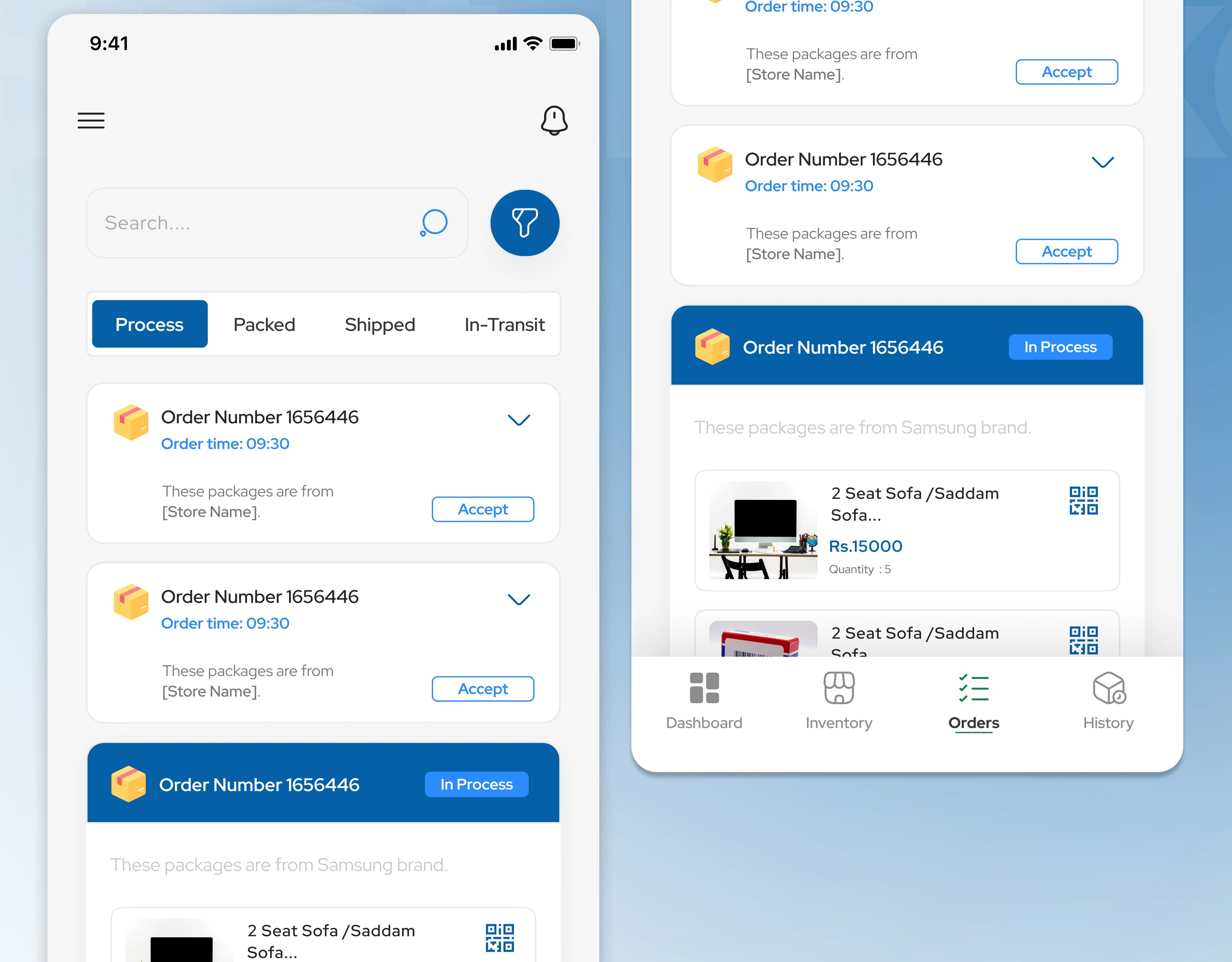
"Order processing screen with process, packed, shipped and in-transit tabs"
4. Stock lists that make low inventory impossible to miss
Tapping Low Stock opens a visual grid of products with a red "5 left" label, grouped through categories and sub-categories. Product photos make items quick to recognise, and a Low Stock filter chip shows what's active.
Business impact: Staff spot items to reorder at a glance, even with a small screen and gloves on.
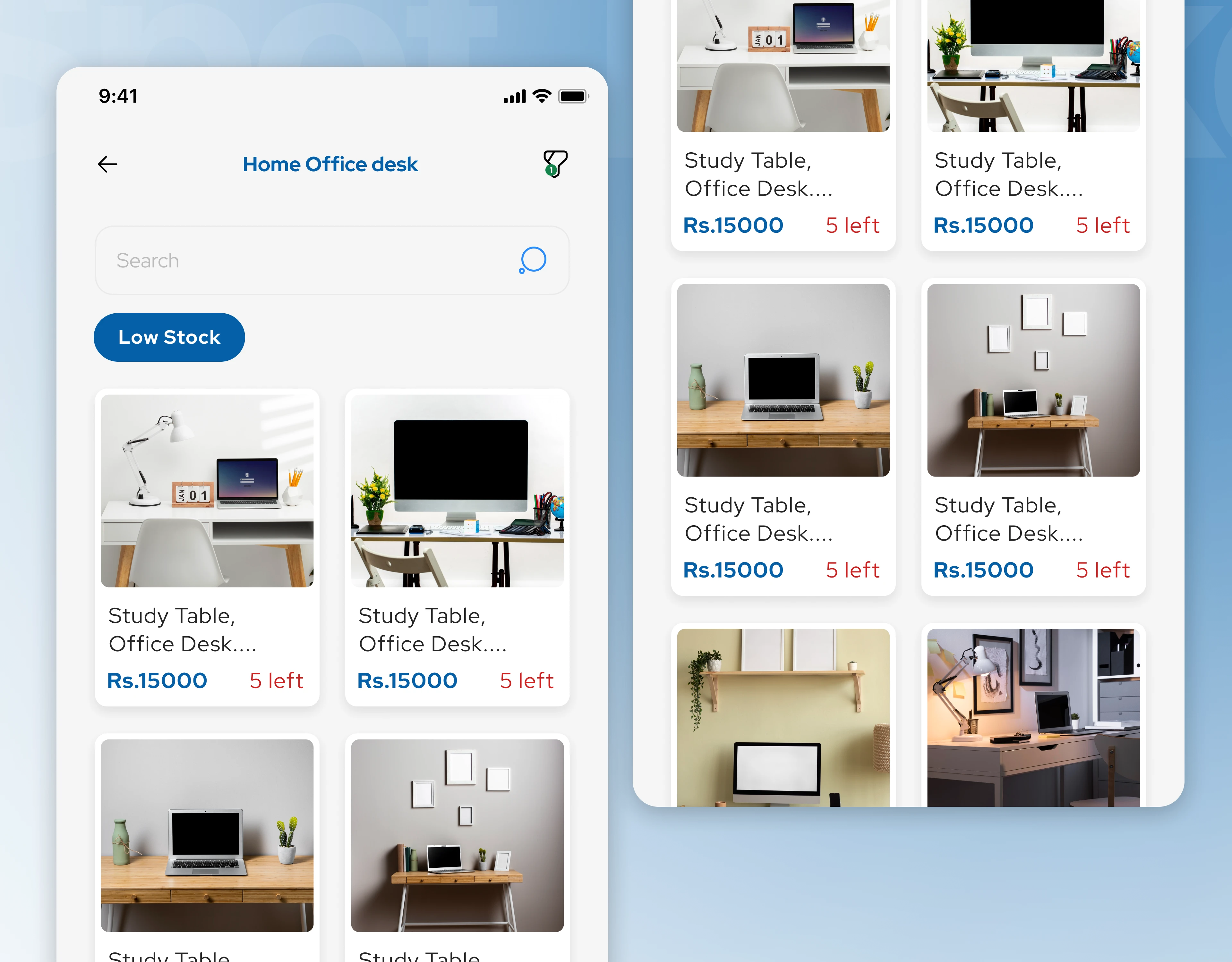
"Low stock product list with items left, inventory management app design"
5. Claims and tickets handled in the app, not on paper
When a delivery arrives damaged or wrong, store staff open Claims, find the order (grouped by Today, Yesterday and date) and tap File Claim on the exact product. A separate Help Desk view shows incoming tickets with a category tag, date, the store owner's name and an assign action, so support can pick them up quickly.
Business impact: Disputes are recorded at the moment they happen, with the right product and order attached, which speeds up resolution.
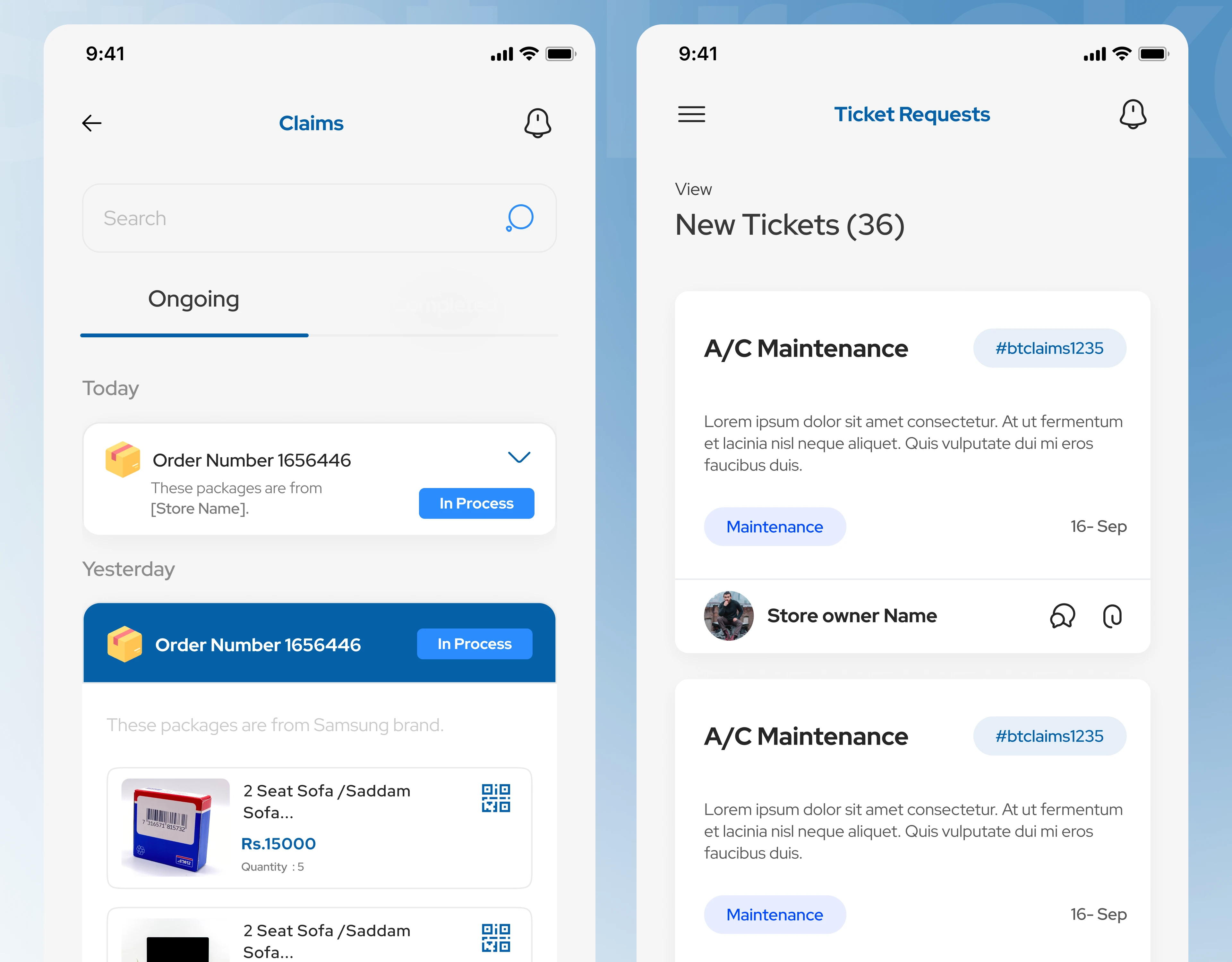
"Claims screen where store staff file claims against delivered orders", "Help desk ticket requests screen, support workflow design"
A landing page that explains the product in four steps
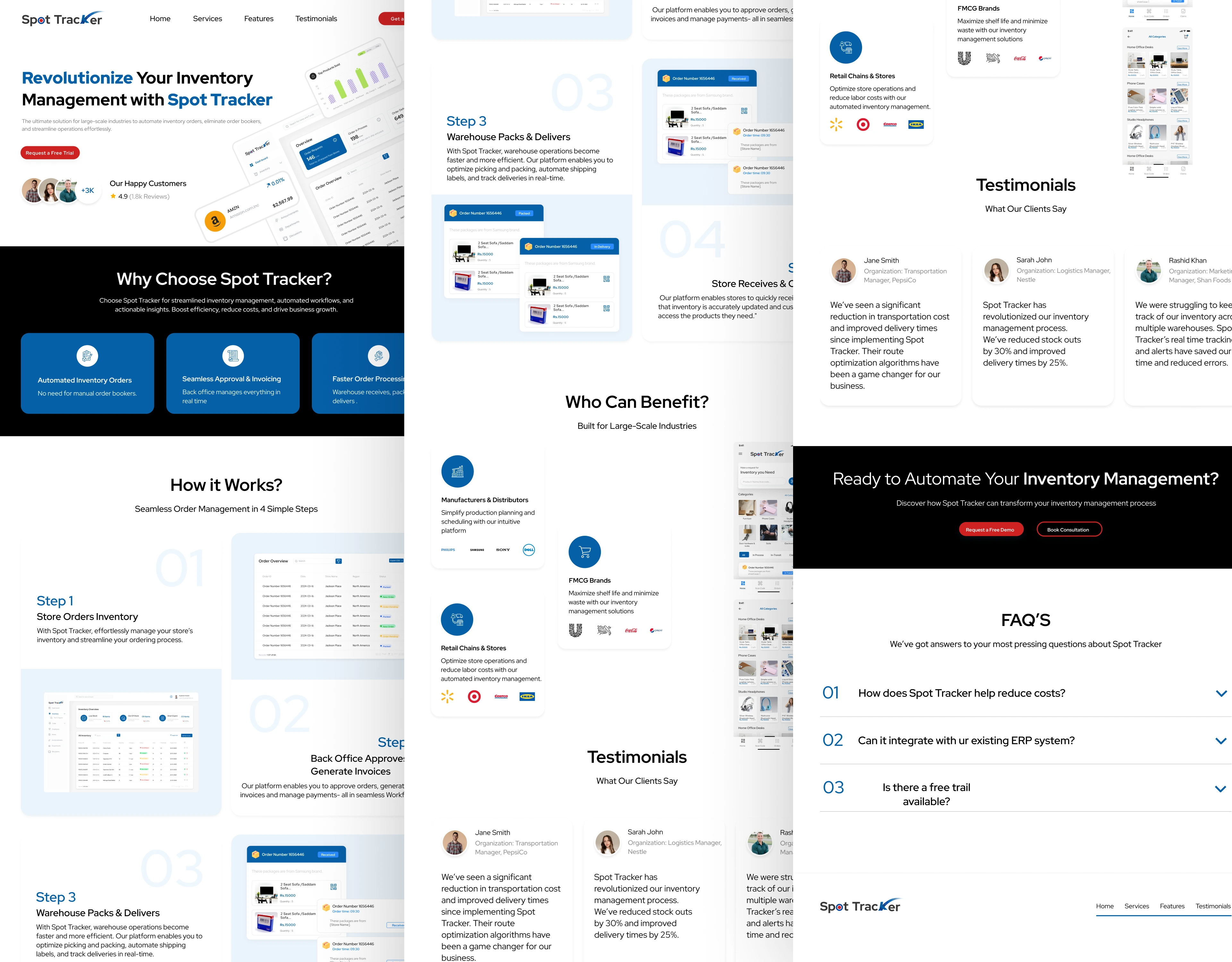
Alongside the app, we designed the Spot Tracker landing page: a clear headline, "Why choose Spot Tracker" benefits, the four-step "How it works" section with product visuals, who benefits (manufacturers and distributors, FMCG brands, retail chains), an FAQ and a call to action.
Business impact: Visitors understand the product in one scroll, which helps turn interest into demo requests.
Beyond the main screens: a complete product
The design covers more than 80 screens and states, including login, forgot password and verification flows, notifications, categories and sub-categories, product pages and editing, order overview and invoice, packed, shipped and received screens, delivered pop-ups, history, and the side navigation for store roles.
Development: how the product is built
A good design only works if the system behind it is solid. We planned the build alongside the design, so every screen maps to a clear piece of the system.
The system at a glance
Spot Tracker has three layers:
Mobile app for store, warehouse and support users (one app, with screens that change by role)
Backend API that holds the business rules: orders, inventory, claims, tickets and notifications
Database and storage for products, stock levels, orders, invoices, images and an audit trail
Tech stack: NextJs, NodeJs, Postgres
Engineering decisions that mattered
One source of truth for order status. All roles read the same status from the backend, so a warehouse update shows up in the store's app immediately and nobody works from stale data.
Scan first, type last. Scanning is the main input method, with manual search as a backup, to keep data accurate.
Fast on real devices. Product grids load images in pages and cache them, so lists stay quick on average phones and mobile networks.
Safe by default. Role permissions are checked on the server, not just hidden in the app, so a user can't reach data their role doesn't allow.
Design-to-development handoff
Every state is specified in Figma: empty, loading and error states, popups (such as time and delivered confirmations), filters and notifications. Components and spacing are consistent across all screens, so developers can build reusable pieces and spend less time asking questions.
The outcome
Spot Tracker brings stock alerts, scanning, order tracking and claims into one role-based mobile app, designed and engineered together, plus a landing page to explain it.
Services: inventory and order management apps · mobile app development · barcode and QR scanning flows · logistics and supply chain UX · mobile app design · SaaS landing pages · Figma design systems · solution architecture for startups
Let's talk
We help founders and teams turn complex operations into simple apps that people can use on the shop floor.
Have an inventory, logistics or B2B idea? Book a free 30-minute discovery call and we'll map your first three priorities.
Case study based on real project work. Full walkthrough available on request.
Related searches: inventory app UI design · order management app UX · barcode scanner app design · warehouse app design · B2B ordering app · stock management app design
0 likes · 3 views · Oct 30, 2026
Developed Spot Tracker, a role-based app for inventory and order tracking.