YouTube Analytics Dashboard

Pragati

Turning complex YouTube analytics into a clear, actionable dashboard.
Role: UI Designer
Product: Oogwai YouTube
Platform: Web Application
My contribution: UI design for the YouTube analytics experience.
01 — Overview
Creators have access to a huge amount of YouTube data, but raw numbers don't always make it easy to understand what is actually happening with a channel.
Oogwai YouTube was designed to bring important channel signals together and make them easier to understand — from views and revenue to subscribers, watch time, impressions, CTR, and channel momentum.
02 — The Challenge
How do you make complex YouTube analytics feel simple?
YouTube creators look at dozens of metrics:
YouTube creators look at dozens of metrics:
Views
Watch time
Subscribers
Revenue
CTR etc.
The challenge was not simply to show more data.
The interface needed to help users quickly answer:
“How is my channel doing right now?”
and then:
“What should I pay attention to?”
This meant establishing a clear visual hierarchy between high-level performance, directional trends, and strategic insights.
03 — My Role
“I designed an analytics experience that takes creators from understanding their channel performance to understanding individual videos—and finally to knowing what they should improve.”
04 — Dashboard: Summary of channel's performance
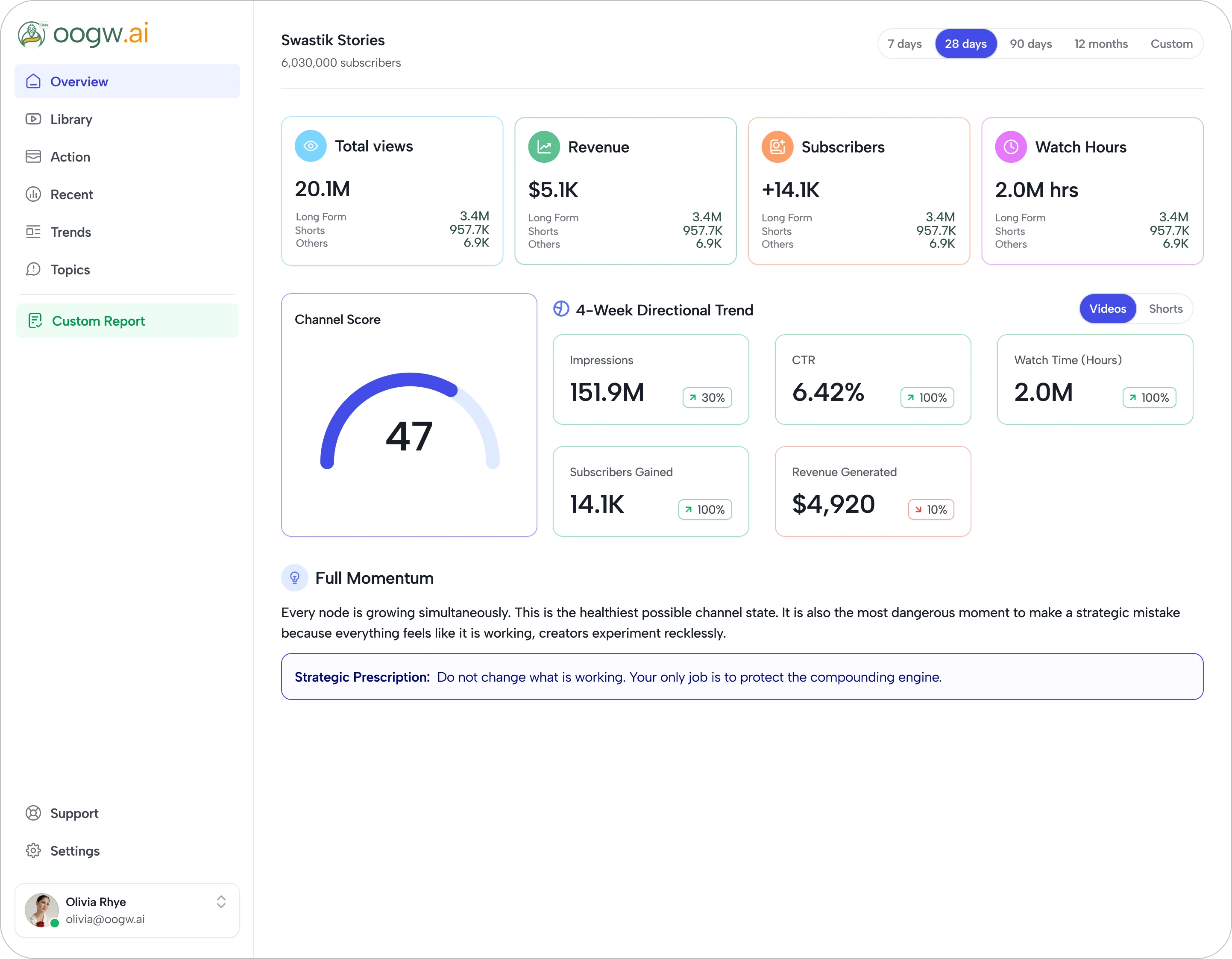
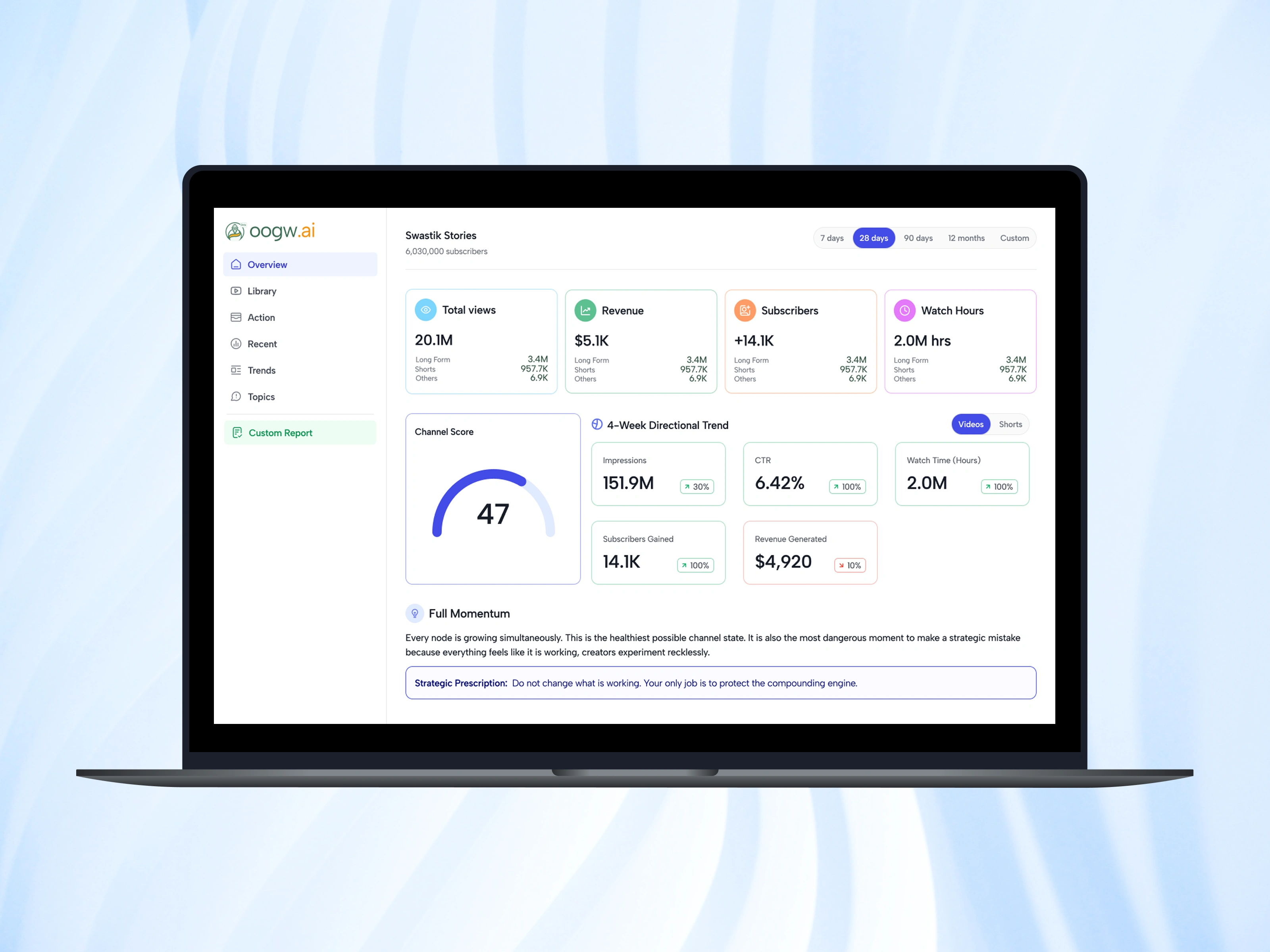
The overview became the primary snapshot of channel health.
I structured the experience into three levels:
1. Channel performance
At the top, the dashboard surfaces the most important KPIs:
Total Views · Revenue · Subscribers · Watch Hours
This gives the user an immediate understanding of the overall scale and recent performance.
2. Directional performance
Instead of presenting isolated numbers, I introduced a 4-Week Directional Trend section.
Each metric includes a directional indicator, allowing users to understand whether performance is moving up or down, rather than interpreting the number alone.
3. Channel Score
The score is displayed as a large circular gauge, creating a visual anchor within the dashboard.
The Channel Score creates an initial focal point while the surrounding metrics provide the supporting evidence.
05 — Library: From Channel Data to Video-Level Intelligence
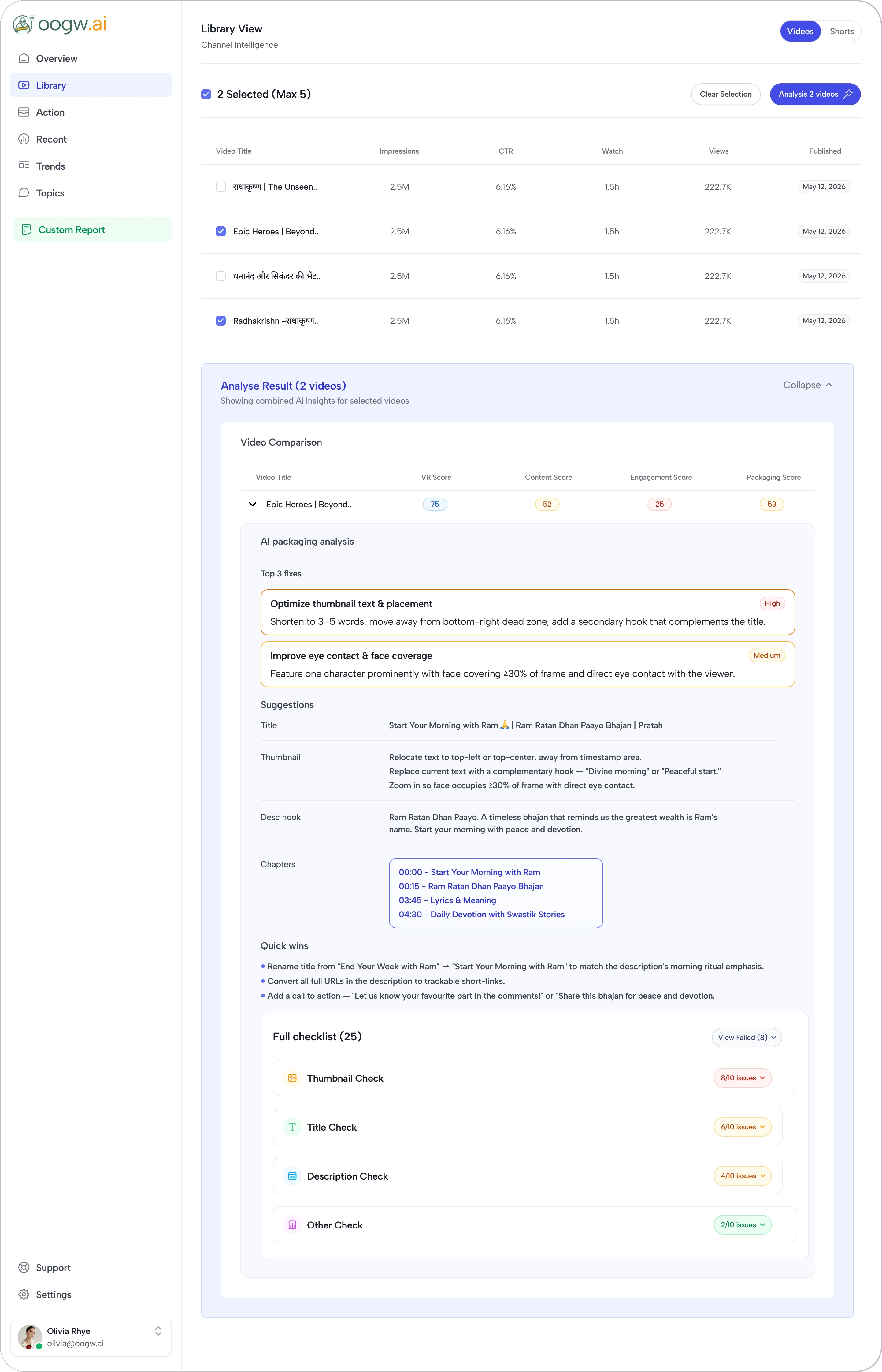
The Library is where they can investigate individual videos and compare content performance.
The challenge here was different:
Instead of treating the Library as a simple list of uploaded videos, I designed it as an analysis workspace.
The Library Experience
The Library page combines three key workflows:
Browse → Select → Analyze
Creators browse their video library, select the content they want to investigate, and then generate a detailed AI-powered analysis.
This creates a progression from content discovery to actionable recommendations.
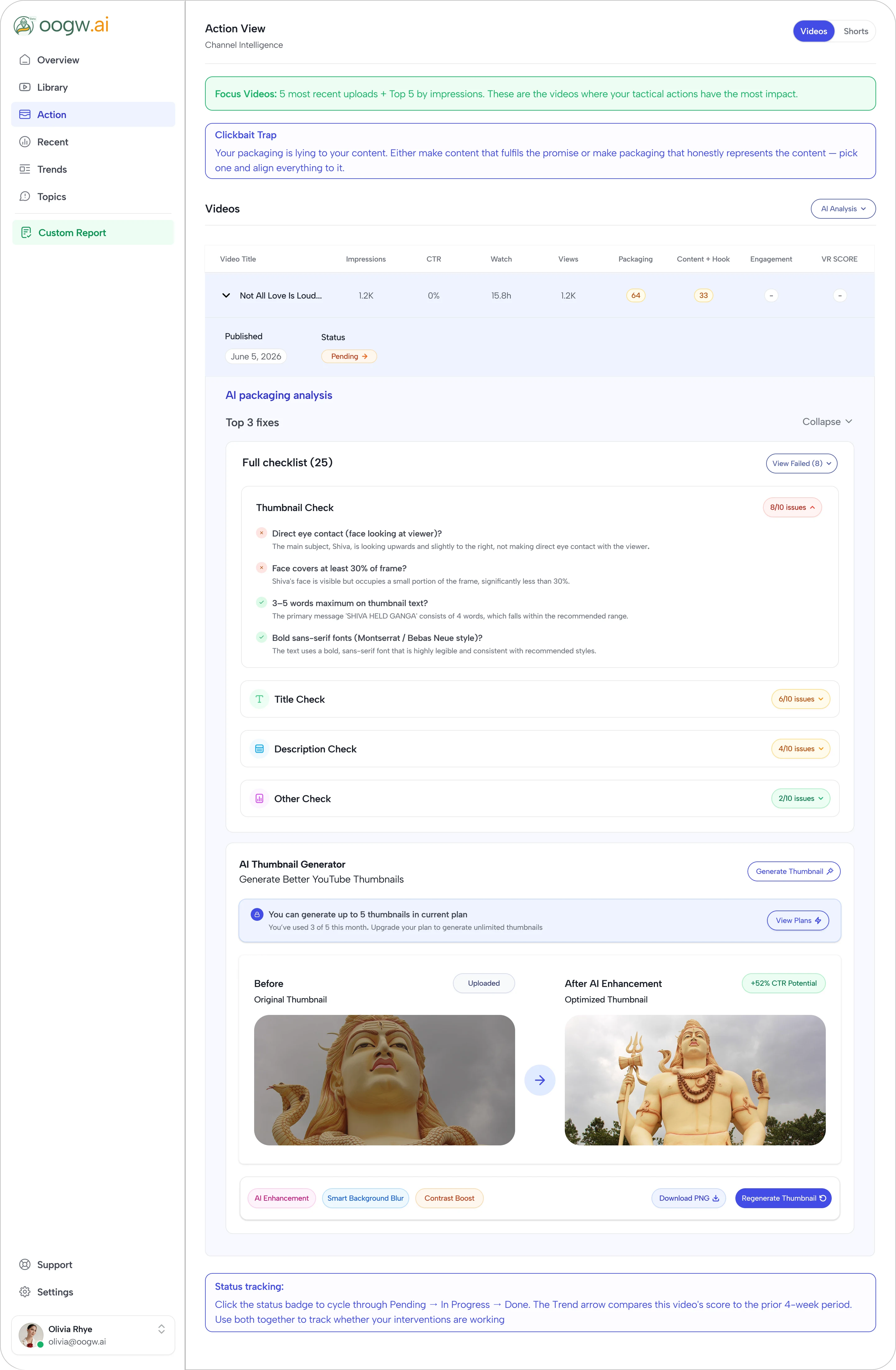
06 — Action: Turning Insights into Improvements
The Action page takes the next step by helping creators improve their content.
The main idea behind this page is simple: don't just tell creators what is wrong—help them understand how they can fix it.
The page brings video recommendations, AI-generated content suggestions, thumbnail improvements, and performance analysis together in one place.
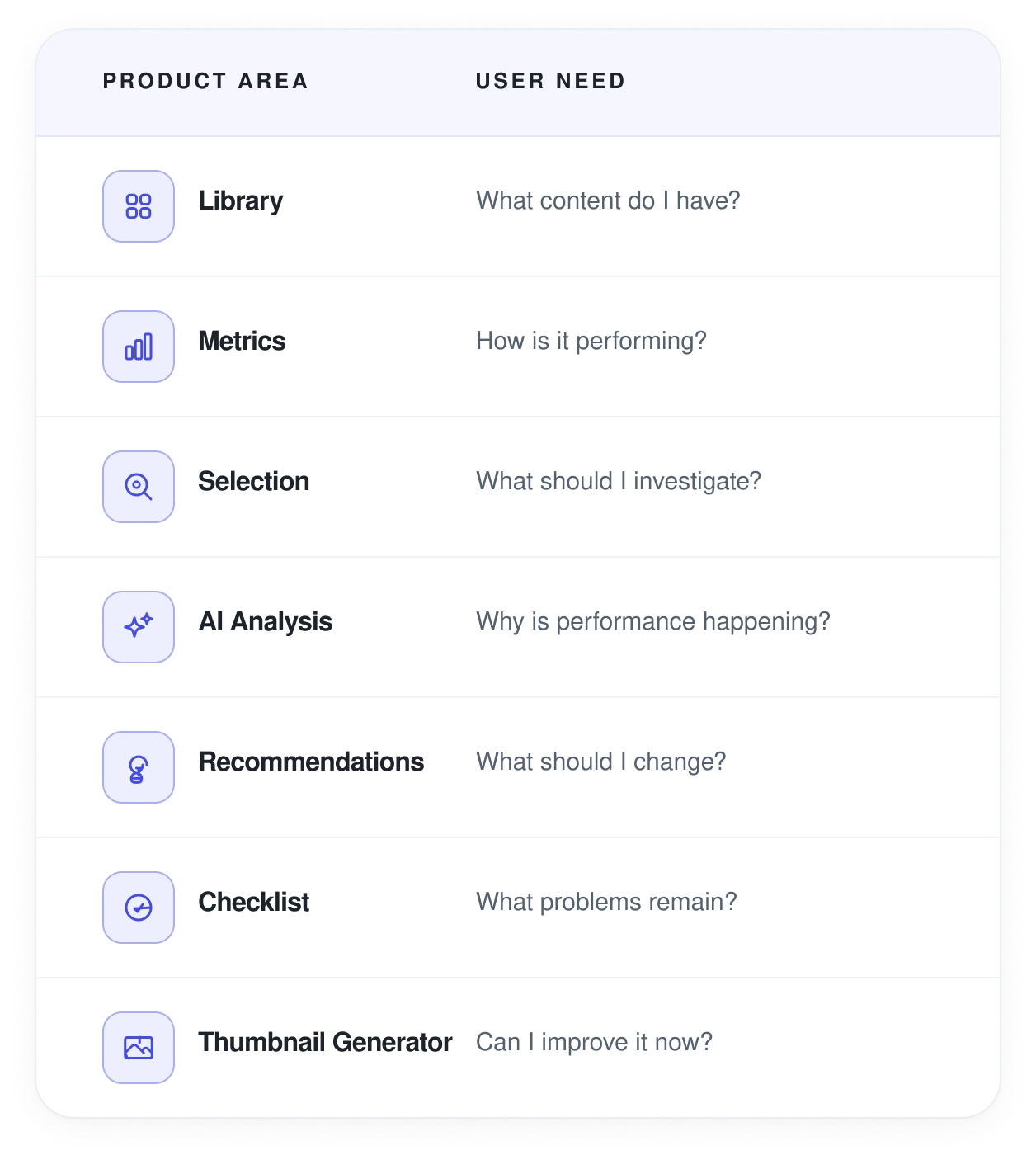
07 — Information Architecture
The Library page was designed around a clear hierarchy:
08 — Final Reflection
Working on Oogwai YouTube was an opportunity to design at the intersection of data, AI, and creator workflows.
As a Designer, my focus wasn't simply on making the product visually polished. The bigger challenge was creating an interface that could make complex information feel clear, structured, and actionable.
The Overview and Library experiences helped me think about the product as a connected journey rather than individual screens.
A creator can start by asking:
“How is my channel performing?”
Then move to:
“Which videos should I look at?”
Then:
“Why isn't this video performing better?”
And finally:
“What can I do to improve it?”
That progression became one of the most important design principles behind the experience.
The biggest takeaway
"Good analytics design isn't about showing users more data. It's about helping them understand the right data, and turn that understanding into action".
Like this project
Posted Oct 9, 2026
Designed an actionable YouTube analytics dashboard for Oogwai YouTube.
Likes
0
Views
4