Deep AI All-in-One Assistant App Case Study

Abdul Qadeer


The Challenge
The average knowledge worker now uses 3 to 5 different AI tools daily: one for writing, one for image generation, one for data analysis, one for code, and maybe another for summarization. Each tool has its own interface, its own subscription, its own learning curve. Context gets lost switching between apps. Prompts that work in one tool fail in another. The promise of AI simplifying work is undermined by the complexity of managing multiple AI tools.
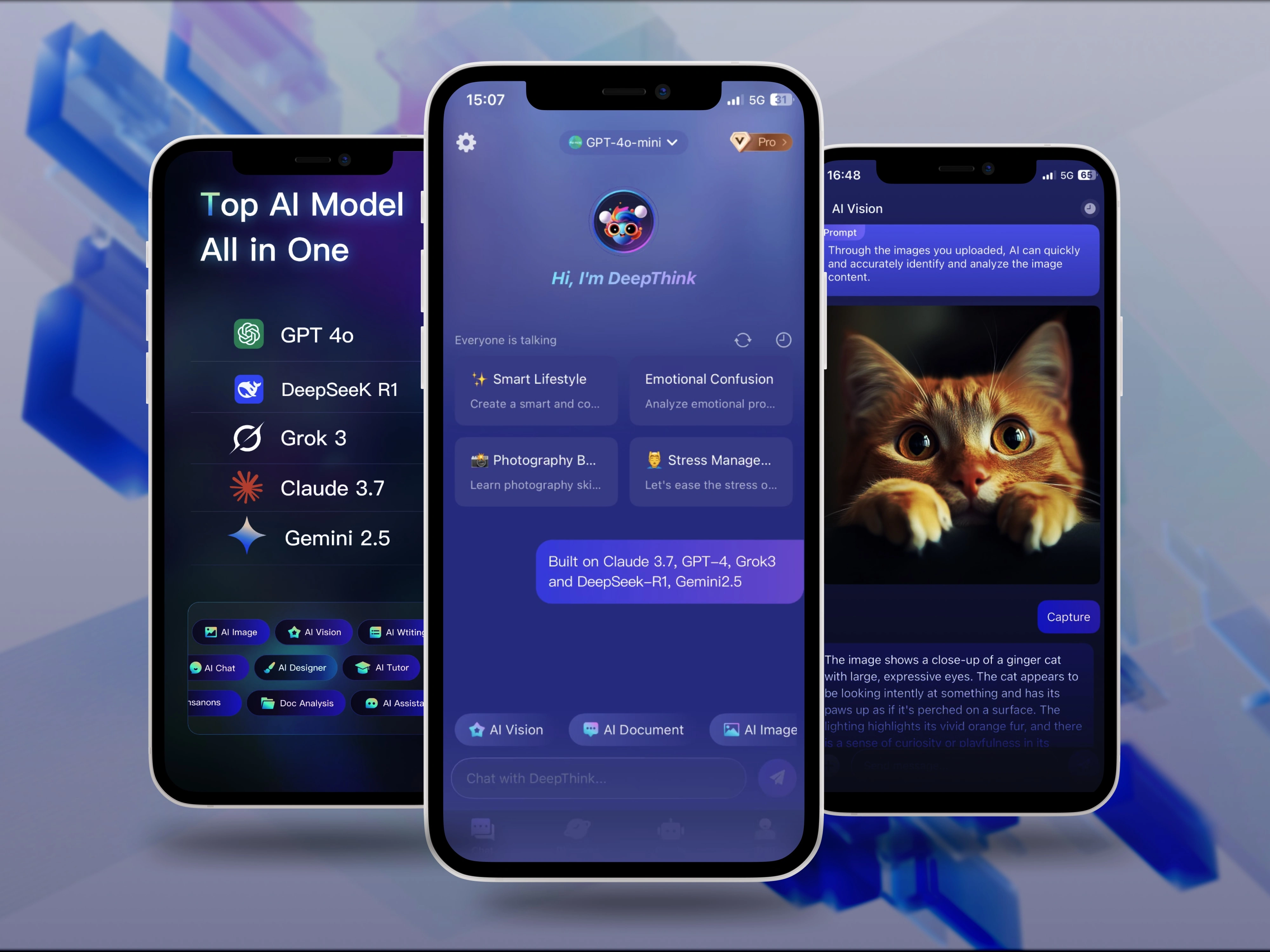
Deep AI was designed to solve this fragmentation. One app, multiple AI capabilities, unified interface. The goal: replace the AI tool sprawl with a single intelligent platform that handles content, images, data, and automation in one place.
Design Approach
The design process started in Figma, where every screen was built to make multiple AI capabilities feel like one cohesive product, not a collection of separate tools stitched together.
Key design decisions:
Unified command interface. A single input field that understands intent and routes to the right AI capability automatically. Type "write a blog post about..." and it activates the content engine. Type "analyze this spreadsheet..." and it switches to data mode. Users don't need to know which AI model handles what.
Capability cards on the home screen. Visual cards for each AI capability (Content Generation, Image Enhancement, Data Analysis, Code Assistant, Workflow Automation) with recent activity and quick-start actions. Users can jump directly to a specific tool or let the unified input route them.
Rich output formatting. AI responses are formatted based on content type: generated text appears in an editable document view, images in a gallery with editing tools, data analysis in charts and tables, code in syntax-highlighted blocks. The output format matches the content, not a one-size-fits-all chat bubble.
Cross-capability workflows. Users can chain AI actions: generate a blog post, then create a featured image for it, then summarize it for social media, all in one continuous flow. The app maintains context across capabilities so each step builds on the previous one.
Project organization. All AI outputs are organized into projects. A marketing campaign project might contain generated copy, images, data analysis, and automated posting schedules. Everything related to one initiative lives in one place.
Usage dashboard. Clear visibility into API usage, remaining credits, and capability-specific analytics. Users understand their consumption patterns and can optimize their usage across different AI features.
Clean, modern dark interface. Deep backgrounds with capability-specific accent colors (blue for content, purple for images, green for data, orange for code). The color system helps users orient themselves across different AI modes while maintaining visual cohesion.
Interaction Architecture
The app supports three interaction modes:
Quick mode: Single input, instant output for simple tasks
Project mode: Multi-step workflows with context preservation
Automation mode: Scheduled, recurring AI tasks that run in the background
Users naturally move between modes based on task complexity.
The Result
A fully designed all-in-one AI assistant app built in Figma, focused on consolidating multiple AI capabilities into one unified mobile experience. The design serves AI platform companies, productivity startups, and enterprise tool providers looking for a mobile app that replaces AI tool sprawl with a single intelligent interface combining content generation, image processing, data analysis, and workflow automation.
Like this project
Posted Jul 14, 2026
UI/UX design and development of an all-in-one AI assistant mobile app combining content generation, data analysis, image enhancement, and workflow automation.
Likes
0
Views
19