RouterSync: hand the hotel Wi-Fi to your travel router

Valerio Donfrancesco


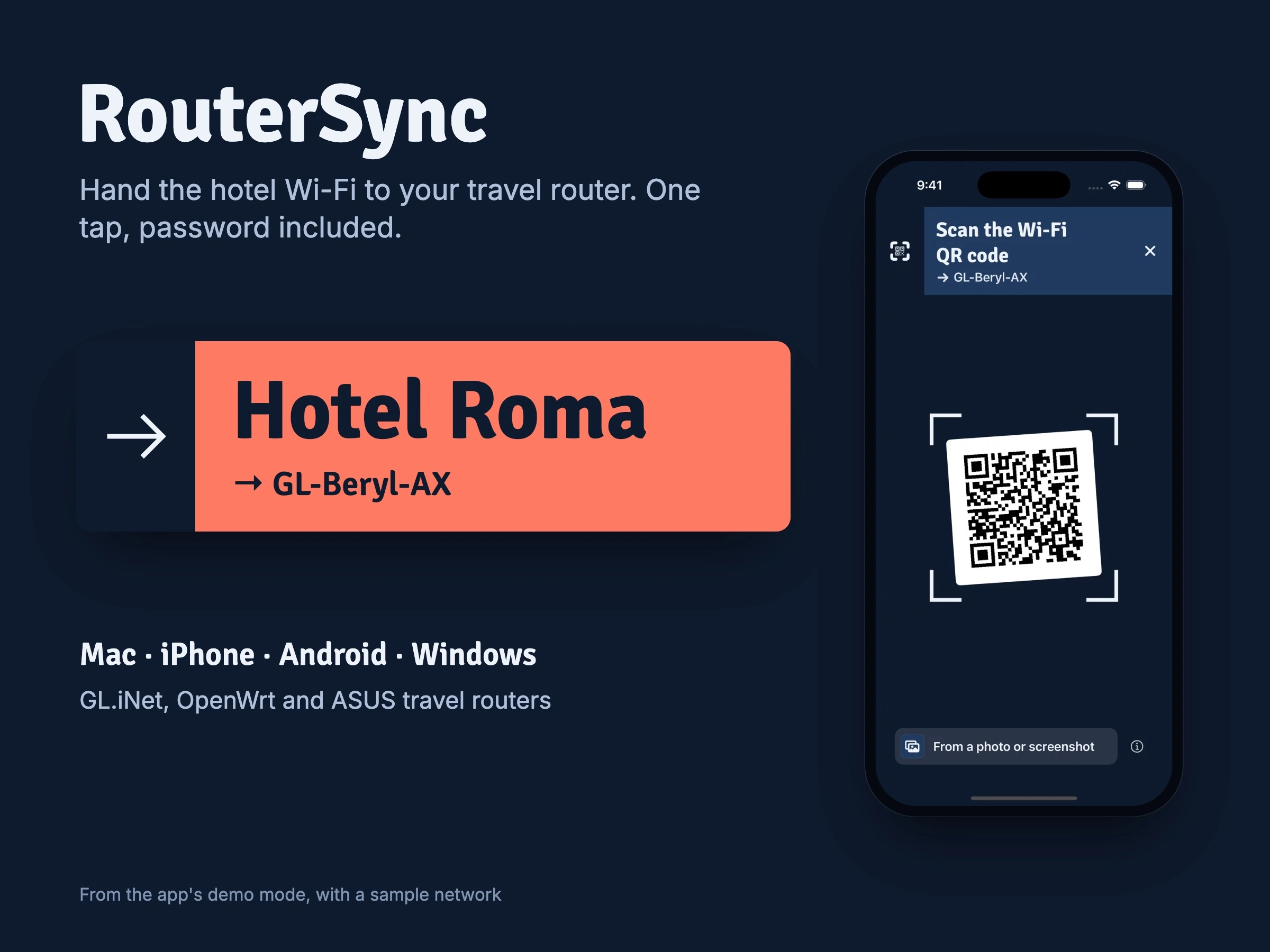
RouterSync passes the Wi-Fi your phone or Mac is on to your travel router, password included, so all your devices get online through the router in one tap. It’s my own product: I designed and built it, and the Mac app is available today.
The problem
A pocket travel router is great once it’s online. Getting it there means opening its web panel on a phone, in a hotel room, scanning for a network you’ve already joined and typing the password again on a small screen.
My role
Everything: product idea, pricing, UX/UI, the visual system, the site and the build, in Swift and SwiftUI for Apple and Kotlin for Android and Windows, written with Claude Code as my coding agent.
The flow: one action
Router apps start from the router. RouterSync starts from the network you’re already on: it reads the name, finds the password, returns to the router’s Wi-Fi if it needs to, hands the network over and waits until the router is online. That switch drops the connection for a moment, so the screen always shows which network is going to which router and where the process is.
The handoff in the app’s demo mode.
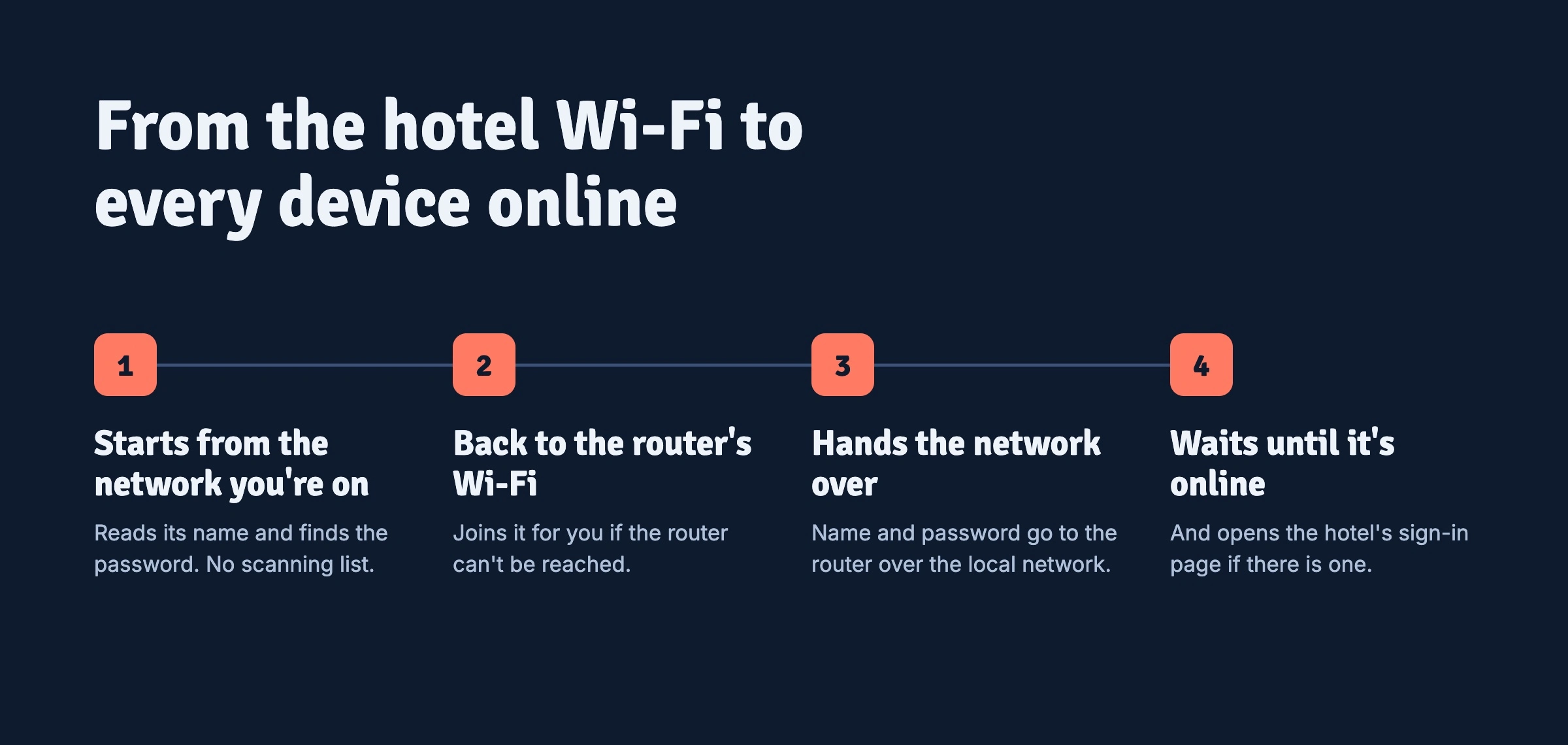
Four steps, one tap.
One sign, on every screen
The design idea is airport wayfinding. A coral band at the top names the network you’re on and points at your router, and every step re-signs it, like a departures board. The sign is the only branded object; everything around it is native: SwiftUI lists, system menus, popovers. Coral appears nowhere else.
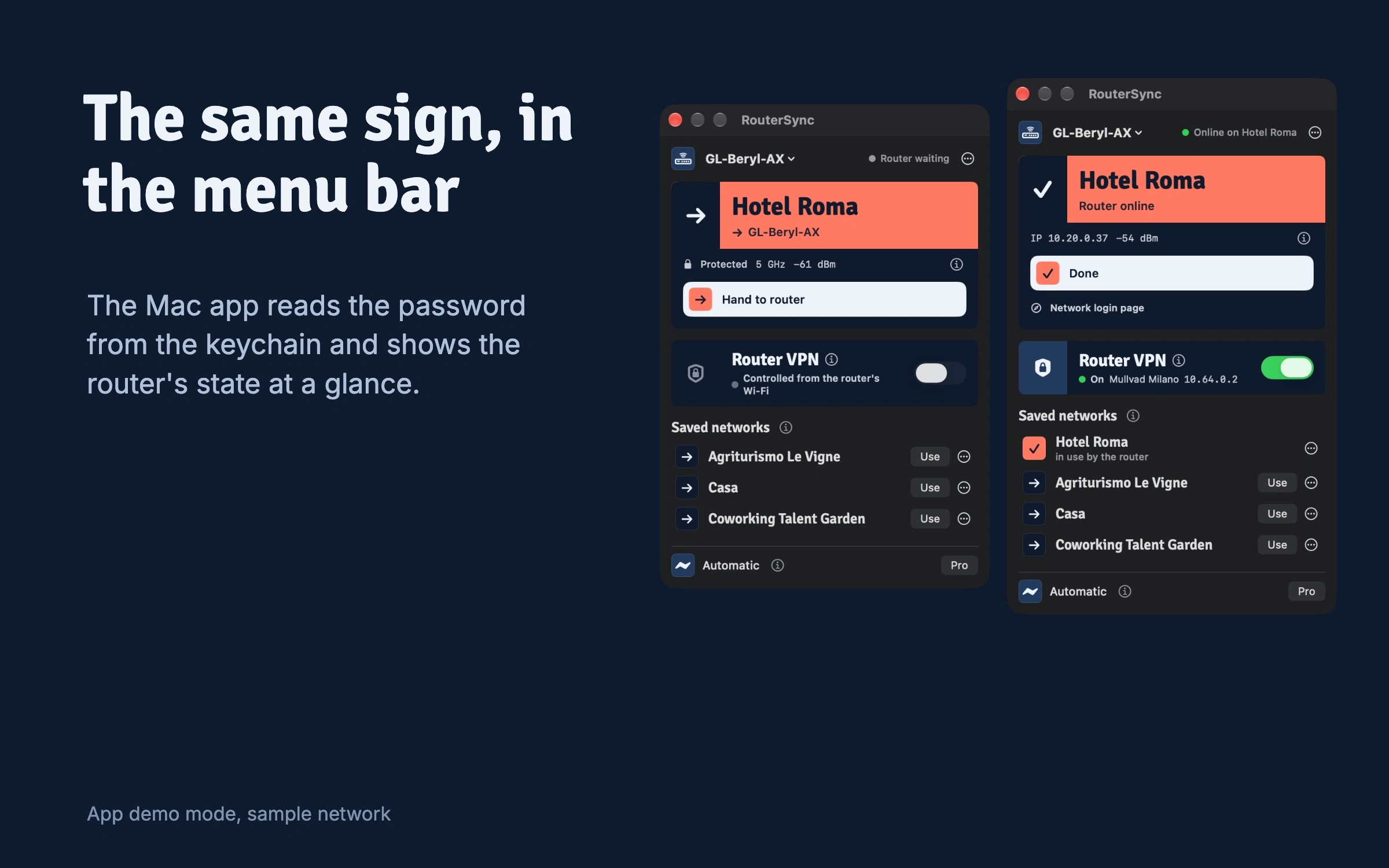
The Mac app in the menu bar, before and after.
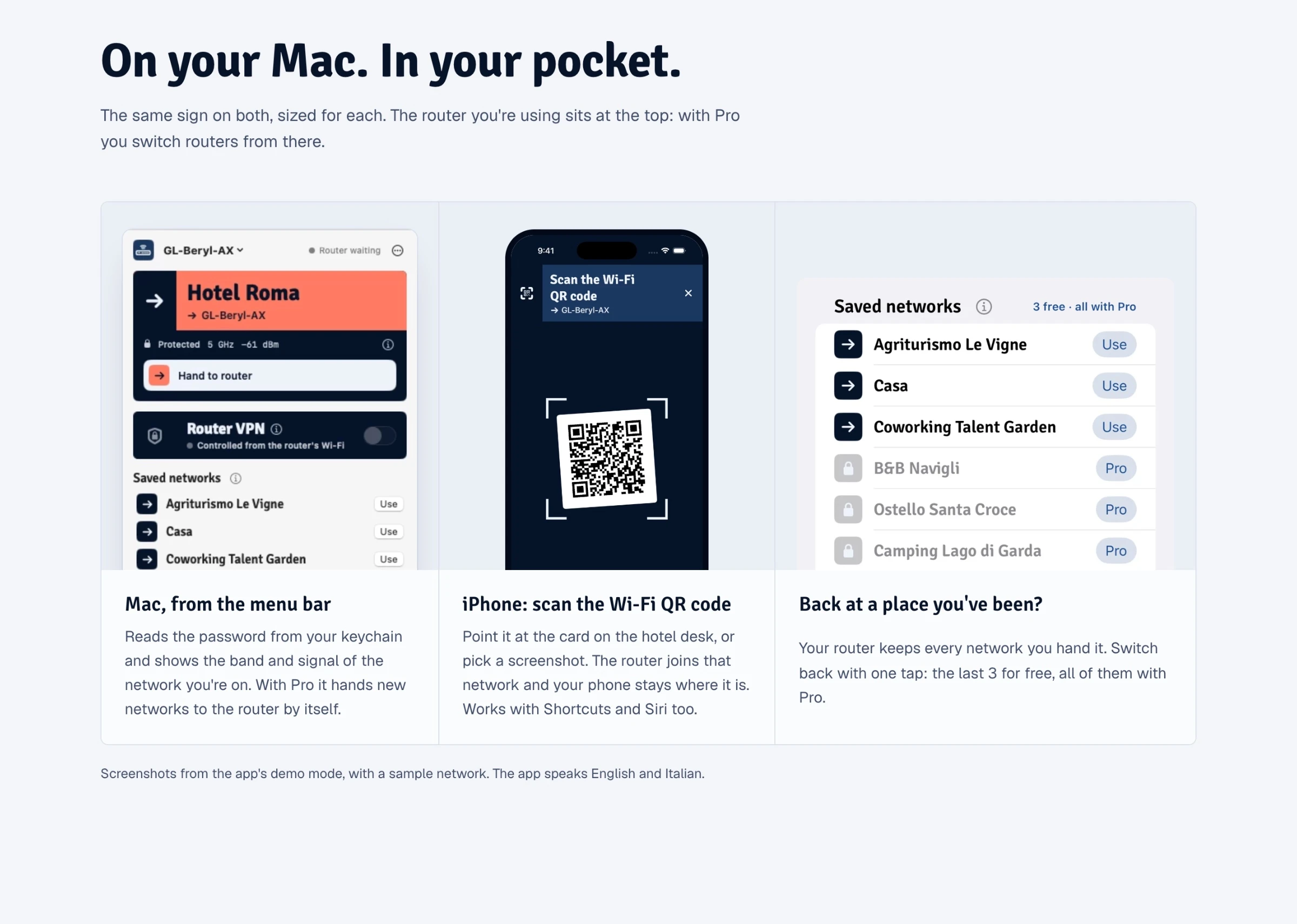
From the app’s demo mode, with a sample network.
Designing around what each system allows
Mac: the password comes from the keychain. With Pro, the app can hand over a new network by itself.
iPhone: iOS never gives apps a Wi-Fi password, so it’s pasted once and remembered. Or you scan the QR code on the hotel card, and the phone stays where it is.
Android and Windows, in preview: the same sign, adapted to what each platform lets an app read.
Hotel sign-in pages: RouterSync notices them and opens the page for you.
Three router families, one screen
GL.iNet, OpenWrt with travelmate and, in testing, ASUS Go routers each have their own driver. The interface only speaks of “your travel router”. On OpenWrt the change is applied with an automatic rollback, so a failed handoff doesn’t leave the router cut off.
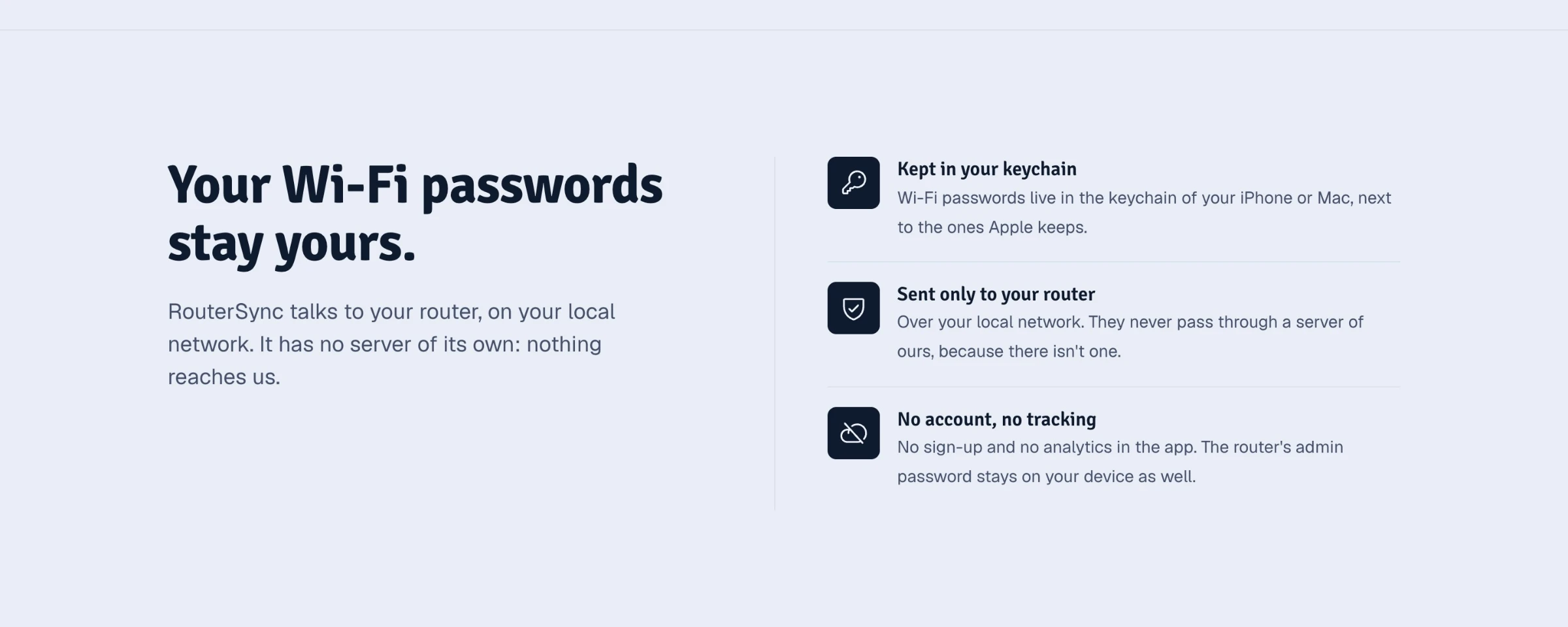
No server, no account.
Key decisions
The core is free: handing over the network you’re on never costs anything. Pro is $1.99 once.
No server: passwords stay in the keychain and travel only to the router, over the local network.
Every failure says what happened and offers the next step, because the user is mid-switch and may have no connection.
Italian and English, written line by line.
Status
The Mac app can be downloaded today and the iPhone app is in App Store review. Android and Windows are in preview. It’s new, so no users or reviews are claimed here. Screenshots come from the app’s demo mode, with a sample network.
Like this project
Posted Oct 30, 2026
My own app for people who travel with a pocket router: one tap passes the Wi-Fi you're on to the router, password included. Mac, iPhone, Android, Windows.