Built with FlutterFlow
I Got Dys: Dysautonomia Support and Community

Studio Kelcy


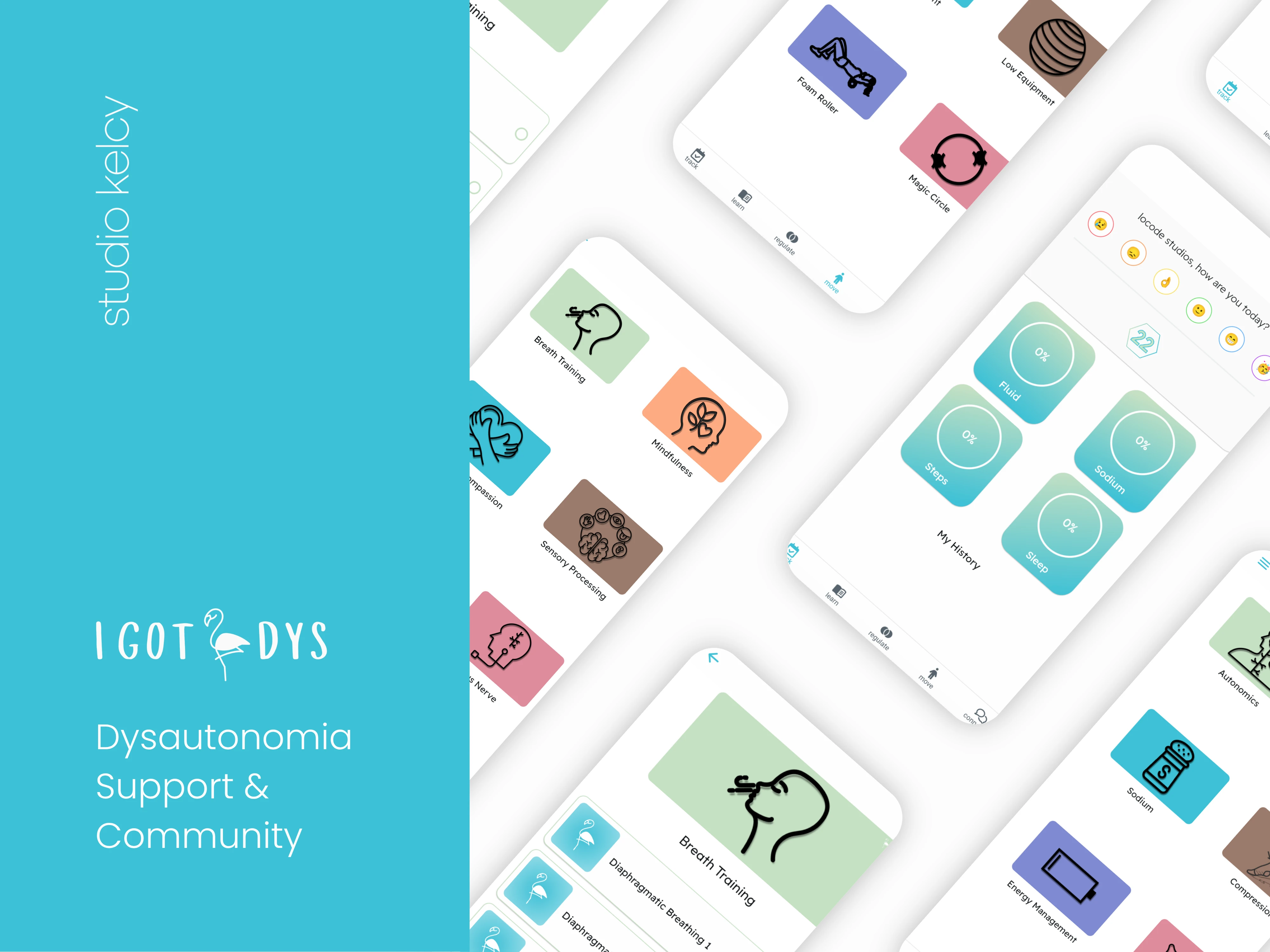
I Got Dys: Dysautonomia Support and Community
I Got Dys is a support, education and community app created for people living with dysautonomia.
The app brings everyday tracking, educational resources, regulation tools, movement activities and community interaction together within one accessible experience.
Studio Kelcy created the complete brand identity and app experience—from the logo, colours and typography through to UI/UX design, FlutterFlow development, Firebase setup and launch.
Project Overview
Services
Brand identity, logo design, UI/UX design, FlutterFlow development and launch
Platforms
iOS and Android
Technology
FlutterFlow and Firebase
Industry
Health and wellbeing
Project Type
New app design and development
The Brief
People living with dysautonomia may need to manage information, routines and support across several different parts of everyday life.
The vision for I Got Dys was to bring these experiences into one connected platform rather than requiring users to move between multiple apps, resources and community spaces.
The app needed to provide a clear way to:
Track everyday information
Explore educational resources
Access regulation activities
Find suitable movement options
Interact with a supportive community
Because users may experience fatigue, cognitive overload and changing capacity, the product also needed to remain approachable and easy to navigate.
Phase 1: Design
Creating the Brand Identity
Studio Kelcy created the complete visual identity for I Got Dys.
The brand needed to feel positive, supportive and approachable while remaining clear enough for an app containing health information, tracking tools and educational content.
Studio Kelcy designed the:
Logo
App icon
Colour palette
Typography system
Illustration direction
Category colours
Mobile app interface
Supporting App Store graphics
Bright turquoise acts as the central brand colour, while a supporting palette of soft green, peach, mauve, blue and pink helps users recognise different content areas.
Clear typography, generous white space and simple line illustrations give the app a friendly identity without making the experience feel overly clinical.
Planning the App Structure
The app contains a wide range of features, so the first stage involved organising everything into a structure that would feel manageable for users.
The experience was divided into five primary areas:
Track
A central place to record everyday information and revisit personal history.
Learn
Educational content covering topics relevant to living with dysautonomia.
Regulate
Guided activities supporting breathing, mindfulness, self-compassion, sensory processing and regulation.
Move
Movement activities organised by exercise type and available equipment.
Connect
An interactive community where members can create posts, respond to others and share experiences.
These five areas became the foundation of the app’s bottom navigation, keeping every section accessible from anywhere within the product.
Designing for Reduced Cognitive Load
The app needed to present a large amount of content without making the experience feel overwhelming.
Information was divided into clear visual categories using:
Large illustrated cards
Short and recognisable titles
Consistent page layouts
Generous spacing
Colour-coded categories
Simple bottom navigation
Large tap areas
Clear progress indicators
This creates an interface that is easy to scan and allows users to focus on one task or content area at a time.
Designing the Tracking Experience
The tracking dashboard gives users one place to record and revisit everyday information.
The design includes:
A daily emotional check-in
A visible daily score
Individual progress cards
Fluid tracking
Sodium tracking
Step tracking
Sleep tracking
Personal history
Each item is displayed as a separate card, helping users understand their progress without presenting a dense dashboard.
Designing the Content System
Educational and practical content was organised into visual grids rather than traditional text-heavy lists.
Each category has its own illustration and background colour, helping users recognise different areas quickly.
The same card system is used across Learn, Regulate and Move. This creates consistency while allowing each section to retain its own purpose.
Designing the Community
The community needed to feel like a central part of the product rather than an additional feature hidden away from the main experience.
Connect was added as one of the five primary navigation areas, giving members direct access to community conversations.
The community experience was designed to support:
Member profiles
User-created posts
Community conversations
Comments and responses
Shared experiences
Notifications
Ongoing member interaction
Phase 2: Build
FlutterFlow and Firebase Development
Once the brand and product experience were approved, the app was built in FlutterFlow and connected to Firebase.
Firebase supports:
User accounts
Member profiles
Personal tracking information
Tracking history
Activity progress
Dynamic educational content
Community posts
Comments and interactions
Notifications
Reusable components were created to maintain a consistent experience across the app’s tracking tools, content libraries and community features.
Track
The Track area allows users to record everyday information within one dashboard.
Users can complete a daily emotional check-in and record information relating to:
Fluid
Sodium
Steps
Sleep
Progress is displayed through clear circular indicators. The history section allows users to return to information they previously recorded.
Learn
The Learn section provides educational content across a range of topics.
Categories include:
Autonomics
Fluid
Sodium
Compression
Energy management
Sleep
The visual grid allows users to browse topics without navigating a long content list. Its dynamic structure also gives the platform room to expand with additional resources.
Regulate
The Regulate section brings together guided activities and educational resources for users who want to pause and reconnect with their body.
Categories include:
Breath training
Mindfulness
Mindful self-compassion
Sensory processing
Co-regulation
Vagus nerve
Each category opens into a collection of related activities that users can explore at their own pace.
Guided Activities
Activity collections are displayed through repeatable cards containing a title, illustration and completion control.
For example, the Breath Training collection contains a series of diaphragmatic breathing activities. Users can work through the sequence and mark each activity as complete.
The reusable activity structure supports different programs while helping users continue from where they left off.
Move
The Move section organises movement activities according to the type of activity and equipment involved.
Categories include:
Stretch
Strength
No equipment
Low equipment
Foam roller
Magic circle
The illustrated grid makes it easier to find an appropriate category without displaying an overwhelming exercise list.
Connect and Community
The Connect area gives users a dedicated place to interact with other people who understand the experience of living with dysautonomia.
Community members can:
Create and share posts
Respond to other members
Join conversations
Exchange experiences and encouragement
Receive notifications about new interactions
Build connections within the community
Firebase supports the community feed, member-created content, comments and notifications.
Integrating Connect into the primary navigation makes interaction and shared support a central part of the product.
Notifications
Notifications keep members informed about new activity and interactions within the community.
A visible notification counter allows users to see when something is new without interrupting the rest of the app experience.
Progress Tracking
Activity progress is connected to each user’s account.
Completion controls allow users to work through resources at their own pace and return to unfinished activities later.
Key Functionality
User accounts and member profiles
Daily emotional check-ins
Fluid tracking
Sodium tracking
Step tracking
Sleep tracking
Personal tracking history
Educational content library
Guided regulation activities
Breath-training programs
Mindfulness resources
Movement activities
Activity completion tracking
Dynamic Firebase content
Community feed
User-created posts
Comments and responses
Member interactions
Community notifications
Consistent five-tab navigation
Phase 3: Launch
App Testing and Preparation
Once development was complete, the app moved through final testing and launch preparation.
Studio Kelcy supported:
Functional testing
User-account testing
Tracking-flow testing
History and progress testing
Activity-completion testing
Community-post testing
Comment and interaction testing
Notification testing
Responsive device testing
Firebase production setup
App icon and launch-screen preparation
App Store graphics
Store listing requirements
Privacy and legal requirements
iOS and Android deployment
Final launch support
Particular attention was given to maintaining a simple and consistent experience across the app’s tracking, content and community features.
App Store Presentation
Studio Kelcy created the supporting App Store graphics to introduce the app and communicate its primary features.
The store presentation highlights the way I Got Dys combines tracking, education, regulation, movement and community within one platform.
Store Launch
The completed app was prepared and submitted for release through the Apple App Store and Google Play.
This included configuring the production environment, preparing store assets and ensuring the app met the technical requirements for release.
The Outcome
I Got Dys was developed into a connected support platform for people living with dysautonomia.
The finished app brings together everyday tracking, educational resources, guided regulation tools, movement activities and an interactive community.
Users can record relevant daily information, explore supportive content, complete guided activities and connect with others through posts, comments and shared conversations.
For the client, the project resulted in a complete mobile product with an original brand identity, FlutterFlow app, Firebase backend, dynamic content system, community experience and supporting launch materials.
Explore the Project
Official Website
https://igotdys.com/
Download on the App Store
COMING SOON
Get it on Google Play
COMING SOON
Have an App Idea?
Studio Kelcy helps founders and businesses design, build and launch thoughtful digital products with FlutterFlow.
From early product planning and brand development through to UI/UX design, development, testing and store launch, Studio Kelcy can help bring your app idea to life.
Like this project
Posted Jul 14, 2025
I Got Dys is a support, education and community app created for people living with dysautonomia.
Likes
2
Views
49
Timeline
Aug 14, 2024 - Jul 14, 2025