Acervo: 60 of 103 photos had never been used

Marcela Silva


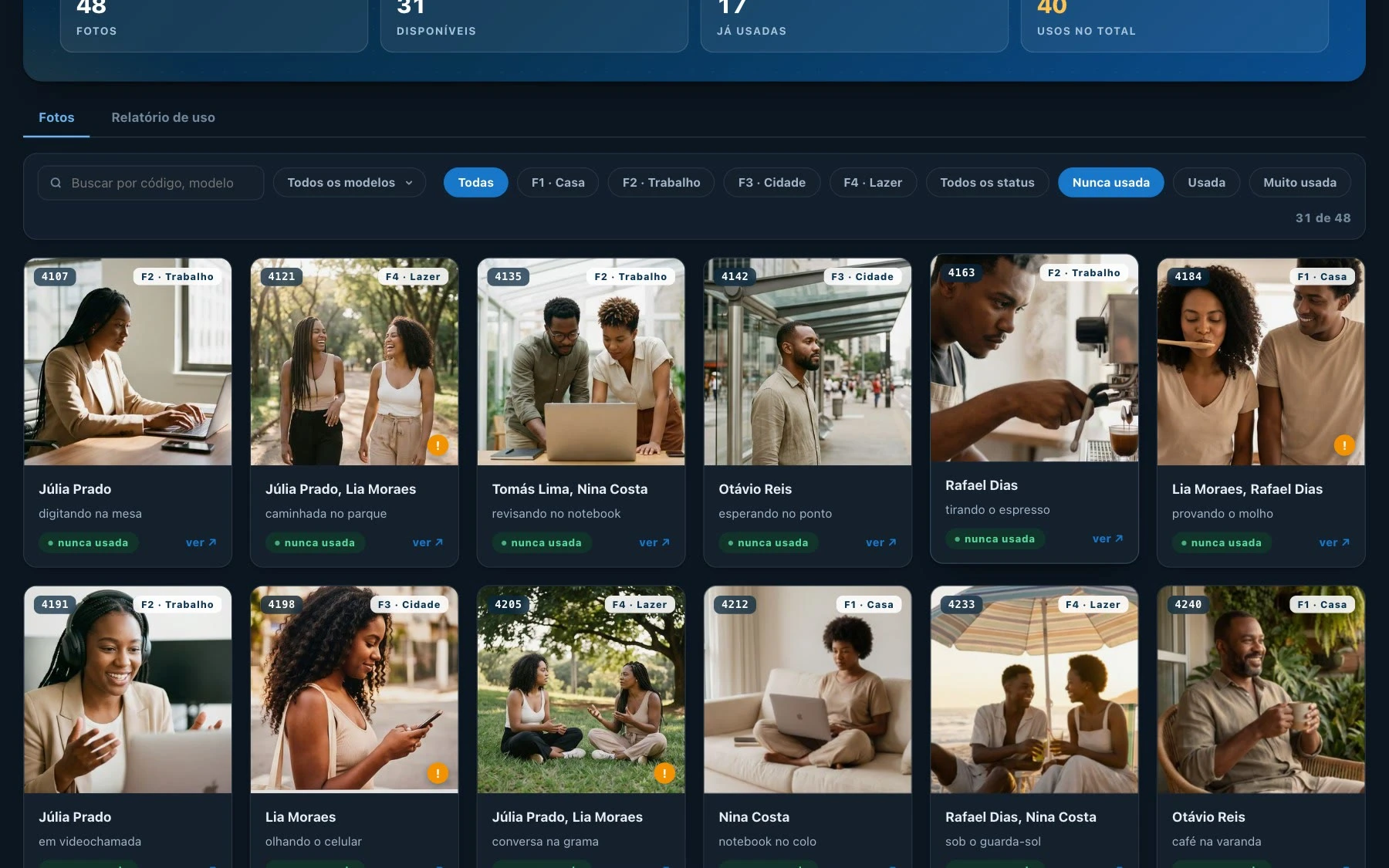
Five art directors at an advertising agency shared a library of 103 photos for monthly campaign work. Usage was tracked in a spreadsheet, but checking that history while choosing an image wasn't practical. Some photos appeared repeatedly, while others were overlooked. I wanted to put that information where the team needed it: inside the photo library.
I designed and built Acervo, an internal web app that puts each photo's history right where the choice happens. The audit, feature definition, flows, UI design and the build were mine. The client is confidential, so the video and demo use a fictional brand.
Public demo with a fictional brand, photos and team
Start with an audit
Before drawing a screen, I checked 64 published pieces against the library, page by page. Of the 103 photos, 60 had never been used. The rest added up to 55 uses across 27 pieces. The audit also meant the team started on day one with real history already loaded.
Make usage a filter
Every photo shows one of three states: never used, used, or heavily used. Filters open each group directly, so the history becomes part of picking a photo instead of a separate chore.
Put the rules on the image
Some photos can only appear in certain themes. The warning sits on the photo itself and shows up while browsing, which is the moment it matters.
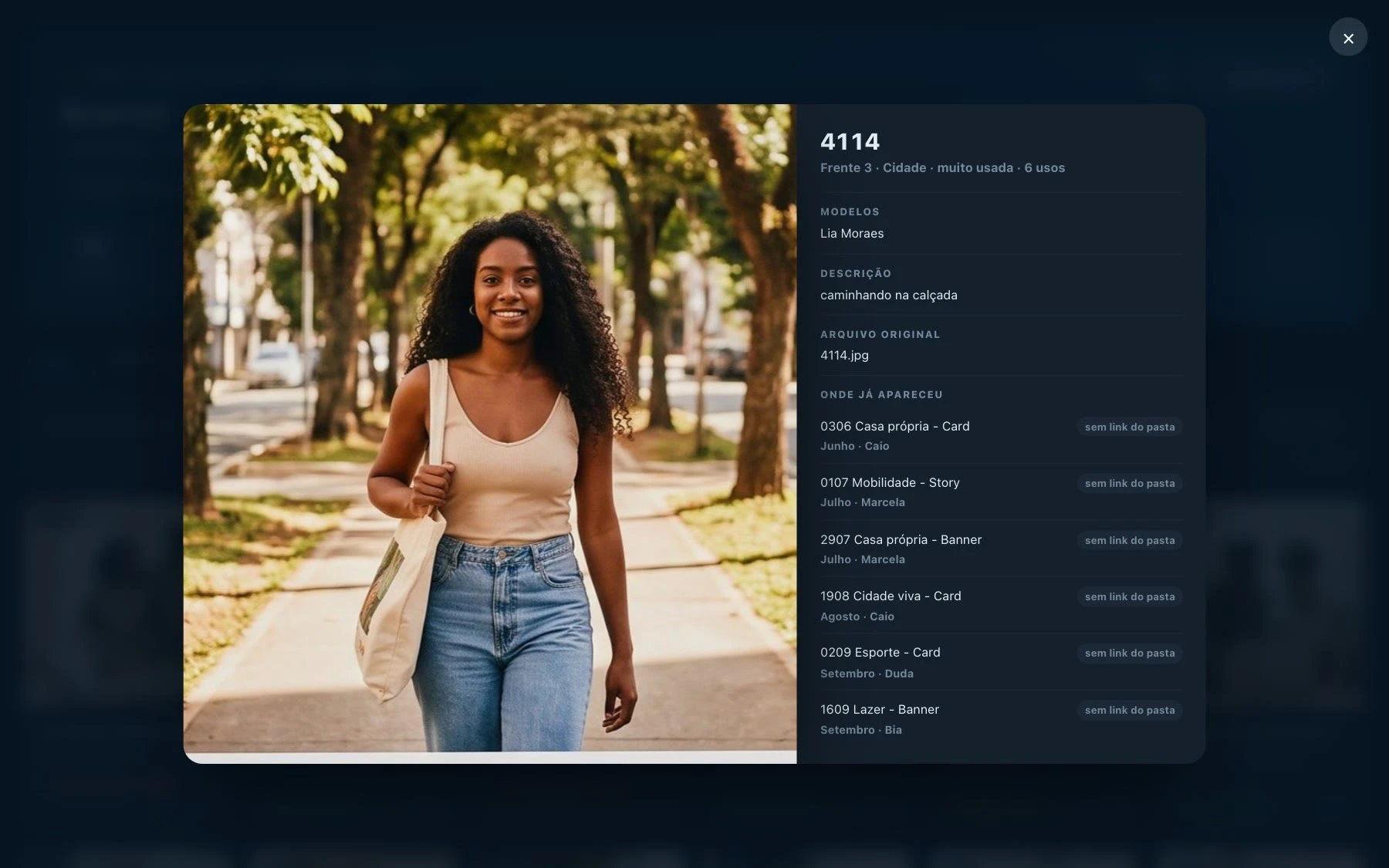
The usage rule sits on the photo itself
One source, two kinds of user
Designers browse and log what they use. Coordinators need the numbers for the client. The report pulls monthly records, campaign pieces and the most used photos from the same data as the library.
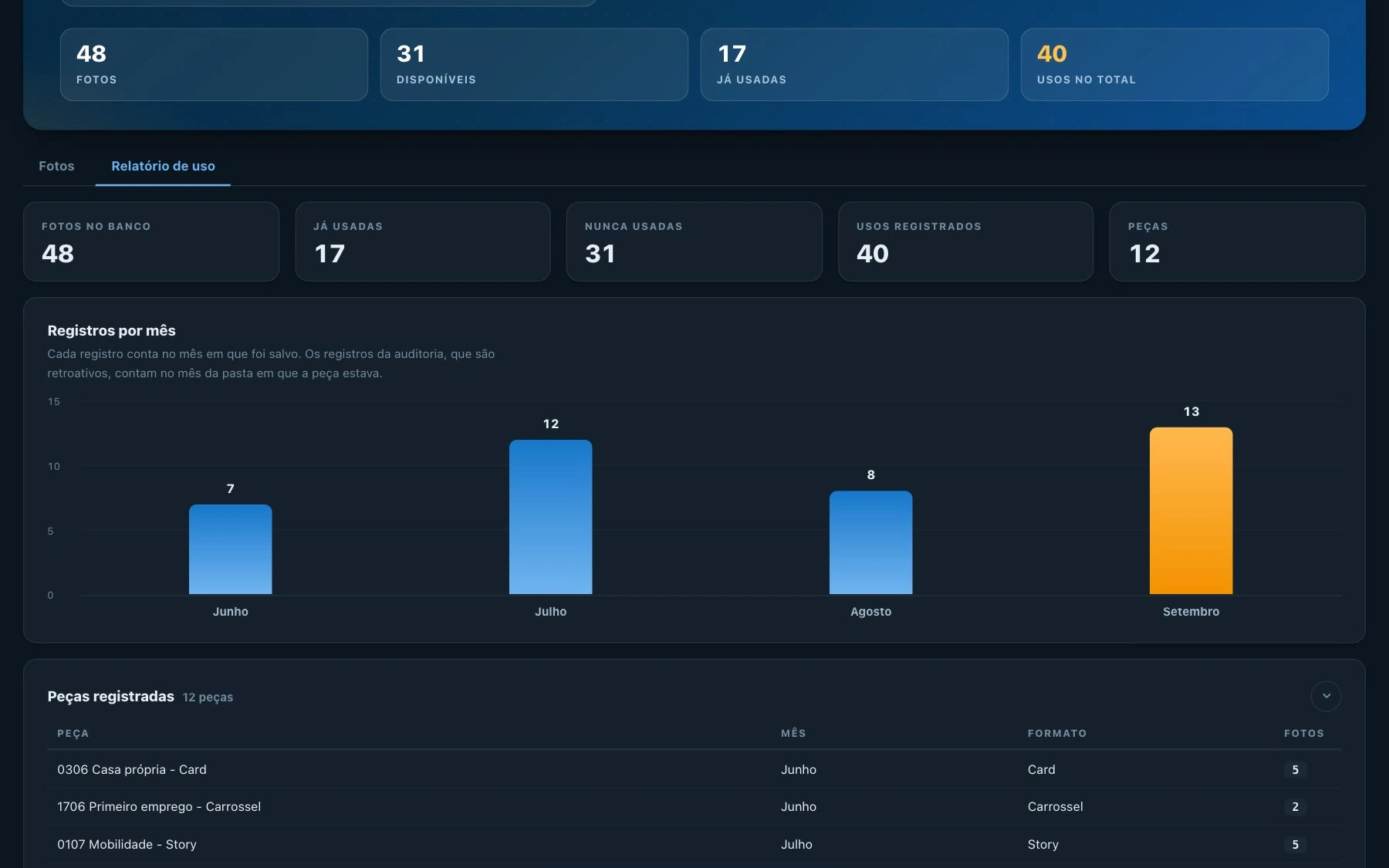
Report
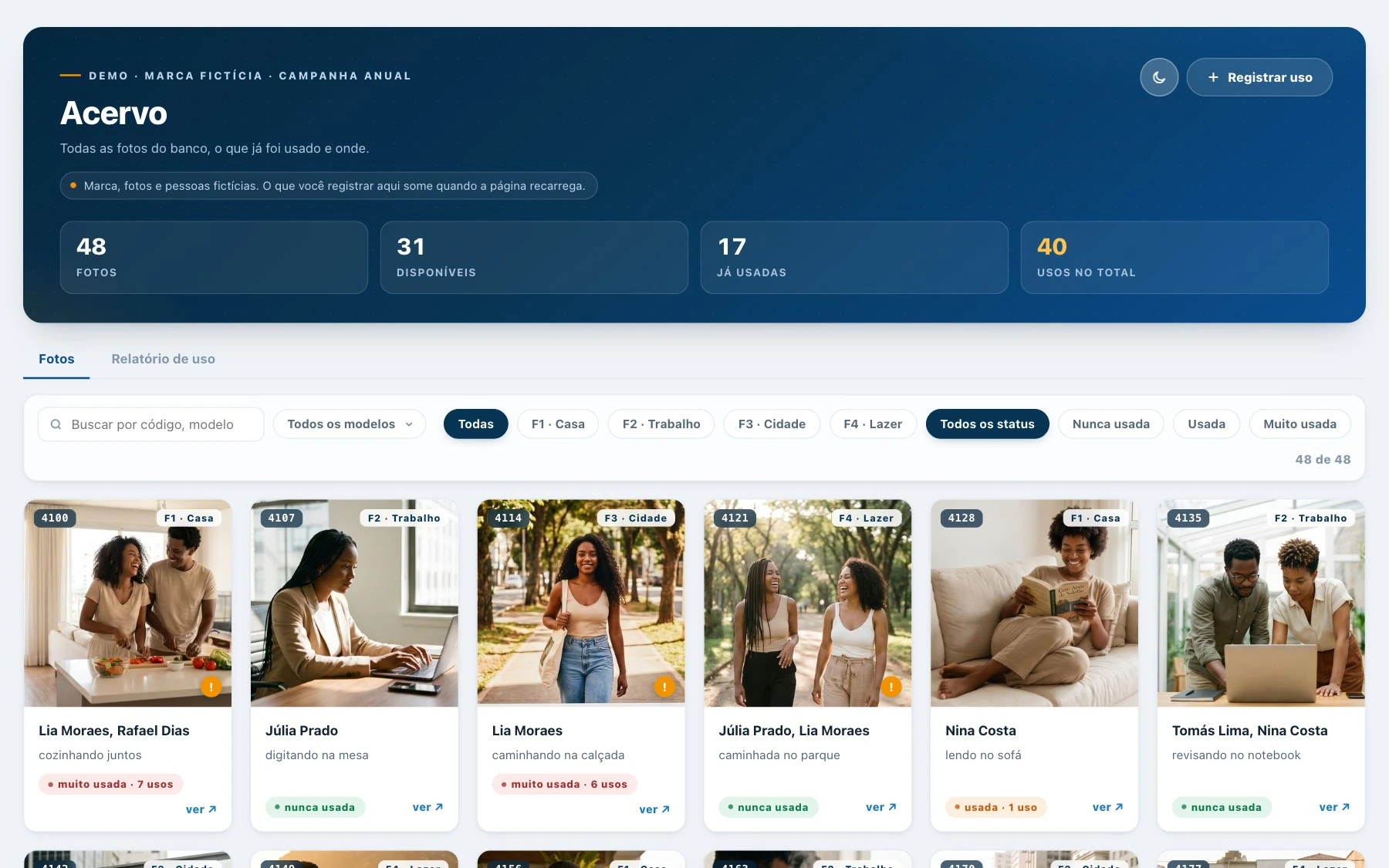
The library in light mode
Built and live in about three days
I defined the tasks and rules, designed the interface, checked the figures and built the app with Claude Code, Supabase and Vercel. The first version was ready in about three days. A public demo with a fictional brand, photos and team lets anyone browse, filter and log a use.
Outcome
The team of 13 uses Acervo every week. Designers check it before choosing a photo, and coordinators use the report to track how images are spread across campaigns and to answer client questions. The full case and the live demo are on my site:
Like this project
Posted Nov 6, 2026
An internal web app for tracking photo usage across campaigns. From audit to launch in about three days, now used weekly by a 13-person team.