Microsoft To-Do Calendar Integration

OTumininu Paseda

To-Do Re-Do
Microsoft To-Do is a cloud-based task management application. It’s a great app, but perhaps I can take it one step further with this update.
Software: Adobe Sketchbook | Year: 2022
Context:
To-do is a task management application that allows users to add tasks and organize them by date and time, importance, and category. This is all well and good, but To-Do has a love for list formatting. All the tasks created are always listed linearly. Below are three pages of the app.

The filters can be changed; the lists can be changed, but they are always linear. What I wanted was something more visual. I want a way to see my tasks by date and time, in a specific layout. Particularly, a calendar.
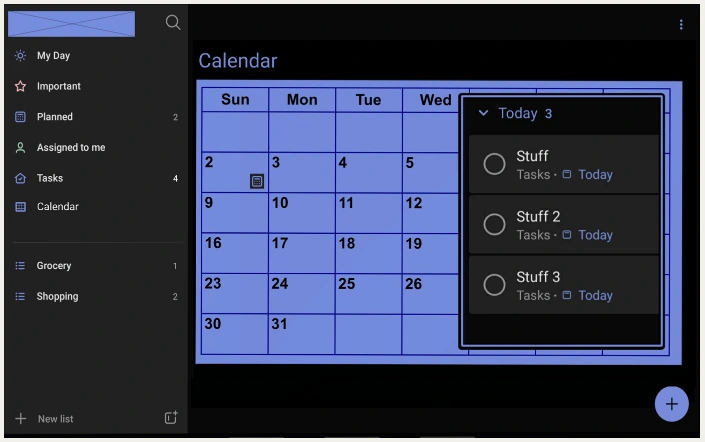
What I wanted was to be able to click on any date on a calendar and see the tasks I have set aside for that day. Sure, I can filter by date, but sometimes I want to filter by day. Specifically, I desire the ability to click on a day, for example, a Sunday, and see my tasks without having to know the actual date.
The following is what I created. I started by adding another page, and I created exactly what I needed: a calendar.
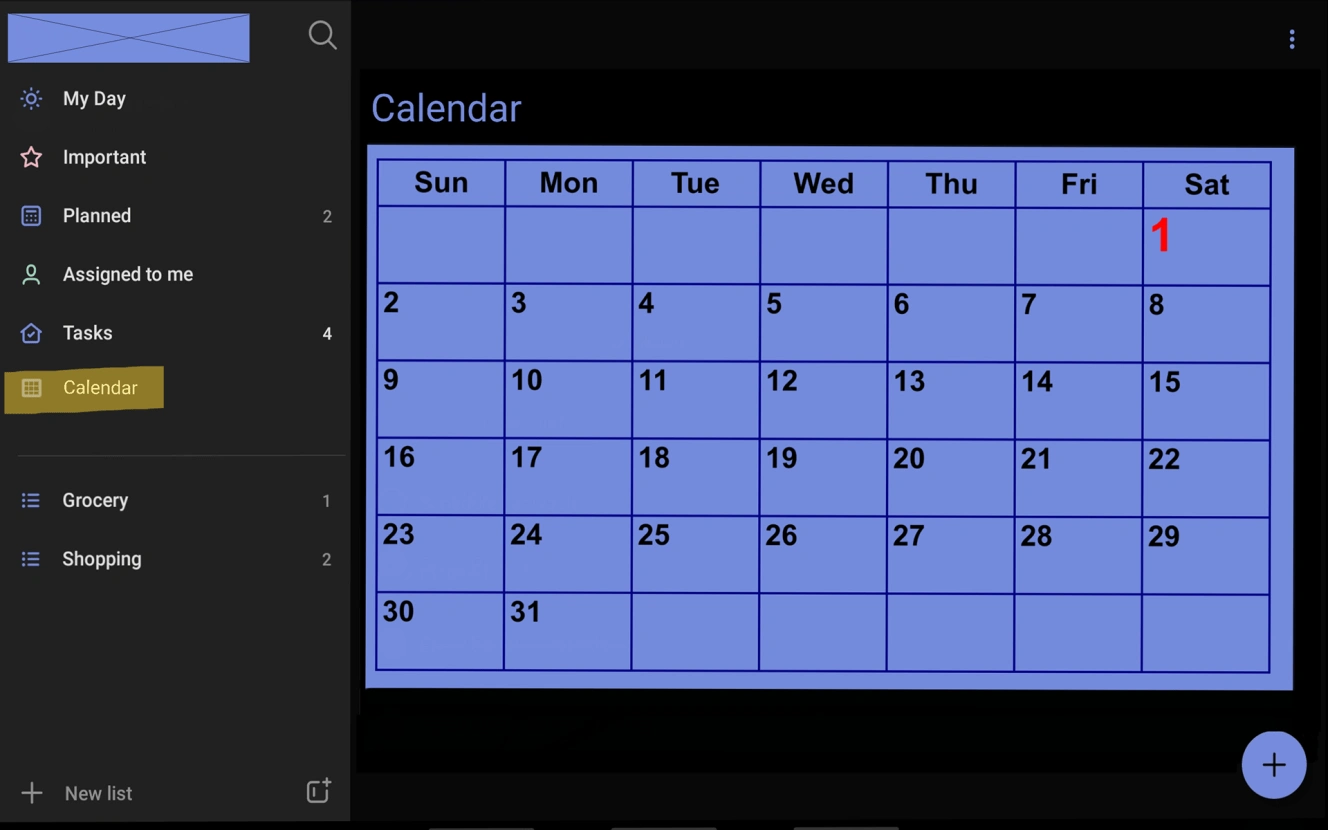
Then I created a quick list of things I needed to do that Sunday.
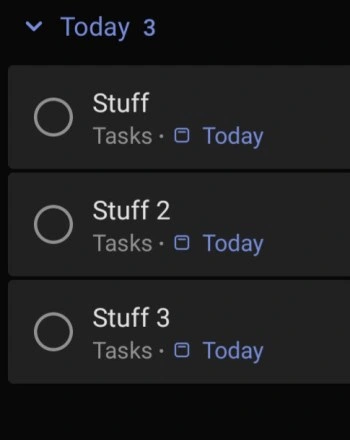
I then combined them. I added a mini icon that, when clicked, opens a small window that shows all the tasks I have for that day.
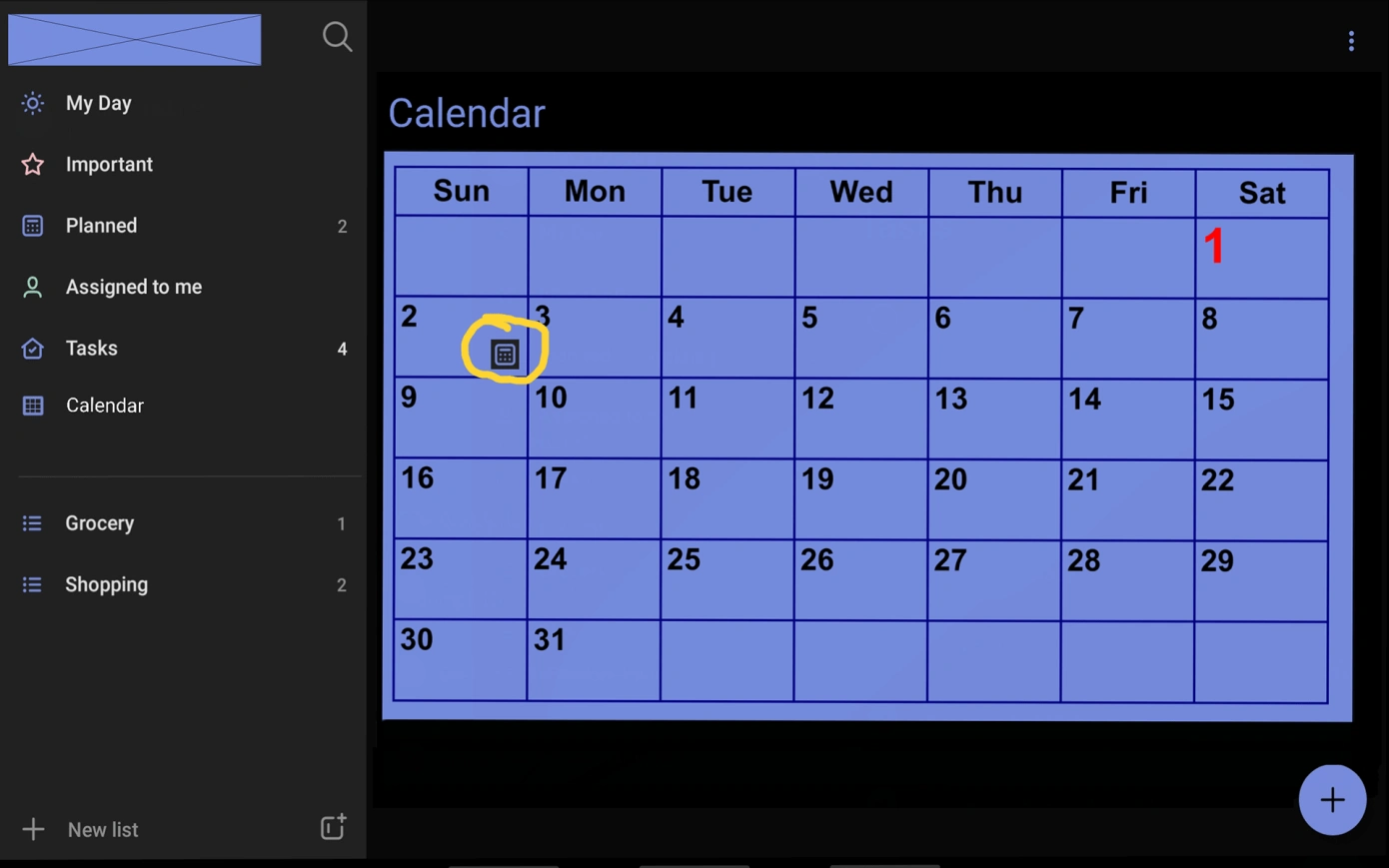
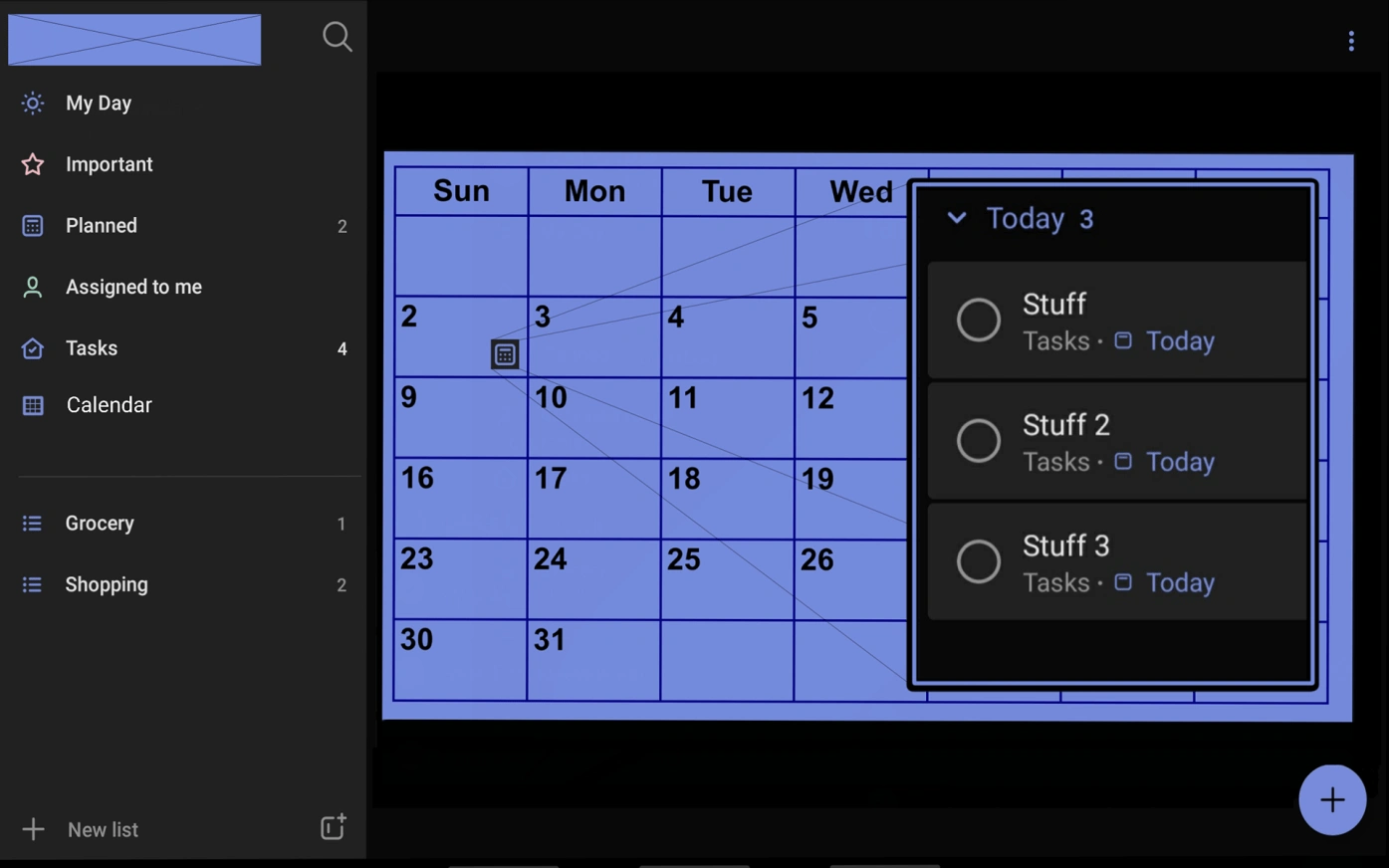
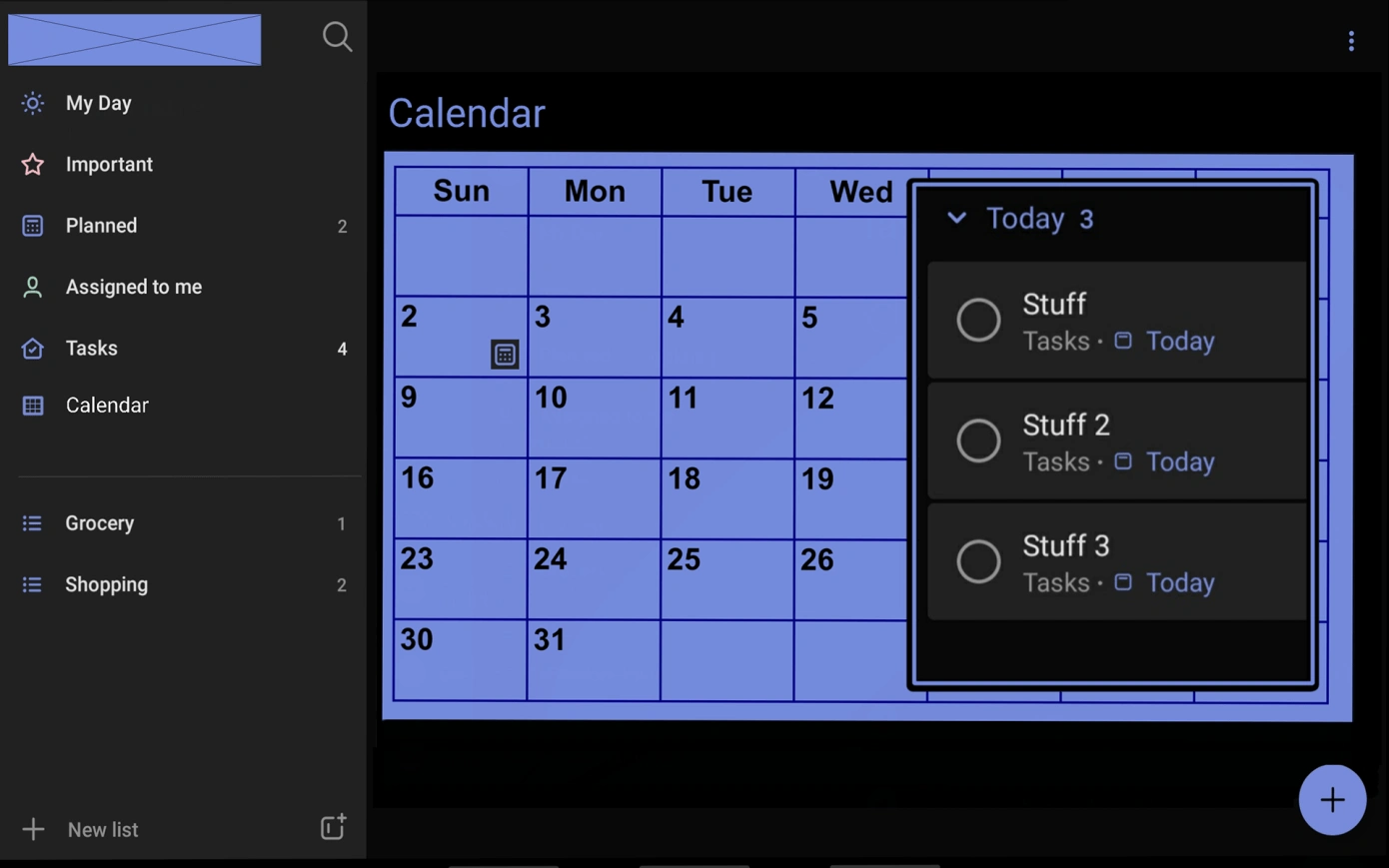
Granted, this isn’t a groundbreaking update, but it is valuable. Not everyone is so analytical and linear. The update I created allows for a more visual representation of tasks. The goal hasn’t changed, and the app’s primary purpose hasn’t changed. My update allows users to access what they need quickly and easily without the need for excessive filters and multiple views.
And sometimes, all you need is a calendar.
Like this project
Posted Aug 27, 2026
Enhanced Microsoft To-Do with a calendar view for visual task management.
Likes
0
Views
4
Timeline
Jan 1, 2022 - Dec 31, 2022
Clients
Microsoft