UX UI Designer - SaaS - SyncWise Calendar

Vitalii Khomenko


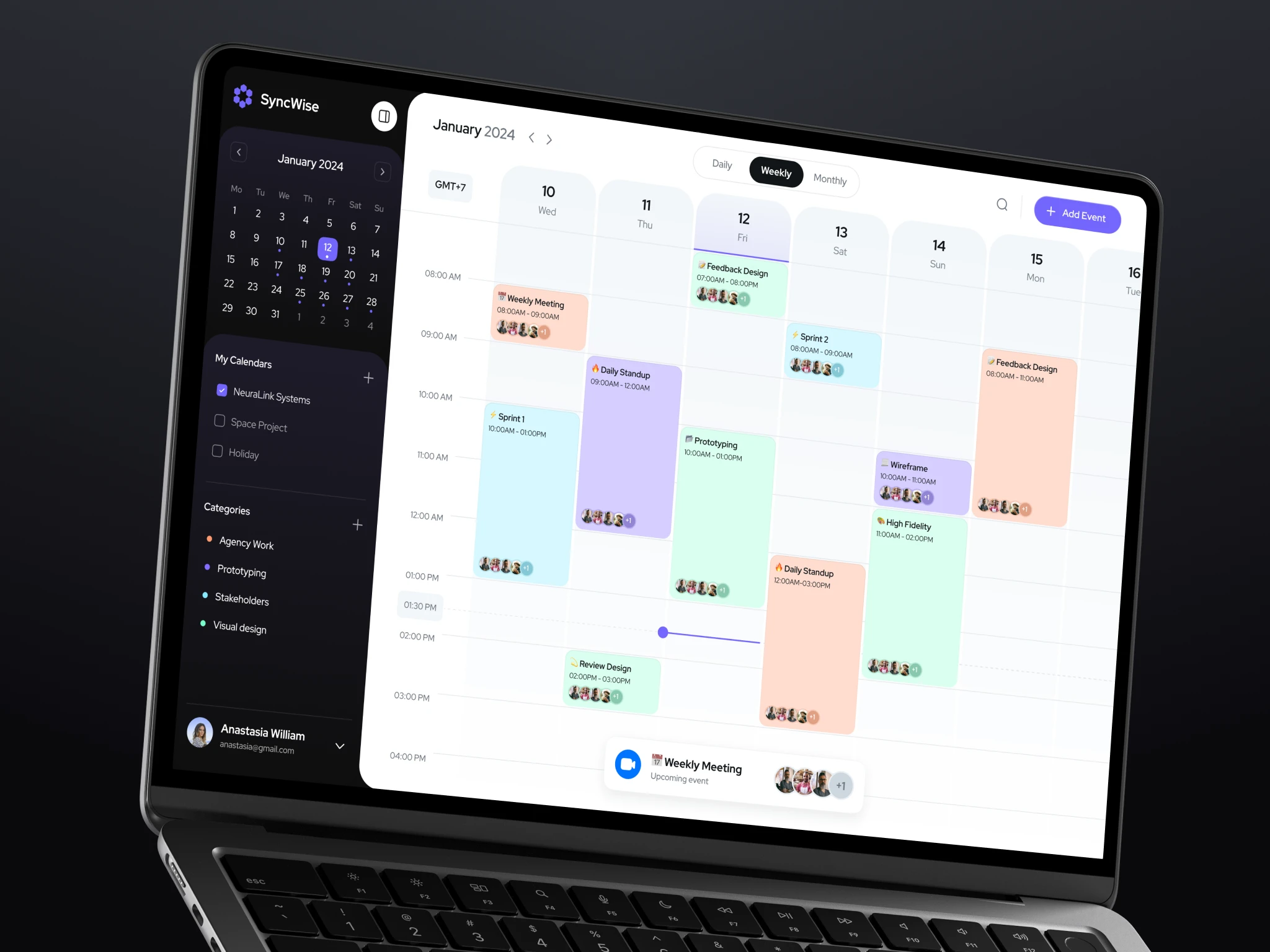
UX UI Designer - SaaS - SyncWise Calendar
My role. UI UX Designer Lead
Vitalii's expertise and attention to detail helped us create an intuitive and visually appealing calendar app that exceeded our expectations. Highly recommended!
Zach M.: ⭐️⭐️⭐️⭐️⭐️
Client
The client, a forward-thinking productivity startup, aimed to simplify the often cluttered world of time management. They wanted a calendar application that offered not only basic scheduling tools but also robust functionality to integrate different calendars, all within a clean and modern interface.
Challenge
The main challenge was to create a solution that merged various calendars without overwhelming users. The app needed to offer advanced features like color categorization, event search, and notifications while maintaining a minimal, clutter-free design. Additionally, the user experience had to be intuitive, with fast onboarding and easy event management.
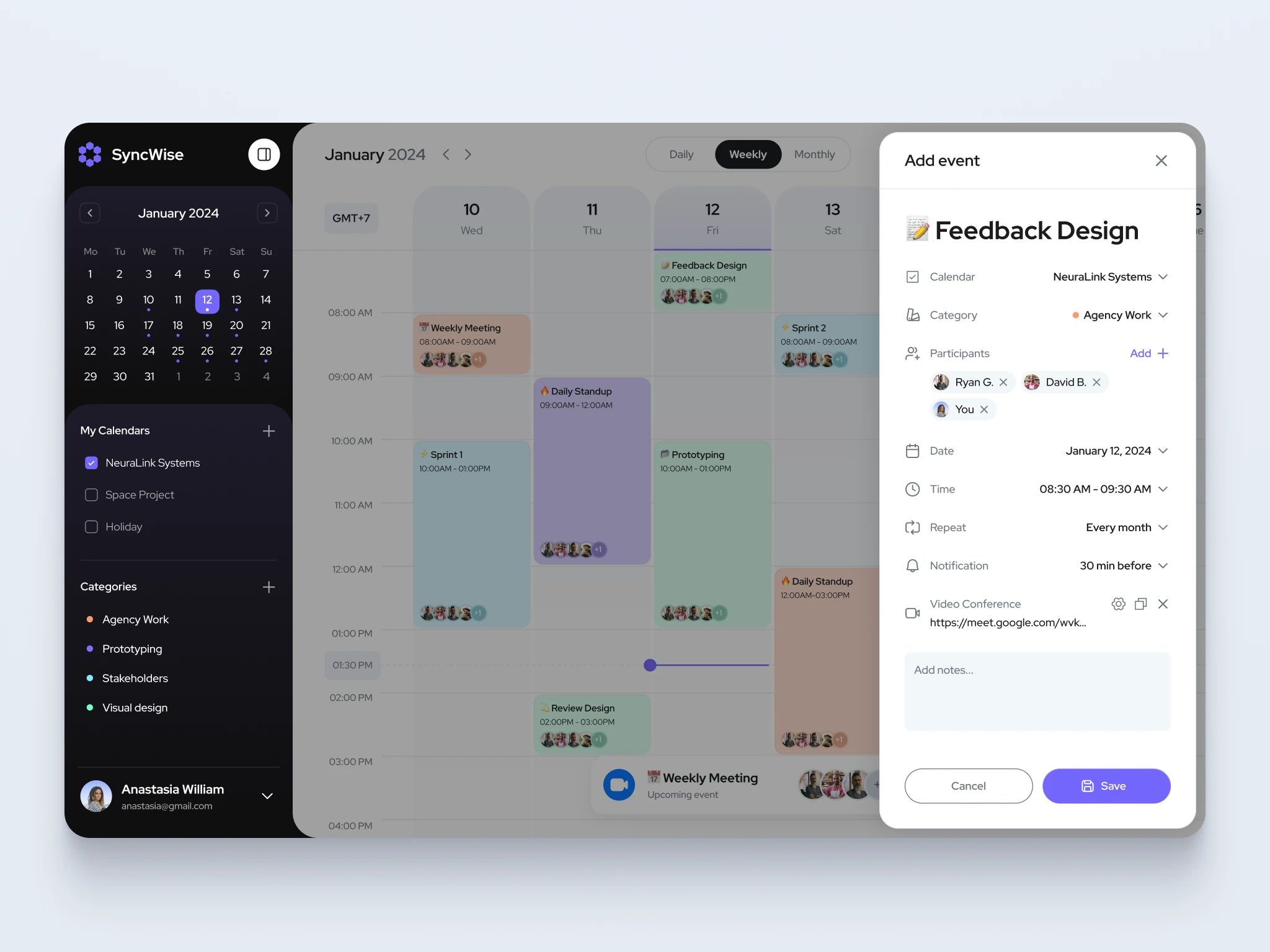
Design Solutions
To meet these challenges, I developed a user-friendly and modern interface that simplified complex scheduling needs.
💎 Unified Calendar Integration: I designed the interface to integrate multiple calendars into a single view, providing users with a clear overview of all their events without confusion.
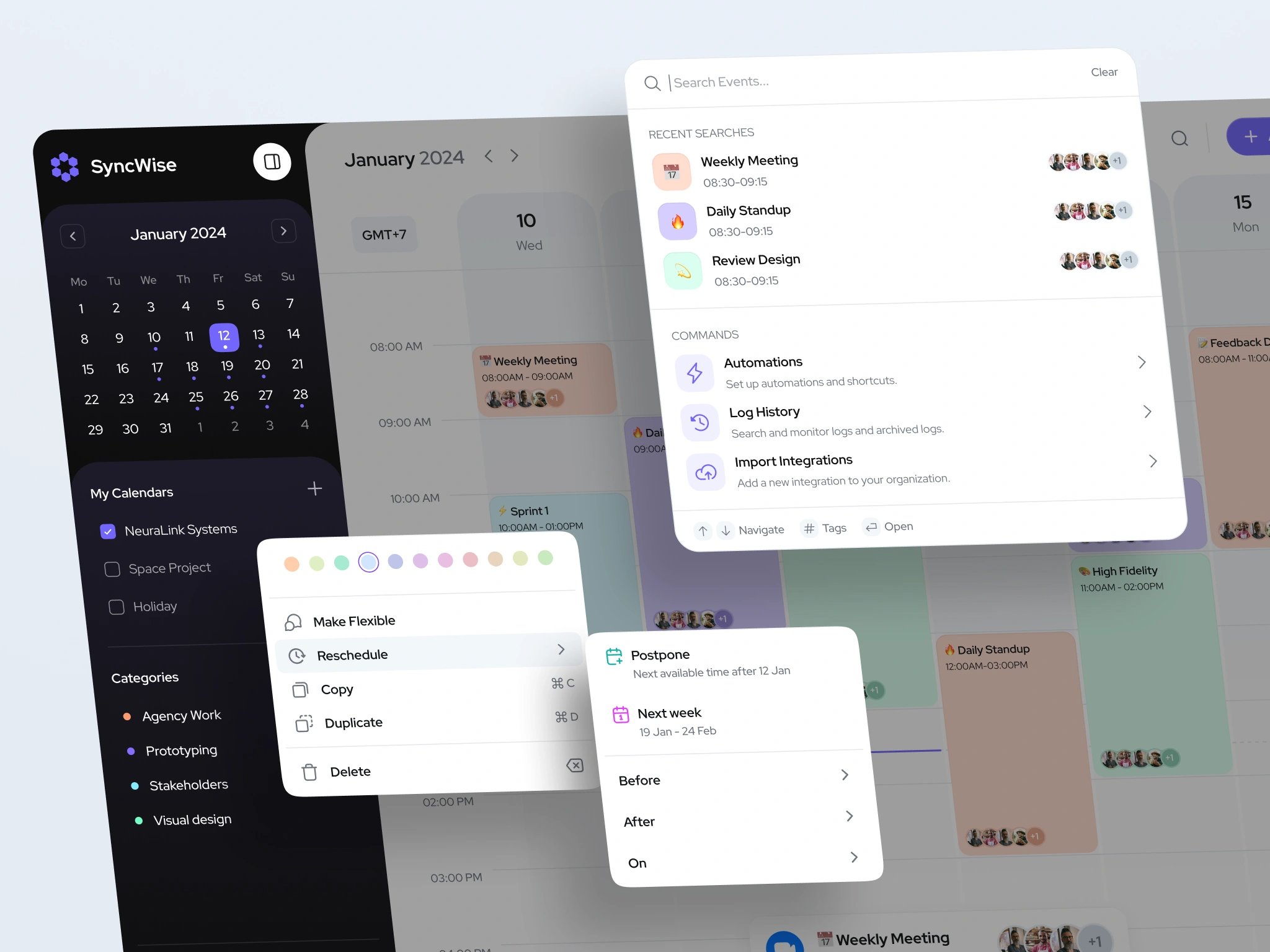
💎 Color-coded Event Categorization: I created a color-coded system for events, allowing users to easily distinguish between work meetings, personal events, and other categories at a glance. These colors were applied to both the cards and event details, offering consistent visual cues.
💎 Seamless Event Management: Adding, searching, and rescheduling events became effortless with a streamlined event creation flow, intuitive drag-and-drop rescheduling, and a powerful search bar that quickly filtered through events based on keywords or categories.
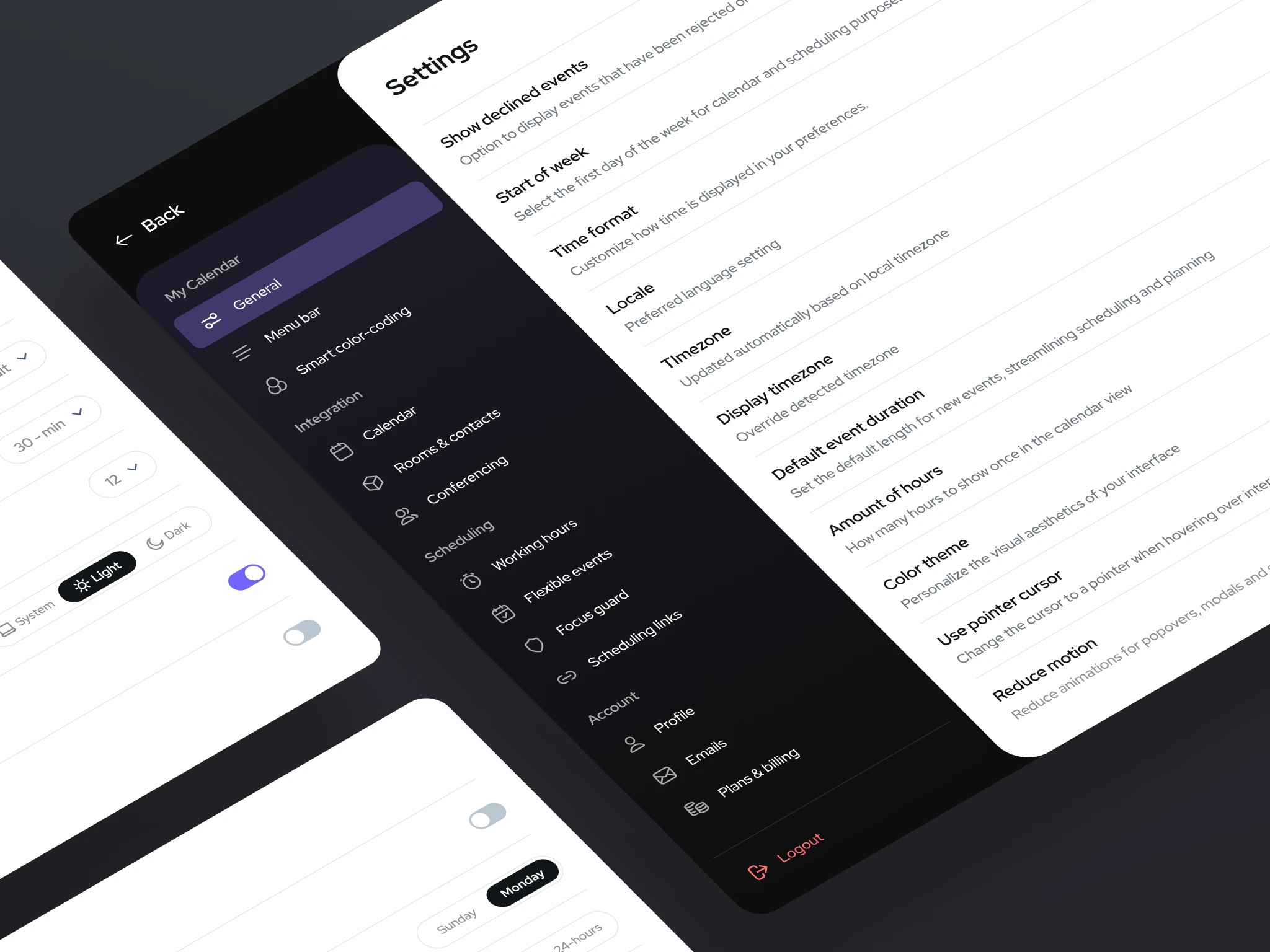
💎 Minimalist Design & Navigation: I focused on a modern, minimal design that put the user's schedule front and center. With smooth transitions and a clear hierarchy of information, users could easily navigate the app without unnecessary distractions.
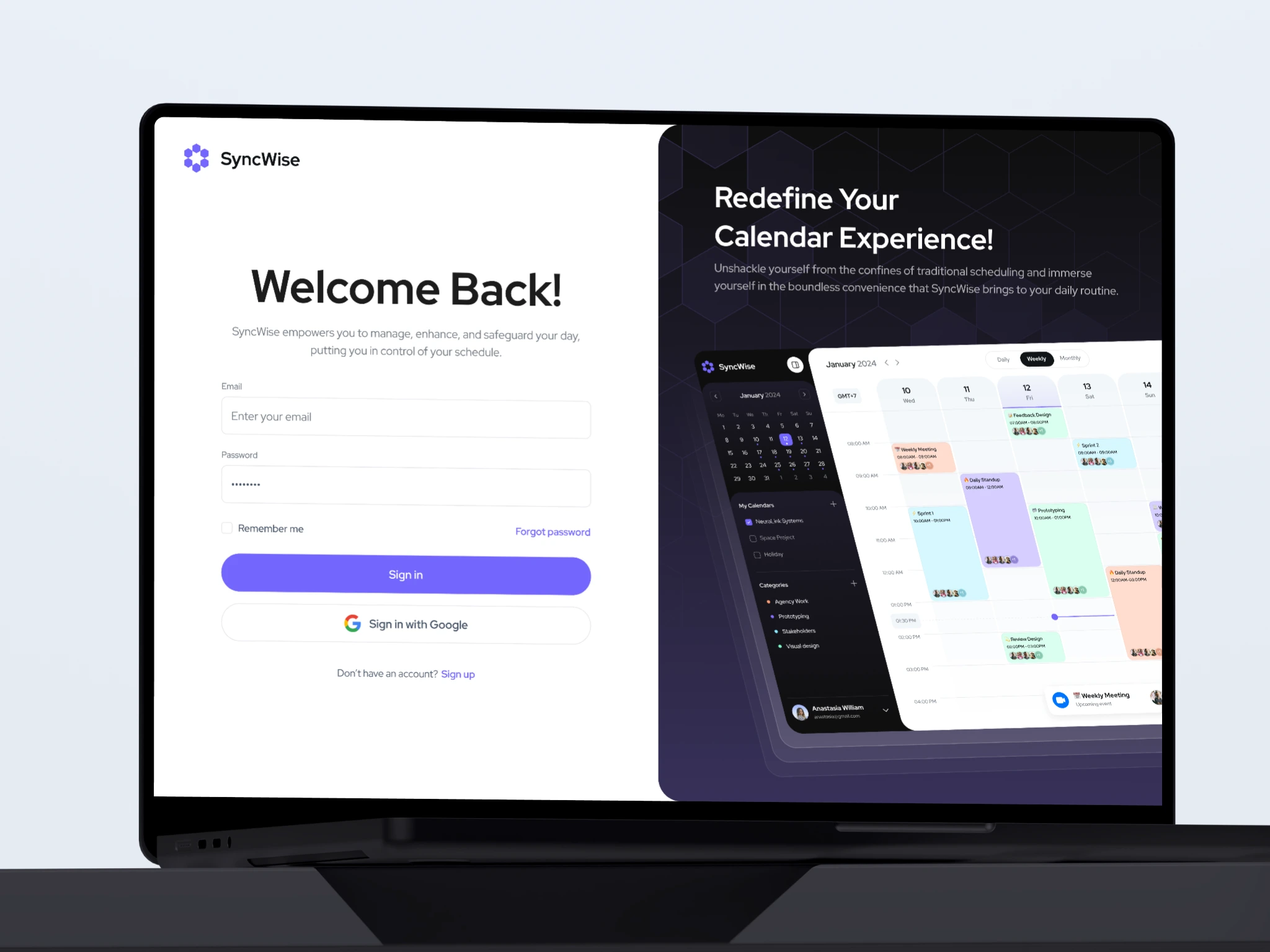
💎 Notifications & Onboarding: I integrated notifications for upcoming events, ensuring users stayed on top of their schedule. The onboarding process was quick and seamless, leveraging third-party providers like Google and Apple to allow users to sync their existing calendars instantly. These thoughtful design choices created a streamlined experience that made calendar management not only efficient but also enjoyable.
Conclusion
The SyncWise project demonstrates my ability to design intuitive and aesthetically pleasing solutions for complex scheduling needs. Through user-centered design, I transformed the way users interact with their calendars, creating a cohesive and powerful tool for time management.

Like this project
Posted Jan 14, 2026
A clean, unified calendar app that merges multiple schedules into one intuitive view – balancing advanced features with a minimal, clutter-free user experience.