User Experience Design for Capstone Simulation Platform

Eugene Adavore

Design Scope
Crafted a seamless user experience to simulate real-world product challenges for participants while enabling self-paced navigation, progress tracking, and actionable feedback.
Participant Experience Flow
From Onboarding to Skill Validation
Capstone participants go through a structured flow that helps them showcase their product thinking in real-time. My design process focused on clarity, intuitiveness, and reducing friction at every step:
Brief Onboarding:
Quick intro screens guide users through what to expect and how to succeed.
Simulation Launchpad:
A clean interface lets users begin the simulation, access available challenges, and resume progress effortlessly.
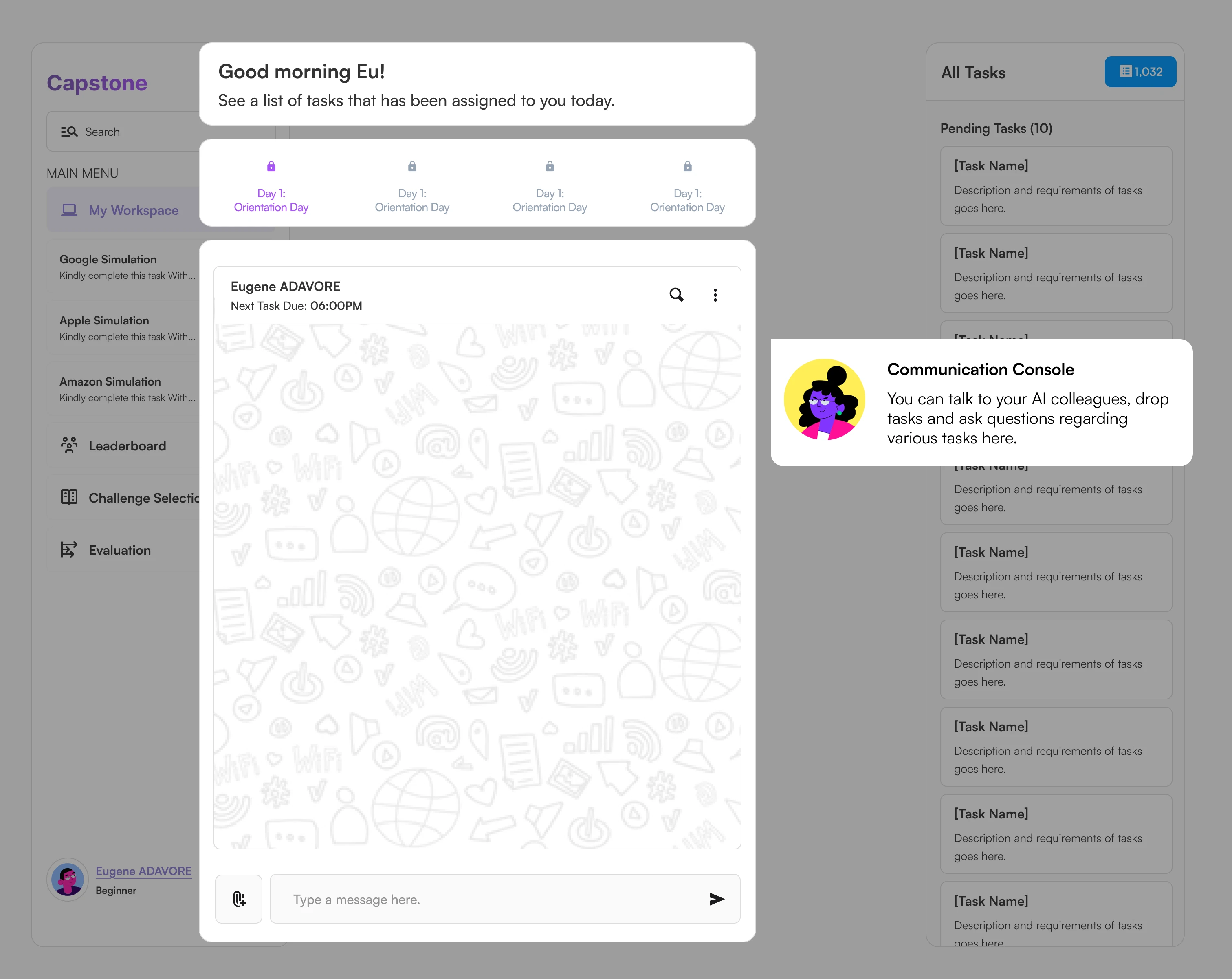
A simulation launchpad to guide users as they are onboarded on the platform.
Interactive Workspaces:
I designed dynamic simulation environments where participants analyze data, define product goals, make trade-offs, and submit deliverables Eg file uploads, text inputs, decision trees, etc.
Real-Time Feedback & Tracking:
Progress is auto-saved. A sidebar tracker gives visibility into what’s completed vs. pending.
Result Dashboard:
Upon completion, participants receive visualized scores, benchmark comparisons, and personalized feedback.
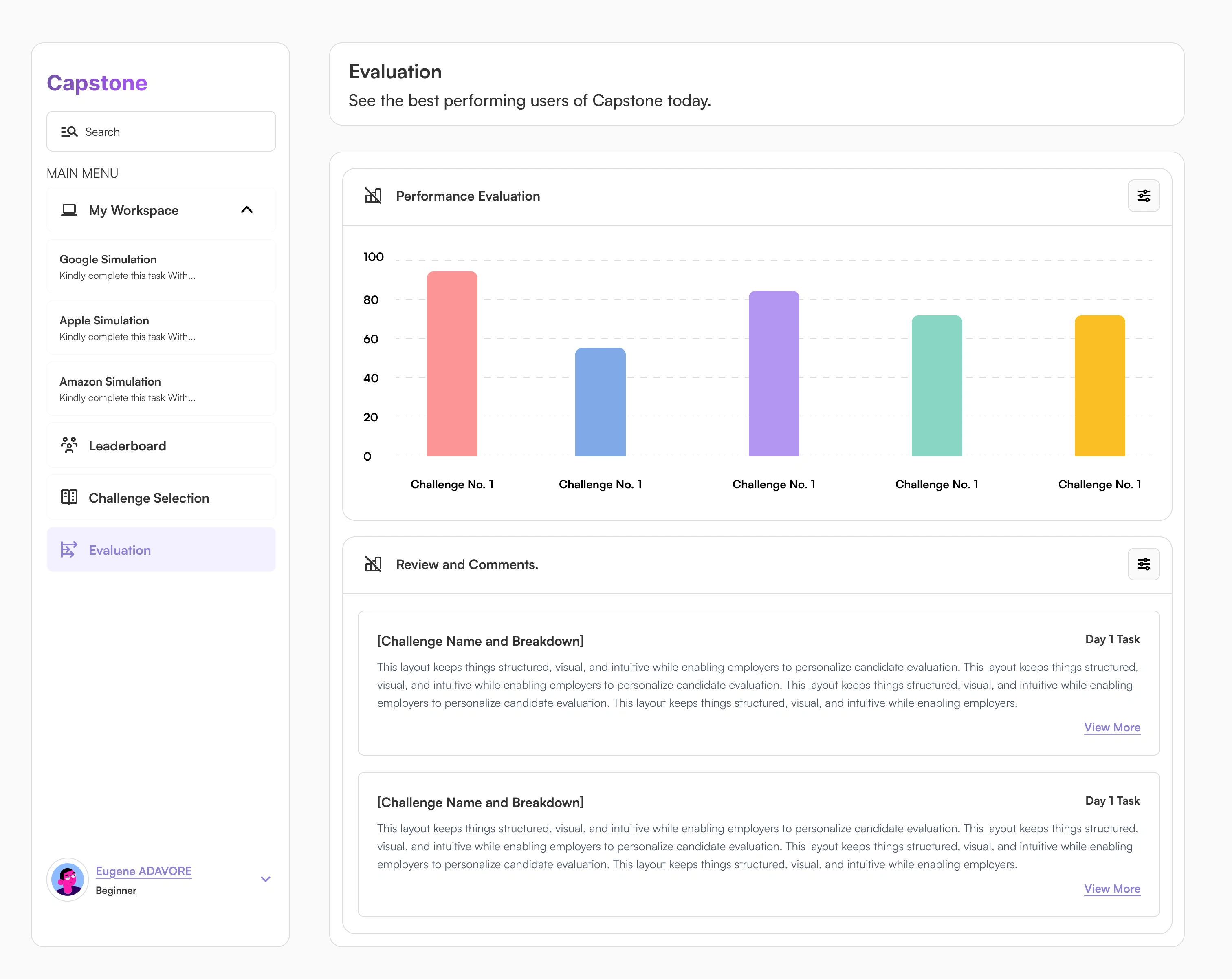
Evaluation dashboard for participants.
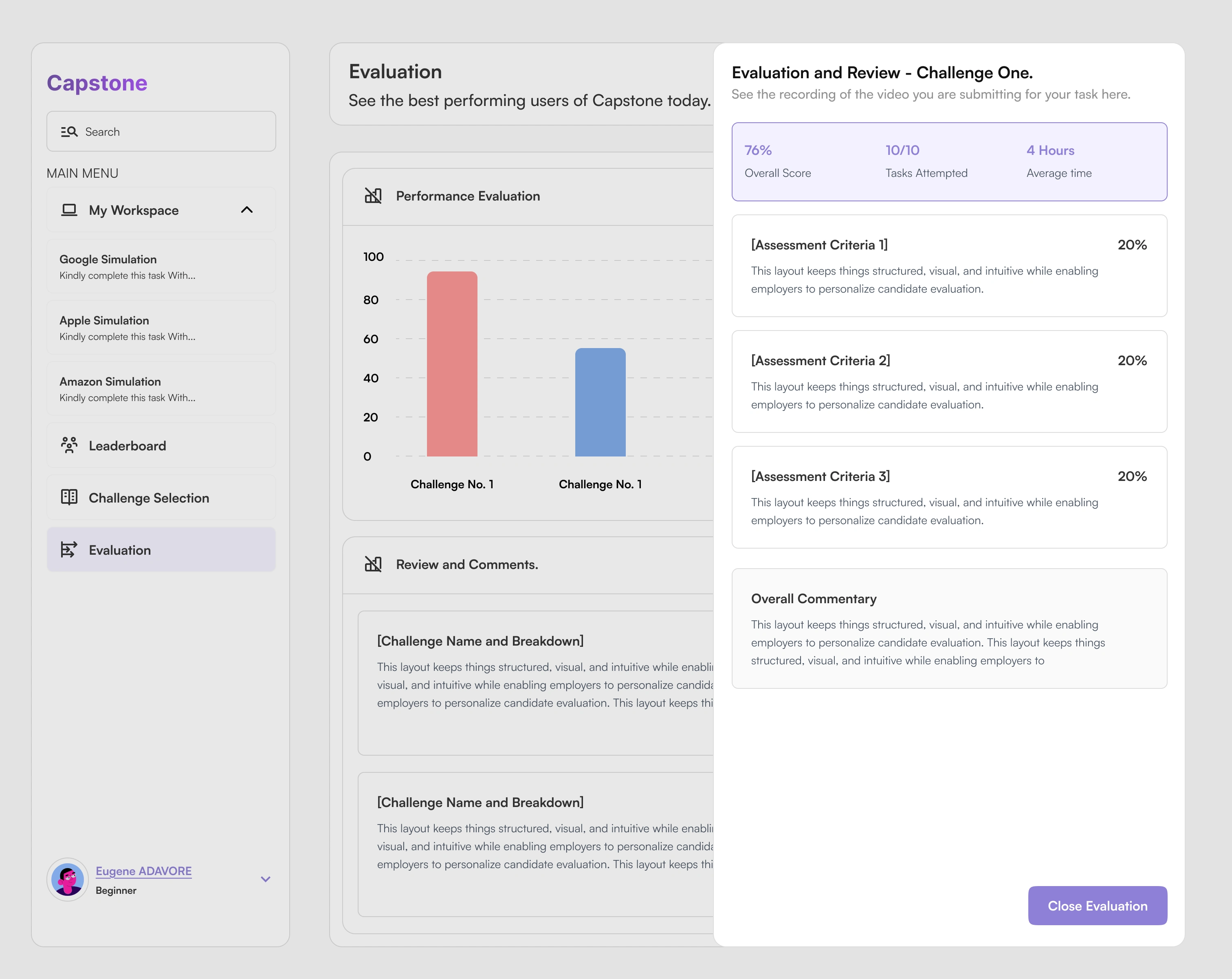
A more detailed breakdown of participants evaluations, scores and overall commentary.
Real-Time Leaderboard: Fueling Healthy Competition
The Capstone Leaderboard is a key gamification element that drives engagement and keeps participants motivated throughout the simulation experience.
Why it matters:
We wanted to recognize top performers while giving every participant a sense of where they stand without overwhelming or discouraging them. This is a tiny bit of gamification that will be built into the system as it is used more and more.
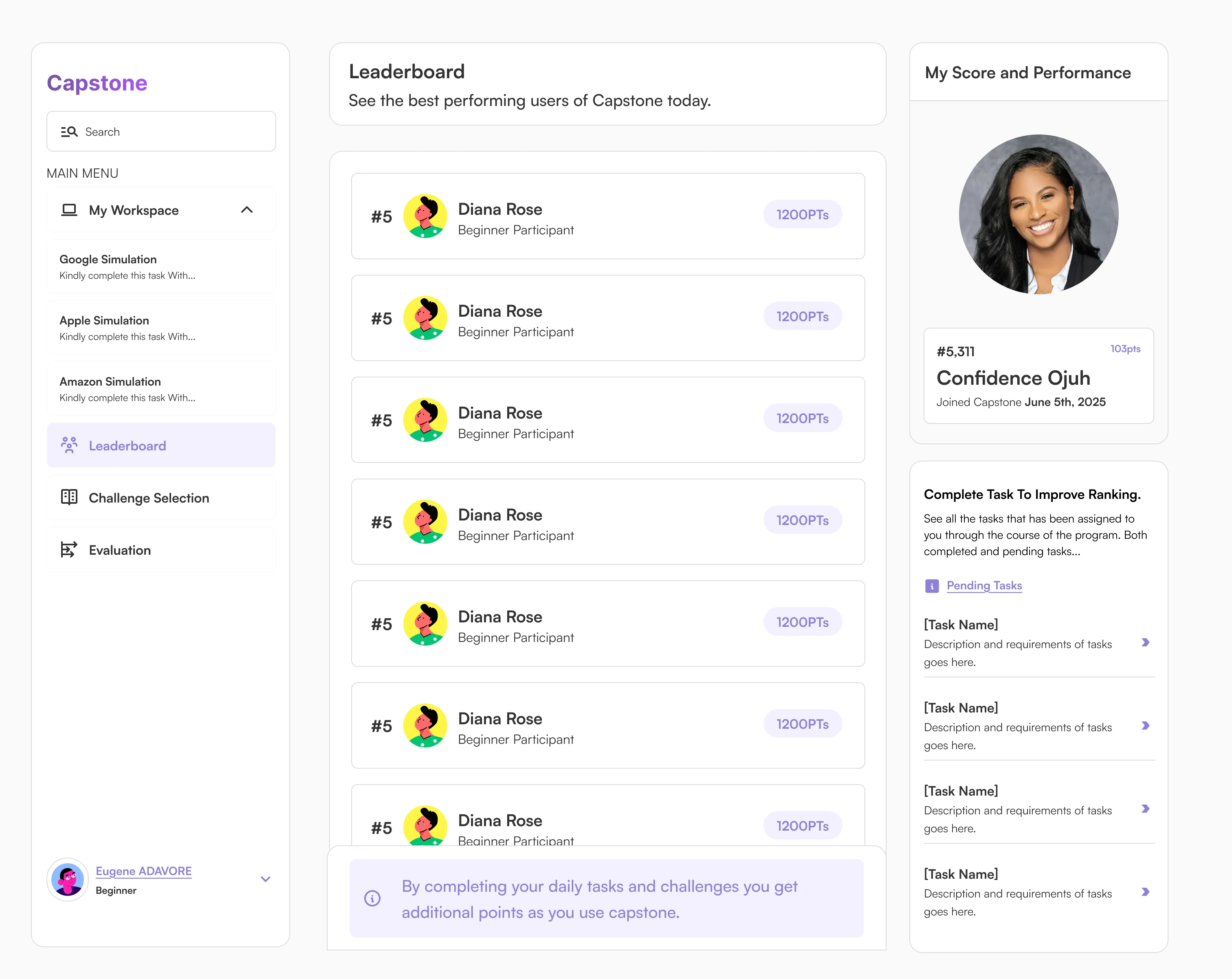
Screenshot of leaderboard part of the system.
What Admins Can Do
Create and Launch Simulations
Admins can spin up new simulations in minutes setting the title, description, tasks, timeline, and scoring rubric. The design simplifies complex configurations through clear form layouts and tooltips.
Track Participant Progress
The dashboard offers a cohort view where admins can monitor who has started, who’s in progress, and who has submitted. Visual indicators make it easy to identify drop-offs or bottlenecks.
Score and Give Feedback
Admins and evaluators can view each participant’s submissions, assign scores based on custom rubrics, and provide granular feedback.
Analytics & Insights
A dedicated analytics tab shows completion rates, average scores, simulation difficulty ratings, and more. This helps admins iterate and improve future simulations.
Basic flow of the admin end of the system.
Like this project
Posted Jul 4, 2025
Designed a user-friendly simulation platform for skill validation.
Likes
1
Views
10
Timeline
Mar 4, 2025 - Jul 2, 2025