RouteMe.ai Recording Tool — Guided Route Capture Experience

Bobby Papson

RouteMe.AI — RECORDING TOOL
Overview
The Recording Tool is the backbone of RouteMe.ai’s navigation system—used by airport staff to record accurate walking routes so the AI can generate real-time, step-by-step guidance for travelers.
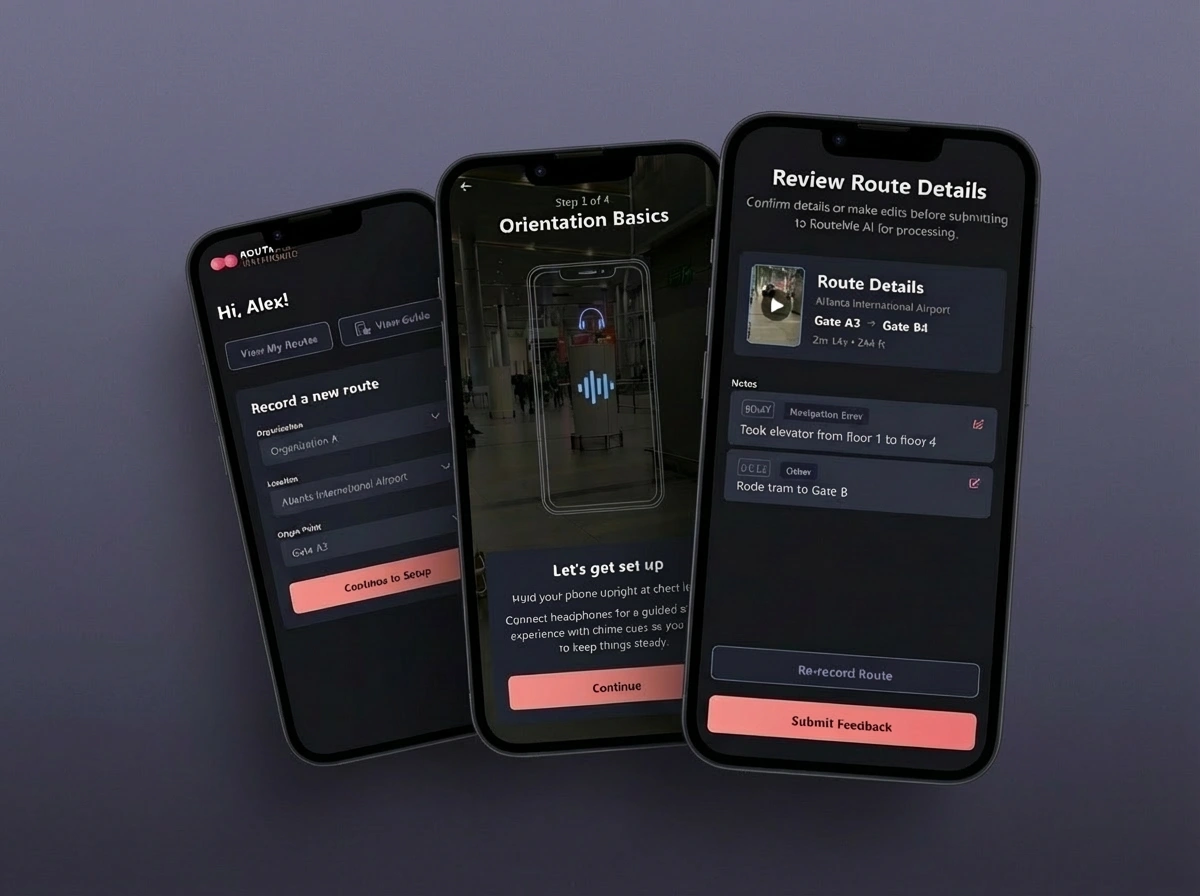
I redesigned the entire recording experience to make it clearer, more reliable, and more supportive during high-movement tasks. The new workflow helps staff capture precise routes, annotate obstacles, review footage, and submit clean data into RouteMe’s system.
The Challenge
Recording accurate indoor routes is not easy. Staff must walk through terminals while holding the device steady, capturing the surroundings, flagging issues, and staying on course.
The original experience struggled with:
unclear instructions before recording began
no feedback for whether the camera was positioned correctly
inconsistent indicators during recording
difficult review screens with low information clarity
no smooth flow between “record,” “review,” and “submit”
The tool needed to become a guided assistant, not just a capture button.
My Approach
I improved the recording workflow by focusing on three pillars:
1. Clear Setup & Guidance
Before recording starts, the app now guides the user through:
choosing the right location and route type
camera positioning (“hold upright,” “center your path,” etc.)
stability and lighting cues
what to expect during the walk
This reduces anxiety and increases accuracy right from the start.
2. Recording Interface with Strong Visual Anchors
During recording, I redesigned the UI to support:
a stabilized framing guide
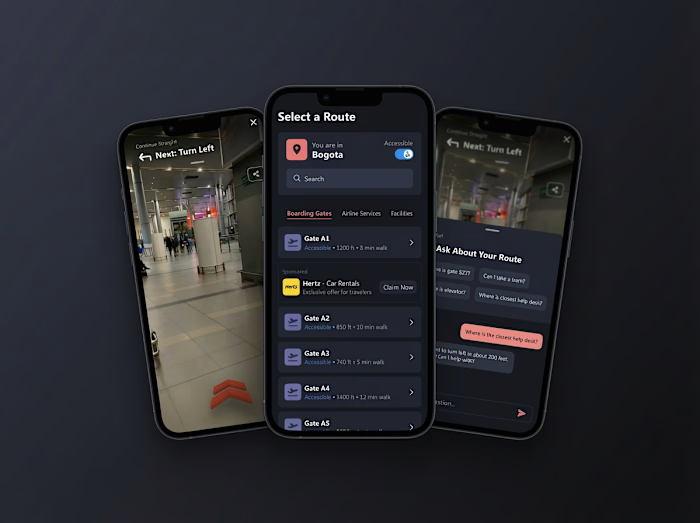
clean AR overlays for orientation
lightweight status badges (“Recording…”, “Tracking Path…”)
accessible controls with minimal screen obstruction
a safe “stop recording” zone to prevent accidental taps
The interface becomes a calm, unobtrusive companion while users move quickly through real airport environments.
3. Route Review, Annotation & Submission
After recording, the user enters a polished review flow:
scrollable captured video preview
timestamped route notes
editable flags for obstacles or misalignments
a clear summary of distance, duration, and tracking accuracy
intuitive “Re-record” vs. “Submit Route” actions
The design goal was trust and clarity—giving staff confidence that their submission is clean and ready for AI processing.
Visual System
To unify the Recording Tool with the Wayfinding experience, I built:
a dark visual theme optimized for busy, high-contrast environments
a warm accent palette for actionable items
consistent card, button, and overlay components
clear on-screen hierarchy for actions vs. guidance
scalable components for future recording modes
This forms a cohesive mobile design system across the entire RouteMe platform.
Impact
The redesign dramatically improved:
recording accuracy, due to clearer setup instructions
user confidence, thanks to stabilized visual indicators
submission quality, with structured review + annotation
workflow speed, reducing cognitive effort during movement
data integrity, strengthening the inputs RouteMe’s AI depends on
The Recording Tool now feels like a guided, professional workflow—supporting reliable data collection for a complex indoor navigation system.
Closing
The new Recording Tool elevates RouteMe.ai’s internal operations, enabling staff to create high-quality routes that power an accessible, AI-driven wayfinding experience for millions of travelers.
Like this project
Posted Dec 11, 2025
Redesigned RouteMe.ai’s mobile recording tool with clearer guidance, stabilized capture, and a structured review flow to improve route accuracy.