4 | Test

Paige Mariucci



INTRODUCTION
PRODUCT | A responsive web app which allows users to search, save, message, and book planners for their events.
PROJECT ROLE | My role was to develop the product design including preliminary research, problem definition, prototype development, usability testing, & refinement of the visual design.
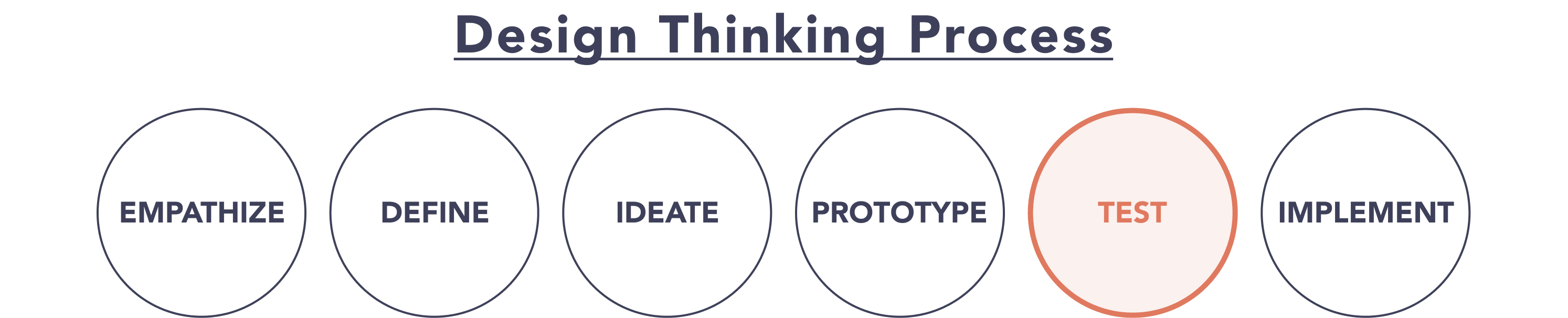
CASE STUDY | The below case study is focused on the process I used to test the product with users via usability & preference tests and how I synthesized the findings using an affinity map & rainbow spreadsheet to prepare a test report.
Case Study Contents:
4.1 / 📄 Test Plan & Script
4.2 / 💭 Affinity Map
4.3 / 🌈 Rainbow Spreadsheet
4.4 / 🤨 Test Report & Recommendations
4.5 / ⚖️ Preference Tests
4.6 / 👍 Learnings
4.1 / 📄 Test Plan & Script
In preparation for the usability tests I created a test plan & script. This document contained information such as test goals, features/tasks to be performed, methodology, participants, and metrics for evaluation.
BACKGROUND:
THE VISION APP PROBLEM STATEMENT | Individuals tasked with organizing events need a way to find & hire planners to help them execute their events because planning is time-consuming and often requires specific skills and connections.
GOALS:
Evaluate if the core features of The Vision app are usable and intuitive by observing participants to measure their satisfaction or frustration when executing basic tasks.
OBJECTIVES:
FEATURES TO TEST | Sign-Up & Log-In, Search Event Planners, Save Event Planner, Message Event Planner, Book Event Planner, & Log-Out
METHODOLOGY:
Moderated in-person & remote usability tests. Participants to execute a series of tasks on personal device using the prototype. Tasks will be followed-up with questions based on facilitator's observations to gain qualitative insight about their experience.
PARTICIPANTS:
The study will test six participants.
TARGET AUDIENCE | Individuals familiar with using mobile devices to find professionals and have experience planning events or working with event planners on a range of functions (i.e. personal, professional, non-profit).
METRICS:
RATING SYSTEM | Errors will be measured using the Jakob Nielsen’s Scale.
TASKS:
SEARCH / SHARE | Find an event planner and send them to a friend.
MESSAGE | Ask an event planner if they have experience at your venue.
BOOK | Request a proposal from an event planner & book them for your event.
4.2 / 💭 Affinity Map
After completing the usability tests I had a substantial amount of data to analyze particularly as a majority of the participants opted to provided additional feedback after each task.
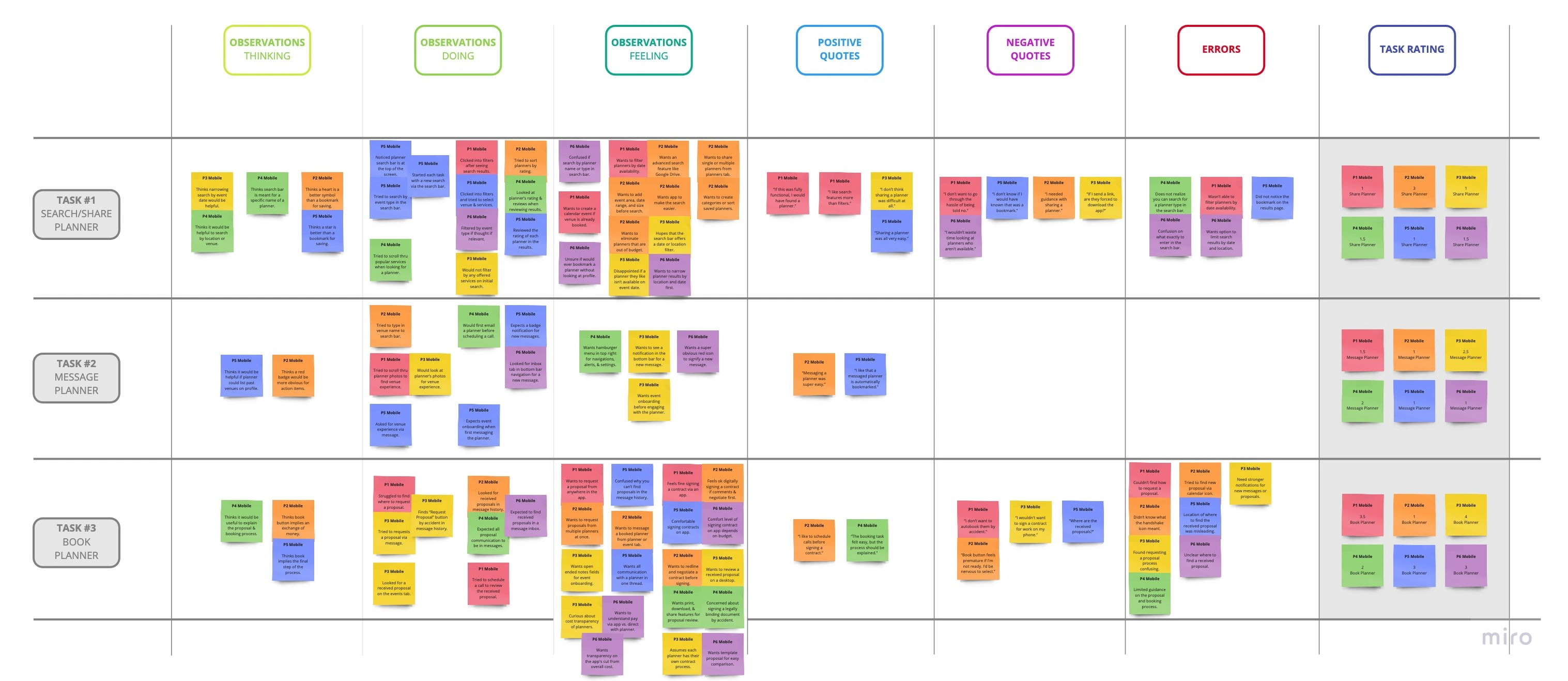
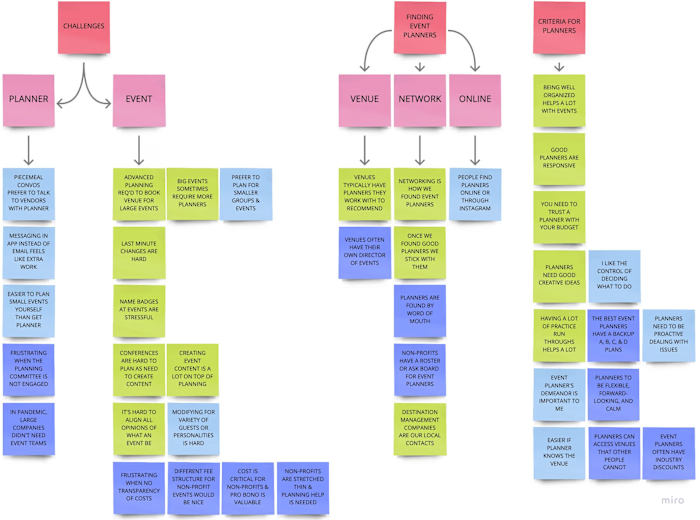
Overall Affinity Map
The first tool I employed to identify themes and connections in the information was an affinity mapping exercise in which I sorted the insight I gathered for specific tasks into the following categories: observations, positives quotes, negative quotes, errors, & rating.
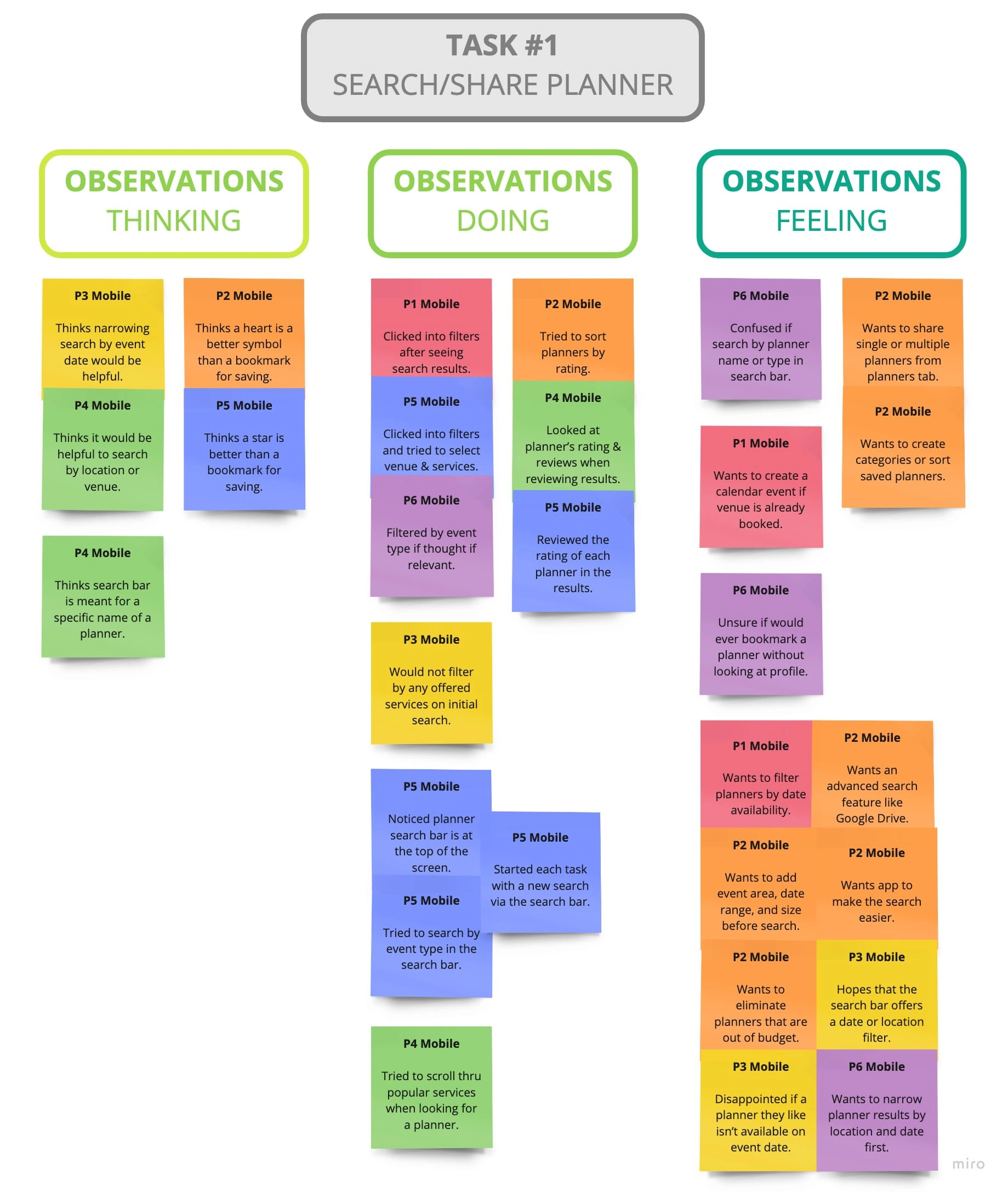
Observations for Search/Share Planner Task
4.3 / 🌈 Rainbow Spreadsheet
While it was beneficial to recognize similarities and categorize themes in my usability test data by affinity mapping, I next applied structure and meaning to the insight by creating a rainbow spreadsheet.
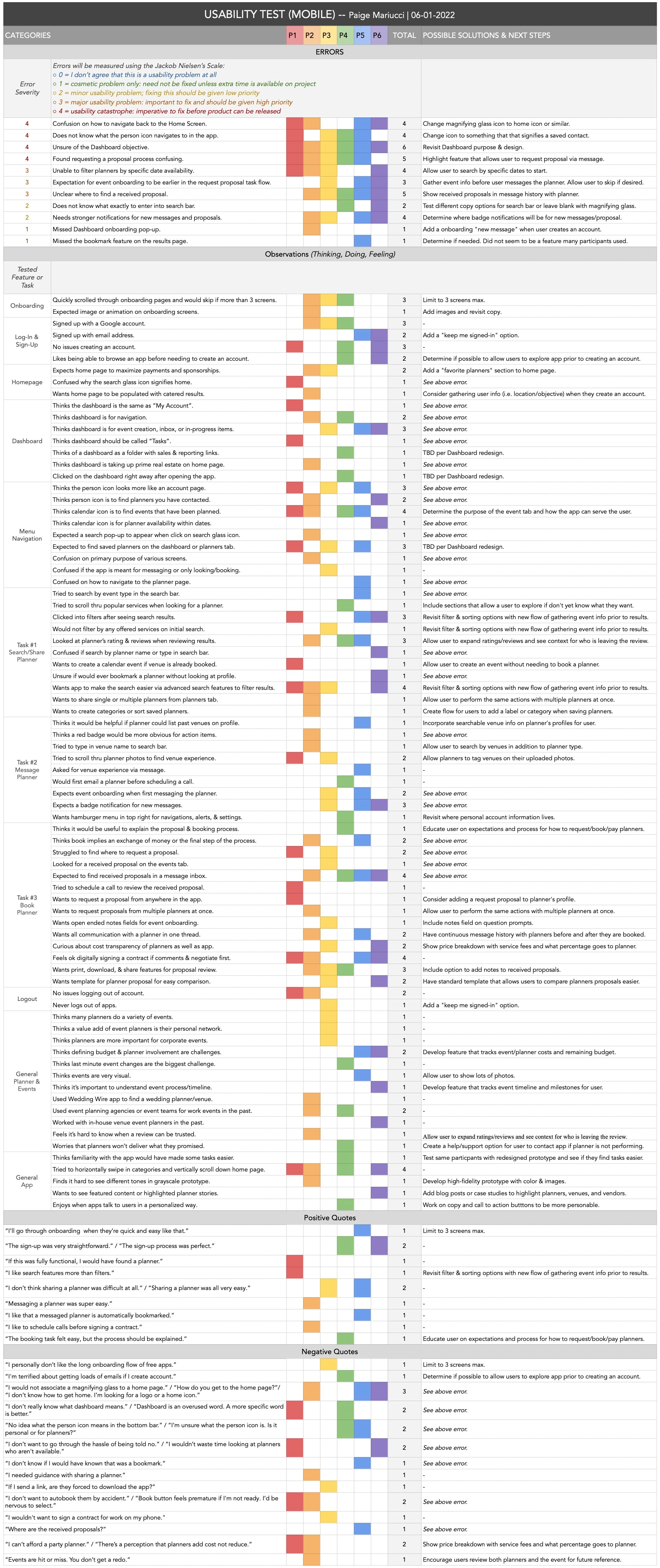
Overall Rainbow Spreadsheet
This allowed me to not only prioritize a list of errors that could be addressed but also start brainstorming possible solutions & next steps.
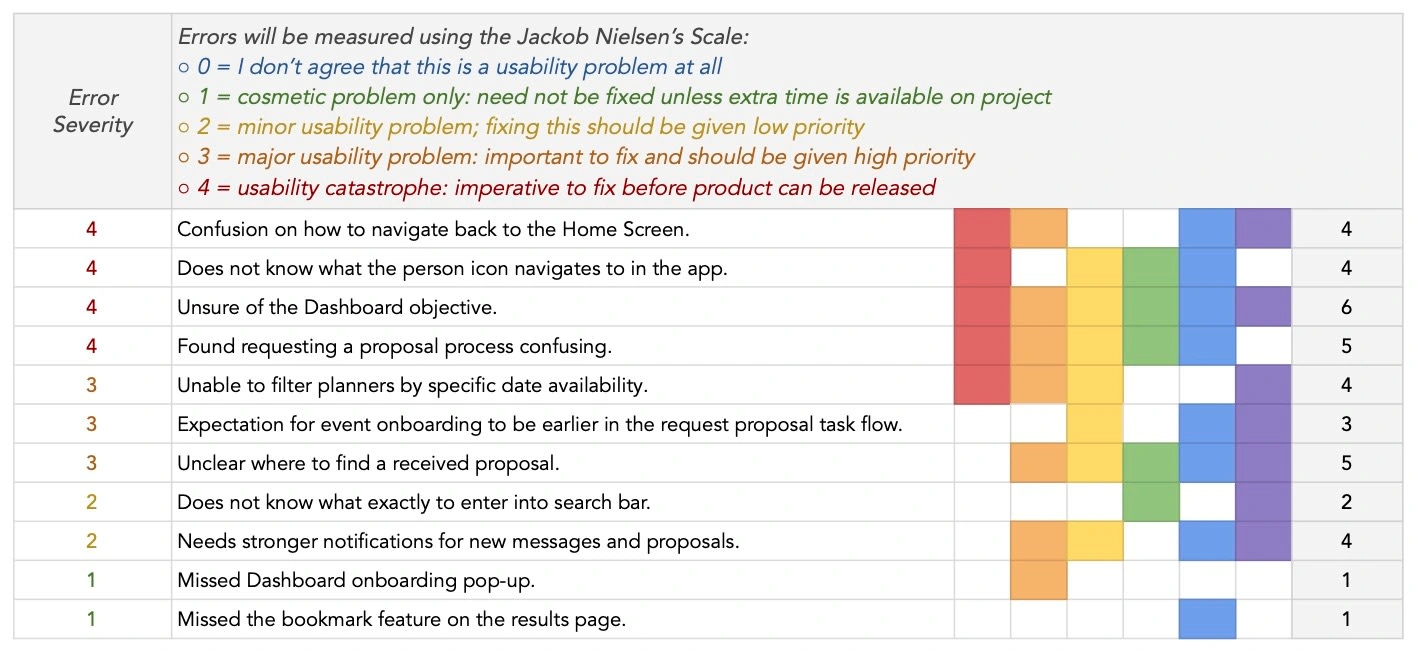
Enlarged Screenshot of Rainbow Spreadsheet Errors
4.4 / 🤨 Test Report & Recommendations
To communicate my findings from the usability tests I prepared a test report listing discovered errors with proposed changes.
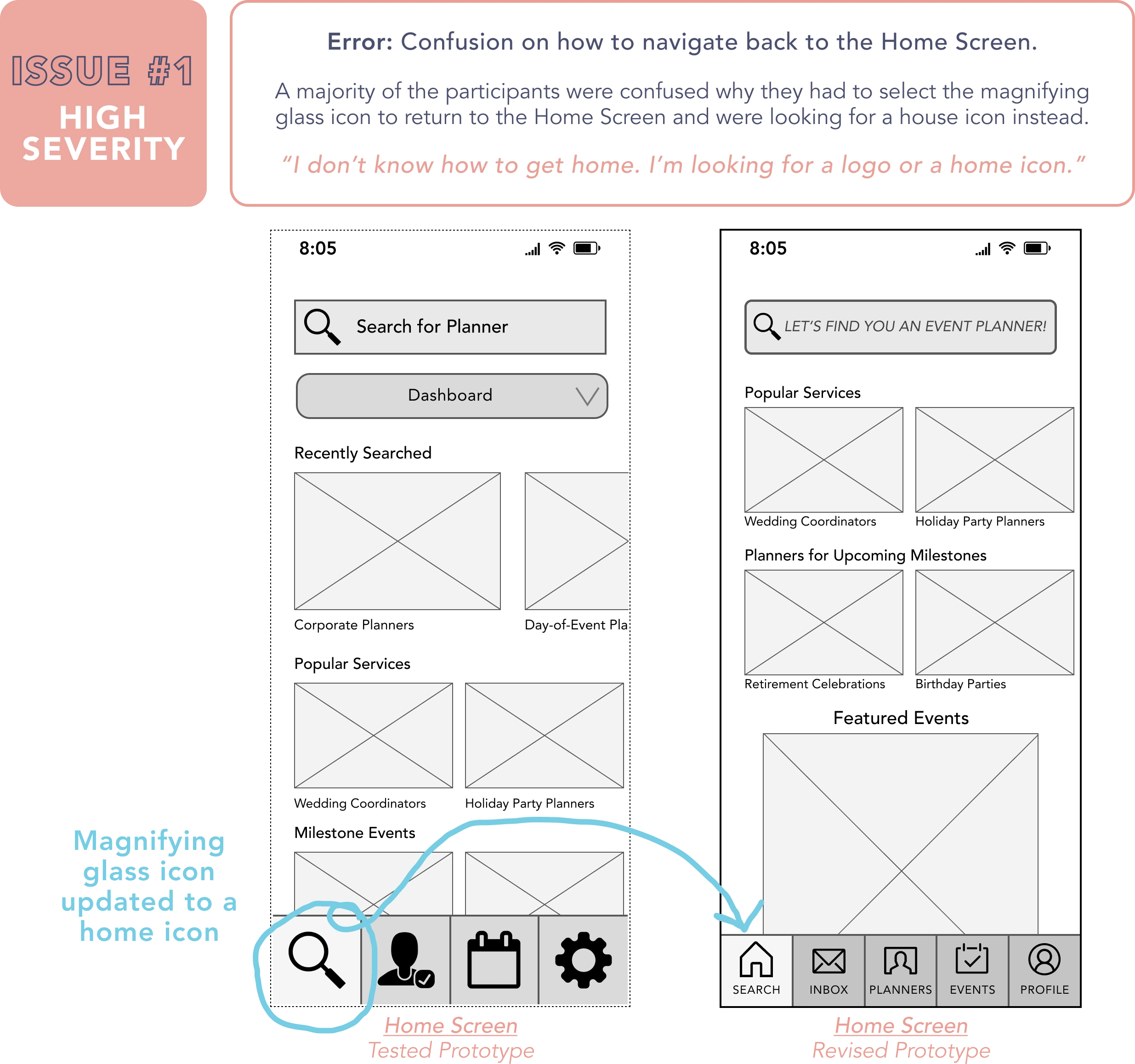
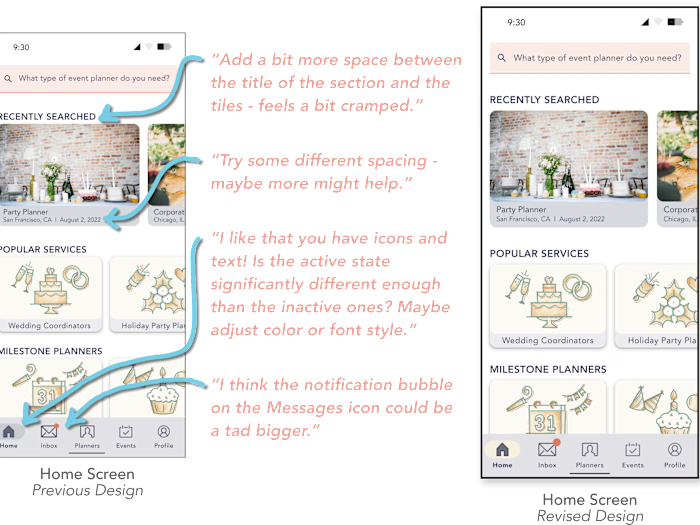
See below for additional revisions that were made to the Home Screen per the Usability Tests.
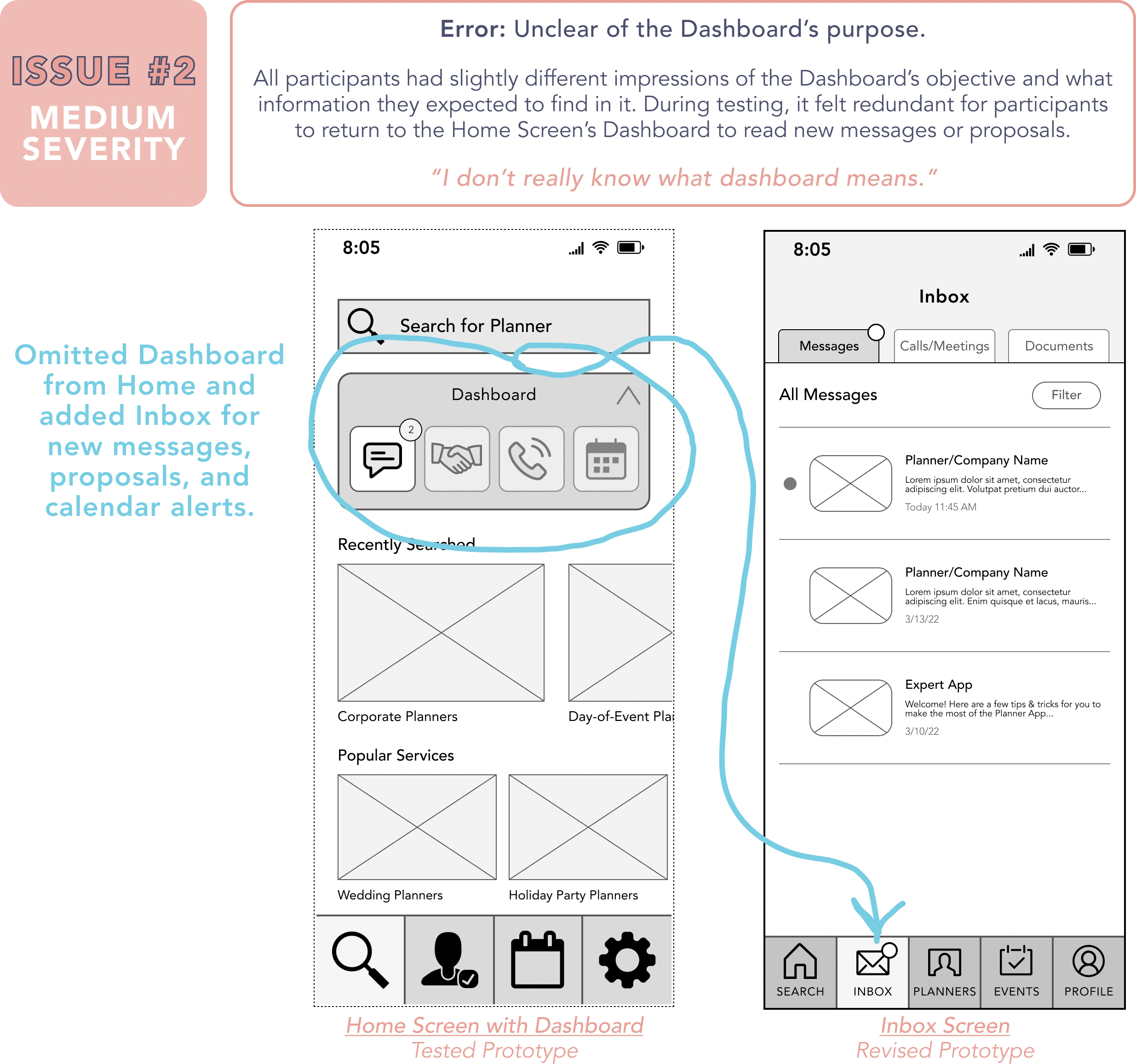
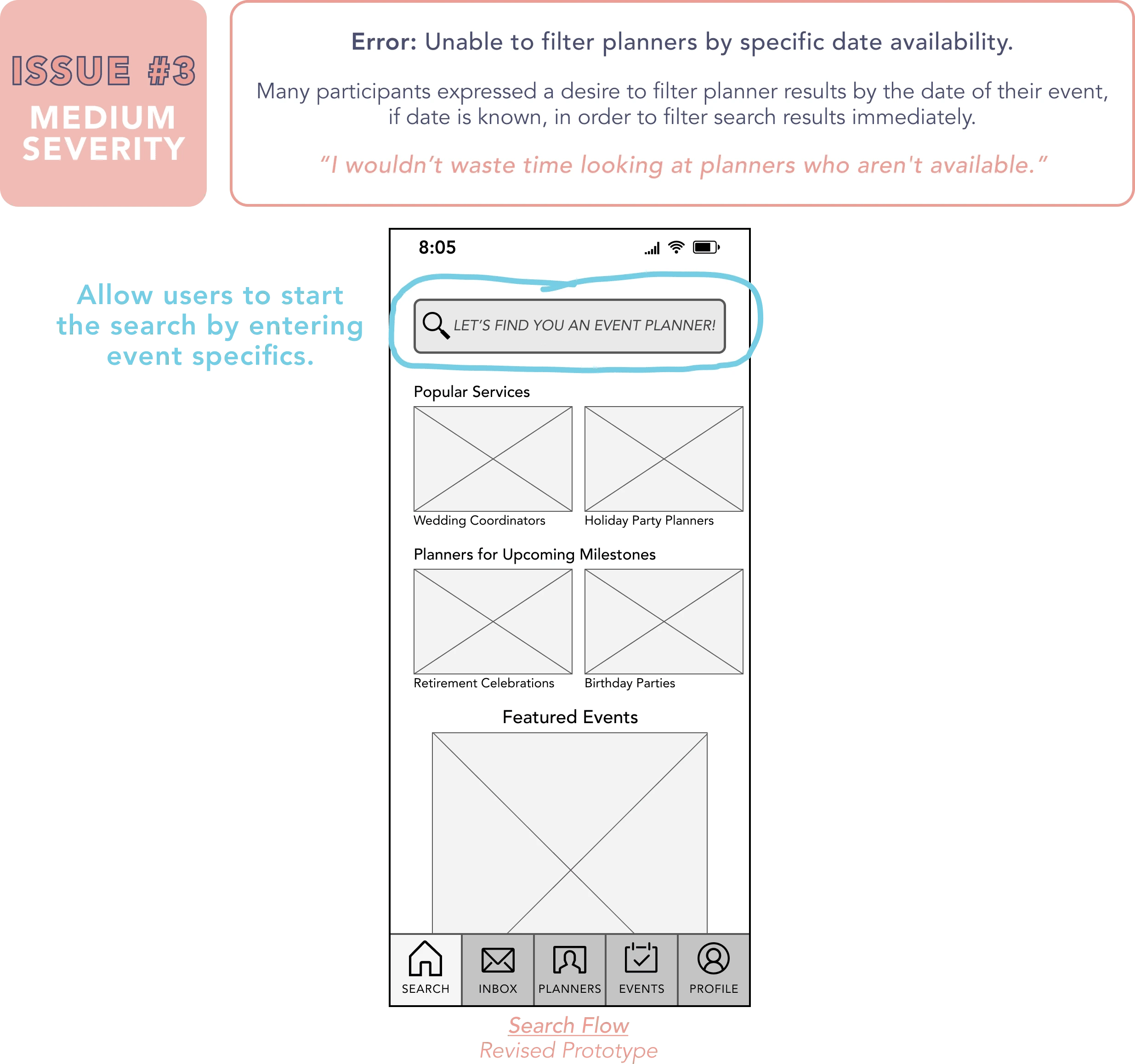
See below for example of revised search flow per the Usability Tests.
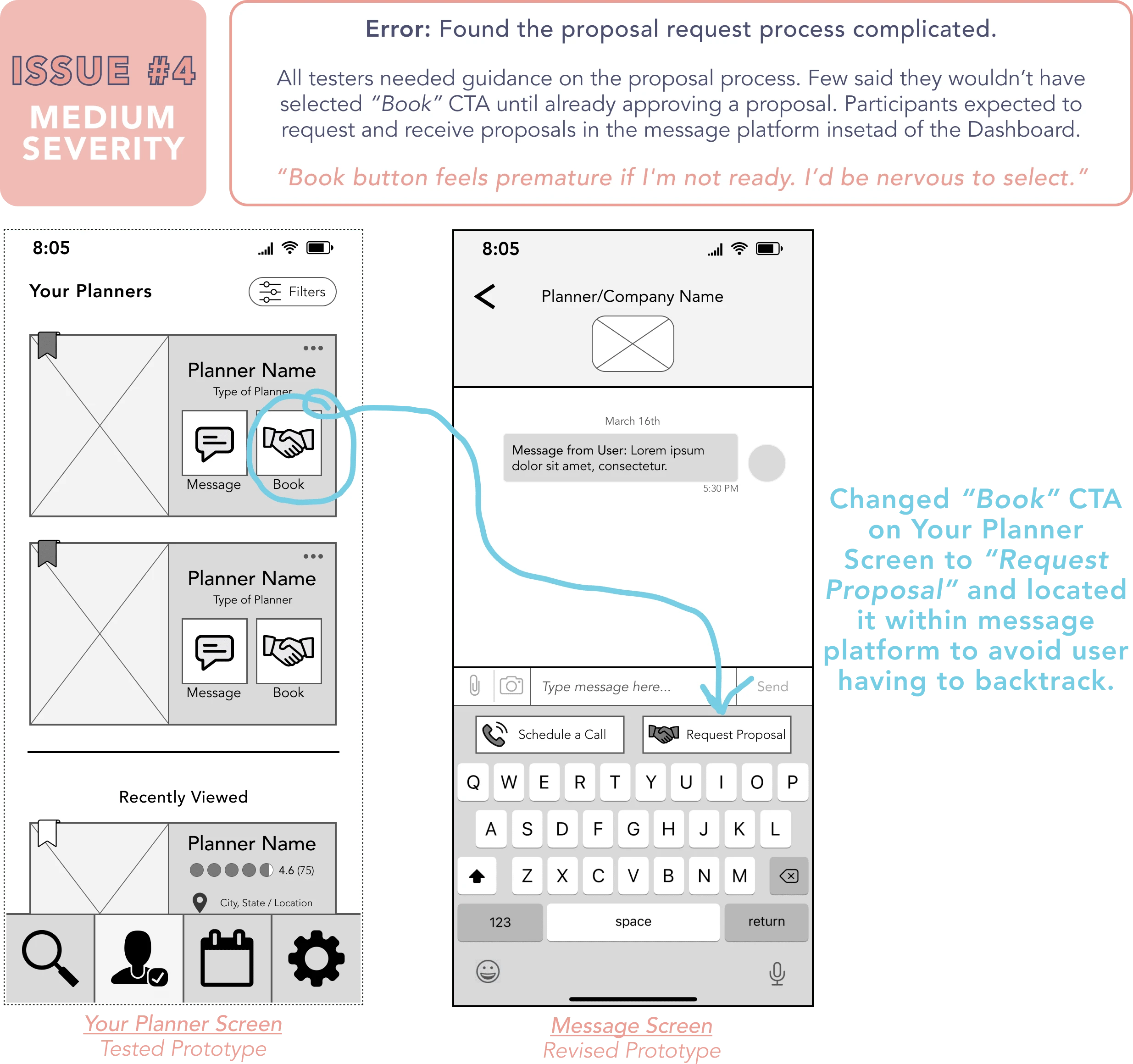
See below for example of revised proposal request flow per the Usability Tests.
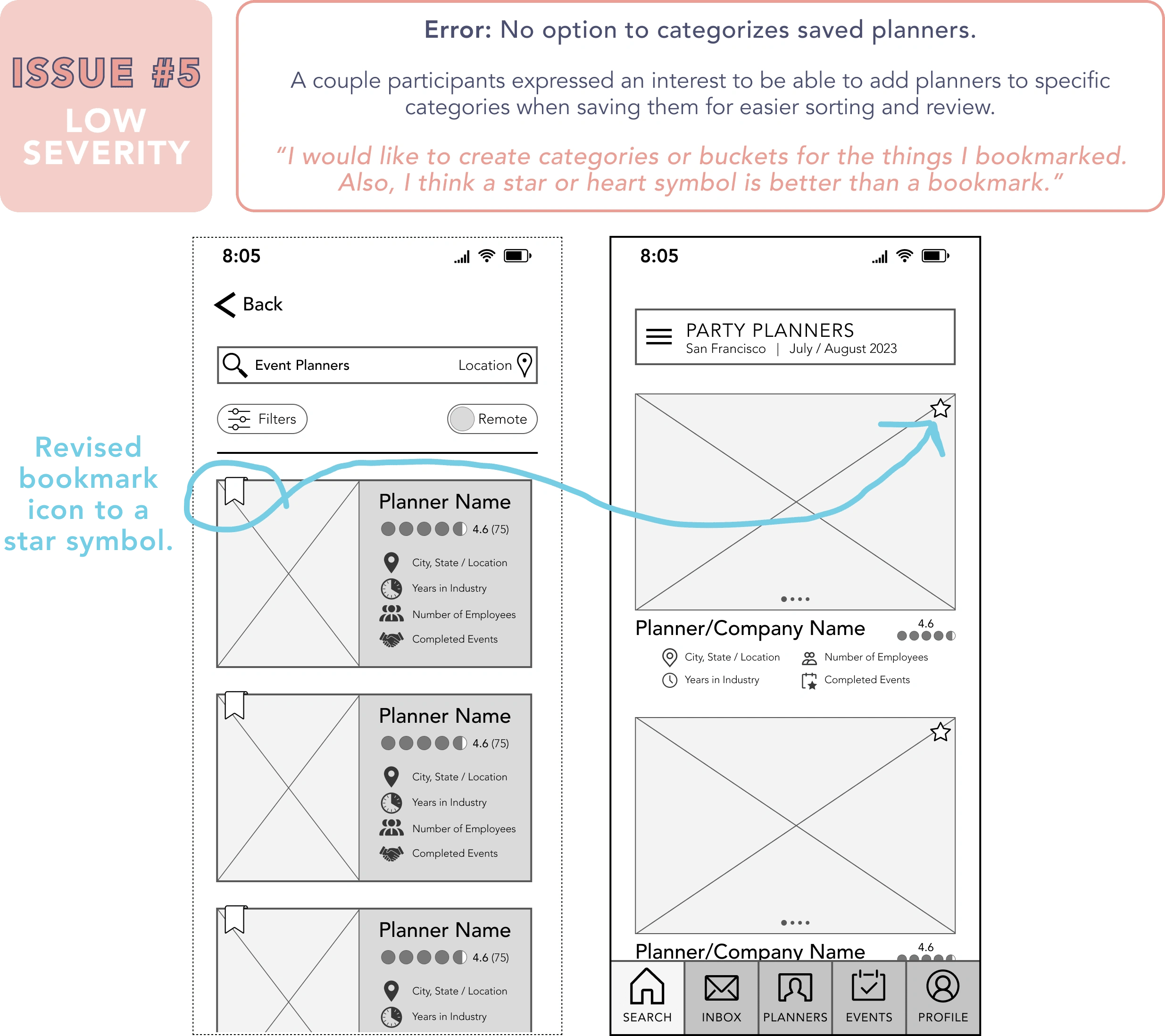
See below for example of revised saving planner flow per the Usability Tests.
4.5 / ⚖️ Preference Tests
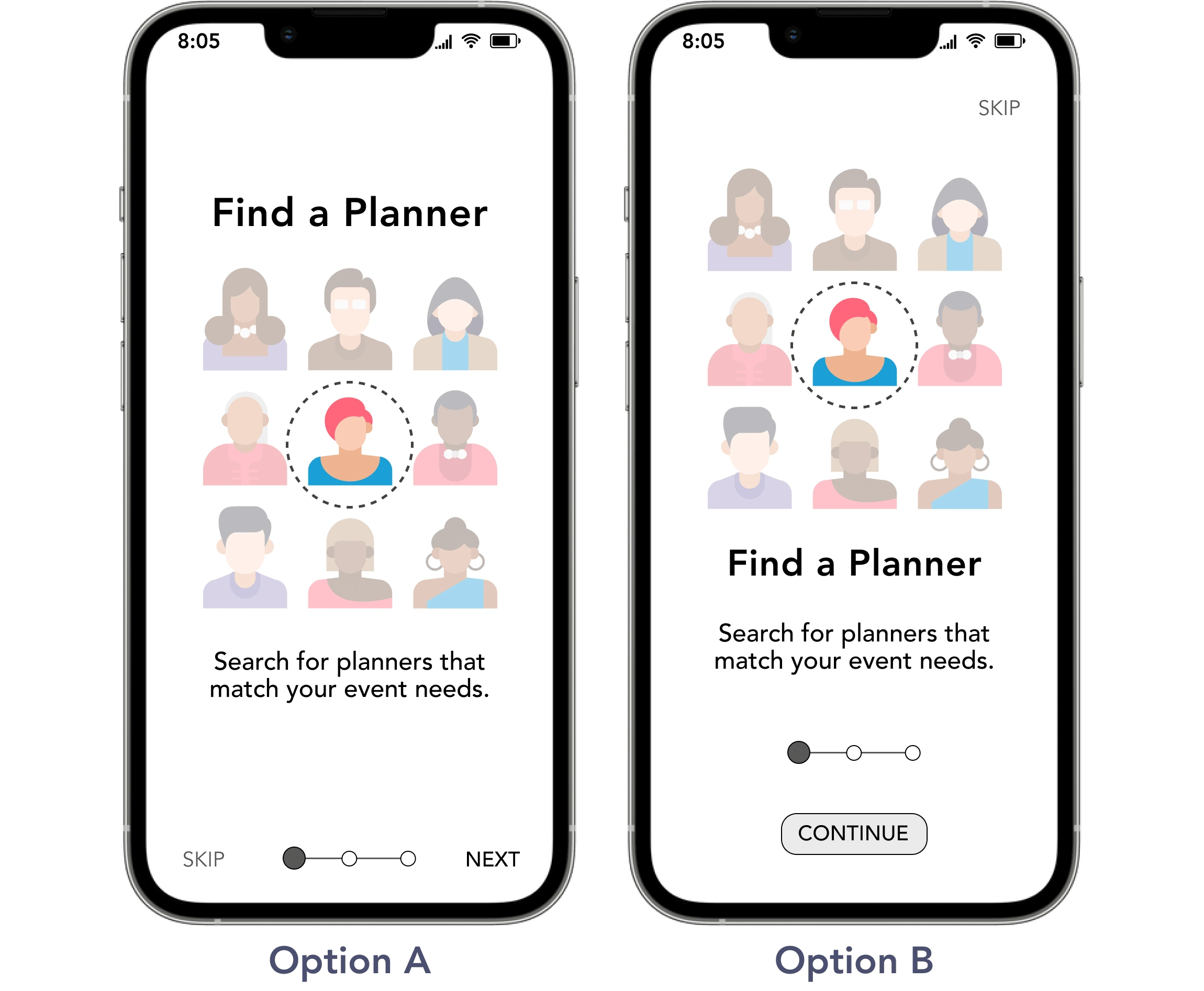
In addition to the usability tests, I also conducted a few preference tests to gather insight from users on the introductory splash, onboarding, and sign-up/log-in screens of The Vision App. The tests were administered and feedback collected via Usability Hub.
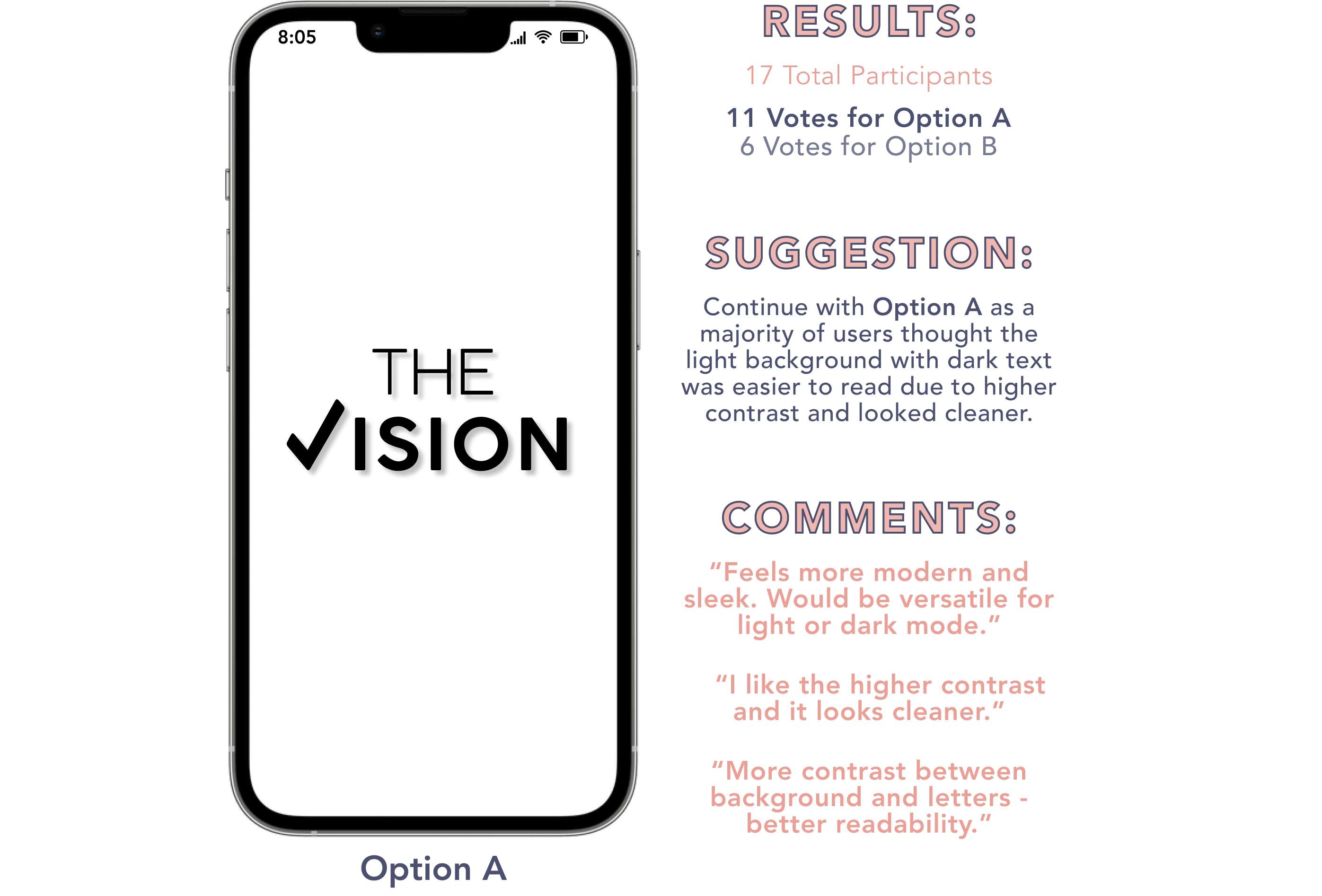
TEST #1: Splash Screen
Option A: Light background color with darker colored text
Option B: Dark background color with lighter colored text
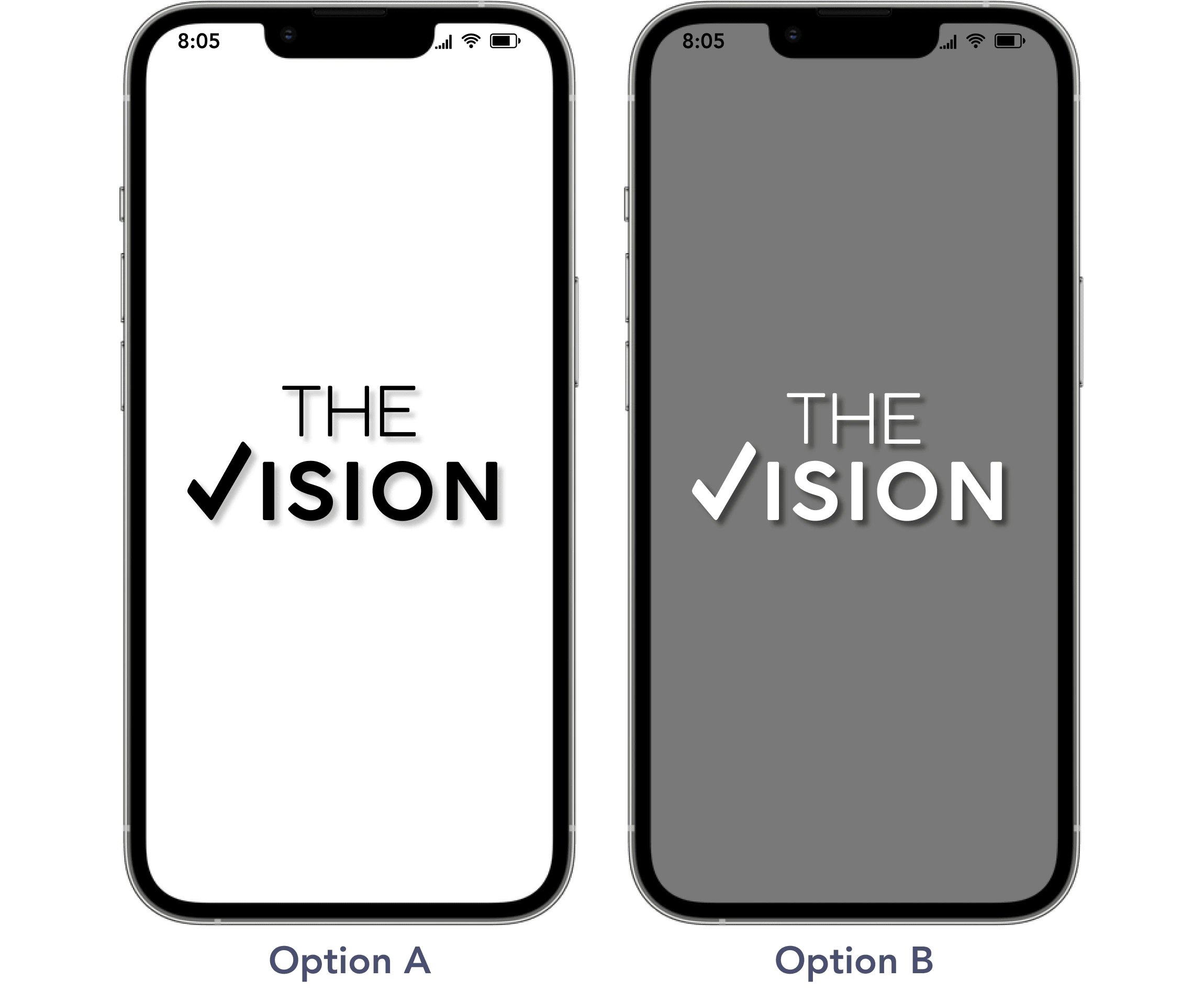
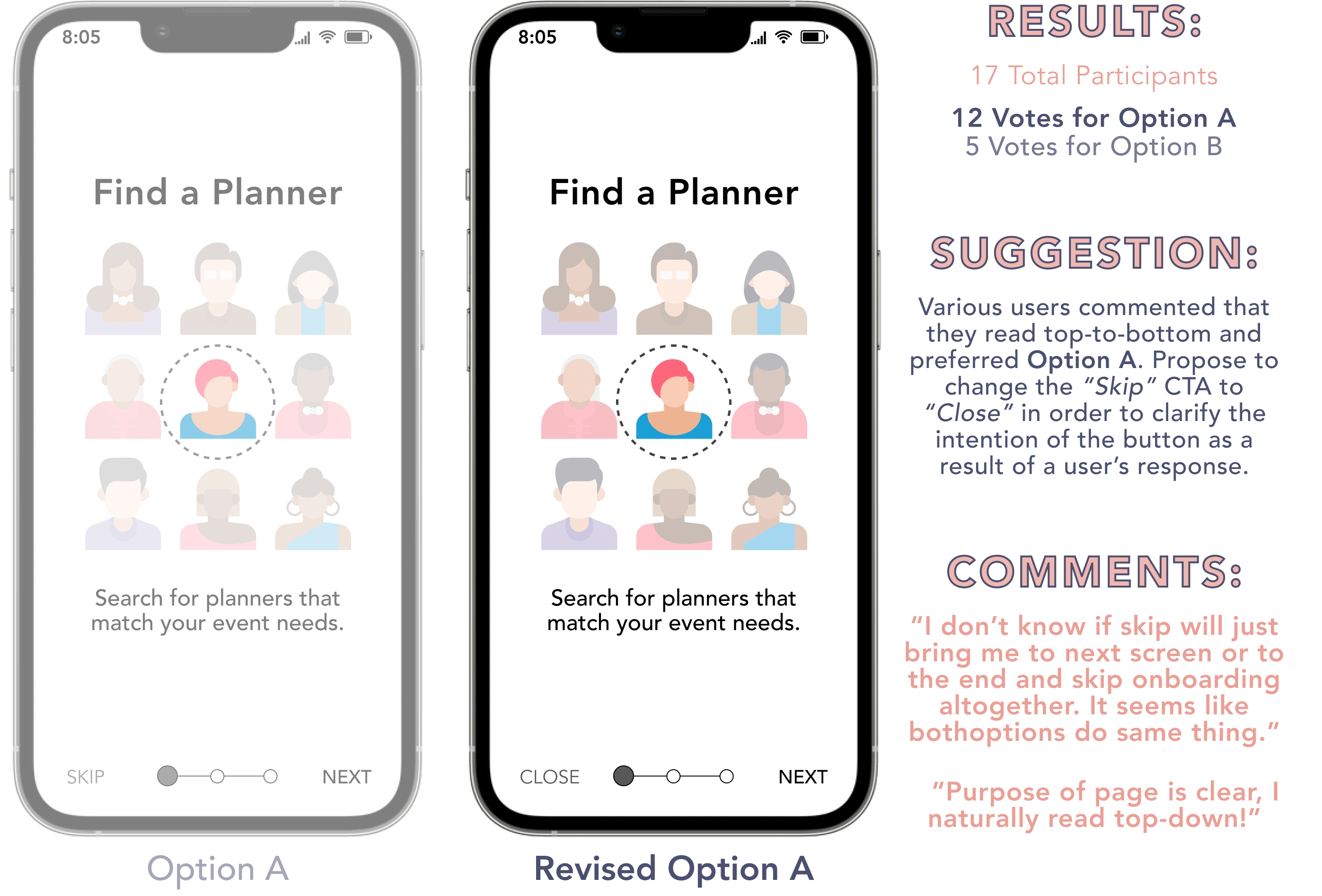
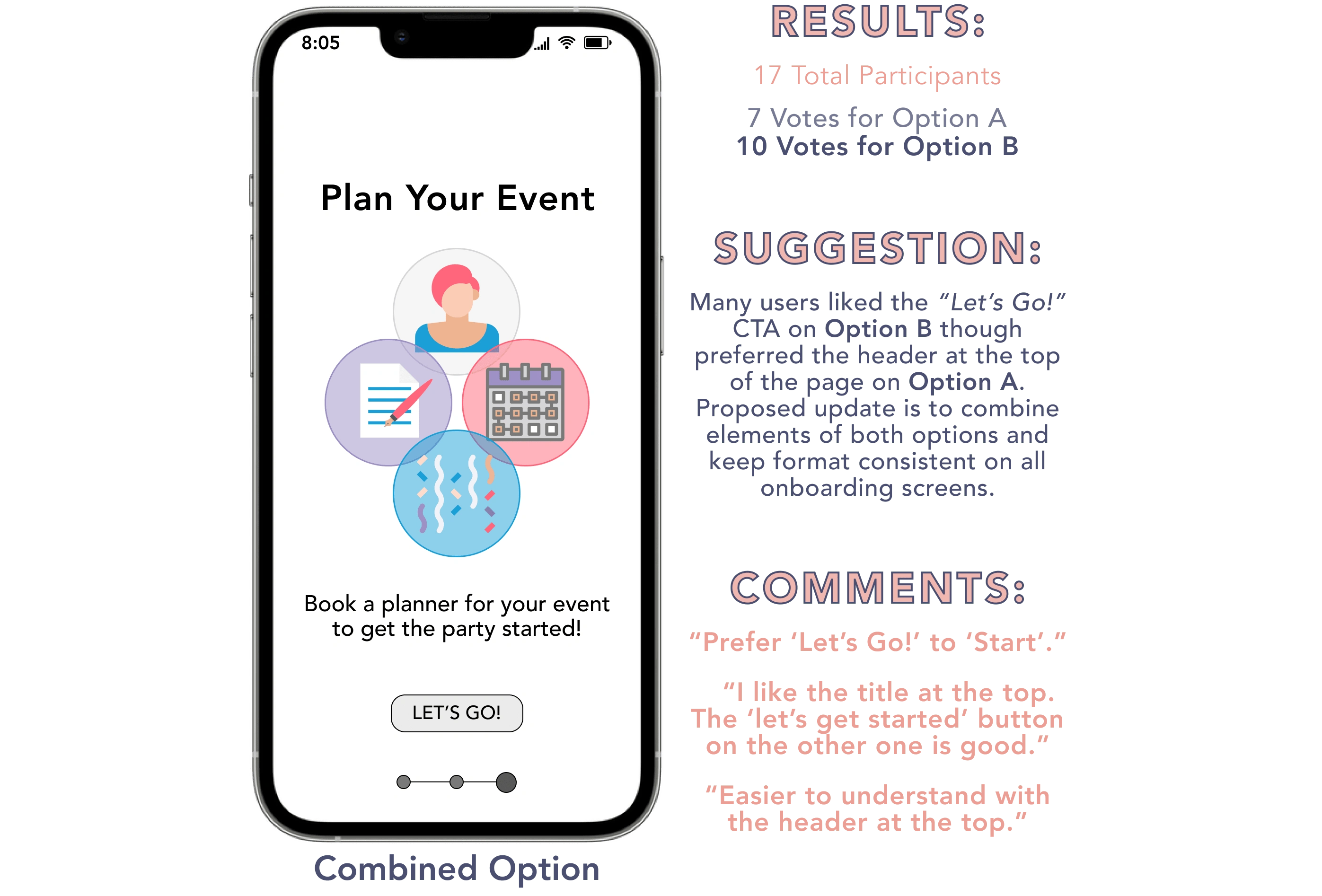
TEST #2: Onboarding Screen 1
Test Elements: Call-to-Action wording/button locations & image/text formatting.
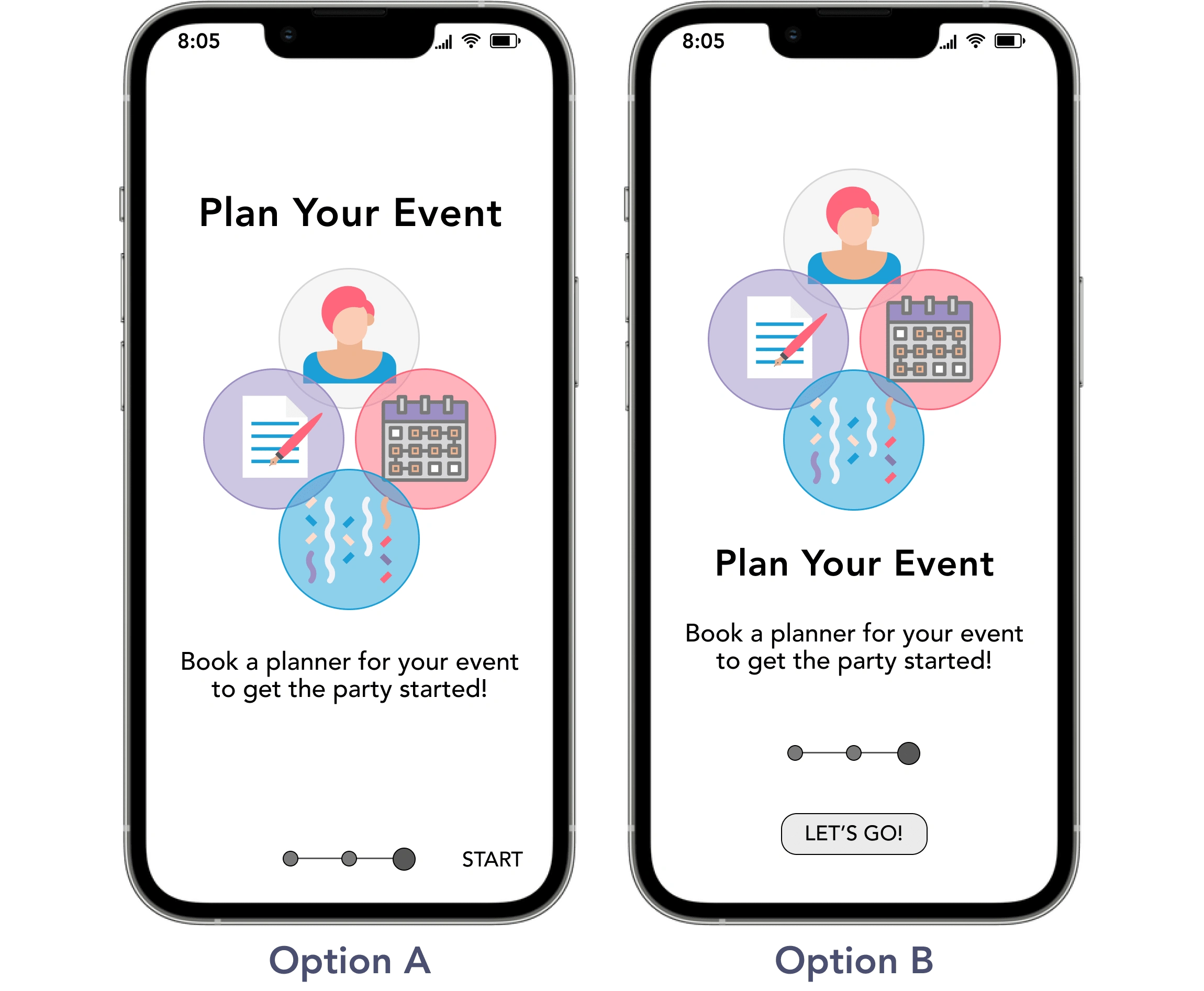
TEST #3: Onboarding Screen 3
Test Elements: Call-to-Action wording/button locations & image/text formatting.
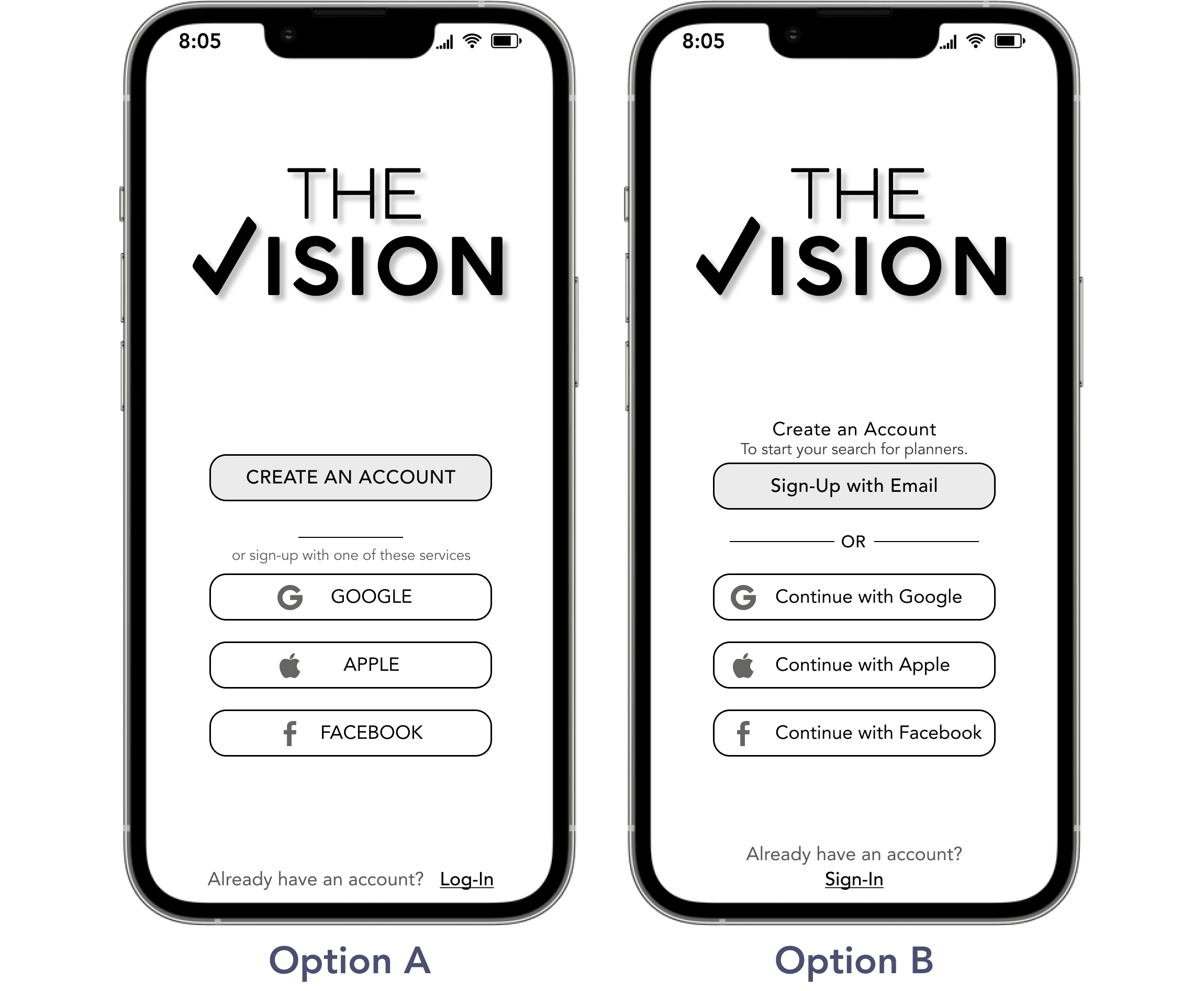
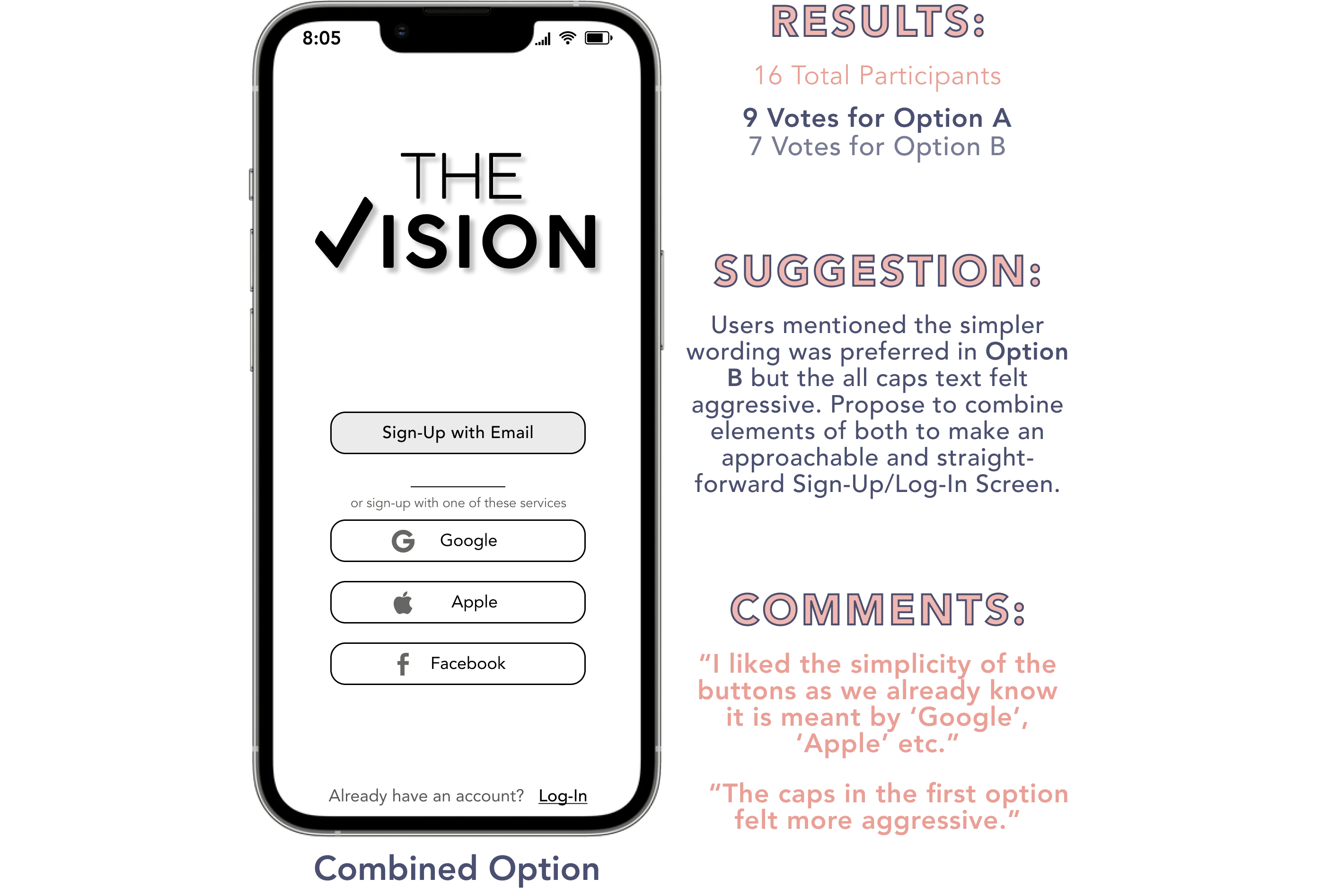
TEST #4: Sign-In / Log-In Screen
Test Elements: Call-to-Action wording and additional text descriptions.
Revised Onboarding Flow
4.6 / 👍 Learnings
Simple scenarios for preliminary prototypes.
In initial tests, I observed that participants put a lot of thought into the specifics of task scenarios and as a result apprehensively tried to perform actions beyond the prototype's level of development. Thus, I made adjustments for later tests to ensure questions were concise and straightforward as my primary goal was to evaluate the core navigation.
---
General themes over individual comments.
Affinity mapping after usability tests was useful as it focused my attention on overall test trends instead of favoring a singular user's feedback. That said, I recognize how the participatory exercise of affinity mapping and analyzing insight as part of a team instead of solo would be even more rewarding and enhance the experience of design.
---
Prioritize and phase updates.
It was slightly intimidating to conclude the usability tests and discover a long list of errors to address. My first instinct is to fix it all now. However, that is time consuming and can be unfavorable as some updates require additional testing and impact proposed solutions for other errors. Sequentially phasing updates is a necessary and productive part of design.
Like this project
Posted Sep 30, 2022
Testing with users for The Vision.
Likes
0
Views
7