3 | Prototype

Paige Mariucci



INTRODUCTION
PRODUCT | A responsive web app which allows users to search, save, message, and book planners for their events.
PROJECT ROLE | My role was to develop the product design including preliminary research, problem definition, prototype development, usability testing, & refinement of the visual design.
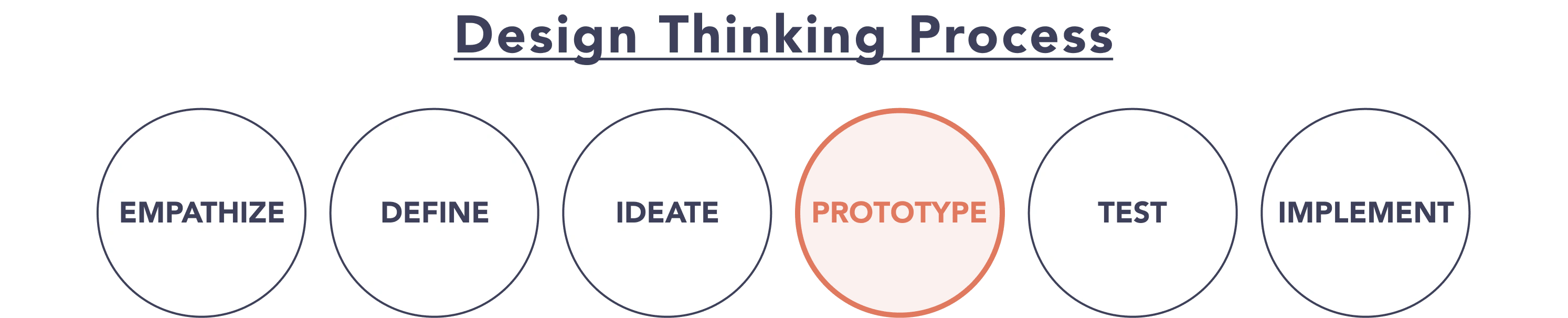
CASE STUDY | The below case study is focused on the process I used to prototype the product by doing a competitive usability heuristic evaluation and creating a low-to-high fidelity prototypes.
Case Study Contents:
3.1 / 🙌 Usability Heuristics
3.2 / ✍️ Low-Fidelity Prototypes
3.3 / 💻 Mid-Fidelity Prototypes
3.4 / 📱 High-Fidelity Prototypes
3.5 / 📲 Interactive Prototype
3.6 / 👍 Learnings
3.1 / 🙌 Usability Heuristics
It was valuable to keep Nielsen’s Usability Heuristics in mind from the start of the prototyping process. Applying these guidelines allowed me to focus on user's interactions and anticipate expectations.
To familiarize myself with an existing product in the same problem space I performed a heuristic evaluation on Fiverr -- an online marketplace for freelance services.
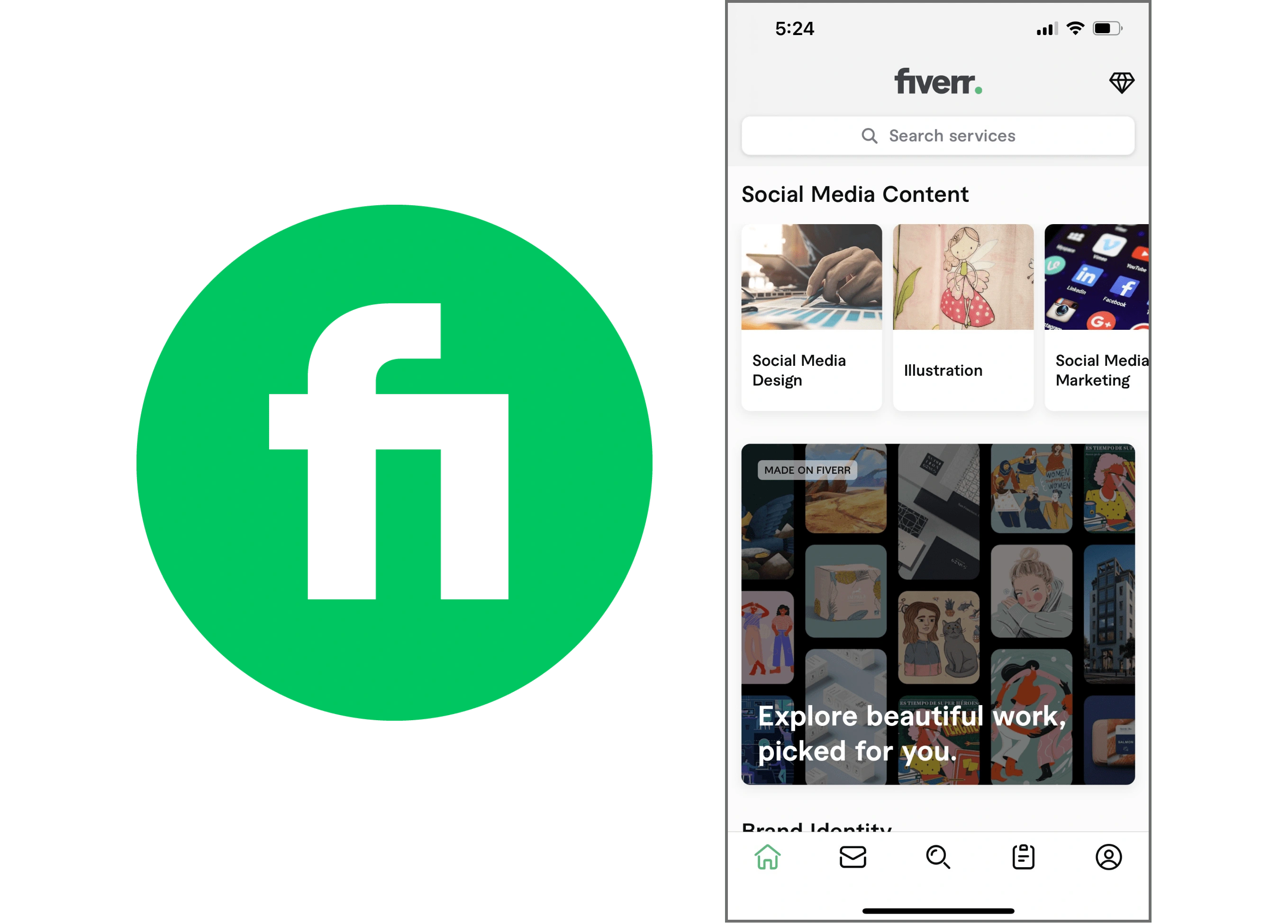
Fiverr Logo & Mobile Homepage
VISIBILITY OF SYSTEM STATUS
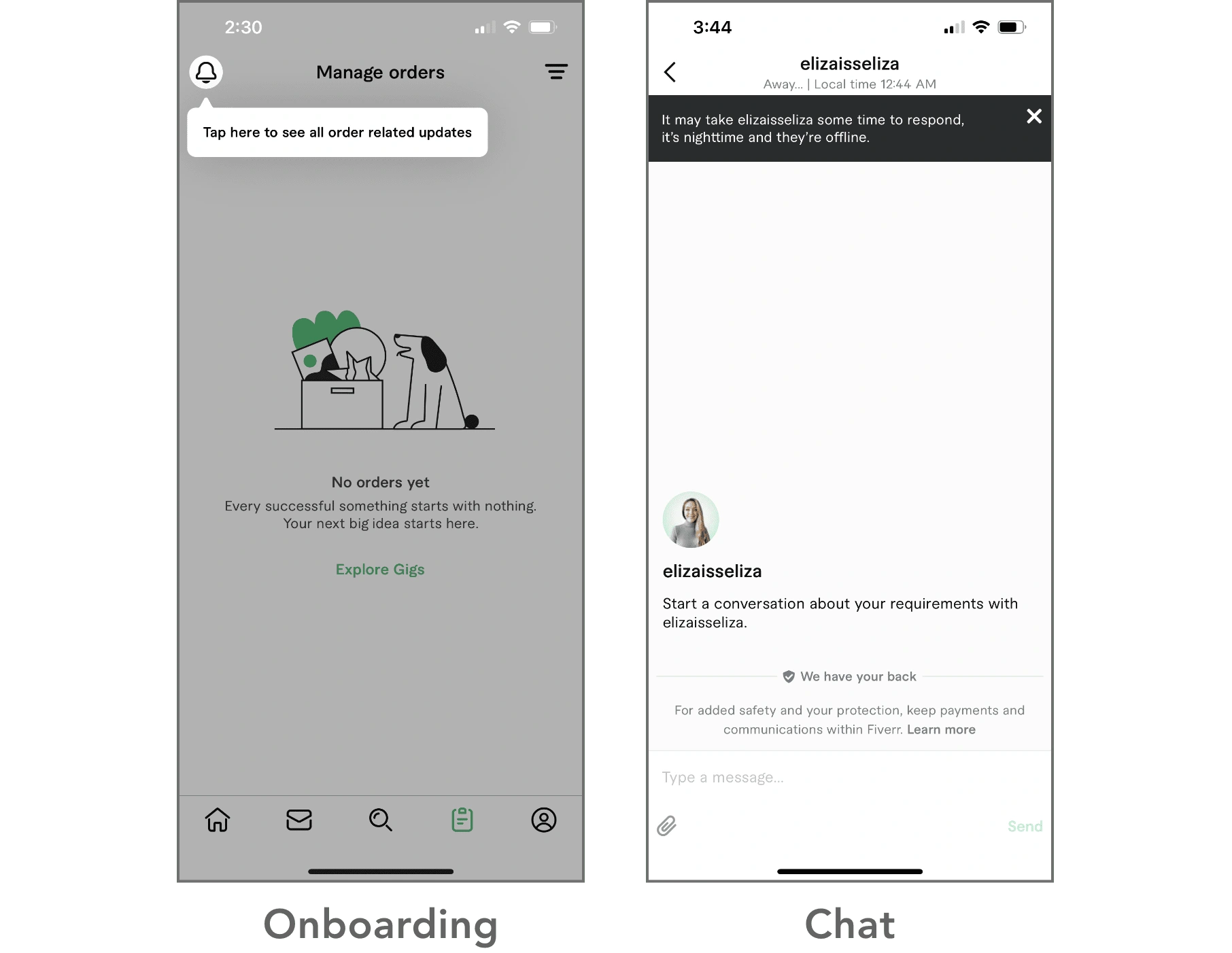
A few successful examples of how the Fiverr app adheres to this guideline is on the design of their "Orders" and "Chat" screens.
ORDER SCREEN | The screen on the lower left is where the user can see all updates once they have booked a service professional for a gig. This provides the user with feedback as to the status of their order and whether pending or in-progress.
CHAT SCREEN | The screen on the lower right shows a chat window with a service professional located in a different time zone from the user. The prompt at the top informs the user it may take some time for a response which helps to assure the user.
MATCH BETWEEN SYSTEM & THE REAL WORLD
This guideline comes into play on the "My Lists" screen & flow on the Fiverr app.
MY LISTS | Fiverr allows the user to save both professionals (i.e. "gigs") and images (i.e. "ideas") in groupings on the "My Lists" screen similar to how a person would begin the process of searching for a service professional in the real world by compiling a list of names & references. However, one usability issue was that I was unsure what the lock icon in the bottom right corner of the list card symbolized (see "Brochures" card in lower left image). To me that implied the list was locked preventing any editing where it actuality it meant the list was private instead of public.
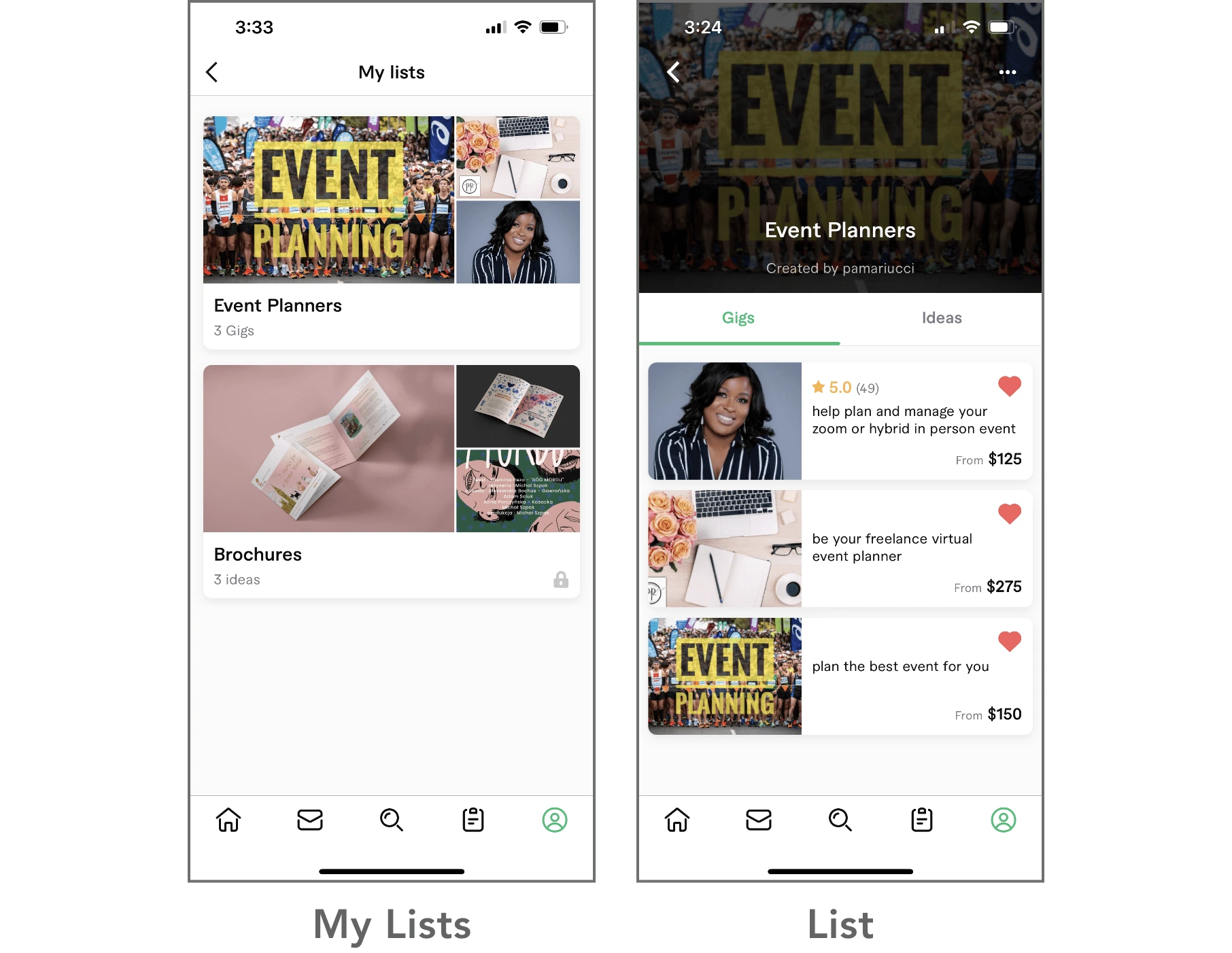
The above examples are a sampling of my Fiverr heuristic evaluation. The comprehensive exercise was beneficial as it highlighted not only precedents I hoped to use as inspiration but also a few usability issues that could be enhanced in the design of The Vision app.
3.2 / ✍️ Low-Fidelity Prototypes
With user flows and a revised site map as a reference I sketched some low-fidelity wireframes and prototyped the various screens users may experience when interacting with The Vision app.
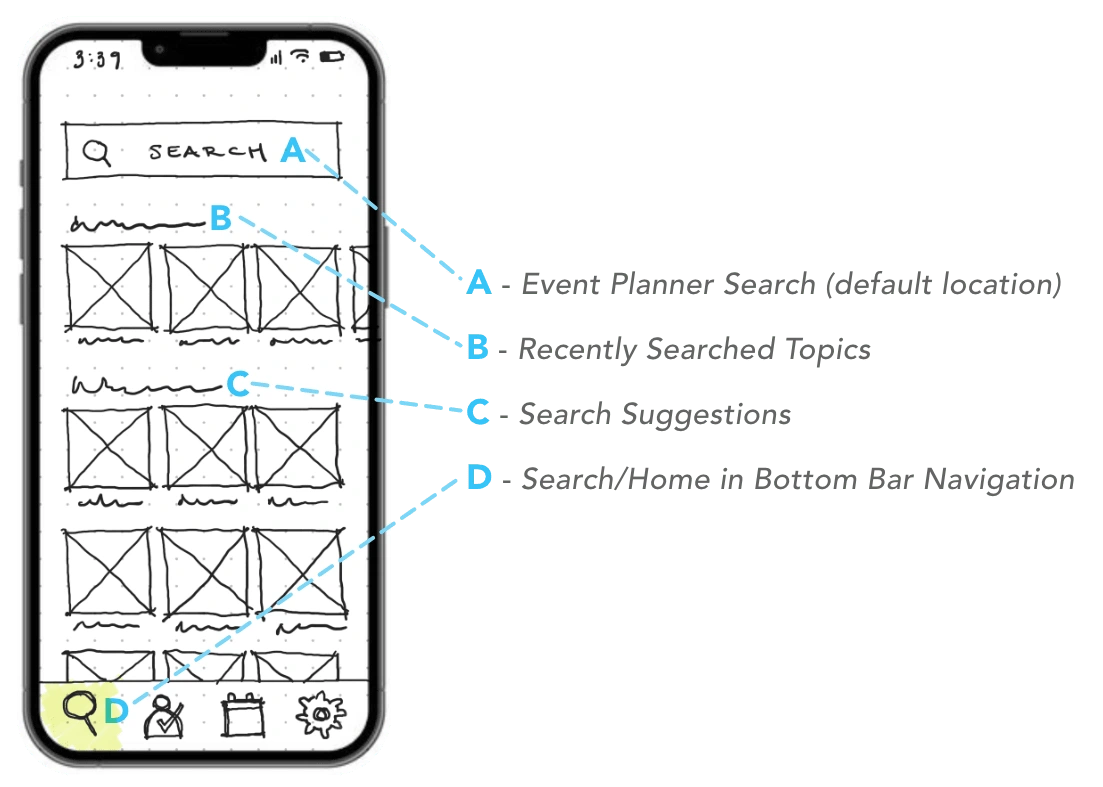
Low-Fidelity Sketch of Homepage
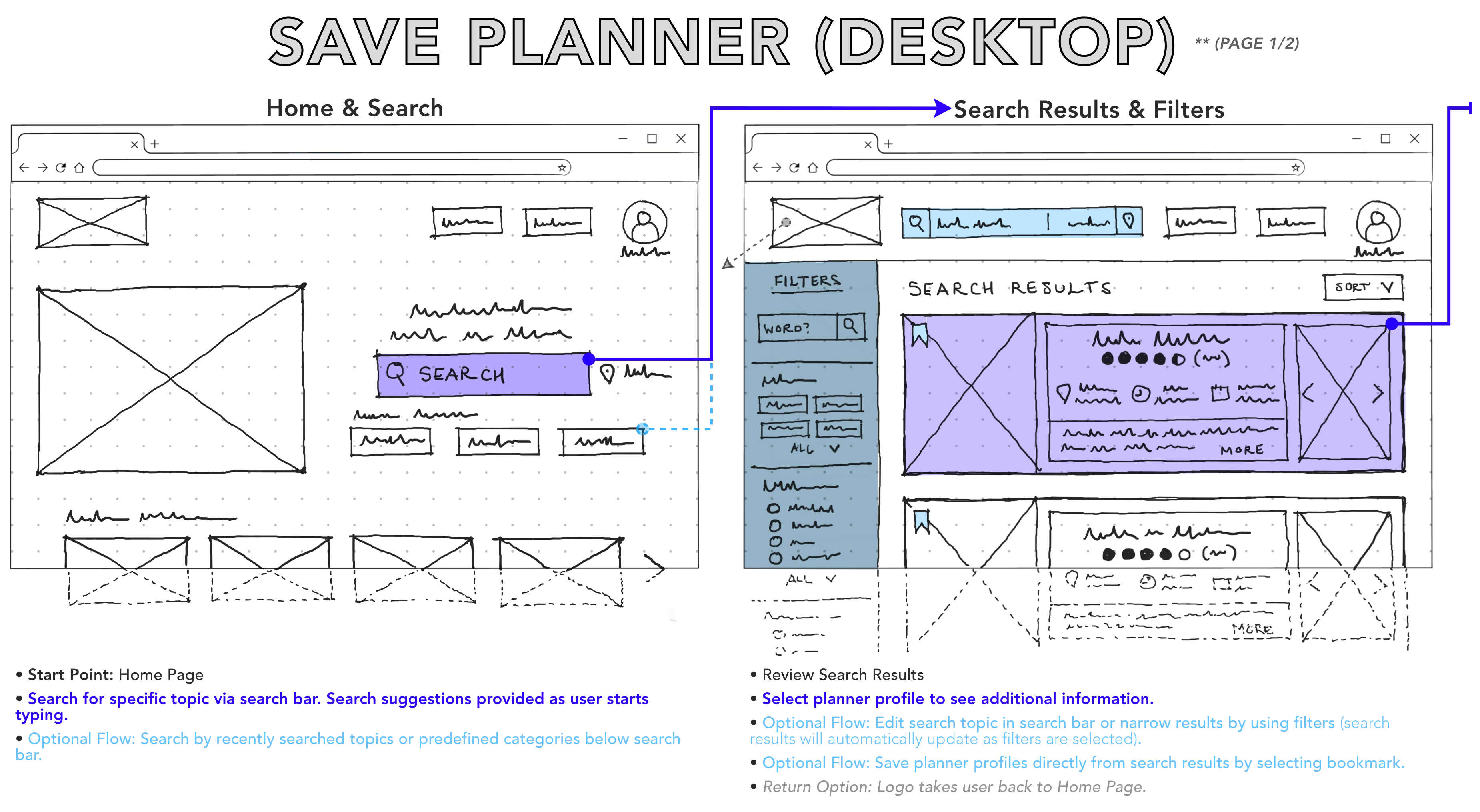
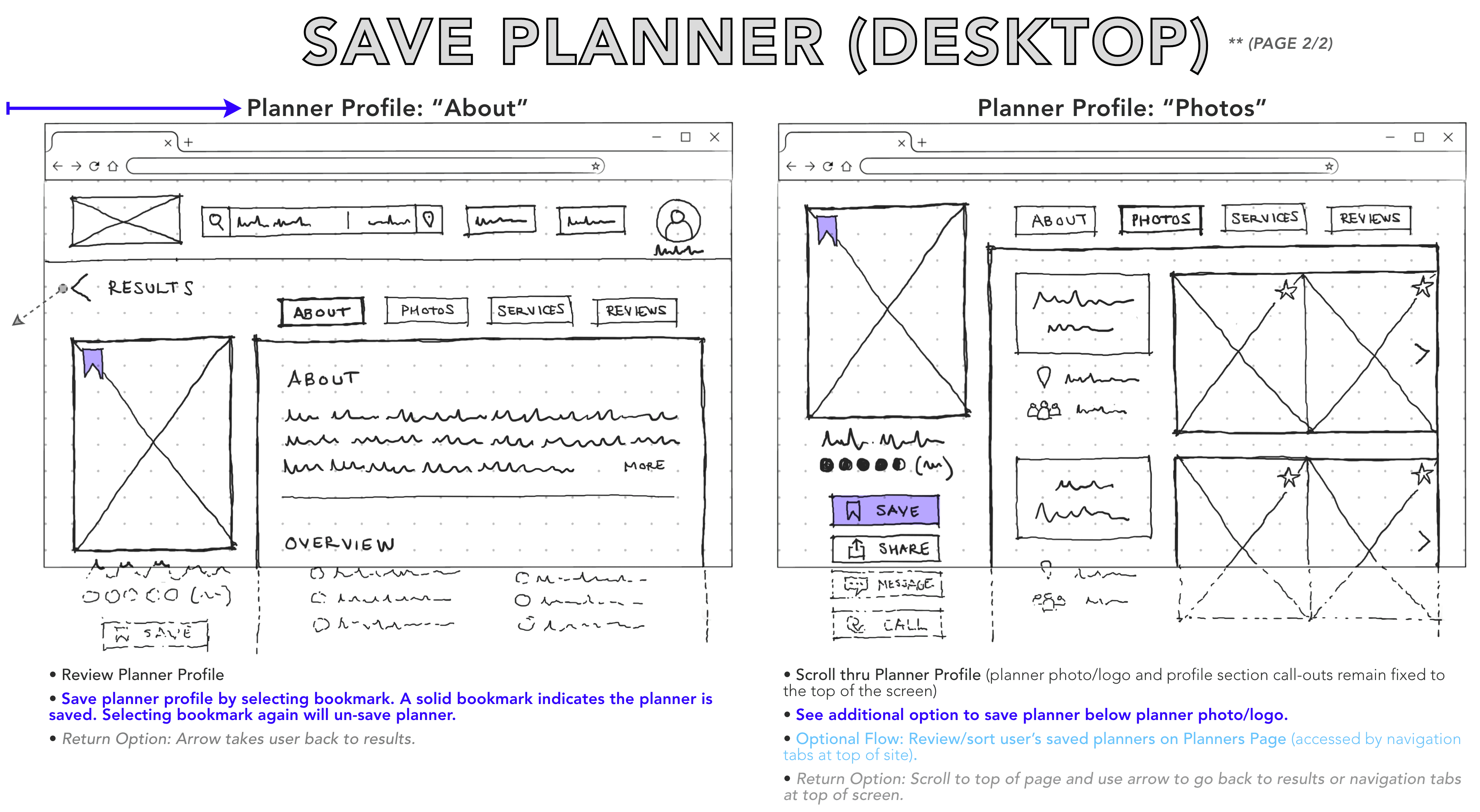
Below are early studies of the user experience when bookmarking a planner on either a mobile device or desktop. The sketches were done using an iPad & Apple Pencil which allowed for rapid iterations.
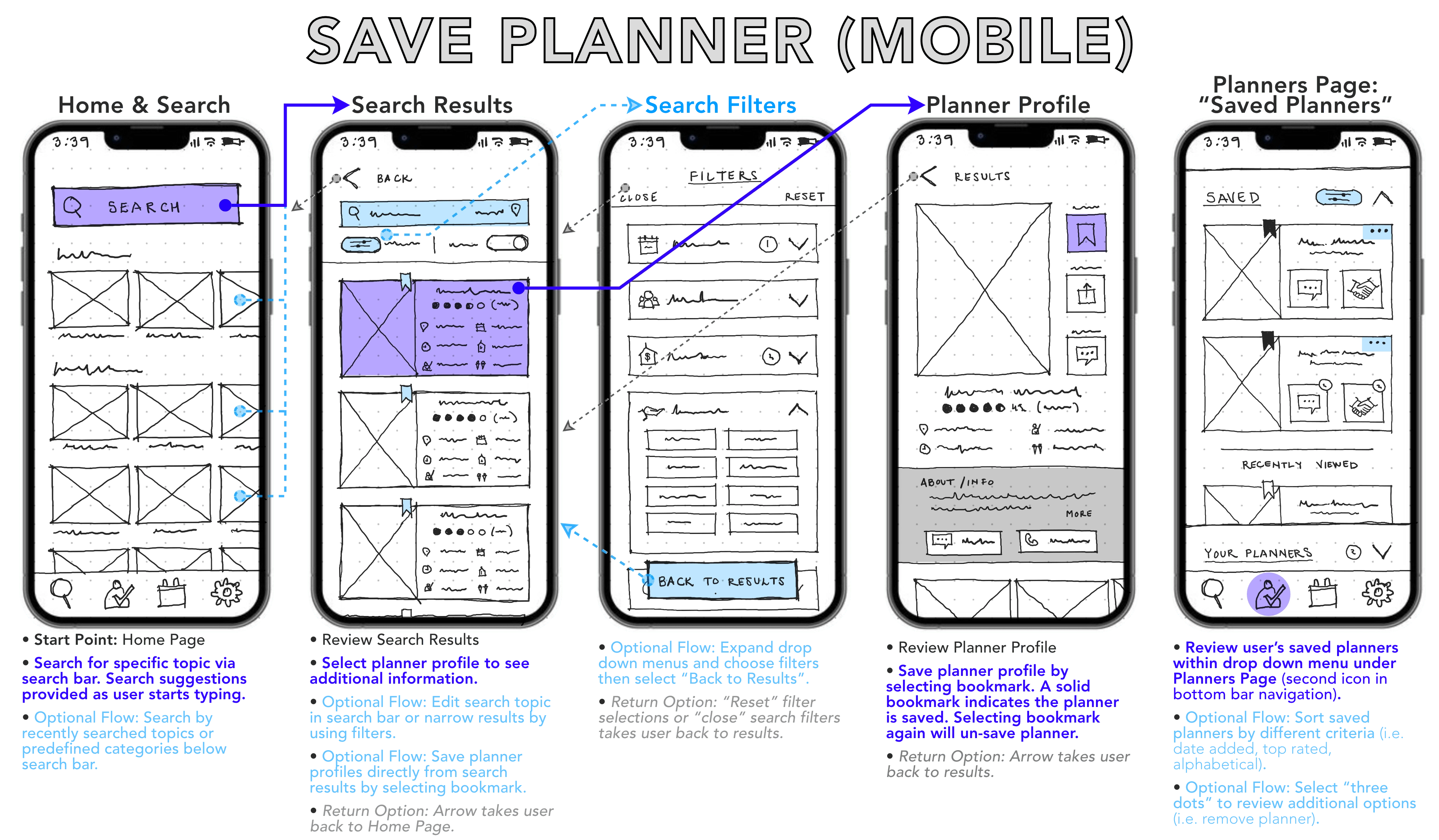
The flow of bookmarking or saving a planner in my desktop wireframes required one less screen design than the mobile wireframes as the search filters are visible and docked to the left of the search results in the desktop prototype.
3.3 / 💻 Mid-Fidelity Prototypes
Once I flushed out the basic functionality of The Vision app via hand-sketched low-fidelity prototypes I progressed to digital mid-fidelity wireframes using Figma. Below are wireframes for the previously shown user flow of bookmarking a planner on a mobile device.
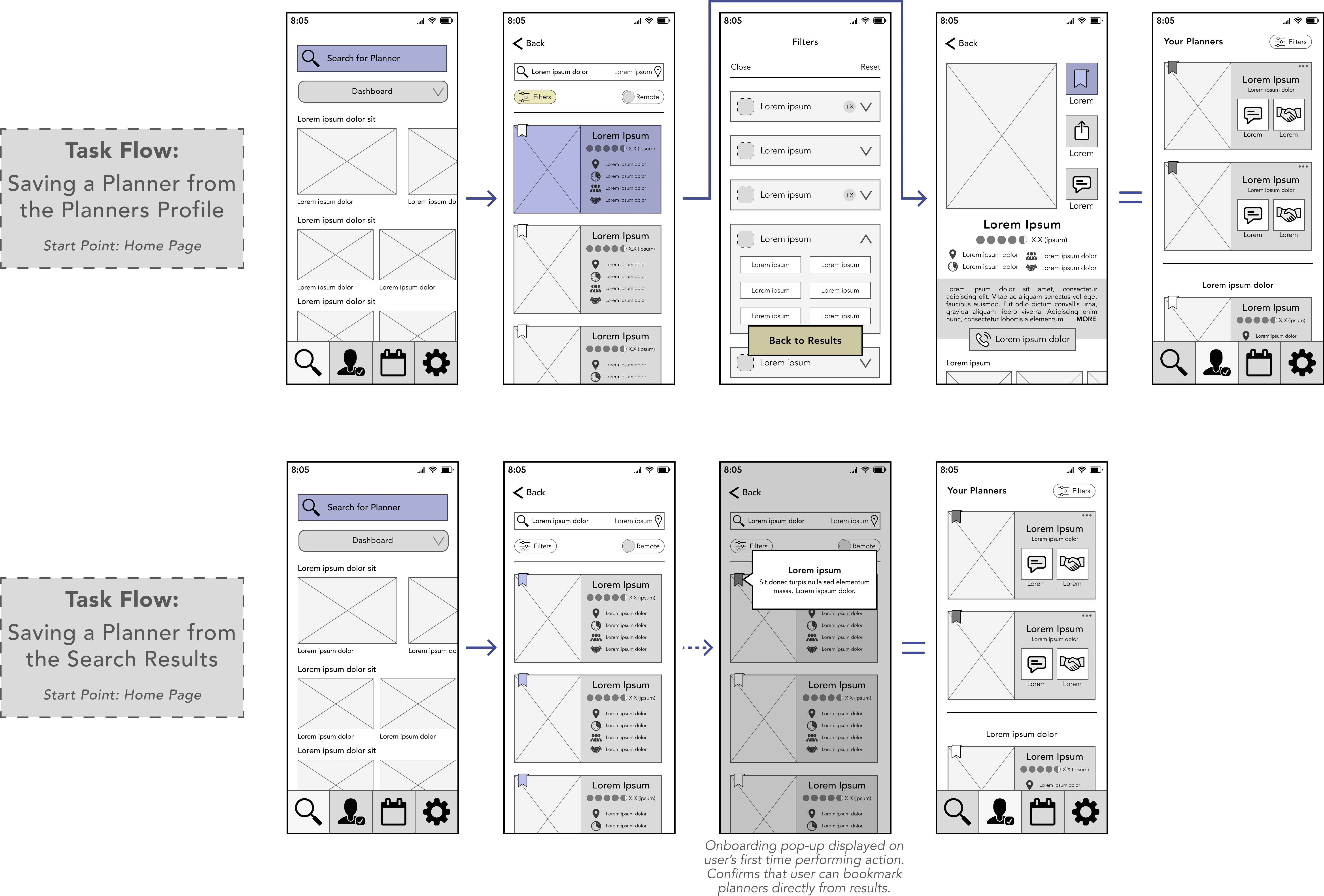
My mid-to-high fidelity wireframes remained grayscale with placeholder copy which allowed me to play with the form and function of the screens and not get too far ahead on the design. By disregarding specifics associated with UI design & language selections, I was able to translate my hand sketches into a digital format for further manipulation.
3.4 / 📱 High-Fidelity Prototypes
In order to bring life to my wireframes and prepare a high-fidelity prototype to test with users, I incorporated interactions to mimic the intended functionality of the app.
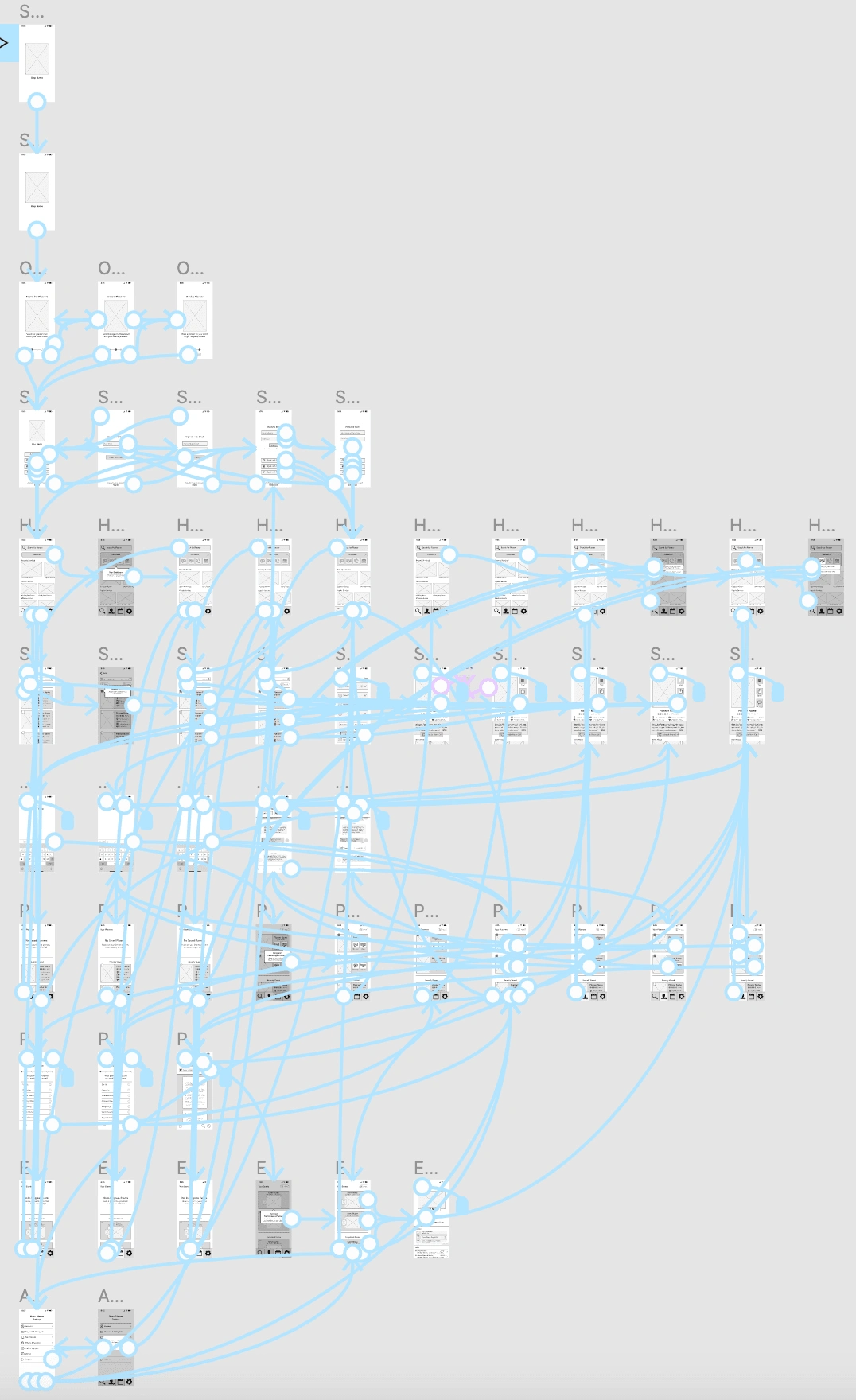
Screenshot of Figma Prototype
Wireframes from my high-fidelity prototype can be seen below. At this point in the project the screens were all designed for a mobile device as my objective was to deliver a MVP with a mobile-first approach.
High-Fidelity Grayscale Wireframes
3.5 / 📲 Interactive Prototype
As soon as the primary user flows were all prototyped, I finalized my interactive prototype and prepared it to be tested with users.
👇
3.6 / 👍 Learnings
Usability heuristics as competitive analysis.
Performing a heuristic evaluation of my product will be valuable in the future. However, as my design is in the early stages I used the excuse to heuristically evaluate a competitive app. The insight gained on how they attempted to solve the problem in their design and usability pros/cons discovered was a constructive reference once I started prototyping.
---
Pencil before pen before mouse.
Prototyping with pencil first helped me to quickly get ideas from my brain to a physical, shareable format. It motivated me to experiment with different solutions before making any final decisions. Additionally, creating a roadmap of the design direction prior to jumping into digital tools allowed for a natural development of high-to-low level details.
---
Prototypes serve different purposes.
The primary purpose of the prototypes I created for this product was to have something to put in front of users to test usability. That said, I learned the prototyping tool can serve various purposes in the UX practice such as expressing a simple concept for a feature to the product team or representing an entire product experience for stakeholders.
Like this project
Posted Sep 30, 2022
Prototyping the product for The Vision.
Likes
0
Views
11