IRR Mobile App Design for Racket Sports Tournaments

Yurii Funkendorf


IRR - Round Robin Tournament Mobile App Design
Domain: SportTech, Racket Sports
Platform: Mobile app
Year: 2024
Service type: Full-cycle product design
Instant Round Roster (IRR)
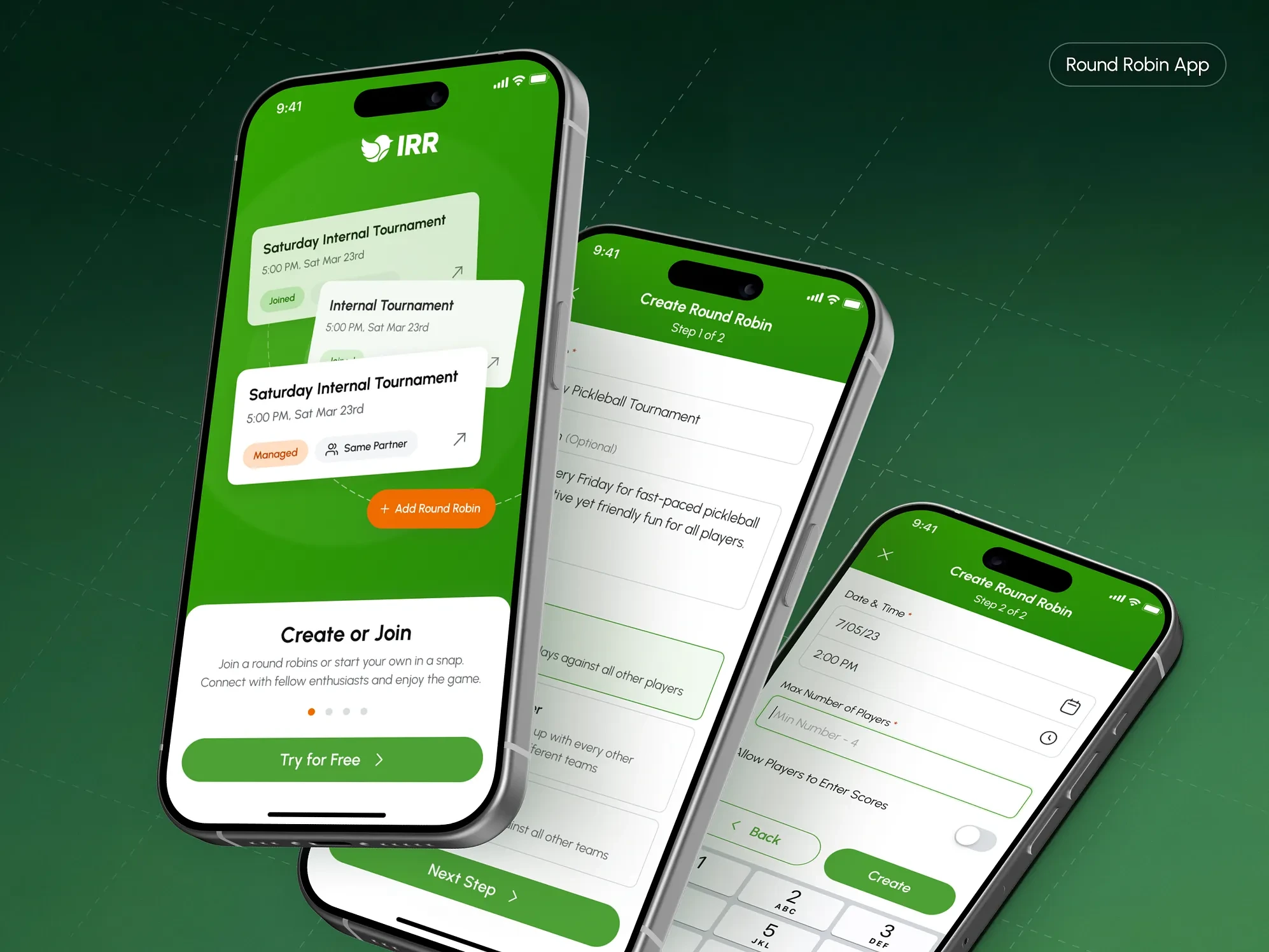
Is a mobile app for amateur racket sports tournaments in pickleball, padel, and tennis. We designed it end-to-end, covering the whole event rather than one part of it: creating the tournament, registering players, forming teams, checking people in on site, running the rounds, entering scores, and closing with final standings. Three round robin formats are supported, and each one schedules differently.
Amateur round robin tournaments run most club nights and weekend events in racket sports, and they were still being organised on paper or in Google Sheets. No app existed that was built for the job. Our client, one of the most powerful club-management platforms in its industry, wanted to digitise that process and to launch it as a product of its own rather than a feature buried in the main platform.
Our role:
Full-cycle product design, with nothing left on the client side. Discovery, competitor analysis, product scope, user roles and permissions, wireframes, clickable prototype, two rounds of usability testing, visual concept, UI design, design system and development-ready handoff.
Challenge:
Complete tournament logic through a simple interface. Three formats with different scheduling rules, four tournament phases, BYE rounds, injuries that force mid-event redistribution, court allocation per round and per match. Every edge case had to be resolved in full, and the resulting UX had to stay usable by a player standing courtside between matches.
Strategic approach:
We already knew how tournaments work, so the domain did not have to be learned from the brief. Six competing products were analysed, the UX was resolved almost entirely in greyscale before any visual design began, and the prototype was tested on the client’s own community of players rather than on stand-ins.
Designing tournament setup and player onboarding
The format decision comes second after onboarding, because everything downstream depends on it.
Tournament creation is a multi-step form: name, optional description, round format, start date and time, maximum player count, and whether players may enter their own match results. Splitting it into steps keeps each decision separate, which matters most at step two, where the format is chosen. That single choice determines how the whole tournament will be scheduled and run, so we kept it off a screen crowded with other fields.
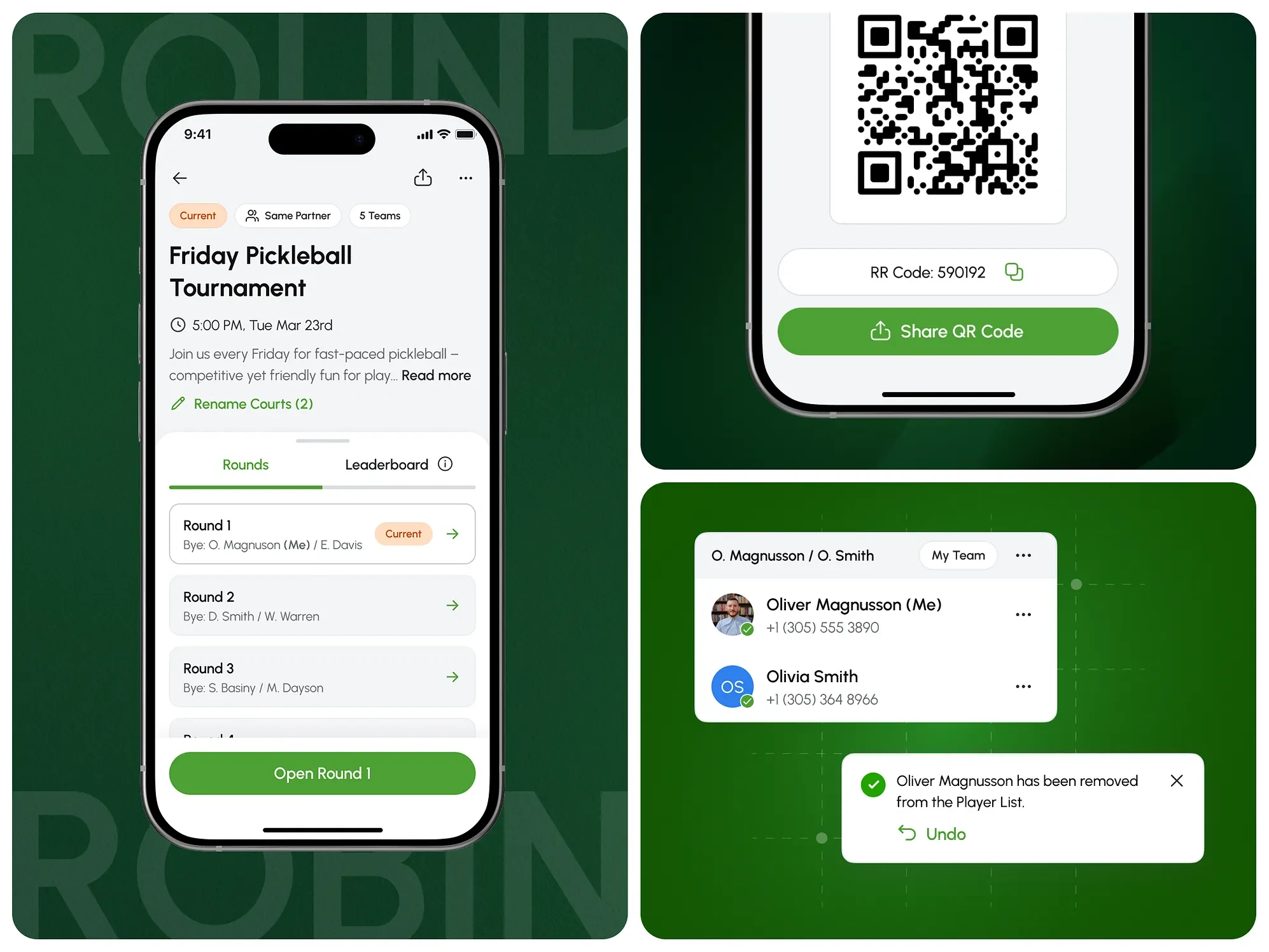
QR when you can show a screen, a code when you can only call it out.
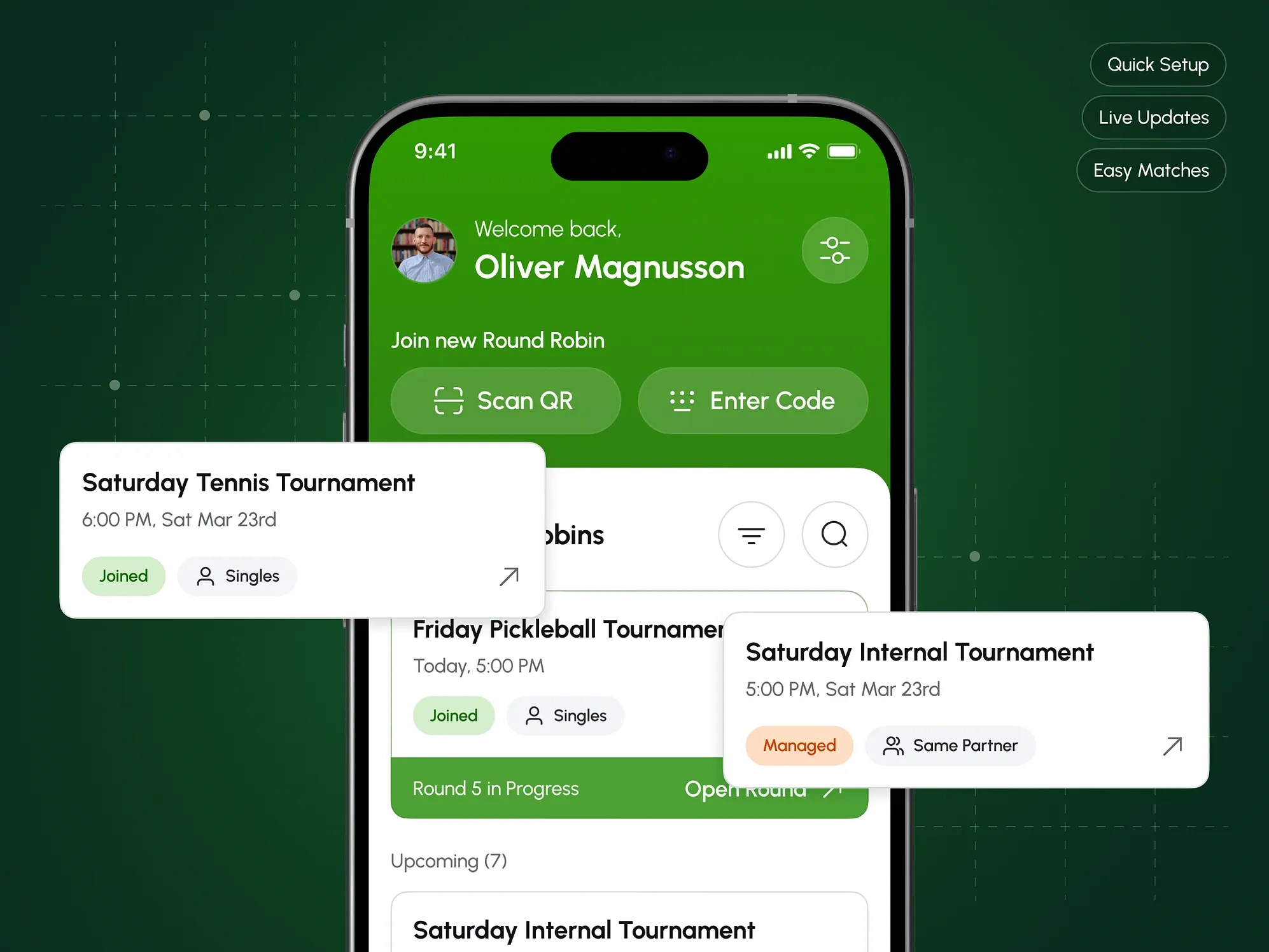
Players join by scanning a QR code or by typing a unique four-digit code tied to the active tournament. We kept both paths because both situations happen courtside: sometimes the organizer can hold up a phone, and sometimes they are shouting across two courts. Either route lands on the same tournament screen, with name, start time, format, description, and the list of players who have already joined.
Once at least one player is in, the organizer gets a roster to work with: multi-select for bulk operations, SMS to one or several players, removal, promotion of a participant to tournament admin, and editing of player details. Registration closes manually and can be reopened.
Team formation and scheduling
Treating the unpaired player as a normal state rather than an error.
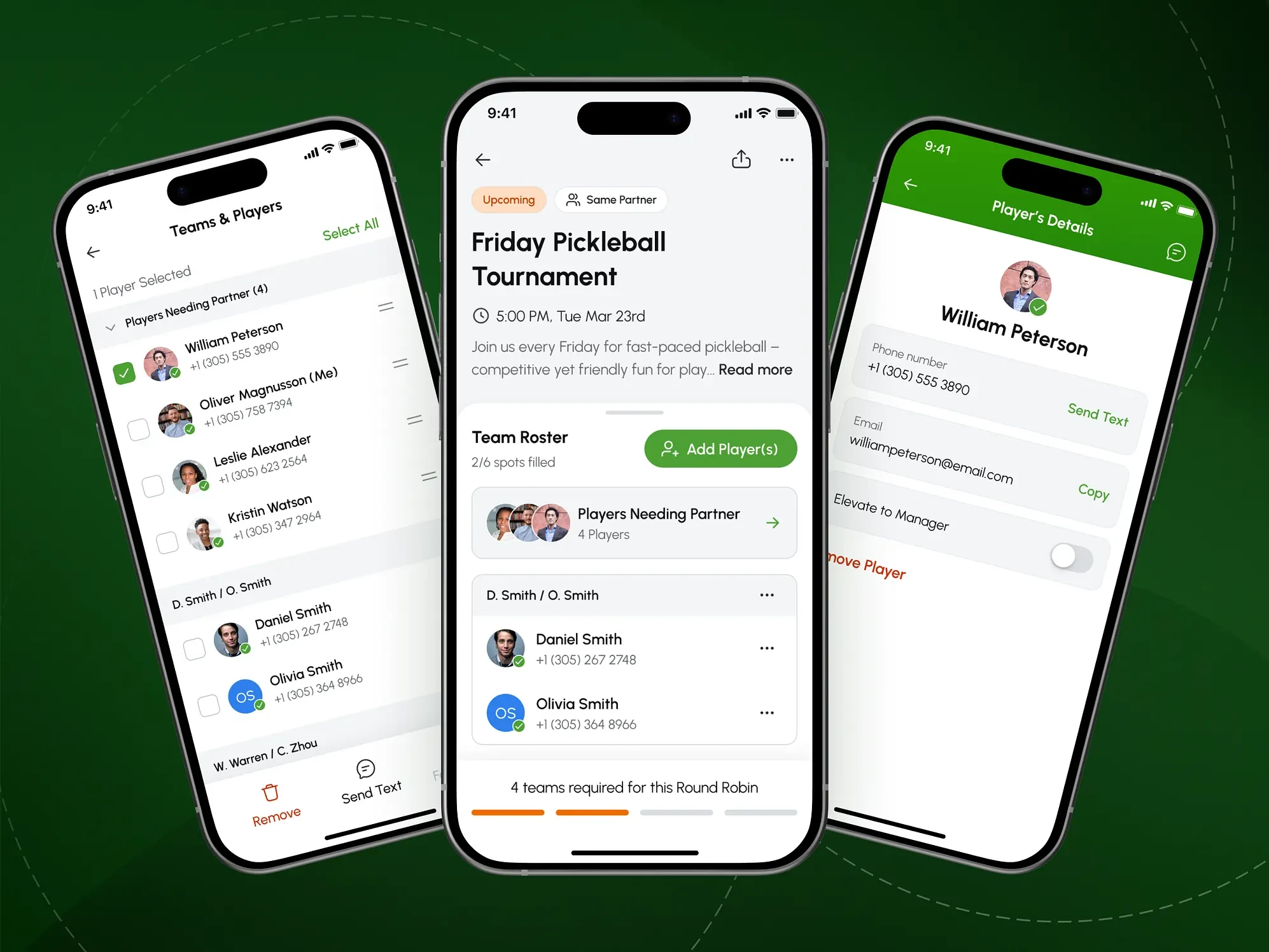
In Same Partners, a player registers alone and becomes half a team later. The straightforward design demands a partner at registration and treats everything else as invalid input. We made “no partner yet” a first-class state instead: formed teams sit beside the unpaired pool, with a progress bar reporting teams required, formed, and still missing.
Three routes into a team were kept rather than one, and every organizer action was designed to be reversible: rename, swap players between teams, disband a team back into the pool, delete it outright. Nothing forces a restart, because partner arrangements are rarely settled an hour before play.
At 104 screens in the UI stage, this was the largest single flow in the product.
Scheduling against the room, and the one step we kept manual.
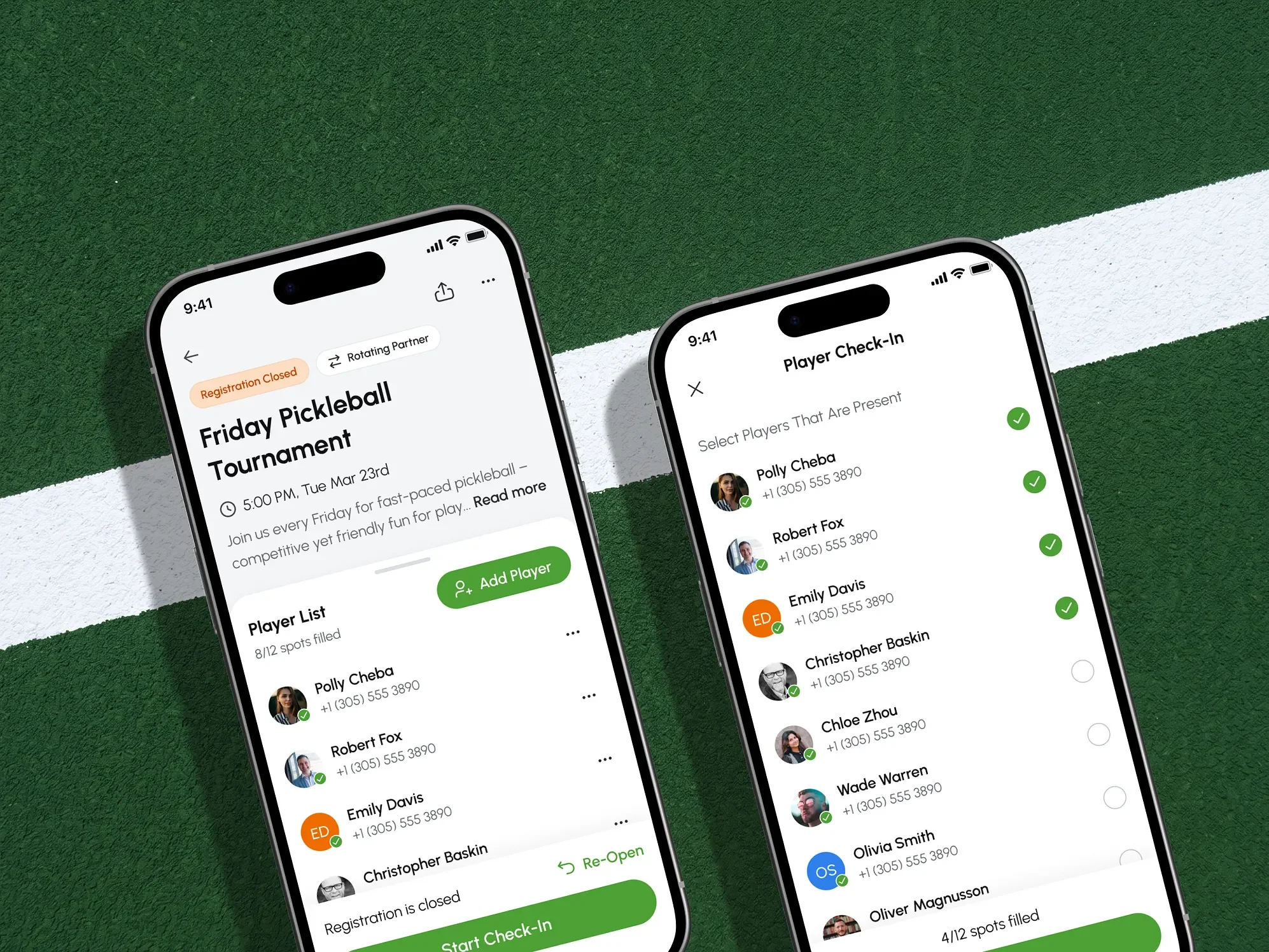
Court count is a constraint, not a preference. It feeds the calculation that builds the match plan, so the schedule is planned around venue utilisation rather than produced first and squeezed into the room afterwards. Per-round and per-match assignment stays available as an override.
Check-in is the one place we deliberately did not automate. Self-service lets a player mark themselves present and then not turn up, which breaks the schedule for everyone on their court. Confirmation stays with the organizer in person, and the tournament cannot start until a minimum number of players is confirmed.
The tournament in progress
Designing for a tournament in progress, including the parts that fail.
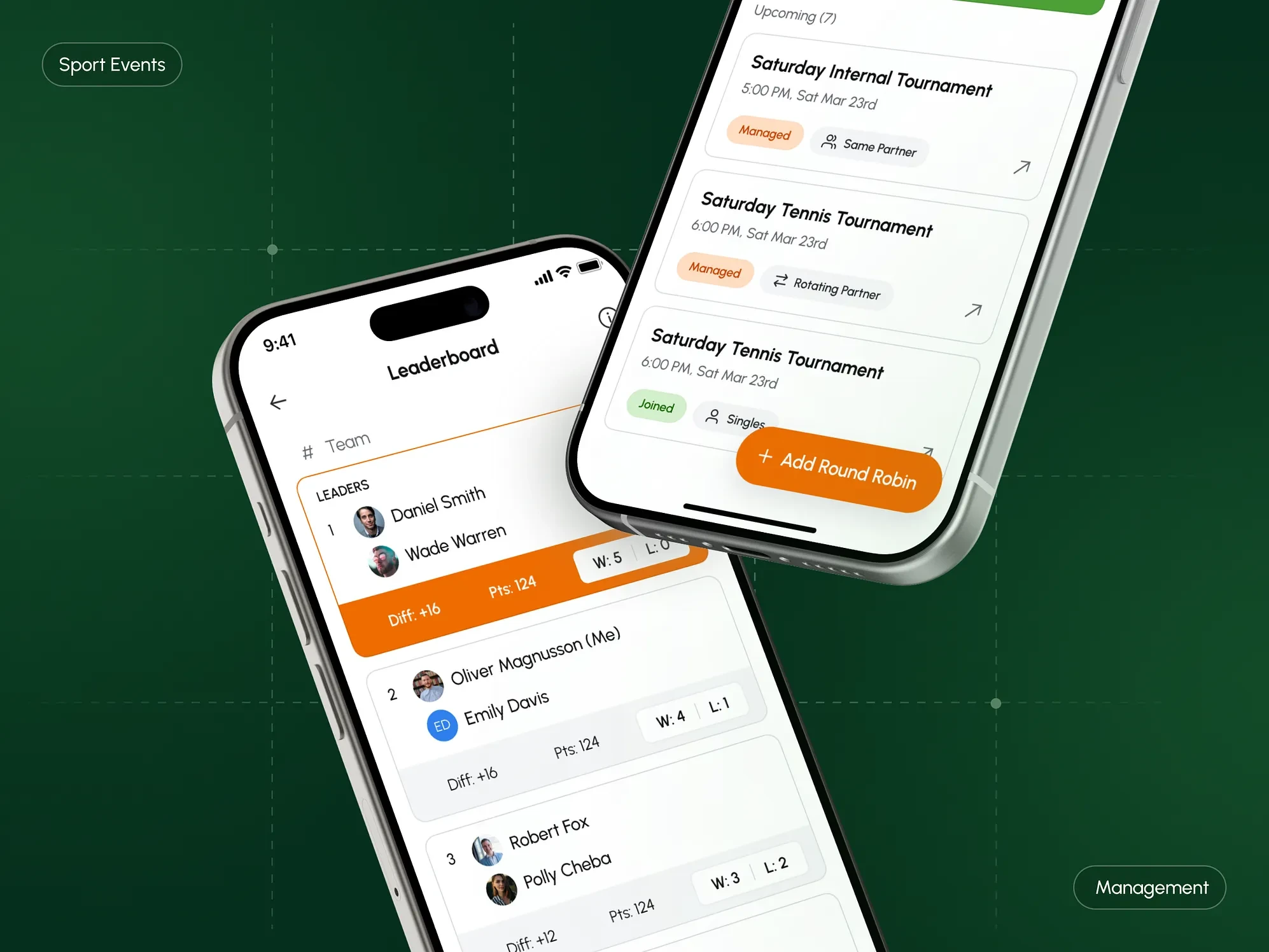
Up to the first round, the product is a setup tool. After that, the same person is holding a phone between matches, so the interface has to work as a status board. The round view shows current pairings and results as they land, defaulting to the active round.
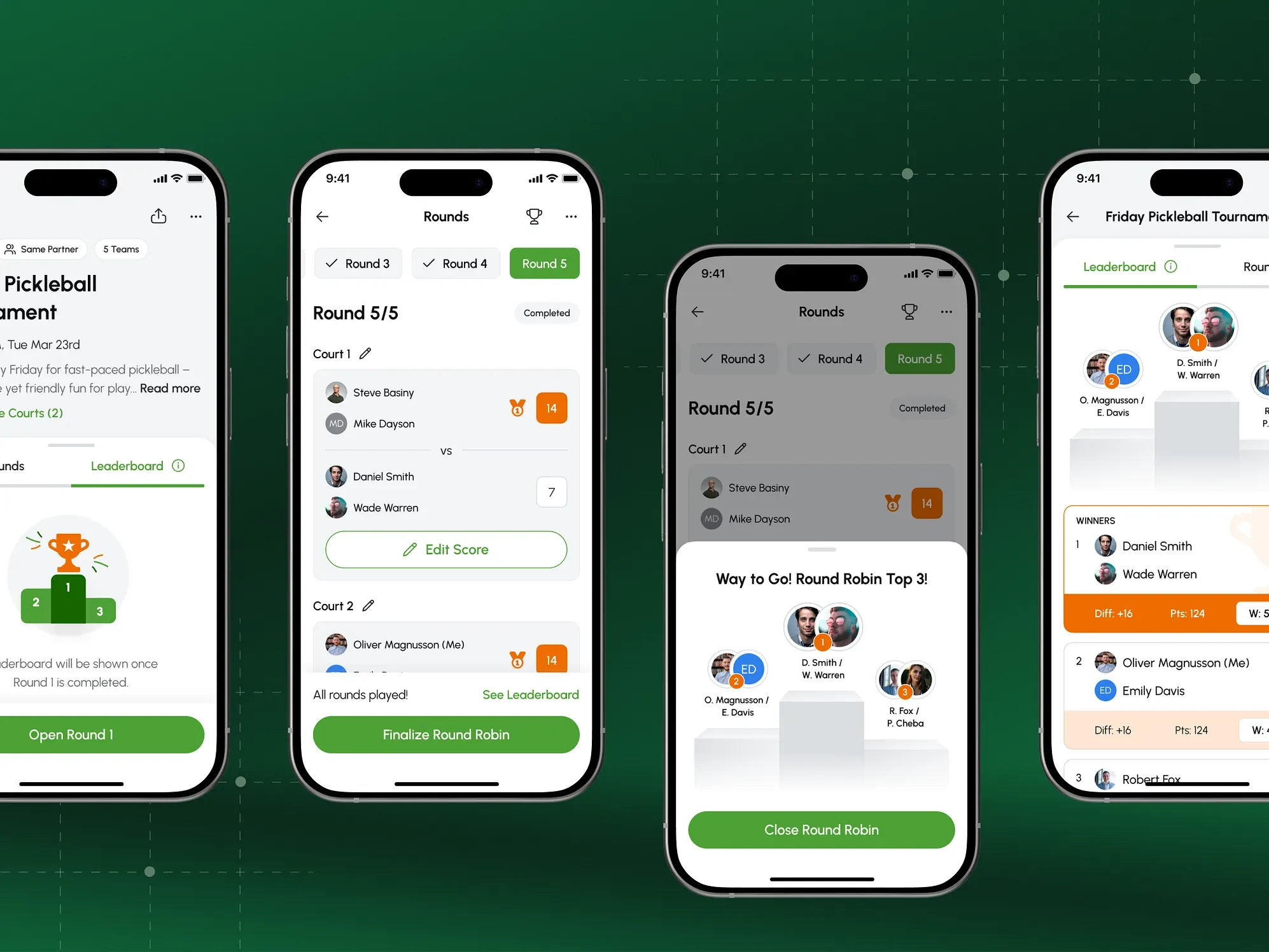
Scores are committed rather than left open: an entered score can be locked. BYE is a supported round state, not a gap to explain away. Closing the final round compiles the standings, calculates points and puts the winners on a podium, and the tournament stays readable afterwards down to individual matches.
Designing the failure paths and the channels that carry them.
A broken match is a normal path here, not an error case. Reporting one requires a reason: an injury with the player named, weather, or other, because the reason decides what happens next. The organizer can mark that player unavailable for the remainder, and the system answers with resolutions instead of a broken grid: substitute from the waitlist, substitute manually, or redistribute the remaining matches.
None of that matters if the people on court never hear about it, so the channels were specified alongside. In-app and push notifications were designed as a component group in the design system and carry state changes. The organizer’s direct SMS covers the moments that need a person, which is why sign-up is phone-first.
Research and testing before a single colour decision
A market at its peak, and six products that each covered part of it.
The product arrived at a market peak rather than ahead of one: pickleball was the fastest-growing US sport for the fourth year running, at roughly 19.8 million players in 2024 according to SFIA. We analysed six competing products, from Round Robin Assistant and Swish Sports through to Pickleball Den. Some handled one format well, some generated a schedule and then left the organizer alone, and none managed a whole event across all three formats.
Wireframes taken further than usual because the logic had to be legible first.
The UX was resolved in greyscale and taken further than wireframes usually go, to 247 frames. This is the stage where the tournament logic was made legible: three formats, four phases, court allocation and the exception paths, all worked out before a single colour decision. By the time the visual concept stage began, it could concentrate on mood instead of structure.
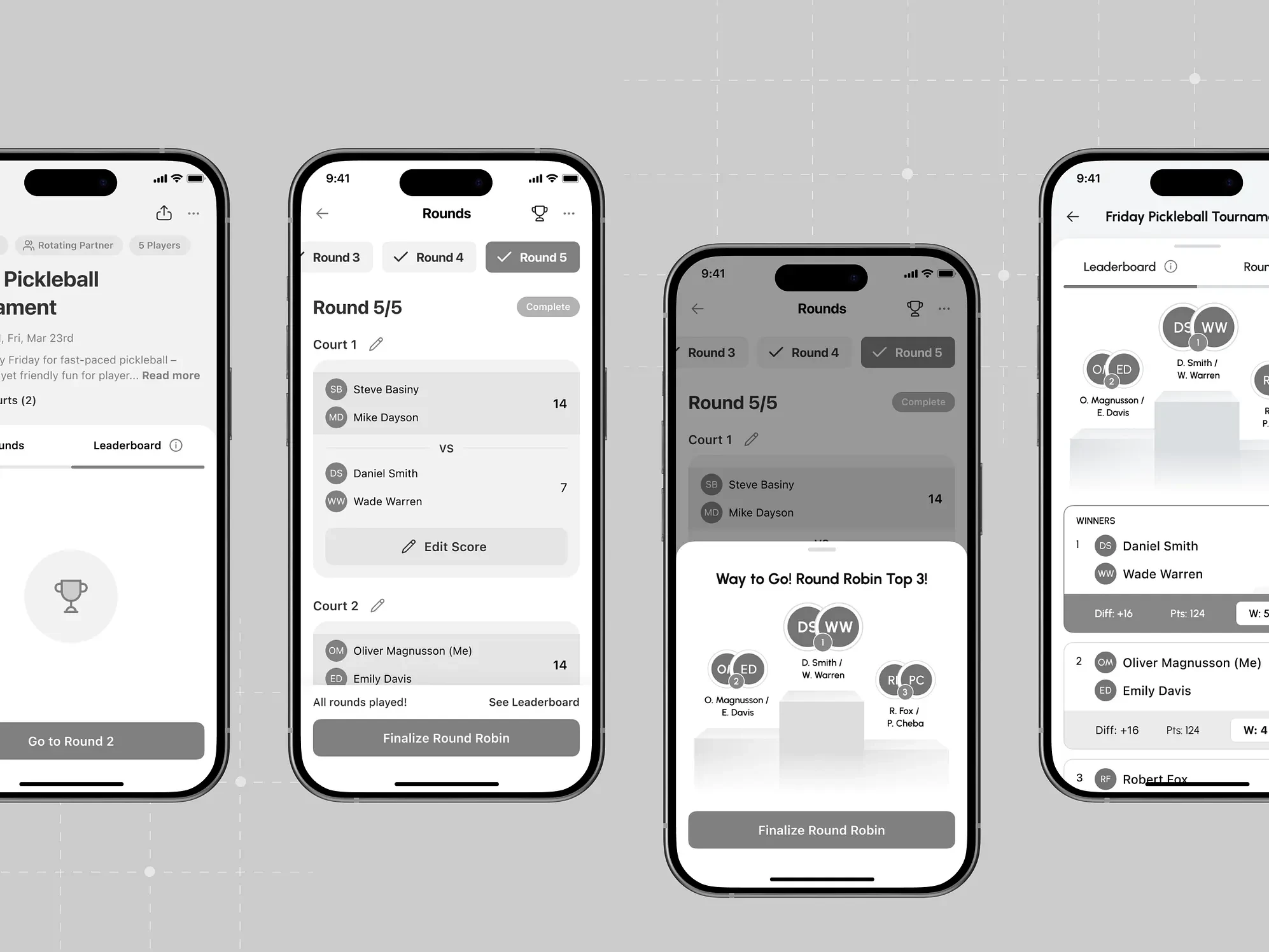
Testing the prototype with people who actually run tournaments.
Usability testing was our proposal, and the client’s community made it practical: real target users, including team members who play regularly. A clickable prototype of 193 frames produced five changes, from a floating button shortening the path into tournament creation to Report as Incomplete and BYE status, which became core parts of the product. A second prototype was tested unmoderated in Maze to confirm they held.
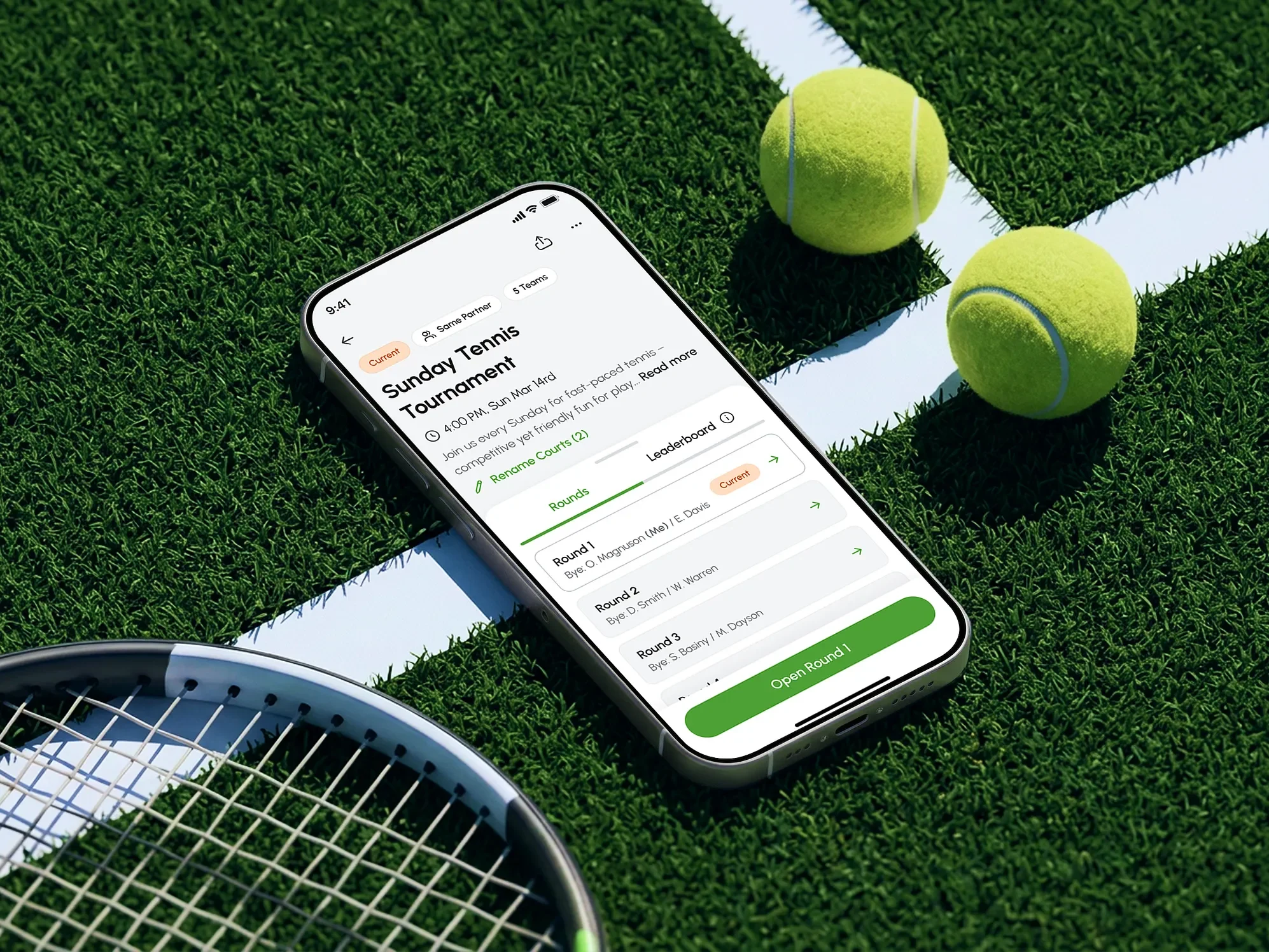
Visual direction and design system
The visual direction and the system that carried it across the product.
The visual exploration ran wide on purpose, from dynamic and aggressive through to notably conservative. The tension is built into the sport: racket sports are quick and social, and pickleball and padel are played heavily by an older demographic. The direction we settled on sits between the two, and it was not settled by taste. It went to focus groups across ages and genders, and held up at both ends.
Brand elements include the colour palette, typography scale, and app icon.
The interface was built on a design system covering iOS elements, inputs, navigation, dropdowns, control elements, lists, and chat and notification components, with colours, typography, and icons documented alongside. At 308 screens, this stopped being a nicety: it is what kept the experience consistent across UX and UI. Handoff followed final approval of every design, with the complete set of deliverables engineering needed.
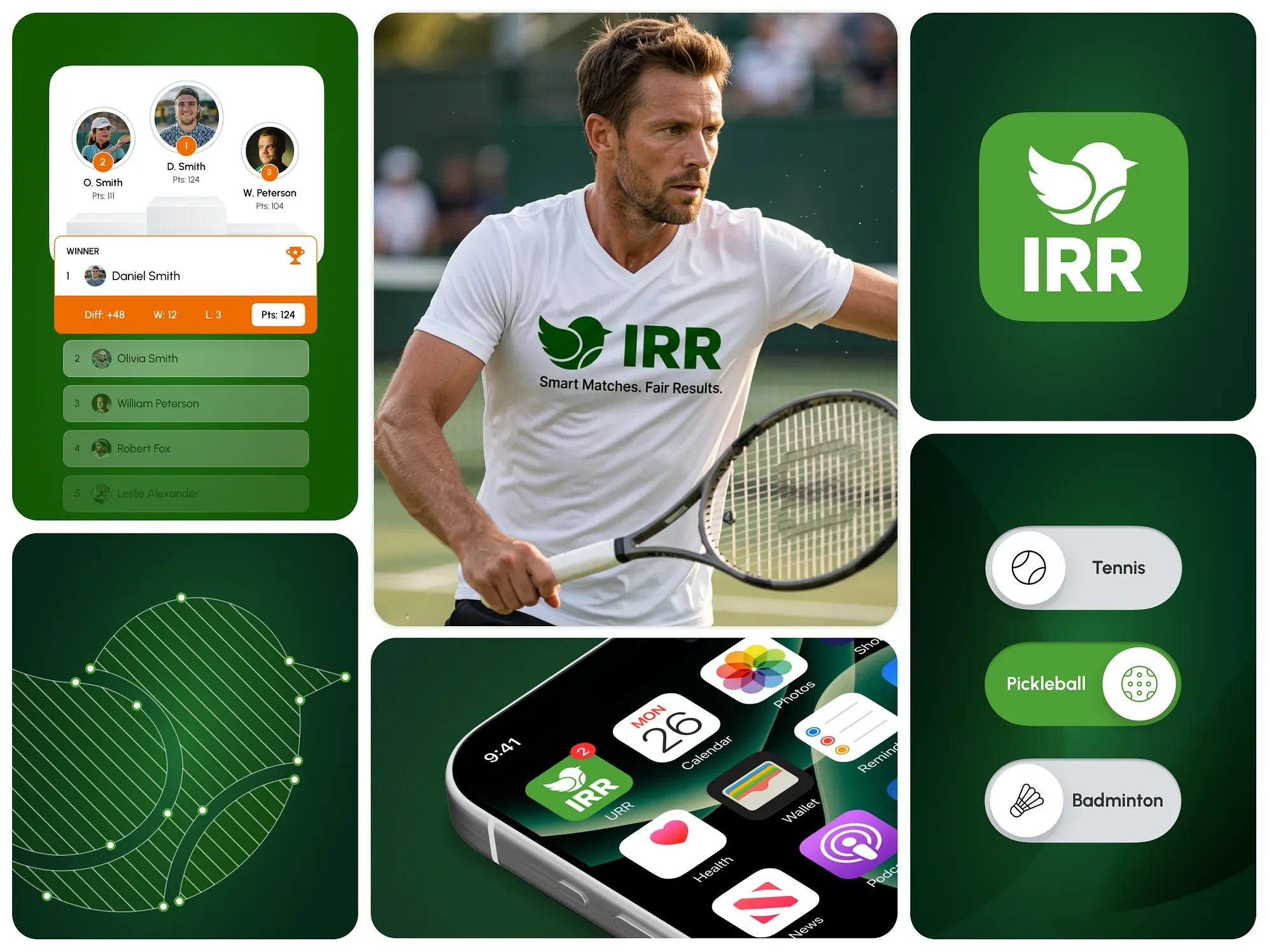
What the design engagement produced
308 screens, delivered development-ready. Three round-robin formats supported end-to-end, from creation through to final standings. Six competitors analysed before scope was written. User roles and permissions defined before the first screen. 247 wireframes and a 193-frame clickable prototype. Two full usability testing cycles on real target users, producing five concrete changes to the product. A visual direction validated across focus groups of differing ages and genders. A design system underneath all of it.
The work ran from January to March 2024, for 150 hours, with one to two calls a week and nothing running in parallel.
Like this project
Posted Oct 26, 2026
Designed a mobile app for managing round robin tournaments in racket sports.
Likes
1
Views
4
Timeline
Jan 1, 2024 - Mar 31, 2024