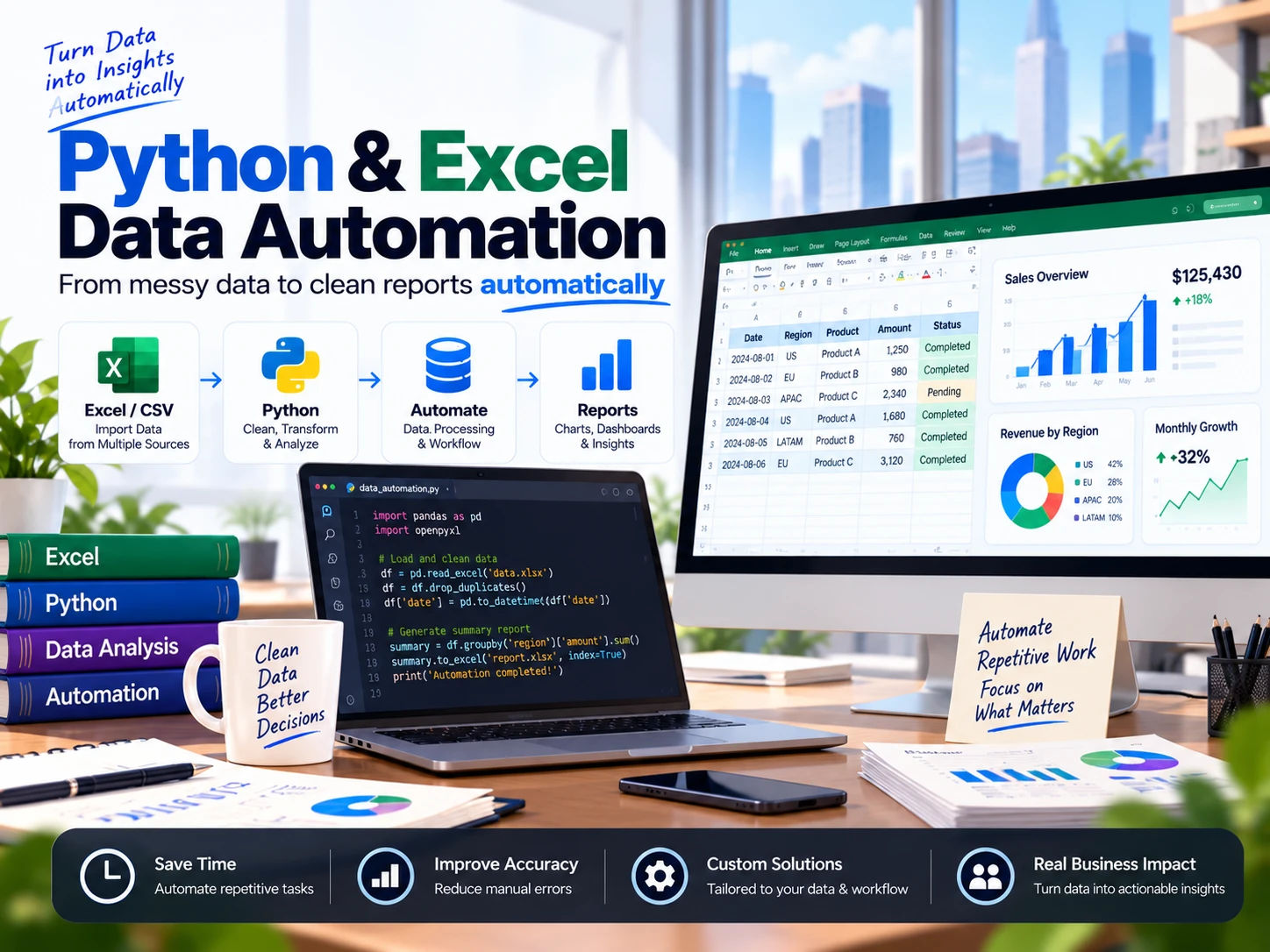
Python & Excel Data Automation

Shawn Zhang


The problem
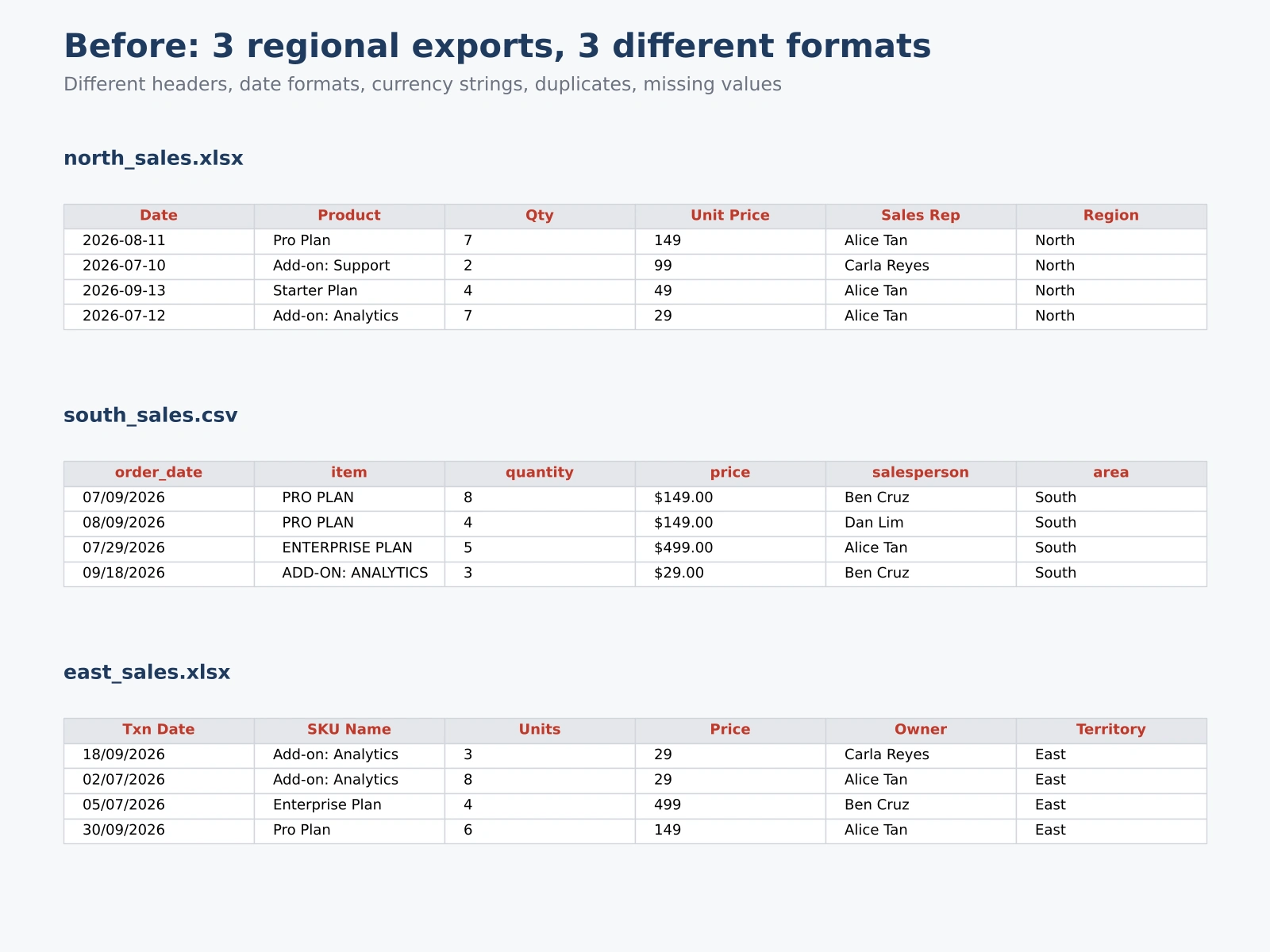
Many small teams build weekly reports by copy-pasting from several exports. In this demo, three regional sales files each use different column names, date formats, “$” price strings, inconsistent casing, duplicate rows, missing sales reps and negative-quantity typos.
What I built
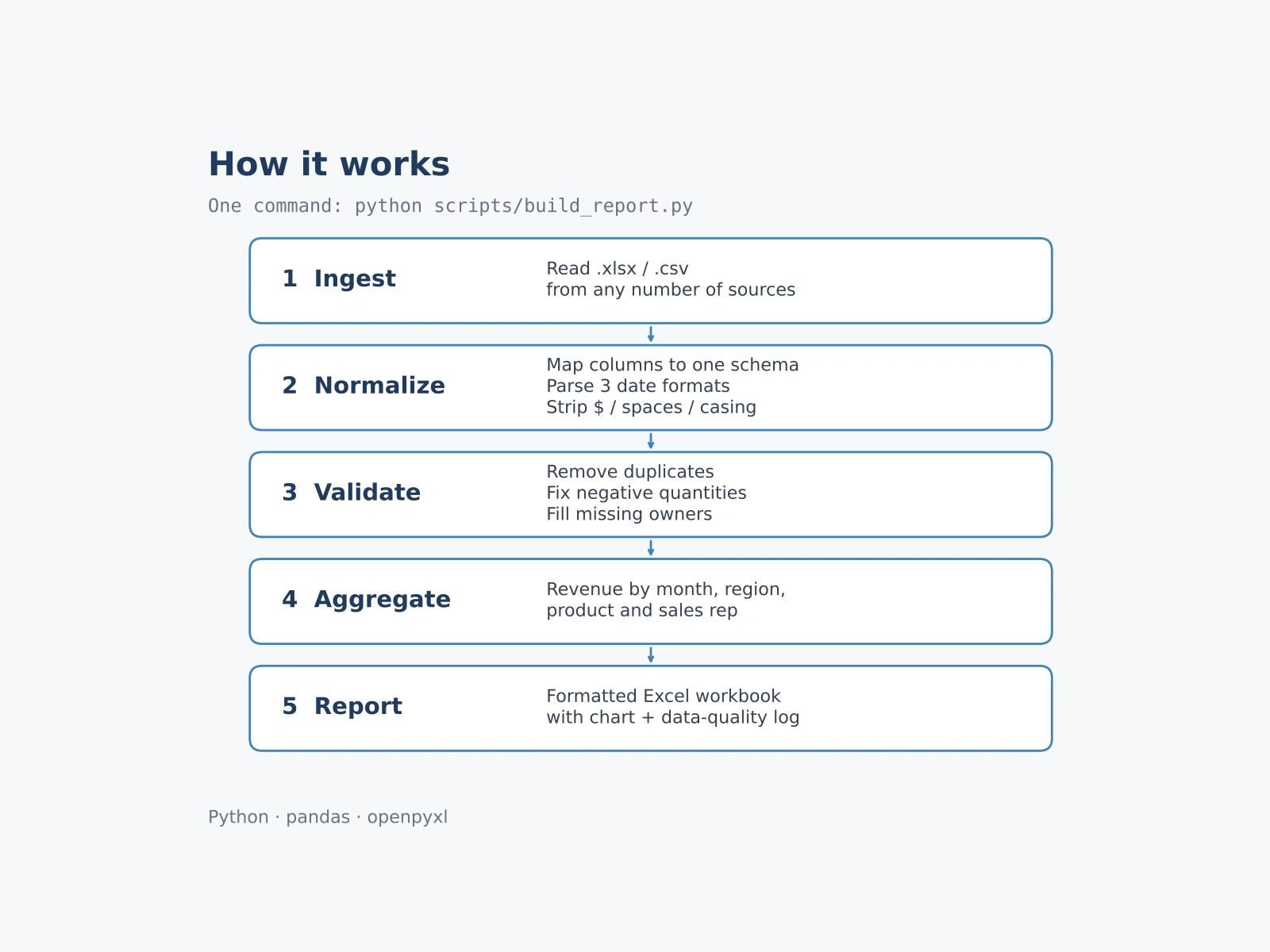
Ingest: reads any number of .xlsx / .csv files
Normalize: maps every source to one schema, parses 3 date formats, cleans prices and text
Validate: removes duplicates, fixes negative quantities, fills missing owners, logs every fix
Aggregate: revenue by month, region, product and sales rep
Report: formatted Excel workbook with summary, chart, quality log and clean data
Result (synthetic sample data)
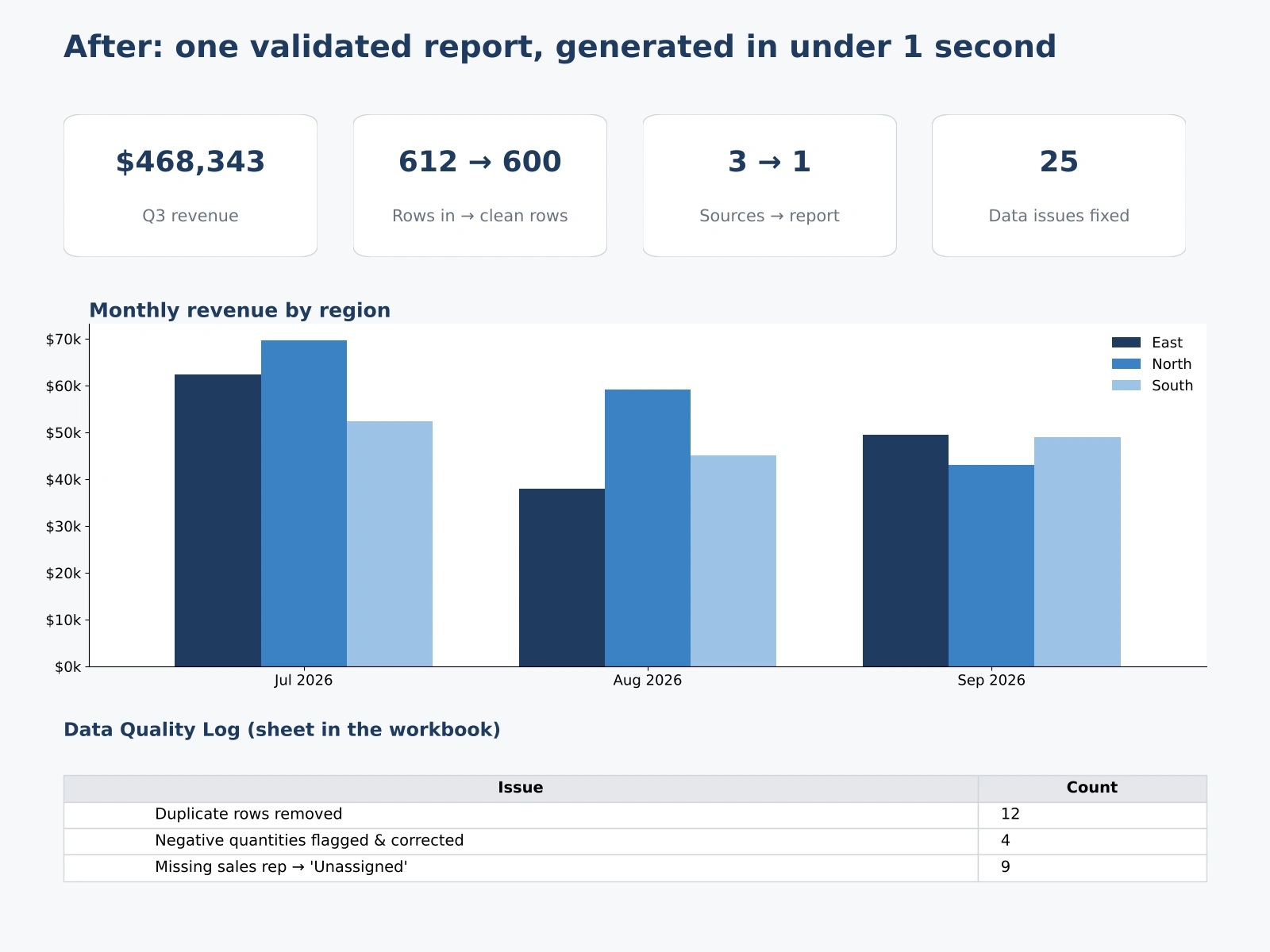
3 sources → 1 report; 612 raw rows → 600 clean rows
25 data issues fixed and logged automatically
Full run in under 1 second, one command
Self-directed demo built with synthetic data. I can adapt it to your files and report layout. Source code: https://github.com/cricket20052022/excel-report-automation
Like this project
Posted Oct 5, 2026
Self-directed demo: a Python pipeline that merges messy multi-source Excel/CSV exports into one validated, formatted report in under a second.
Likes
0
Views
5
Timeline
Sep 28, 2026 - Oct 14, 2026