Pen Buddy App Development and Launch

Atul L Ranjan


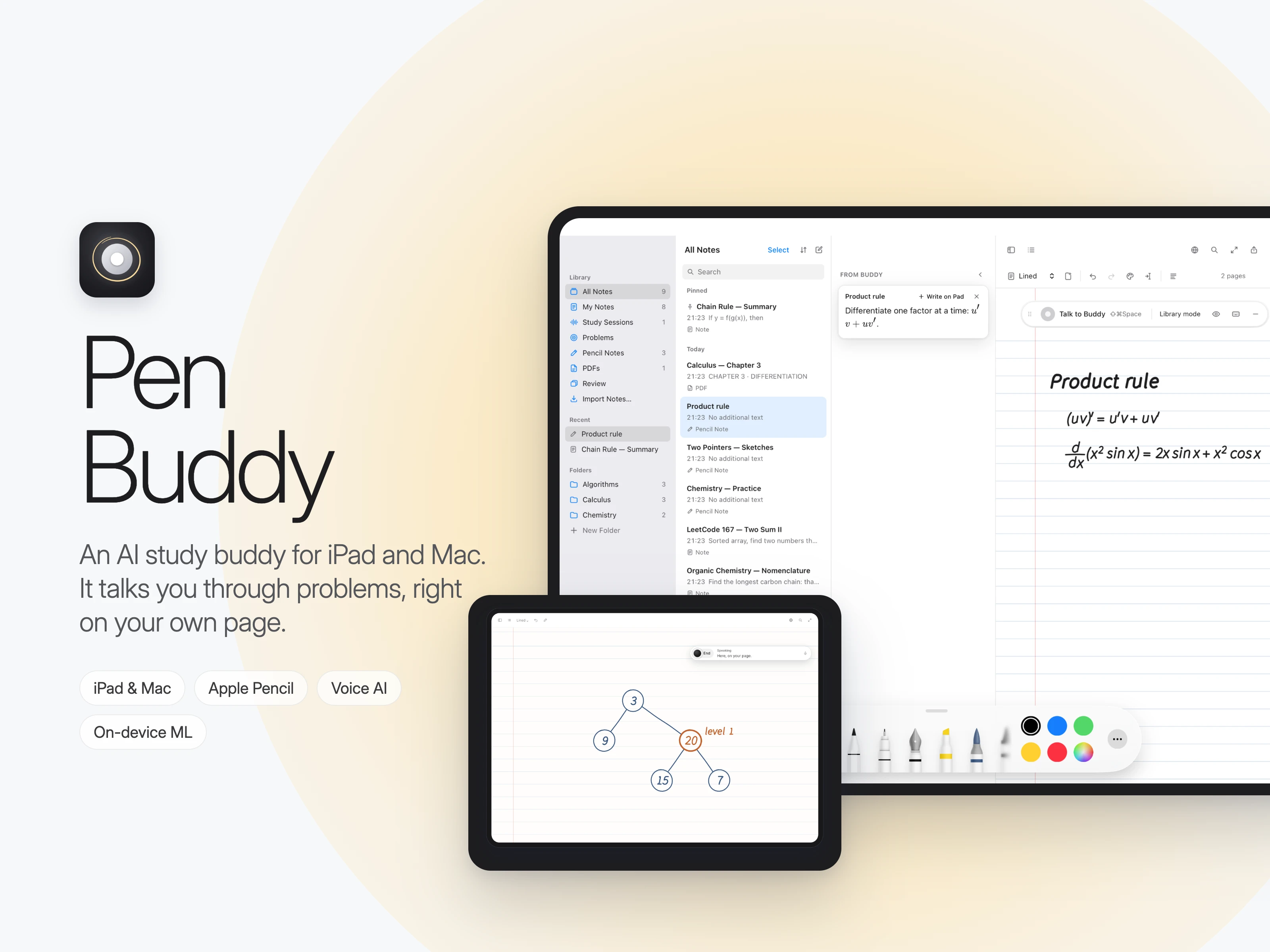
Pen Buddy: an AI study buddy that works it through with you
Platforms: iPad (Apple Pencil) and Mac
Role: Founder and sole engineer: product, design, iOS/macOS, AI and backend
Timeline: 2026; App Store launch the week of October 19–26, 2026
Website: https://penbuddy.app
Overview
Pen Buddy is a study notebook with a friend built in. Students write in their own notes with Apple Pencil, or work in a PDF, a course page or LeetCode. Buddy, an AI study partner, sees the same page and talks the problem through with them out loud. It asks about the step, waits while they think, and lets them do the solving.
Most AI study tools hand over the answer. Pen Buddy is built on the opposite idea: it helps you learn and won't do it for you.
The problem
Students already have powerful AI, but it short-circuits learning:
Answers instead of understanding. Paste the problem into a chatbot and you get a full solution. It feels like progress, but nothing sticks by exam day.
Context switching. Students copy problems out of their notes, PDFs and browsers into a separate chat window, which breaks their focus.
Studying alone. The most effective help is a patient friend or tutor sitting next to you who says "what's inside the sine?" at the right moment. Most students don't have that on call.
Who it's for
High school and university students working through maths, physics, chemistry and similar subjects in handwritten notes on iPad.
CS students and interview candidates practising algorithms, data structures and Big-O, who want to think out loud the way they will in a real interview.
Self-learners working through a textbook PDF who want someone to ask "why?".
Use cases
1. Stuck on a calculus step
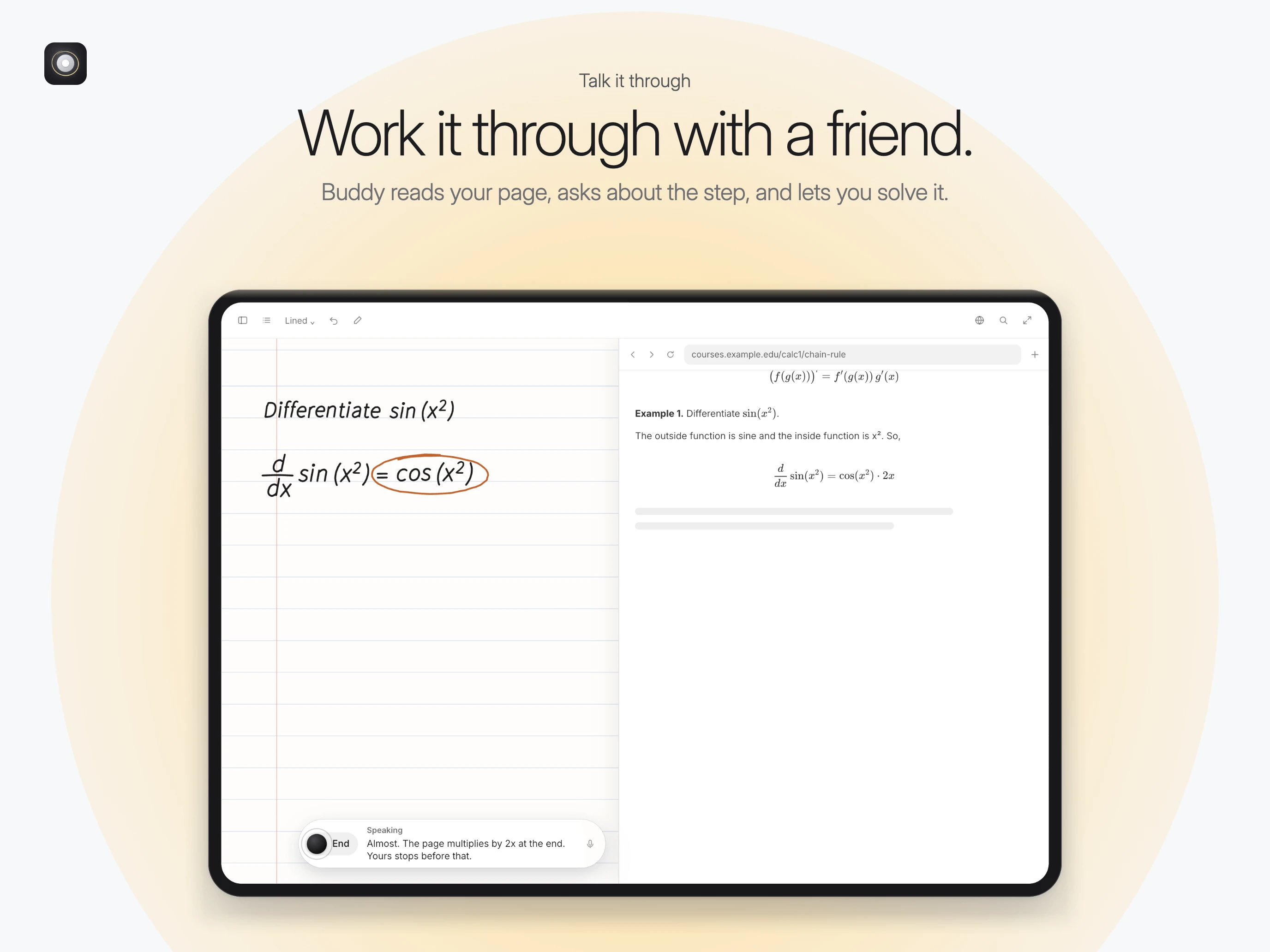
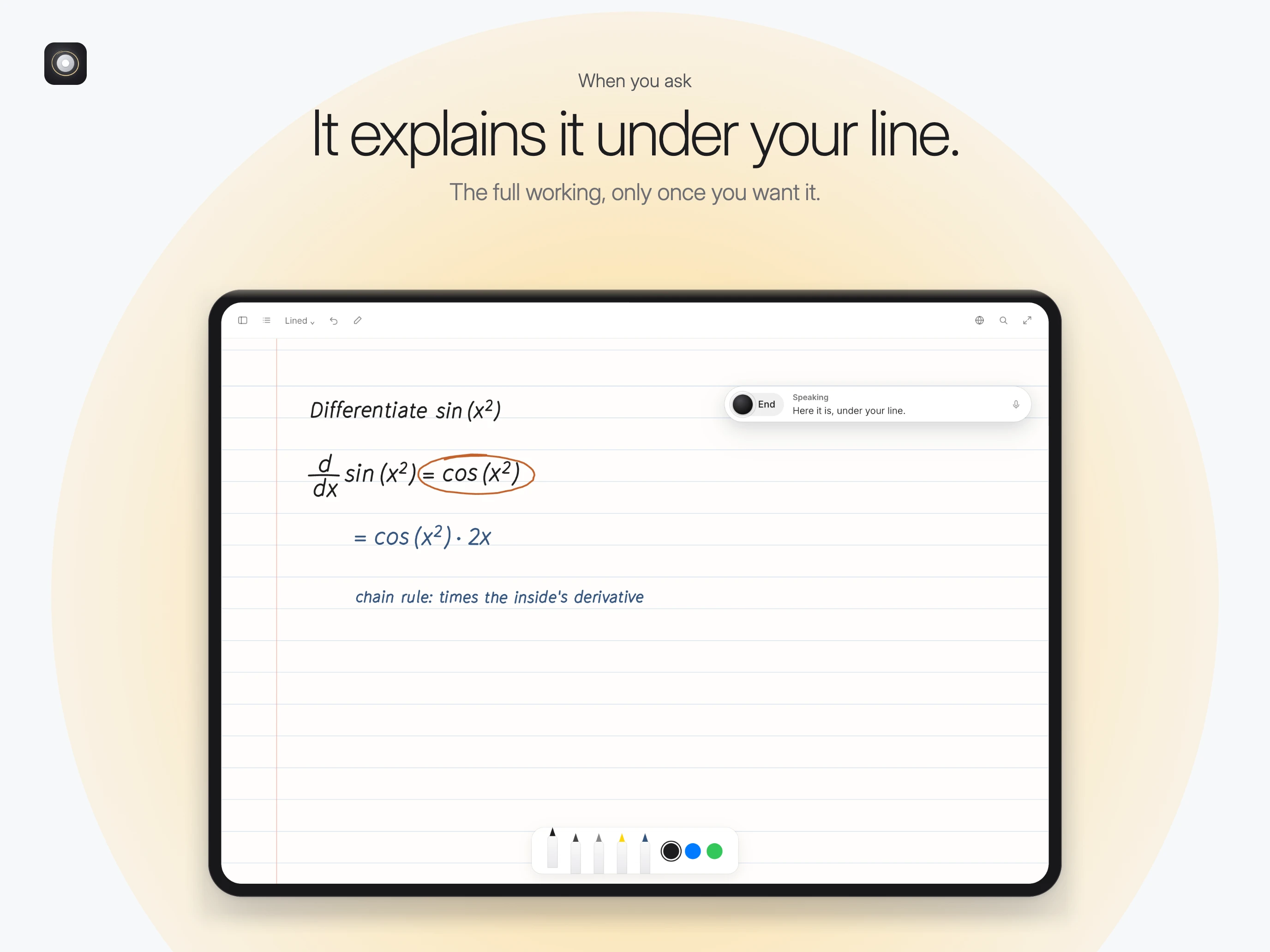
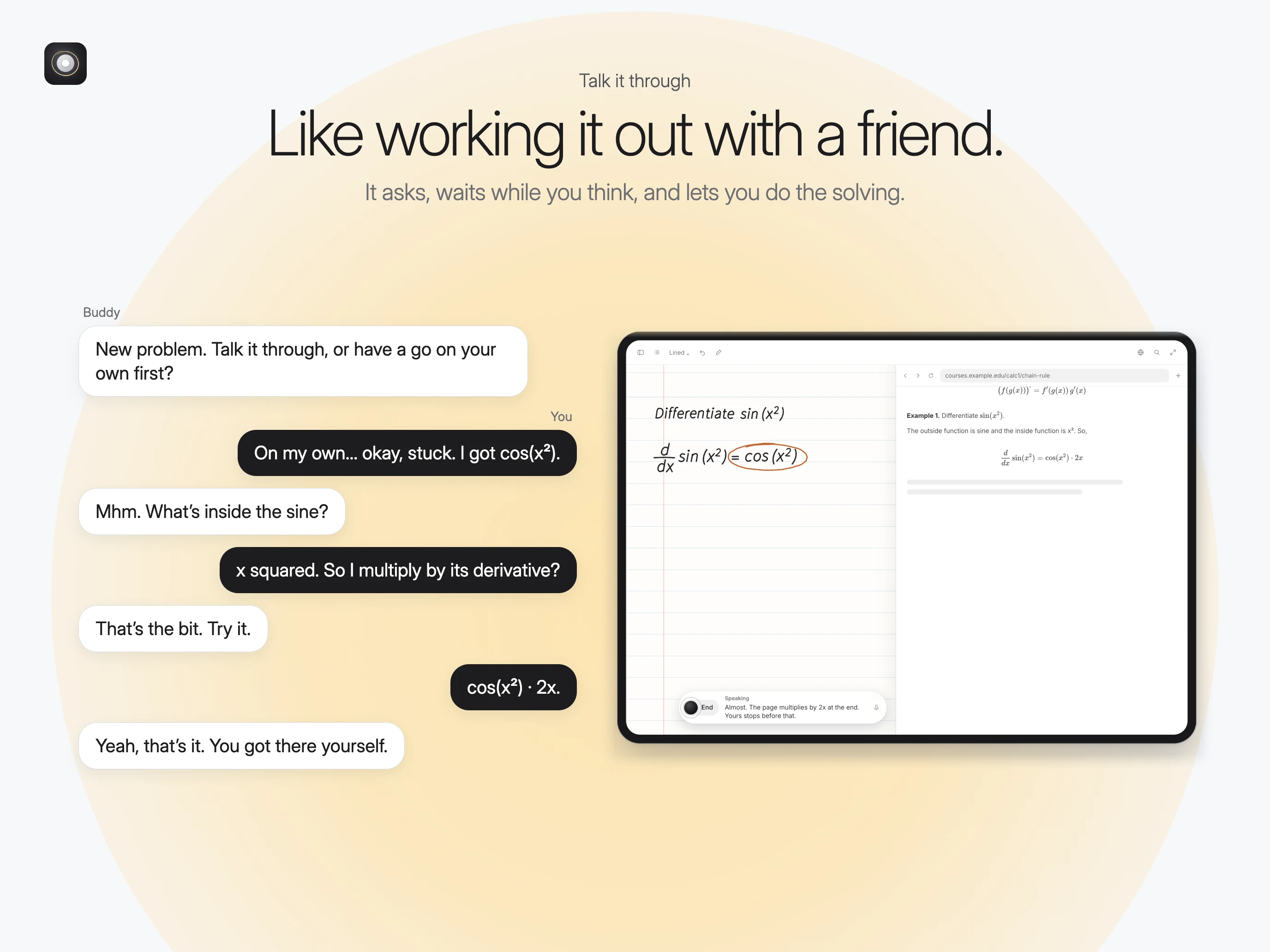
A student is differentiating
sin(x²) in their Pencil notes and stalls. They tap Talk to Buddy and say "I'm stuck". Buddy has already read the page and worked the problem out quietly in the background, so it doesn't lecture. It asks: "What's inside the sine?" The student answers "x squared", and Buddy nudges: "So multiply by its derivative?" The student writes cos(x²) · 2x themselves, and Buddy responds: "Yeah, that's it. You got there yourself."2. "Show me" with diagrams drawn on the page
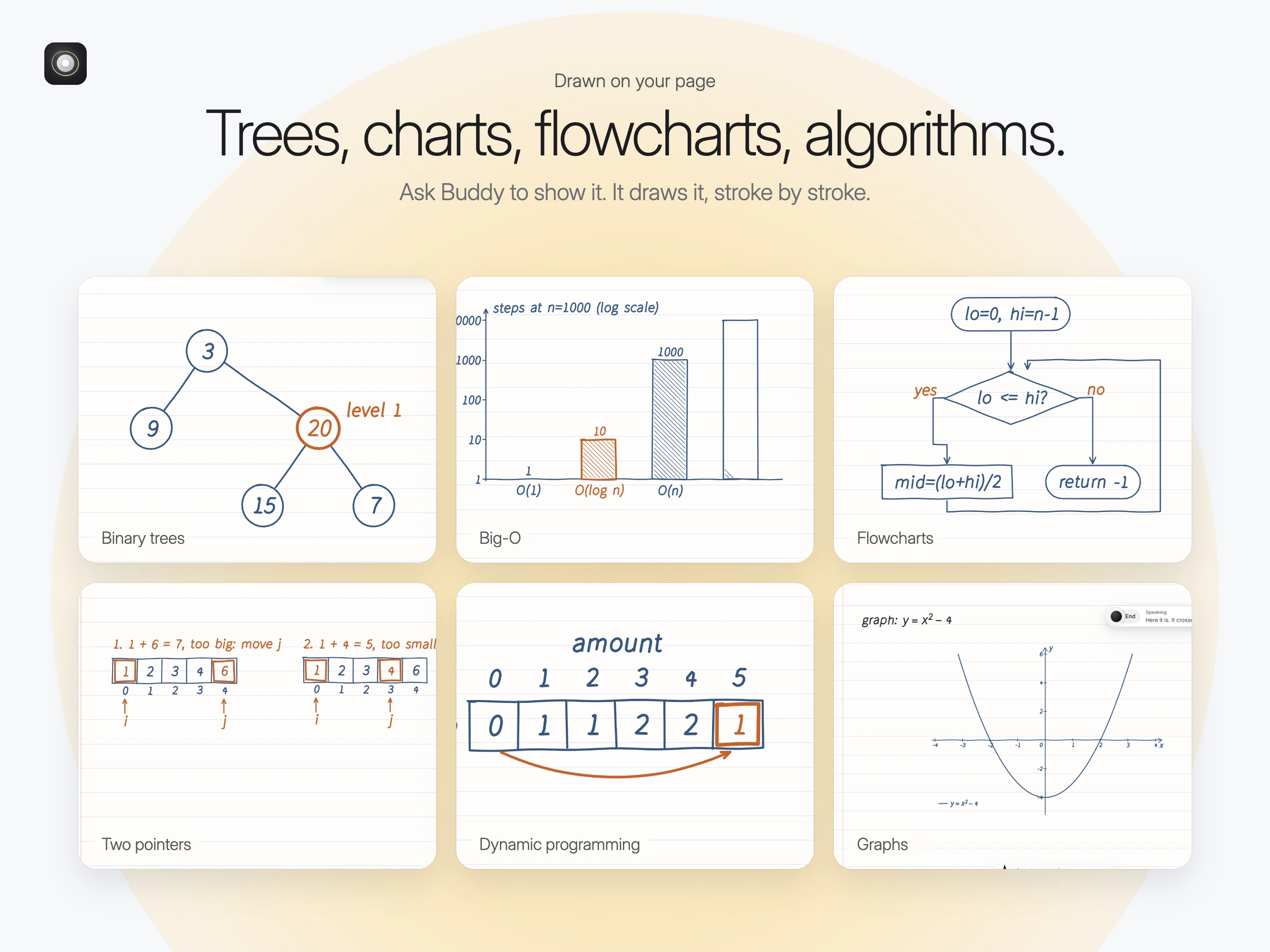
A student asks Buddy to draw a binary tree, a graph of
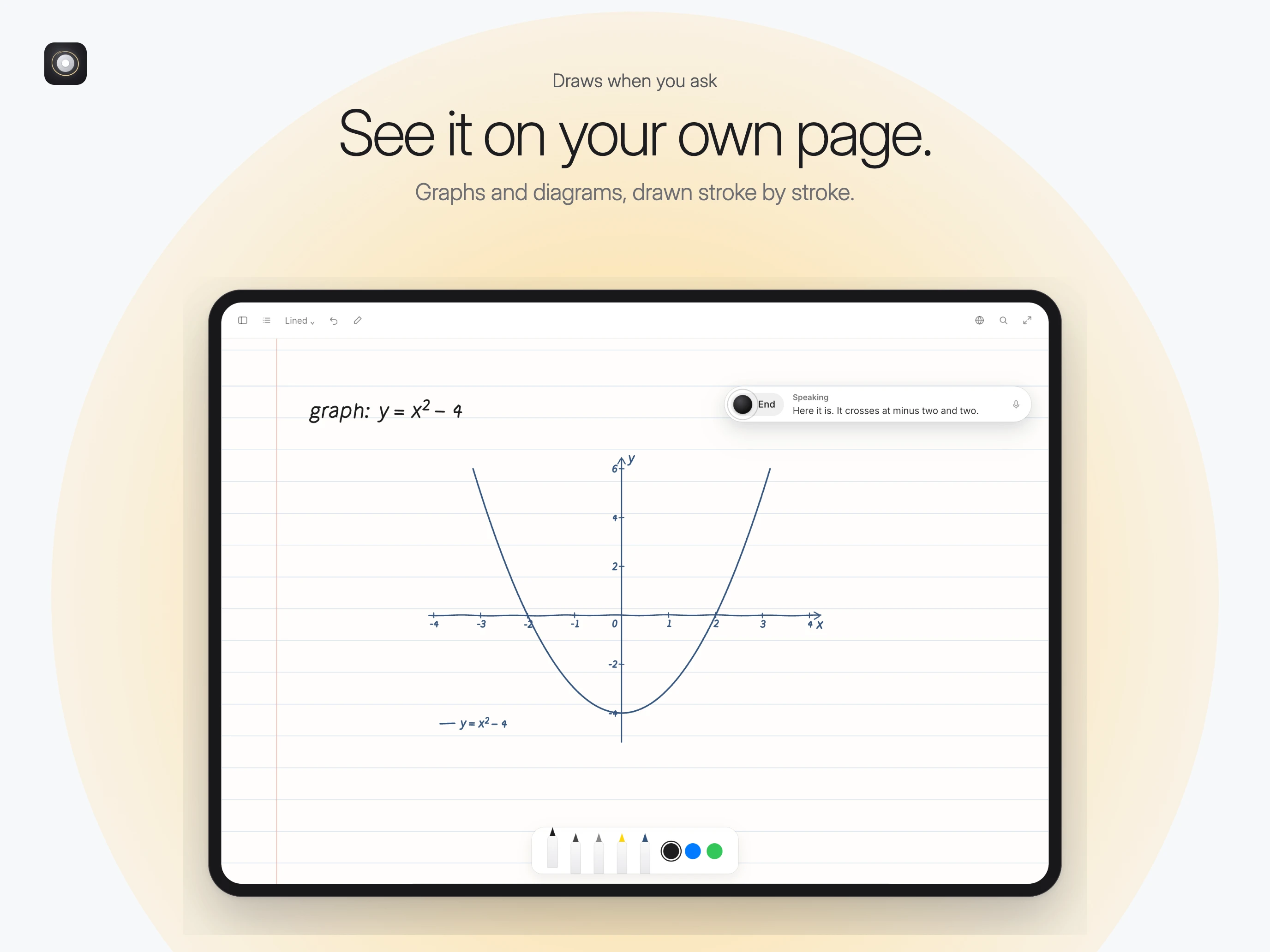
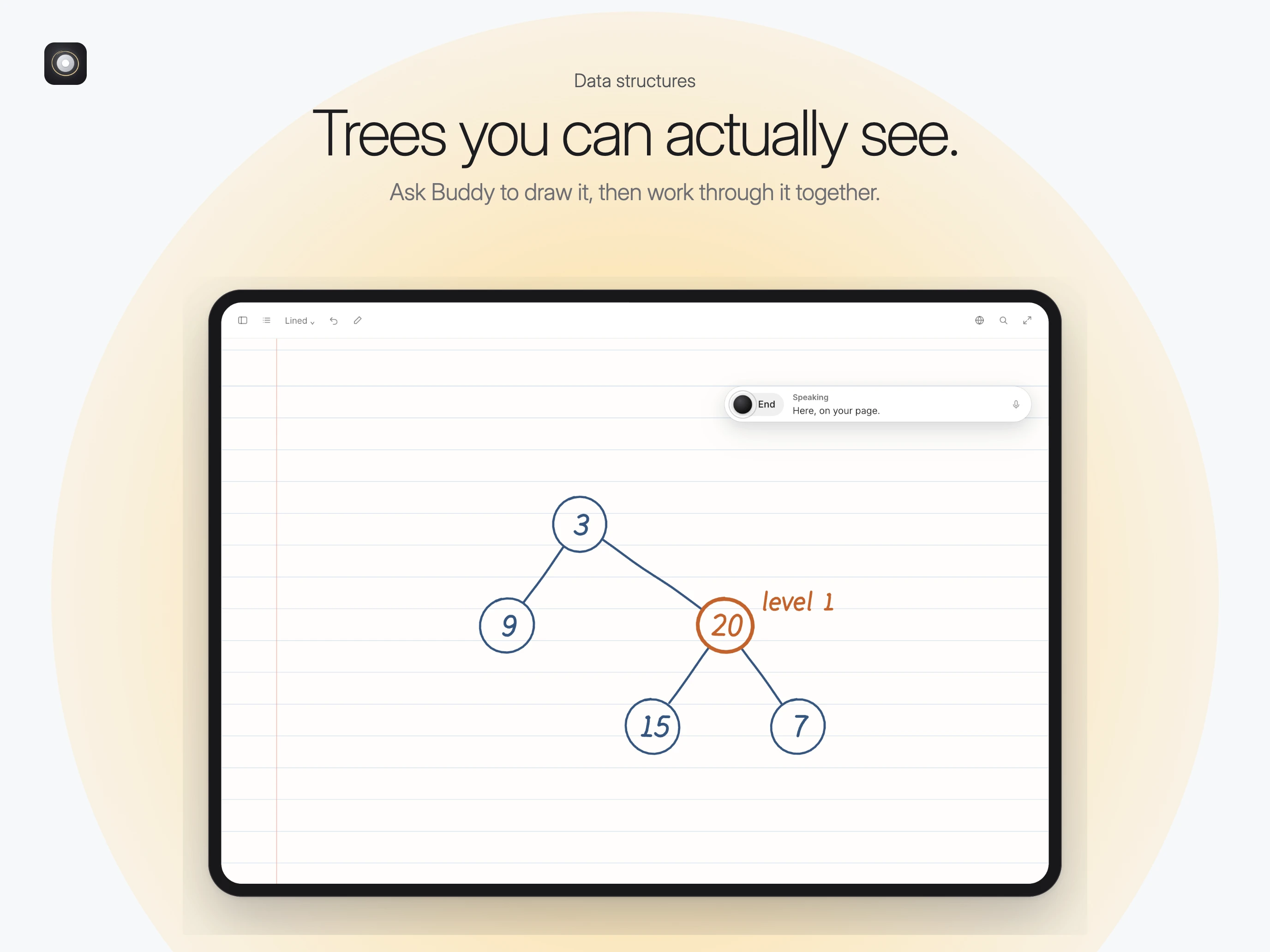
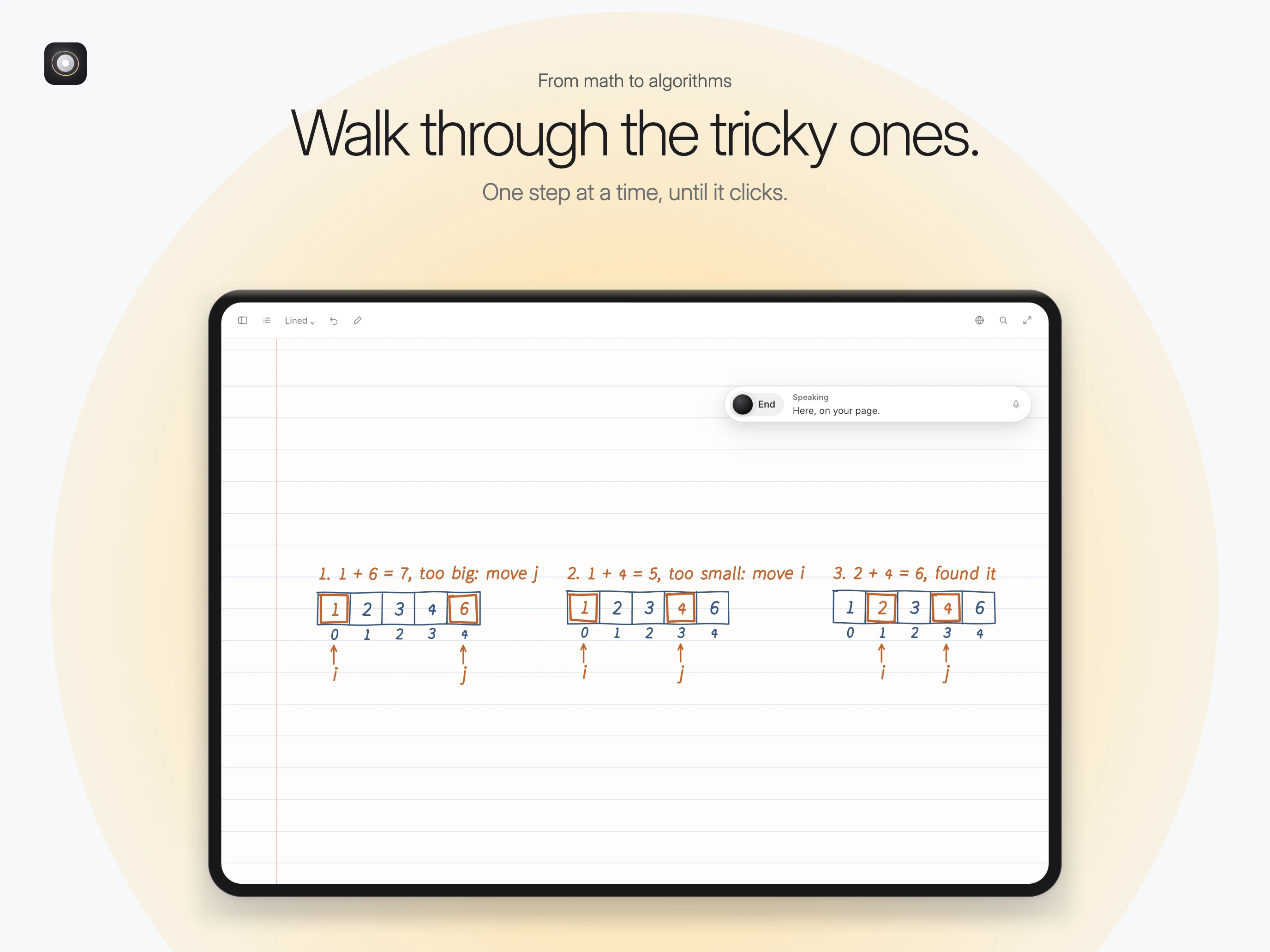
y = x² − 4, a flowchart for binary search, or a DP table. Buddy draws it stroke by stroke on the student's own page, in its own handwriting, then works through it with them one cell or one node at a time.3. Reading a course PDF
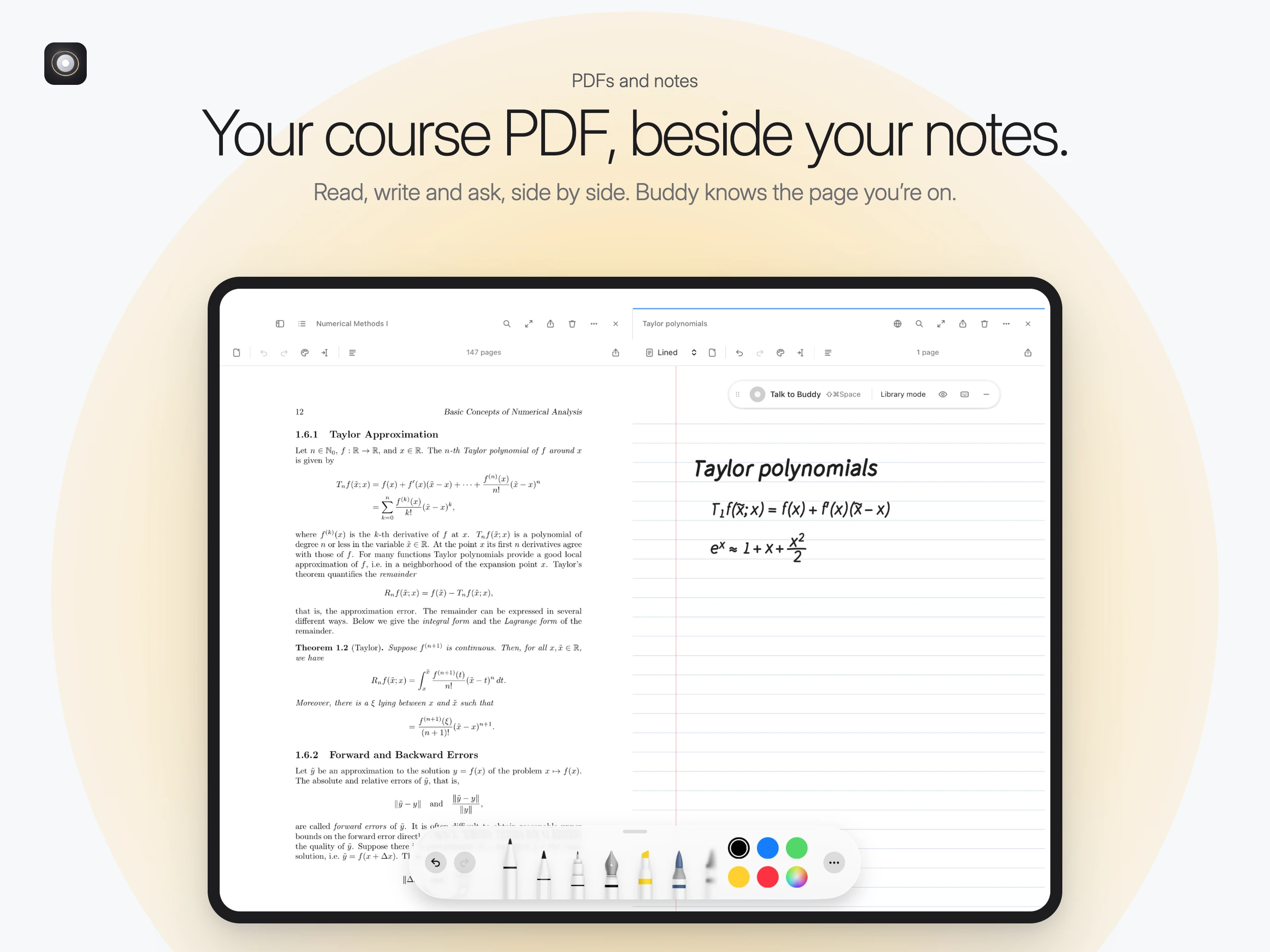
A student opens a lecture PDF next to their notes, highlights a passage with Apple Pencil and asks "explain this". Buddy knows which page they're on and what they highlighted, and explains it in context. The explanation goes into their notes if they want it there.
4. Interview prep beside LeetCode
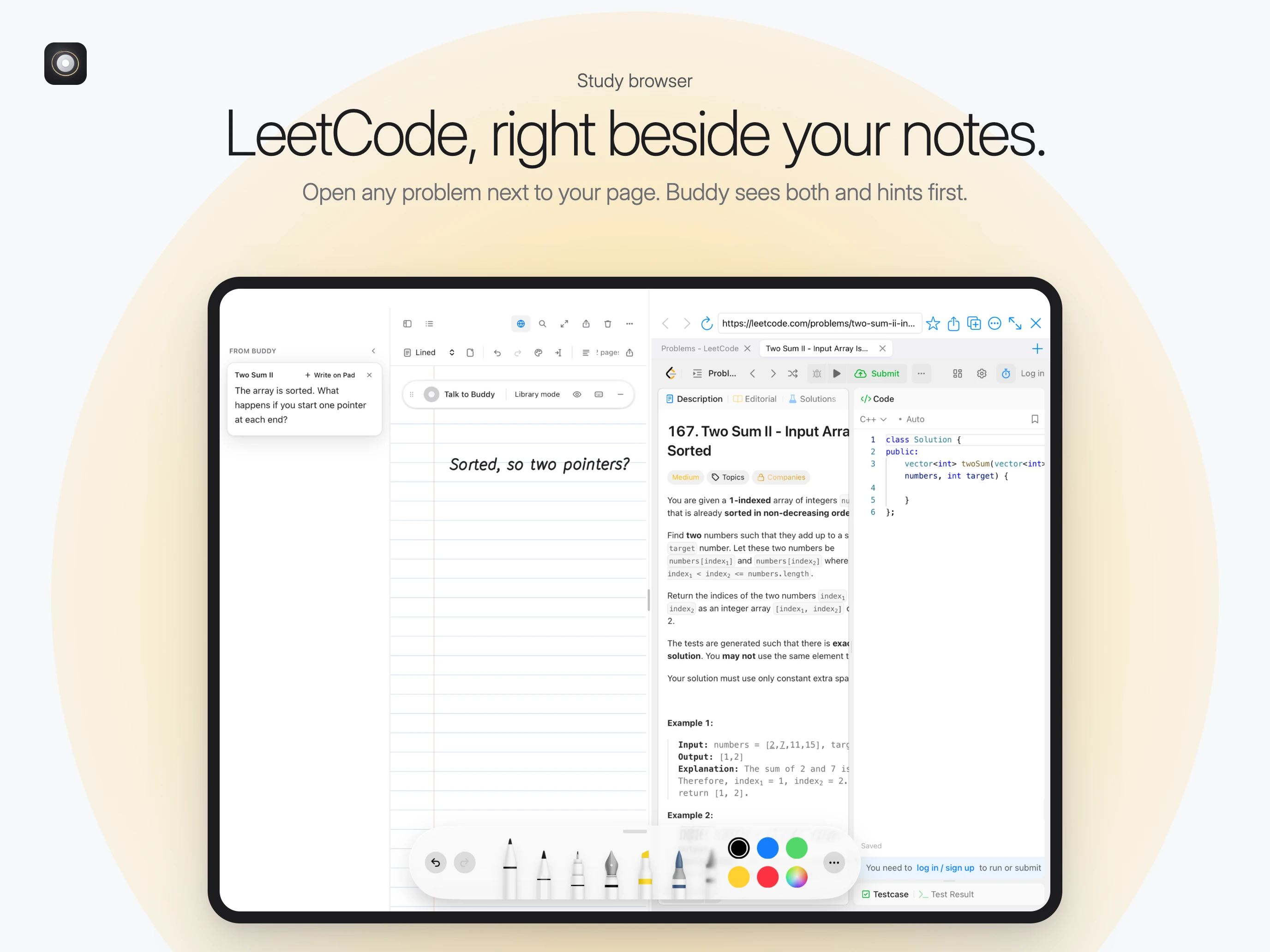
The built-in study browser opens a LeetCode problem next to the notebook. The student sketches a two-pointer approach by hand and talks it through. Buddy sees both the problem and the sketch and gives the smallest hint that gets them moving, never the full solution unless they ask.
5. A quiet 45-minute session
Buddy doesn't comment on every pen stroke. Over a long session it speaks only a handful of times: when the student finishes a turn, celebrates a solved problem, offers a break, or gives a gentle check-in if they've been stuck for a while. Silence is thinking time. Every session becomes review cards for later.
The solution: key features
Voice-first tutoring. A real-time conversation with a warm, natural voice. It is Socratic: hints, never the answer by default.
It reads your page. It understands handwriting, maths notation and on-screen text, with on-device models handling it first (Apple's Vision framework, an on-device maths reader) before any cloud call.
Buddy writes by hand. Graphs, trees, flowcharts, arrays and DP tables are drawn on a PencilKit canvas.
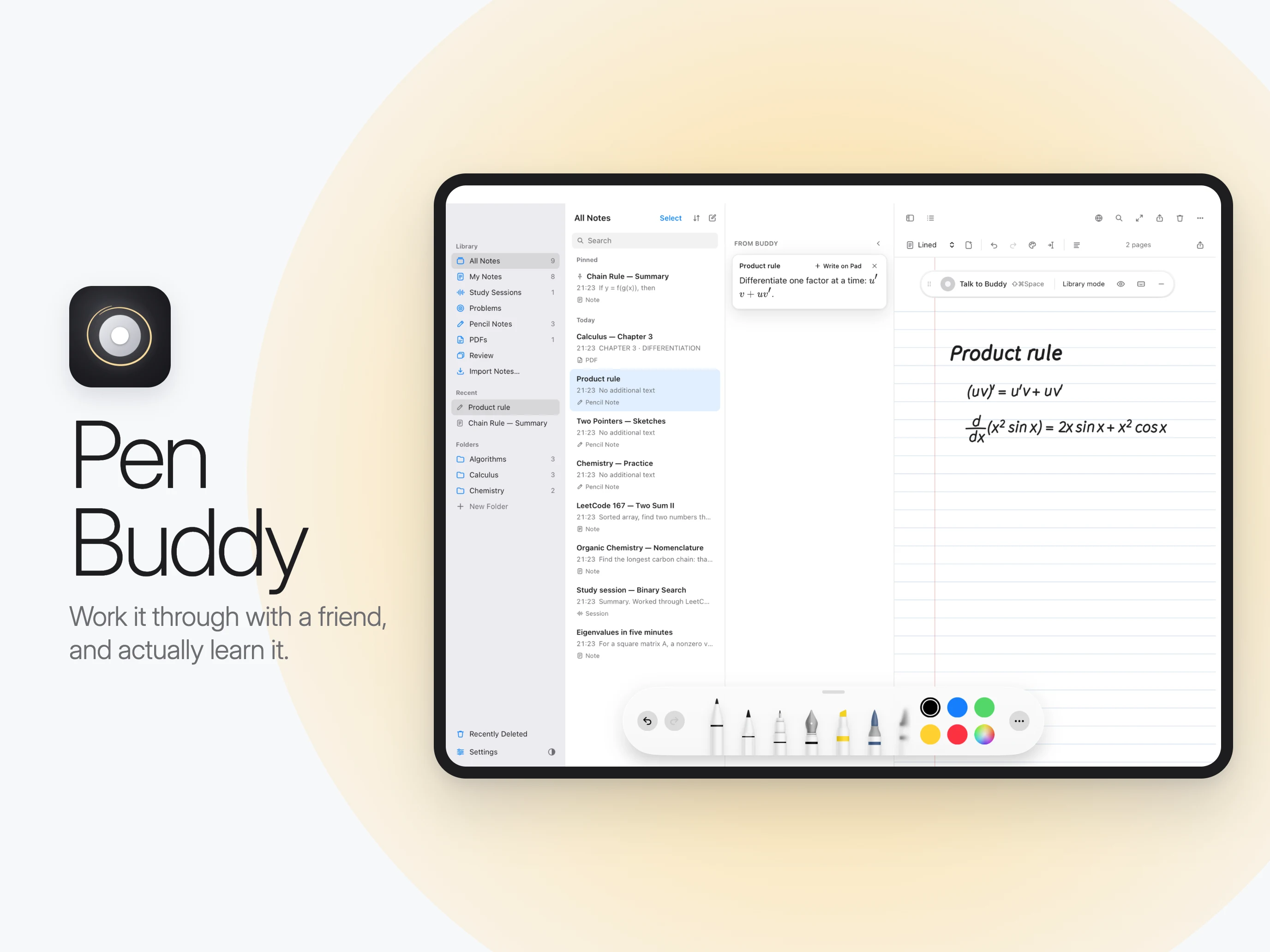
Notes, PDFs and a study browser side by side, so you never copy-paste into a chat window.
Imports from Apple Notes, Notability, GoodNotes, PDFs, images and Markdown.
Memory. Buddy remembers past sessions and your notes, so it can pick up where you left off.
Local-first. Notes live on the device, and the app is built to sync through the student's own iCloud. AI services get only what they need, when they need it.
Credits-based pricing. The notebook is free, and credits buy time with Buddy, roughly one per question.
Design decisions
Apple's Human Interface Guidelines throughout: native menus, system vibrancy, and glass used sparingly (only on the floating Buddy capsule). Hint cards are opaque so they stay readable on any page.
A calm, understated aesthetic: a near-black and near-white accent, a lined-paper canvas, and a warm glow on marketing assets.
Restraint as a feature. The hardest design work was deciding when Buddy shouldn't talk. A policy layer applies cooldowns, never speaks over the student, and respects "be quiet".
Light, Dark and Automatic appearance, a pointer cursor on everything clickable, and no browser-style pop-ups. Everything is native.
How it works
See. The page (handwriting, PDF, or the study browser) is read by on-device models first. A cloud vision model is used only when the on-device reading isn't confident.
Think. A strong reasoning model solves the problem quietly in the background and writes a private "solution brief".
Talk. A fast conversational model paraphrases that brief as hints, routing only the heavy reasoning to the larger model. Speech recognition runs on the device where possible, and replies stream back as natural speech.
Remember. Sessions are summarised into the note itself and turned into review cards.
Tech stack
iPad: a Swift shell with PencilKit, Apple Pencil handwriting, on-device ML (Vision OCR and an int8 maths reader), Keychain-stored sign-in, and CloudKit sync.
Mac: Electron, React, TypeScript, Tailwind and Zustand, plus native Swift helpers for screen OCR and on-device speech.
AI: Gemini models for vision, reasoning and conversation, a fallback model provider, on-device speech recognition, and streaming text-to-speech.
Backend: Vercel, Firebase and Stripe for accounts, credits and the AI gateway. Provider keys never ship in the app.
Quality: strict TypeScript, Zod validation on every model output and IPC payload, Vitest tests, and per-stage latency logging.
Tools: I build with Claude Code alongside my own engineering, which let me ship a large surface area quickly without compromising on polish.
Engineering highlights
Low-latency voice loop: a custom pipeline from end of speech to first audio, with barge-in, interruption handling and word-by-word captions.
A cheaper vision ladder: on-device readers answer whenever they're confident. Unchanged screens cost no model call, and every read logs which step answered it.
Pencil-native output: Buddy draws diagrams as real ink strokes in the student's notebook, not as pasted images.
One codebase on two platforms: the iPad app runs the same core as the Mac app inside a Swift shell, with shims for platform APIs.
Outcome
Pen Buddy launches on the App Store the week of October 19–26, 2026, with an iPad app, a Mac app, a marketing site at penbuddy.app, a newsletter, and an admin and analytics dashboard. I built all of it end to end.
Like this project
Posted Oct 17, 2026
AI study buddy for iPad and Mac that talks students through problems on their own page, using Apple Pencil, voice AI and on-device ML. Built solo, end to end.
Likes
0
Views
0
Timeline
Oct 19, 2026 - Oct 26, 2026