Development of Marketing OS for Real Estate Video Automation

Atul L Ranjan
Verified


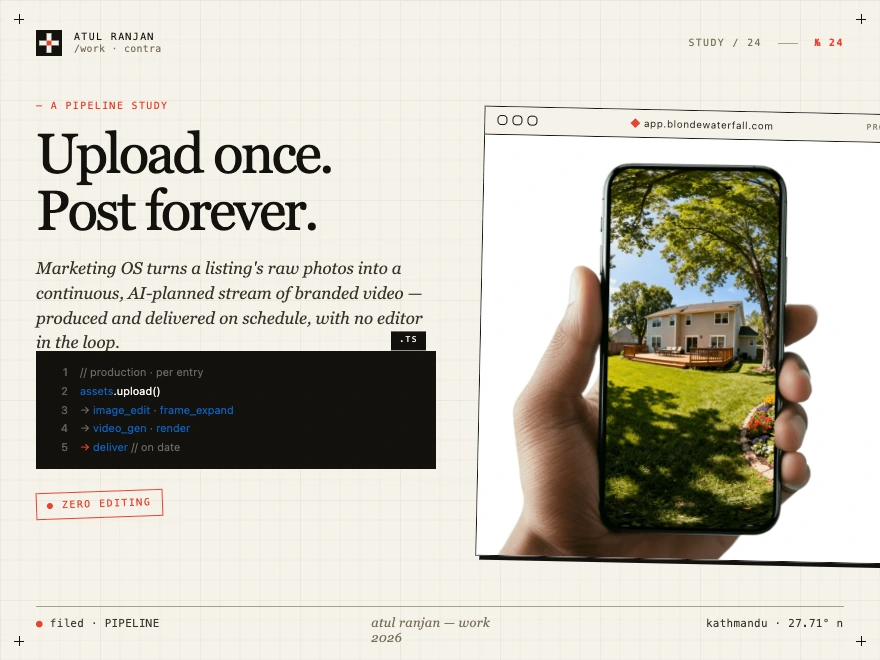
Marketing Operating System
1. The Problem
Real estate agents need a steady stream of marketing content — listing videos, social posts, branded clips — to sell properties and keep their personal brand visible. Producing that content the traditional way is slow and expensive:
An agent shoots photos and video of a property.
An editor manually assembles them into a branded video using After Effects templates.
Each video takes hours of editing, costs money, and has to be scheduled, delivered, and tracked.
Multiply this across dozens of listings and a multi-week marketing campaign per listing, and a single agent (or brokerage) cannot keep up.
The bottleneck is human editing time. Agents have the raw assets and a clear idea of the cadence they want ("post twice a week for this listing until it sells"), but turning that into finished, on-brand, scheduled video is a manual grind.
2. What Marketing OS Does
Marketing OS is the backend automation engine that turns a listing's raw photos and videos into a fully produced, scheduled, and delivered stream of marketing content — with little to no human editing in the loop.
It manages the entire lifecycle:
Listings & assets — agents (or admins) create listings and upload raw photos/videos.
Templates — pre-built After Effects templates define the look, pacing, music, and shot structure of each video.
Planning — an AI-driven calendar generator decides which templates to use, when to deliver them, and how to sequence content across a listing's marketing campaign.
Production pipeline — when a calendar entry is due, the system automatically:
selects and preprocesses the right assets (image editing, frame expansion, AI video generation),
reorders shots,
renders the final video through After Effects on a render server,
and delivers it (email, or webhook for editor integrations).
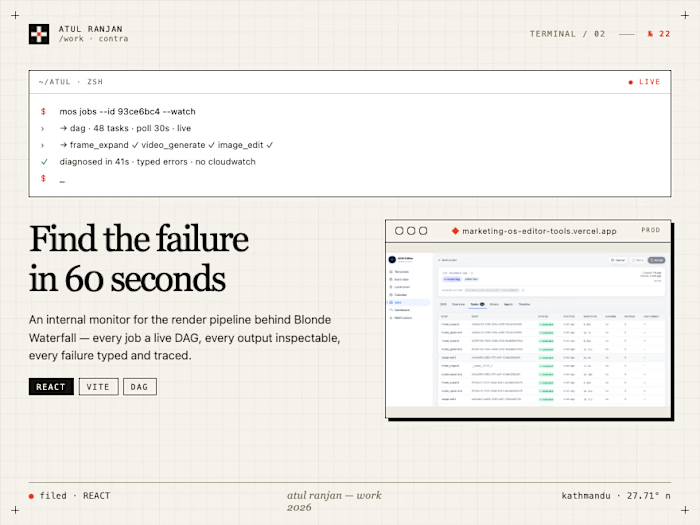
Observability & recovery — every job is tracked, errors are classified and surfaced, and stalled or failed work can be retried.
The result: an agent uploads assets once and gets a continuous, scheduled stream of finished marketing videos without touching an editor.
3. Who Uses It
Actor Role What they do Admin Operator (Blonde Waterfall staff) Creates listings, manages templates, generates calendars, oversees the pipeline, retries failed jobs, monitors the system. Has access to everything. User (Agent) Real estate agent Scoped to their assigned listings. Uploads assets, reviews/approves calendar entries, receives delivered content. Editor app Template authoring tool (separate app) Iterates on After Effects templates via the editor API — submits test renders without touching real listings, credits, or calendars. Receives results via webhook. AI Assistant In-product copilot Surfaces proactive insights and lets users issue natural-language commands ("rebuild next week's plan", "reallocate credits to the Oak Ave listing").
Roles are enforced via Firebase Auth custom claims (
role + assignedListingIds) and RBAC middleware: admins see all, users are scoped to their listings.4. The Core Workflow (End to End)
Here is the canonical happy path, from a property to delivered content:
5. Concrete Scenarios
Scenario A — New listing, full campaign
An agent lists a $1.2M home. The admin creates the listing and the agent uploads 40 photos and 5 video clips. The admin generates a calendar: the AI plans a 6-week content arc — a launch-week hero video, mid-campaign lifestyle clips, and a price-positioning piece — sequenced across delivery dates. As each entry's production window opens (48h before delivery), the pipeline produces and delivers the video automatically. The agent does nothing further except receive finished content on schedule.
Scenario B — Free trial
A new user gets a free trial. Calendar generation hardcodes the first two entries as approved so the user immediately sees real, finished videos produced from their assets — proving the value before they pay.
Scenario C — Template authoring (editor app)
A template designer is building a new "luxury slow-pan" After Effects template. They submit it through the editor API with a test ZIP. The system runs the same production pipeline but as an
editor_test job: no listing, no credit consumption, a synthetic placeholder listing for text variables, and the result is delivered to the editor's webhook instead of emailed. This lets template authors iterate against the real render pipeline without polluting production data.Scenario D — AI Assistant reallocation
An agent has two listings and limited credits. They tell the assistant "put more effort into the Oak Ave listing — it's getting traction." The assistant proposes a credit reallocation and a rebuilt calendar, shows a diff/preview, and on approval re-orchestrates the account's credit allocation and regenerates the affected calendar entries.
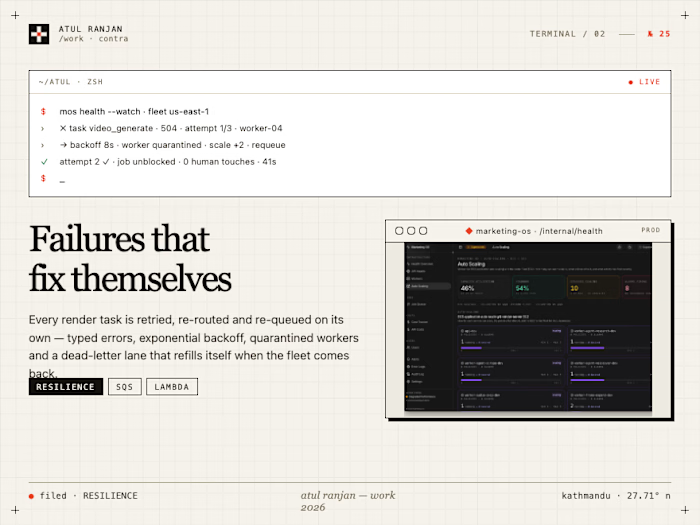
Scenario E — Render recovery
A render job appears to time out ("exceeded maximum poll count"), but the render actually succeeded — the final video is in S3 and the poll loop died on an empty-body response. The observability layer and recovery logic distinguish real failures from false negatives so the job isn't needlessly re-run or marked failed. (This is the class of issue the current branch addresses.)
6. Why It's Built This Way
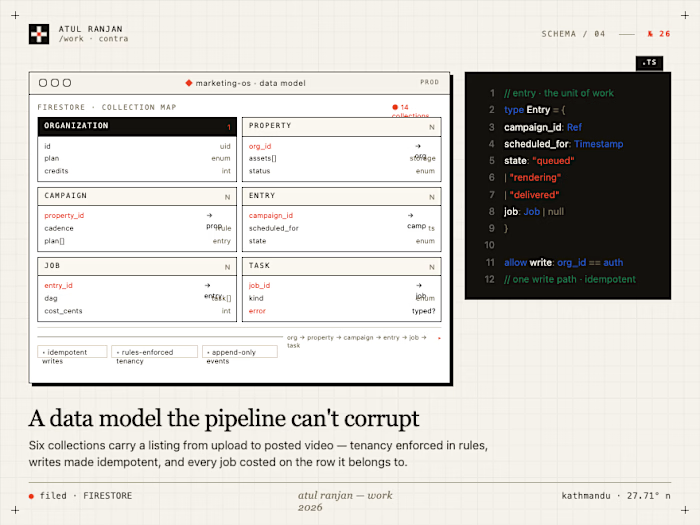
Design choice Why it serves the use case SQS-driven workers, one queue per step Each production stage scales independently. A surge of renders doesn't starve thumbnail generation. Workers scale to zero when idle to save cost. Single Docker image, CMD-per-service 14 workers + API + scheduler share one build artifact — simpler CI/CD, consistent dependencies, one image to deploy. Processed-asset caching (content hash) AI image/video generation and rendering are expensive. Identical inputs reuse cached outputs, cutting cost and latency. 48-hour production buffer Decouples when content is planned from when it's produced, giving the pipeline slack to absorb failures and retries before the delivery date. Firestore, all top-level collections Real-time listeners let the frontend reflect job/calendar/notification status live; no subcollections keeps access rules and queries simple. Typed error hierarchy + correlation IDs A multi-stage async pipeline is hard to debug. Classified errors, per-request correlation IDs, and a monitoring API make failures traceable end to end. Stateless, token-based auth The API scales horizontally with no session affinity; every request is independently verified via a Firebase ID token. AI for planning, not just production The hard problem isn't only making a video — it's deciding what content a listing needs and when. The calendar generator + assistant handle the strategy layer.
7. What's In Scope vs. Out of Scope
In scope (this backend owns):
Listings, assets, templates, jobs, tasks, calendar entries, delivery schedules, notifications.
The full content-production pipeline and its workers.
AI calendar generation, eligibility, orchestration, and the assistant's backend.
Asset ingestion (upload), processing, caching, rendering, and delivery.
Observability: error classification, job error events, monitoring API.
Out of scope (owned elsewhere or not built):
Billing/credits ledger and user preferences (owned by a separate service — this backend consumes credits and reads preferences).
The frontend web app and the editor app (separate repos; this backend serves their APIs).
Authentication provider setup (Firebase Auth is configured externally).
International listing import (e.g. realtor.ca) — the listing scraper currently supports only US sources (Zillow, realtor.com); Canadian/international support is not built.
8. One-Sentence Summary
Marketing OS turns a real estate listing's raw photos and videos into a continuous, AI-planned, automatically produced and delivered stream of branded marketing videos — replacing the manual editing bottleneck with a cached, observable, horizontally-scalable production pipeline.
Example video
Another example video
Both these videos were completely AI generated - automated as a result from this system
Like this project
Posted Jun 22, 2026
The engine behind that turns a listing's raw photos into a continuous, AI-planned stream of branded video, produced and delivered on autopilot.
Likes
0
Views
18
Clients
Blonde Waterfall