MOS Monitoring & Editor Tools Frontend

Atul L Ranjan
Verified


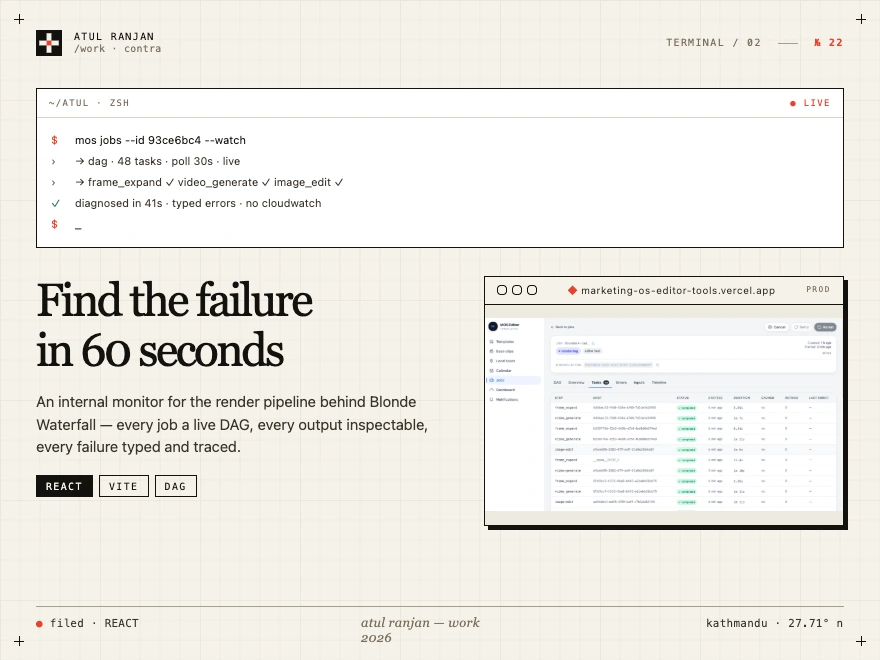
MOS Monitoring & Editor Tools Frontend
1. Overview
This project (
mos-job-monitoring / mos-editor-tools) is the internal
web application for the Blonde Waterfall operations and editorial team. It
serves as a single pane of glass over the MOS (Media/Marketing Output
System) rendering pipeline — the backend system that ingests templates and
listings and produces rendered video output.The app fulfils two tightly-related missions:
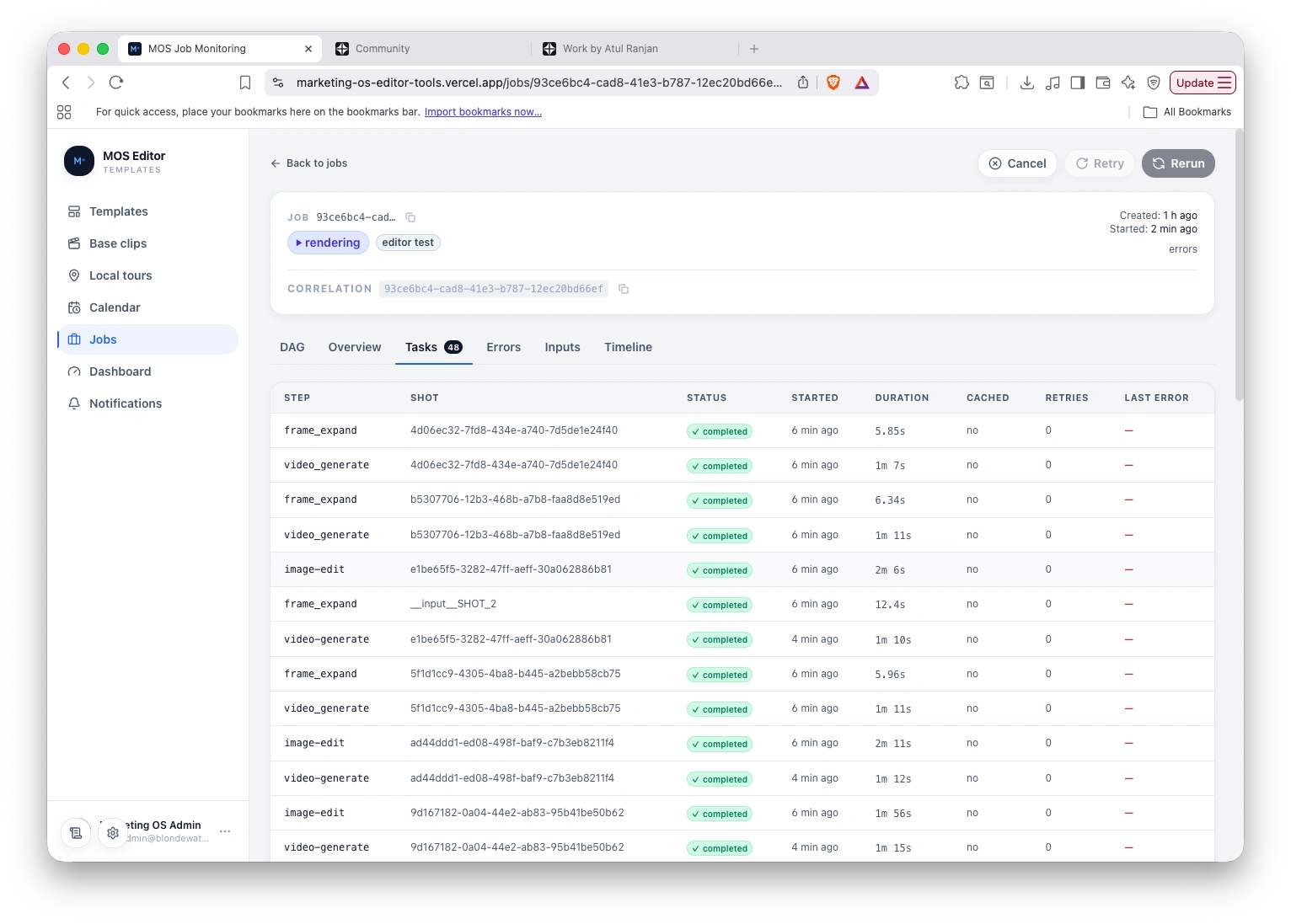
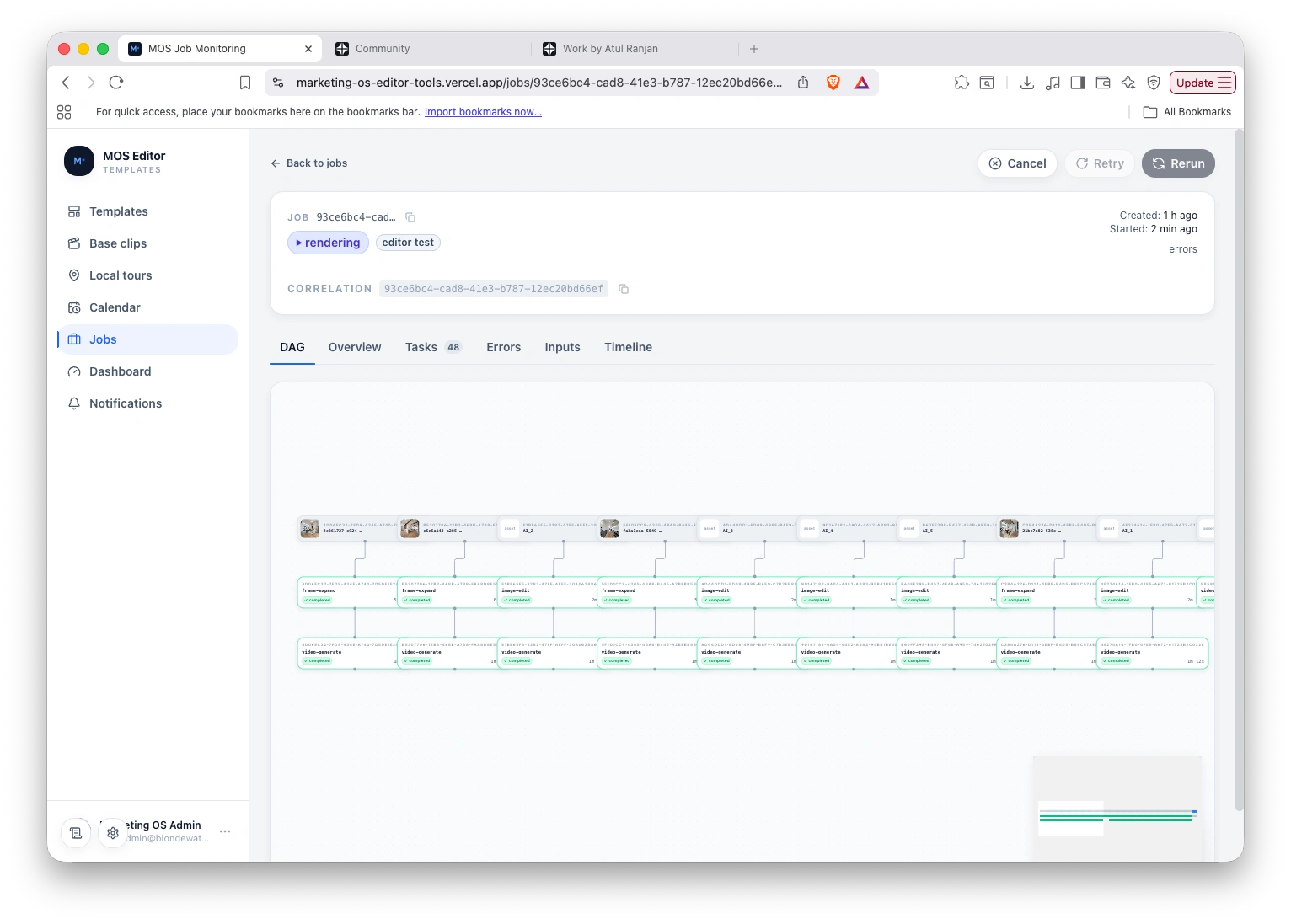
Job monitoring & failure triage — observe every job moving through the pipeline, watch live progress as a DAG (directed acyclic graph) of tasks, inspect intermediate outputs, diagnose typed errors, and retry/cancel work with an audit trail.
Template & content authoring — manage the templates that drive the pipeline: browse and edit template metadata, inspect the preprocessing pipeline, manage versions, optimize prompt markdown with an LLM, re-ingest packaged ZIPs, and run scoped test renders before promoting a template.
Access is role-gated to
editor and admin users, mirroring the backend's
/api/editor/* API surface.2. Problem It Solves
Before this tool, operators diagnosing a customer-reported render failure had
to spelunk through CloudWatch Logs, correlate IDs by hand, and read backend
source to understand a template's preprocessing steps. Editors had no safe way
to iterate on a template without a full re-ingest and production deploy.
This app solves those pain points directly:
Problem Solution this app provides Slow failure diagnosis (log spelunking) DAG visualization + typed per-task errors + correlation IDs. Target: time-to-diagnosis under 60s for a known
jobId. No live visibility into in-flight jobs Per-job DAG polled every ~30s with status per node; 30-second freshness on any open job. Can't see intermediate task output Click any task node to view/download its S3 output via presigned URL. Risky template edits Firestore-only field edits (no re-ingest) that dual-write to the active version snapshot. Hard to iterate on prompt markdown In-app Markdown Optimizer powered by the Anthropic Claude API (client-side key). No safe pre-flight check Test renders — bind placeholder assets, submit a scoped editor_test job, and watch it run before promoting. Notification overload Acknowledge/triage notifications so the team isn't drowning. Stuck free trials & local-tour jobs Dedicated tracking surfaces for these job classes.Who uses it
Backend engineers debugging a customer-reported failure
Ops team triaging the daily failure queue
Editors authoring and iterating on templates
PMs / leadership glancing at pipeline health
3. Core Features & Workflows
Dashboard — at-a-glance pipeline health and stats overview.
Templates — browse all templates (any status), inspect each template's preprocessing pipeline (shot chains, alias preprocessing, asset aliases, text variables, post-render steps), quick-edit fields Firestore-only via
PATCH /api/editor/templates/:id, and create new templates.Versions — view version history, activate a prior version, delete versions.
Markdown editing & optimization — edit/optimize the template prompt markdown via the Anthropic Claude API, then re-ingest a packaged ZIP to create a new version.
Test renders — bind placeholder assets to required slots, fill a placeholder listing, submit a render, and watch its status + events (creates
editor_test jobs).Jobs list — paginated, filterable table with direct-ID search.
Job detail — tabbed view: Overview, DAG, Tasks, Timeline, Inputs, Errors, and Local-Tour stage inspection. Live polling, retry/cancel with reason.
Base clips — configure and submit base-clip generation (with photo upload).
Local tours — pipeline monitoring, stage inspection, voice-id control, active-template management, and test submission.
Calendar lead templates — UI to pin/configure calendar lead templates.
Notifications — list, view stats, and acknowledge notifications.
CloudWatch deep-links — jump straight to the relevant logs when needed.
4. Technologies Used
Language & Framework
React 19 — UI library
TypeScript 5.7 (strict mode) — type safety across the app
Vite 6 — build tool and dev server (ES modules, fast HMR)
Styling & UI Components
Tailwind CSS v4 (via
@tailwindcss/vite) — utility-first stylingshadcn/ui built on Radix UI primitives — accessible component library (Dialog, Dropdown, Select, Tabs, Toast, Tooltip, Scroll Area, Label, Separator, Slot)
class-variance-authority, clsx, tailwind-merge — variant & className composition
tw-animate-css — animation utilities
lucide-react — icon set
sonner — toast notifications
Data Fetching & State
TanStack Query v5 (
@tanstack/react-query) — server-state cache, polling, and live updates (with React Query Devtools)Zustand v5 — lightweight client-side state
React Router v7 (
react-router-dom) — routing/navigationForms & Validation
React Hook Form — form state management
Zod — schema validation
@hookform/resolvers — wires Zod into React Hook Form
Visualization
@xyflow/react v12 (React Flow) — interactive DAG / node-graph rendering
dagre — automatic graph layout
Backend, Auth & Integrations
Firebase Web SDK v11 — authentication (role-gated
editor/admin)MOS backend
/api/editor/* REST API — jobs, templates, renders, etc.Anthropic Claude API — in-app Markdown Optimizer (client-side key)
AWS S3 — intermediate task outputs (presigned URLs)
AWS CloudWatch — log deep-linking
Utilities
marked — Markdown → HTML rendering
dompurify — HTML sanitization (XSS safety)
@uiw/react-json-view — JSON output inspection
jszip — packaging/handling template ZIPs
date-fns — date/time formatting
uuid — id generation
Tooling, Testing & Quality
ESLint 9 + typescript-eslint + eslint-plugin-react-hooks + eslint-plugin-react-refresh + eslint-plugin-unused-imports — linting
Prettier — code formatting
Vitest 3 + jsdom — unit/component test runner
@testing-library/react + user-event + jest-dom — component testing
MSW (Mock Service Worker) — API mocking in tests
Playwright — end-to-end testing
5. Architecture at a Glance
src/pages/ — top-level routed views (Dashboard, Templates, Jobs, Base Clips, Local Tours, Calendar, Notifications, Login).src/pages/tabs/ — job-detail tabs (Overview, DAG, Tasks, Timeline, Inputs, Errors, Local Tour).src/api/ — typed fetch layer, query keys, and one hook per query/mutation.src/components/ — feature components (templates, jobs, baseclips, localtour, calendar) plus a shared common/ and layout/ library.src/auth/ — Firebase init, AuthProvider, and RequireEditor gate.src/lib/ — DAG layout, CloudWatch links, formatting, severity helpers.7. Success Criteria
Time-to-diagnosis under 60 seconds for a known
jobId.30-second freshness on any open job-detail page.
No CloudWatch spelunking needed for ~80% of failures — typed-error data and correlation IDs cover them.
Editors can safely iterate on a template (edit → optimize → test render) without a production deploy.
Job Tracking
Job graph
Like this project
Posted Jun 22, 2026
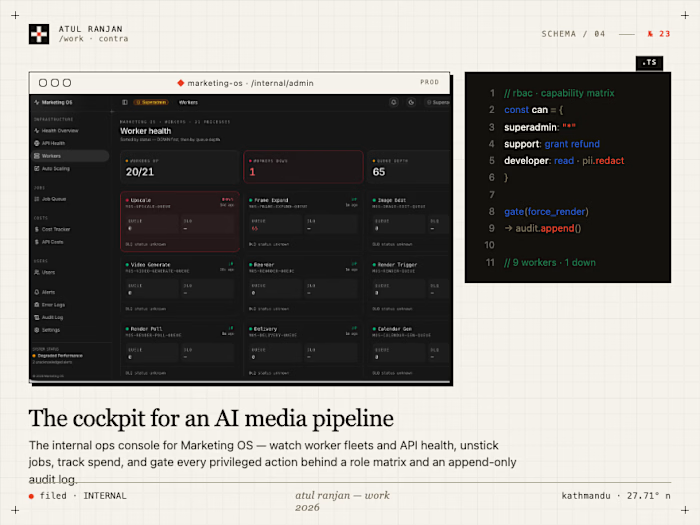
Internal app for Blonde Waterfall's MOS render pipeline. Watch each job as a live DAG, inspect task outputs, and triage typed failures in under 60 seconds.
Likes
0
Views
20
Clients
Blonde Waterfall