Piper AI Health App UI/UX Design with Figma

Akbar Rhadit


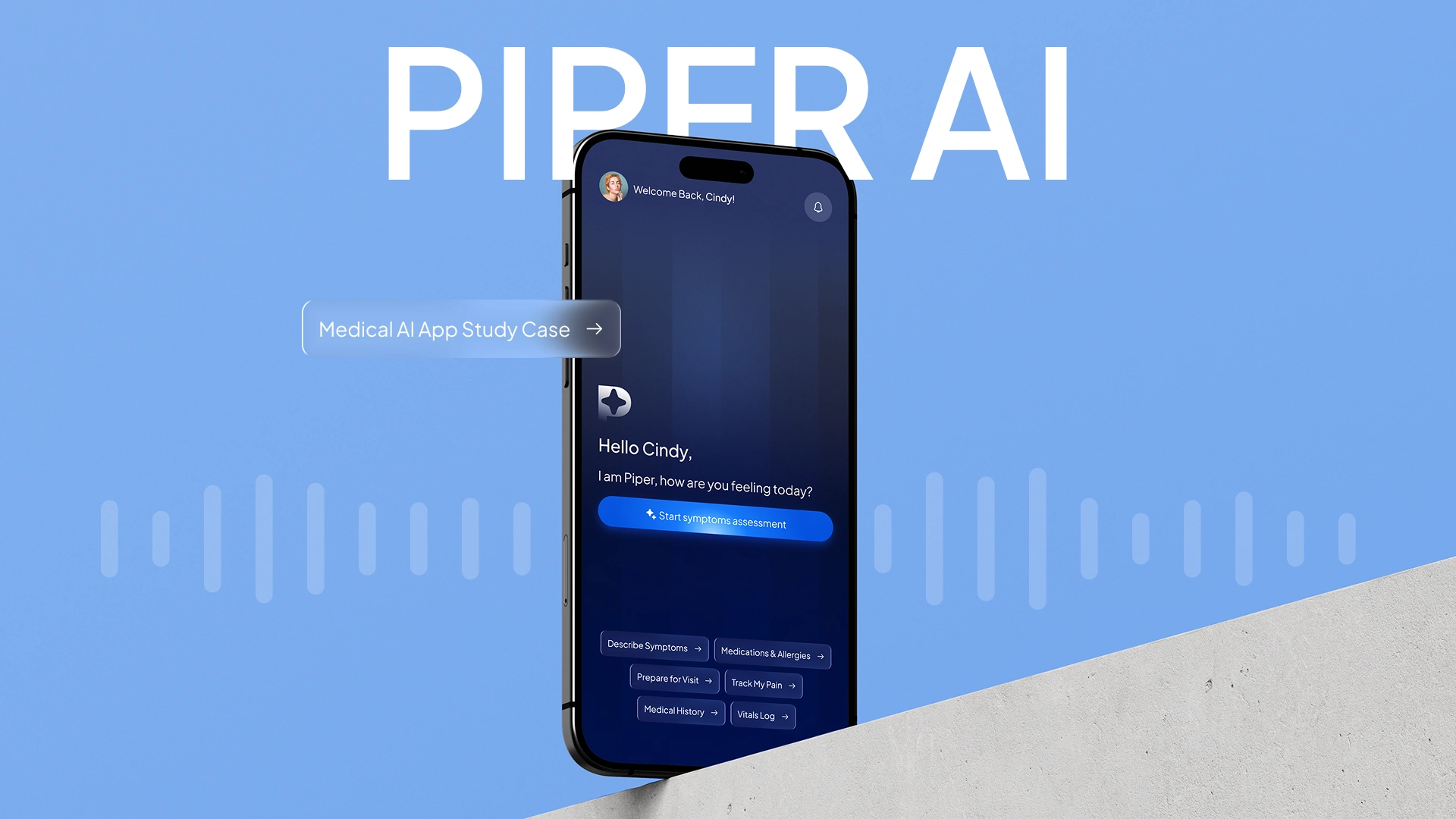
Piper | AI Health App UI/UX Design (Mobile App Case Study)
Piper: AI Medical Check-up App Design for Faster, Calmer Doctor Visits
UI/UX case study: Piper, an AI health app design with voice symptom recording, summary, and doctor booking. Designed in 3 weeks in Figma.
About The Brand
Piper is an AI health app that listens to how patients feel before a doctor visit, so nothing important gets forgotten. Using voice recording and AI, it turns symptoms into a clear summary and books the appointment in the same mobile app flow. No forms, no repeating yourself, and no diagnosis, just a calmer healthcare experience.
The Brief
I designed the full pre-visit experience for Piper, from the home screen and live voice transcript to the summary, appointment booking, and confirmation. My focus was keeping every step simple for a sick patient: one primary action, clear language, and a flow that gets them to the right doctor quickly.
Project Timeline
In 3 weeks, I took this mobile app design from user research to UI design to usability testing. I designed the home screen, voice transcript, symptom summary, and appointment booking, keeping every step simple for sick patients with one clear action and plain language.
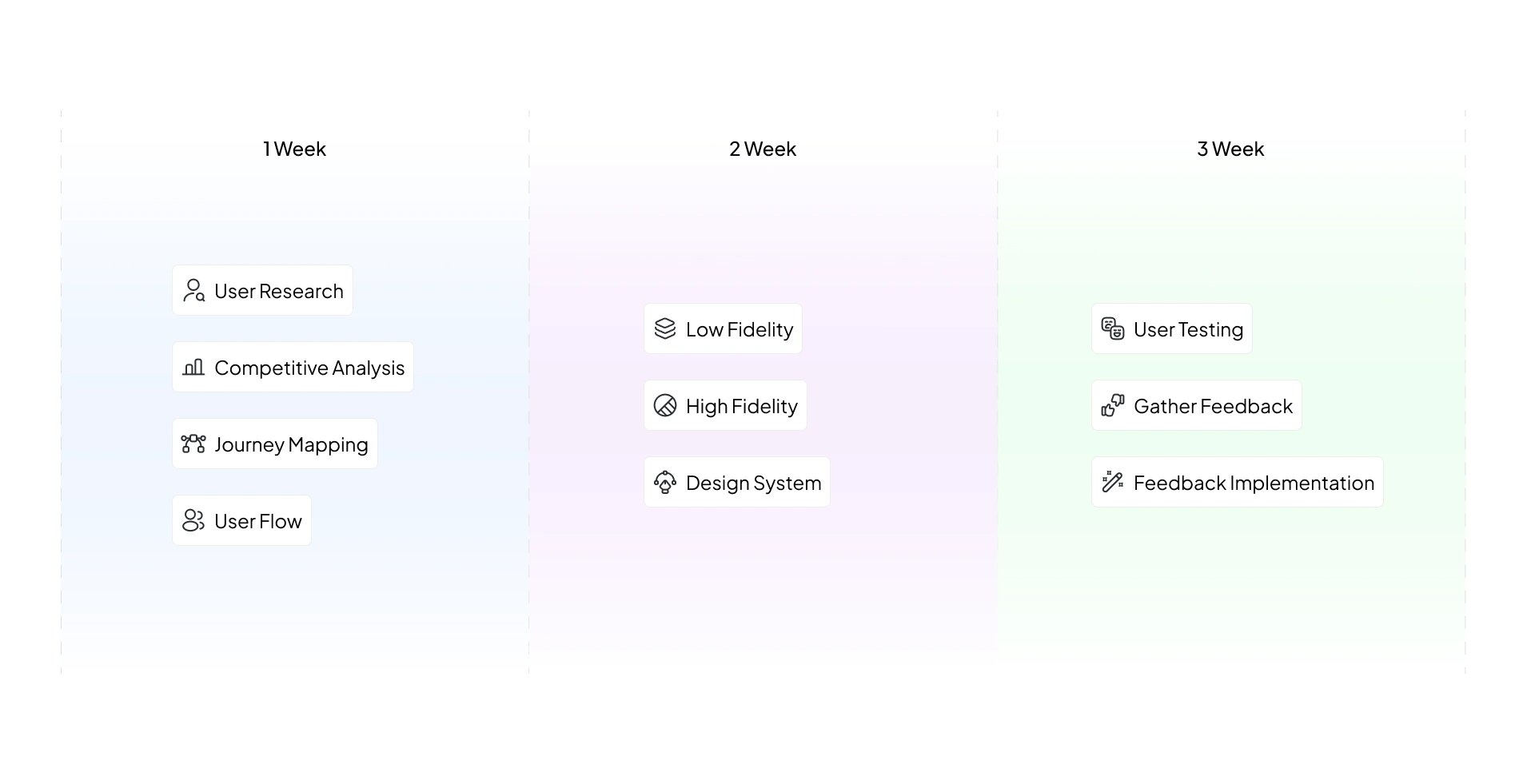
Mobile App Project Timeline
Research
To design this AI health app, I started with research in week 1. I analyzed 10 competitor apps, including symptom checkers, telehealth apps, and AI health chatbots, to see how they handle symptom recording, summaries, and doctor booking. Then I surveyed 68 people about how they manage their health records and prepare for a doctor visit today. Together, these showed where current apps fall short and what patients actually need.
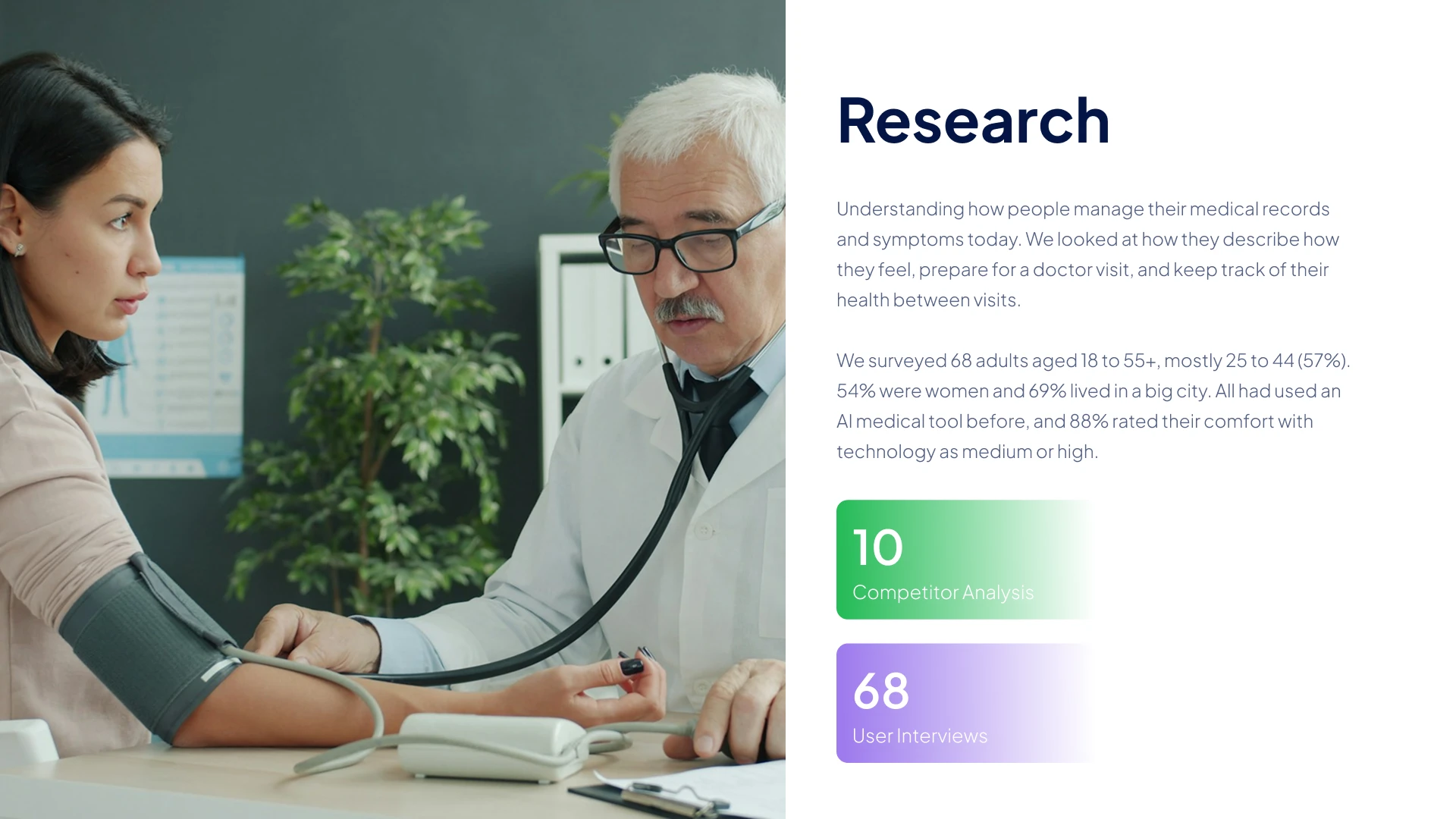
Mobile UI/UX Research
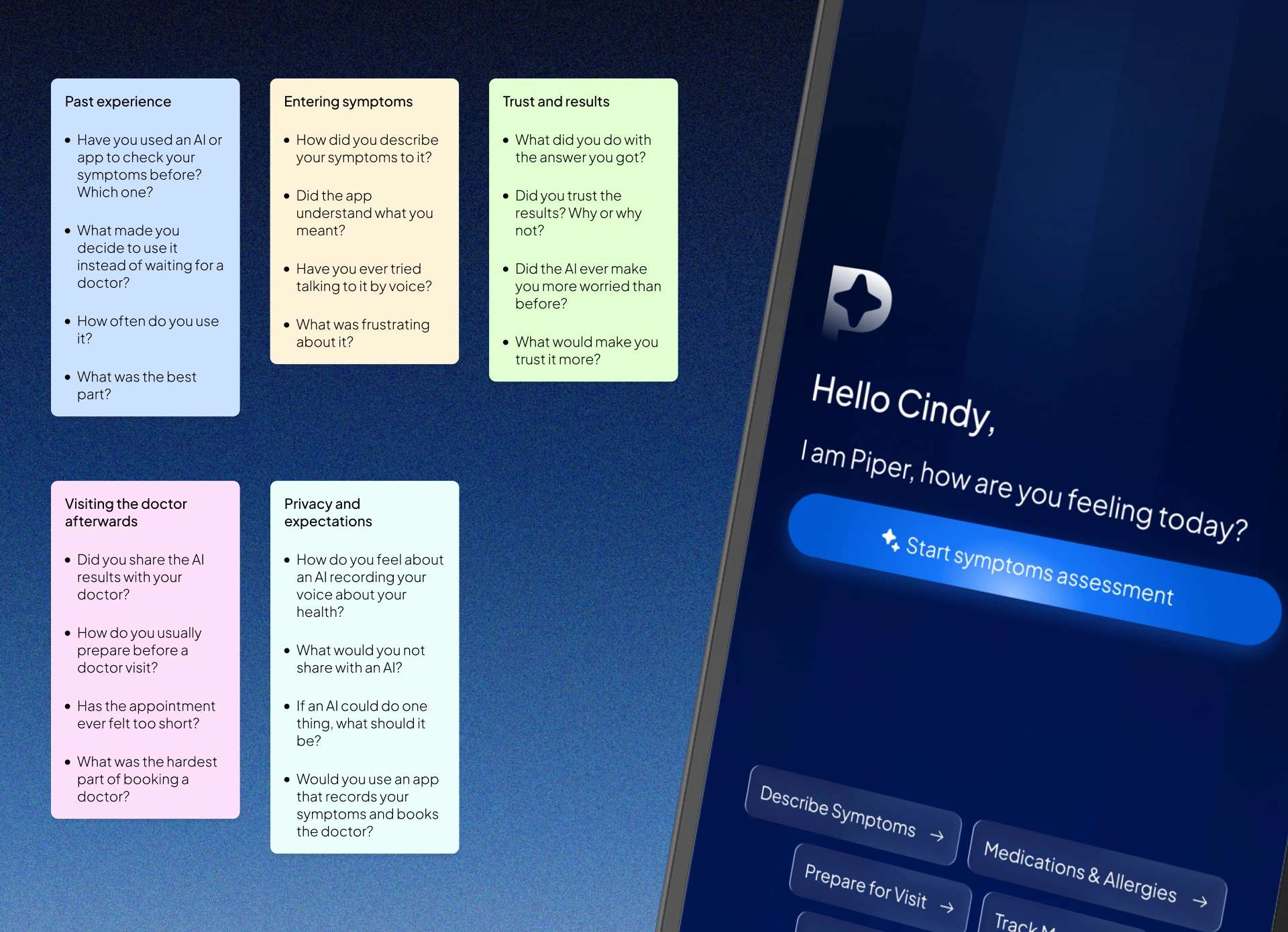
Health app user research: questionnaire for 68 participants about symptom recording and doctor visits
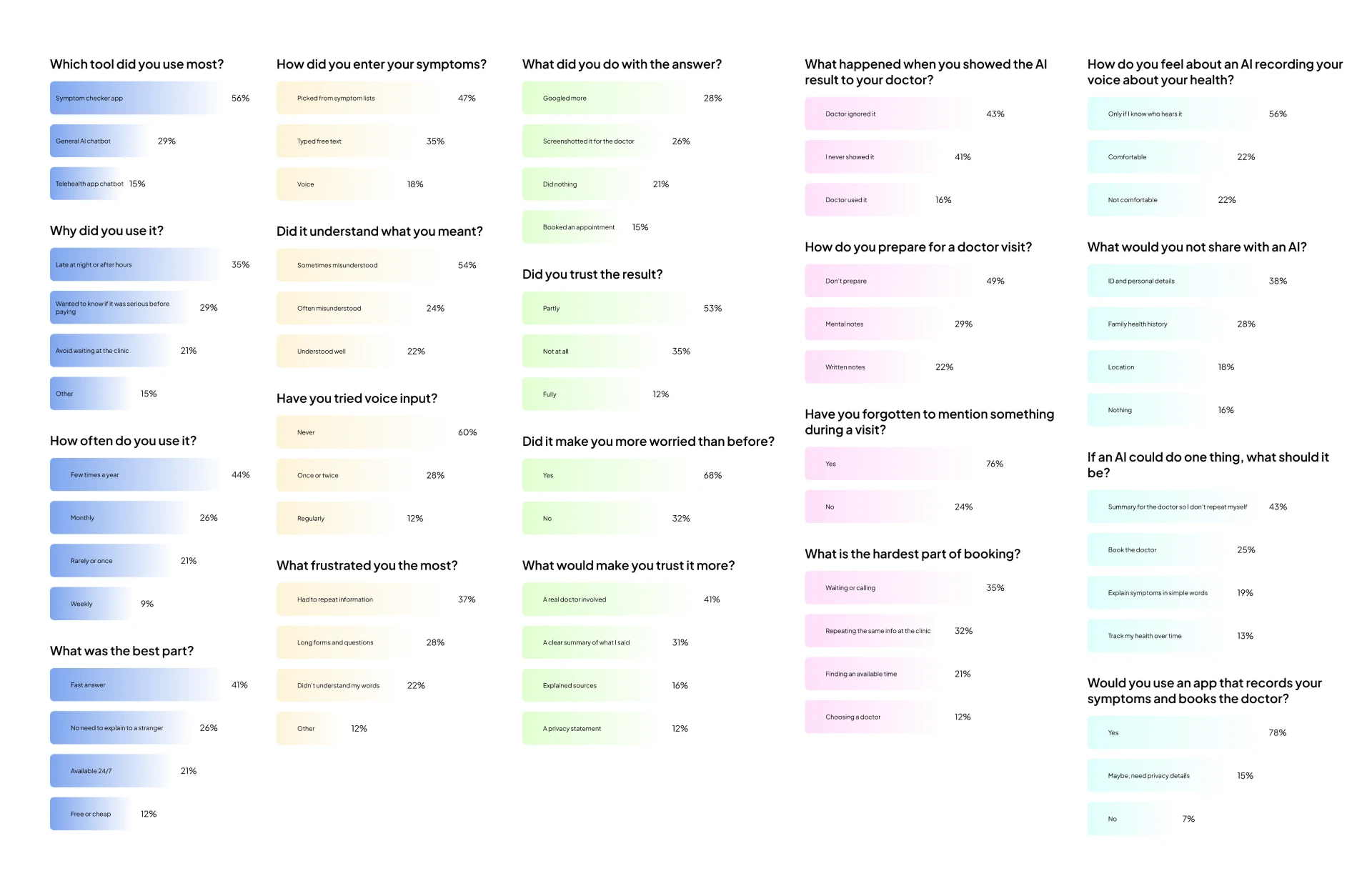
User survey answers on how patients use AI medical tools and prepare for appointments

Health app survey results in percentages: key insights from 68 users
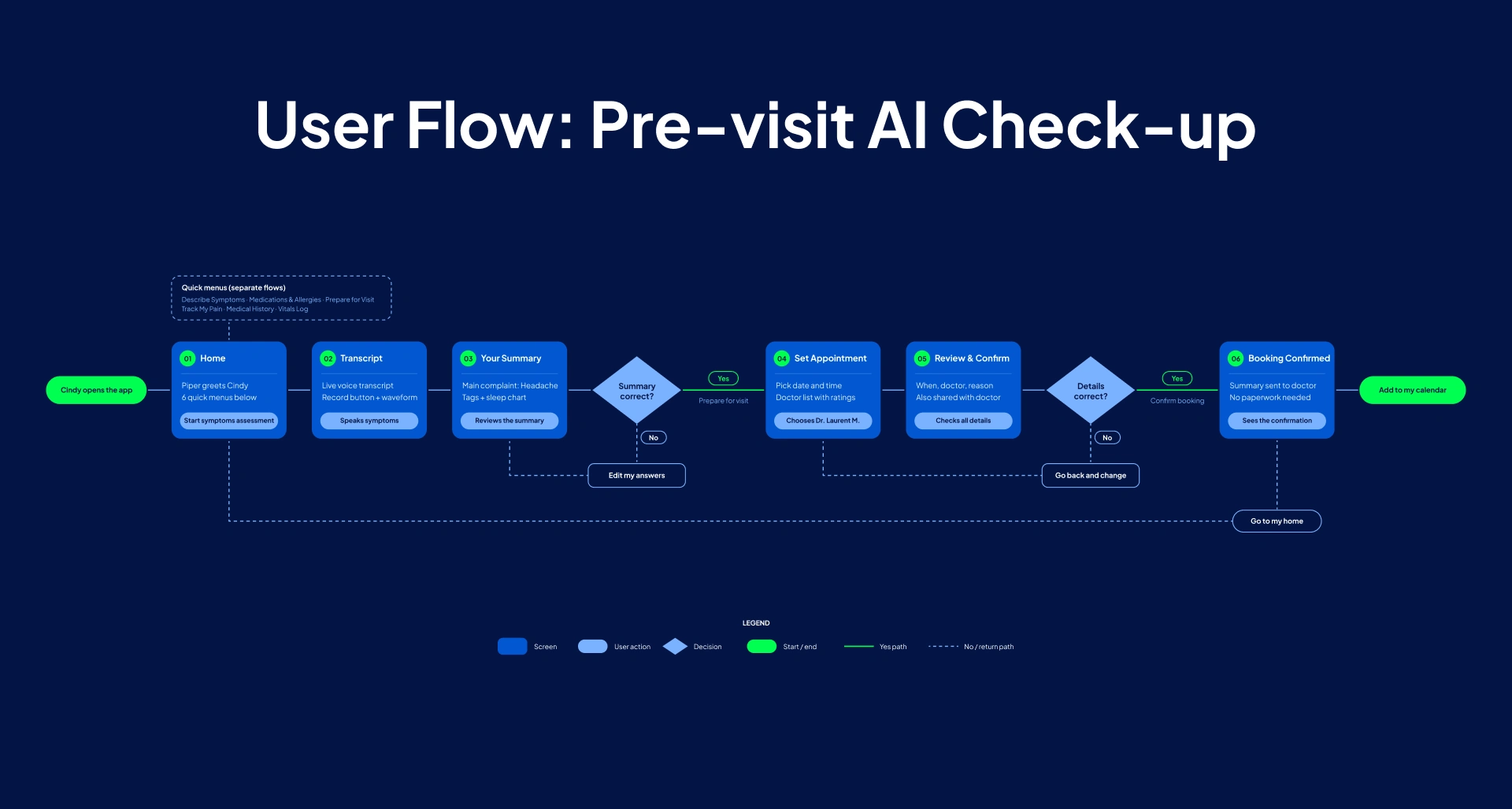
Mobile app user flow for an AI health app: from symptom recording to doctor booking
Typography and Colours
Piper’s visual style is built for a health AI app in dark mode. A deep navy background keeps the screen calm, and a bright blue and green give clear focus to the actions and key information that matter. Plus Jakarta Sans keeps the text friendly, modern, and easy to read, even for patients who feel unwell.

Typography for a health app in dark mode: Plus Jakarta Sans for clear, friendly reading
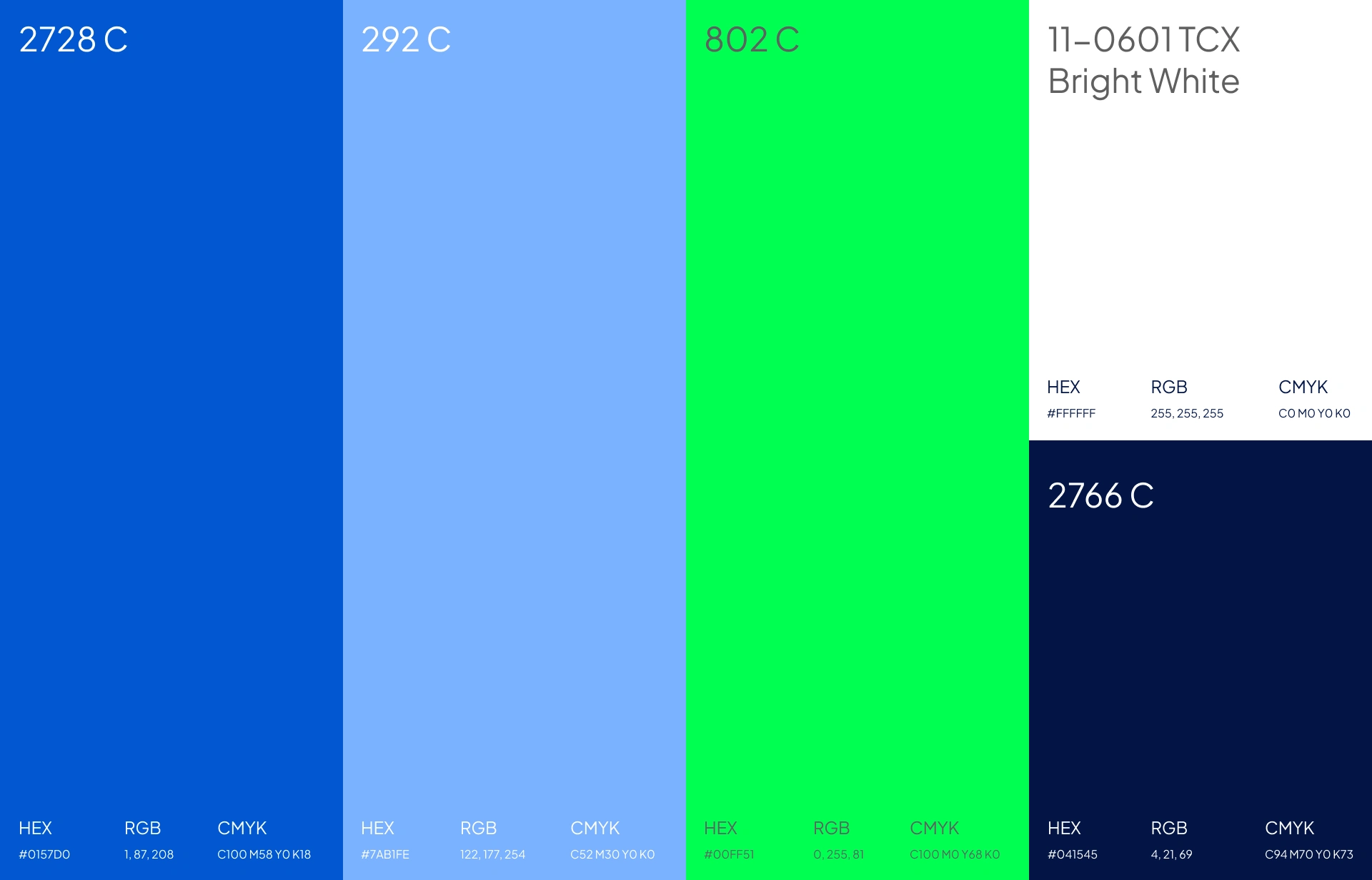
Dark mode color palette for a medical AI app: navy, blue, light blue, green, and white
Design System
This project has 6 screens, but I designed it as a system, not just a set of pages. The color, typography, and components are defined once and reused across every screen, so the owner can add new features, such as medication tracking or lab results, and keep the same look and feel. A consistent health app design builds patient trust, and it saves the team time when they build.
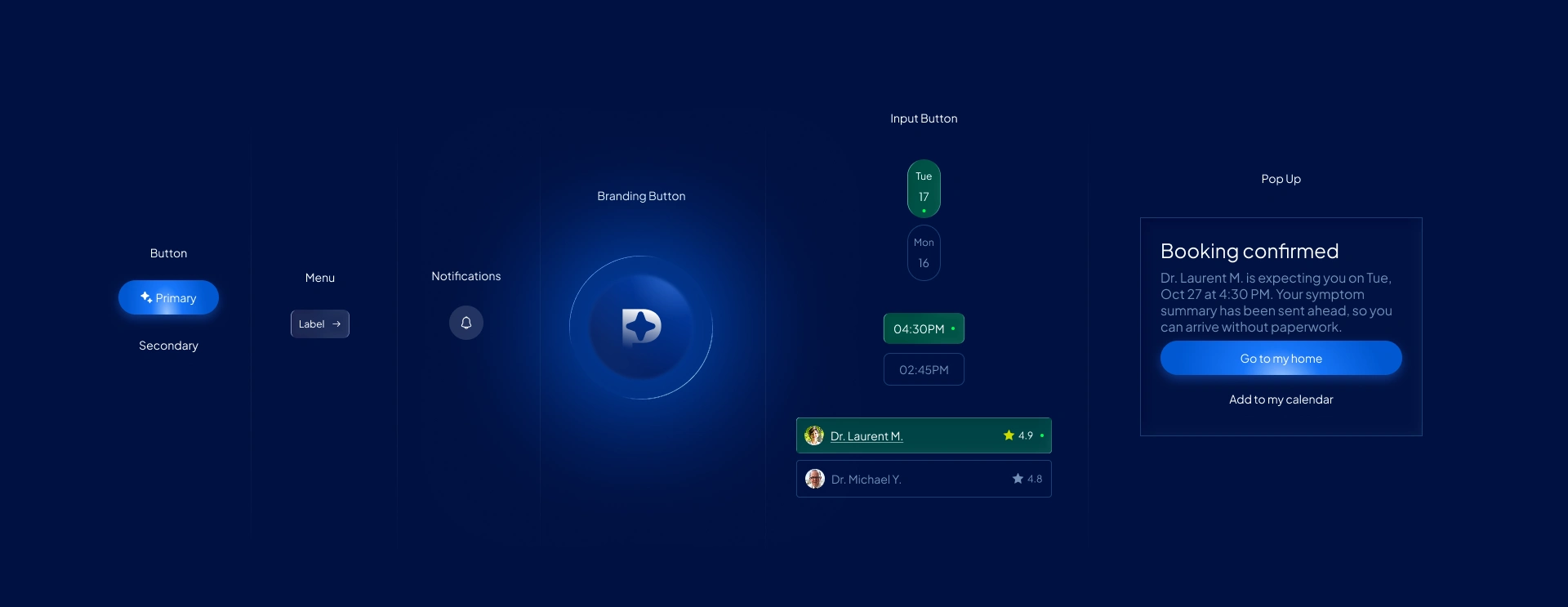
Healthcare app design system: reusable components for consistent branding
AI health app project details: 3-week UX process from research to usability testing
Design Execution
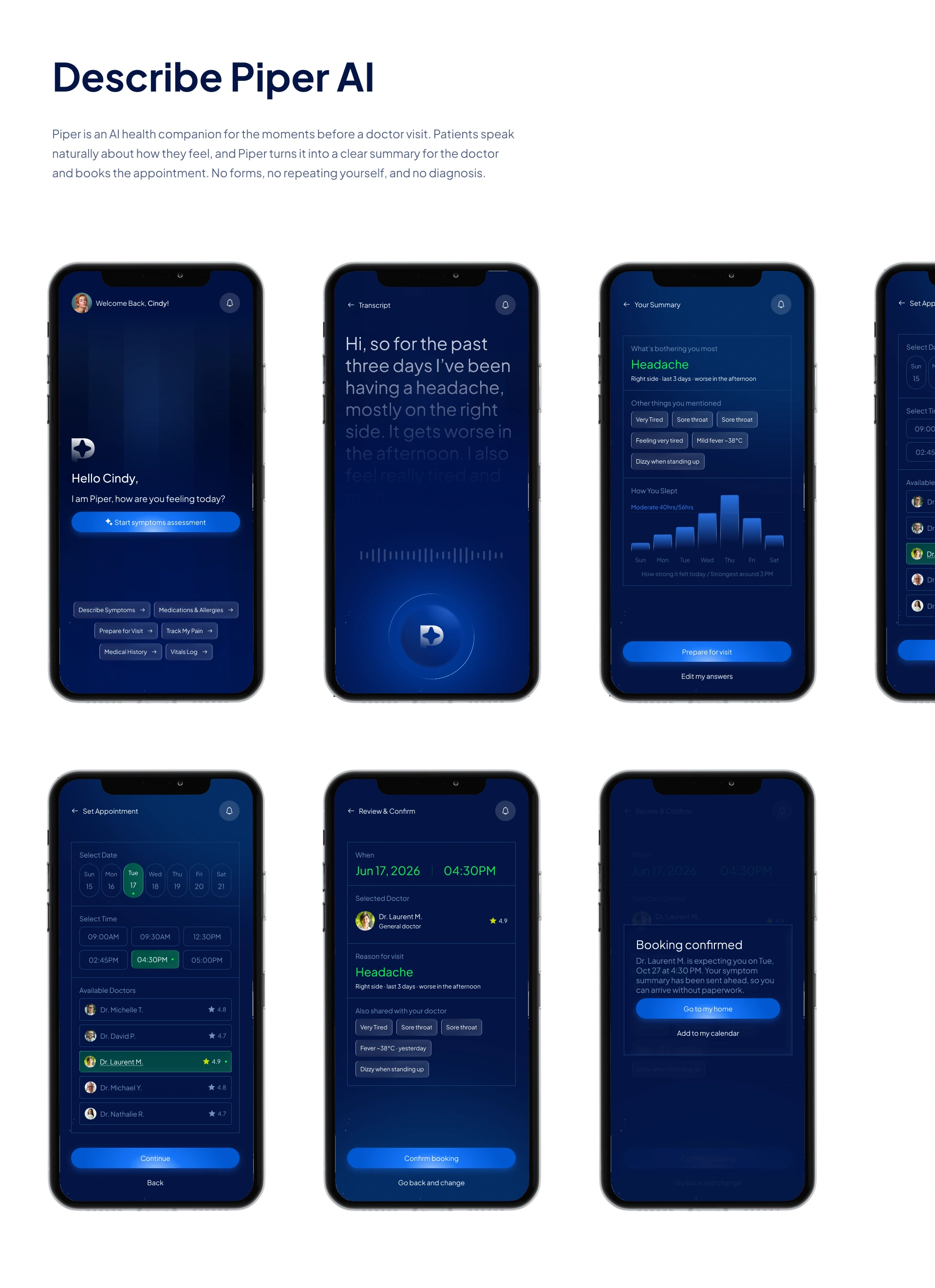
In week 2, I turned the research into the final mobile app design. The app has 6 pages: Home, Transcript, Your Summary, Set Appointment, Review & Confirm, and Booking Confirmed. I kept every page minimal, with one main action, plain language, and no extra elements, so a sick patient can move from “how do I feel” to “appointment booked” without confusion.
The 6 pages in one line each
Home: Piper greets the patient and starts the AI recording with one tap.
Transcript: The patient speaks and sees their words appear in real time.
Your Summary: The AI turns the recording into a clear summary, which the patient can edit.
Set Appointment: The patient picks a date, time, and doctor quickly.
Review & Confirm: One last check of the details before booking.
Booking Confirmed: The appointment is booked and can be added to the calendar.
Why minimal improves UX
Less to think about: One primary action per page reduces decisions for patients who feel unwell.
Faster to finish: Fewer elements mean fewer taps from symptom to booking.
Easier to read: Large text, plenty of space, and a calm dark mode support older users and tired eyes.
More trust: A clean screen feels safer and more professional for a healthcare app.
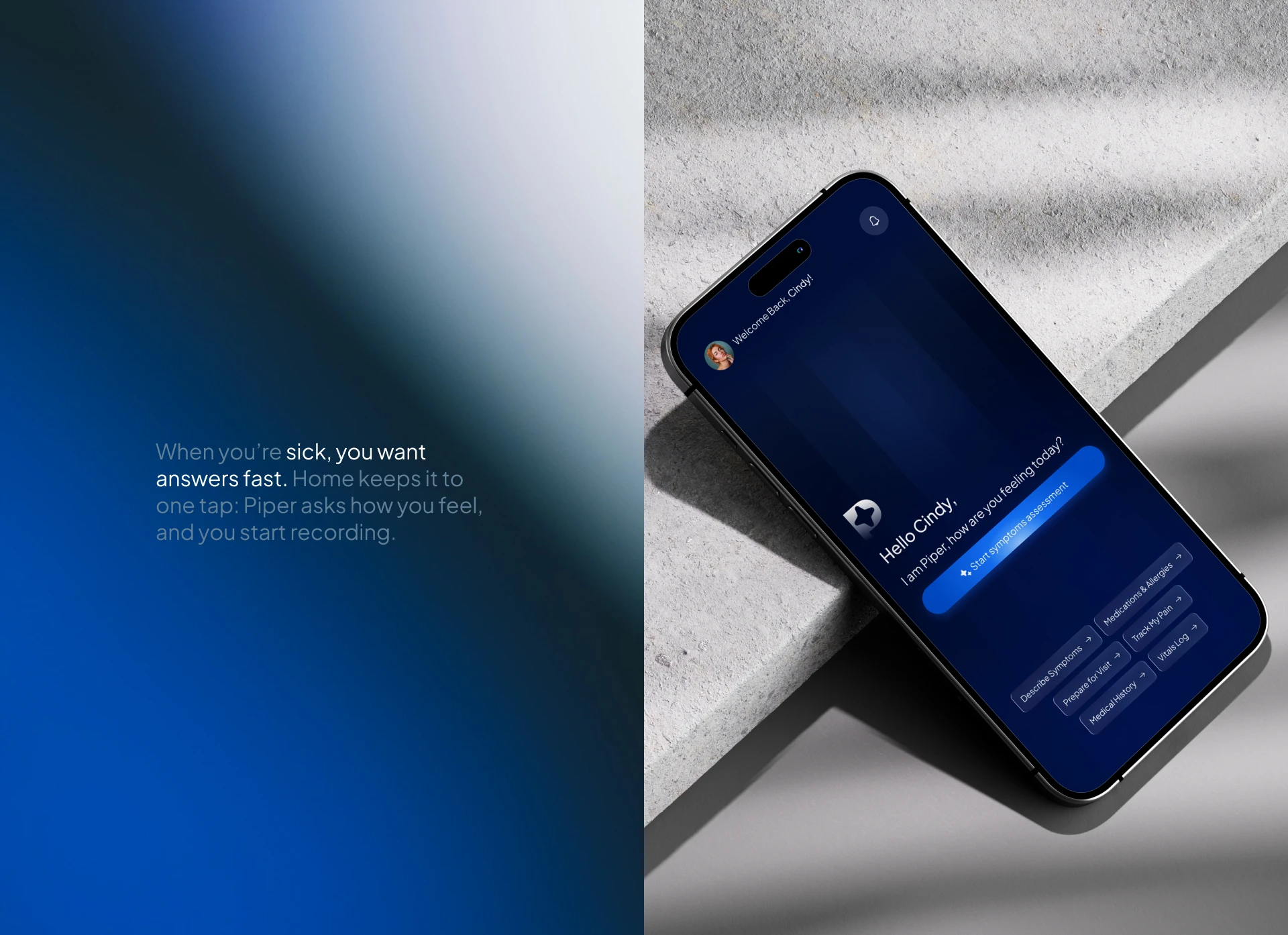
Health app home screen design: start an AI symptoms assessment in one tap
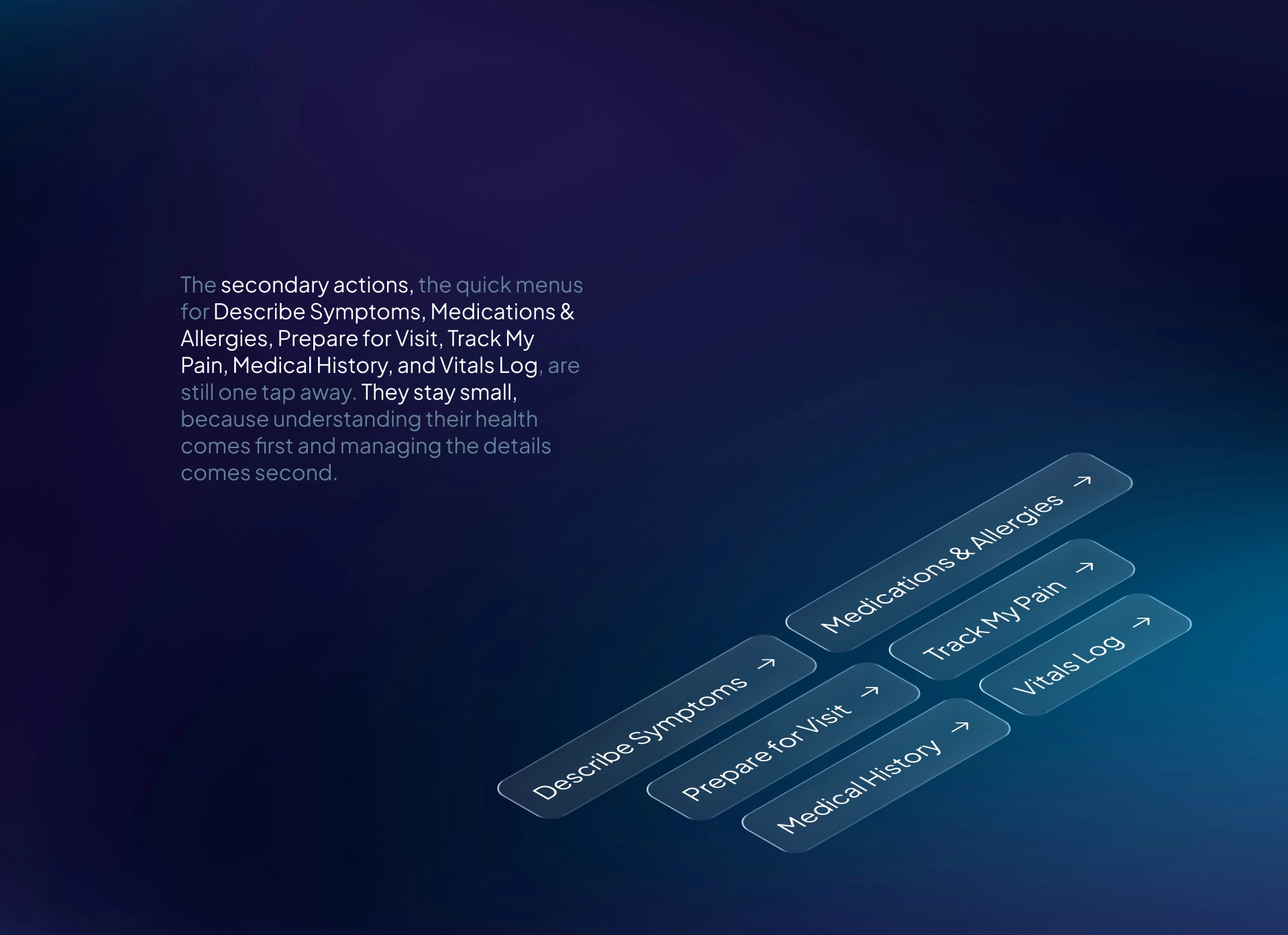
Home screen components for a medical app: primary button, quick menus, and AI assistant greeting
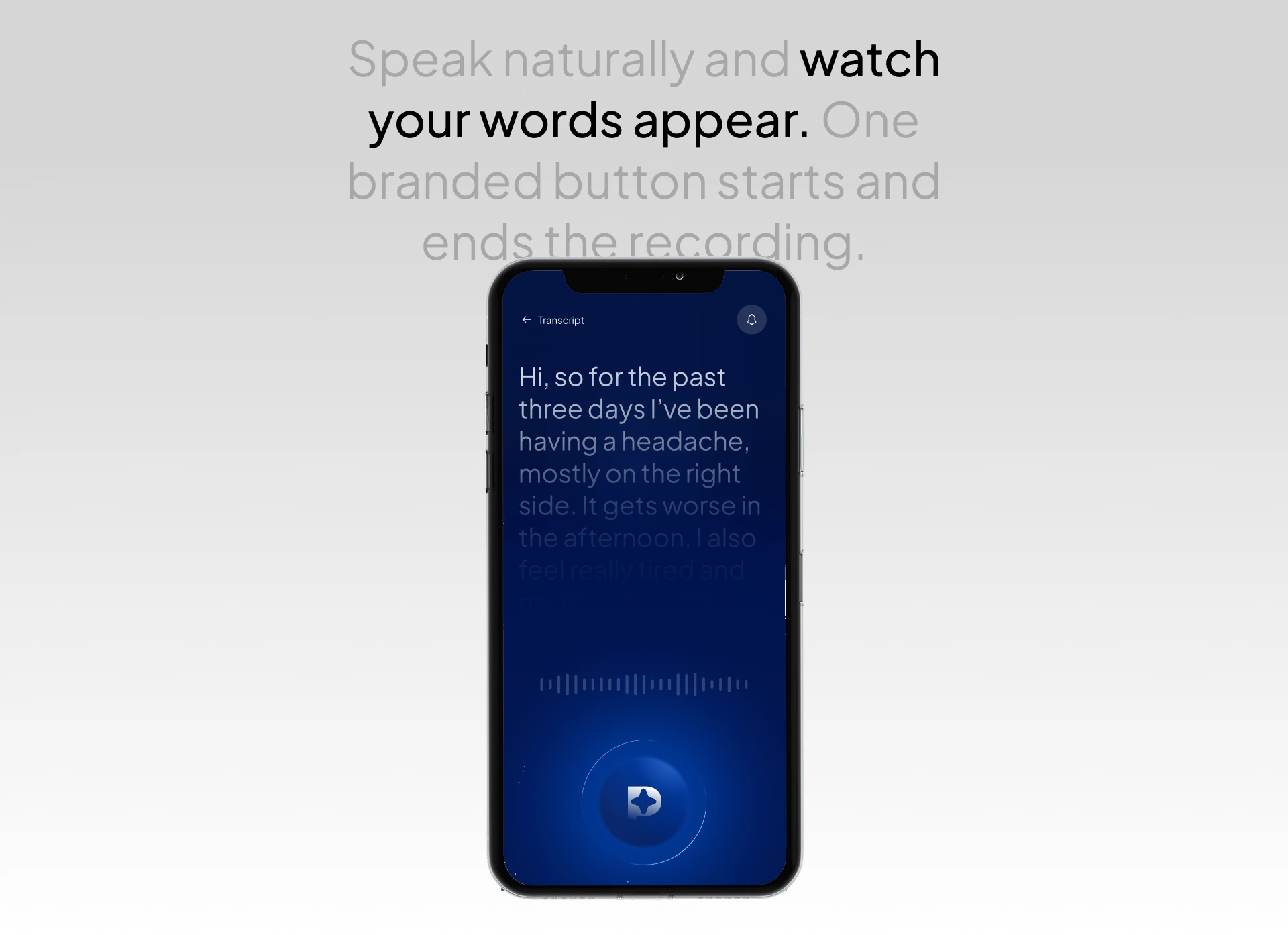
Voice recording screen for a health app with a live transcript and branded record button
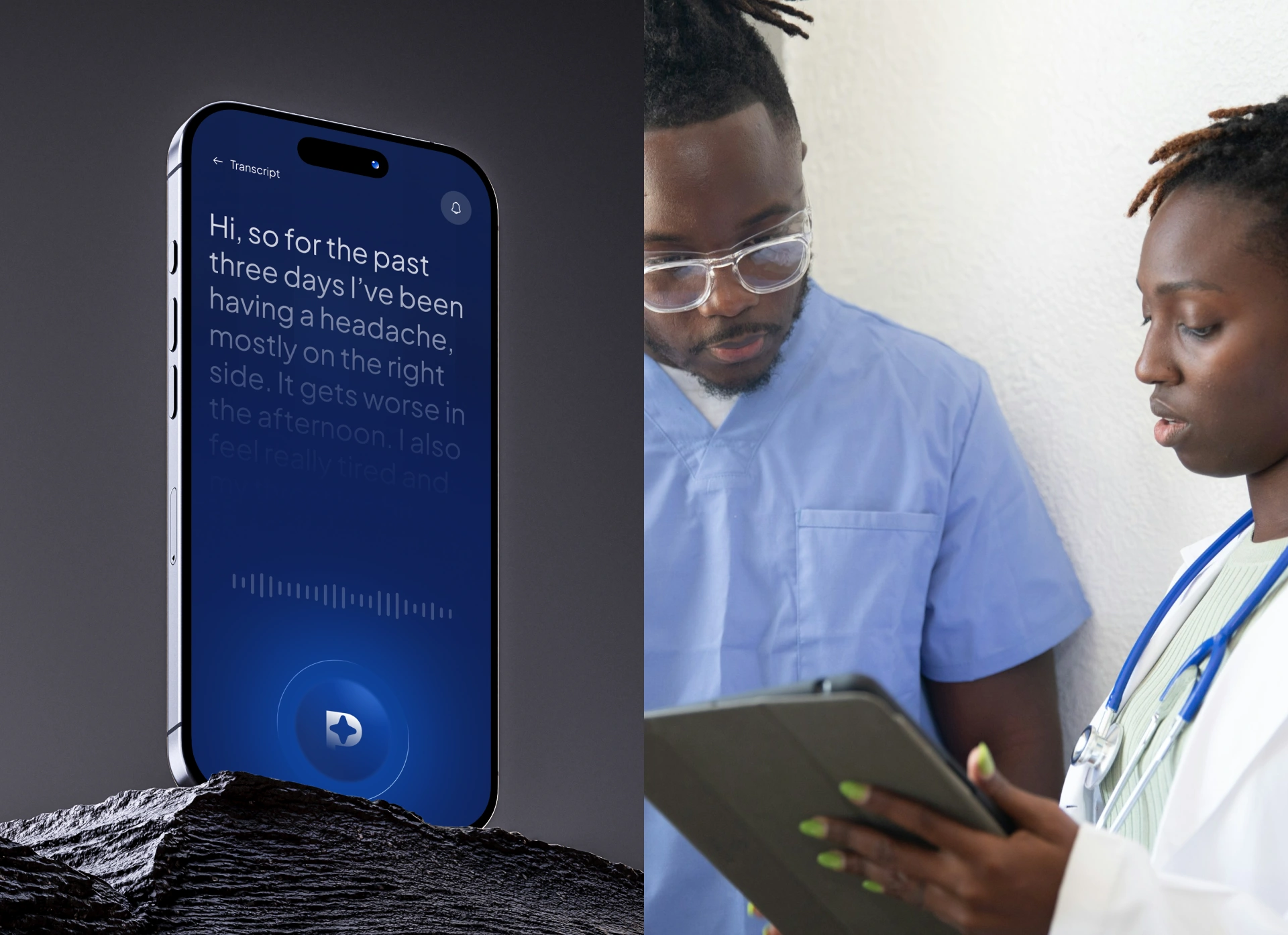
AI voice recording screen that turns patient symptoms into an easy report for the doctor
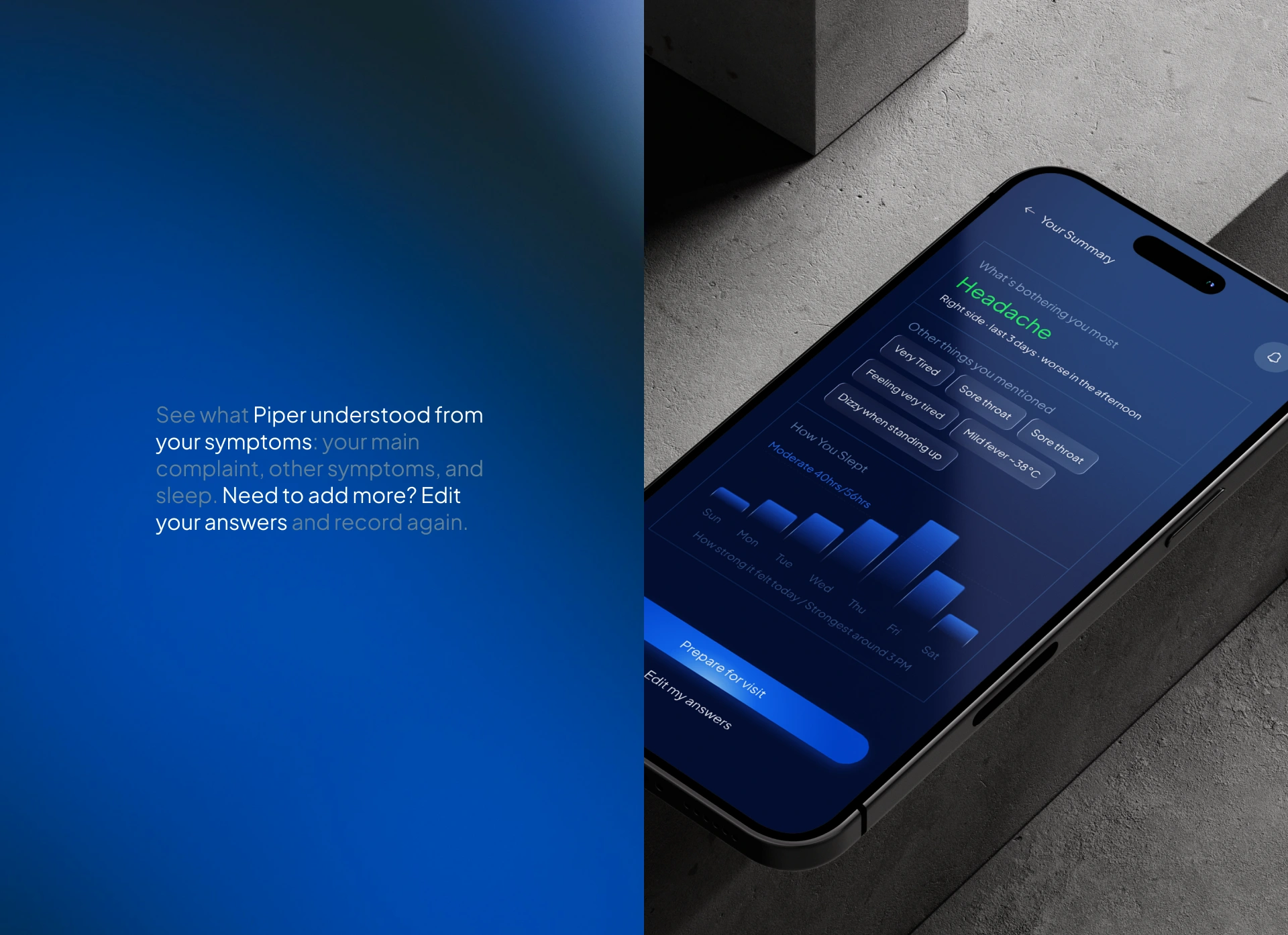
Symptom summary page design: main complaint, related symptoms, and sleep chart
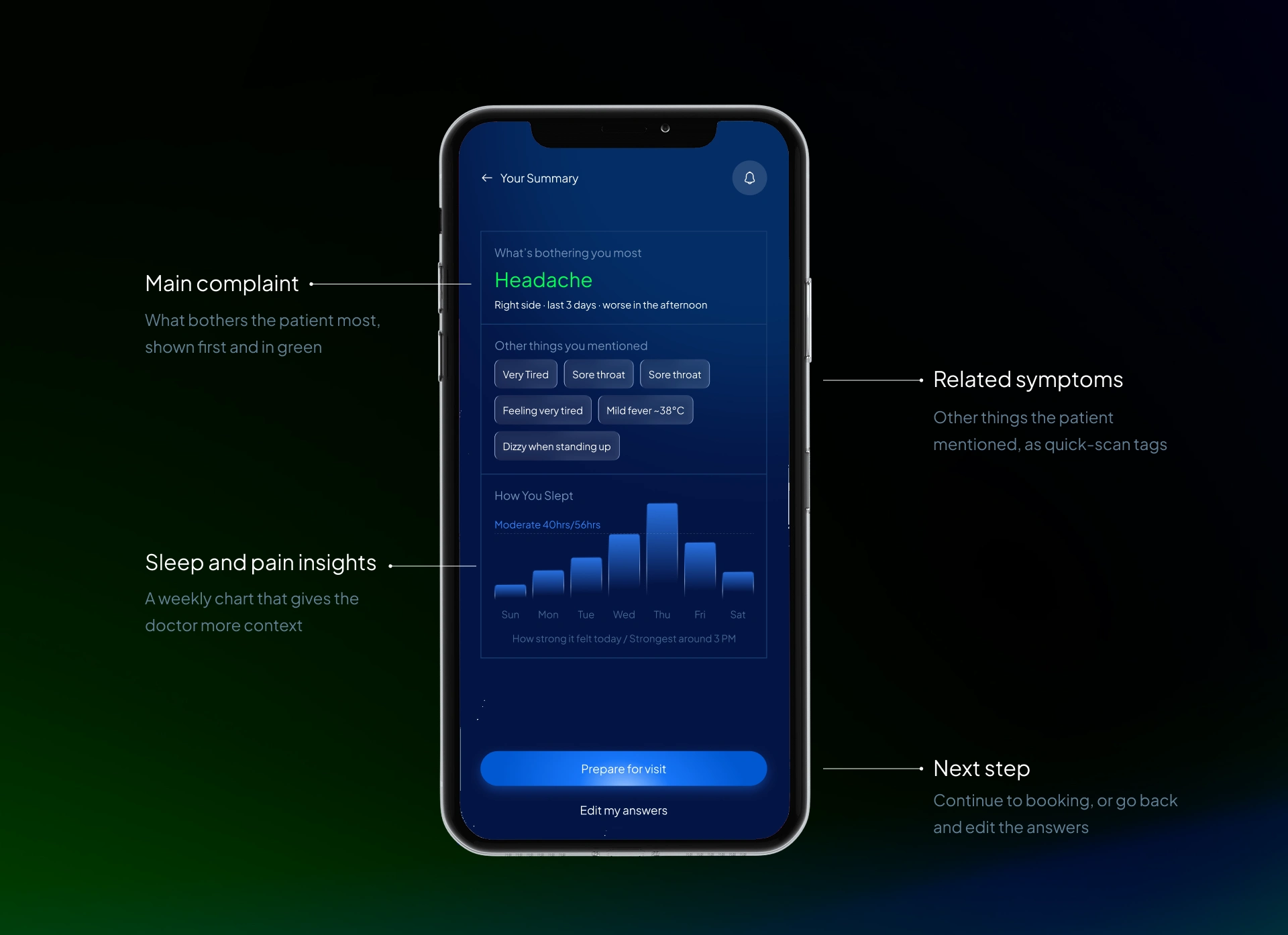
Summary page structure for an AI health app: highlight, tags, chart, and next-step button
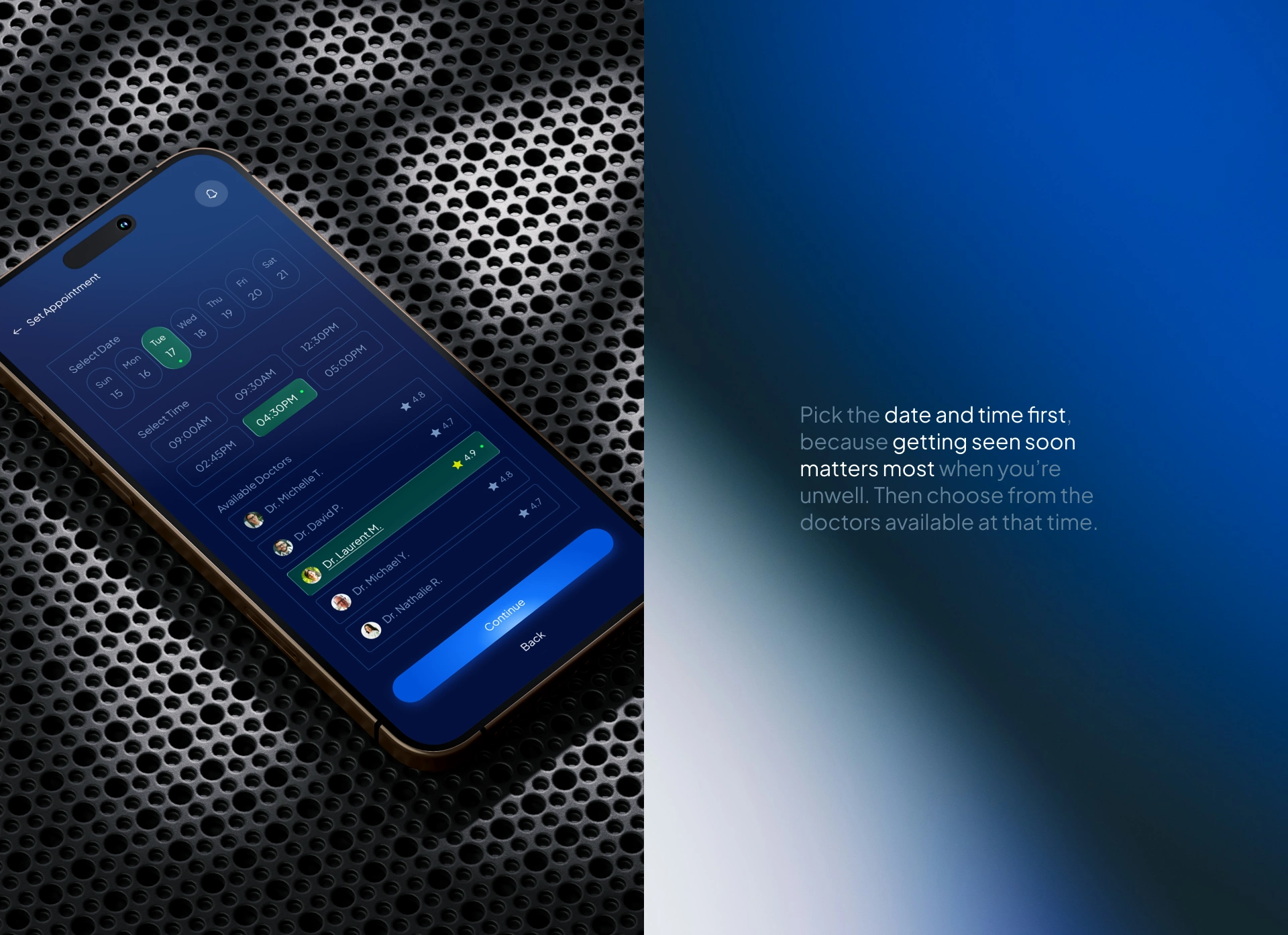
Doctor appointment booking screen: choose date, time, and doctor quickly
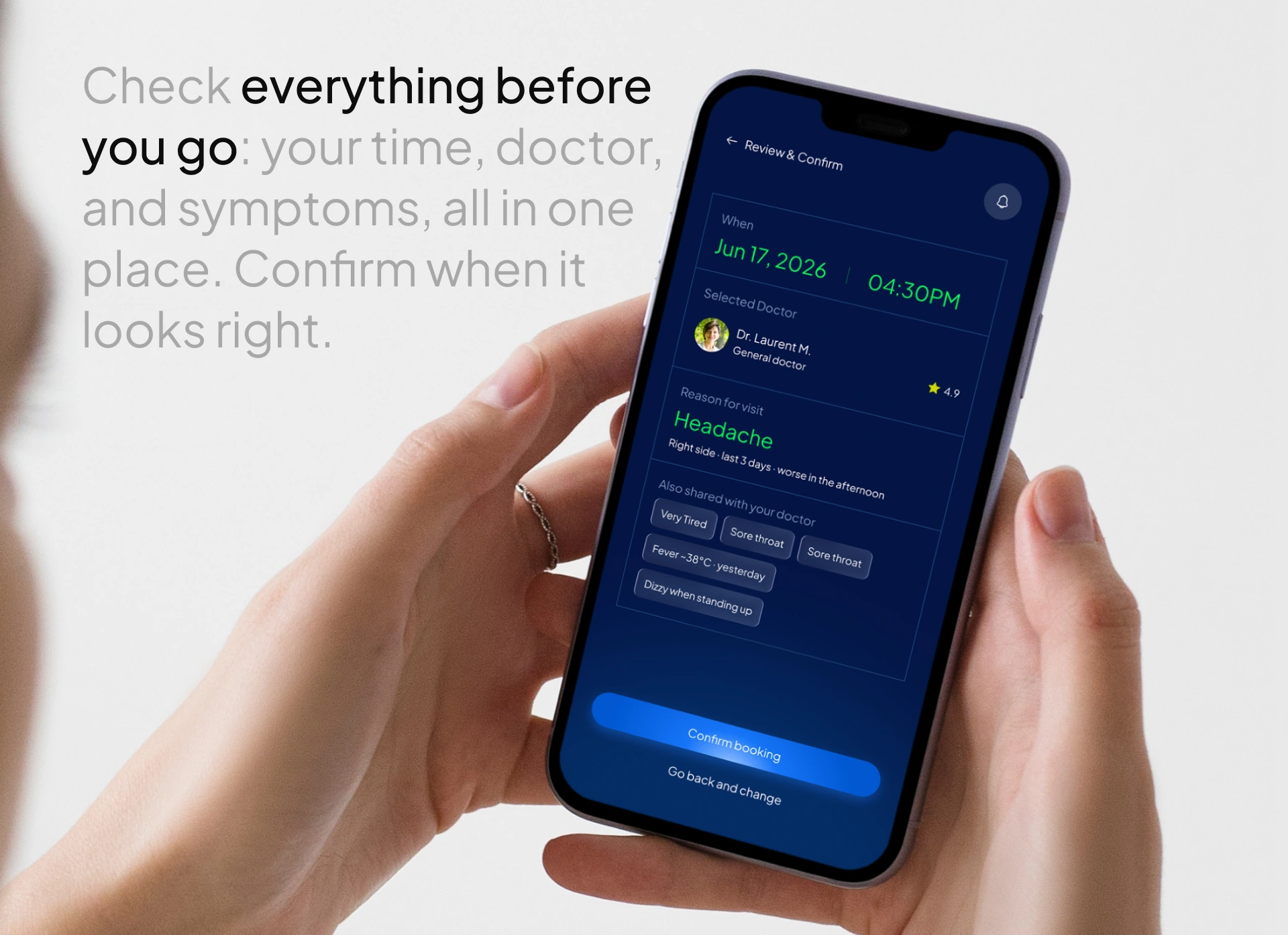
Review and confirm screen for a doctor booking app: check all details before you go
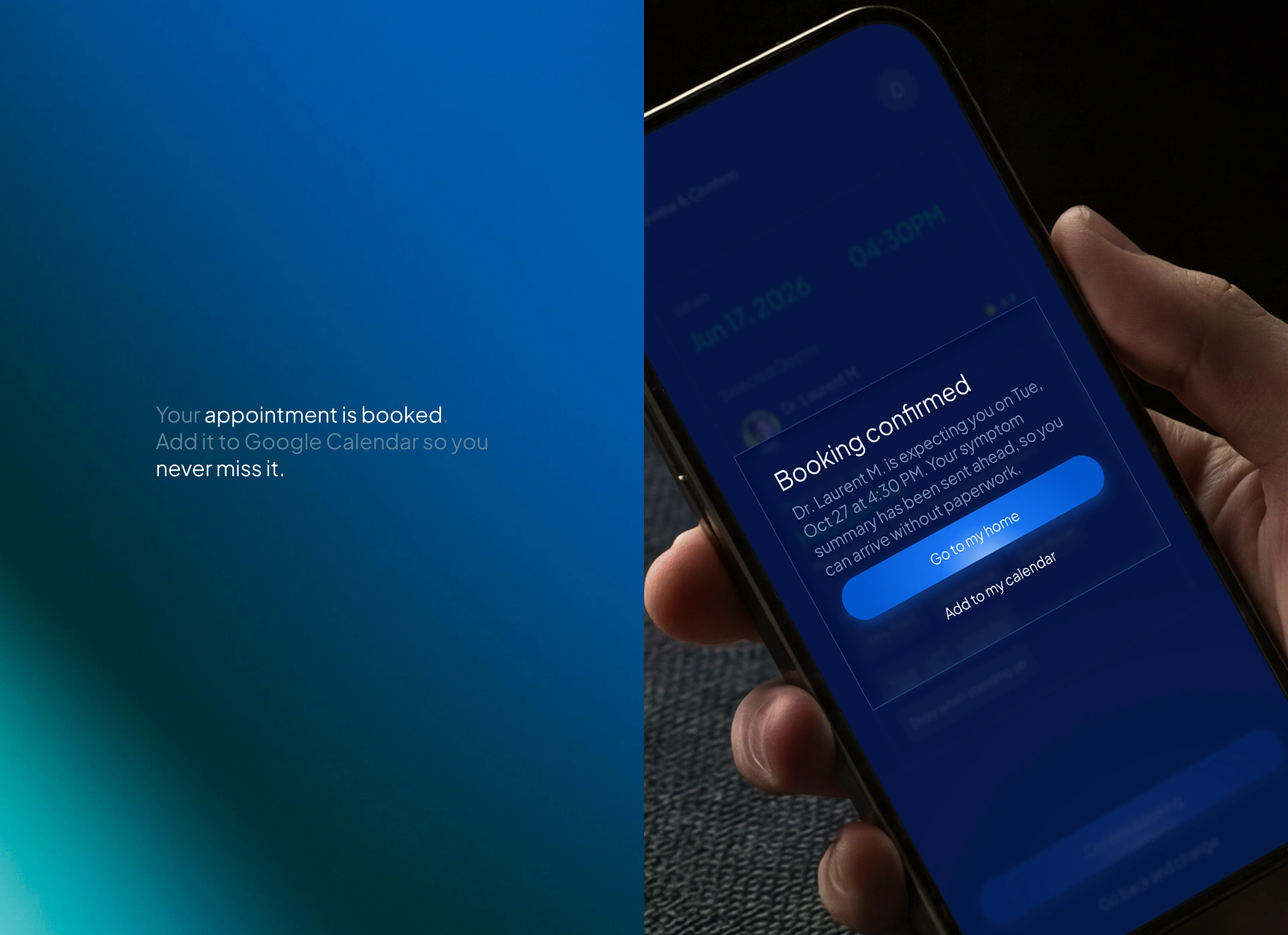
Booking confirmed pop-up with add to Google Calendar so patients never miss a visit
Want a mobile app design that stands out? Let’s talk about your UX project. Contact me now.
Like this project
Posted Oct 25, 2026
Designed a minimalistic AI health app for patient symptom recording and appointment booking.
Likes
1
Views
1
Timeline
Jul 20, 2026 - Aug 15, 2026