
Ismaeel Rabiu
Top 1% Mobile Apps and Web Designer
- 5.0
- Rating
- 43
- Followers


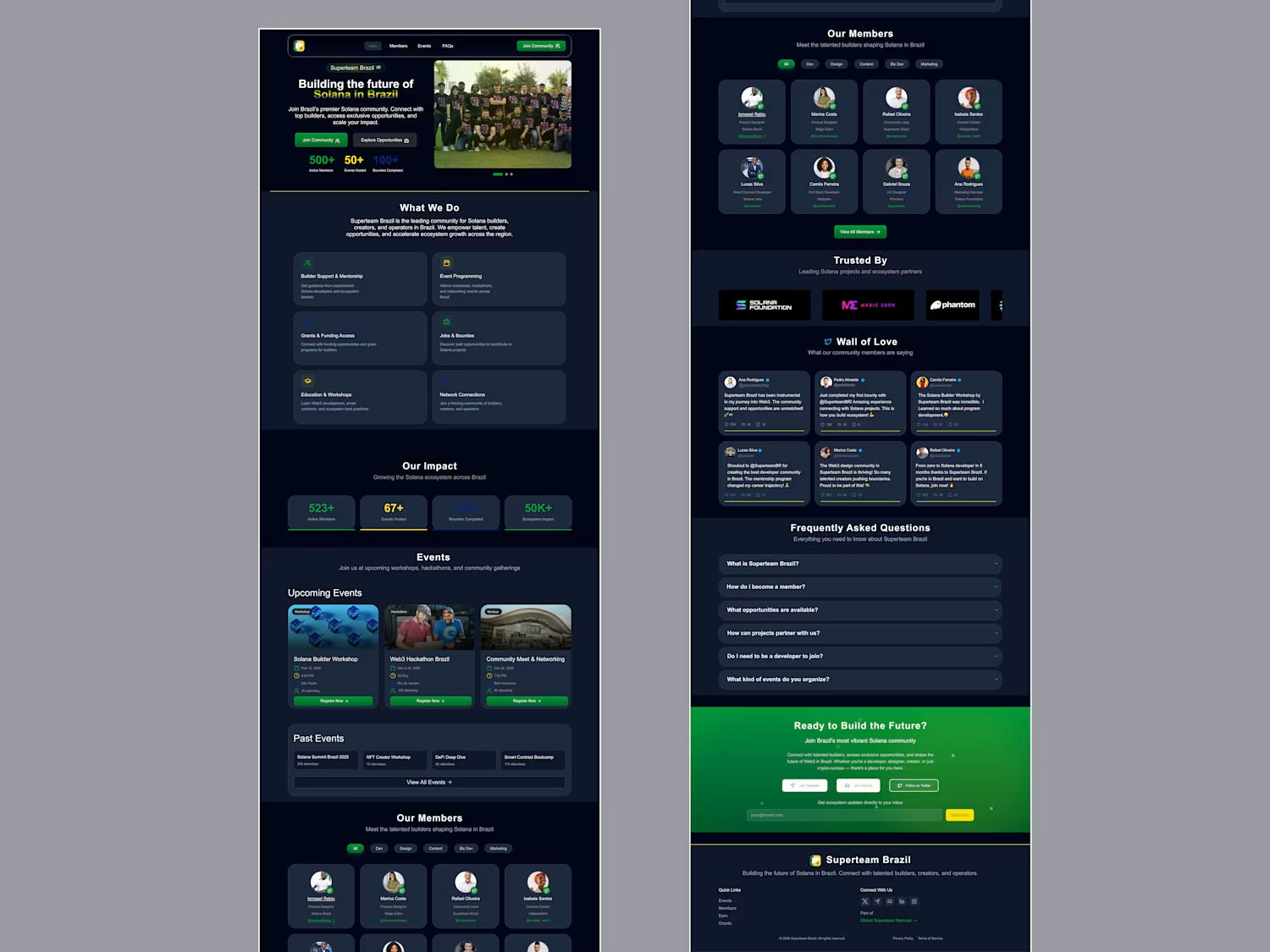
MyWorldCup App⚽🌍
Ever since the World Cup began, I found myself doing the same thing, jumping between score apps for updates, switching to X for fan debates and banter, checking blogs for news, and moving across different platforms just to follow one tournament.
It felt exciting, but also fragmented. I wanted a simpler way for fans to experience everything in one place.
That idea became MyWorldCup; a fan-first, Mobile-first World Cup companion designed to bring every part of the tournament experience together.
Football fans can follow fixtures, standings, predictions, discussions, and tournament progress through a simple, intuitive experience with dedicated tabs for group tables, fixtures, match predictions, tournament brackets, country fan communities, live match discussions, and World Cup history.
Built using Figma Make, this project explores how AI-assisted design and rapid prototyping can turn an idea into an engaging digital experience faster.
The attached walkthrough shows the design process, key features, and how I used Figma Make to bring MyWorldCup from concept to interactive product.
Figma Make Preview:
https://www.figma.com/make/D0jcSSibf3m6rqOxo0eOtA/MyWorldCup-App-Design?t=eBxJ2o6WBxYlCs3q-1
X Link:
https://x.com/i/status/2067835678906323179
Figma Community:
https://www.figma.com/community/file/1649664233009803364/myworldcup-app
#ConfigMakeathon @figma
2
3
185
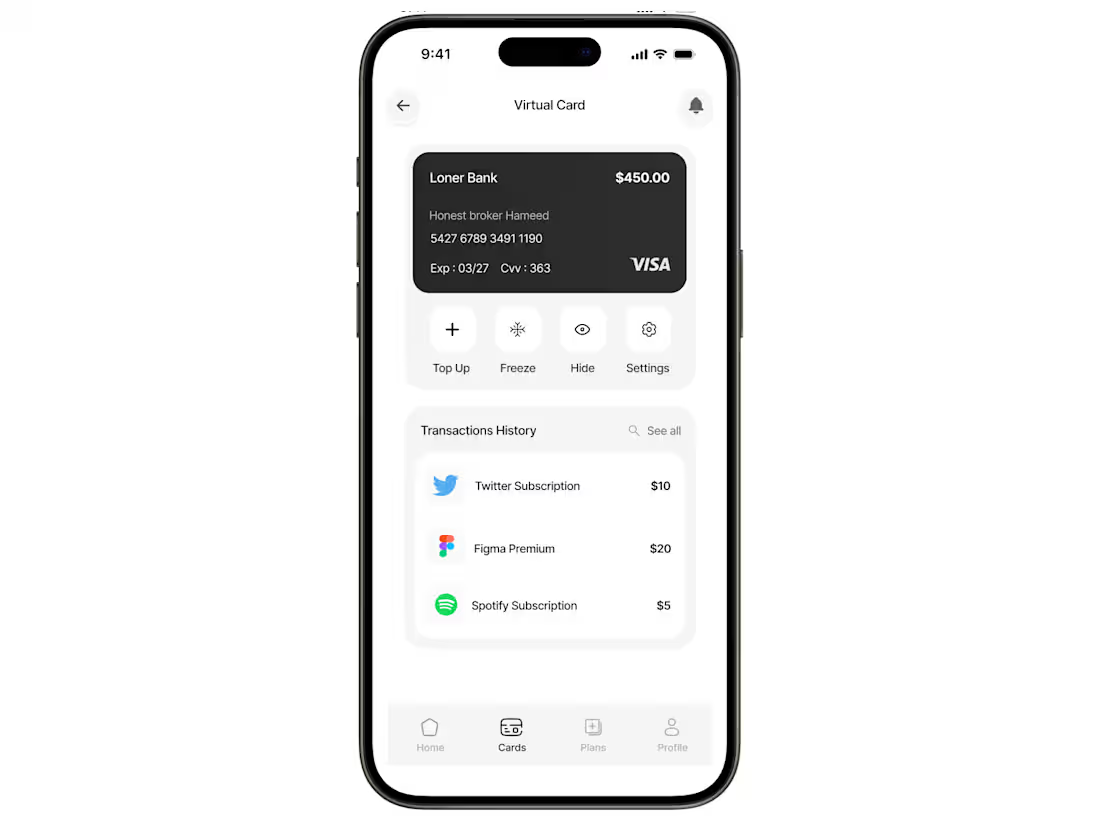
I designed this virtual card screen to make managing online subscriptions and digital payments feel completely effortless. Instead of cluttering the interface with heavy financial data, I used a super clean, minimal layout that puts the core actions like freezing the card, topping up, or viewing your details, just one quick tap away. The typography is soft and gentle, paired with a quiet, spacious design that reduces cognitive load, making transaction tracking feel smooth and intuitive.
0
98
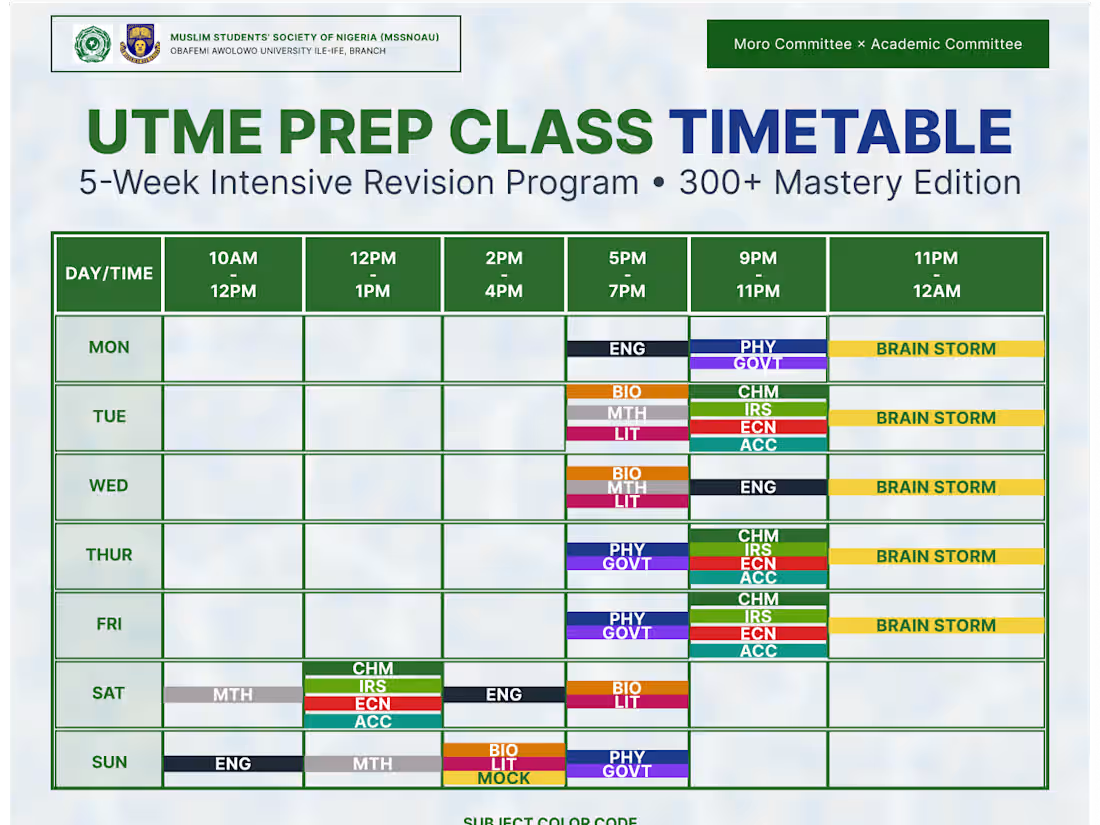
I designed this timetable to make a packed, 5-week exam prep schedule actually easy for students to read. Instead of a messy, confusing grid, I kept the layout super clean with bold headers so you can find the day and time instantly. I also color-coded each subject and added a quick key at the bottom so students can map out their weekly classes and brainstorming sessions at a single glance without getting overwhelmed.
0
112
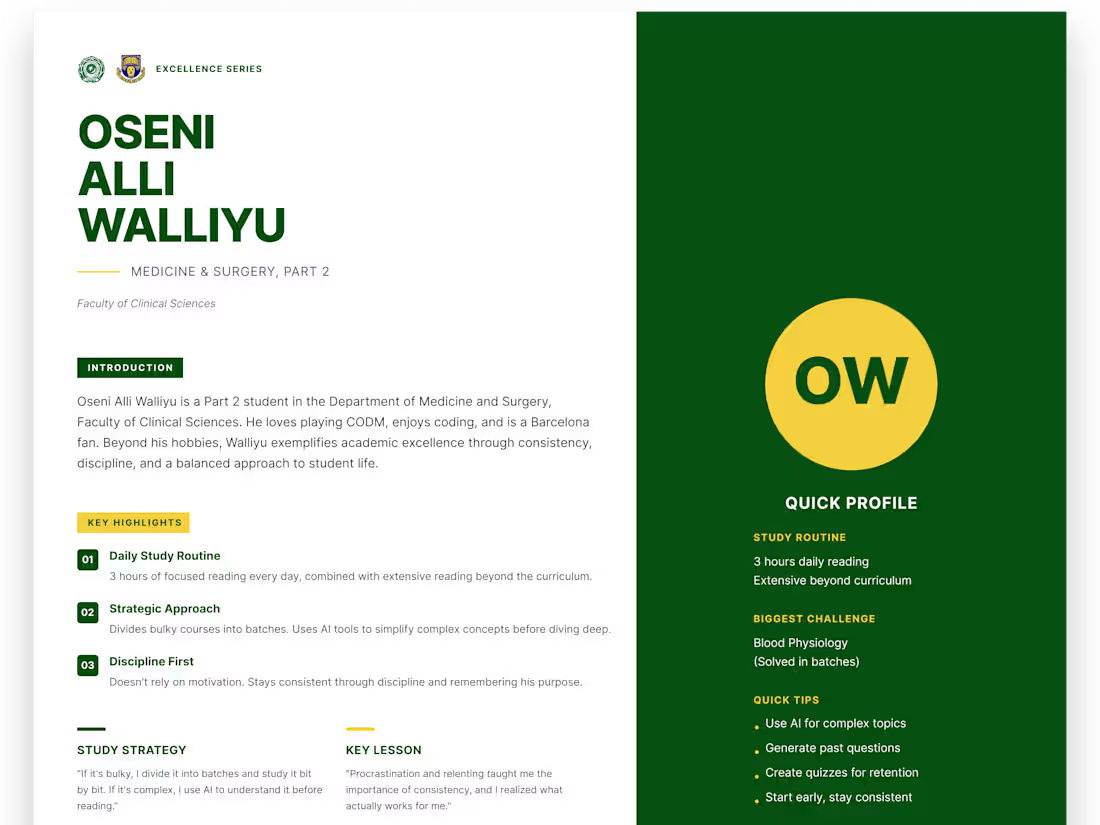
I designed this magazine-style graphic to turn a basic student interview into a really clean, sharp spotlight. Instead of dumping a massive wall of text on the page, I went with a split-screen look. The left side handles the main story with nice, bold text, while the green sidebar on the right lets you grab the quick facts at a glance. It just makes the whole thing feel way more premium and easy to read.
0
104