UI/UX Designer | Framer & Video Editing
- $1k+
- Earned
- 3x
- Hired
- 5.0
- Rating
- 35
- Followers
UI/UX Designer | Framer & Video Editing



Fractional CMO building result-oriented digital presence
- 1x
- Hired
- 5.0
- Rating
- 30
- Followers
Fractional CMO building result-oriented digital presence

B2B Lead Generation | Video Editing | AI Video & Motion
- 5.0
- Rating
- 76
- Followers
B2B Lead Generation | Video Editing | AI Video & Motion
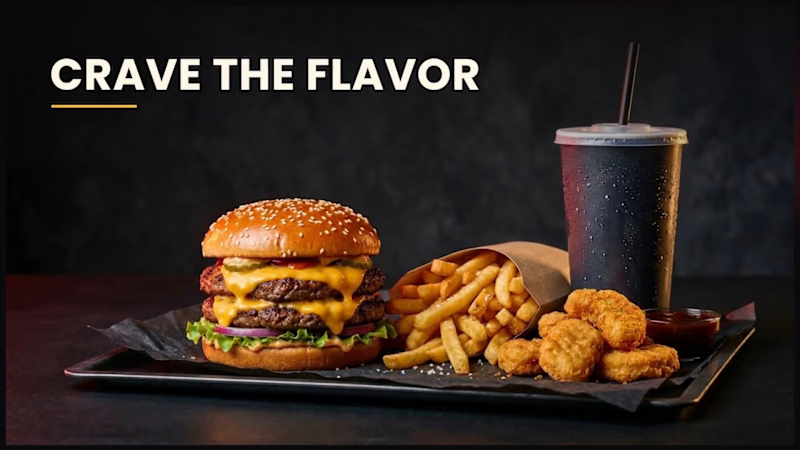
Some ads you watch. Some you taste.
Crave the Flavor is a 30-second food commercial made to make you hungry in the first three seconds. A stacked burger, a crispy chicken sandwich, golden fries, ice-cold cola and a thick milkshake. Each gets its own line and its own moment, so the pace never drops.
What I focused on:
Dark, moody backdrops so the food glows
One idea per shot: “Meet your new favorite”, “Crunch into happiness”, “Sip. Smile. Repeat.”
Gold and red accents on black for an appetite-driven palette
Clean text animation that supports the food instead of competing with it
A closing line built to make people order: “Your cravings. Our specialty.”
I’m a video editor with 4 years of experience in Reels, Shorts, restaurant edits, car edits, podcasts and real estate. If you run a restaurant or food brand and want ads like this, send me a message.
0
162
Luxury Watch Showcase ⌚ | Product Animation
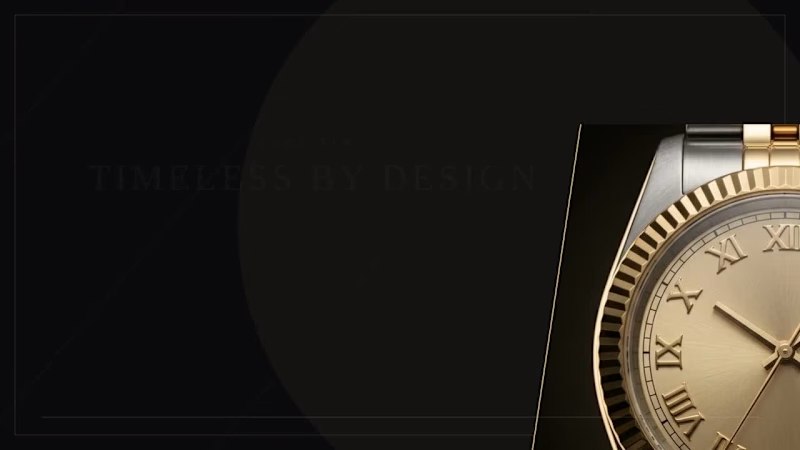
Exploring a premium visual direction for a luxury watch showcase.
This animation focuses on diagonal composition, close-up watch visuals, and smooth movement to create a clean, modern look while keeping the attention on the products.
A small creative experiment in product presentation and motion design.
What do you think of this visual direction?
2
1
250
From Client Brief to Qualified Leads 🎯
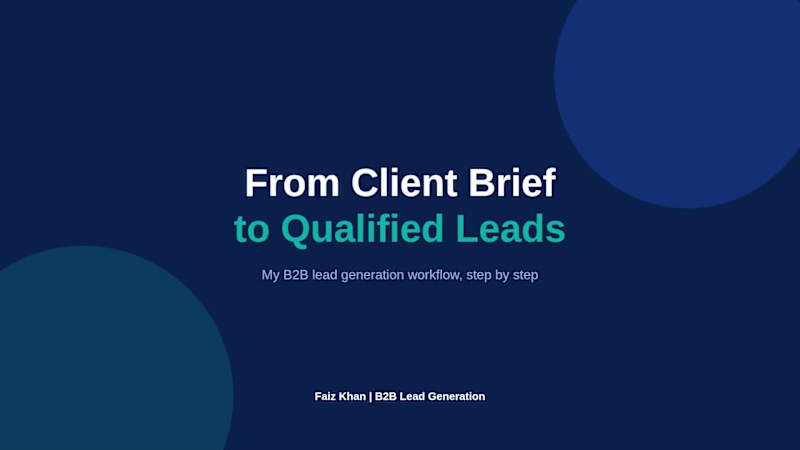
Every successful lead generation project starts with a clear understanding of the client's ideal customer.
In this video, I showcase my B2B research workflow, from defining targeting criteria and researching companies to identifying decision-makers, checking business email status, and organizing prospects into a structured spreadsheet.
My focus is on relevance, reliable data, and organized research that helps businesses approach the right prospects.
Need targeted B2B leads or decision-maker research? Let's connect and discuss your requirements.
2
0
325



Digital, Brand & Product Designer | PS · Figma · Rive · AI
- 37
- Followers
Digital, Brand & Product Designer | PS · Figma · Rive · AI
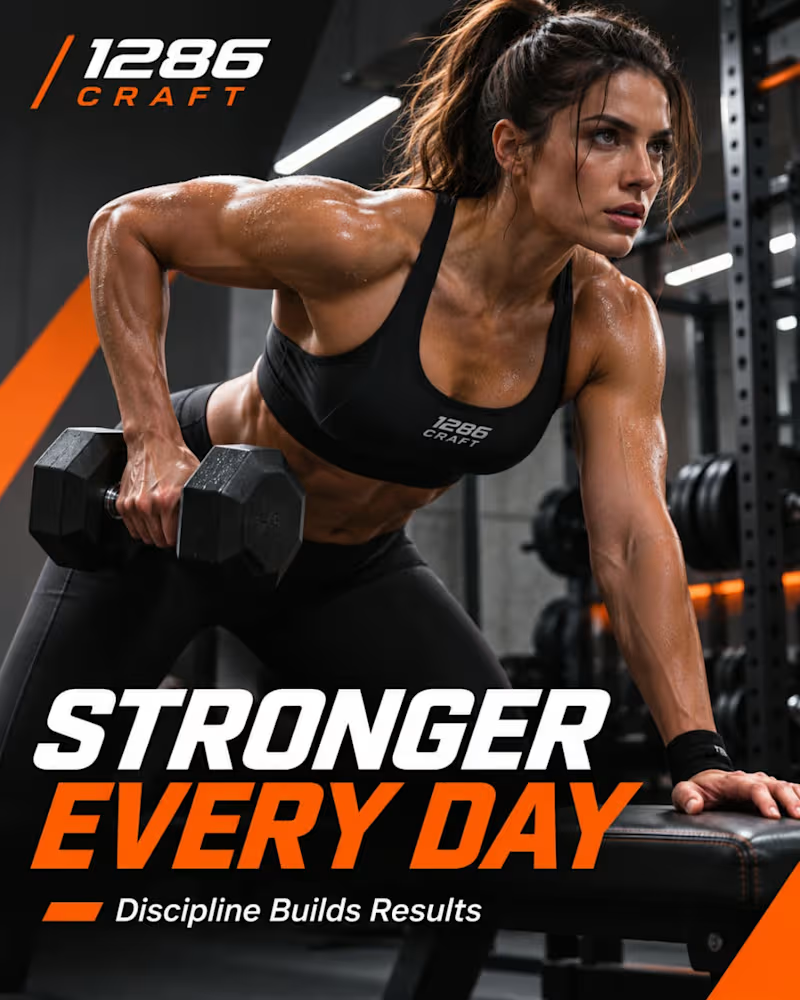
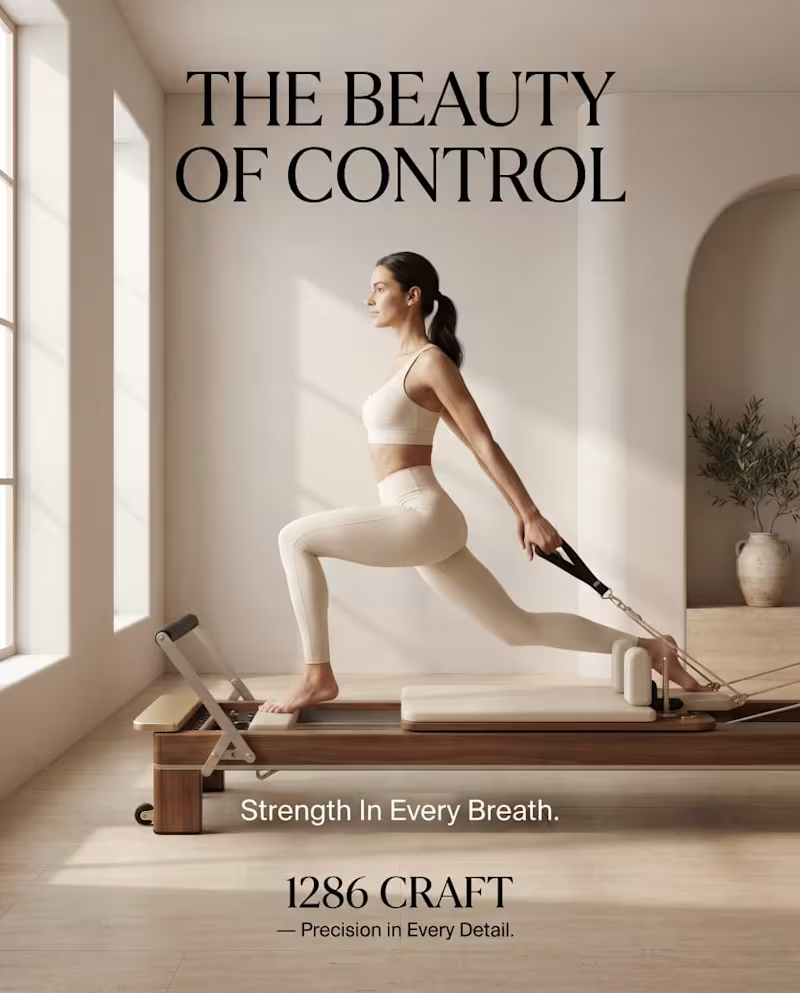
BEYOND THE LIMIT | Cinematic Fitness Brand Showreel — 1286 CRAFT
BEYOND THE LIMIT is a 40-second AI-assisted cinematic fitness brand showreel created by 1286 CRAFT, exploring the intersection of strength, movement, wellness, and premium visual storytelling.
This original creative concept brings together three fitness disciplines — strength training, kickboxing, and Pilates — through sophisticated art direction, cinematic motion, elegant camera movements, and refined visual aesthetics.
The showreel features four distinct creative concepts: The Art of Strength, The Fight Within, The Beauty of Control, and Beyond the Limit.
Designed to demonstrate a luxury boutique fitness advertising style, the project emphasizes atmospheric lighting, visual composition, smooth cinematic zoom-outs, and cohesive brand presentation.
Creative Focus: Cinematic Video Editing, Fitness Advertising, Motion Design, Visual Storytelling, Creative Direction, AI-Assisted Video Production, and Luxury Brand Content.
1286 CRAFT — Precision in Every Detail.
0
23
Project Title
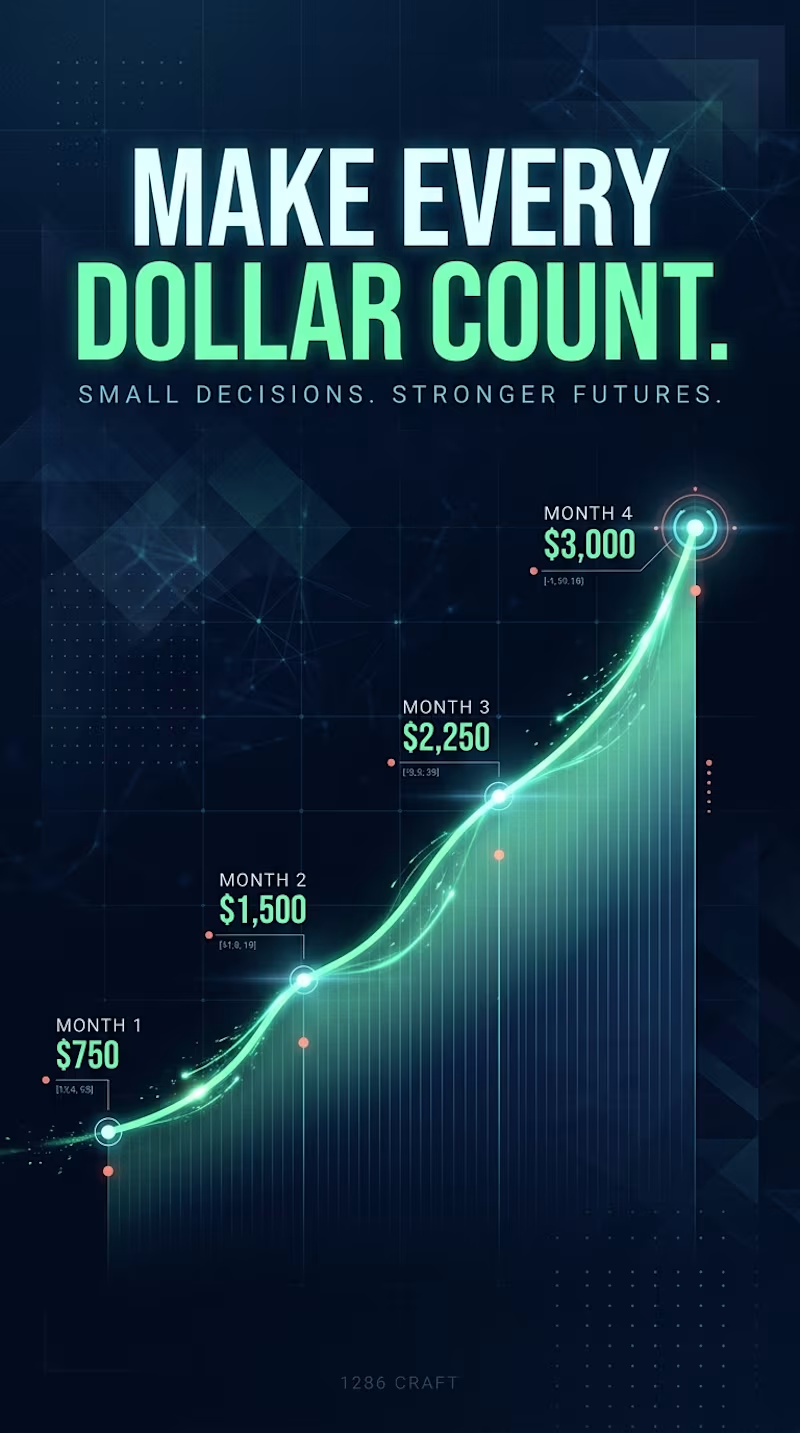
Fintech Motion Graphics | Financial Data Visualization & Video Editing
Project Description
A 30-second fintech motion design concept created by 1286 CRAFT, combining financial storytelling, animated data visualization, and modern editorial design.
The project transforms a $5,000 monthly income breakdown into three engaging visual sequences, featuring an animated budget chart, expense analysis, and savings growth visualization.
Designed for fintech startups, financial technology brands, SaaS platforms, and social media campaigns, this concept demonstrates how complex financial information can become clear, visually compelling, and easy to understand.
Creative Focus:
Motion Graphics & 2D Animation
Financial Data Visualization
Short-Form Video Editing
Fintech Social Media Content
Infographic Animation
Visual Storytelling
Tools & Workflow: Adobe After Effects, Adobe Premiere Pro, and AI-assisted creative production.
Creative Direction & Design: 1286 CRAFT
0
70

A luxury bridal fashion campaign concept created to explore how AI-assisted visual storytelling can be combined with traditional fashion content creation and cinematic editing.
For this project, I developed a complete visual direction centered around modern bridal elegance, timeless architecture, soft natural lighting, and a refined luxury aesthetic. Each scene was carefully designed to feel like part of the same cohesive bridal campaign — from intimate showroom moments and behind-the-scenes dress fittings to elegant editorial portraits and cinematic bridal sequences.
My creative process included concept development, visual direction, AI-assisted image creation, image-to-video generation, shot selection, motion direction, sequencing, and final video editing. Special attention was given to maintaining consistency across the bride, gowns, environments, lighting, branding, and overall visual identity while introducing subtle, realistic movement to make each scene feel natural and cinematic.
The final reel was edited in Adobe Premiere Pro, with a focus on clean pacing, seamless visual flow, elegant transitions, and a premium social-first presentation suitable for Instagram Reels, TikTok, and luxury fashion campaigns.
This project demonstrates my approach to combining creative direction, fashion storytelling, AI-powered production, and professional video editing to create polished social media content from concept through final delivery.
2
2
181

Social Media Manager & Video Editor

AI Commercial & UGC Video Creator | Premiere Pro Video Edit
- 5.0
- Rating
- 8
- Followers
AI Commercial & UGC Video Creator | Premiere Pro Video Edit
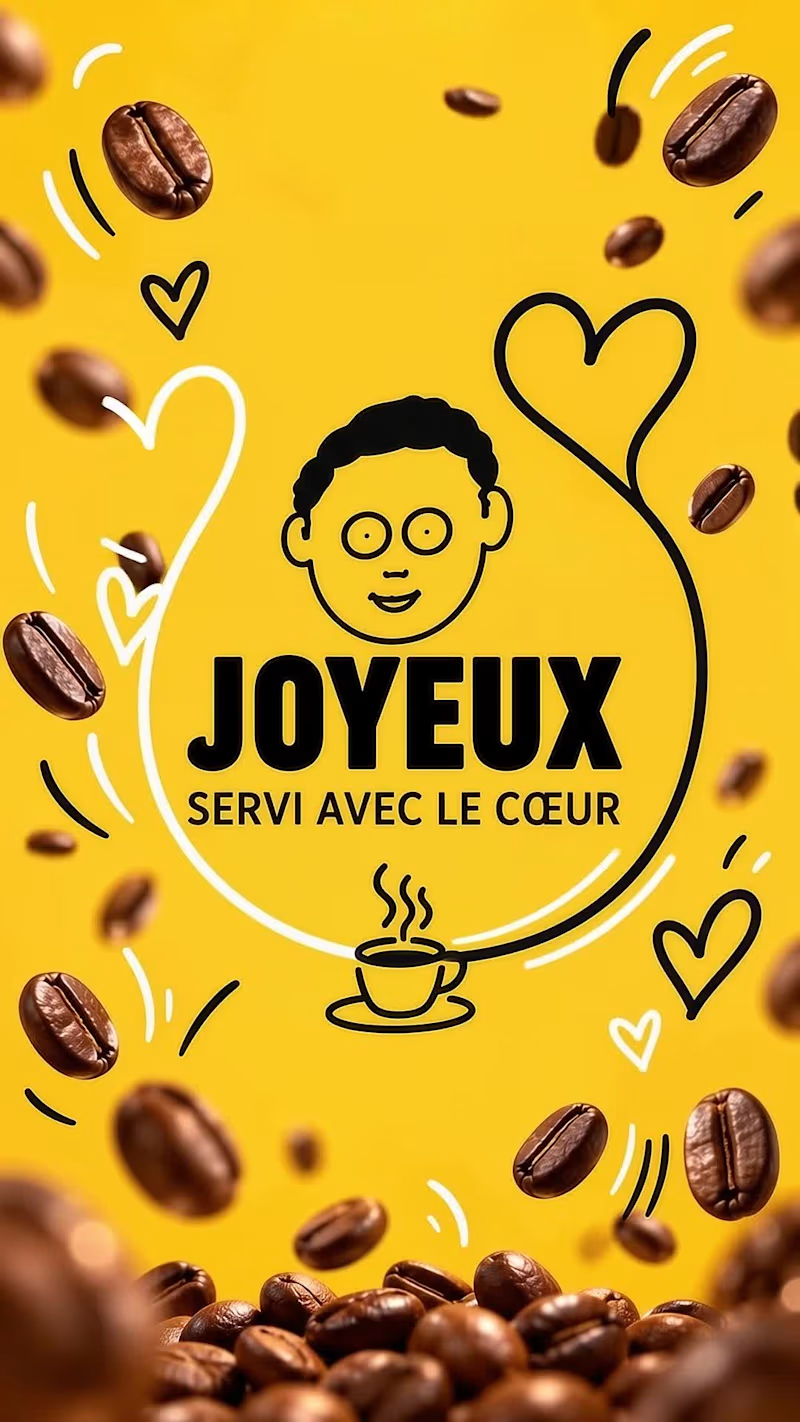
Café Joyeux — AI-Assisted Promotional Video Production
Project Type: Brand Promotional Video / AI Video Production / Video Editing
Role: AI Video Creator, Creative Planner, Prompt Engineer & Video Editor
Tools Used: ChatGPT, Google Flow, Adobe Premiere Pro
Project Overview
I developed an AI-assisted promotional video concept for Café Joyeux, an inclusive café and coffee brand built around quality coffee, human connection, and workplace inclusion.
The objective was to create a visually engaging advertisement that highlights the brand's distinctive yellow-and-black visual identity, original mascot-style illustrations, coffee preparation, branded cups, coffee products, and welcoming café atmosphere.
Following the client's feedback to make the advertisement more brand-focused and playful, I worked on a creative direction that combines realistic café scenes with hand-drawn illustrations, coffee-bean doodles, heart accents, and product-focused animation.
The visual approach was designed to feel warm, authentic, recognisable, and consistent with Café Joyeux's identity.
My Role & Responsibilities
1. Creative Planning & Storyboarding
Developed the advertising concept and visual direction.
Planned the sequence of scenes, from brand introduction and coffee preparation to customer experience, product presentation, and the final logo animation.
Structured the advertisement into individual video clips, each generated with an 8-second duration.
Planned transitions and visual continuity between scenes.
2. AI Prompt Engineering
Used ChatGPT to develop the creative concept, prepare the storyboard, write detailed Google Flow prompts, and refine instructions for individual scenes.
Created specific prompts for camera movement, shot composition, lighting, human actions, object physics, and motion control.
Developed continuity instructions to help maintain consistent branding, colours, products, equipment, and environments across clips.
Refined prompts in response to generation issues and client feedback.
3. AI Image Generation & Visual References
Used ChatGPT for image generation and visual reference development.
Created vertical reference images for individual scenes before video generation.
Used reference images to guide product placement, coffee preparation, customer interactions, and brand-focused compositions.
Worked to maintain Café Joyeux's yellow-and-black palette, original mascot style, packaging appearance, and visual consistency.
4. AI Video Generation
Used Google Flow to convert reference images and detailed prompts into individual video clips.
Generated 8-second source clips covering coffee preparation, espresso extraction, latte art, customer experiences, café interactions, product displays, and logo animation.
Iteratively refined prompts to improve movement, realistic physics, transitions, and consistency between scenes.
Focused on natural hand movements, realistic coffee preparation, smooth camera motion, and controlled product animation.
5. Professional Video Editing in Adobe Premiere Pro
Imported and organised the generated video clips in Adobe Premiere Pro.
Reviewed the footage and selected the relevant portions for the final sequence.
Trimmed and arranged clips in the intended narrative order.
Joined the separate AI-generated clips into one cohesive promotional video.
Refined pacing, scene transitions, visual continuity, and overall presentation.
Prepared the assembled video as a unified brand-focused advertisement.
Production Workflow
Step 1 — Research & Planning: Reviewed the brand's public website, visual identity, coffee products, and available reference material.
Step 2 — Storyboarding: Planned the scenes and defined the visual purpose of each clip.
Step 3 — Image Creation: Generated scene-specific reference images and established the intended composition.
Step 4 — Prompt Engineering: Wrote detailed Google Flow prompts specifying actions, motion, physics, brand continuity, and camera behaviour.
Step 5 — AI Video Generation: Generated individual 8-second clips using Google Flow and supplied reference images.
Step 6 — Review & Refinement: Reviewed generated results and adjusted prompts where movement, branding, or visual consistency needed improvement.
Step 7 — Final Editing: Used Adobe Premiere Pro to trim, sequence, join, and refine the clips into one complete promotional video.
Tools & Their Purpose
ChatGPT
Creative planning and storyboarding
Prompt engineering for Google Flow
AI image generation
Visual direction and continuity instructions
Refinement of scenes and motion requirements
Google Flow
Image-to-video generation
AI-generated promotional footage
Camera and object movement based on reference images and prompts
Iterative clip generation and visual experimentation
Adobe Premiere Pro
Video editing and clip trimming
Scene sequencing and assembly
Transitions and pacing
Visual continuity and final presentation
Creative Direction
The advertisement combines realistic coffee-making scenes with Café Joyeux's distinctive brand-inspired illustration style.
Key visual elements include:
Yellow-and-black brand colours
Mascot-inspired drawings and playful coffee doodles
Coffee beans, grinders, espresso machines, and latte art
Branded cups and coffee packaging
Warm café lighting and lifestyle-focused scenes
A dedicated product showcase and logo-led ending
Particular attention was given to realistic physics and movement, including coffee grinding, espresso extraction, milk pouring, cup handling, customer interactions, and product animation.
Final Deliverable
An AI-assisted, vertical short-form promotional video assembled from individual 8-second generated clips and edited in Adobe Premiere Pro.
The project demonstrates my workflow across creative planning, AI image generation, prompt engineering, reference-based video generation, motion refinement, brand-focused visual storytelling, and professional post-production.
Project Focus: AI Video Production | Promotional Advertising | Brand Storytelling | Prompt Engineering | Google Flow | Adobe Premiere Pro
1
69
CJ Juice Bar — AI-Generated Promotional Video Ad
Project Type: AI Video Production · Commercial Advertising · Product Videography · Video Editing
Client: CJ Juice Bar
Deliverable: Vertical promotional video for social media
Format: 9:16 vertical Reel
AI Video Clips: Approximately 8 seconds per clip
Tools: ChatGPT, AI Image Generation, Google Flow (Veo 3.1), Adobe Premiere Pro
Project Overview
CJ Juice Bar is a juice and fresh-fruit business that serves customers with fruit-based refreshments. The objective of this project was to create an engaging, visually appealing promotional video showcasing the business, fresh fruit preparation, juicing process, finished drinks, and product presentation for social media marketing.
I developed an AI-assisted video production workflow that combined creative planning, image generation, reference-guided video creation, and professional post-production editing. The focus was on creating realistic commercial visuals while maintaining consistent branding, product appearance, and the overall visual identity of CJ Juice Bar.
My Role and Responsibilities
I managed the creative and technical production workflow, including:
Creative Direction: Planned the advertising concept, visual style, shot sequence, and overall storytelling for the promotional video.
AI Prompt Engineering: Used ChatGPT to develop detailed prompts for individual scenes, define visual constraints, and improve the consistency of AI-generated footage.
Visual Reference Creation: Used AI image generation to create scene references and visual starting points for video production.
AI Video Generation: Used Google Flow with Veo 3.1 to generate short video clips of approximately eight seconds each from reference images and carefully structured prompts.
Brand Consistency: Worked to preserve the original CJ Juice Bar logo, store environment, product presentation, and visual identity across the generated scenes.
Product-Focused Cinematography: Designed close-up and macro-style shots emphasizing fresh fruit, hands-on preparation, juicing equipment, juice pouring, and branded drink presentation.
Continuity Management: Developed scene-specific instructions to reduce unwanted changes in ingredients, objects, clothing, environment, and branding between clips.
Video Editing and Assembly: Used Adobe Premiere Pro to arrange, connect, and edit the individual clips into one cohesive promotional video.
Final Post-Production: Refined the sequence, pacing, transitions, and overall visual flow to create a polished vertical advertising asset.
Tools and Technologies
ChatGPT — Creative planning, storyboard development, prompt engineering, scene descriptions, and troubleshooting AI-generated video inconsistencies.
AI Image Generation — Creation of visual references and starting-frame concepts to guide the appearance and composition of individual scenes.
Google Flow / Veo 3.1 — Generation of short, reference-guided AI video clips for the advertisement.
Adobe Premiere Pro — Video editing, clip sequencing, transitions, pacing, and final assembly of the complete promotional video.
Production Workflow
1. Creative Planning and Storyboarding
I translated the client's requirements into a structured commercial sequence, identifying the key scenes needed to communicate the business and showcase its products.
2. Reference Image Development
I prepared visual references to guide the composition, store environment, fruit presentation, equipment, and branding for individual shots.
3. AI Video Production
I generated individual clips in Google Flow using Veo 3.1. Each clip was designed around a specific action, with prompts controlling camera framing, motion, scene continuity, and visual details.
4. Quality Control and Refinement
I reviewed the generated footage for inconsistencies such as incorrect branding, changing objects, unnatural hand movements, ingredient duplication, and discontinuities between scenes. I refined prompts and reference instructions to improve the results.
5. Professional Video Editing
I imported the selected clips into Adobe Premiere Pro, arranged them in the planned sequence, connected the scenes, and refined the pacing and transitions.
6. Final Video Assembly
I combined the individual AI-generated scenes into a cohesive vertical promotional video suitable for social media marketing.
Creative Approach
The project focused on using AI as part of a controlled commercial production workflow rather than generating unrelated scenes. Each shot was planned to support the overall advertisement, while reference images and structured prompts helped guide the visual continuity.
The visual direction emphasized realistic fruit textures, natural hand movements, close-up product details, recognizable CJ Juice Bar branding, and a consistent commercial aesthetic.
Project Outcome
The completed workflow brought together AI-assisted creative development, reference-based video generation, and professional editing to produce a unified promotional video for CJ Juice Bar.
The project demonstrates my ability to combine generative AI tools with conventional video-editing techniques to develop branded advertising content, manage multi-scene visual continuity, and transform individual short clips into a complete marketing video.
Services: AI Video Ads · AI Video Generation · Prompt Engineering · Creative Direction · Storyboarding · Product Advertising · Brand Visual Consistency · Adobe Premiere Pro Editing · Social Media Video Production
1
0
71
Pasta Vicolo — AI-Powered Food Commercial & Brand Video Production
Project Type: AI Video Production · Food Commercial · Product Advertising · Video Editing · Brand Animation
Project Overview
Pasta Vicolo is a fresh pasta business focused on preparing pasta using specialized pasta-making equipment, cooking it, packaging it, and serving it to customers. The brand combines fresh pasta preparation with an inviting food experience and distinctive yellow-and-white packaging.
For this project, I developed a visually consistent promotional video showcasing the Pasta Vicolo experience, from fresh pasta production and preparation to cooking, takeaway packaging, and customer dining.
My objective was to create an appetizing, professional food advertisement using AI-assisted image and video generation, supported by detailed visual planning, controlled scene direction, and final editing in Adobe Premiere Pro.
Business Website: https://pastavicolo.com/
Instagram: https://www.instagram.com/pasta_vicolo/
My Role & Responsibilities
I handled the creative planning and video production workflow, combining AI-generated visual assets with professional video editing.
My responsibilities included:
Creative Direction & Storyboarding: Planned the commercial's visual sequence, including fresh pasta production, preparation, cooking, packaging, serving, customer dining, and the final branded product shot.
AI Prompt Engineering: Used ChatGPT to develop detailed image-generation prompts, video prompts, scene instructions, and consistency requirements for individual clips.
AI Image Generation: Created visual assets and reference images to establish the appearance of the pasta, preparation process, takeaway packaging, food presentation, and brand-focused scenes.
AI Video Generation: Used Google Flow with prepared prompts and reference images to generate individual video clips, each approximately 8 seconds long.
Visual Consistency Management: Refined prompts to maintain consistent pasta shapes and colors, packaging, brand placement, kitchen environments, utensils, and hand movements across scenes.
Motion & Physics Direction: Specified realistic food movement, gravity, object interactions, hand movements, smooth camera motion, and natural cooking and serving actions.
Brand Animation Planning: Developed animation concepts for the Pasta Vicolo logo and branded takeaway packaging, emphasizing the original gold-and-black logo colors and circular outline.
Professional Video Editing: Used Adobe Premiere Pro to arrange the generated clips, connect scenes, refine timing, and assemble the individual shots into one cohesive promotional video.
Tools & Technologies
ChatGPT — Creative planning, storyboard development, prompt engineering, scene descriptions, image-generation instructions, and visual consistency planning.
Google Flow — AI-assisted video generation using detailed prompts and reference images to produce individual food-commercial clips.
AI Image Generation — Creation of visual references and promotional food imagery for pasta preparation, cooking, packaging, and brand presentation.
Adobe Premiere Pro — Video editing, clip sequencing, transitions, timing adjustments, and final assembly of the generated footage into a unified commercial.
Production Process
1. Creative Research & Visual Planning
I reviewed the business website, Instagram presence, and supplied pasta-making reference footage to understand the brand's products and visual direction. I then planned a sequence that communicates the complete fresh-pasta experience.
2. Reference Image & Prompt Development
I used ChatGPT to develop detailed prompts and generate visual concepts for the required scenes. Each scene was planned with specific instructions for framing, lighting, pasta appearance, packaging, branding, and realistic movement.
3. AI Video Clip Generation
I supplied Google Flow with the prepared prompts and reference images to generate individual clips of approximately 8 seconds each. The scenes covered pasta production, handling and preparation, cooking with sauce and ingredients, filling takeaway boxes, adding customer utensils, and presenting the food to customers.
4. Consistency & Motion Refinement
I refined prompts to reduce unwanted changes between generated scenes. Particular attention was given to pasta shape and color, the original-style Pasta Vicolo branding, takeaway box design, hand positioning, food physics, object interactions, and natural movement.
5. Editing & Final Assembly
I imported the generated clips into Adobe Premiere Pro, arranged them in the intended narrative order, connected the scenes, and refined the pacing to create one continuous promotional video rather than a collection of unrelated AI clips.
6. Branded Closing Sequence
I planned a branded product ending featuring the Pasta Vicolo logo and takeaway packaging. The visual direction focused on the original gold “Pasta” script, black “VICOLO” lettering, circular outline, and recognizable yellow-and-white box design.
Key Deliverables
AI-generated food and product reference imagery.
Individual AI-generated promotional video clips.
Fresh pasta production and preparation scenes.
Cooking and food-presentation visuals.
Branded takeaway packaging and utensil-placement scenes.
Customer dining and food-experience scenes.
Pasta Vicolo logo-animation concepts.
A cohesive promotional video edited in Adobe Premiere Pro.
Project Outcome
The project brought together AI-assisted creative development, reference-based video generation, visual consistency planning, and professional editing in a single production workflow.
The result is a food-commercial concept designed to communicate freshness, preparation, product appeal, recognizable branding, and the customer dining experience through a sequence of coordinated visual scenes.
This project demonstrates my ability to combine AI image generation, prompt engineering, AI video production, motion planning, brand-focused visual direction, and Adobe Premiere Pro editing to develop promotional content for a food business.
Skills Demonstrated
AI Video Production · AI Image Generation · Prompt Engineering · Creative Direction · Storyboarding · Food Commercial Production · Product Advertising · Visual Consistency · Motion Direction · Brand Animation Planning · Adobe Premiere Pro · Video Editing
1
0
93
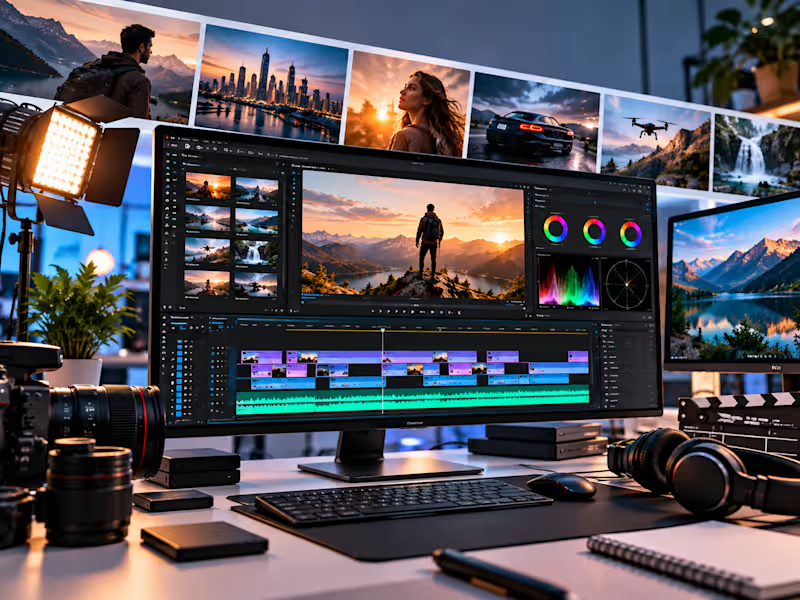
Professional Video Editing & Post-Production in Adobe Premiere Pro
Project Overview
This project involved taking raw video footage and transforming it into a polished, professional final video using Adobe Premiere Pro. The goal was to create a visually engaging edit with strong pacing, clean storytelling, professional audio, consistent visuals, and platform-ready delivery.
The project included the complete post-production workflow, from importing and organizing raw media to editing, visual refinement, audio enhancement, color correction, captions, final quality control, and export.
The final result was a clean, structured, professional video ready for publishing, marketing, social media, or presentation.
My Role
Role: Video Editor & Post-Production Specialist
I was responsible for the complete editing workflow, including:
• Reviewing and organizing raw footage
• Selecting the strongest takes and shots
• Creating the initial storyline and edit structure
• Removing unnecessary footage and mistakes
• Building a professional timeline
• Improving pacing and visual flow
• Adding B-roll and supporting visuals
• Creating transitions and visual effects
• Adding titles, captions, and text overlays
• Cleaning and balancing audio
• Adding background music and sound effects
• Performing color correction
• Applying creative color adjustments when required
• Preparing platform-specific video formats
• Conducting final quality control
• Exporting the finished video
How I Worked on the Project
1. Project Analysis & Planning
I first reviewed the project requirements, raw footage, audio, branding assets, references, and intended publishing platform.
Before editing, I identified the required video structure, visual style, pacing, aspect ratio, resolution, audio requirements, and delivery format.
This helped establish a clear editing direction before production began.
2. Media Organization
All provided footage and assets were organized inside Adobe Premiere Pro.
I structured the project into logical bins and categories for:
Video Footage → Audio → B-Roll → Graphics → Music → Sound Effects → Titles → Sequences → Exports
This made the project easier to manage and helped maintain an efficient editing workflow.
3. Rough Cut
I created the initial sequence by selecting the strongest footage and arranging the important content into a coherent structure.
At this stage, I focused on:
Story → Structure → Timing → Information Flow → Essential Content
Unnecessary pauses, mistakes, repeated sections, unusable takes, and distracting footage were removed.
4. Professional Editing & Pacing
After the rough cut, I refined the edit to create a more engaging viewing experience.
I worked on:
• Clean cuts
• Jump-cut refinement
• Timing adjustments
• Scene selection
• Speaker transitions
• Rhythm and pacing
• Music synchronization
• Visual continuity
• Story progression
The objective was to make the video feel intentional and professionally structured rather than simply placing clips one after another.
5. B-Roll & Visual Enhancement
Relevant B-roll, images, graphics, and supporting visuals were integrated where appropriate.
B-roll was used to:
• Support the narration
• Improve visual variety
• Explain information
• Cover cuts
• Maintain viewer engagement
• Strengthen the overall storytelling
6. Transitions & Motion Elements
I added clean transitions and visual effects where they improved the flow of the video.
Rather than using unnecessary effects, I focused on purposeful transitions, readable text, controlled motion, and visual consistency.
Titles, lower thirds, captions, callouts, and other graphic elements were also incorporated when required.
7. Audio Editing & Sound Design
Audio was refined to create a cleaner and more consistent listening experience.
My audio workflow included:
• Dialogue cleanup
• Volume balancing
• Removing unwanted sections
• Audio synchronization
• Background music placement
• Sound-effect integration
• Music and dialogue level balancing
• Smoother audio transitions
The final mix was adjusted so that dialogue remained clear while music and sound effects supported the content without becoming distracting.
8. Color Correction & Visual Consistency
I performed color correction to create consistency between shots and improve the overall appearance of the footage.
This included adjustments to:
Exposure → White Balance → Contrast → Saturation → Highlights → Shadows → Skin Tones
Where the project required a specific visual identity, I also applied a creative color treatment to establish a more consistent and polished look.
9. Captions, Titles & Branding
I added text and graphic elements according to the project's requirements.
These could include:
• Captions and subtitles
• Headings
• Lower thirds
• Calls to action
• Logo placement
• Brand elements
• On-screen information
• Highlight text
Typography, positioning, timing, and visual hierarchy were kept consistent throughout the video.
10. Platform Optimization
The final sequence was prepared according to the intended publishing platform.
Depending on the project, this can include:
YouTube — 16:9
Instagram Reels — 9:16
TikTok — 9:16
YouTube Shorts — 9:16
Social Media — 1:1 or 4:5
Resolution, frame rate, bitrate, aspect ratio, and export settings were selected according to the delivery requirements.
How the Project Was Completed
After the main edit was finished, I performed a complete quality-control pass.
I checked:
• Video cuts
• Audio synchronization
• Dialogue clarity
• Music levels
• Captions and spelling
• Text positioning
• Graphics
• Transitions
• Color consistency
• Missing frames
• Visual glitches
• Export settings
• Final video quality
Any issues identified during the review were corrected before the final export.
The completed project was then exported into the required format and prepared for final delivery.
What I Delivered
The completed project included a professionally edited final video featuring:
Clean Editing + Professional Pacing + B-Roll + Captions + Transitions + Sound Design + Color Correction + Branding + Platform-Ready Export
The Premiere Pro project structure was also kept organized so that future revisions, updates, or alternative exports could be handled efficiently.
Tools & Workflow
Adobe Premiere Pro was the primary editing and post-production application used for the project.
My workflow focused on maintaining a balance between technical precision, storytelling, visual consistency, audio quality, and efficient project organization.
Project Completion
The project was completed through a structured post-production workflow rather than a single editing pass. Each stage was reviewed and refined before moving to the next, from the initial media organization through final quality control and delivery.
The final video was prepared as a professional, polished, and publication-ready piece of content while maintaining the project's intended visual style and communication goals.
0
107

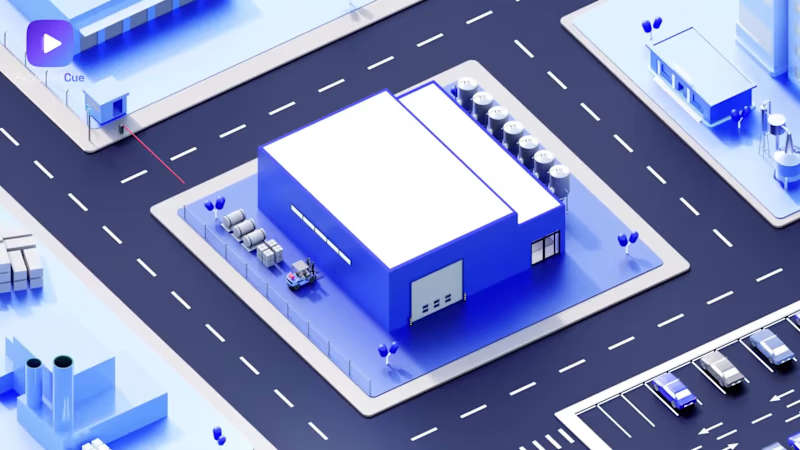
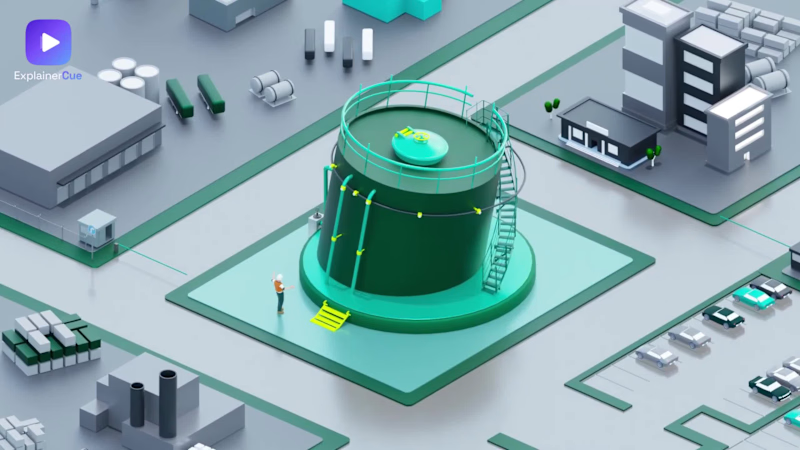
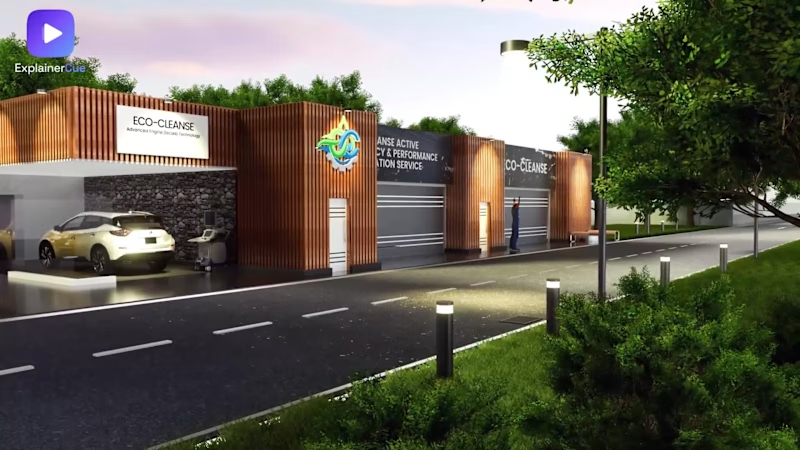
Premium Launch Videos for Startups at ExplainerCue
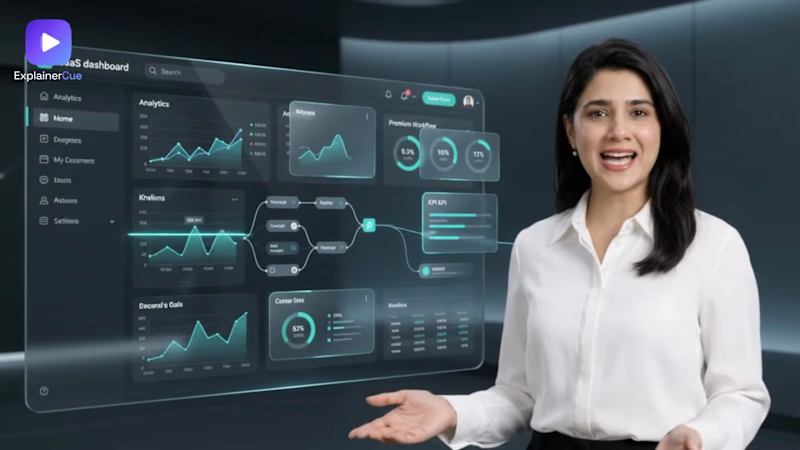
I’m Ash from ExplainerCue. I created a SaaS Product Launch & Explainer Video designed to help software companies, startups, AI companies, and technology brands communicate their products clearly and make a strong first impression.
This premium SaaS explainer video combines SaaS UI animation, product demo visuals, software product visualization, motion graphics, feature animation, and visual storytelling to showcase the product, explain key features, demonstrate its value, and make complex software easier to understand.
The video is ideal for SaaS startups, software companies, AI products, tech platforms, B2B software, web applications, mobile apps, and digital products looking to launch, promote, demonstrate, or explain their product through professional video content.
What’s Included:
SaaS product launch video
SaaS explainer video
Software product explainer
Product demo video
UI/UX animation
SaaS UI animation
Product visualization
Software feature animation
Motion graphics
Feature visualization
Product marketing video
Digital product presentation
Visual storytelling
Created to simplify complex software, communicate product value quickly, showcase features clearly, and support SaaS product marketing, product launches, sales presentations, websites, and customer acquisition.
#SaaSExplainerVideo #SaaSProductVideo #SaaSProductLaunch #SaaSVideo #ProductExplainerVideo #ProductDemoVideo #SoftwareExplainerVideo #SoftwareProductVideo #SaaSProductDemo #UIAnimation #UXAnimation #SaaSUIAnimation #ProductVisualization #SoftwareAnimation #FeatureAnimation #MotionGraphics #ProductMarketing #SaaSMarketing #TechVideo #TechExplainerVideo #AIExplainerVideo #AIProductVideo #AIProductDemo #AIStartup #SaaSStartup #SoftwareStartup #B2BSoftware #B2BSaaS #DigitalProduct #ProductLaunchVideo #ExplainerVideo #ProductDemo #VisualStorytelling #TechStartup #SoftwareProduct #SaaSExpert #ExplainerCue
3
1
483