AI video studio · product films and series that scale
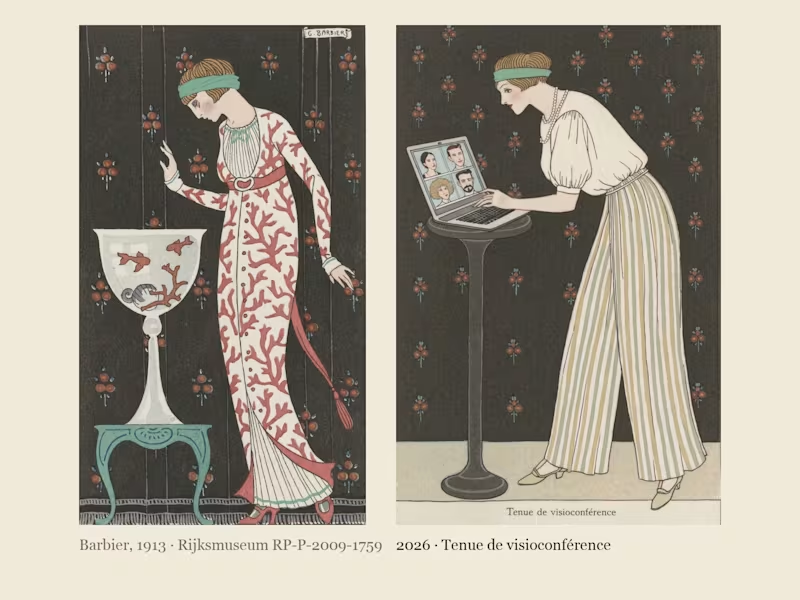
Costumes Parisiens 2026, now in motion: George Barbier's 1913 fashion plates, dressed and animated for 2026.
In 1913 George Barbier drew the latest Paris fashion for the Journal des Dames et des Modes: flat stencil colour, one elegant figure per plate, and a caption announcing the look, like "Robe d'intérieur" or "Manteau de théâtre". I found his Costumes Parisiens plates at the Rijksmuseum, where they are in the public domain, cropped ten of them down to the bare stencil and built a Recraft V4 Style from them. Costumes Parisiens 2026 keeps his poses and his captions and dresses them for how we actually live now: a silk blouse over pyjama trousers for the video call, a red delivery backpack worn over a fur-trimmed coat, a theatre coat embroidered with 99 unread badges, a necklace of charging cables, earbuds worn as pearl drops, a ring light carried like a parasol. This version brings four plates to life with Recraft's video tools, set to Erik Satie. Same magazine, a hundred and thirteen years later; only the accessories have changed.
2
1
373
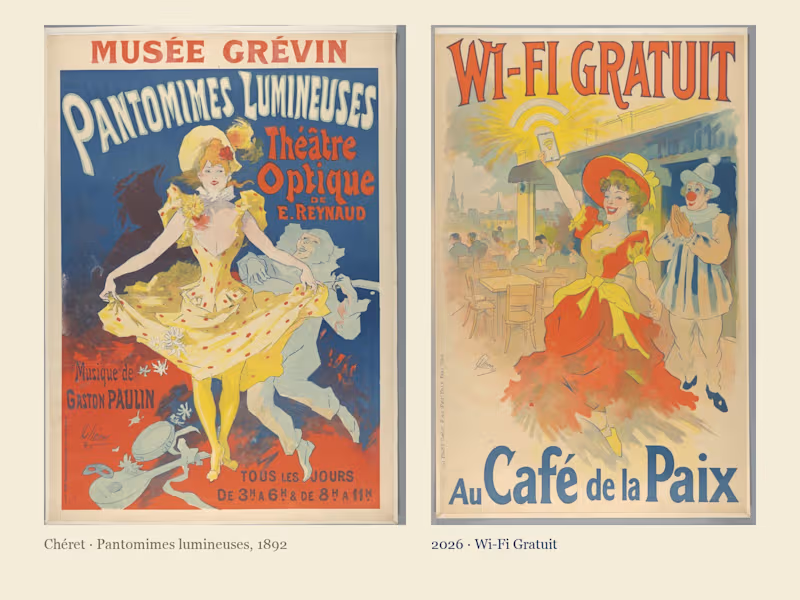
Affiches 2026: Jules Chéret's Belle Époque posters, advertising the things of 2026.
In the 1890s Jules Chéret covered the walls of Paris with colour lithograph posters: a laughing woman in a swirling yellow dress, hand-drawn lettering shouting the product, colour sprayed across the sheet. I took ten of his posters from the Rijksmuseum, where they are in the public domain, and built a Recraft V4 Style from them, lettering and all. Affiches 2026 keeps his dancing girls and his typography and lets them sell what Paris buys today: free wifi, delivery in ten minutes, the electric scooter, the electric car, noise-cancelling headphones, binge-watching, a dating app and coffee to go. Three posters come to life with Recraft's video tools, and every headline is lettered by the style itself. A hundred and thirty years on, the products have changed; the joy of selling them has not.
0
237
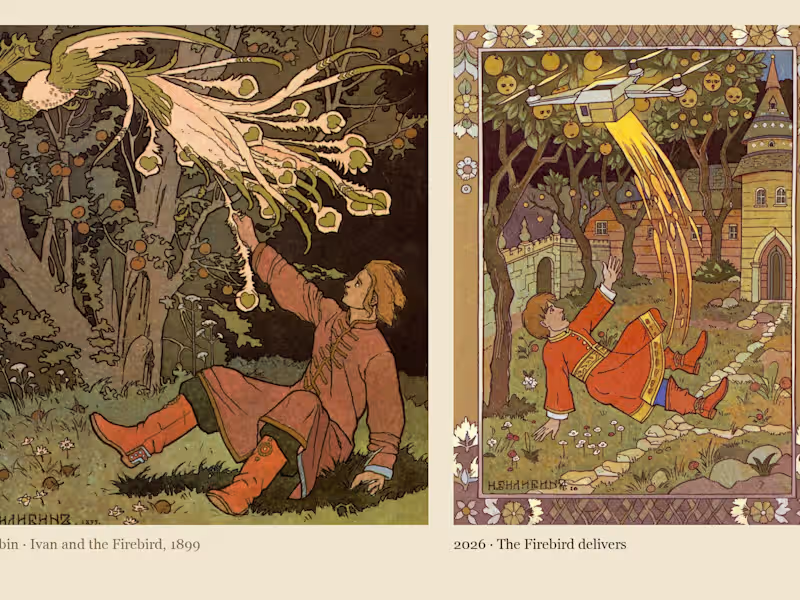
Skazki 2026: Ivan Bilibin's Russian fairy tales, retold with the gadgets of 2026.
Between 1899 and 1902 Ivan Bilibin illustrated a series of Russian fairy-tale booklets: flat ink outlines, watercolour fills and an ornamental folk border around every page. I took ten of his plates from Wikimedia Commons, where they are in the public domain, and built a Recraft V4 Style from them, borders and all. Skazki 2026 keeps his heroes and hands them the gadgets that would get them through the same stories today: Baba Yaga rides a robot vacuum instead of a mortar, Vasilisa lights the dark forest with her phone's flashlight instead of a glowing skull, the Firebird turns out to be a delivery drone, the hut on chicken legs has wifi and a doorbell camera, and Emelya's magic stove simply drives itself. Three plates come to life with Recraft's video tools. The tales are older than the gadgets, and they fit them perfectly.
2
2
392
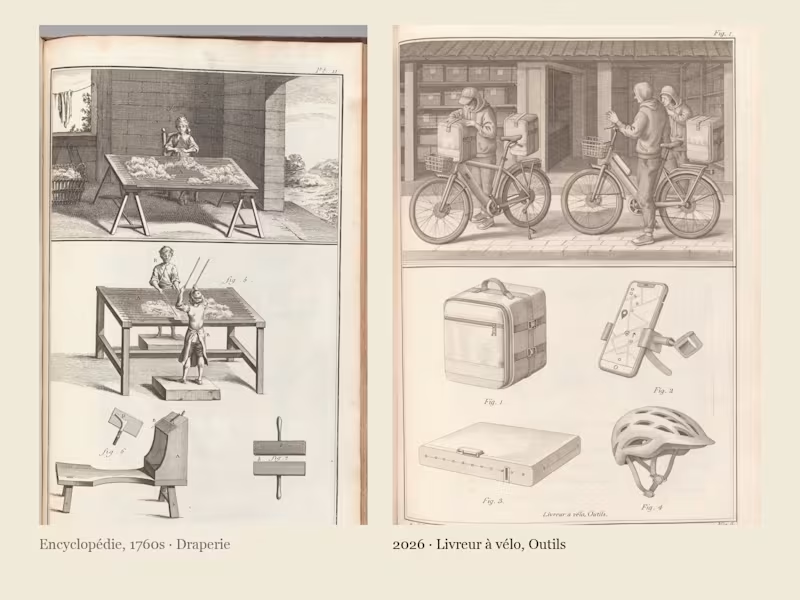
Encyclopédie 2026: Diderot's plates of the trades, drawn again for the jobs we do now.
Between 1762 and 1772 Diderot and d'Alembert published eleven volumes of engraved plates showing every trade of their day: the workshop scene above, the tools laid out below, each one numbered Fig. 1, Fig. 2. I took eight of those plates from The Met's Open Access collection, where they are in the public domain, cropped them to the bare engraving and built a Recraft V4 Style from them. Encyclopédie 2026 uses the same layout to document the trades we actually do now: the bike courier with his insulated backpack, the phone repairman, the kitchen-table remote worker, the content creator and her ring light, the barista, the data centre technician, the gamer and the e-scooter charger. Three plates come to life with Recraft's video tools, and the frontispiece puts a smartphone where the Enlightenment put the sun. Same encyclopedia, two hundred and sixty years later; the tools changed, the workshop did not.
5
6
790

Illustrator & Designer with a Passion for Impact
Illustrator & Designer with a Passion for Impact


View more →

Visual Swiss Knife: Design, Illustrate, Animate
Visual Swiss Knife: Design, Illustrate, Animate


View more →

Product & Visual Designer · Brand Identity · UI/UX
- 2x
- Hired
- 5.0
- Rating
- 66
- Followers
Product & Visual Designer · Brand Identity · UI/UX
Project title
STALL — Your farmers market, alive.
A swipe-to-shop farmers market companion that connects local vendors with regulars before Saturday ever arrives.
The problem
Every Saturday, the same thing happens.
You show up to the farmers market at 10am. The ramp vendor you wanted is sold out by 9. You forgot cash. You walk past a honey stall three times because you can't remember if you already bought some. And that new mushroom farm you heard about? Gone before you spotted them.
On the vendor side, it's just as frustrating. Small farmers wake up at 4am, load the truck, drive an hour, and have no lightweight way to tell their regulars — the people who actually want what they grow — "I have asparagus this Saturday. Come find me."
STALL fixes both sides of that problem.
What STALL does
STALL is a two-sided farmers market app built around one weekly ritual: Saturday morning.
For shoppers:
Follow vendors at your local market
Swipe through a weekly produce deck — right to add to your list, left to skip — exactly like Bumble, but for ramps and sourdough
Get a Friday evening digest: what your vendors have this week, your auto-built shopping list, and where each stall is on the map
Pre-reserve high-demand seasonal items before you leave the house
Discover first-of-season arrivals with a "what's new this week" spotlight
For vendors:
Post a weekly inventory update in 3 taps — what you're bringing, quantities, price
Reach your regulars directly before market day
Manage pre-reservations without a complicated system
The app celebrates the seasonal nature of farmers markets — ramps in April, strawberries in June, squash in October. Every week feels like something worth showing up for.
How I built this with Google Stitch
STALL was designed and prototyped entirely using Google Stitch as the primary build tool, with Figma used only for initial wireframing.
The workflow:
Day 1 — Brand and wireframes
I started by defining the brand: the name, palette (Pumpkin Spice Forest — a warm amber, fern green, mauve, and cream system), and illustration direction. I wireframed the three core flows — swipe deck, Friday digest, and vendor post — before touching Stitch.
Day 2 — Into Stitch
I imported my Figma file directly into Stitch using the .fig import feature. From there I used streaming generation to build each screen live on the canvas — watching the splash screen, onboarding flow, and homepage assemble in real time was genuinely remarkable. The HTML-native canvas meant every animation I added — card tilt on swipe, drawer slide-up, bento tile stagger — rendered exactly as it would in production.
Key Stitch prompts used:
"Add a swipe gesture to the produce card stack — right swipe shows a green Added overlay with 5° card tilt, left swipe shows a mauve Skipped overlay with -5° tilt"
"Make the shopping list items stream in one by one with 120ms stagger on page load"
"Add a bottom drawer that slides up from the vendor card with spring easing — show the farm bio, full inventory list, and two action buttons"
"Build the Friday digest screen — vendor items animate in sequentially, the seasonal spotlight card pulses gently"
"Export web assets and deploy to Netlify"
In-place edits I used:
Swapped the swipe overlay color from red to mauve to match brand
Adjusted the bento grid gap from 8px to 6px after seeing it render on canvas
Changed the CTA button from outlined to filled after in-place visual comparison
Rewrote the seasonal spotlight copy directly on the canvas without regenerating
What Stitch made possible that nothing else could:
The swipe gesture interaction, the drawer spring animation, and the staggered list streaming — all three of these would have taken days to hand-code. In Stitch, they were prompt-driven and live on the canvas within minutes. The gap between "designed" and "interactive prototype" collapsed entirely.
Screens delivered
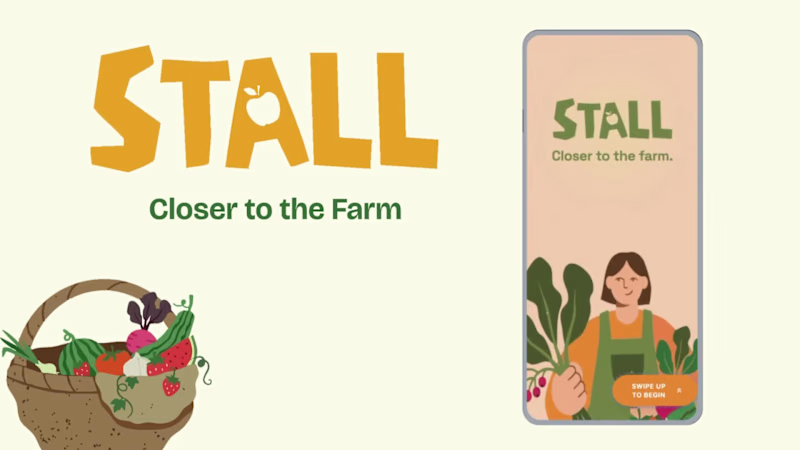
Splash screen — farmer illustration, full-bleed cream background
Onboarding screen 1 — market basket illustration, "Your market, every Saturday"
Onboarding screen 2 — swipe mechanic explainer with card UI
Onboarding screen 3 — Friday digest bento preview
Homepage — bento grid with market header, seasonal spotlight, list, map preview, swipe deck, streak tracker
Swipe deck — card front, vendor expand drawer, swipe right (added), swipe left (skipped)
Friday digest — streaming vendor list, seasonal spotlight, auto-built shopping list
Market day map — vendor stall grid, spot numbers, live confirmation states
Vendor post flow — 3-tap inventory update screen
Design decisions worth noting
The swipe mechanic — Borrowing the Bumble swipe pattern for produce discovery was the conceptual breakthrough. It transforms a passive browse into an active, satisfying decision. Every right swipe builds your list. Every left swipe still shows you where the vendor is on the market map — skipping is never permanent.
The Friday digest as the hero feature — Most apps make you come to them. The Friday evening push notification with a personalised market brief is the one moment where STALL comes to you. It changes Saturday morning from reactive to intentional.
Bento homepage — Instead of a scrolling feed, the homepage gives you everything at a glance: your market, your list, the seasonal moment, your vendors. Seven tiles, seven pieces of information, zero scrolling.
The color system — Pumpkin (#E8872A), Fern (#728040), Mauve (#B07090), Cream (#FDFAF6), and Moss (#4A5228). Every color has one job. Pumpkin is interactive. Fern is seasonal and confirmed. Mauve is reserved and streaks. Cream is every surface. Nothing competes.
What I learned
Stitch genuinely changes the prototyping workflow. The moment I stopped thinking of it as a design tool and started thinking of it as a build tool — one where the canvas is the product, not a picture of the product — everything accelerated. The in-place edit feature is the one I'll keep coming back to: being able to change a color, rewrite copy, or swap a component without regenerating the whole screen is the difference between iteration and rework.
STALL started as a hackathon idea. After building it in Stitch, it feels like something real.
Live Prototype: https://stitch.withgoogle.com/preview/8229547464152593644?node-id=e53124995cda49808685283be978dc8c
50
44
994