Freelancers using Azure in MontrealFreelancers using Azure in Montreal

Results that are similar to your search

Similar results

Frontend Focused Fullstack Developer: Next.js & AI Agents
$50k+
Earned
11x
Hired
5.0
Rating
148
Followers
Frontend Focused Fullstack Developer: Next.js & AI Agents

Experienced Mobile & Web Developers

$100k+
Earned
7x
Hired
5.0
Rating
42
Followers
Experienced Mobile & Web Developers
Cover image for 📌 Case Study: Candlestick Academy
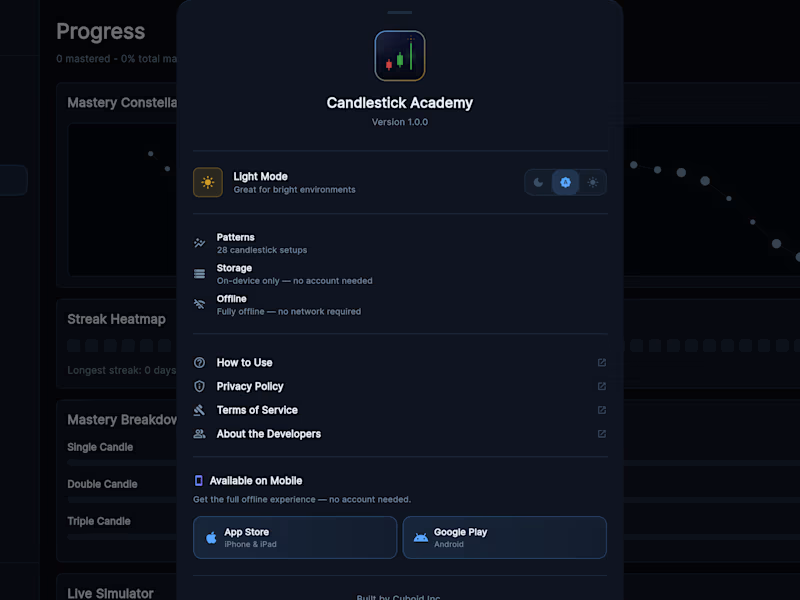
📌 Case Study: Candlestick Academy — Trading Chart Pattern Mastery App Category: Education · Finance & Trading Platform: iOS & iPadOS (iPhone, iPad, Mac via Apple Silicon, Apple Vision Pro) Project Type: Gamified Financial Education App Live: candlestick-academy.web.app (http://candlestick-academy.web.app) · App Store (https://apps.apple.com/pk/app/candlestick-academy/id6763744872) Project Overview Candlestick Academy (https://candlestick-academy.web.app) is a trading education app that teaches all 28 essential candlestick patterns through cinematic storytelling, live market simulation, and competitive battle modes. The positioning says it best: Bloomberg Terminal meets Duolingo. Built and published by Cuboid, it's a fully offline, no-subscription, no-ads product built for traders who are serious about developing real pattern recognition — not just memorizing definitions. The Problem Candlestick chart patterns are fundamental to technical trading, but the way they're typically taught — textbooks, static images, dry definitions — doesn't build the instinctive recognition that actually matters when markets are moving in real time. Traders end up knowing what a Hammer looks like on paper but freezing when they see one forming tick by tick on a live chart. Existing trading education apps either oversimplified the material for beginners or buried it in subscription paywalls and generic content libraries. There was no product that combined the depth of professional trading education with the engagement mechanics needed to make the learning actually stick. Our Solution Candlestick Academy was built around one premise: recognition is a skill, not a fact. The app develops that skill through three distinct learning modes — each targeting a different stage of pattern mastery — tied together with a gamified progression system that keeps traders coming back daily. The entire app runs offline, with no subscription and no ads. The product earns its place through quality, not lock-in. Key Features & Capabilities Live Market Simulator — A dark, terminal-style interface with tick-by-tick candle formation that mimics a real trading screen. Users watch patterns develop in real time, identify them, tap "SIGNAL!", and earn or lose ELO rating based on accuracy. Progression runs from Rookie to Pro, with each rank requiring genuine improvement. Story-Driven Pattern Learning — All 28 patterns are taught through market psychology narratives — the human stories behind why bulls and bears create each formation. A Doji isn't just a cross-shaped candle; it's a moment of genuine indecision between two forces with equal conviction. That framing makes patterns memorable in a way that definitions never do. Spaced Repetition Engine — Powered by the SM-2 algorithm, the same system used by serious language learners. The app schedules review of each pattern at the optimal moment for long-term retention, not just short-term recall. Adaptive Drills — The system identifies weak spots in a user's pattern recognition and rebuilds every 10-question session around those specific gaps. No two sessions are identical. Anatomy Drills — Users tap individual parts of a candlestick — wicks, bodies, shadows — and the app explains exactly what that price movement represents at that moment in market psychology. It teaches traders to read candles, not just recognise them. Pattern Matchup — Long-press any two patterns to see a side-by-side comparison of their visual structure and psychological sentiment. Particularly useful for distinguishing similar-looking patterns that signal opposite market moves. Battle Mode — Timed competitive sessions with a ×4 combo multiplier for streak accuracy. Fast pattern recognition under pressure is the specific skill that separates traders who hesitate from traders who act. Mastery Constellation — Progress is visualised as a growing galaxy of stars — each pattern mastered adds a star to the user's constellation. It's a visual representation of accumulated knowledge, not just a progress bar. Daily Challenges — A curated 5-question set each morning to maintain active recall and keep streaks alive without requiring long sessions. 63 Automated Tests — Every pattern in the app is validated against 63 automated tests to ensure mathematical correctness. In a domain where accuracy is non-negotiable, this isn't a feature — it's a baseline. Design Philosophy The visual language is deliberately terminal-dark — professional, focused, and built to look credible on a trading desk rather than playful in a gaming context. The gamification layer (ELO, battle mode, constellation, streaks) is present and engaging but never trivializes the subject matter. The product respects the user's intelligence throughout. Final Outcome Candlestick Academy demonstrates Cuboid's ability to build sophisticated educational products at the intersection of fintech and consumer mobile — combining rigorous content, adaptive learning algorithms, live simulation, and professional-grade design. It's a product that competes with established trading education platforms on every dimension that matters to a serious trader.
0
15
Cover image for 📌 Case Study: QR Scan
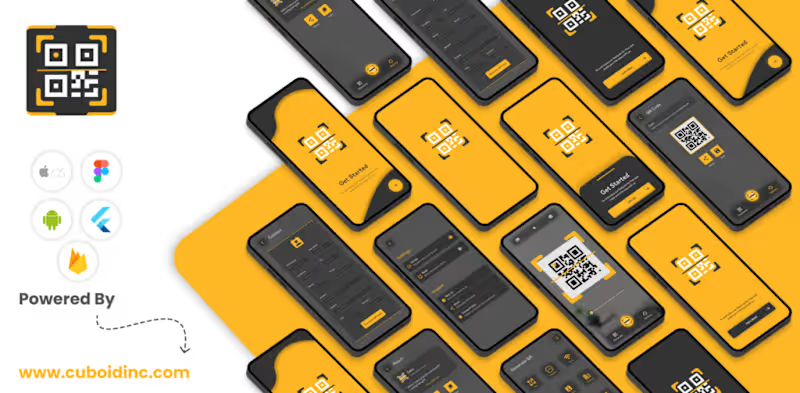
📌 Case Study: QR Scan & Gen — QR Code Generator & Scanner Category: Utilities Platform: iOS & iPadOS (iPhone, iPad, Mac via Apple Silicon, Apple Vision Pro) Project Type: Utility App Live: qr-scanngen.web.app (http://qr-scanngen.web.app) · App Store (https://apps.apple.com/pk/app/qr-scan-gen/id6746228460) Project Overview QR Scan & Gen (https://qr-scanngen.web.app) is a clean, all-in-one QR code utility built for both personal and professional use. It handles generation, scanning, history management, and sharing in a single app — rated 5 stars on the App Store with users calling it fast, accurate, and the best QR tool they've tried. Built and published by Cuboid, it runs on iPhone, iPad, macOS, and Apple Vision Pro from iOS 12 upward. The Problem The QR code space is cluttered with apps that do one thing adequately while burying the rest behind paywalls, ads, or confusing interfaces. Scanners that can't generate. Generators that don't save history. Tools that require an account just to create a Wi-Fi code. For something that should take five seconds, most QR apps make it harder than it needs to be. There was clear room for a utility that handled the full QR workflow — create, scan, save, share — in one place, cleanly, without unnecessary friction. Our Solution QR Scan & Gen was designed around a single standard: every core action should be reachable in under two taps. Generate a code, scan one, retrieve a past code from history, share it — all without switching apps, creating accounts, or navigating menus that exist to justify a subscription. The app works fully offline for code generation, which matters when you're setting up a product label, a printed menu, or an event badge without reliable connectivity. Key Features & Capabilities QR Code Generation — Create codes for URLs, plain text, email addresses, phone numbers, Wi-Fi credentials, calendar events, social media profiles, app download links, and more. The range of supported content types covers personal, professional, and marketing use cases without needing a separate tool for each. Instant Scanning — Camera-based scanning that's fast and accurate in low light and across both printed and digital surfaces. Gallery scanning is supported for codes in saved images, screenshots, or documents. Smart History Log — Every scan and every generated code is automatically saved in a chronological log. Revisit, reuse, or share any past code without recreating it from scratch. Offline Generation — Codes are generated entirely on-device. No internet connection required, no data sent to external servers during creation. Customizable Experience — Haptic feedback, sound, and camera permissions can all be toggled per user preference. The app adapts to how each person wants to use it rather than enforcing a single interaction model. Privacy First — User-generated content and scan data are handled on-device. No unnecessary data collection, no advertising profiling tied to content. Who It's For Business owners creating QR codes for menus, product packaging, or contact sharing. Event organizers generating codes for registration and access. Students and educators sharing links, resources, and schedules. Anyone who needs to scan a code accurately and reliably without fighting the app to do it. The 4+ age rating and iOS 12 compatibility reflect the deliberate accessibility of the design — this is a tool built for everyone, not a feature showcase for power users. Final Outcome QR Scan & Gen earns its place on a home screen by doing exactly what it promises — instantly, cleanly, every time. It demonstrates Cuboid's ability to ship polished utility apps that compete on quality in a saturated category, without overcomplicating what should be a simple tool.
0
39
Software Engineer · iOS/Android · Big Data · AI · UX/UI
$5k+
Earned
2x
Hired
5.0
Rating
64
Followers
Software Engineer · iOS/Android · Big Data · AI · UX/UI
Cyber expert specialising in Azure Security Services.

$10k+
Earned
4x
Hired
5.0
Rating
14
Followers
Cyber expert specialising in Azure Security Services.

🔴Upwork Top Rated Plus AI Dev🔴
$1k+
Earned
3x
Hired
22
Followers
🔴Upwork Top Rated Plus AI Dev🔴

Fullstack Dev | Precision-Centric Solutions
$1k+
Earned
4x
Hired
17
Followers
Fullstack Dev | Precision-Centric Solutions