
I Build Product & Lifecycle Retention Systems That Convert
- $10k+
- Earned
- 3x
- Hired
- 5.0
- Rating
- 25
- Followers
I Build Product & Lifecycle Retention Systems That Convert
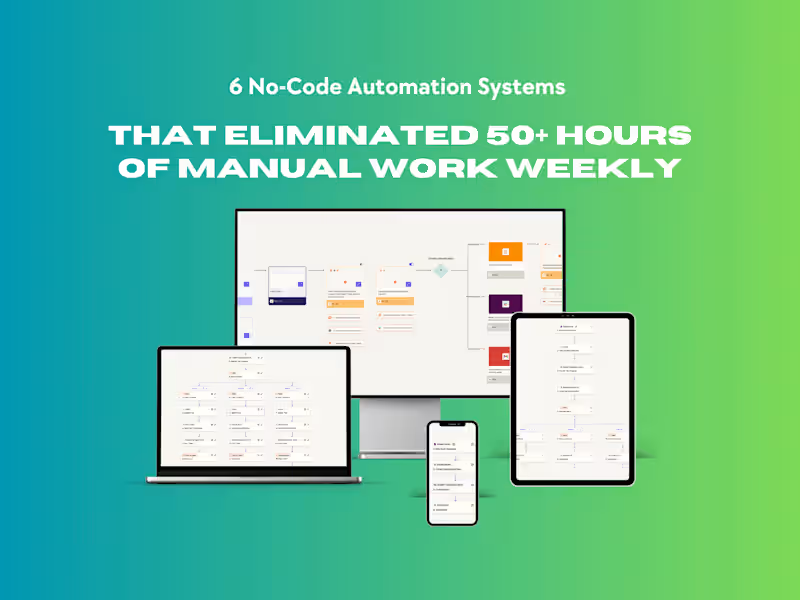
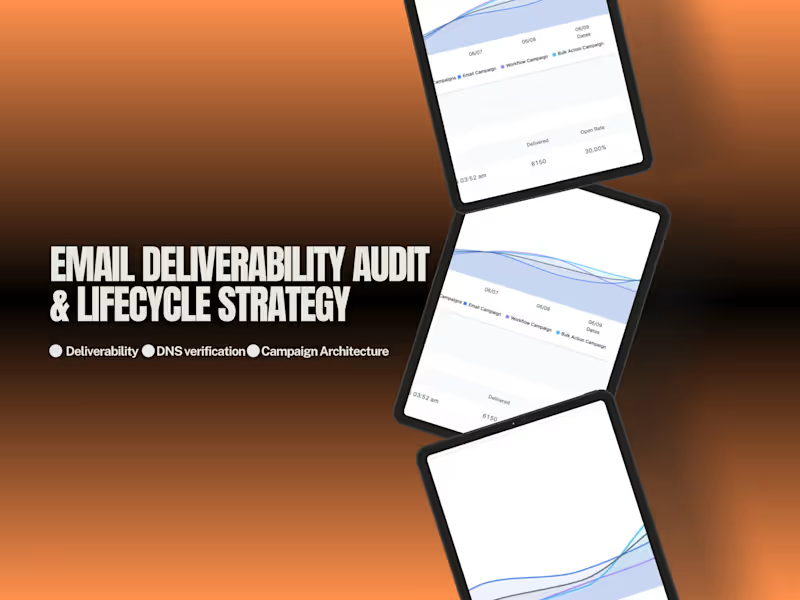
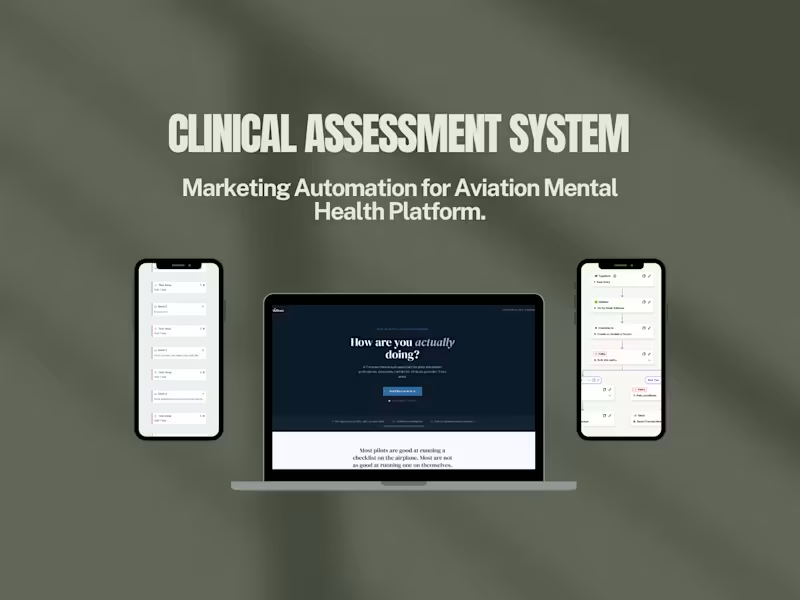
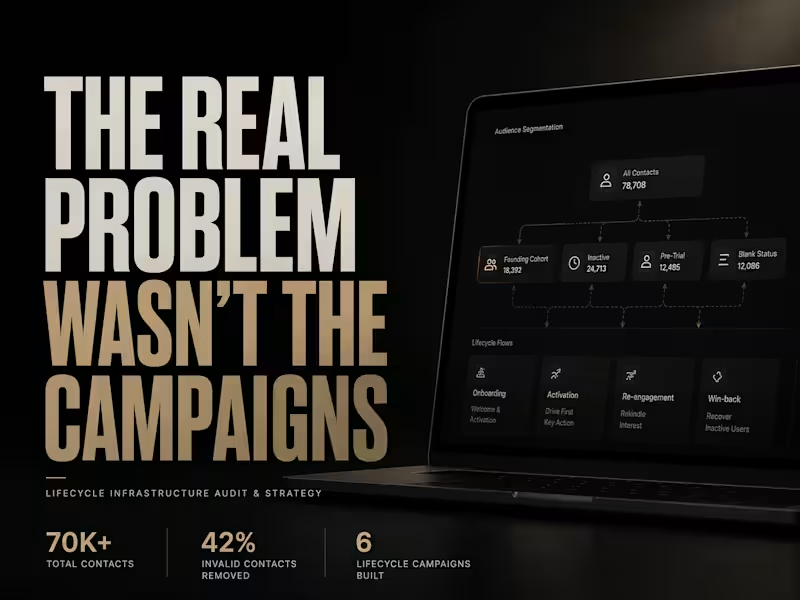


Product Designer & Framer Developer creating impact
- 5.0
- Rating
- 7
- Followers
Product Designer & Framer Developer creating impact

Project & Operations Manager | AI Video/Workflow
- 1x
- Hired
- 5.0
- Rating
- 5
- Followers
Project & Operations Manager | AI Video/Workflow

Ogo Tawa – Global Dance & Social Impact Project
Managed coordination for a large-scale international dance and social impact production involving 300+ student participants, 12 filming locations across Nigeria, and teams spanning 6 countries.
Key Project Outcomes
Coordinated participation and production activities for 300+ students.
Supported filming across 12 locations in Nigeria.
Facilitated collaboration among teams in Nigeria, China, India, Egypt, the Philippines and Canada.
Kept teachers, production crews, photographers, videographers and international stakeholders aligned throughout the project.
Successfully coordinated the project from planning and participant engagement through filming, submissions and final delivery.
My Responsibilities
Project planning, timelines and activity tracking.
Participant, teacher and stakeholder coordination.
Filming schedules and production-team communication.
Submission management, approvals and media asset organisation.
Follow-ups, issue resolution and cross-team communication.
Core Skills: International Project Coordination, Stakeholder Management, Production Coordination, Team Communication, Timeline Management and Operations.
0
26
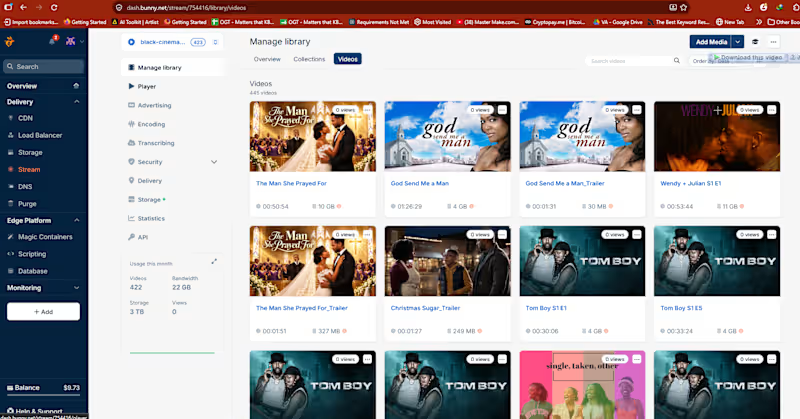
Managed digital content operations, video delivery, programming, and platform workflows for a streaming media catalogue.
Managed and processed 18 ATE cases, tracking requirements and ensuring completion.
Uploaded and organized 140+ movies and series episodes in Vision, including captions, trailers, artwork, metadata, and five screengrabs per title or episode.
Managed the upload and organization of 400+ video assets on Bunny.net (http://Bunny.net), including feature films, trailers, and series episodes.
Structured Bunny.net (http://Bunny.net) collections and standardized movie, trailer, and episode naming for easier catalogue and API mapping.
Maintained and updated the Black Movie Max programming catalogue, including AVOD, SVOD, genres, scheduling, and content availability.
Uploaded and managed 9 Spanish-language movie titles on YouTube.
Performed content QC, identified missing assets, duplicate files, metadata gaps, and upload issues.
Created scripts to automate file selection, catalogue matching, and bulk preparation of movie and trailer assets.
Supported the preparation of content for FAST channel programming, streaming delivery, and CMS integration. Tools: Bunny.net (http://Bunny.net), YouTube, Microsoft Excel, Google Sheets, Vimeo, PowerShell, FAST/AVOD/SVOD workflows, content management systems.
0
31

AI Video Creation & Creative Projects
I create AI-powered videos and visual content for marketing, social media, and digital storytelling. My projects combine creative direction, prompt engineering, and AI video-generation tools such as Higgsfield, Kling, and Veo to produce cinematic visuals, engaging short-form content, and polished video concepts. I also explore AI-assisted workflows to improve content production and creative efficiency.
0
38
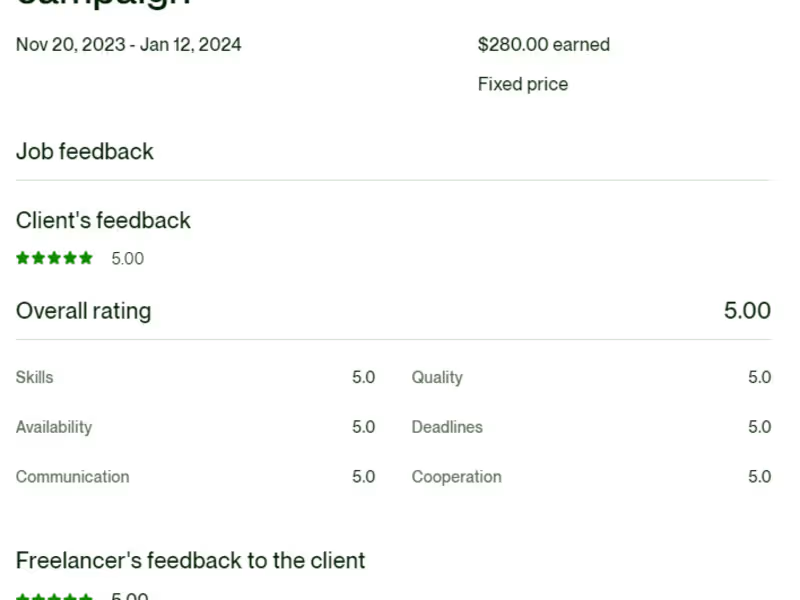

Executive Assistant | Business Operations & Admin Support
- 24
- Followers
Executive Assistant | Business Operations & Admin Support
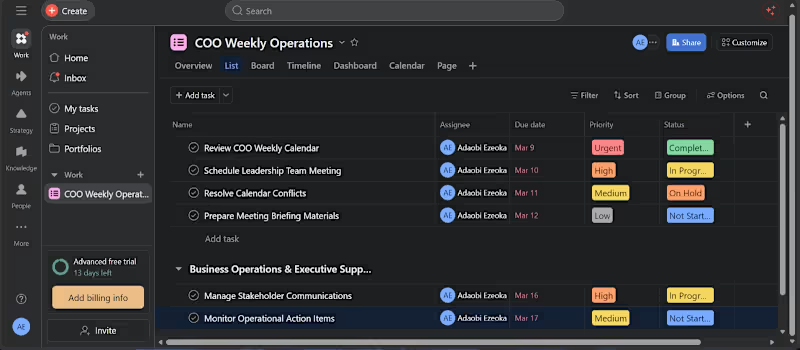
I created the same executive task management workflow across three platforms, Asana, Notion, and Trello, to show how I adapt to a client's preferred tools. Each system tracks priorities, due dates, and status for recurring EA responsibilities like calendar management, travel coordination, and stakeholder communications. Whether a client wants list views, databases, or kanban boards, I build clear, consistent structures that keep executives organized. Sample work created to demonstrate process and skill set.
0
36
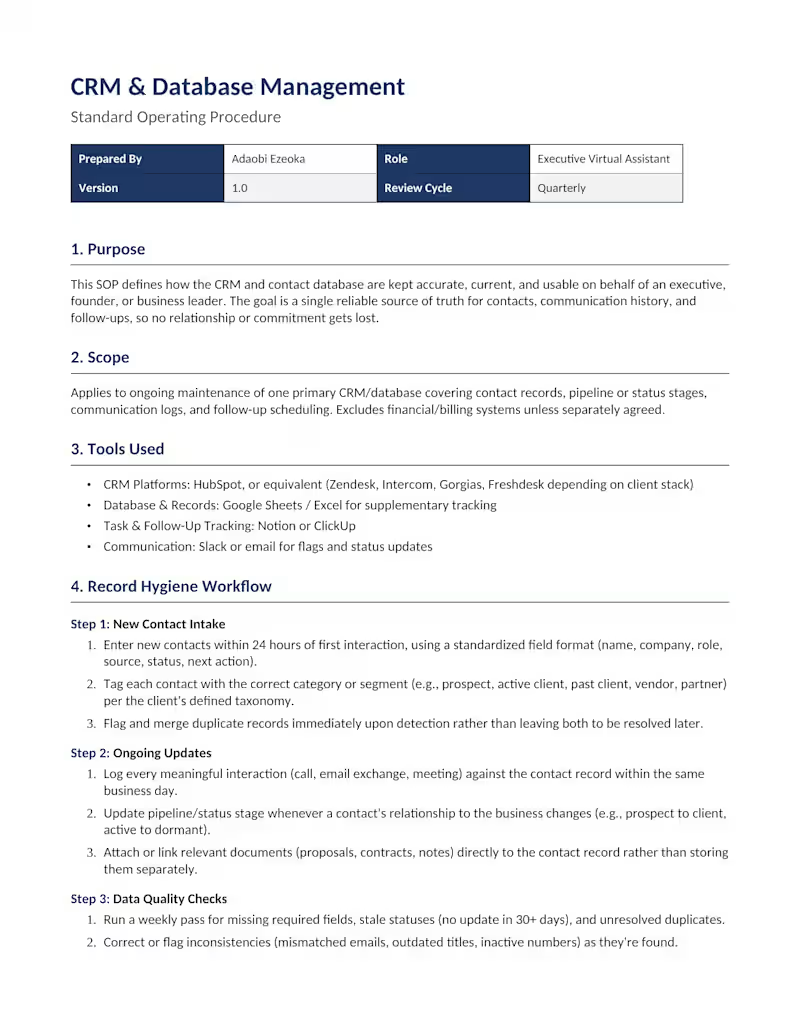
A SOP showing how I keep a CRM and contact database accurate and easy to work from. It covers new contact intake, ongoing record updates, data quality checks, follow-up scheduling, pipeline review, and weekly reporting, with clear escalation rules for high-value contacts. Built to demonstrate how I turn a messy or inconsistent database into one reliable source of truth clients can act on. This is a demonstration piece created to showcase process-documentation skill, not tied to a specific client engagement.
1
111
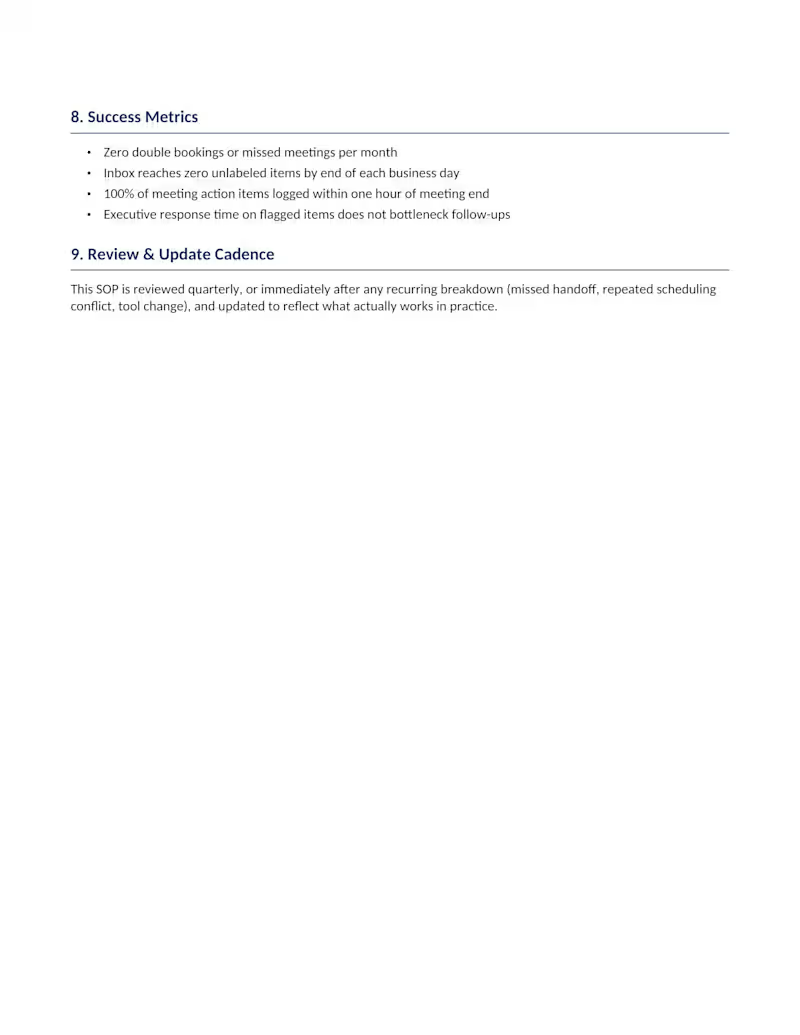
This is a Standard Operating Procedure created to demonstrate how I structure and document recurring executive support workflows. It covers daily inbox triage, response handling, meeting scheduling, conflict resolution, and post-meeting follow-up, with clear escalation rules and a roles/responsibilities breakdown. This SOP reflects how I approach every engagement: build repeatable systems so operations run smoothly whether the client checks in daily or not at all. Built as a demonstration piece to showcase process-documentation skill, not tied to a specific client engagement.
0
69
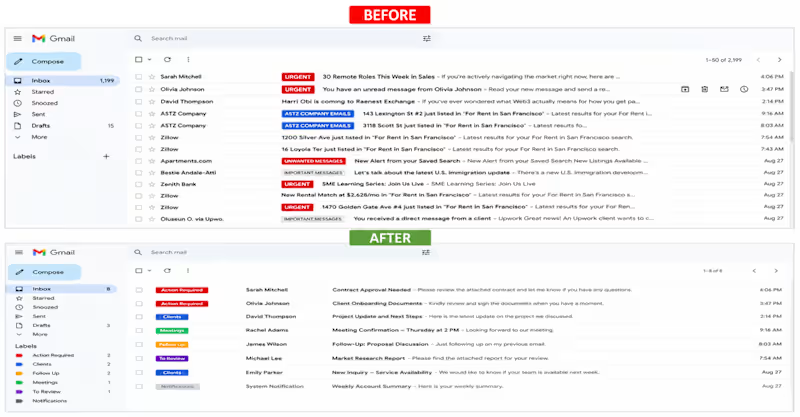
I reorganized a cluttered executive inbox by separating urgent requests, client communication, follow-ups, meetings, and low-priority messages. I archived emails that needed to be retained, removed outdated notifications, and introduced a color-coded labeling system for quick identification. The result was a cleaner, structured inbox that made priorities easier to identify and reduced the time spent searching for important emails.
0
47

Crafting User-Centric UI & UX Designs

Zapier, n8n & GoHighLevel Automation Expert | AI Workflows
Zapier, n8n & GoHighLevel Automation Expert | AI Workflows

Virtual Assistant & Customer Support Specialist
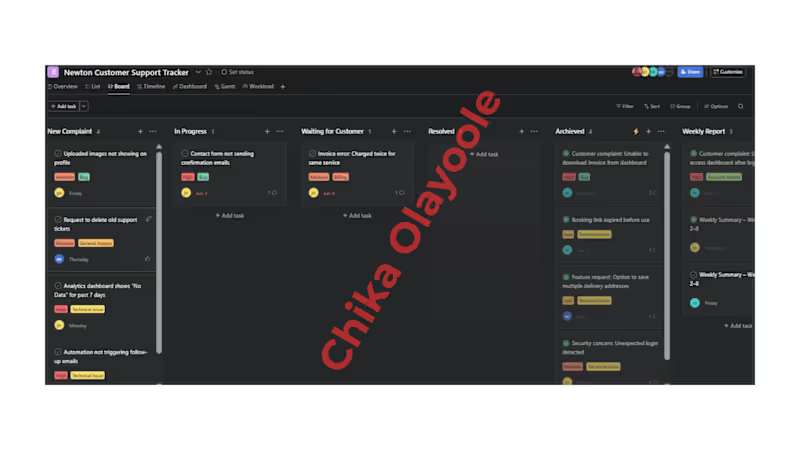
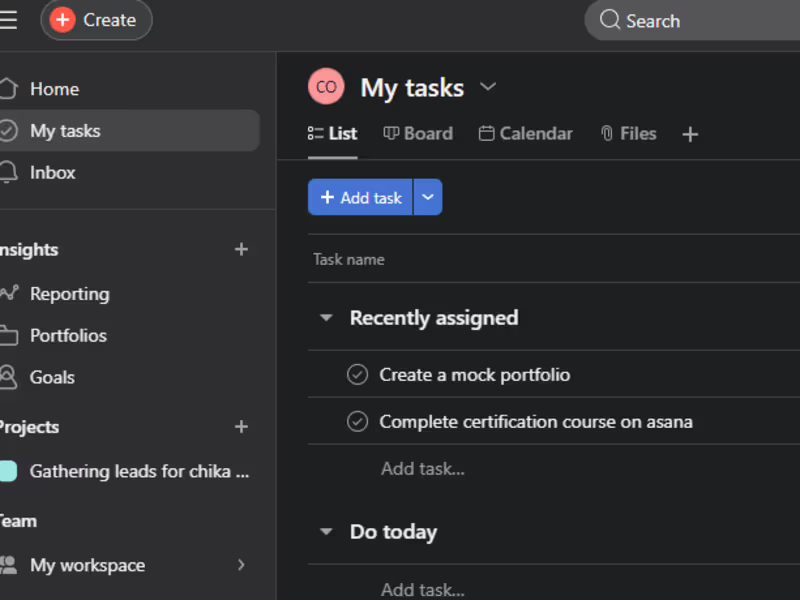
This project involved designing a fully functional customer support tracking system in Asana for a service-based founder who was struggling to manage tickets spread across emails and DMs. I built the support tracker using Asana’s list view and structured it with clear workflow stages (New, In Progress, Waiting, Resolved), custom fields to track priority and ticket type, and a visual dashboard to monitor support performance in real time. I also implemented automation using Asana rules to create a recurring weekly summary task - ensuring that support reporting became consistent, fast, and effortless. The final system gave the client total visibility and control over their customer support process, with no extra tools needed.
1
82



Customer Support & AI Automation Specialist
Customer Support & AI Automation Specialist
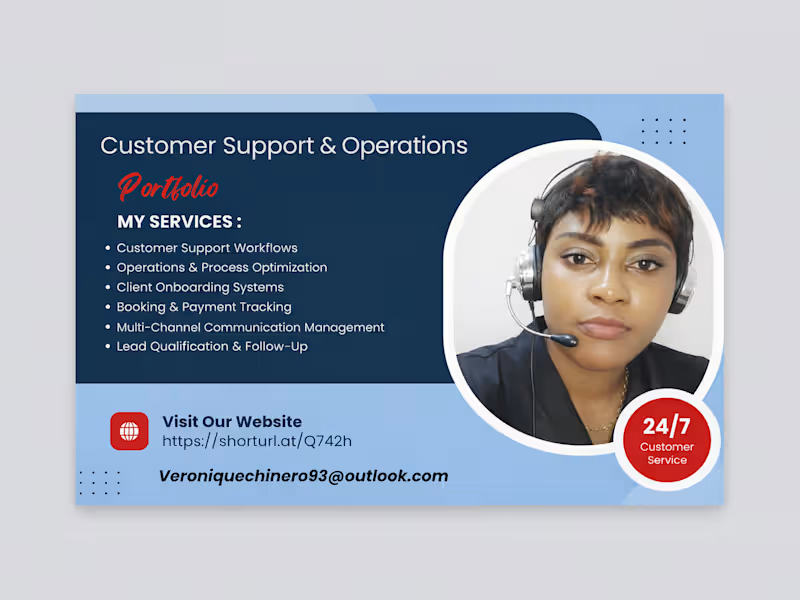
Project Overview
Designed and implemented a structured end-to-end client operations workflow for a photography business to improve booking clarity, protect revenue, and standardize client handling.
Mapped the full lifecycle from inquiry to session delivery, including lead qualification, package recommendation, booking confirmation, payment tracking, refunds, cancellations, and reschedule enforcement. Built decision-based workflows to manage deposits, full payments, late cancellations, failed payments, and policy enforcement consistently.
Result: clearer internal processes, reduced payment disputes, stronger revenue control, and a more professional client experience.
0
104
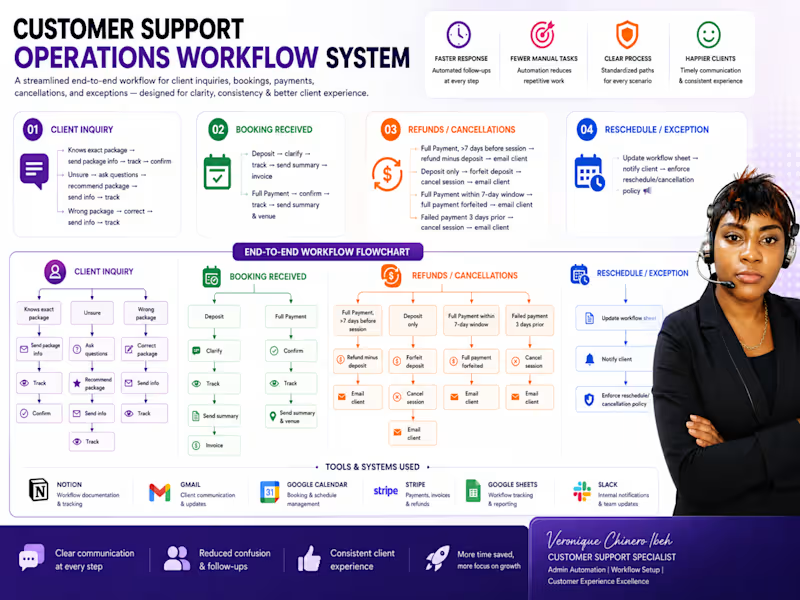
Behind every smooth customer experience is usually a well-structured operations system most people never get to see.
Recently, I mapped out a Customer Support Operations Workflow System designed to help businesses manage inquiries, bookings, cancellations, refunds, and client communication more efficiently.
What I enjoy most about this type of work is creating clarity.
Instead of scattered responses and inconsistent follow-ups, the workflow creates a clear path for:
• handling inquiries
• tracking bookings
• managing exceptions
• reducing missed communication
• improving overall client experience
I also designed it with automation and scalability in mind, meaning it can easily work alongside tools like Notion, Google Workspace, Slack, HubSpot, Zapier, and other CRM systems.
A lot of businesses don’t realize how much time is lost through manual processes until the workflow becomes organized.
This is the kind of operational structure I enjoy building and improving.
If you work with growing teams, service-based businesses, or customer-facing operations, I’d love to connect.
#CustomerSupport (https://www.linkedin.com/search/results/all/?keywords=%23customersupport&origin=HASH_TAG_FROM_FEED) #WorkflowAutomation (https://www.linkedin.com/search/results/all/?keywords=%23workflowautomation&origin=HASH_TAG_FROM_FEED) #OperationsManagement (https://www.linkedin.com/search/results/all/?keywords=%23operationsmanagement&origin=HASH_TAG_FROM_FEED) #CustomerExperience (https://www.linkedin.com/search/results/all/?keywords=%23customerexperience&origin=HASH_TAG_FROM_FEED) #BusinessOperations (https://www.linkedin.com/search/results/all/?keywords=%23businessoperations&origin=HASH_TAG_FROM_FEED) #Zapier (https://www.linkedin.com/search/results/all/?keywords=%23zapier&origin=HASH_TAG_FROM_FEED) #CRM (https://www.linkedin.com/search/results/all/?keywords=%23crm&origin=HASH_TAG_FROM_FEED) #Notion (https://www.linkedin.com/search/results/all/?keywords=%23notion&origin=HASH_TAG_FROM_FEED) #HubSpot (https://www.linkedin.com/search/results/all/?keywords=%23hubspot&origin=HASH_TAG_FROM_FEED) #AdminSupport (https://www.linkedin.com/search/results/all/?keywords=%23adminsupport&origin=HASH_TAG_FROM_FEED) #VirtualAssistant (https://www.linkedin.com/search/results/all/?keywords=%23virtualassistant&origin=HASH_TAG_FROM_FEED) #OperationsSpecialist (https://www.linkedin.com/search/results/all/?keywords=%23operationsspecialist&origin=HASH_TAG_FROM_FEED) #ProcessImprovement (https://www.linkedin.com/search/results/all/?keywords=%23processimprovement&origin=HASH_TAG_FROM_FEED) #SupportOperations (https://www.linkedin.com/search/results/all/?keywords=%23supportoperations&origin=HASH_TAG_FROM_FEED) #AutomationSystems (https://www.linkedin.com/search/results/all/?keywords=%23automationsystems&origin=HASH_TAG_FROM_FEED)
0
58
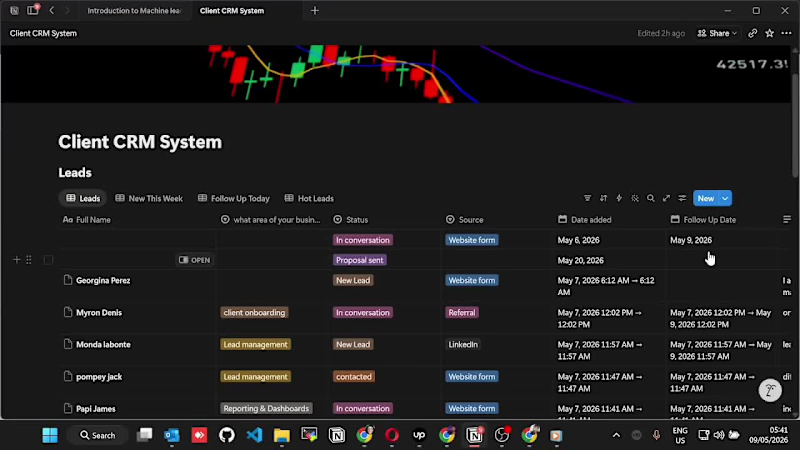
Still managing your business across WhatsApp chats, spreadsheets, sticky notes, and forgotten follow ups?
That chaos slows growth more than most businesses realize.
So I built an all in one CRM + workspace system using Notion, Zapier, and Google Workspace that helps small businesses:
• capture and organize leads automatically
• manage clients and operations in one place
• send automated welcome emails
• stay consistent with follow ups
• reduce repetitive admin work
One workspace.
One system.
Everything organized.
Built by Véronique Chinero Ibeh
Operations Specialist | Workspace Setup | Business Automation
#Notion #Zapier #BusinessAutomation #CRM #OperationsManagement #SmallBusiness #WorkflowAutomation #SystemsSetup #GoogleWorkspace #NotionCRM #StartupOperations #BusinessSystems #AutomationSpecialist #RemoteOperations #ProductivitySystems
0
82
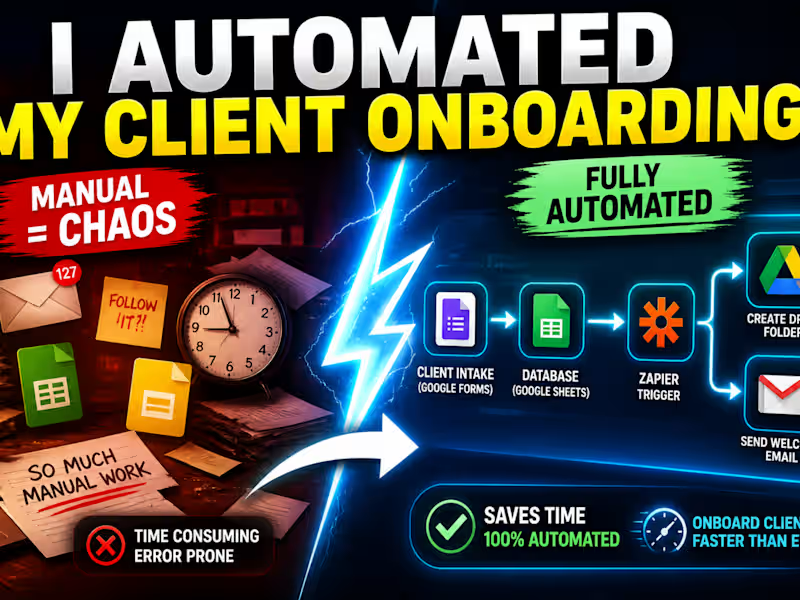
I stopped onboarding clients manually… and everything changed.
What used to take 30 minutes now runs in the background.
No follow-ups
No missed steps
No manual work
Just one form → everything handled automatically.
This is what simple automation actually looks like.
#Automation
#NoCode
#Zapier
#BusinessSystems
#ClientOnboarding
#WorkflowAutomation
#Productivity
#OnlineBusiness
#FreelancerLife
#DigitalSystems
#BuildInPublic
#Entrepreneurship
0
56