Freelancers using Stitch in GurugramFreelancers using Stitch in Gurugram
UX & Service Designer crafting human-centered systems
10
Followers
UX & Service Designer crafting human-centered systems
Interdisciplinary Designer - Graphic Design 🪄
5.0
Rating
1
Followers
Interdisciplinary Designer - Graphic Design 🪄

Full-stack dev crafting polished web experiences.
New to Contra
Full-stack dev crafting polished web experiences.
AI Web Developer building modern and responsive website..
New to Contra
AI Web Developer building modern and responsive website..
Cover image for Now, meet the one I
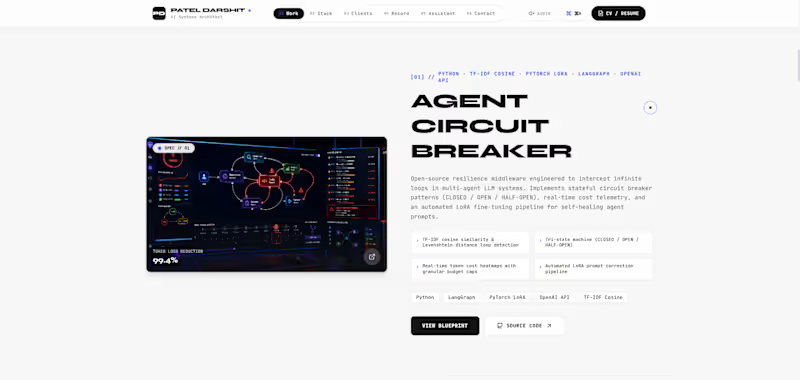
Now, meet the one I already told you all my project jarvis which is complete now. Here's the details - JARVIS is a production-grade, privacy-first AI desktop assistant designed to operate fully locally on standard hardware. Built to rival modern desktop AI systems, JARVIS seamlessly integrates natural voice interaction, real-time screen vision comprehension, deep Windows OS automation, and intelligent document/presentation generation. Unlike basic wrappers around cloud APIs, JARVIS features a hybrid architecture combining zero-latency regex intent routing, local LLM fallbacks, Win32 API shell controls, and active VLM screen verification. Key Capabilities of Jarvis - 🎙️ Multimodal Voice & Audio Intelligence Bilingual STT & Dynamic Query Cleaning: Real-time speech recognition tuned for Hinglish, Hindi, and English with automatic phonetic filler word stripping. Expressive Local TTS & Emotion Effects: Low-latency neural speech synthesis powered by Piper ONNX and Edge TTS with adaptive prosody and emotional modulation. Hands-Free Media & Non-API Automation: Full hardware media key automation for Spotify and browser video playback without requiring paid API tokens. 👁️ Vision AI & Live Screen Comprehension VLM Window & Screen Verification: Captures active window frames using OpenCV and local vision models (Moondream / Qwen-VL/Mistral) to verify OS tasks (e.g., verifying opened folders, app states, or UI elements). Camera Emergency Sentinel: Real-time visual distress sentinel using multimodal vision checks before initiating priority emergency calls. 🖥️ Deep OS & File System Automation Subfolder Inspection & Bulk Purging: Inspects complex nested folder structures (e.g., Pictures/Screenshots), calculates storage footprints, and executes secure file/folder purges via Win32 shell calls. OneDrive-Aware Name-Based Resolution: Intelligent 3-tier lookup engine resolving standard paths (Desktop, Downloads, Pictures) across native paths and OneDrive redirects without needing absolute user paths. Silent Recycle Bin Clean & Disk Optimization: Win32 API integration (SHEmptyRecycleBinW) for 100% silent, error-free disk maintenance. 📄 Productivity & AI Document Generation Automated Presentation Engine: Generates styled PowerPoint presentations (.pptx) with custom slide themes, topic summaries, and automated asset downloads. Markdown & PDF Document Compiler: Built-in Marp compilation engine converting voice notes to polished PDF slides and documents. And not only that I have open-sourced the entire github repo you can install it, check it and run it to your laptop as your assistant too, and don't forget to give the star, and if you face any issue kindly dm me or message in github too. Here's the link - "https://github.com/darshitp091/Jarvis "
2
155
Full-Stack Developer | Building Fast AI Integrated websites.
New to Contra
Full-Stack Developer | Building Fast AI Integrated websites.
Cover image for What if recipe apps felt
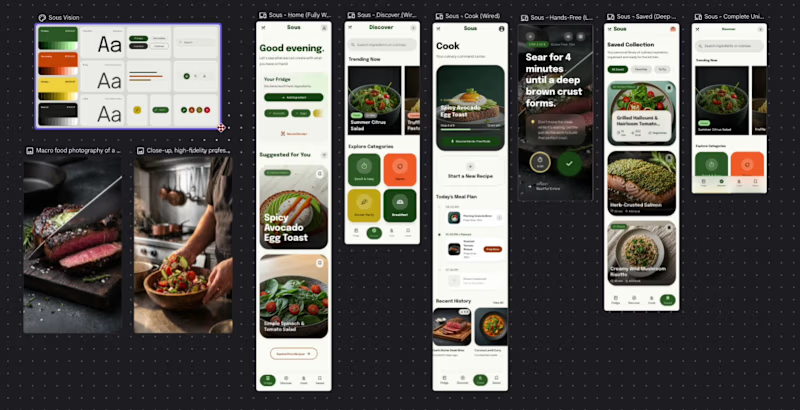
What if recipe apps felt less like tools and more like companions? Introducing Sous (https://stitch.withgoogle.com/preview/11633371536292961535?node-id=7c95e74d44bc48ccae2bc0a2e3450eb1) — a motion-first cooking experience with hands-free mode, contextual meal planning, living interfaces, and immersive food interactions. Most recipe apps assume users are fully focused on their screens while cooking. In reality, cooking is messy, fast, and hands-busy. So I designed Sous. Features include: • Hands-free cooking mode for uninterrupted workflows • Adaptive meal planning based on available ingredients • Motion-rich interactions and immersive recipe exploration • Smart collections and contextual recipe discovery • A visual system inspired by premium culinary experiences How Google Stitch helped: Google Stitch became part of the workflow instead of just another design tool. I used it to rapidly move from rough concepts to interactive interfaces, iterate directly on screens using AI edits, experiment with layouts faster, and refine motion-heavy experiences without rebuilding everything repeatedly. Stitch made it easier to: → Explore multiple interface directions quickly → Iterate components in-place with AI feedback loops → Build interaction-heavy screens faster → Focus more on UX decisions instead of repetitive UI work → Prototype a more “alive” interface through motion and interaction experimentation The goal wasn’t just to design another recipe app — it was to create an interface that feels present while you cook. ✨ Try the prototype → Prototype (https://stitch.withgoogle.com/preview/11633371536292961535?node-id=7c95e74d44bc48ccae2bc0a2e3450eb1) Would love feedback on the interactions, motion system, and cooking workflow. #UIDesign #UXDesign #ProductDesign #AIWorkflow
2
4
315
MERN Full-Stack Developer ,UX/UI Designer,Design→Build->Live
New to Contra
MERN Full-Stack Developer ,UX/UI Designer,Design→Build->Live
Cover image for 1. What I Built
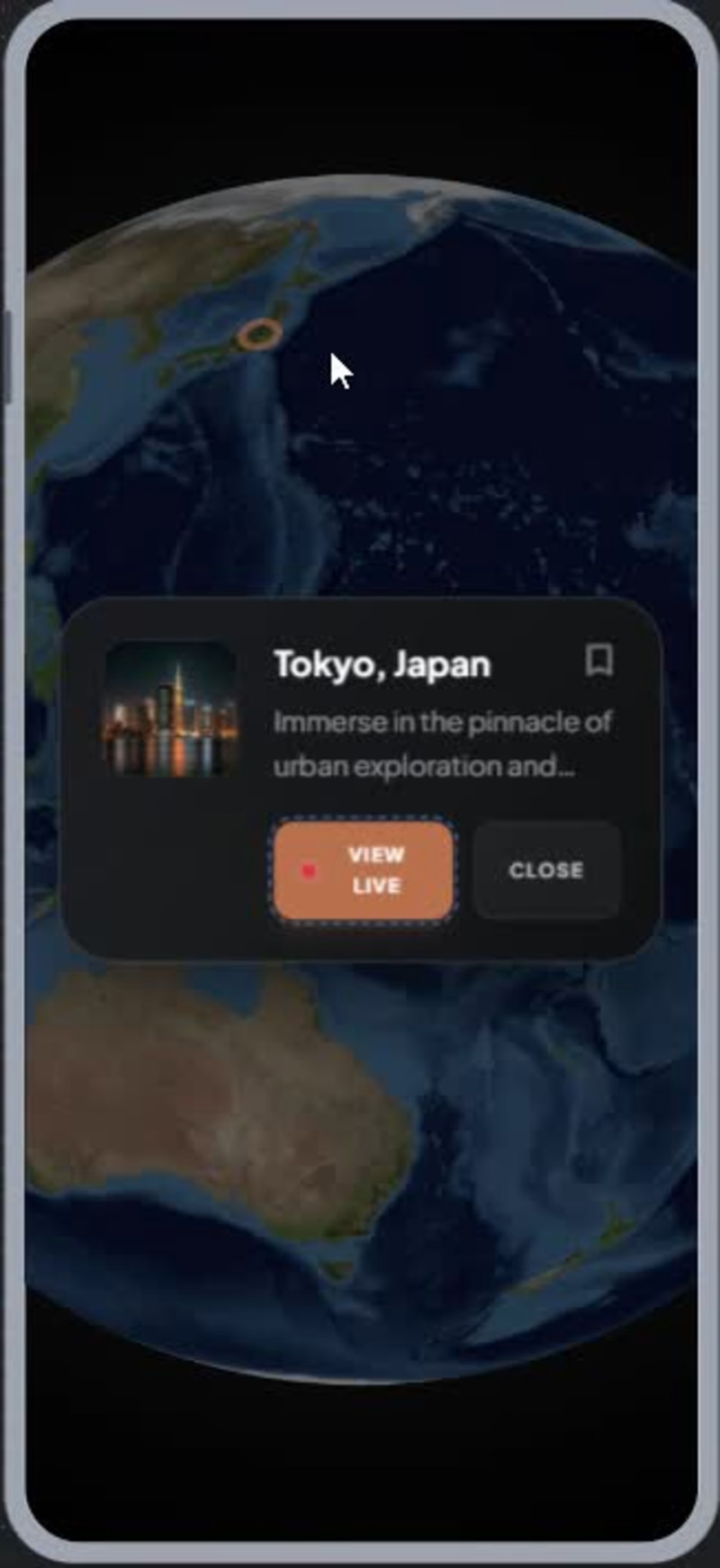
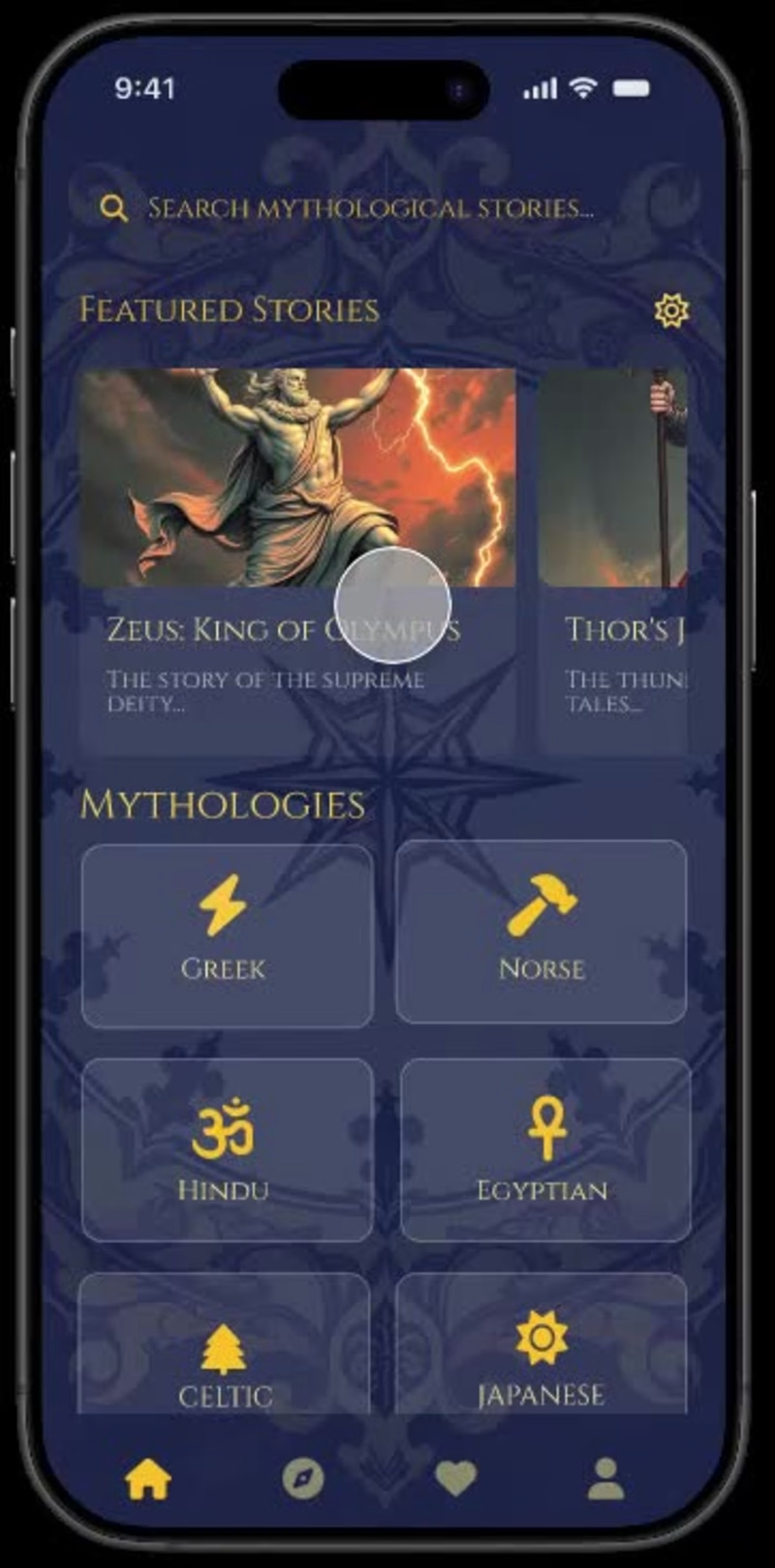
1. What I Built 🚀 [View Prototype (https://stitch.withgoogle.com/preview/3287339507041852410?node-id=7c6307b733b04eb1bccc21b2295c204a)] Digitour (https://stitch.withgoogle.com/preview/3287339507041852410?node-id=7c6307b733b04eb1bccc21b2295c204a) 🚀 Digitour is an immersive virtual travel application that allows users to explore destinations worldwide through a 3D interactive globe, live destination discovery, and virtual exploration experiences. The app includes destination search, saved journeys, user profiles, and real-time travel exploration features within a premium, adventure-inspired interface. 2. How I Used Stitch 🔥 I started with low-fidelity wireframes and a predefined color palette that established the visual direction of the product. Using Stitch, I generated the initial design system and screen layouts based on these inputs. Through multiple iterations with the Stitch agent, I refined the navigation, visual hierarchy, interactions, and overall user experience. Stitch helped rapidly generate new screens while maintaining consistency across the entire application, making it easy to create a connected, interactive prototype. 3. Feedback on Using Stitch 💯 My experience with Stitch was very positive. The platform significantly reduced the time required to move from wireframes to a high-fidelity prototype. The AI agent was particularly helpful in generating consistent screens, maintaining design patterns, and quickly iterating on ideas through prompts. Navigation flows and screen transitions were easy to establish, allowing rapid prototyping and testing of the user experience. The biggest advantage was the ability to explore and refine multiple design directions without manually rebuilding screens from scratch. 🎉 Fun creative and learning experience 🎉
5
5
192