The network for creativity
Join 1.25M professional creatives like you
Connect with clients, get discovered, and run your business 100% commission-free
Creatives on Contra have earned over $150M and we are just getting started
Back to feedPost

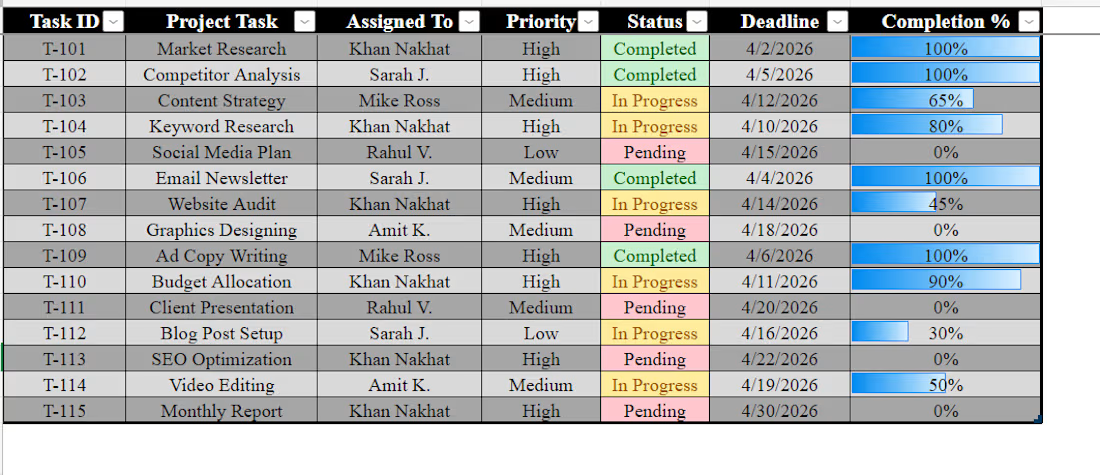
"I just finished building this Dynamic Task Tracker in Excel! 📊
To make project management easier, I’ve added:
✅ Visual Status: Green/Yellow/Red indicators for instant updates.
✅ Progress Bars: Automated bars to show task completion at a glance.
✅ Organized Workflow: Structured by priority and deadlines.
If you need help organizing your business data or creating custom Excel dashboards, I’m available for new projects! 🚀"


keep up the good work

The colour coded status indicators combined with progress bars make this really easy to scan at a glance — managers can see exactly where each task stands without reading every row. Structuring by priority and deadline is the right call too. Did you build the progress bars using conditional formatting or data bars in Excel?
The network for creativity
Join 1.25M professional creatives like you
Connect with clients, get discovered, and run your business 100% commission-free
Creatives on Contra have earned over $150M and we are just getting started
Related posts

Data Cleaning & Excel I 5000+ Rows Cleaned I 98% Accuracy I 2 Hours
Cleaned e-commerce sales data with 450+ errors removed. Delivered clean report using Excel + Pivot table.
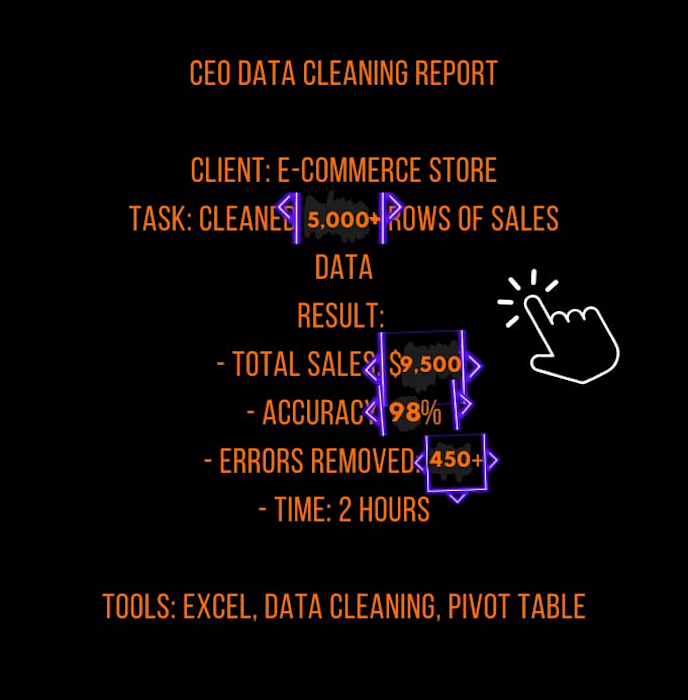
Love how you presented this with actual numbers — 5,000 rows, 450+ errors, 98% accuracy, 2 hours. That's exactly how clients need to see data cleaning work: not just 'I cleaned your data' but here's the measurable impact. The CEO-style report format is a smart touch too. Saving...

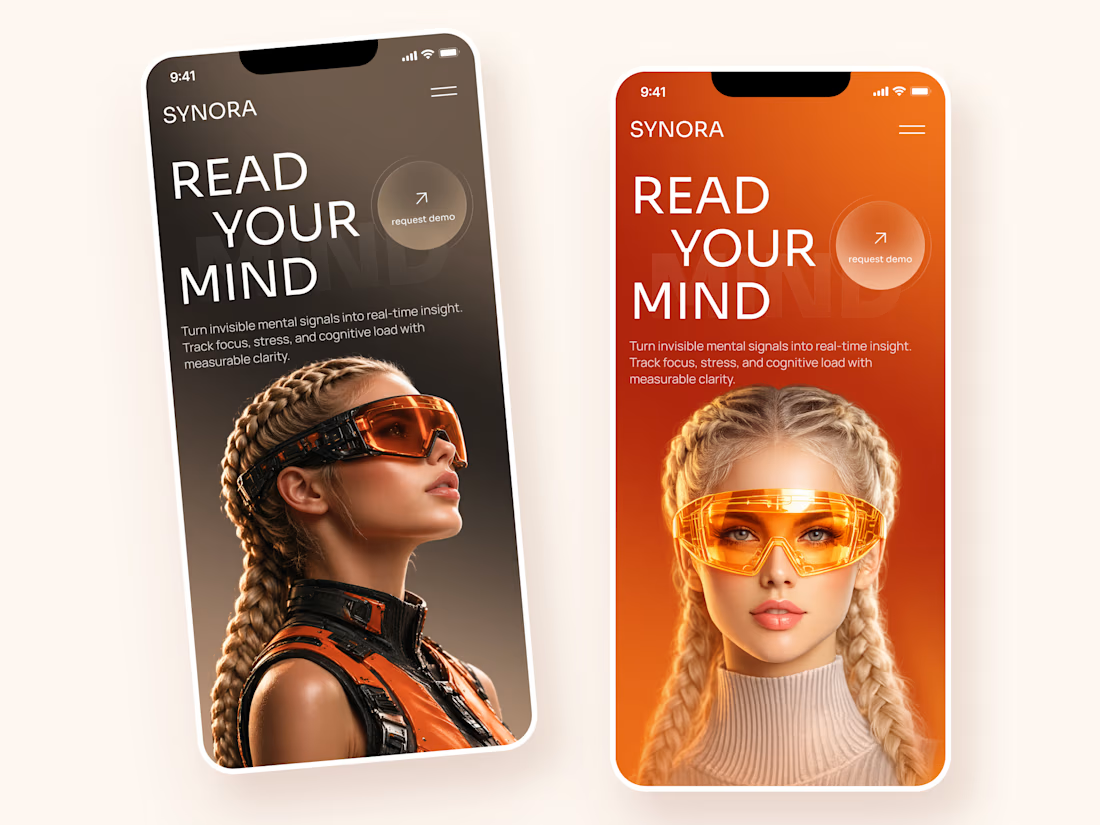
Synora — AI-Powered Neurotech Experience for Cognitive Insights 🧠
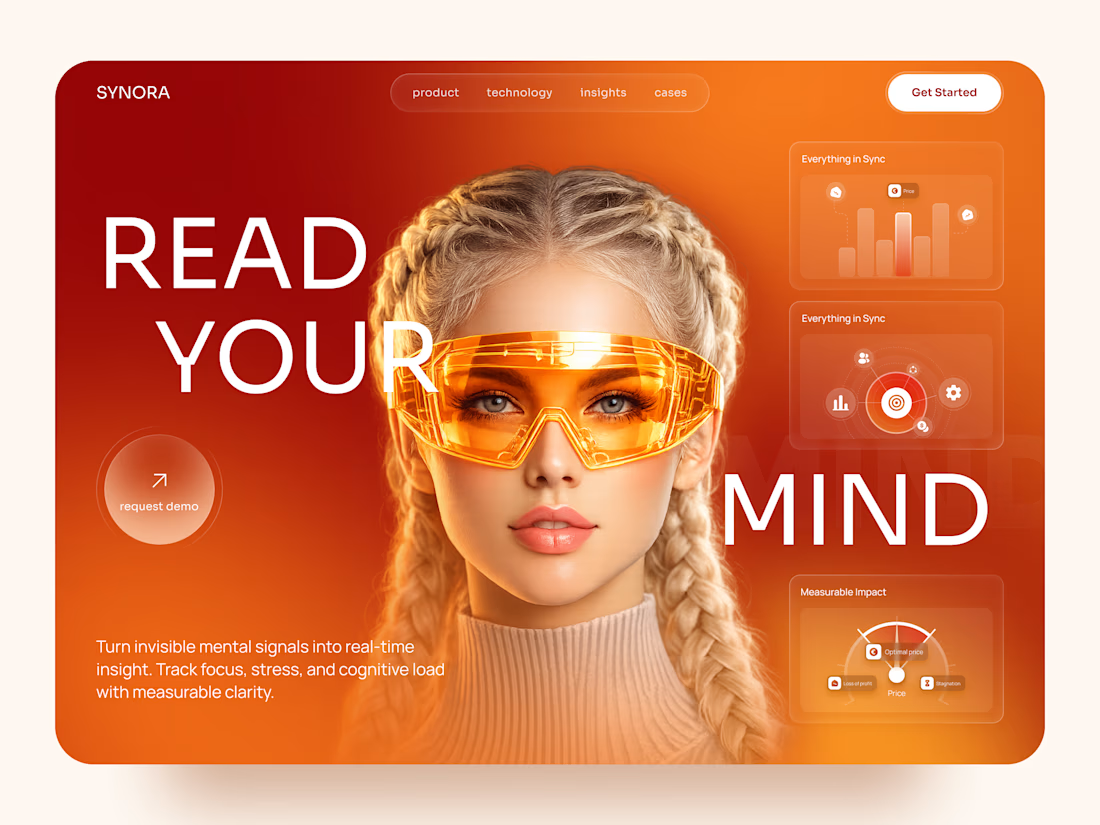
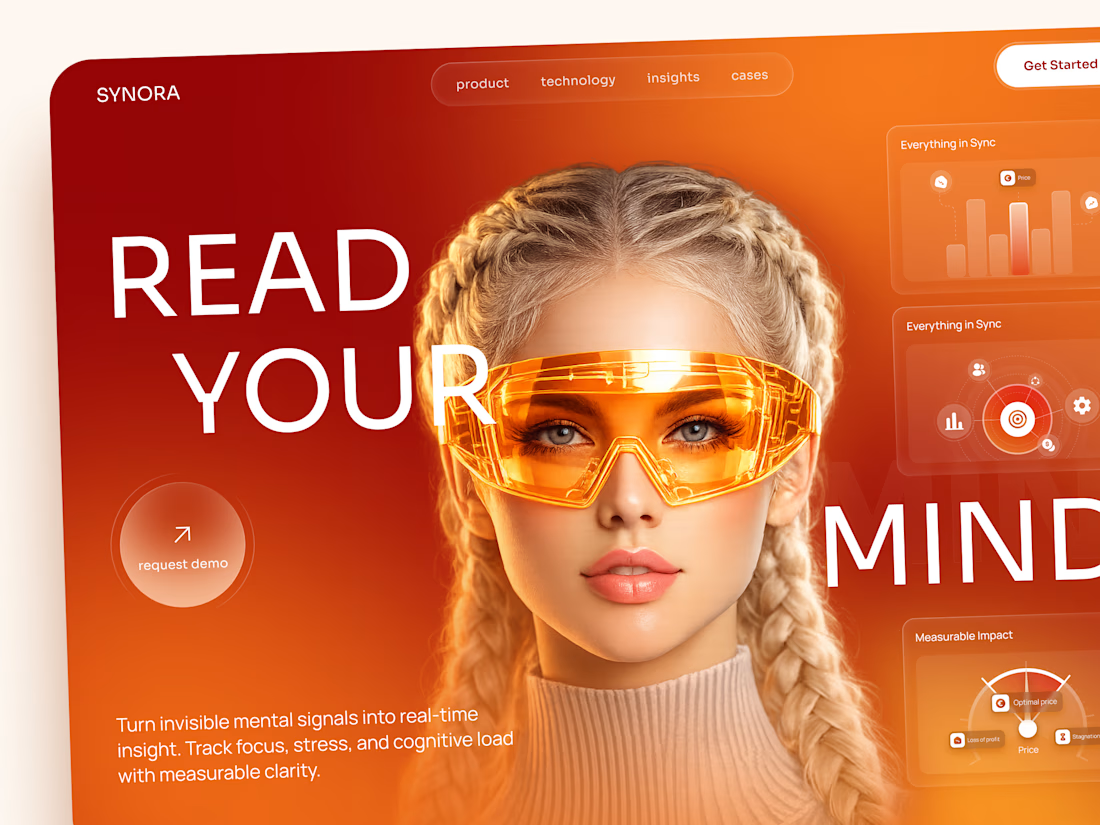
We designed a futuristic digital experience for Synora ⚡— a concept platform that transforms invisible mental signals into actionable, real-time insights.
The challenge was to communicate complex cognitive data through a visually striking interface that feels both cutting-edge and approachable. By combining immersive visuals, bold typography, and transparent UI layers, we created an experience that bridges advanced neuroscience and everyday usability.
Special attention was given to:
• a cinematic hero experience centered around wearable neurotechnology and biometric intelligence;
• bold editorial typography that reinforces the product's futuristic positioning and creates immediate visual impact;
• data visualization cards designed to surface cognitive metrics, focus levels, stress indicators, and performance signals at a glance;
• responsive mobile experiences optimized for product demos, investor presentations, and early user acquisition;
• a premium visual language combining warm gradients, glassmorphism effects, and high-end 3D imagery;
• a scalable design system ready to support future dashboard modules and AI-powered insights.
The result is a memorable digital experience that helps an emerging technology feel tangible, trustworthy, and easy to understand — turning complex cognitive science into a product users can immediately connect with.
Looking to design a bold digital experience for your AI, Healthcare, NeuroTech, or SaaS product? Let's build something remarkable together! 🚀



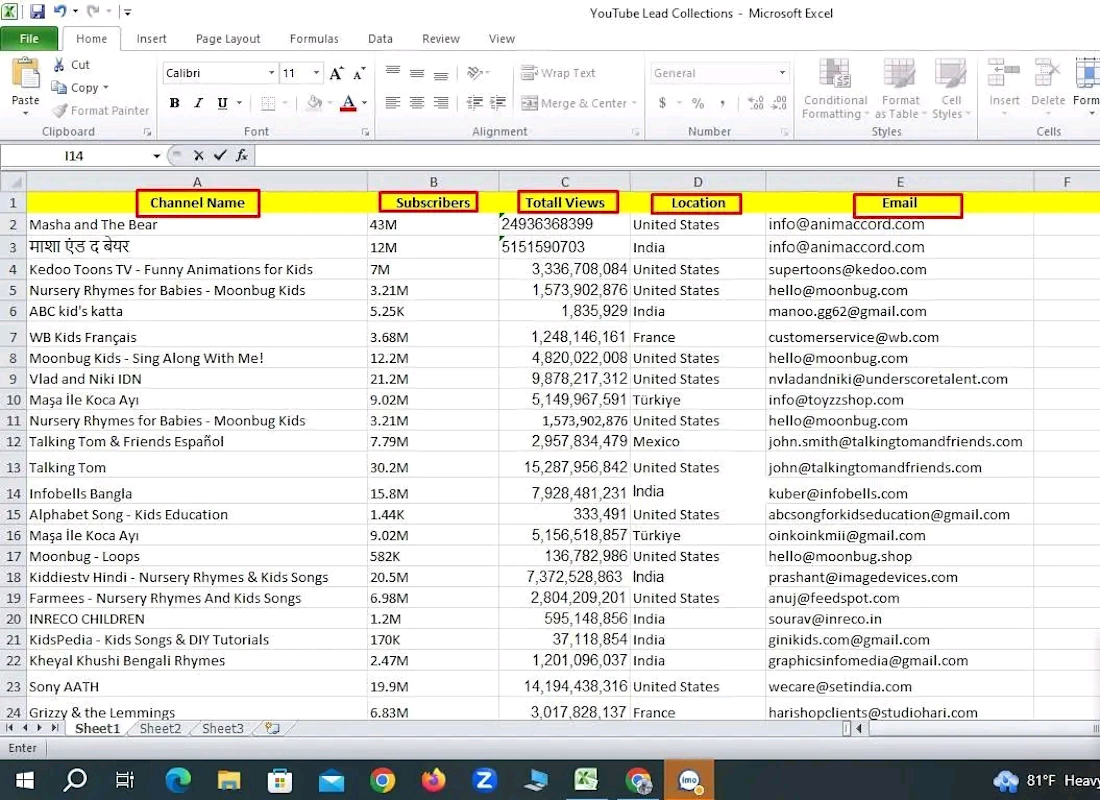
Messy spreadsheets and disorganized records slow your business down. I help founders, small business owners, and busy professionals keep their data clean, accurate, and easy to use from CRM updates to inventory logs to research compilation.
dataentryservicesvirtualassisanceadministrativeassistantData EntryMarket ResearchGoogle DocsMicrosoft Excel









Trending

Claude
Claude has entered the design space. How are you using Claude Design?

Contra University
Learn from expert creatives how to earn more using next-gen AI tools.

MagicPath
The canvas is infinite, and exploration is becoming the workflow. How are you using MagicPath?
creativeaiflow
Creative AI workflows are evolving. What tools do you use, and what are their strengths and weaknesses?
freelancerlife
Freelancer life is wins, pivots, and everything in between. What’s yours right now?