Save Buddy: Kids saving app

Favour Nwanorue

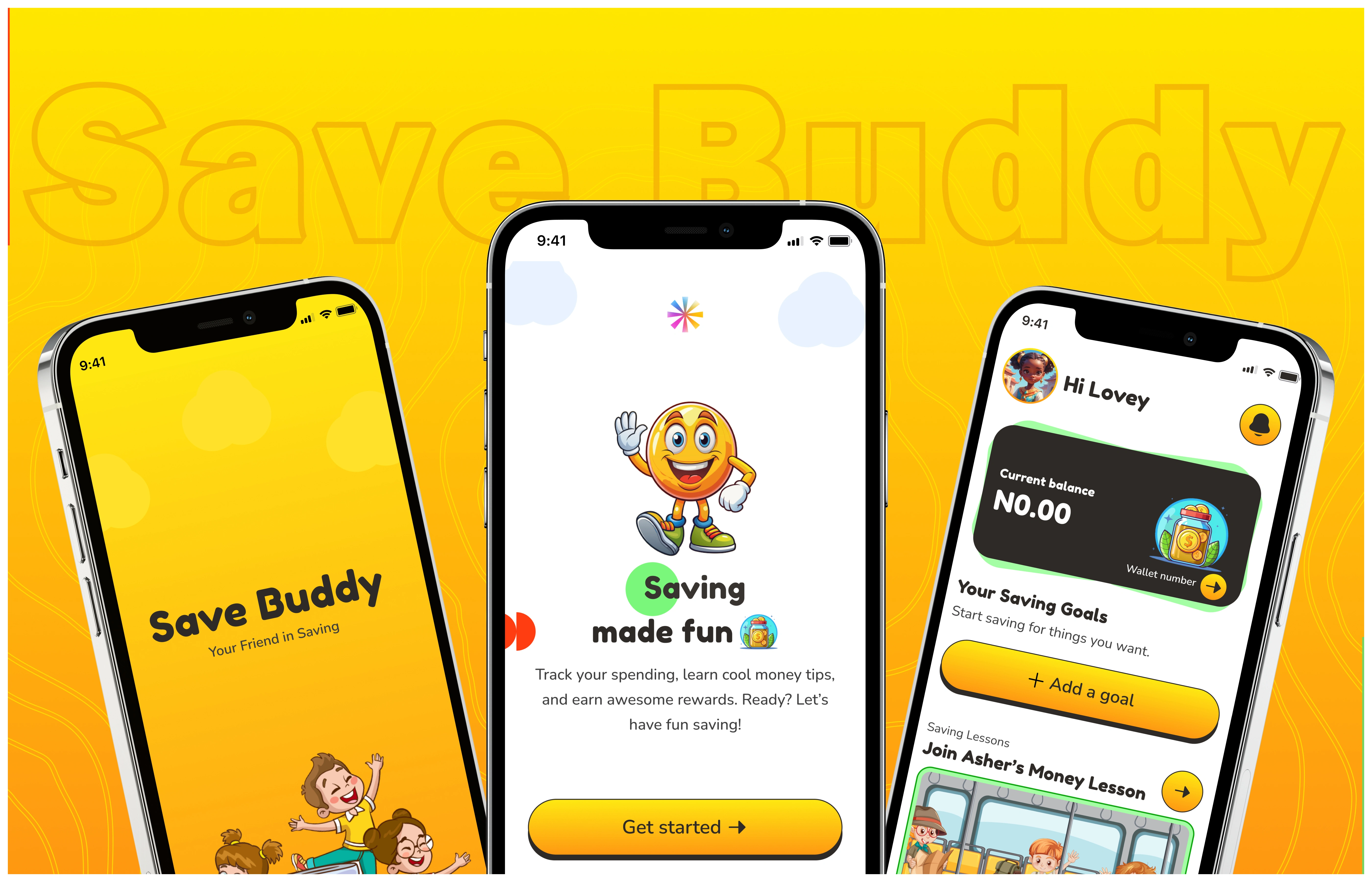
Table of Contents
Project Overview
Save Buddy, Kids Saving App👇
Save Buddy is a fun and interactive savings app designed to help kids aged 5-10 develop healthy money habits. The app makes saving engaging through goal-setting, gamified learning, and an easy-to-use wallet system, all under parental supervision.
My Design Approach
As the UI/UX designer, my role was to transform the project brief into a fully designed mobile experience for kids aged 5-10 years old.
Given the clear business requirements and a tight 3-week deadline, I conducted a secondary research and used insights from this research to create a visually engaging, gamified, and accessible design that made saving fun for kids. This is my approach in creating Save Buddy:
1. Understanding the Product Requirement Document
I read the provided product requirement document to understand the deliverables. The goal for this project was to create an savings app for kids that focuses on user engagement, financial literacy while being enjoyable and adhering to accessibility standards.
2. Conducting a Secondary Research
The purpose of this research was to help me gain insights into best design practices and to understand how similar apps execute designs that intrigue young users while being meaningful and meeting business requirements.
I took the following steps to conduct secondary research:
📖 App Review & Market Research
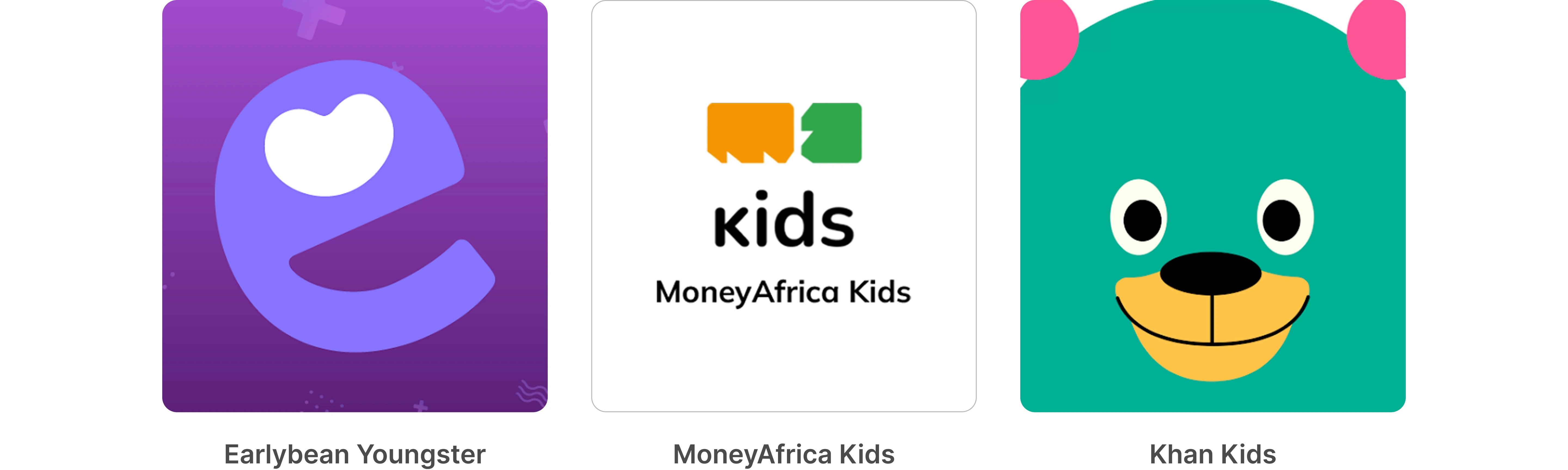
I reviewed popular children’s apps and direct competitors like MoneyAfrica Kids, Earlybean Youngster, and indirect competitors like Khan Kids and others to see how they handled financial literacy and savings for kids.
This helped me understand what features resonate with children and common design patterns, app flows, and how financial education is structured for kids.
👨👩👧👦 Behavioral Insights
I researched how kids learn and interact with digital interfaces, focusing on design elements that keep them engaged. This includes studying child psychology, like the effects of color, gamification strategies, and the impact of rewards and progress tracking
How Kids Process Numbers & Colors

During my research, I explored how kids interact with numbers and how color association could aid memory. Some children, especially those aged 5-7, rely more on visual cues than numerical recognition. I found that:
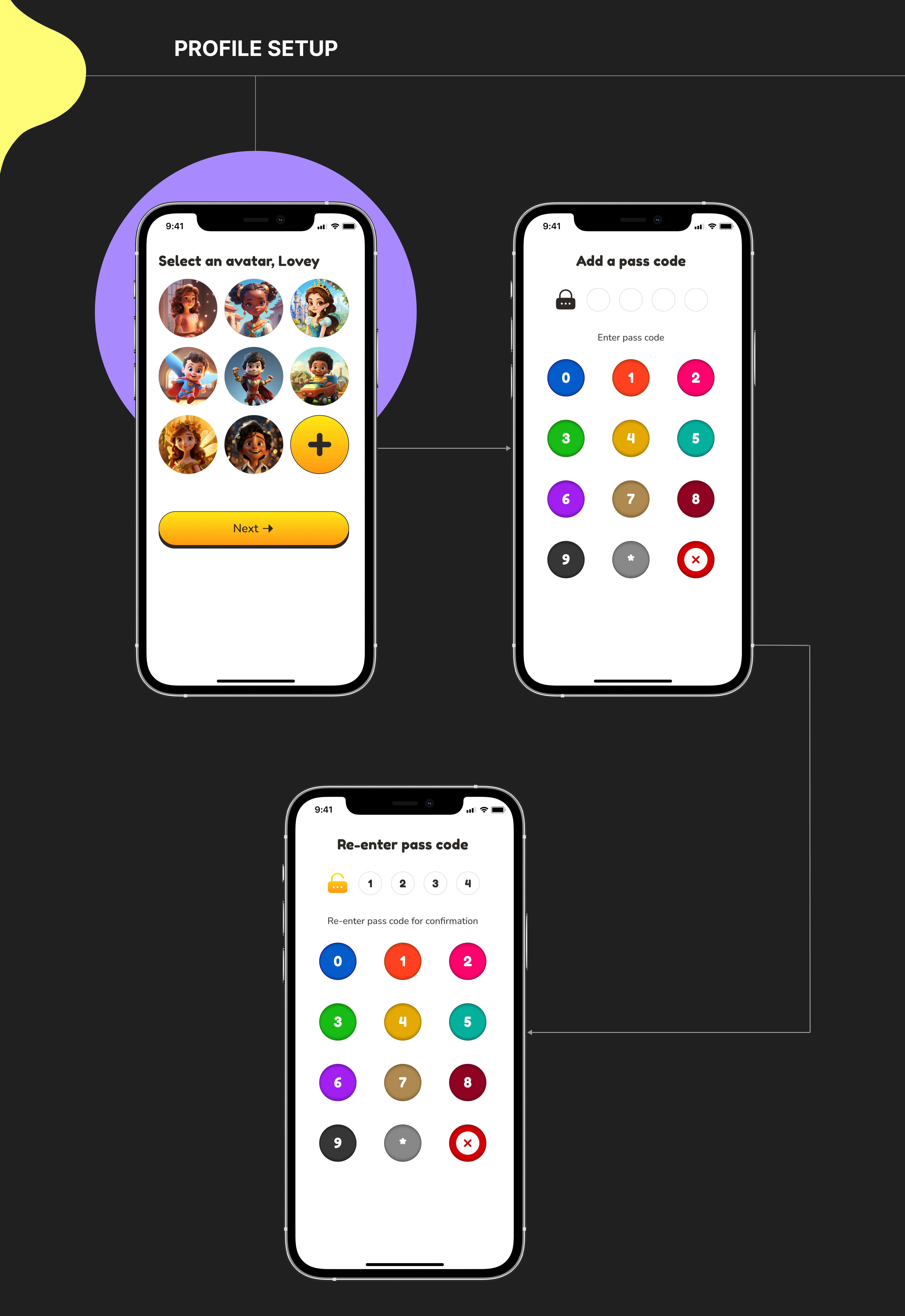
1. Kids often remember numbers better when paired with distinct colors (e.g., 1 is yellow, 2 is green).
2. Some children recall the color they selected rather than the number itself.
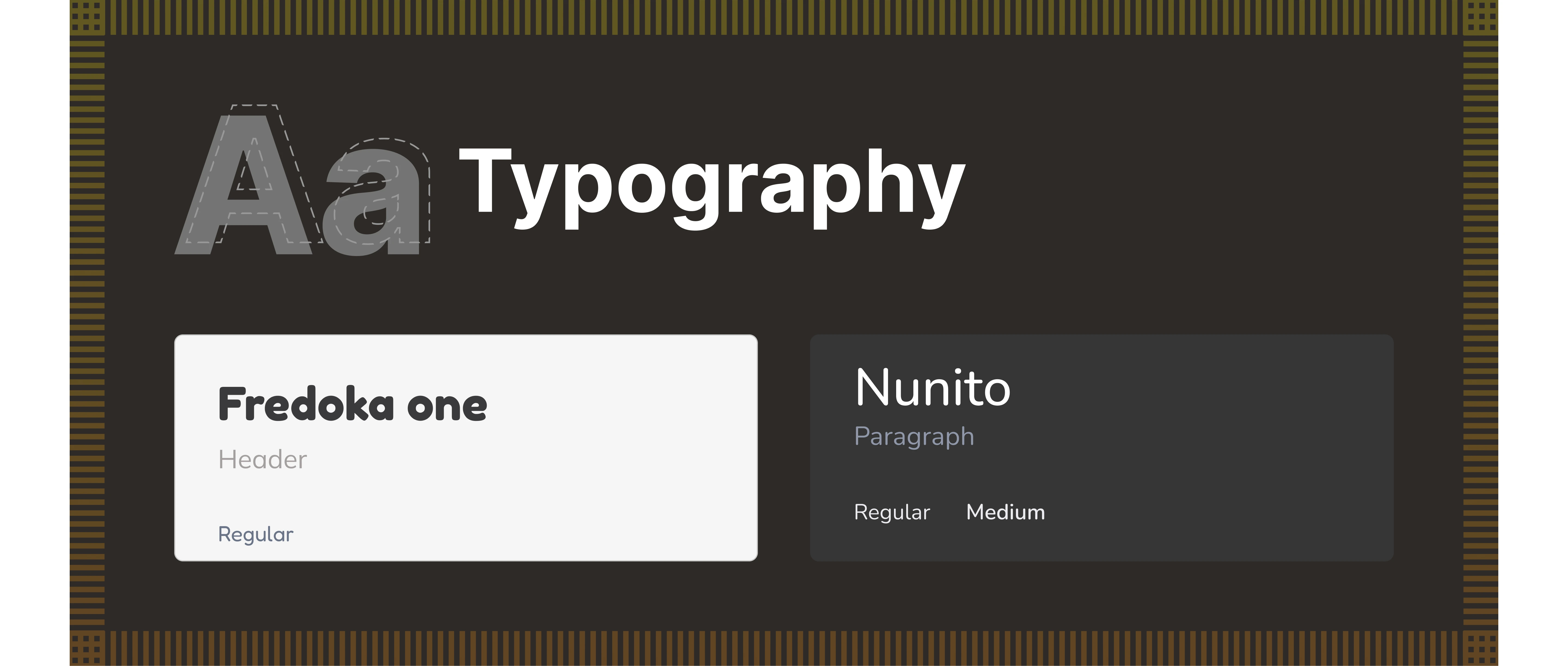
3. Style Guide
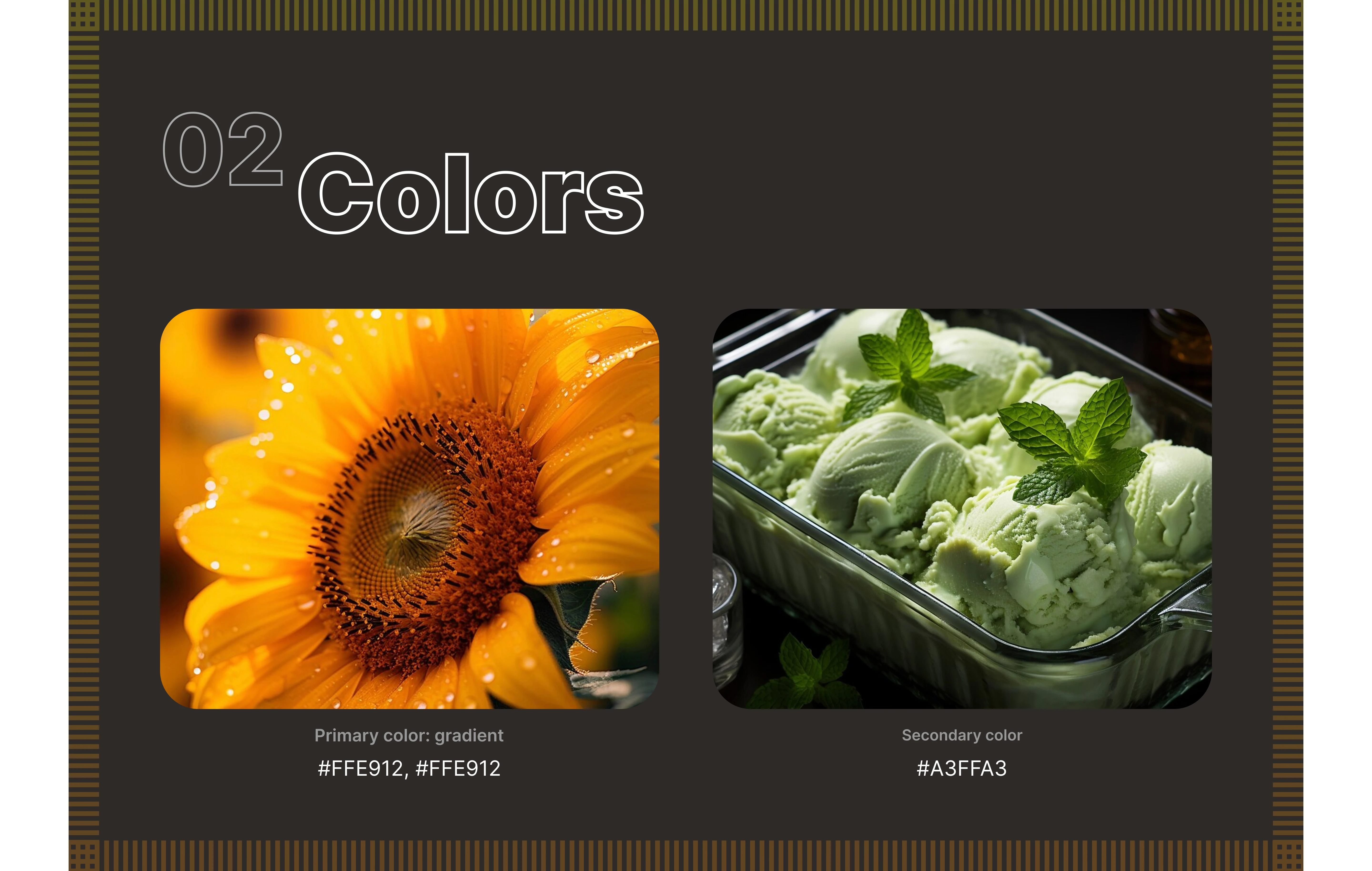
Why These Colors?
🌻Yellow: Kids are naturally drawn to bright, playful colors, and yellow is one of the most eye-catching colors that grabs attention easily. It represents happiness, energy, and motivation, making saving feel fun rather than restrictive.
🌱Green: Green is a color kids see every day in nature, from grass to trees, making it feel familiar and comforting. I chose green as the secondary color because it symbolizes growth, stability, and progress, making it perfect for teaching kids about saving.
🚀 Prioritizing Speed Over Process
Due to time constraints, I skipped wireframing and low-fidelity prototyping for this project. Instead, I focused on quickly delivering a high-fidelity design that met all the requirements by relying on the provided brief and conducting a secondary research to ensure I deliver a well-structured and engaging user experience.
4. High Fidelity Design
After creating the style guide and gathering inspiration, I went straight into high-fidelity design to craft a visually engaging, interactive, and accessible experience.
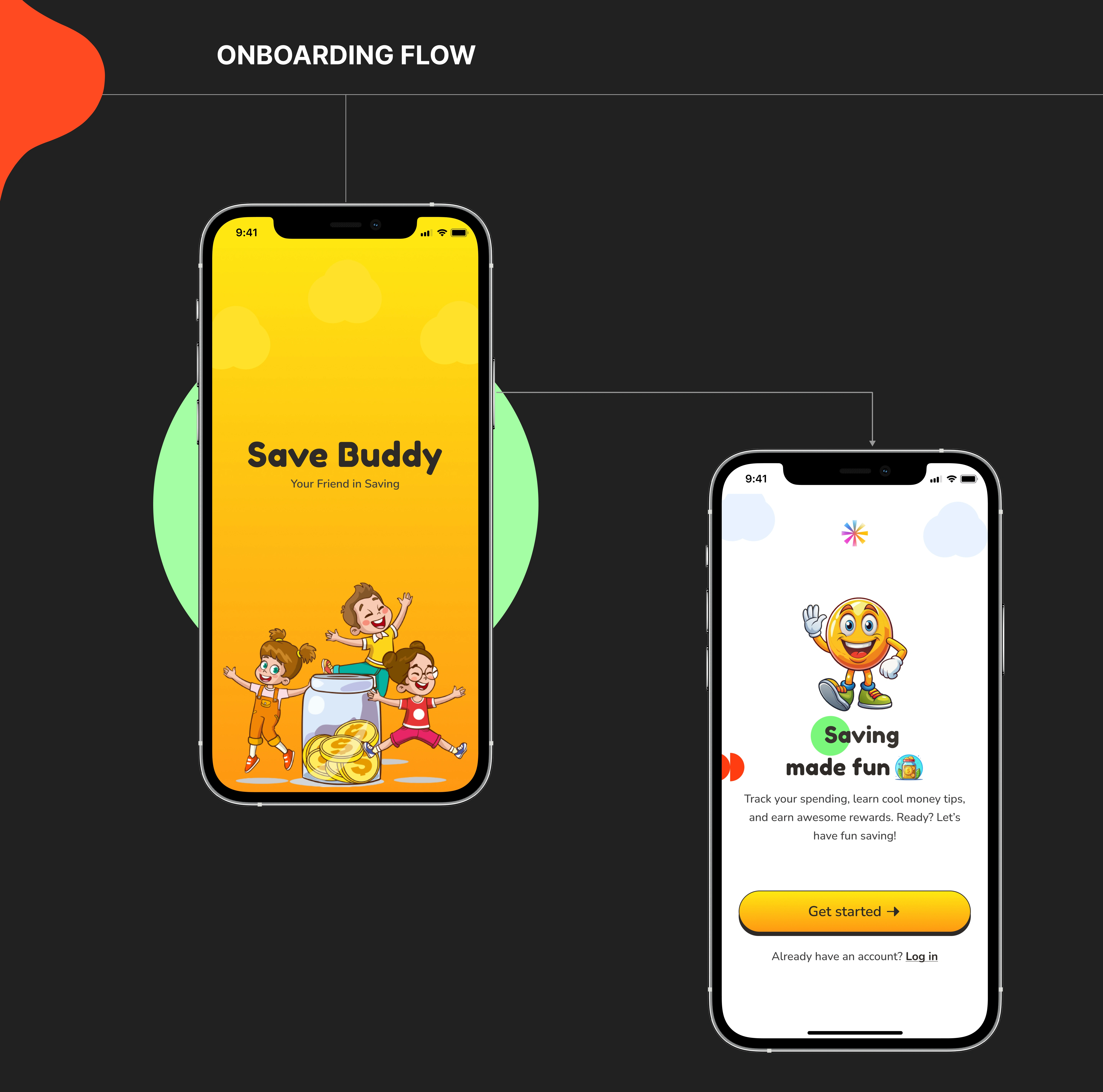
Onboarding
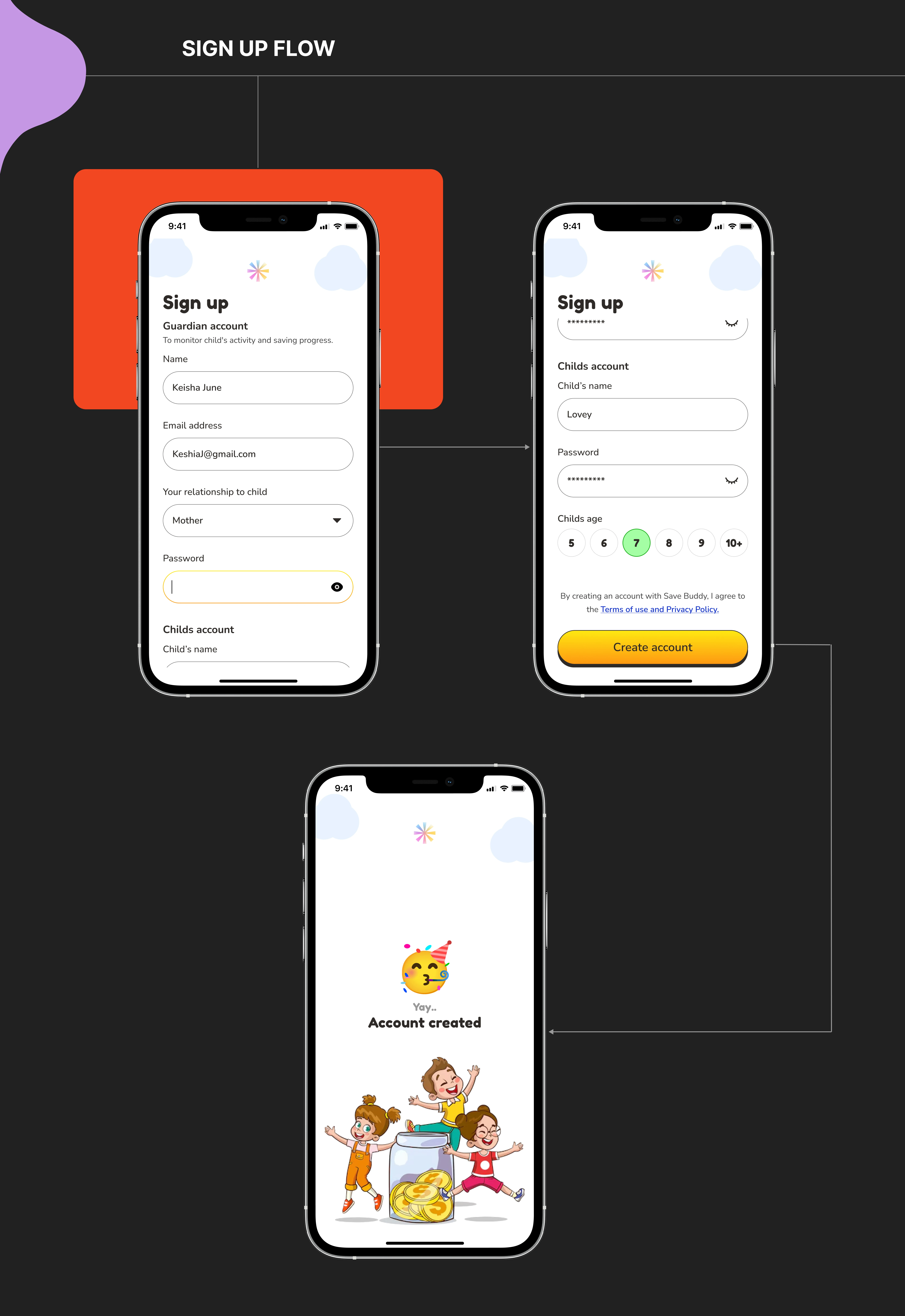
Sign-Up
Profile setup
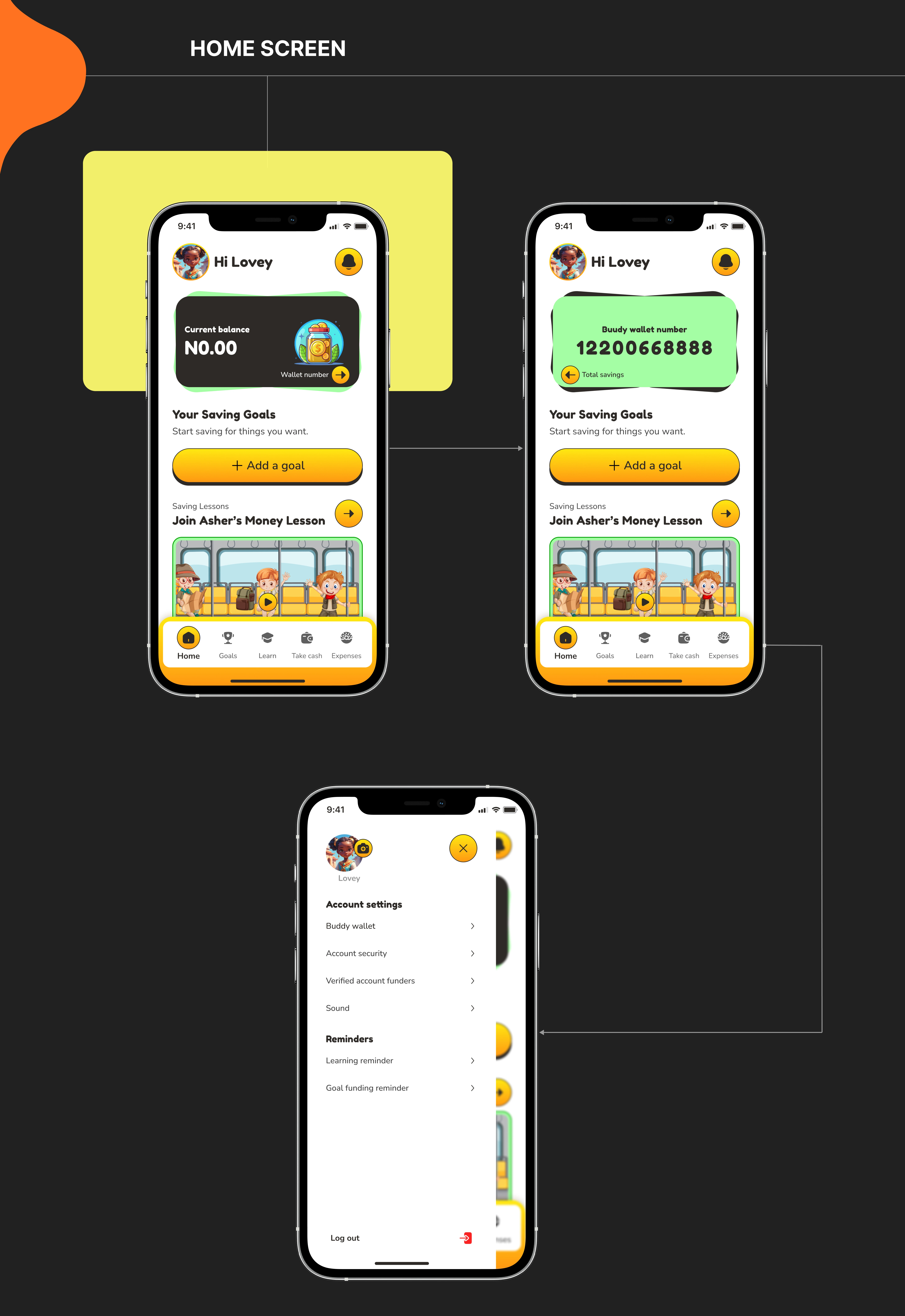
Home screen
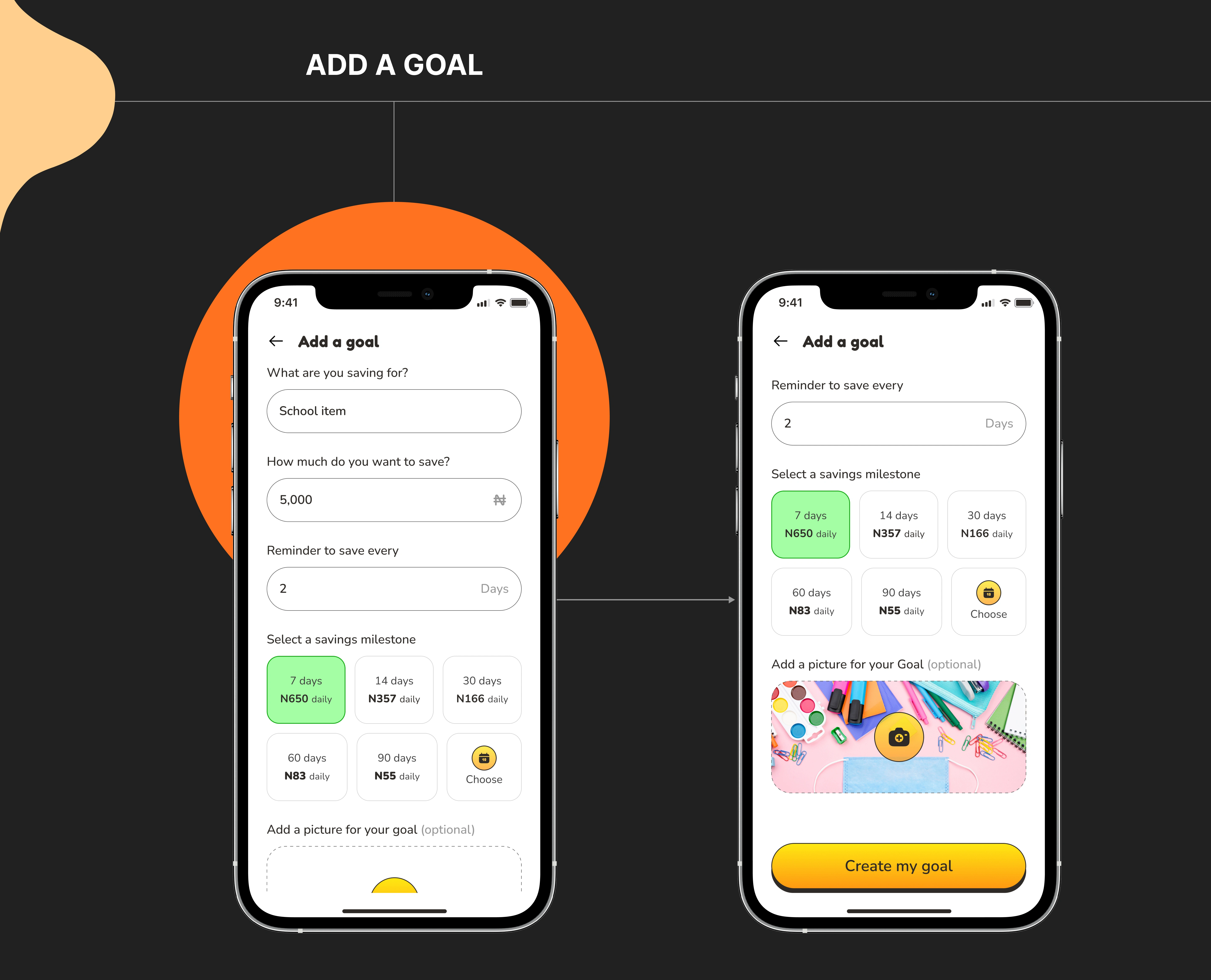
Add a goal
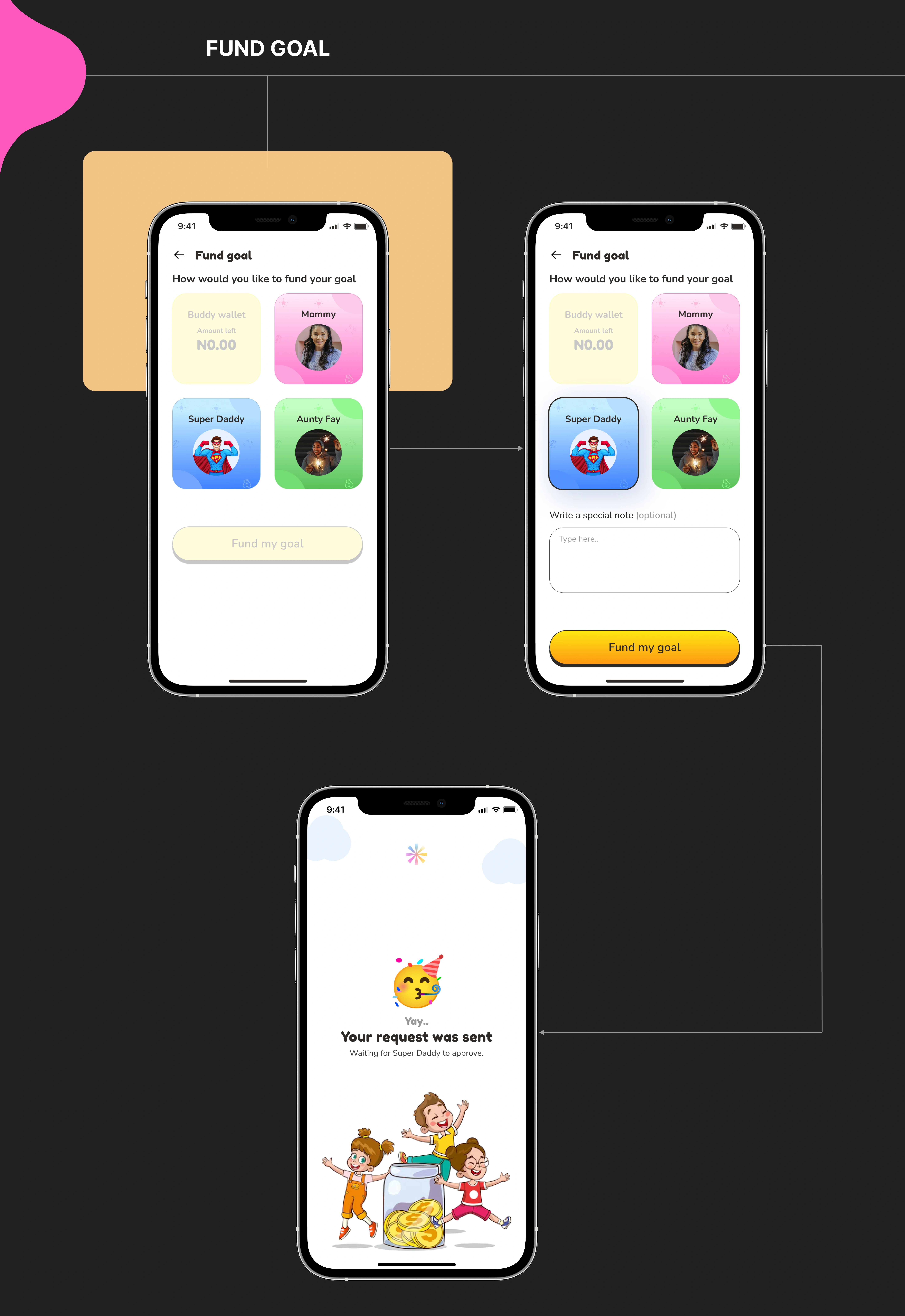
Fund Goal
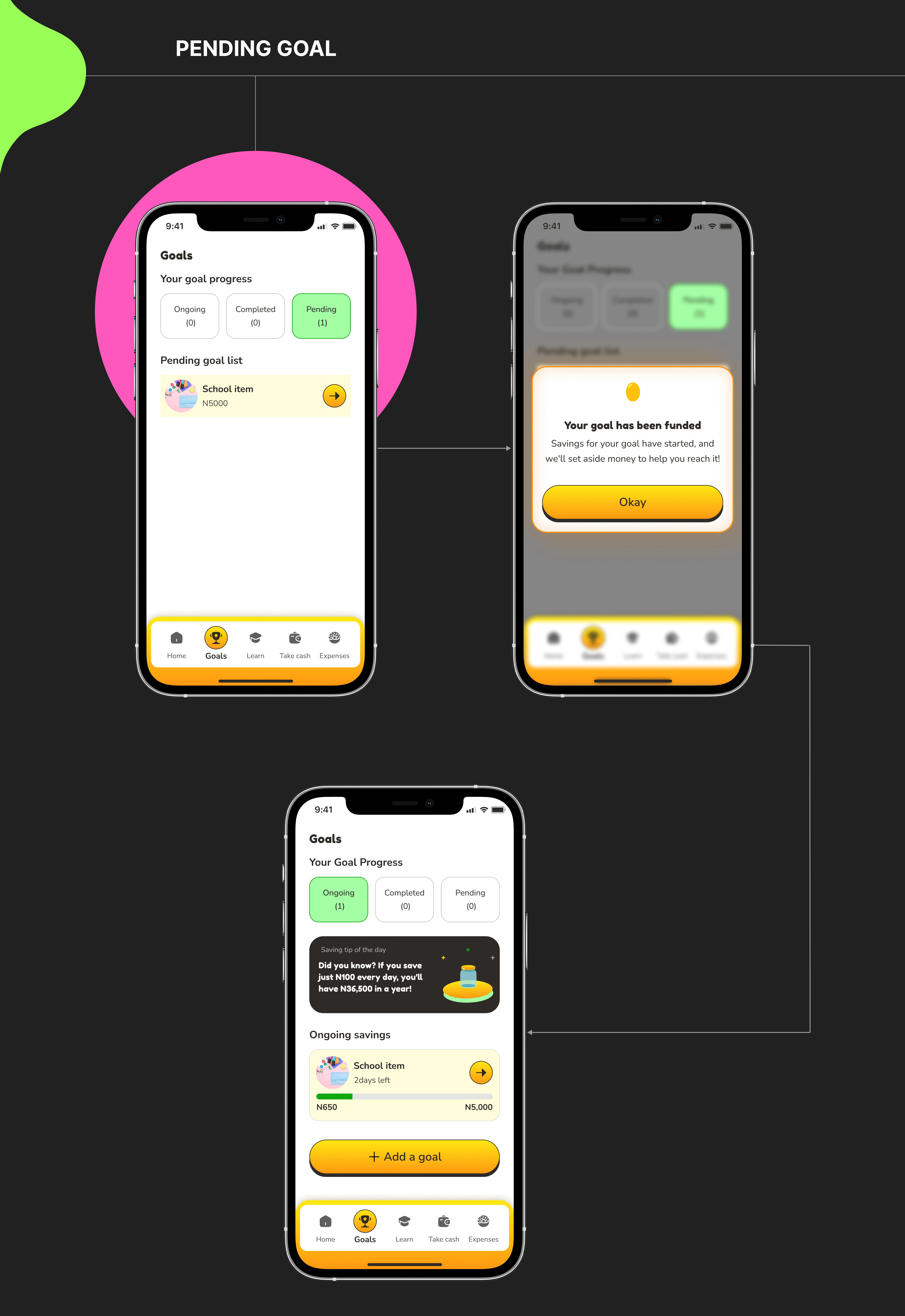
Pending goals
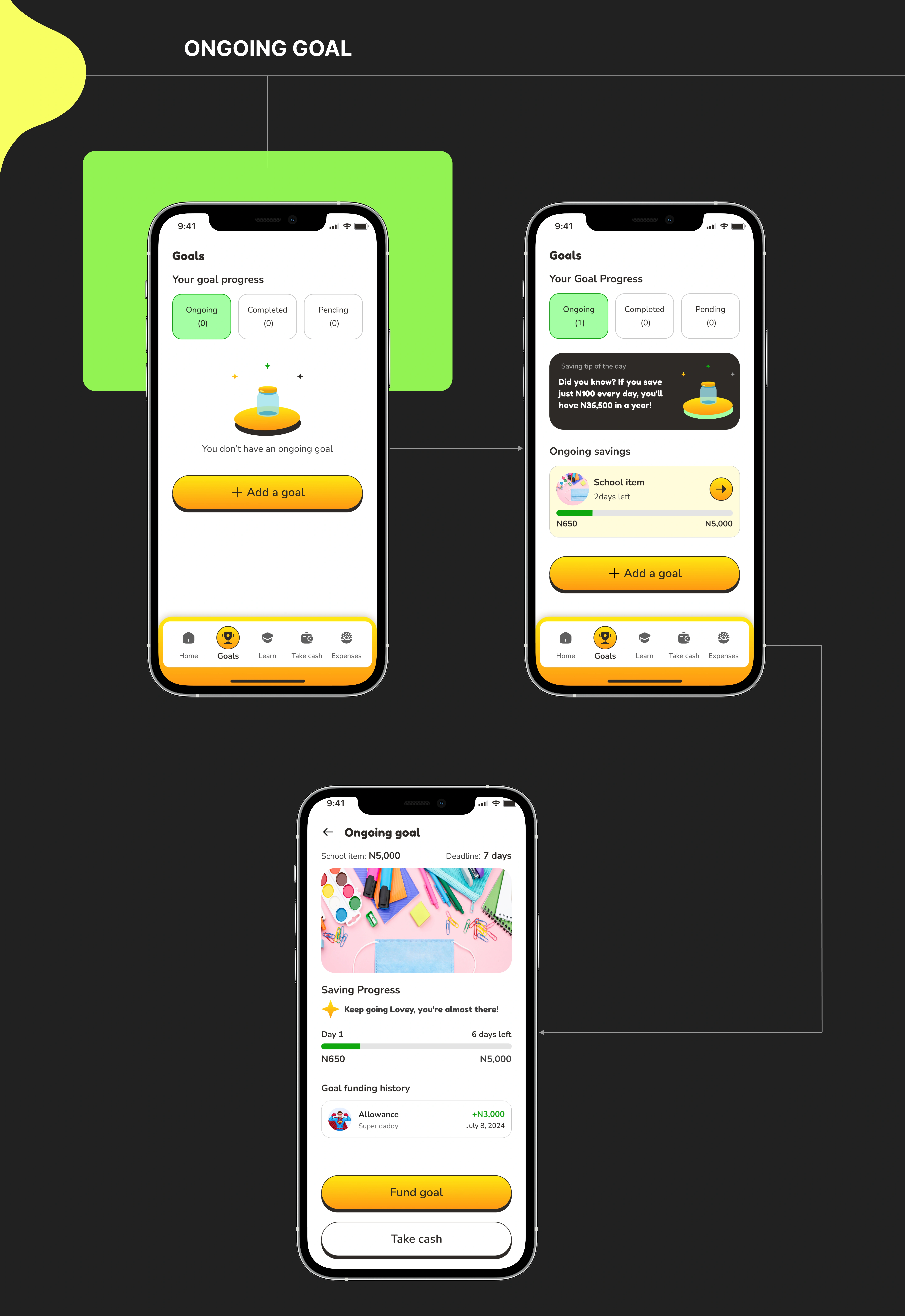
Ongoing goals
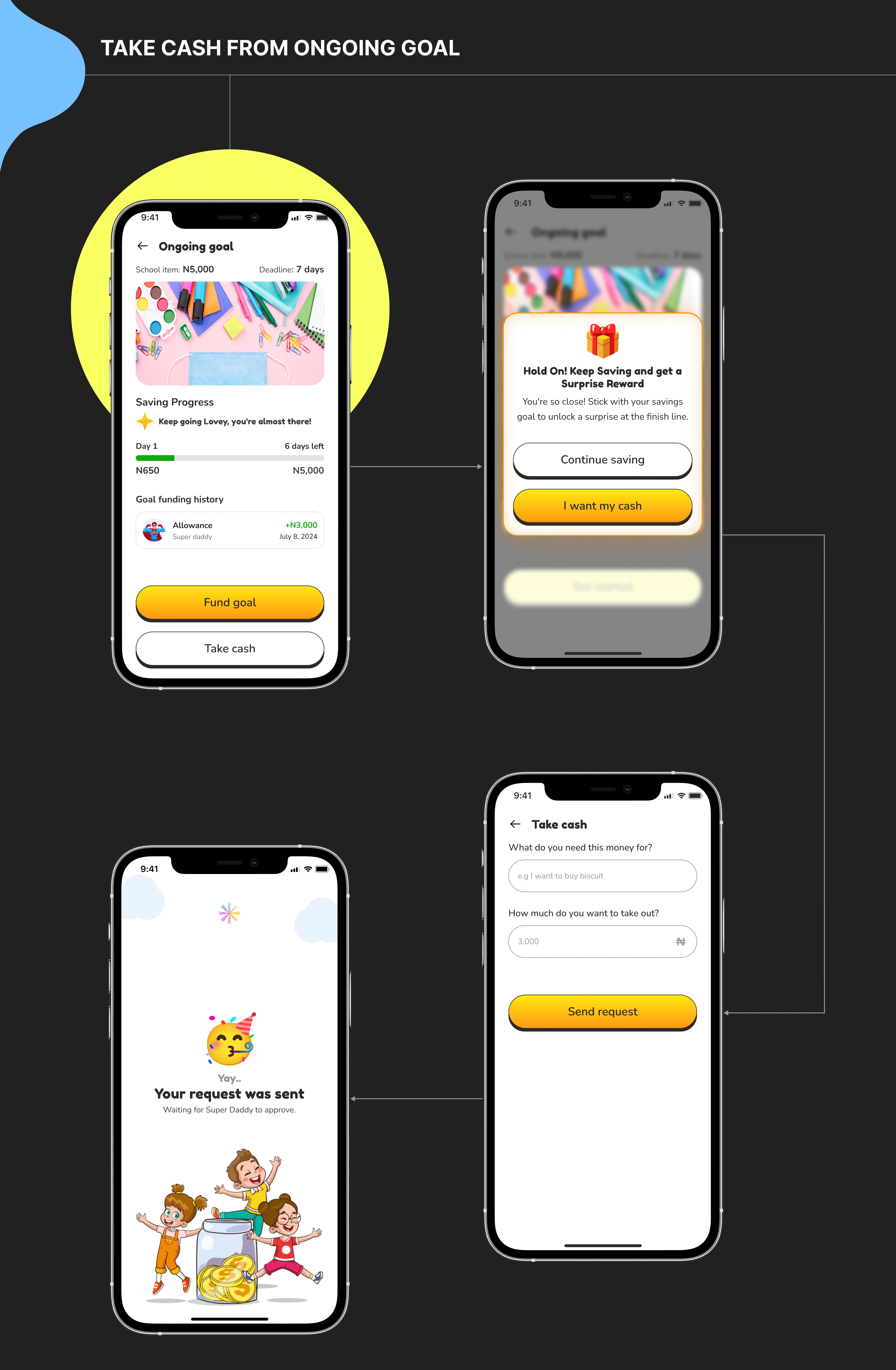
Take cash from ongoing goal
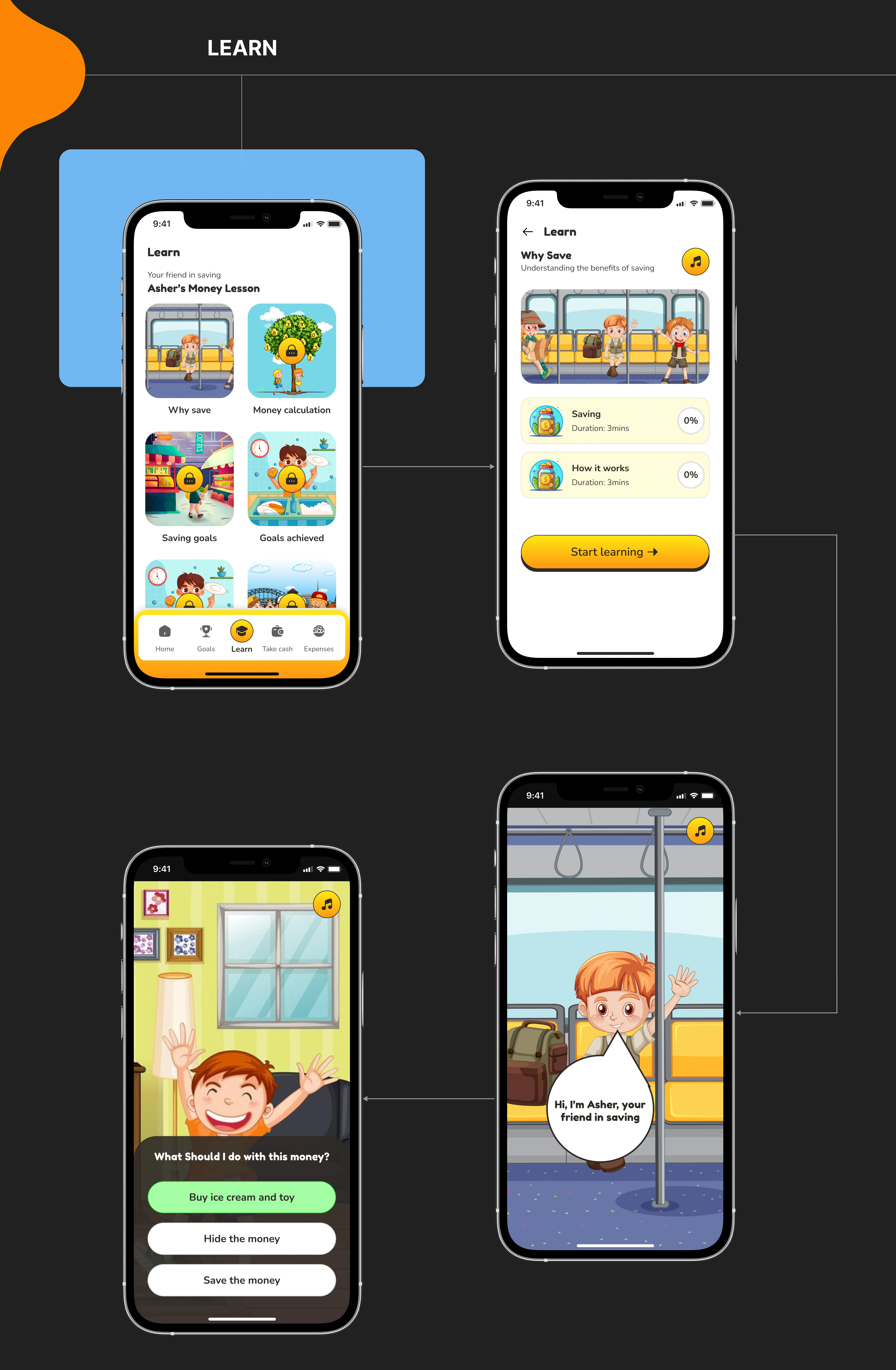
Learn
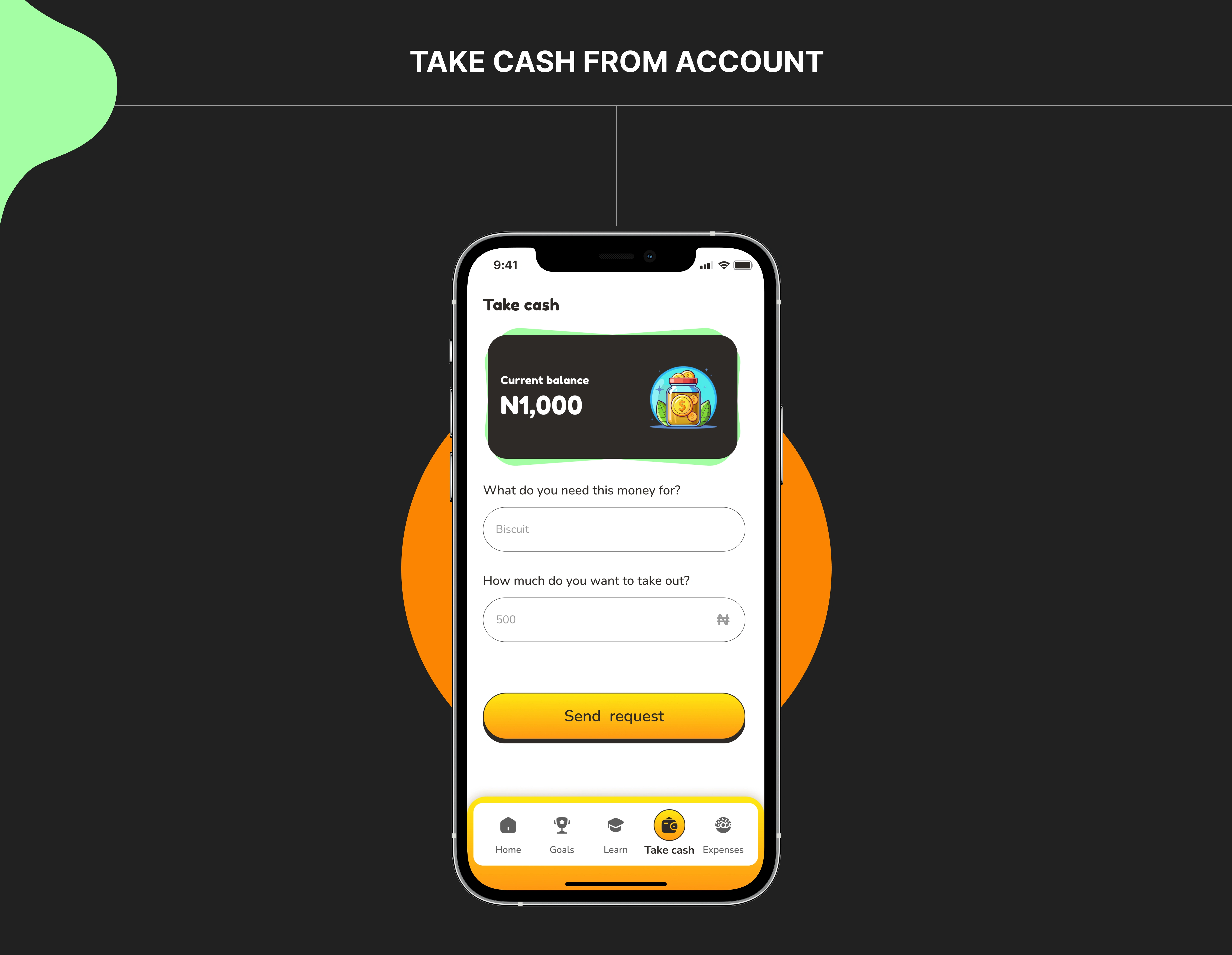
Take cash from account
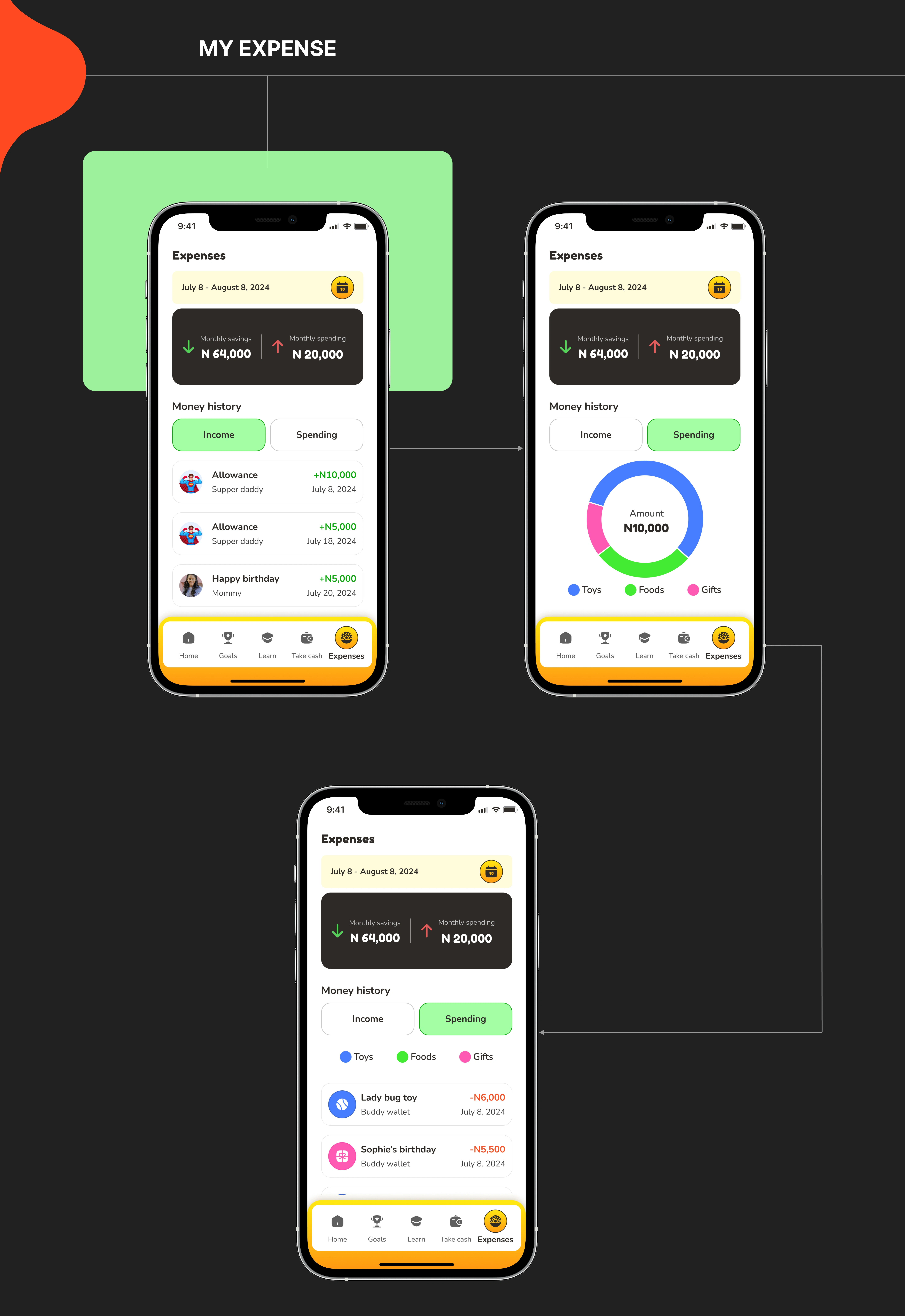
My expense
5. Prototyping
Challenges & Takeaways
This project taught me the importance of balancing fun and education in UX design for kids. Designing for a young audience meant prioritizing simplicity, engagement, and accessibility.
Overall, Save Buddy showcases my ability to turn business requirements into a well-structured, engaging product while keeping user needs at the center of the design. 💡
What Could Be Improved
🧪 Conducted User Testing: Testing with real users (both kids and guardians) would have helped refine interactions and validate design decisions.
🔄 Enhanced Accessibility Features: Exploring alternative navigation for kids with motor impairments.
🎮 Expanded Gamification Features: Adding more interactive elements, progress rewards, or challenges could further motivate kids to save.
Like this project
Posted Nov 28, 2025
Save Buddy is a simple, engaging kids’ savings app that teaches financial habits through fun visuals, clear flows, and parent-approved actions.
Likes
1
Views
2