Education CRM Dashboard UX/UI Design

Tabish Malik

Overview
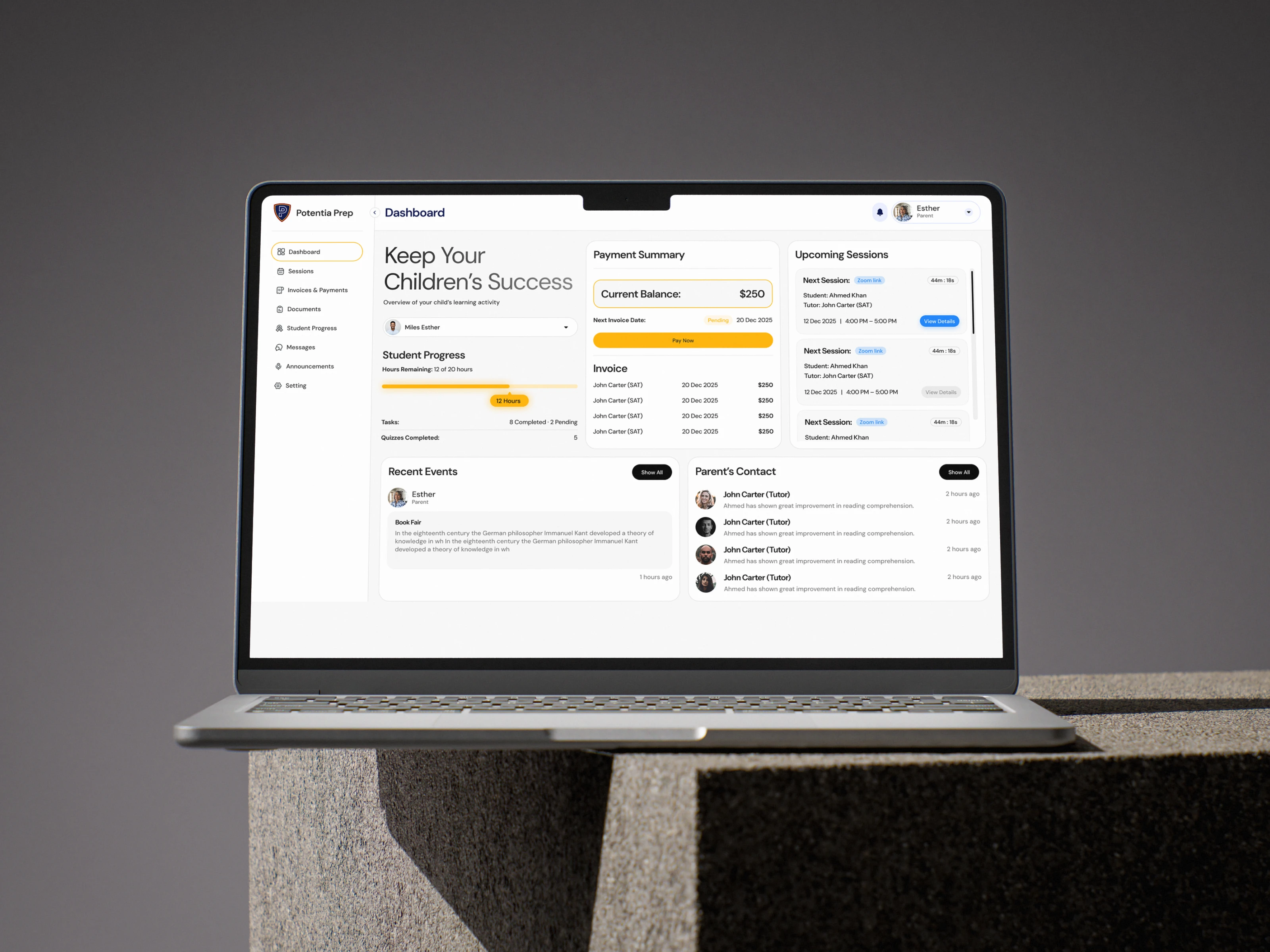
This project involved designing a complete Education CRM dashboard for an education platform used by teachers, students, and parents.
The goal was to turn multiple day-to-day education and administrative tasks into one clean, easy-to-use digital experience. The dashboard needed to help different users access the information most relevant to them without creating a cluttered or confusing interface.
I handled the complete UI/UX design in Figma, with a focus on simplicity, clear visual hierarchy, and a minimal interface that makes important information easy to find.
The Business Problem
Education teams often manage student information across multiple tools, spreadsheets, and manual workflows. This can make it difficult to track student progress, follow up on new leads, monitor attendance, manage fee records, and review teacher performance in one place.
The platform needed a centralized CRM dashboard that could support teachers, students, and parents while keeping complex data organized and accessible.
The design challenge was to present a large amount of information in a way that felt structured, simple, and easy to navigate for different user types.
What I Designed and Why
I designed the full dashboard experience from scratch in Figma.
The interface was built around a minimal visual system, using clear navigation, organized content sections, and scannable dashboard components. The aim was to reduce complexity and help users understand key information quickly.
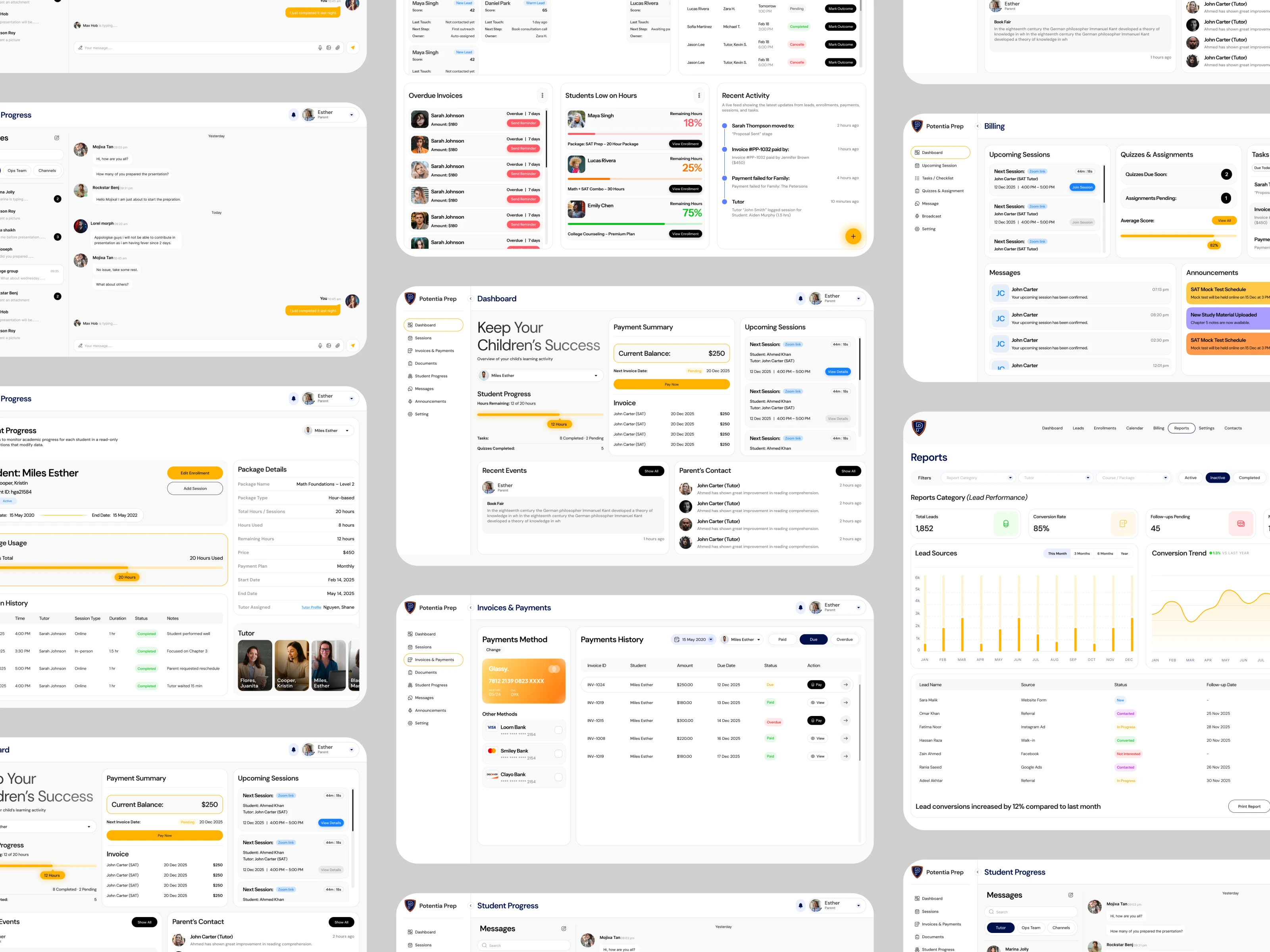
The dashboard design included experiences for:
Student progress tracking
Lead management
Attendance records
Fee tracking and payment records
Course enrollment management
Teacher performance monitoring
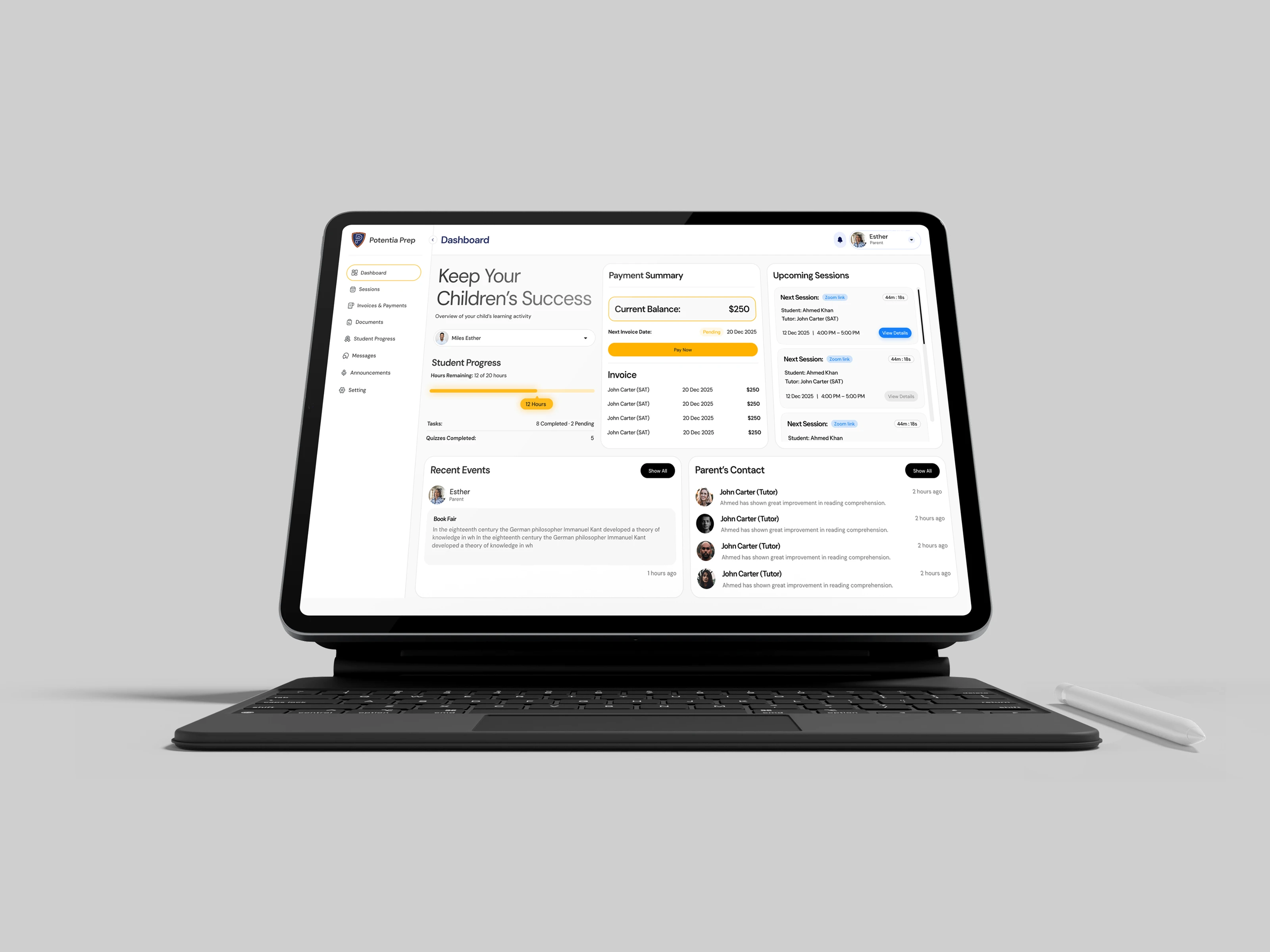
Dashboard overview and key activity summaries
I focused on creating a clear information hierarchy so users could quickly identify the most important actions, updates, and performance data without being overwhelmed.
Design Approach
The design approach centered on clarity and usability.
I used a clean dashboard layout to separate key areas of the platform and make data easier to scan. Important information was organized through structured cards, tables, progress indicators, and navigation patterns that support daily use.
The UI was designed to feel professional and minimal while still supporting the amount of data needed in an education CRM system.
Deliverables
Complete Education CRM dashboard UI/UX design
High-fidelity Figma screens
Dashboard overview screens
Student progress management interface
Lead management interface
Attendance tracking screens
Fee records and payment management screens
Course enrollment screens
Teacher performance tracking interface
Reusable UI components and structured design layouts
Developer-ready Figma file
Outcome
The final design gave the client a complete, organized CRM dashboard experience for managing education-related operations in one place.
The client responded positively to the clean visual direction, minimal design style, and overall simplicity of the interface. The project created a clearer foundation for teachers, students, and parents to access and manage important education data.
Default action: use a full dashboard overview screen as the project cover, then create this as a new published portfolio project with UI Designer and UX Designer as roles, and Figma as the only tool.
Like this project
Posted Aug 16, 2026
Designed a complete Education CRM dashboard in Figma for teachers, students, and parents.
Likes
3
Views
45