Messaging App UI/UX Design

Dhaval Radadiya


Chat Message Mobile App UI/UX Design Case Study
Overview
This project focused on designing a modern messaging application that enables users to communicate through instant messaging, voice calls, video calls, media sharing, and group conversations. The primary objective was to create a clean, intuitive, and engaging interface that makes communication fast, secure, and effortless while maintaining a premium visual experience. Modern messaging apps benefit from simple navigation, real-time communication features, and distraction-free interfaces.
The Challenge
Many messaging apps become cluttered as more features are added, making it difficult for users to quickly access conversations and communicate efficiently.
The challenge was to design an experience that:
Makes conversations easy to manage.
Reduces visual clutter.
Improves navigation between chats and calls.
Creates a smooth messaging experience.
Maintains consistency across all screens.
Project Goals
Design a modern messaging experience.
Improve communication efficiency.
Simplify navigation.
Create an intuitive chat interface.
Build a scalable design system.
Deliver a responsive mobile experience.
Target Users
Students
Professionals
Friends & Families
Remote Teams
Communities
Key Screens
Splash Screen
Onboarding
Login & Registration
Home
Chat List
Conversation
Voice Call
Video Call
Group Chat
Contacts
Search
Media Sharing
Notifications
User Profile
Settings
Research
The design process included:
Competitor analysis
User behavior research
Communication flow analysis
Mobile usability testing
Messaging interface best practices
These insights helped prioritize speed, clarity, readability, and ease of interaction throughout the app.
Design Process
Discovery
Researched popular messaging platforms to identify common user expectations and pain points.
Wireframing
Created low-fidelity wireframes to define navigation, content hierarchy, and conversation flows.
UI Design
Designed high-fidelity screens with clean layouts, modern typography, intuitive icons, and accessible interaction patterns.
Prototyping
Developed interactive prototypes in Figma to validate user flows and interactions before finalizing the design.
UI Design Highlights
Modern and minimal interface
Clean conversation layout
Easy-to-read message bubbles
Smart search experience
Bottom navigation
Profile customization
Light and dark mode support
Consistent spacing system
Smooth micro-interactions
Responsive mobile layouts
Key Features
Secure Login
Real-Time Messaging
Voice Calls
Video Calls
Group Chats
Media & File Sharing
Message Search
Read Receipts
Push Notifications
User Profiles
Online Status
Settings & Privacy
Design System
Colors
Primary Brand Color
Neutral Backgrounds
Accent Colors
Success & Error States
Typography
Clear heading hierarchy
Readable body text
Consistent font scale
Components
Buttons
Chat Bubbles
Contact Cards
Bottom Navigation
Search Bar
Input Fields
Call Controls
Profile Cards
Notification Cards
Modal Sheets
User Experience Improvements
Faster conversation access
Simplified navigation
Improved readability
Better message organization
Reduced cognitive load
Consistent interaction patterns
Enhanced accessibility
Smooth communication flow
Tools Used
Figma
Auto Layout
Components & Variants
Interactive Prototyping
Design System
Outcome
The final design delivers a clean, intuitive, and user-centered messaging experience that makes communication effortless. Users can quickly manage conversations, send messages, share media, and initiate voice or video calls through a streamlined interface. The scalable design system ensures visual consistency, supports future feature enhancements, and provides a premium user experience across all screens.
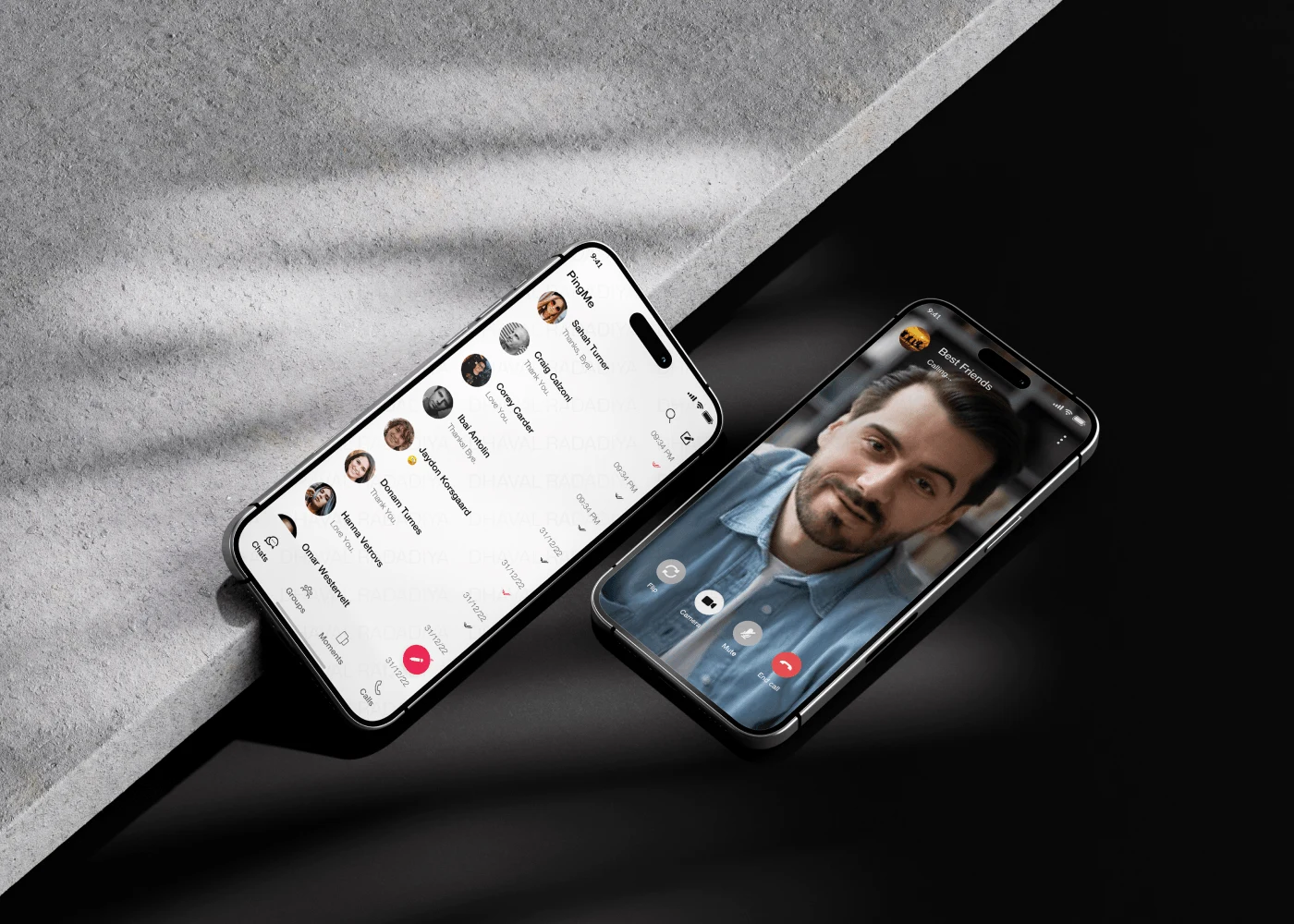
Chat Application
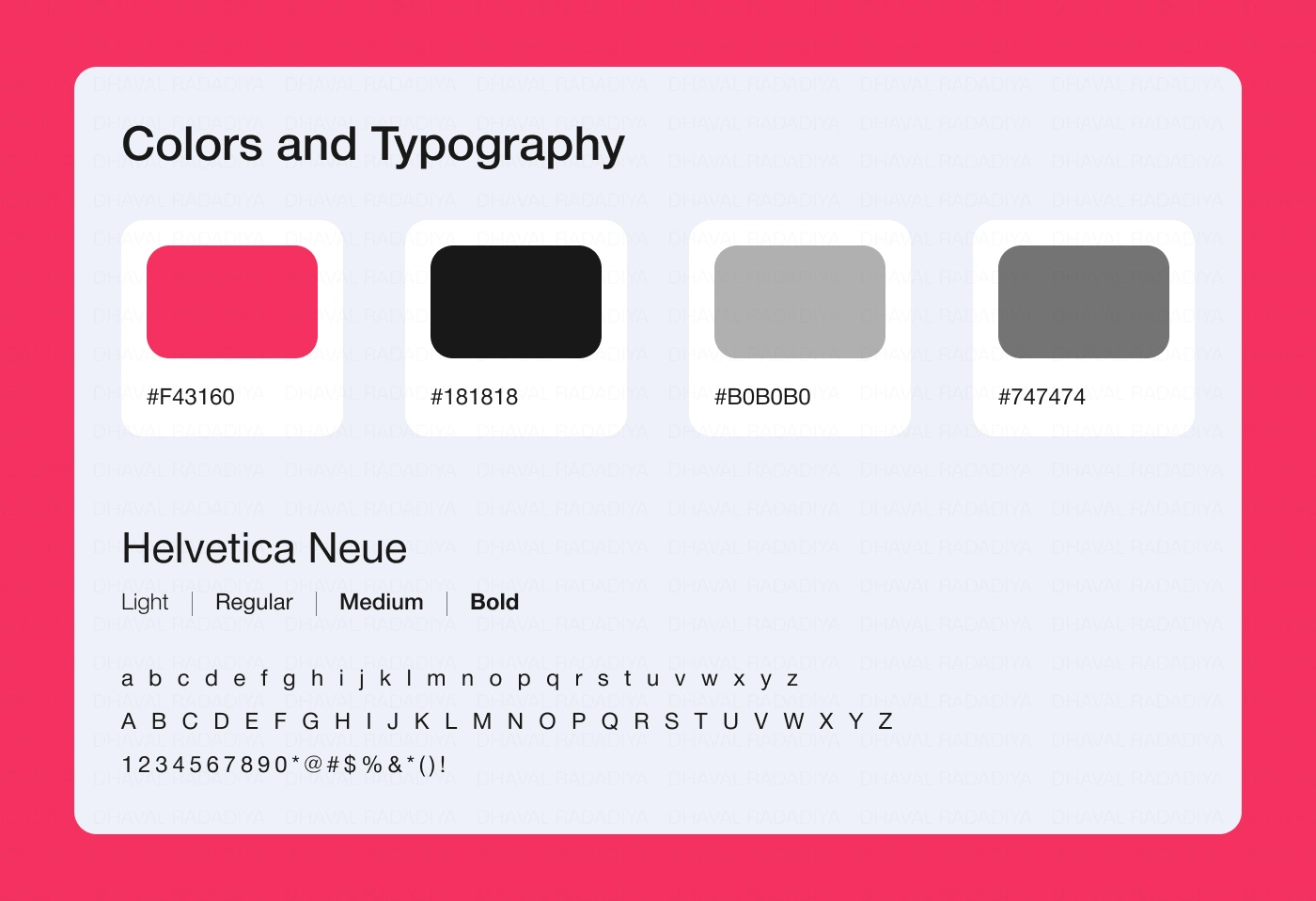
Colors and Typography
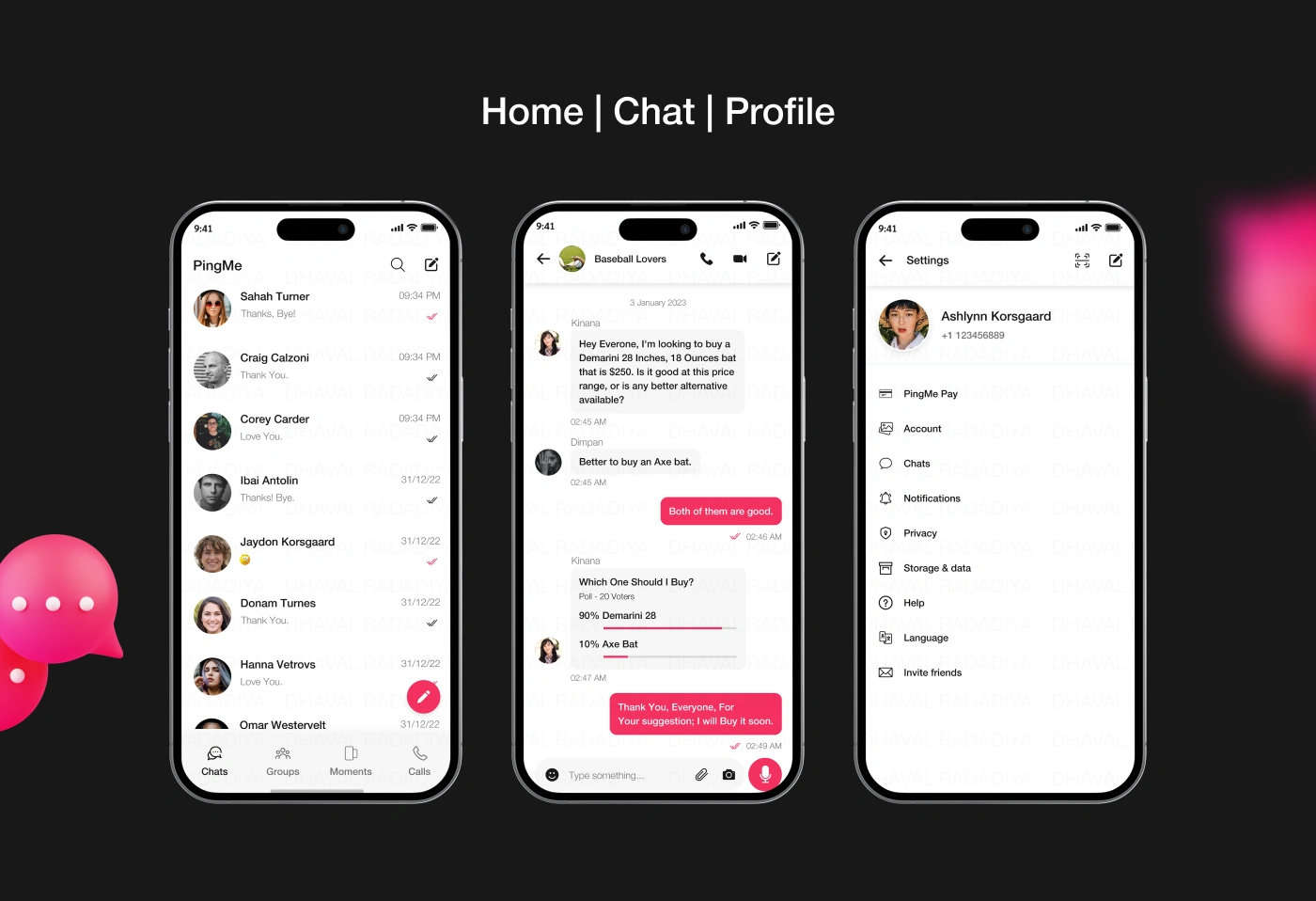
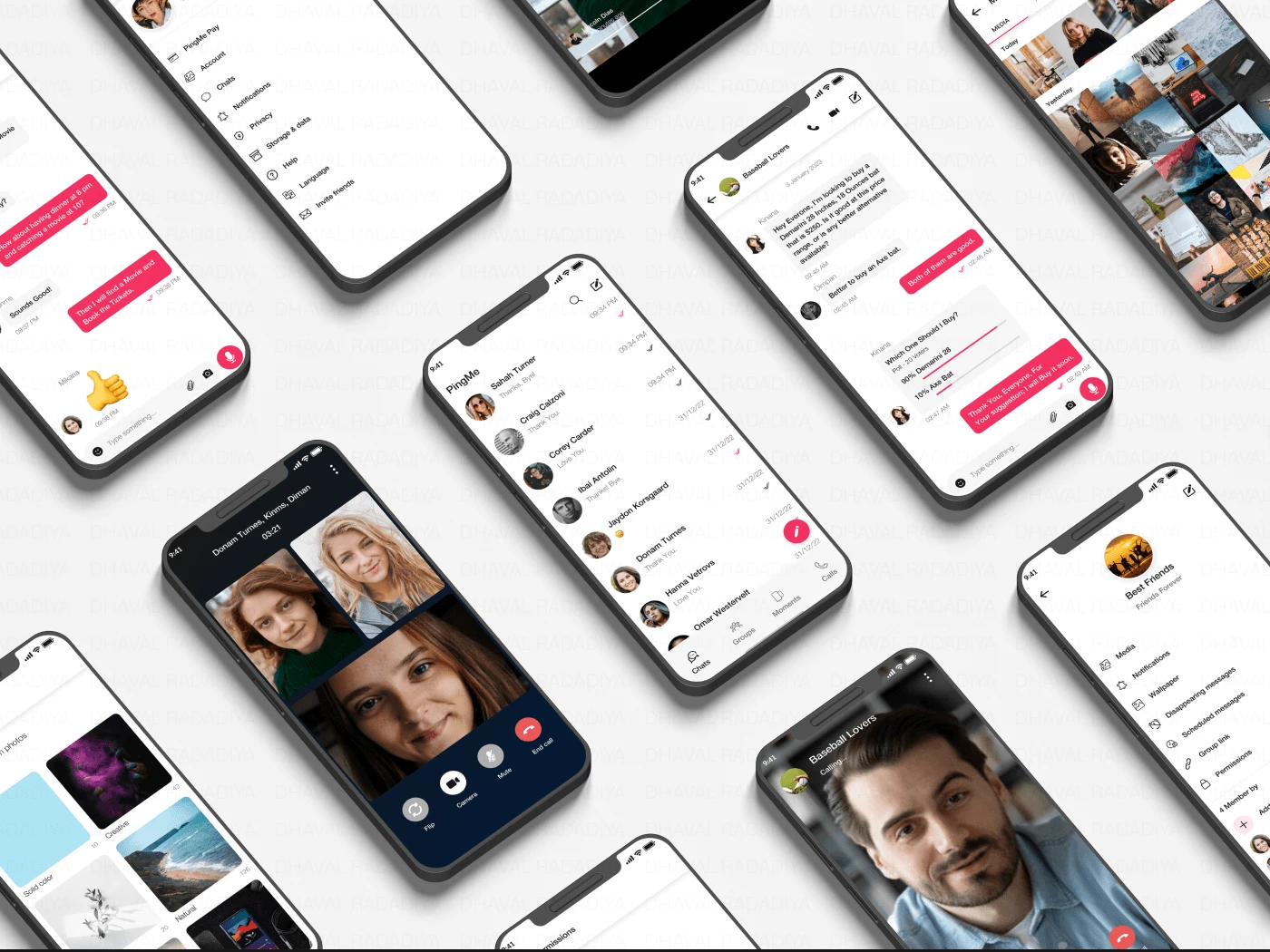
Home, Chat and Profile Screen
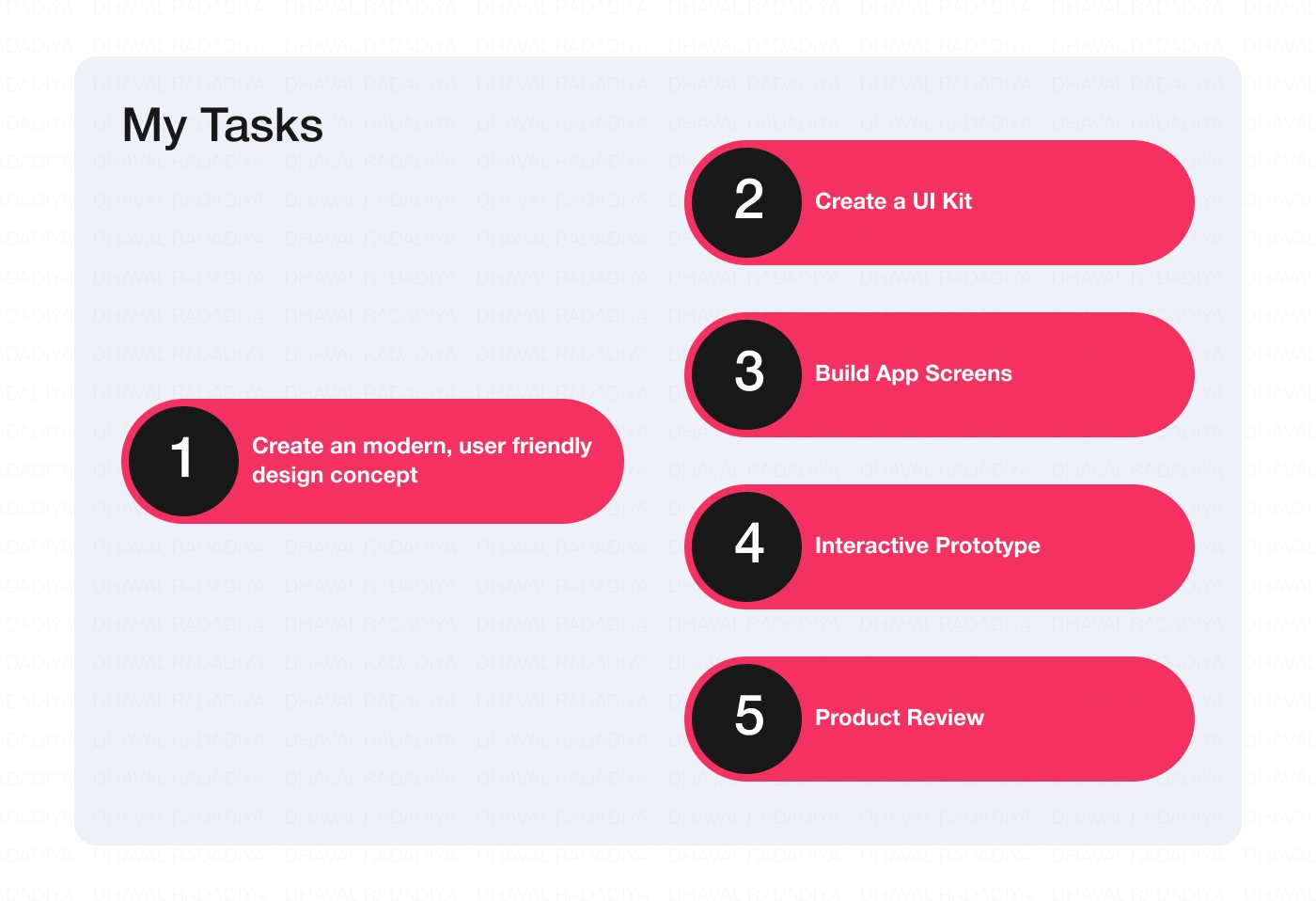
My Tasks
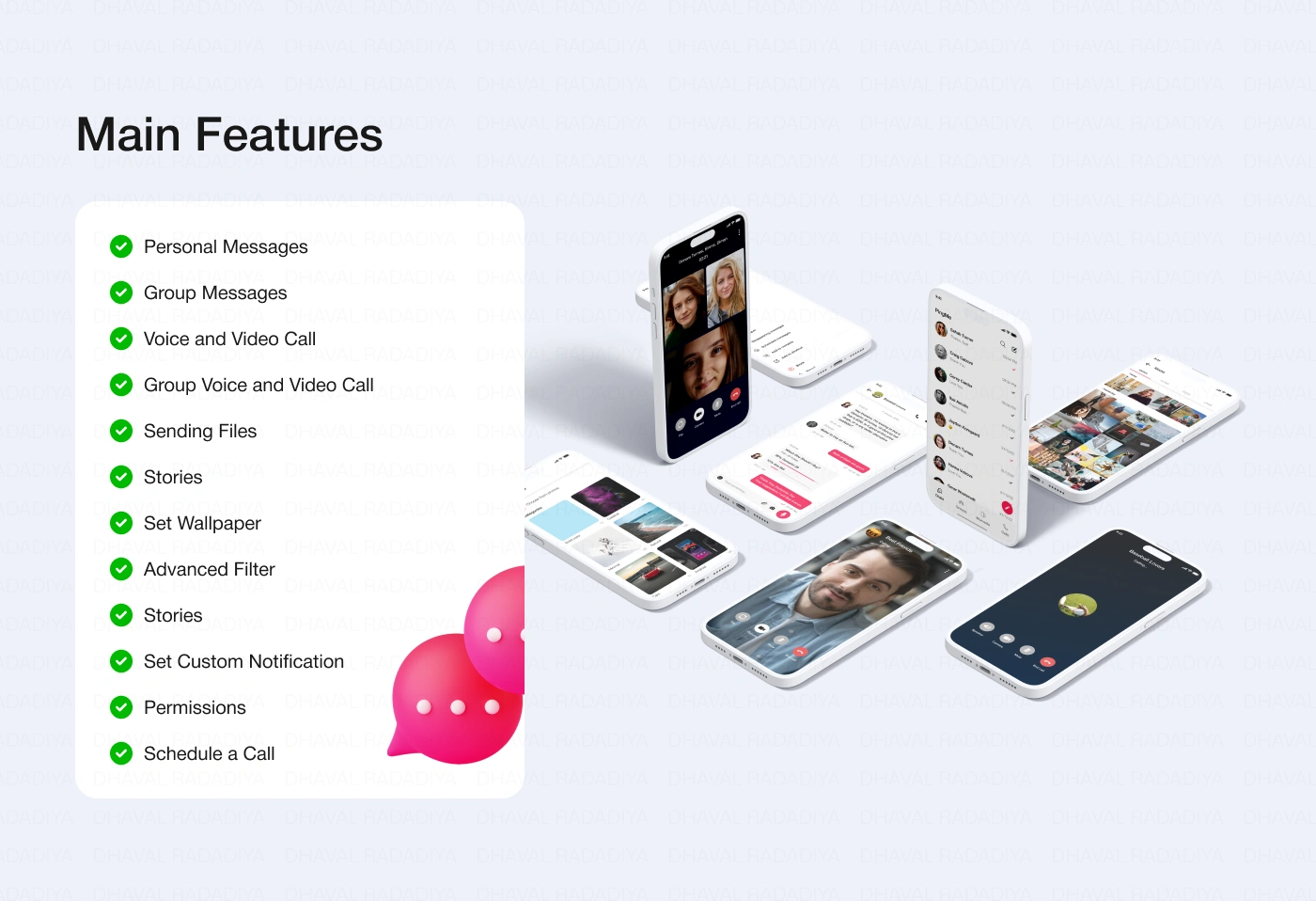
Main Features
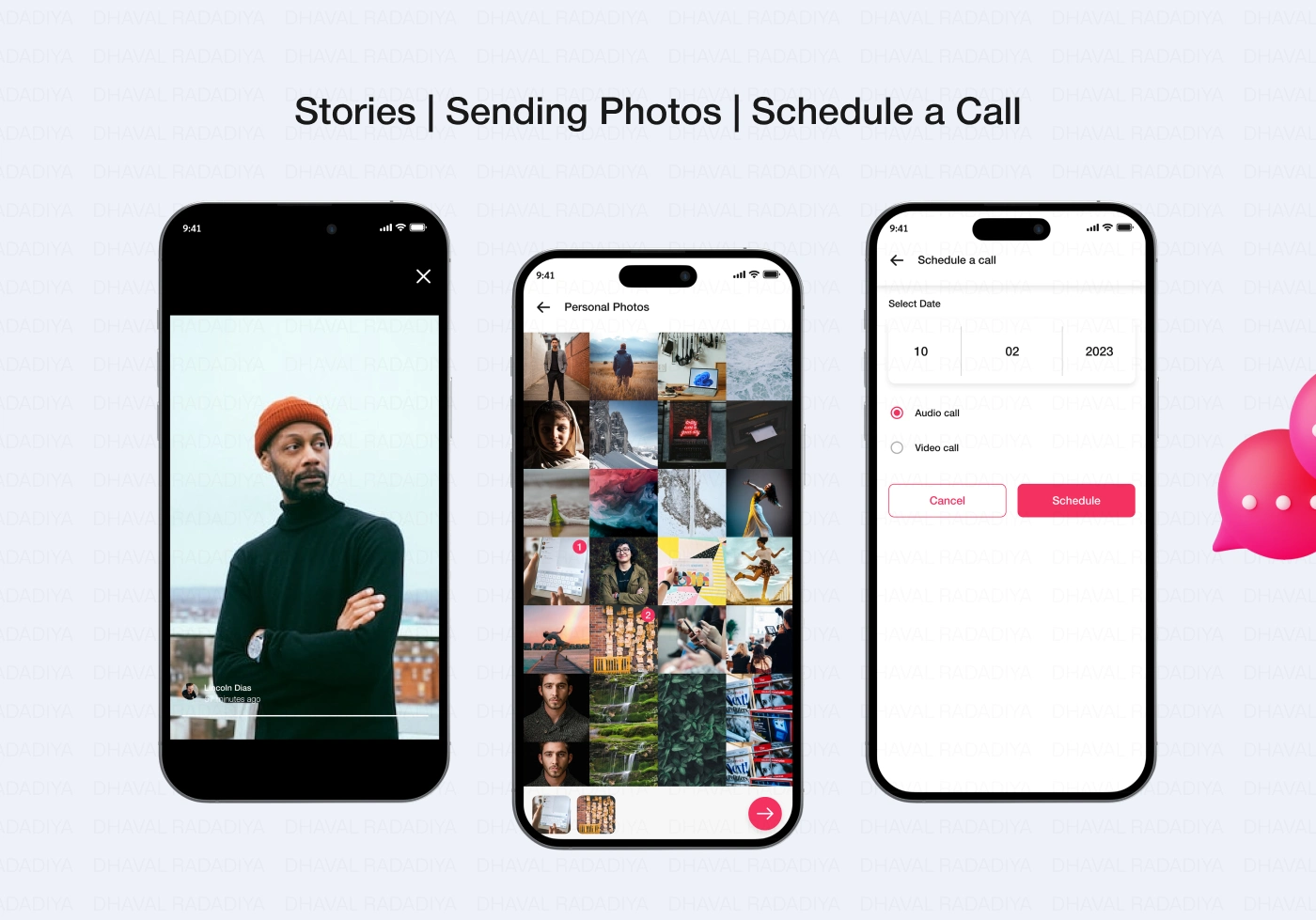
Stories, Sending Photos and Schedule a Call
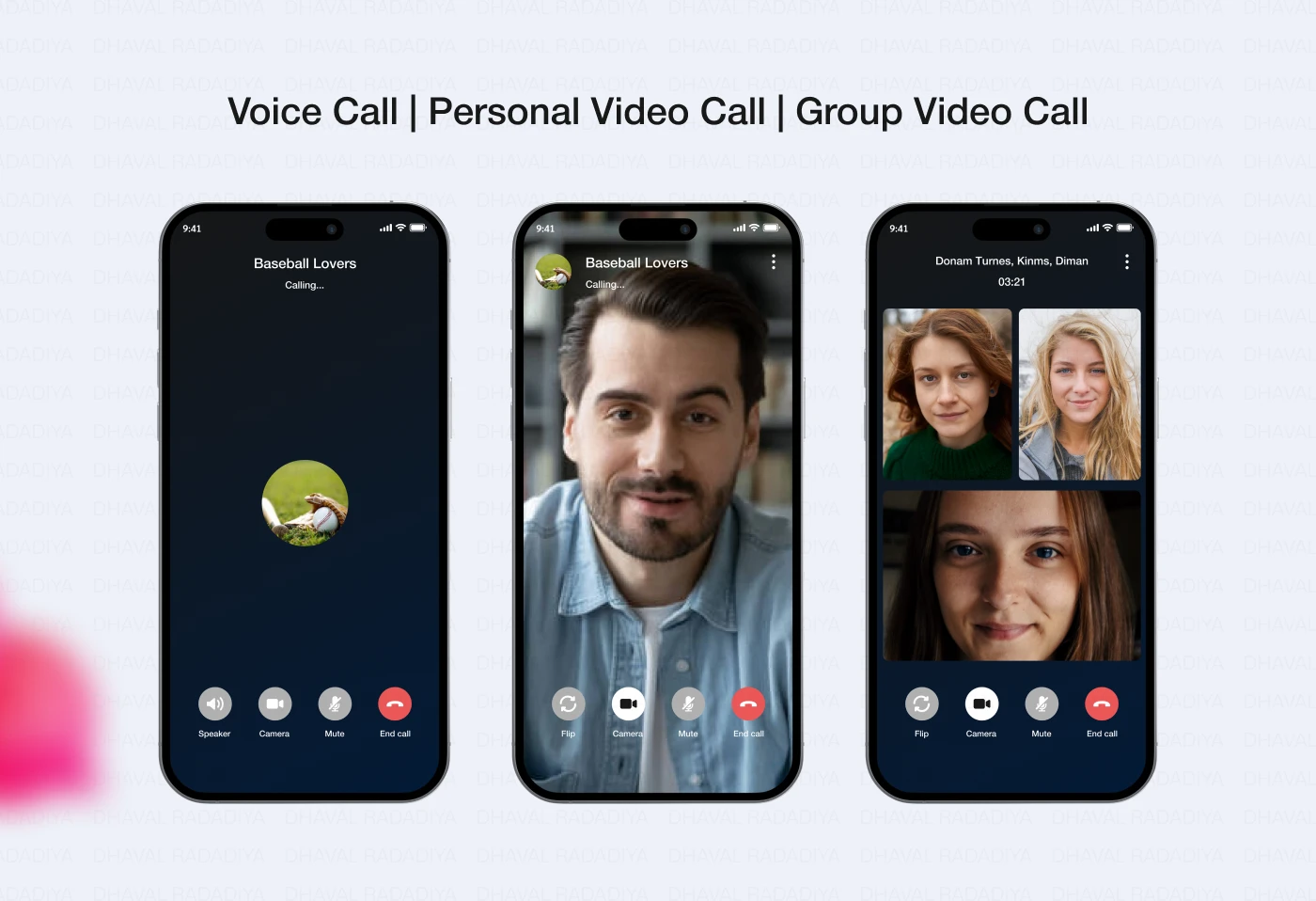
Voice Call, Personal Video Call and Group Video Call
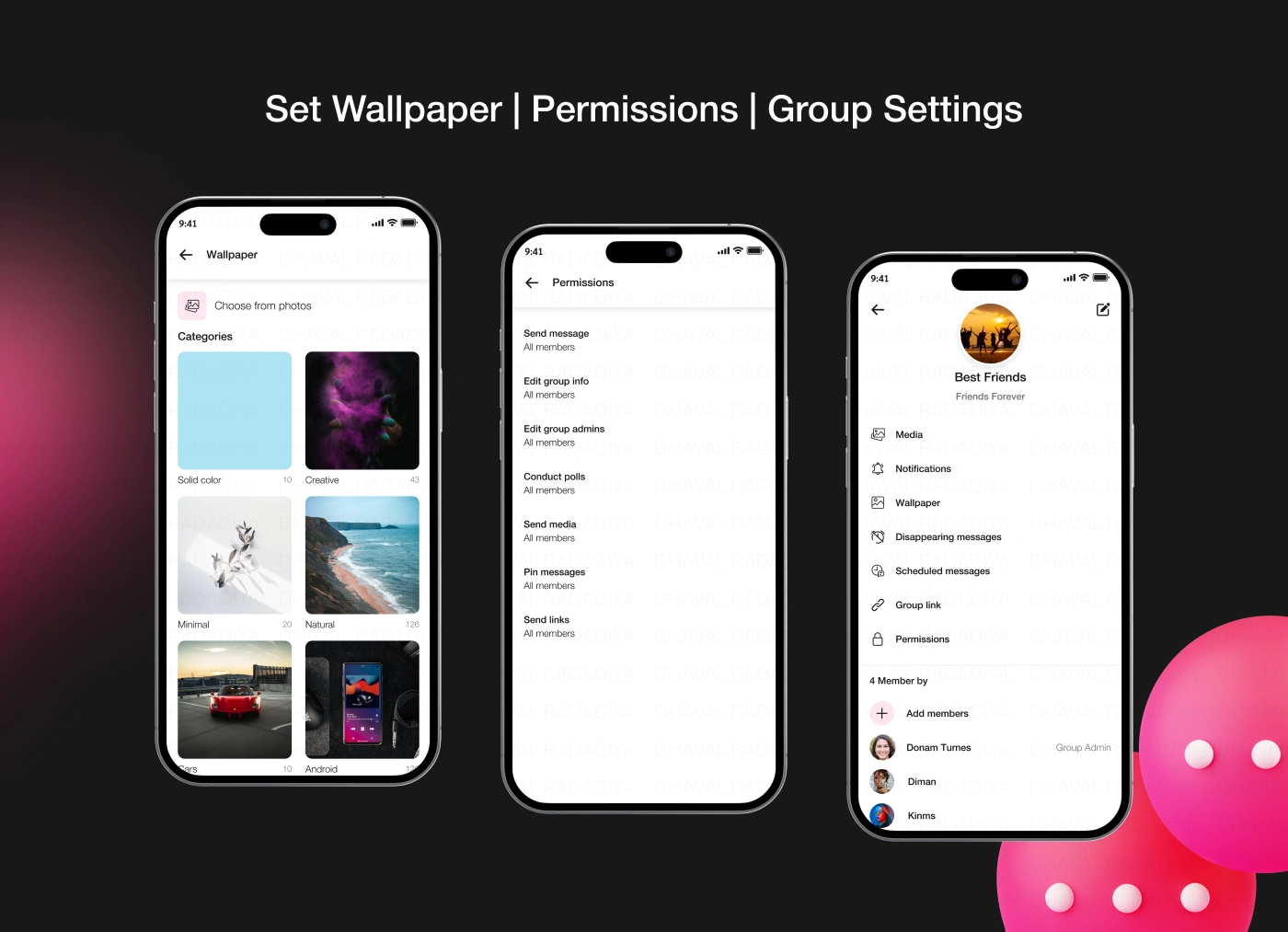
Set Wallpaper, Permissions and group Settings
Like this project
Posted Sep 23, 2024
Messaging App offers a variety of features including personal and group chat, voice and video calls, scheduling, notifications, customizable & more.