Automated Booking & Case Management System for Lawyers

Zia Bablu



Automated Booking & Case Management System for a Solo Law Practice
Built a complete client-booking and hearing-management platform that turns a solo lawyer's manual, notebook-based workflow into an automated system — from first inquiry to confirmed, paid booking.
The Challenge
Most solo lawyers and small practices still run client intake by hand: a notebook for case dates, phone calls to remind clients before hearings, and cash collected in person. It works — until the week gets busy, and something slips. A missed reminder before a court date isn't a minor inconvenience; it can cost a client their case.
For this self-initiated build (created for Lovable's #lovablechallenge), I designed a fictional client brief around exactly this problem: Chattogram Legal Partners, a solo lawyer's practice in Chattogram, Bangladesh, juggling client intake, hearing schedules, and reminder calls entirely alone.
The goal: turn "can I book a consultation?" into a confirmed, paid booking — with as little manual effort from the lawyer as possible.
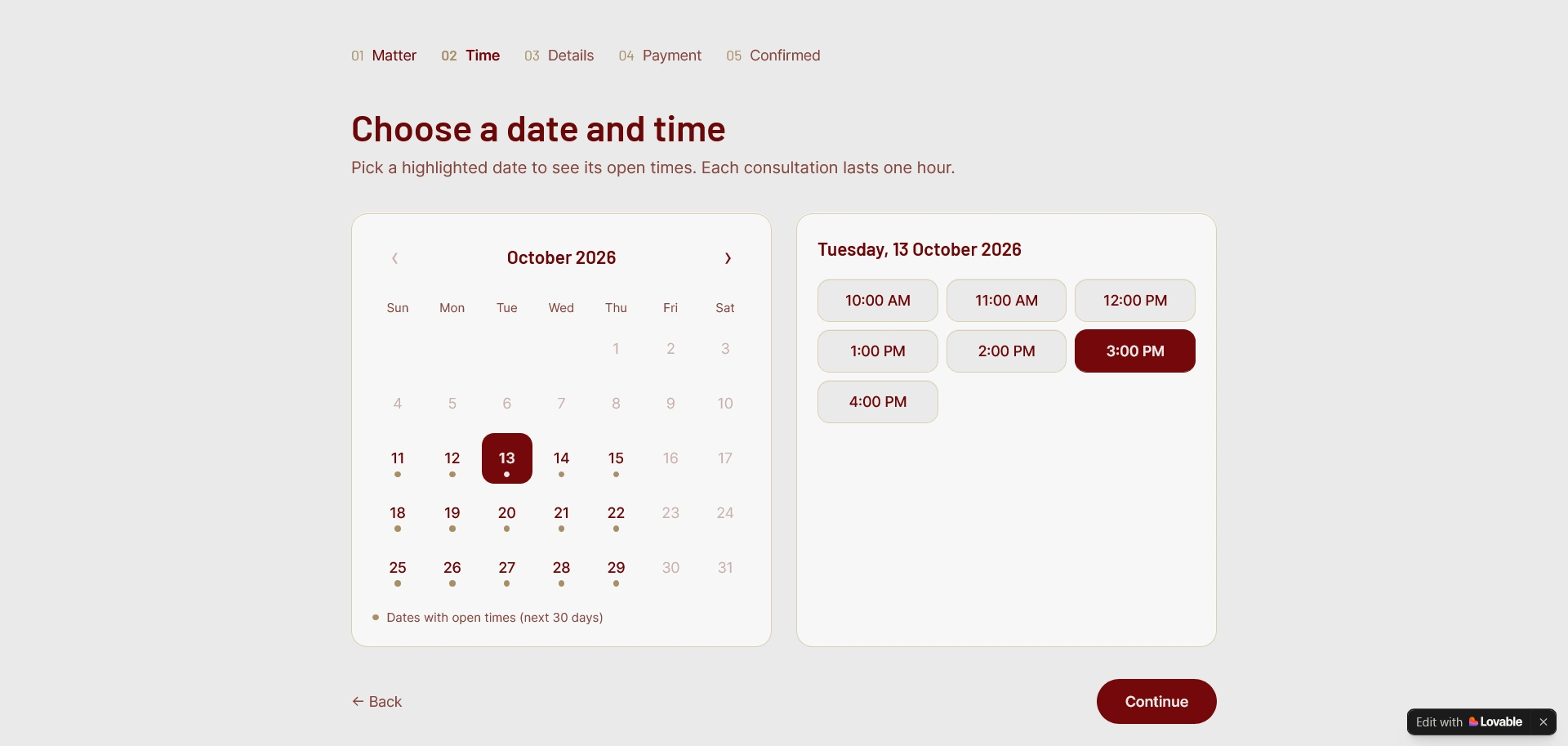
Client picking consultation date and time slot from website
What I Built
Client-facing booking flow
Clients pick their case type (fee shown upfront), choose online or in-person, and pick a slot from a 30-day calendar
A 20% booking fee is paid at checkout — a real Paddle transaction, not a mockup — and the slot is instantly confirmed, no manual approval needed
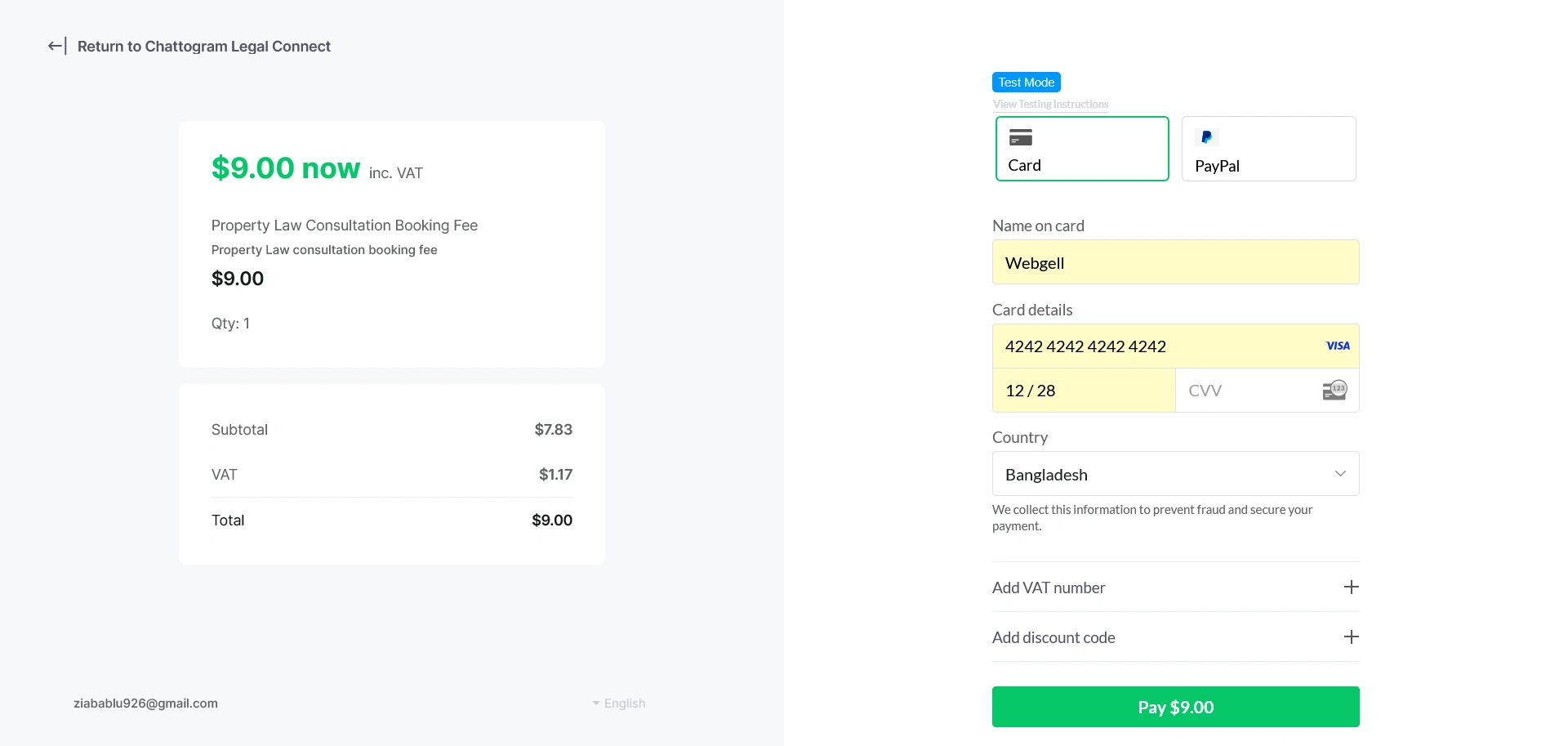
Payment page with Paddle or Stripe
Lawyer dashboard
New consultations appear automatically; the lawyer can create a case, mark it completed (advice-only), or cancel it — cancellations trigger an automatic refund and client notification, with no manual refund process
A monthly hearing calendar shows every court date across every client at a glance, with a daily cause-list view for quick prep
Fees, blocked dates (leave, court recess), and collected payments are all self-service — no developer needed to make changes
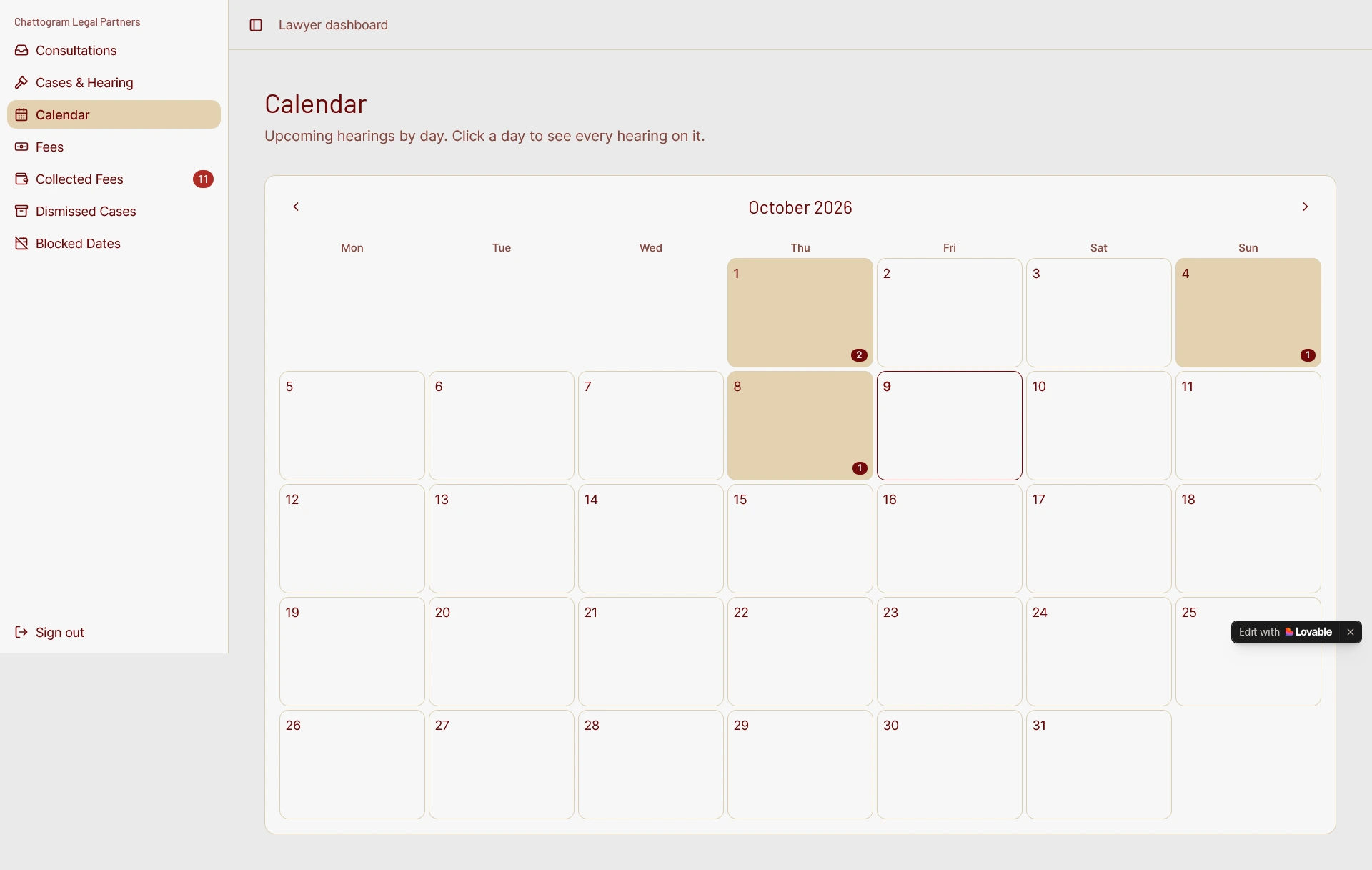
Lawyer Dashboard
Automation layer
New hearing dates automatically notify the client by email
Reminder emails go out 3 days and 1 day before every hearing, checked daily, with no manual follow-up
Post-hearing fee requests go out as secure payment links, tracked automatically in a collected-fees dashboard
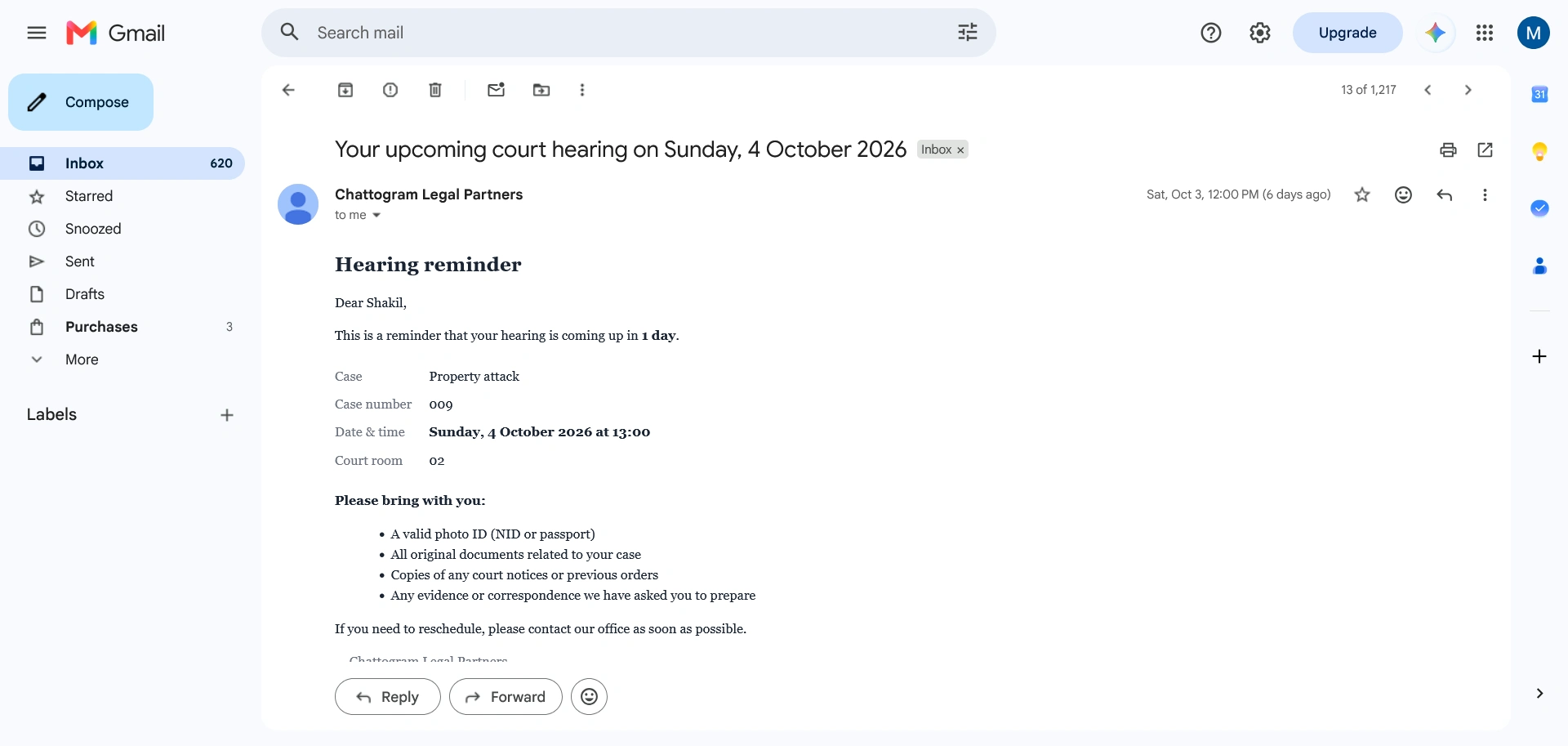
Client get automatic notification before 3 and 1 day of their case hearing
Tech Stack
Built end-to-end in Lovable (AI-assisted full-stack development), with Paddle for real payment processing and automated refunds, and Resend for transactional email (booking confirmations, hearing notifications, reminders, cancellations).
The Impact
This isn't a UI mockup — every payment is a real, traceable transaction, and every reminder is a real scheduled email. The result: a lawyer's busiest, most error-prone admin work (tracking hearings, chasing reminders, collecting fees) runs on its own, while she focuses on the actual casework.
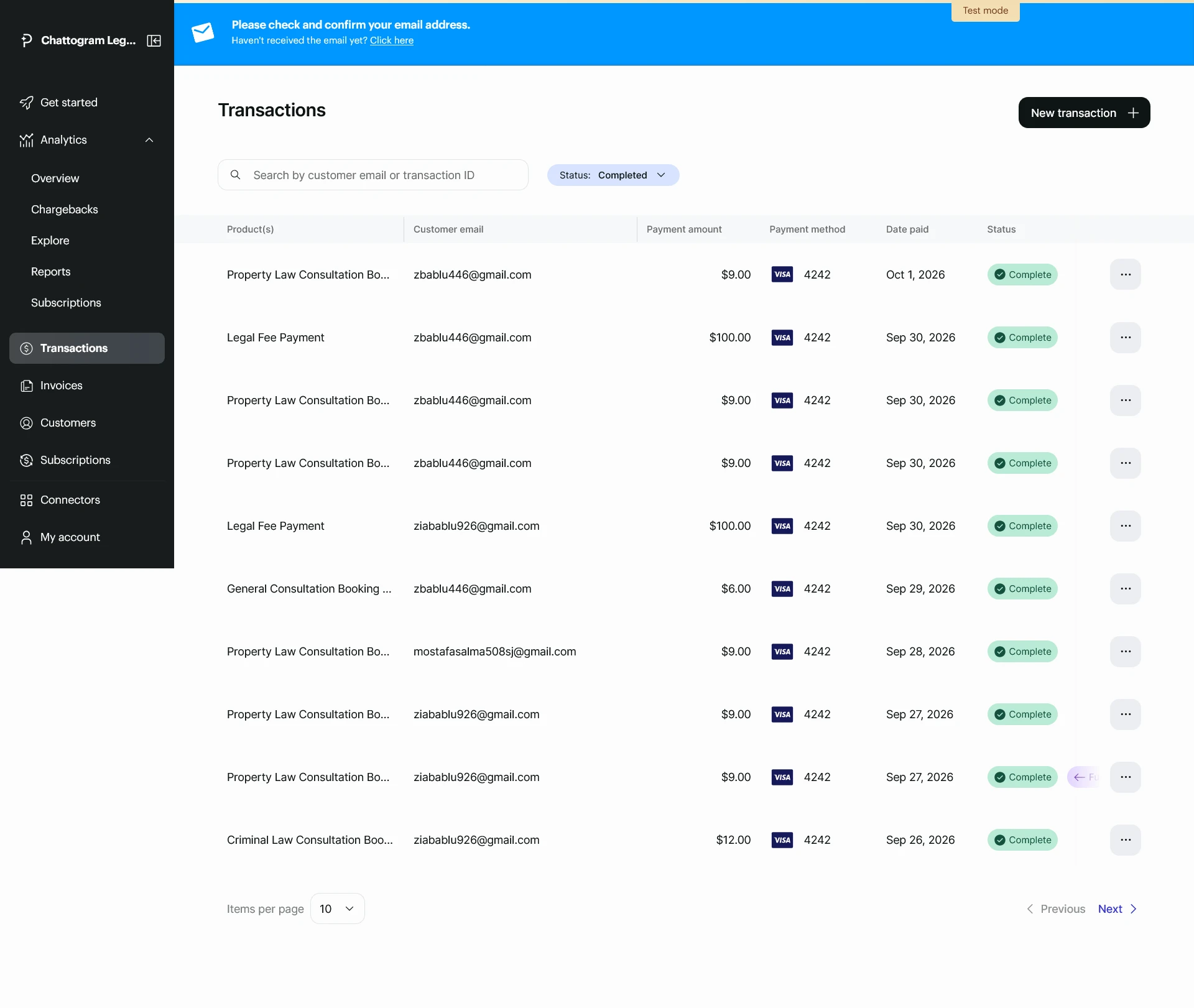
Received payments in Paddle (Like Stripe)
Links
Demo video: https://youtu.be/-Am4WbdkbIU
(Note: Want to explore the lawyer dashboard yourself? Message me, and I’ll share a demo login.)
Like this project
Posted Oct 9, 2026
Developed an automated booking, case, and hearing management system for a solo law practice.