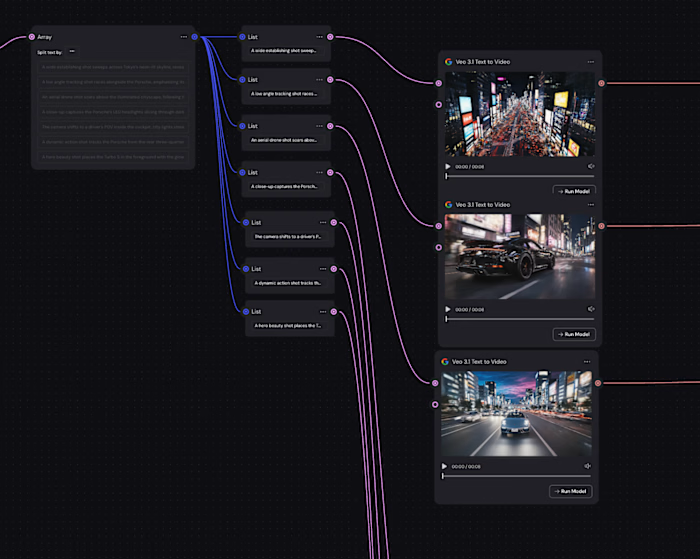
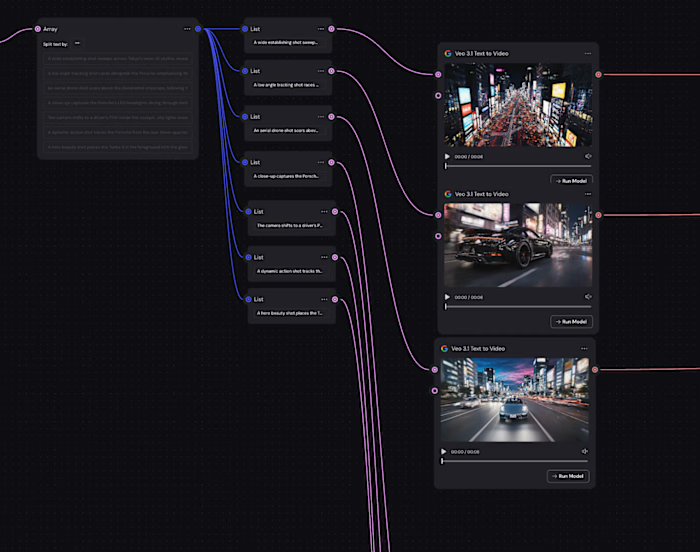
Character-Consistent AI Video Ads at Scale

Karin Suvaryan


UGC- LoRa trained
Character-Consistent AI Video Ads at Scale
A modular pipeline for generating, animating, and localizing AI characters for performance marketing
Overview
Marketing teams often struggle to produce consistent visual campaigns at scale.
Traditional photoshoots are expensive, slow, and hard to iterate.
This project explores how a custom AI character system can replace traditional shoots by enabling:
Consistent character identity across campaigns
Rapid scene generation
Modular creative pipelines
Scalable ad production
The goal was not just generating images — but building a repeatable AI production workflow, in other words create an ad pipeline where the SAME AI character appears across multiple ad variants, different hooks, different environments, and different languages — all looking like the same person.
Problem
Most performance marketing teams face a brutal creative bottleneck.
Brands need:
Consistent brand characters
Multiple campaign variations
Fast turnaround
Lower production cost
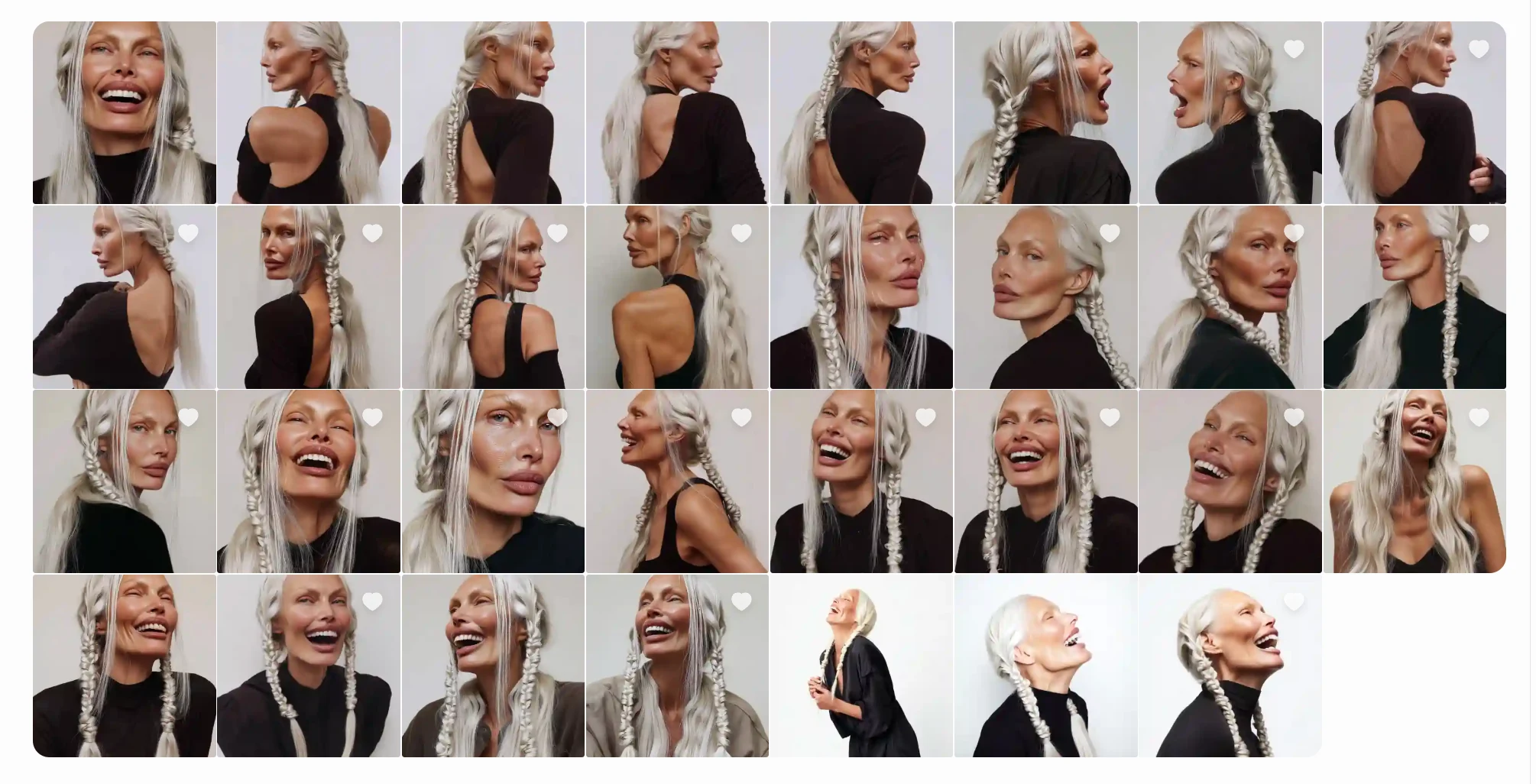
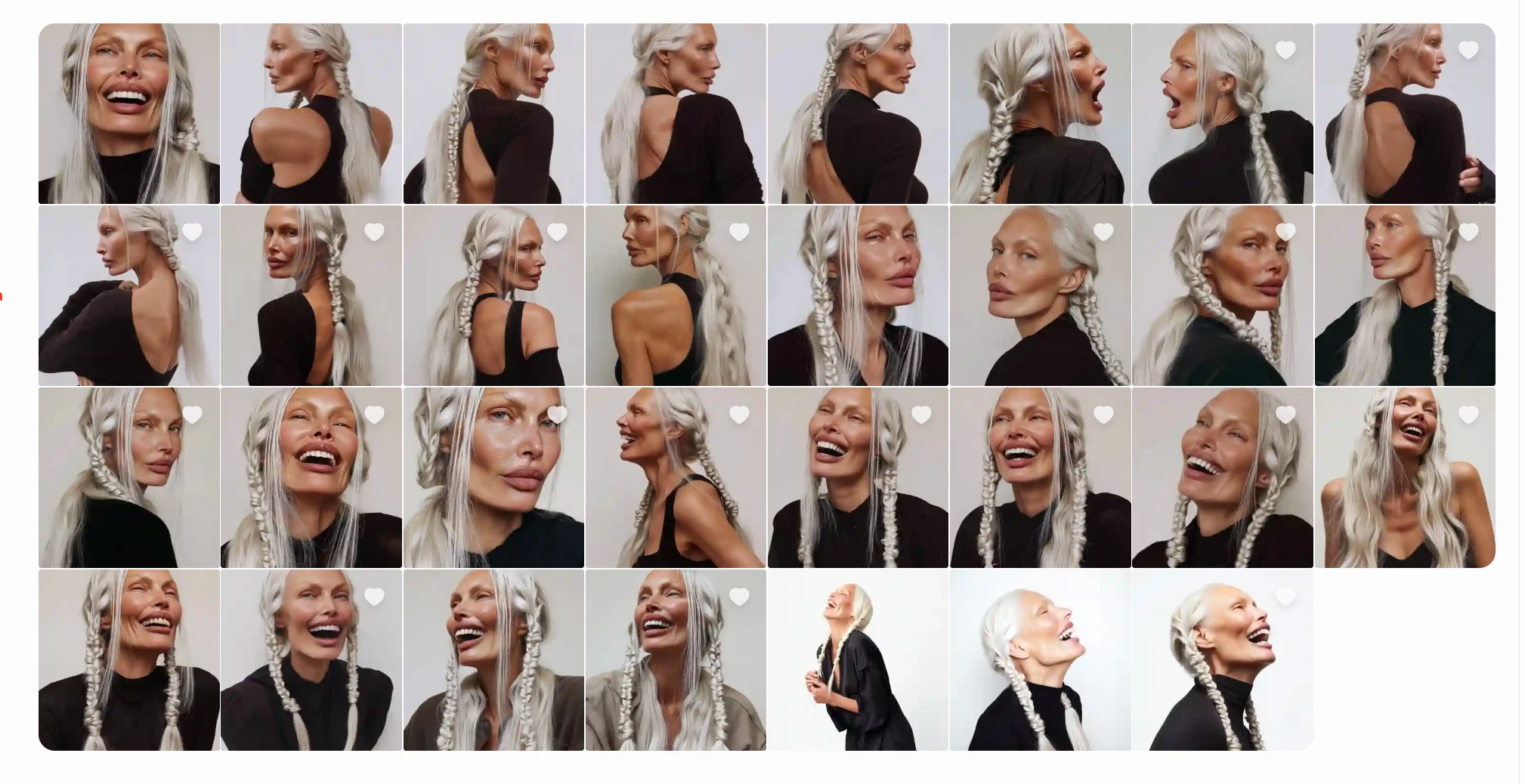
Character Sheet /Folder(MidJourney)
Traditional production
Requires casting, filming, editing
1–2 weeks per creative batch
High cost per variant
Impossible to localize quickly
This process is slow, costly, and difficult to scale.
Traditional workflow: Photoshoot → Editing → Reshoot → Video production → Localization
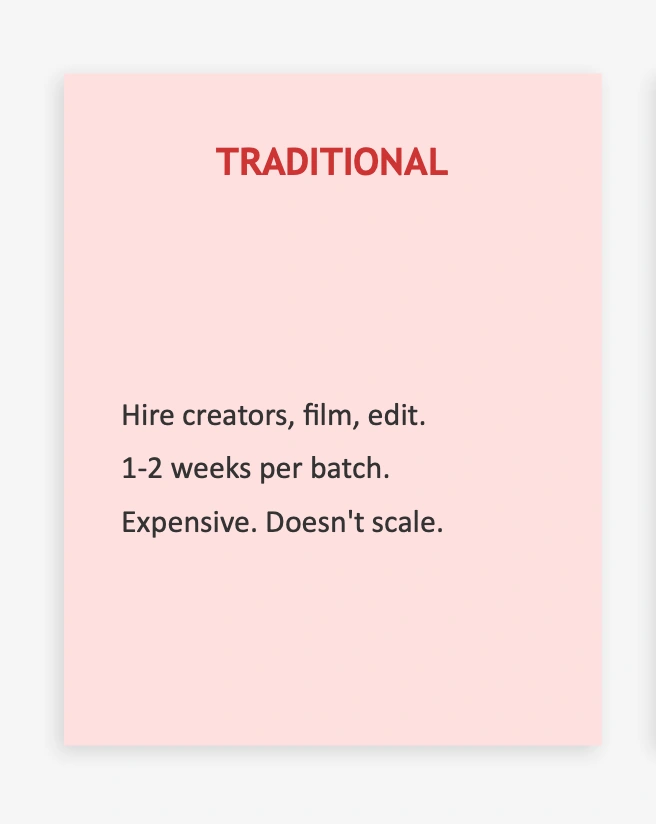
The Creative Bottleneck
Naive AI generation
Fast to generate images/videos
BUT identity breaks between outputs
Same “person” looks different each time
Viewers subconsciously detect the fake
Trust drops → performance drops
The client needed:
A recognizable AI character
Unlimited variants of that character
Multiple scripts, languages, and scenes
Production time measured in hours, not weeks
This required a system, not just tools.
Solution
I designed an AI-driven creative pipeline that separates:
Character identity creation
Scene generation
Animation & video
Voice & lip sync
Deployment across campaigns
This modular approach allows each stage to be improved or swapped without breaking the system.
Process
Generated initial character reference images
Curated ~30 high-quality portraits
Trained a LoRA model on Replicate
Assigned a trigger word (
silverstar)Tested across lighting, angles, and styles
Result
The system can generate the same character across:
Studio portraits
Lifestyle scenes
Product ads
Video frames
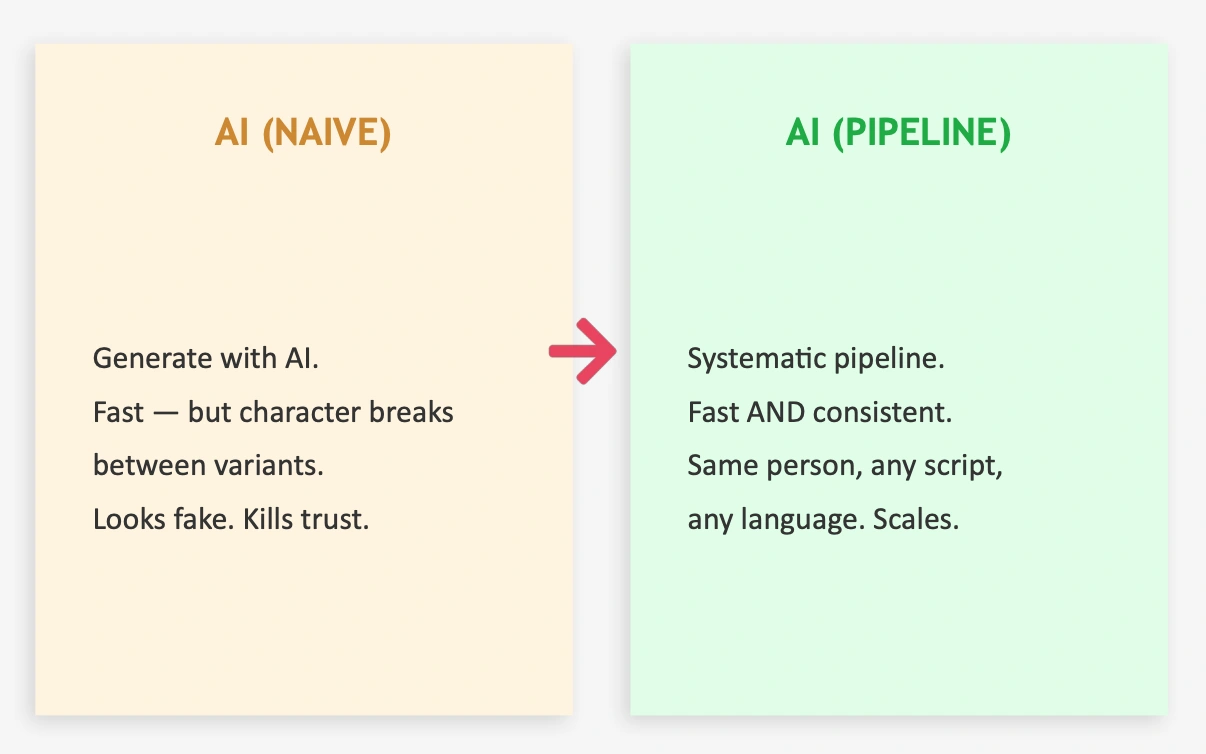
1.MY STRATEGY (WHY THIS PIPELINE EXISTS)
Instead of generating ads one-by-one, I designed a modular creative pipeline where:
Character identity is created once
Locked using fine-tuning
Reused across scenes, scripts, and languages
Automated for iteration and scaling
The goal wasn’t to make images.
The goal was to build a repeatable creative engine.
Character Animation
CHARACTER CREATION APPROACH
The character did not exist before the project.
She was:
Designed entirely with AI
Generated from scratch using prompt engineering
Refined manually through multiple iterations
Built intentionally to feel realistic, trustworthy, and scalable
I created each training image individually in Midjourney to:
Maintain full control over identity evolution
Avoid dataset contamination
Keep visual coherence
Ensure the character remained purely AI-native
This was a conscious design choice:
2. CHARACTER ORIGIN: FROM TEXT TO IDENTITY
It started with a prompt
The character was not based on an existing person or dataset.
She was created entirely from scratch, beginning with a single descriptive prompt designed to define her facial structure, lighting, and realism.
Initial generation prompt:
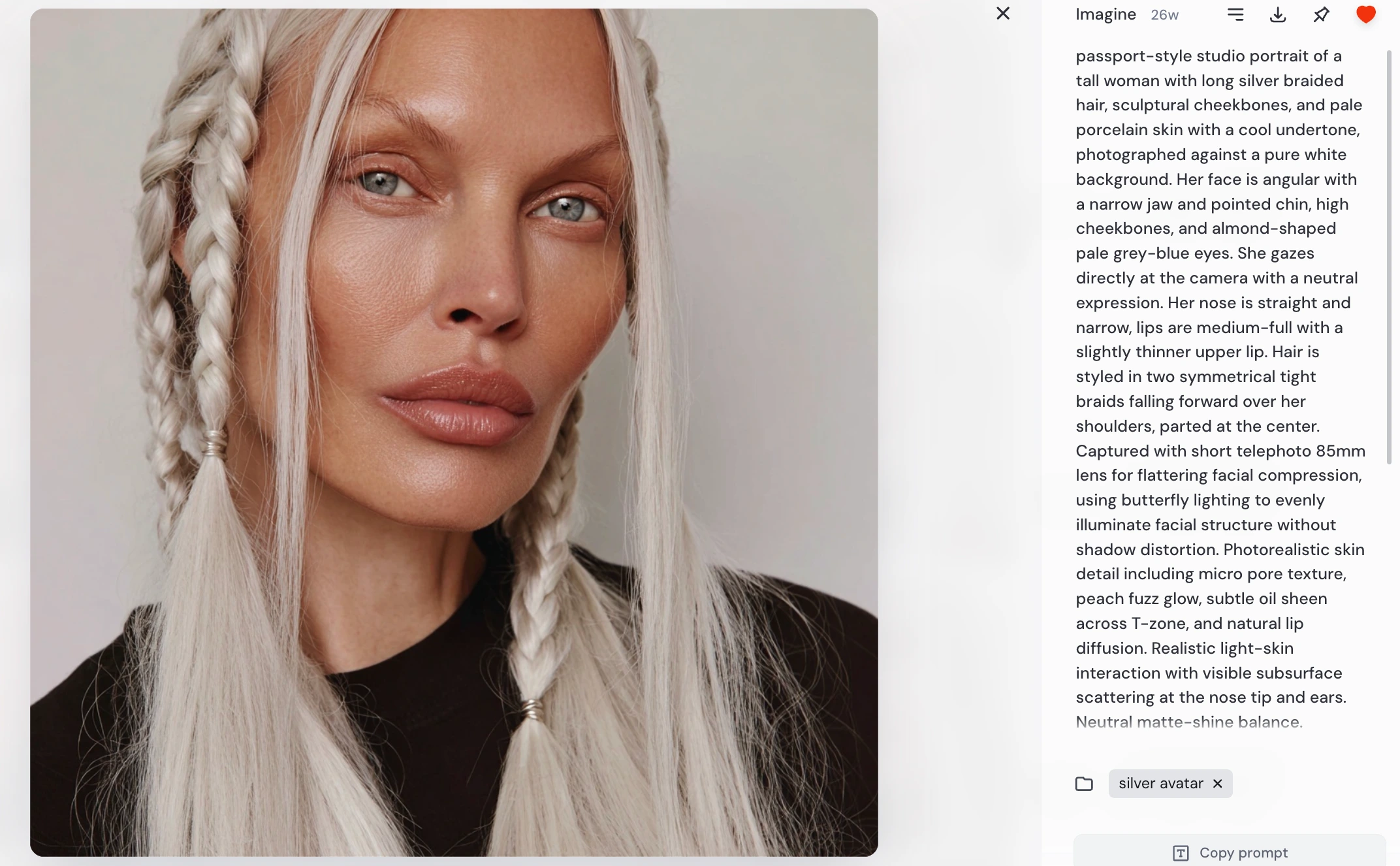
This prompt was intentionally written to:
lock facial geometry (jaw, cheekbones, eyes)
control lighting behavior
enforce realism at the skin-detail level
ensure neutral, dataset-style framing
produce a stable base identity for future training
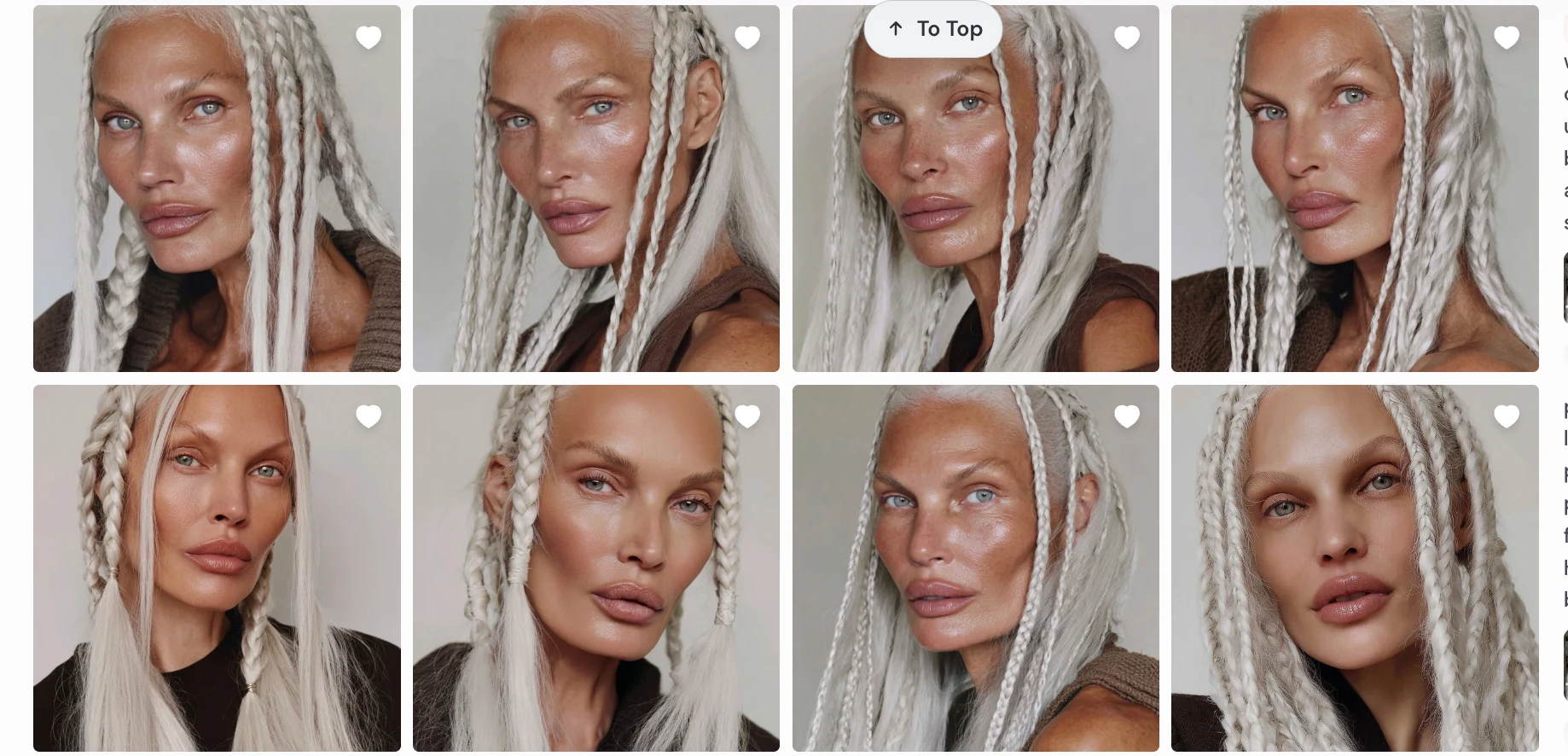
Character Variants #1
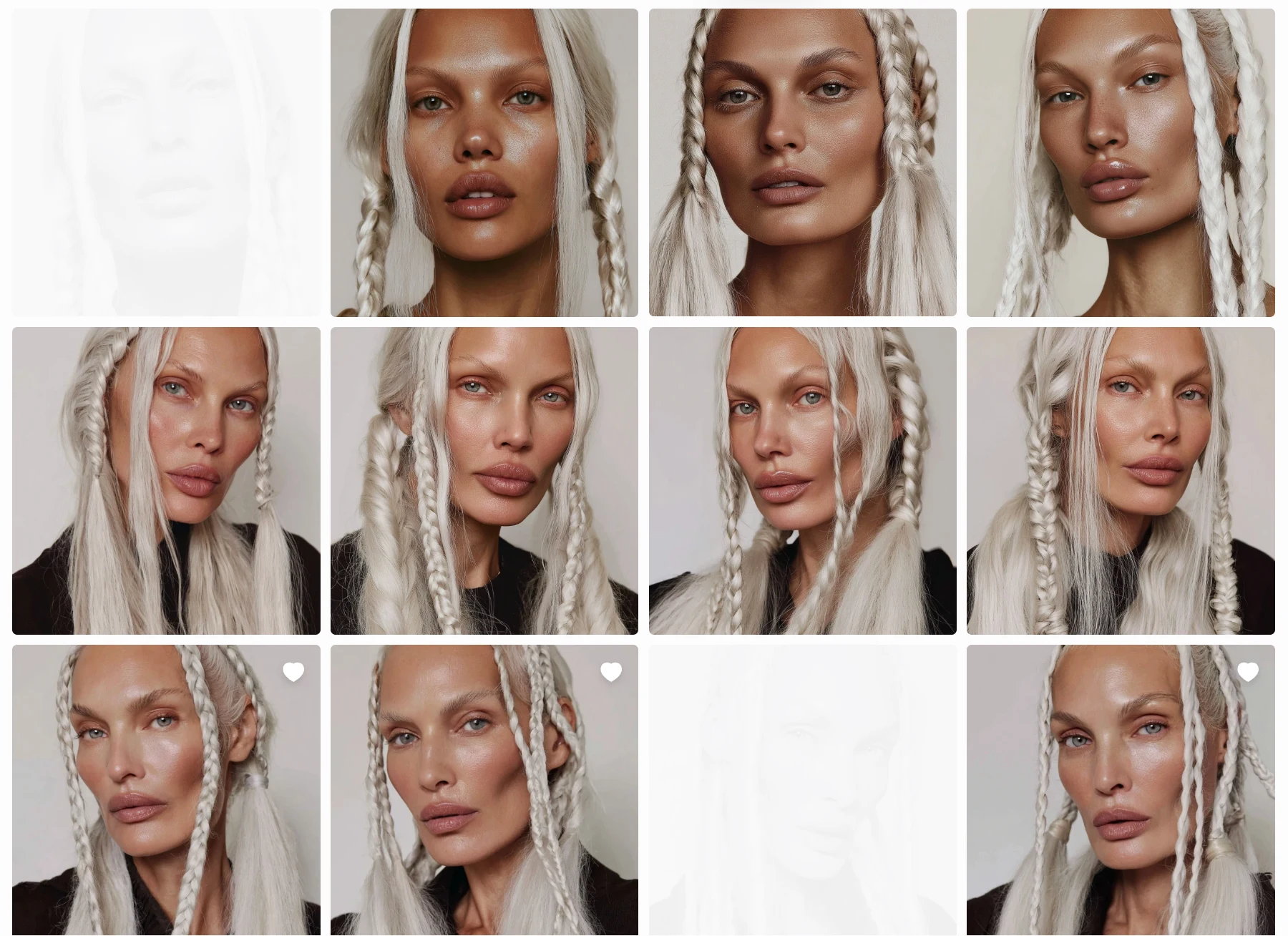
Character Variants #2
Selecting the identity
From the generated outputs, I selected the version that best matched:
consistent facial proportions
believable skin realism
recognizable silhouette
strong visual memorability
This chosen image became the anchor identity for the character.
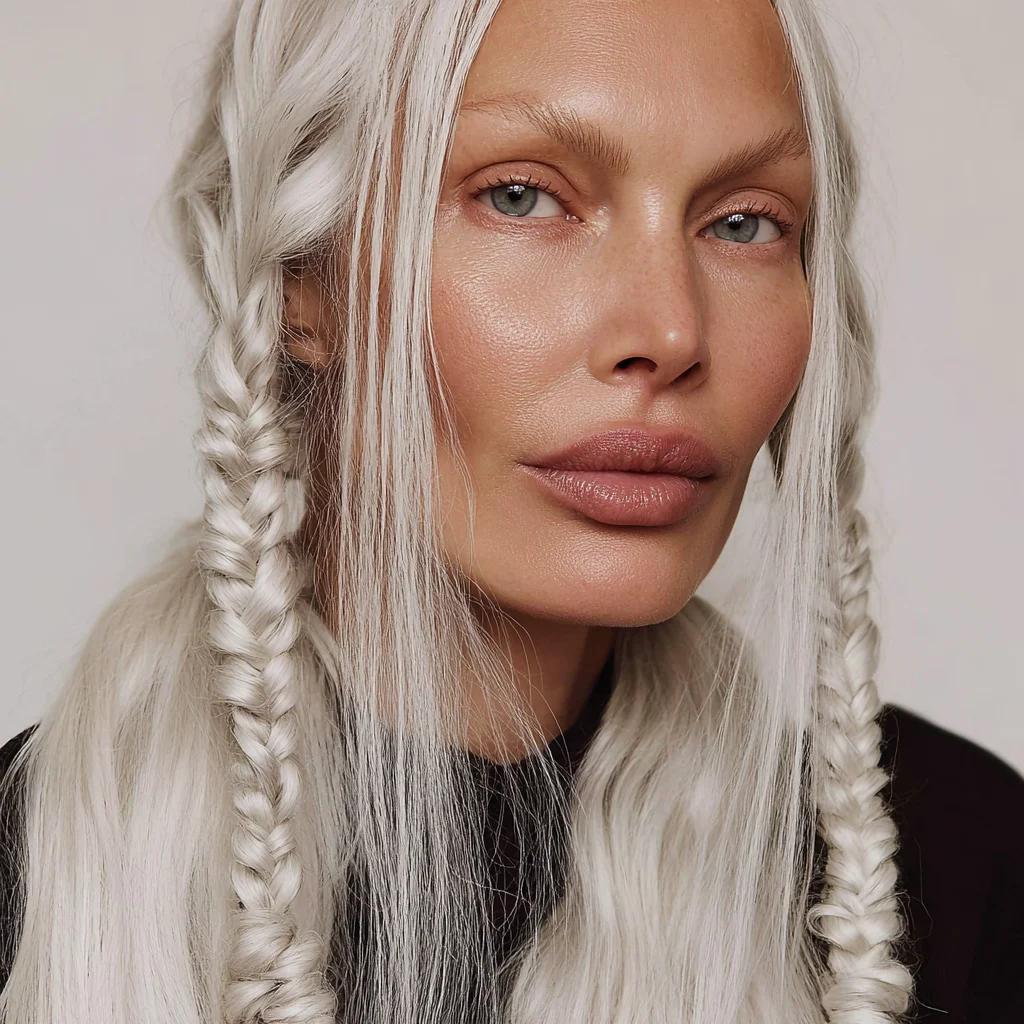
This Character Won,the skin has room for enhancement but for the task it is ok
Expanding the character in Midjourney
Using the selected portrait as reference, I generated additional variations:
different expressions
head angles
lighting conditions
compositions
Same Character-Different Angles
I used:
reference-based prompting
image prompting
Omni-reference workflows
iterative prompt refinement
to maintain identity while expanding the character’s visual dataset.
Each image was generated individually and intentionally, not bulk-produced, to ensure:
identity stability
consistent facial structure
controlled visual evolution
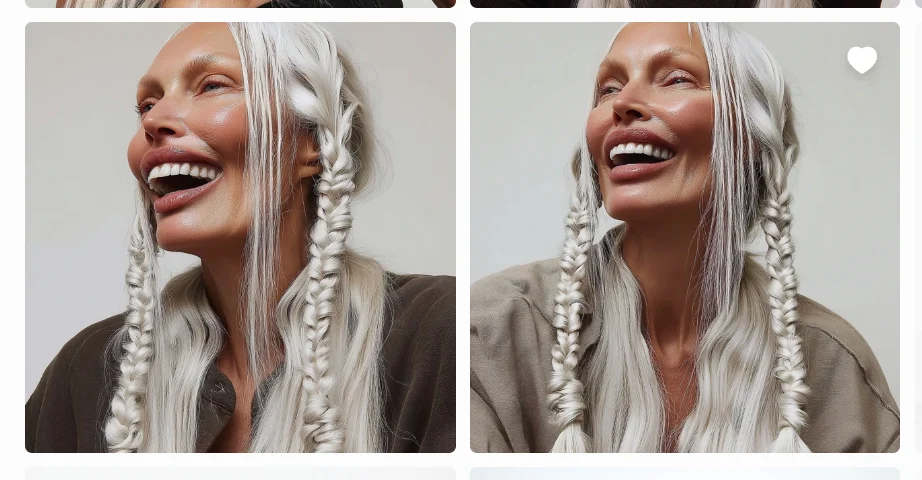
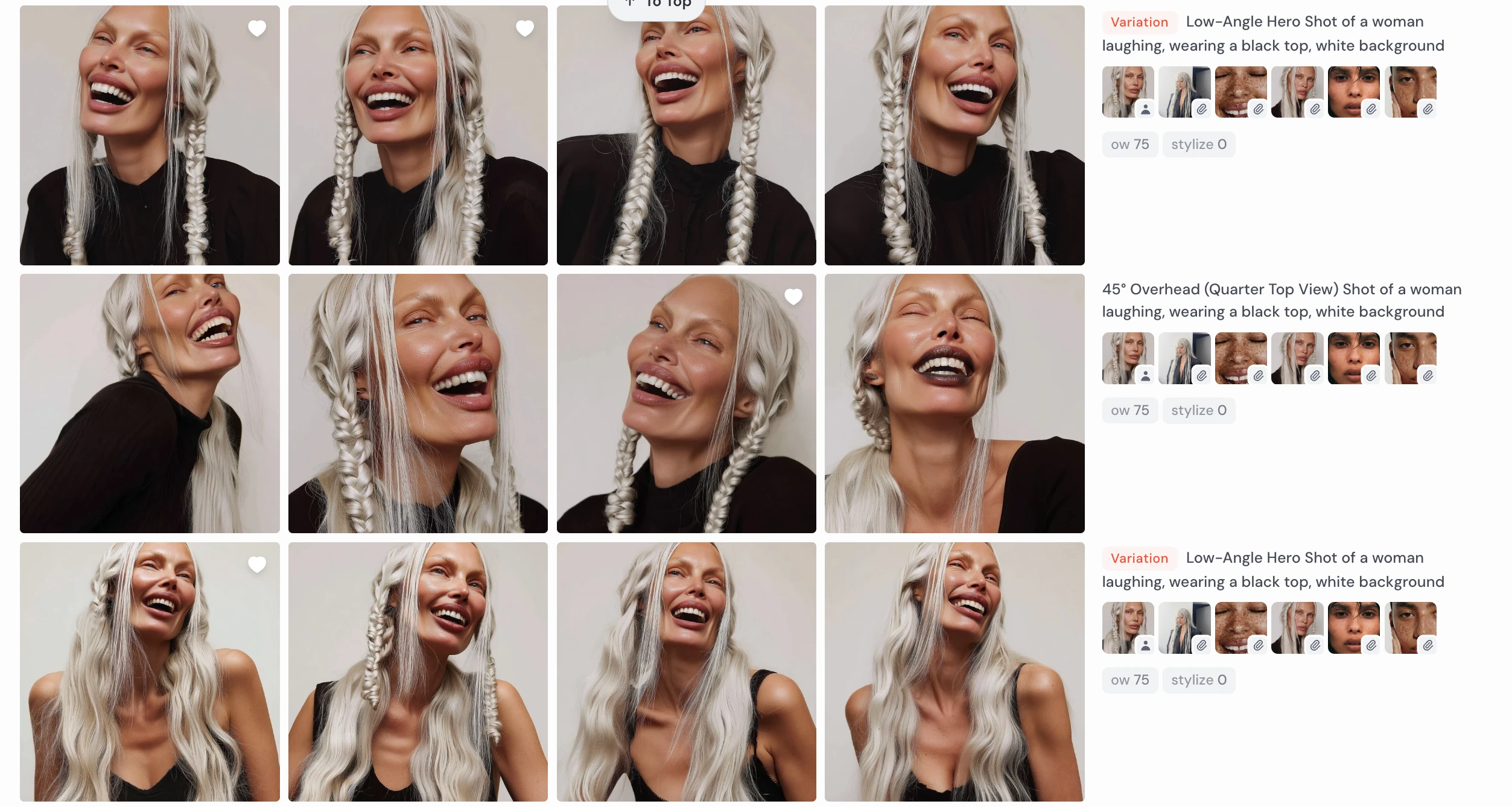
Low-Angle Hero Shot of a woman laughing, white background
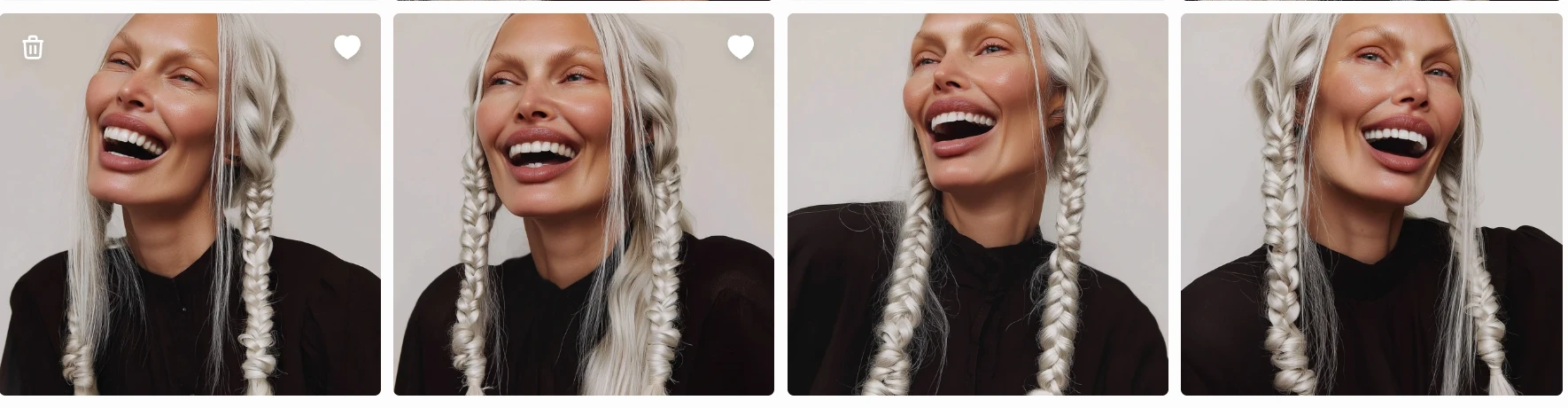
Low-Angle Hero Shot of a woman laughing, wearing a black top, white background
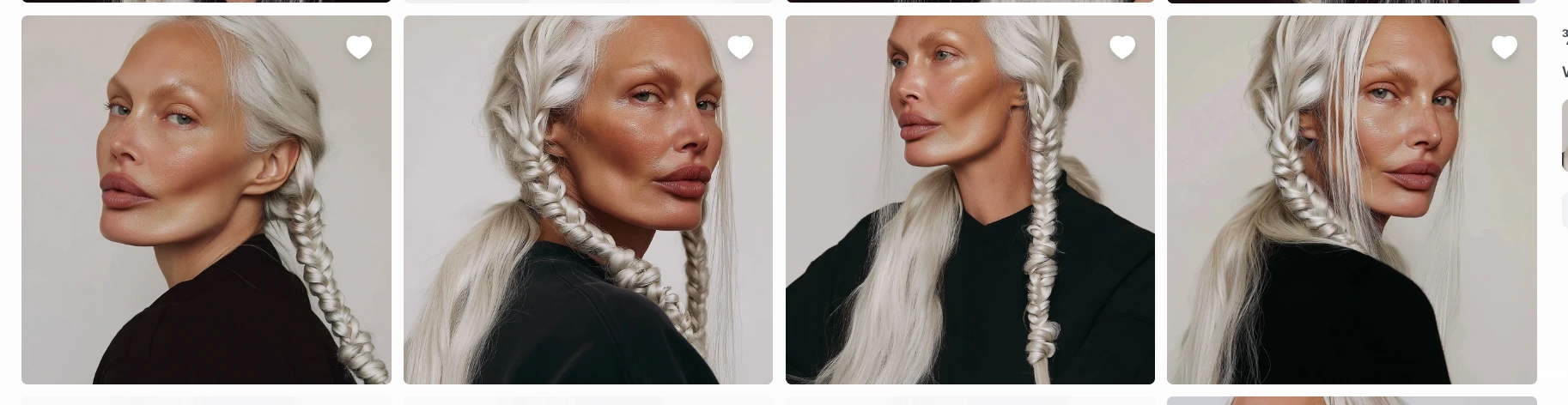
¾ Angle (Left & Right) Shot of a woman serious , wearing a black top, white background
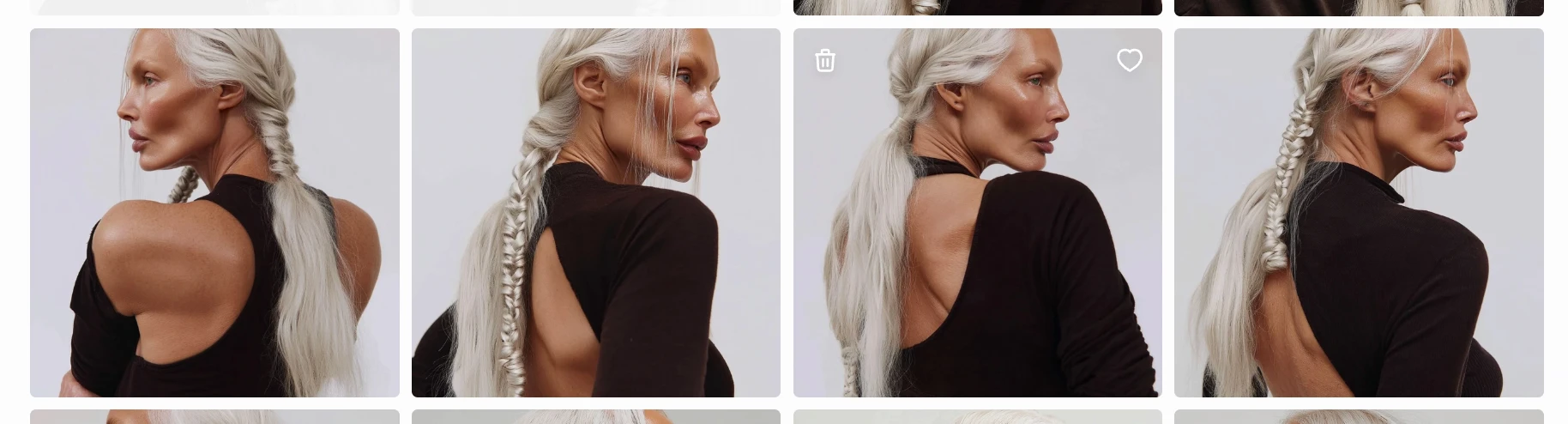
Back Shoulder Tracking (¾ from Behind) Shot of a woman with Stoic Sadness wearing a black top, white background
This curated image set later became the training dataset for LoRA fine-tuning, allowing the character to be reproduced consistently across scenes and videos.
Why this matters : Because the character was:
AI-native
prompt-engineered from scratch
identity-locked through selection + training
she can now be:
reused indefinitely
placed in any scene
animated in video
localized across markets
without casting, licensing, or reshooting.
The character is not just an image —
she is a reusable digital identity asset.
3.Lock identity using model training
How do we keep her consistent across scenes, lighting, poses, and campaigns?
While there are several ways to train identity models:
DreamBooth-style fine-tuning
Full checkpoint training
Local LoRA training
Platform-based identity systems (OpenArt etc.)
I chose LoRA training on Replicate because it offers:
Lightweight identity fine-tuning (fast + cost-efficient)
Strong compatibility with Flux-based models
Cloud-hosted deployment (no local GPU needed)
Easy API access for production use
LoRA was the best balance between:
Training speed
Cost efficiency
Quality preservation
Deployment flexibility
This allowed the character to be reliably triggered using a keyword.
Dataset Curation — Camera Angles Used for LoRA Training
After selecting the final character identity, I generated a controlled set of images in Midjourney to build a balanced LoRA training dataset.
The goal was to preserve facial structure consistency while introducing enough variation for the model to generalize across scenes and expressions.
Primary Angle Categories Included
The training dataset intentionally combined frontal, three-quarter, profile, and over-shoulder angles, along with controlled expression and perspective variations, to ensure the LoRA captured both core identity geometry and real-world photographic flexibility without overfitting to a single pose.
My dataset looked promising. It would enable reliable character reuse because :
consistent lighting style
same identity across images
strong angular diversity
controlled emotional variation
Character Animation #2
To ensure the training pipeline could correctly process the dataset, I prepared the files with:
consistent naming structure
sequential numbering
uniform format
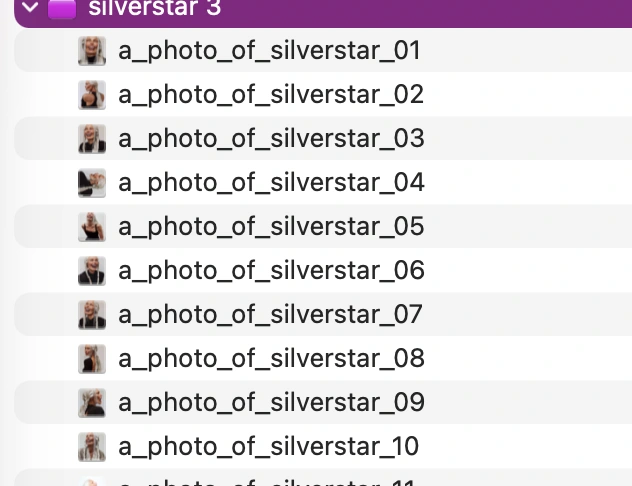
This naming approach helps:
avoid ingestion errors
maintain dataset order
simplify dataset debugging during training
The images were compressed into a single ZIP file and uploaded for LoRA training.
LoRA training process
I trained the character model using a Flux-based LoRA training workflow hosted on Replicate.
The setup included:
~30 curated character images
automatic caption generation
trigger word: silverstar
LoRA rank: 16
resolution buckets: 512 / 768 / 1024
training steps: ~1000
Training time:
roughly 20–30 minutes on GPU
depending on queue and initialization
During training:
the dataset was extracted
captions were generated
latent representations cached
identity features were learned across images
Using the trained weights
The key output was the .safetensors LoRA weights file.
I downloaded this file and could now:
load it into compatible image generation systems
activate the character using the trigger word silverstar
generate new images of the same AI identity
At this stage, the character had become a reusable identity model, no longer tied to the original Midjourney images.
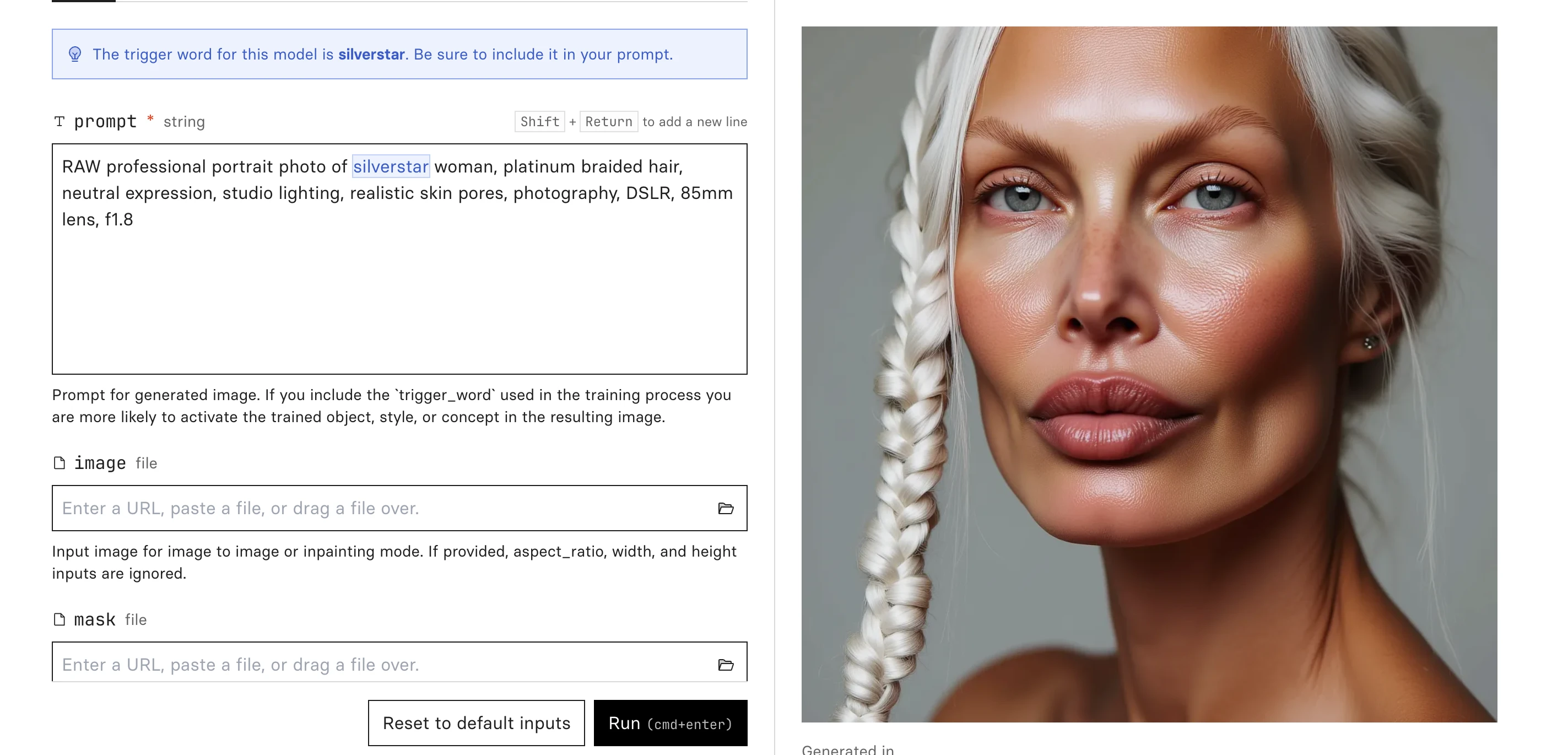
Generation from Replicate
To validate that the LoRA successfully captured the character identity, I generated a series of test portraits across different lighting conditions, angles, and environments in Replicate. After confirming facial consistency, I imported the model into Weavy AI to begin building the automated generation pipeline.
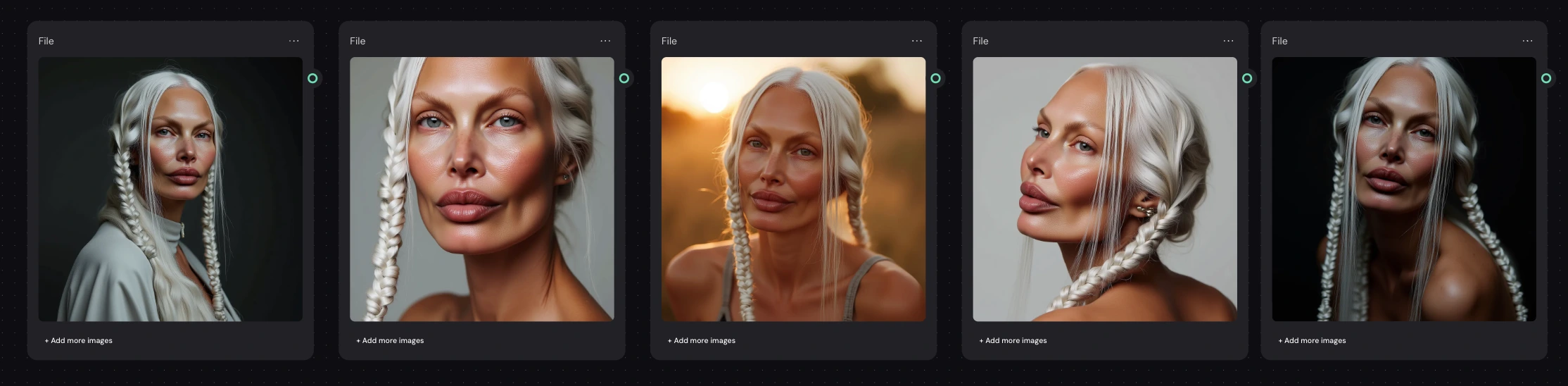
Silverstar model -different prompts
4. AI Generation Pipeline & Tool Integration
Why a pipeline was needed
After successfully training the LoRA and validating it in Replicate, the next step was building a system that could reliably generate new images of the same character across styles, lighting, and contexts without manually rebuilding prompts each time.
The challenge wasn’t just generating images — it was:
keeping character identity consistent
allowing flexible prompt experimentation
enabling repeatable production workflows
making the system easy to scale or modify later
To solve this, I built a modular generation pipeline in Weavy AI, which allows visual orchestration of models, prompts, and inputs.
Exploring Integration Approaches
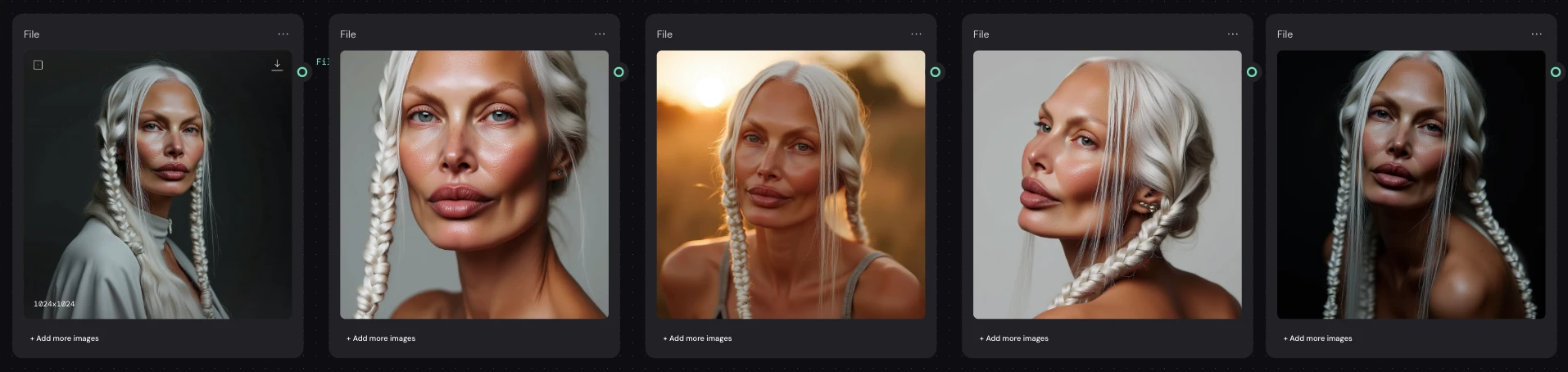
I tested multiple ways of bringing the trained character into Weavy:
1.Importing generated images only
I first tested using images produced from the LoRA as visual inputs.
Why:
Quick way to check compatibility
Useful for reference-based workflows
Works for style transfer or conditioning
Limitation:
This doesn’t use the trained identity directly — it only copies appearance from specific images.
Not scalable for ongoing production.
2.Uploading the LoRA weights directly
Next, I imported the .safetensors LoRA file into Weavy.
Why:
Gives direct access to the trained character identity
Allows generation from prompts alone
More flexible than image-only workflows
Limitation:
Managing local weights makes the workflow heavier and less portable.
3.Importing the LoRA via Replicate model link ✅ (chosen approach)
Finally, I imported the Replicate model URL into Weavy and used that as the generation source.
This became the final solution.
Why this worked best:
The LoRA stays hosted and versioned externally
No need to upload weights repeatedly
The model can be placed anywhere in the workflow
Prompts remain modular and editable
The pipeline stays lightweight and scalable
This approach turns the character into a reusable service, not just a file.
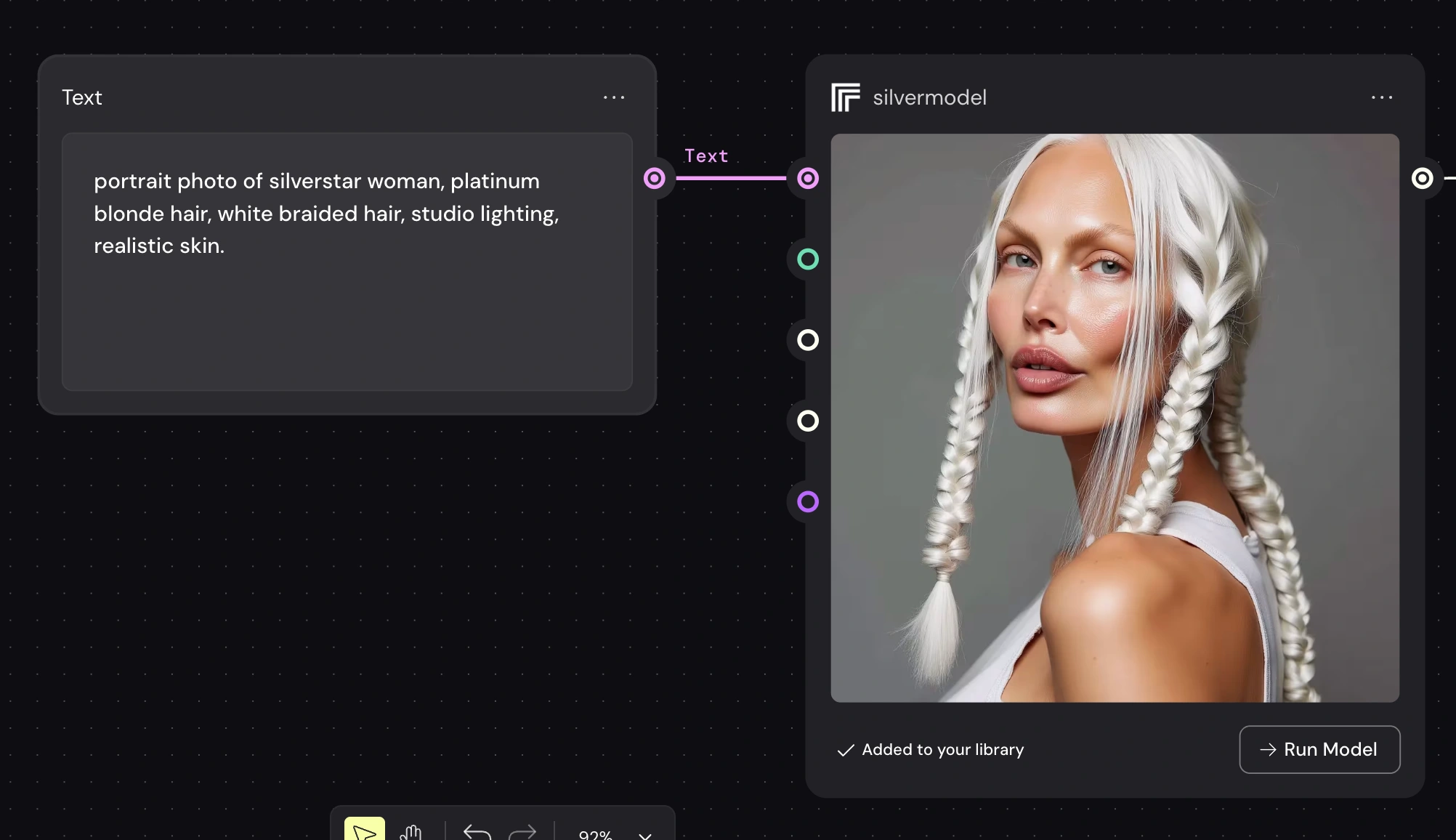
Final Weavy Workflow Logic
The final pipeline structure:
Text Prompt Node → Replicate LoRA Model → Output
Where:
The Text node controls scene, lighting, styling, mood
The Replicate model link ensures identity consistency
The model can be reused in multiple branches
Different prompts produce different visuals of the same character
This modular setup allows:
✔ quick prompt iteration
✔ consistent character rendering
✔ multiple styles from one trained identity
✔ easy scaling for campaigns or content batches
Like this project
Posted Feb 17, 2026
A UGC-style video ad pipeline where the SAME AI character appears across multiple ad variants, different hooks— all looking like the same person.
Likes
0
Views
119