Turning AI assistance into a natural workflow

View completed workapp.quidzi.com
Turning AI assistance into a natural workflow
Turning AI assistance into a natural workflow
Background
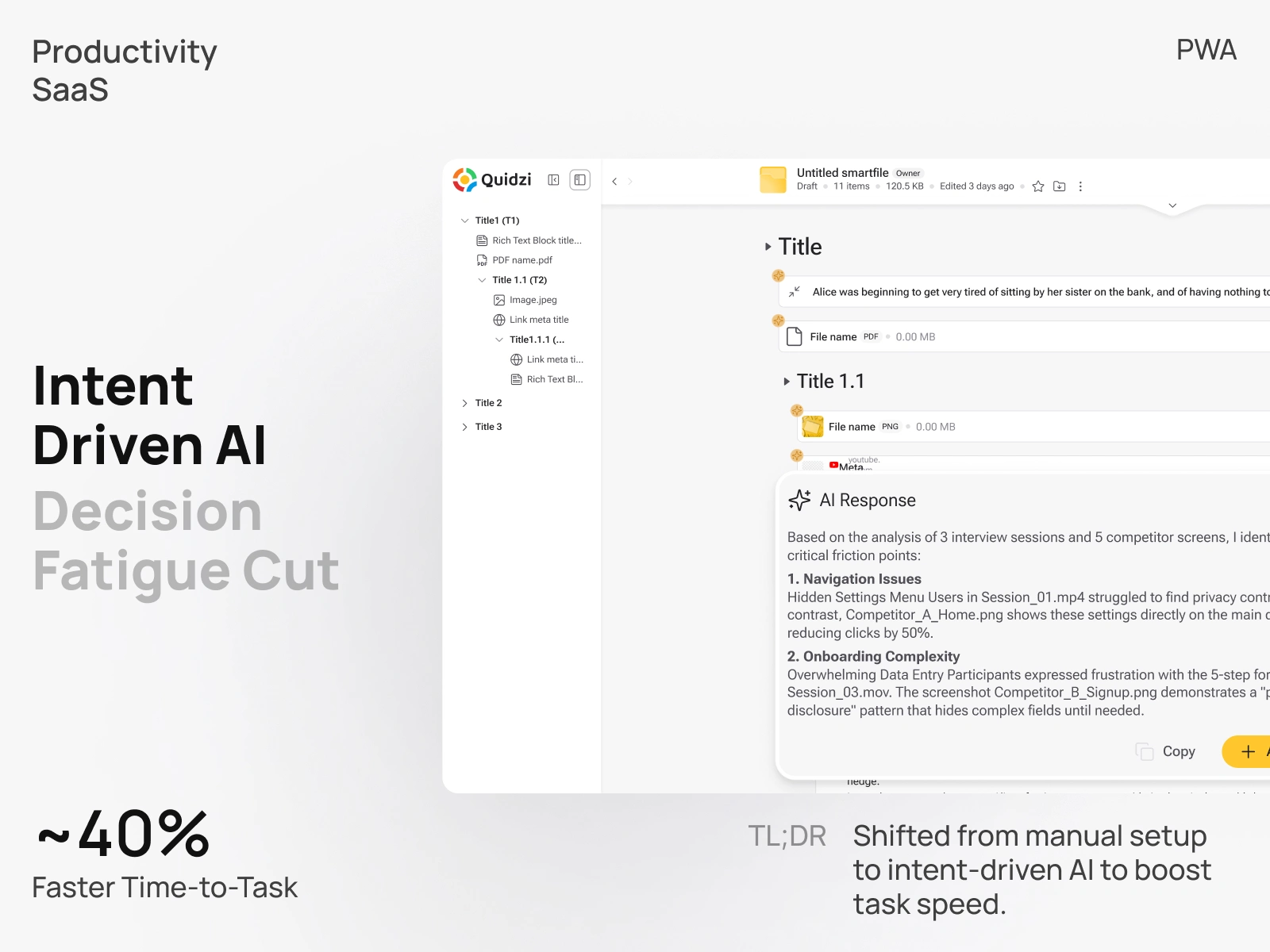
Quidzi is a collaborative web organizer helping teams manage files and notes in one workspace. The project focused on transforming the built-in AI assistant from a detached feature into a core workflow driver
Challenges
The AI suffered from high interaction cost and low trust.
This created a "black box" perception, causing users to abandon the feature in favor of manual workflows.
Strategy
From manual tools to intent-driven assistance
I directed the research to identify why users weren't engaging. The analysis revealed that users didn't trust the results due to hallucinations and suffered from decision fatigue. I validated my design bets through rapid prototyping to ensure engineering effort wasn't wasted.
01. Eliminating decision fatigue (auto-detection)
Analytics showed frequent drop-offs at the "Tool selection" step. My hypothesis was that users wanted results, not setup.
Validation: I prototyped an intent-aware input (auto-detecting the necessary AI agent). User testing confirmed that removing the mode-switcher reduced time-to-task by ~40%, proving that "less control" meant "more speed."
02. Building trust through transparency
Users treated the AI as a "black box." We raised the vector matching threshold on the backend, but accuracy wasn't enough — users needed proof.
Validation: In qualitative sessions, users expressed relief when seeing Reference Links. This simple UI addition turned skepticism ("Is this true?") into verification ("Let me check"), significantly increasing retention.
03. Granular control via SmartFiles
We observed that users hesitated to use AI on sensitive projects, fearing it would pull irrelevant external data. I introduced a strict "SmartFile" filter.
Validation: A/B testing showed that users were 3x more likely to engage with the AI on complex projects when they had explicit control over the data source.
Design
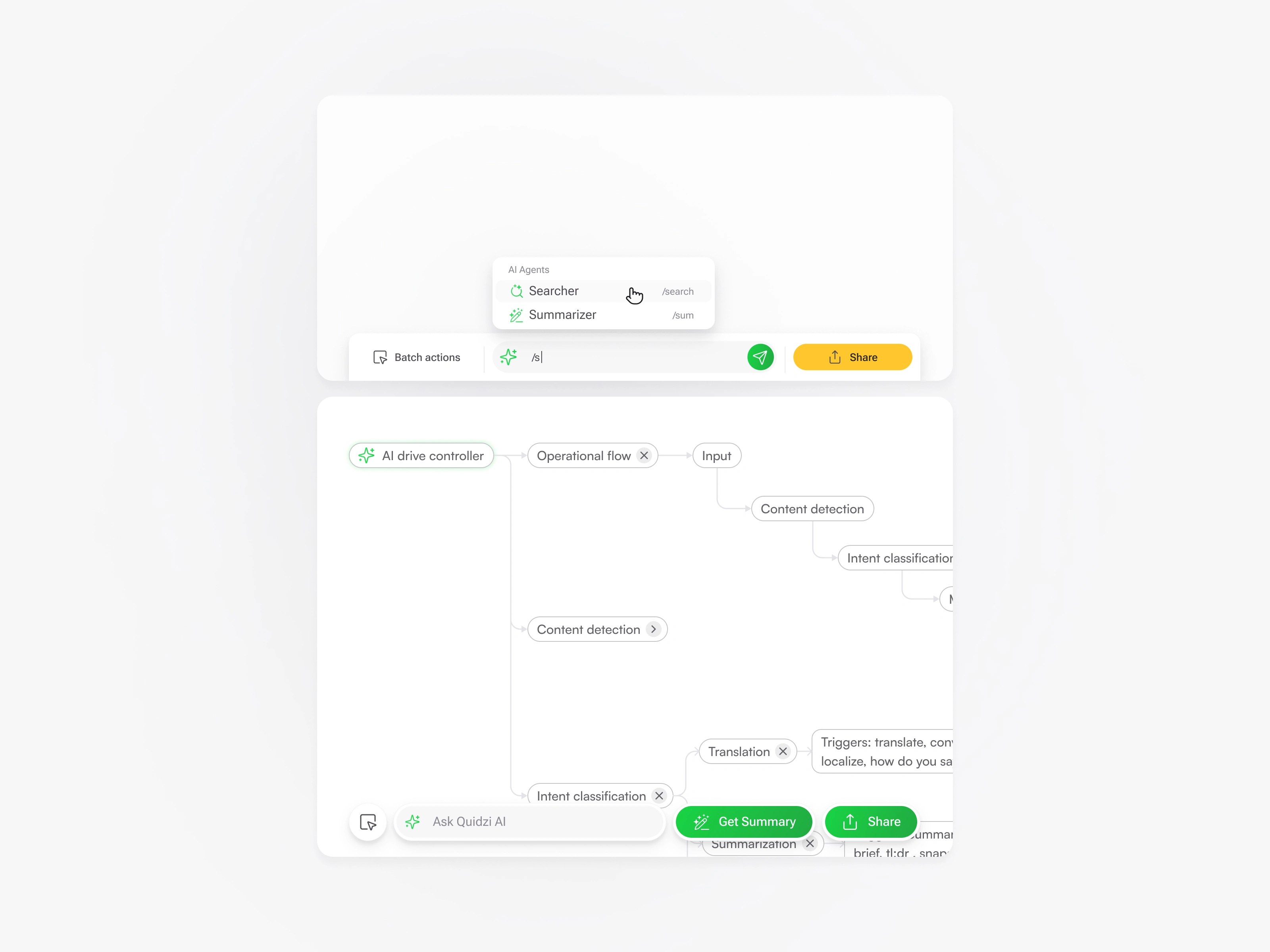
01. Intent-driven input
I stripped away the manual "tool selector." Instead of asking the user what tool they need, the interface now predicts it. If a user highlights text, the AI implicitly understands they might need a summary or rewrite, skipping the setup step entirely.
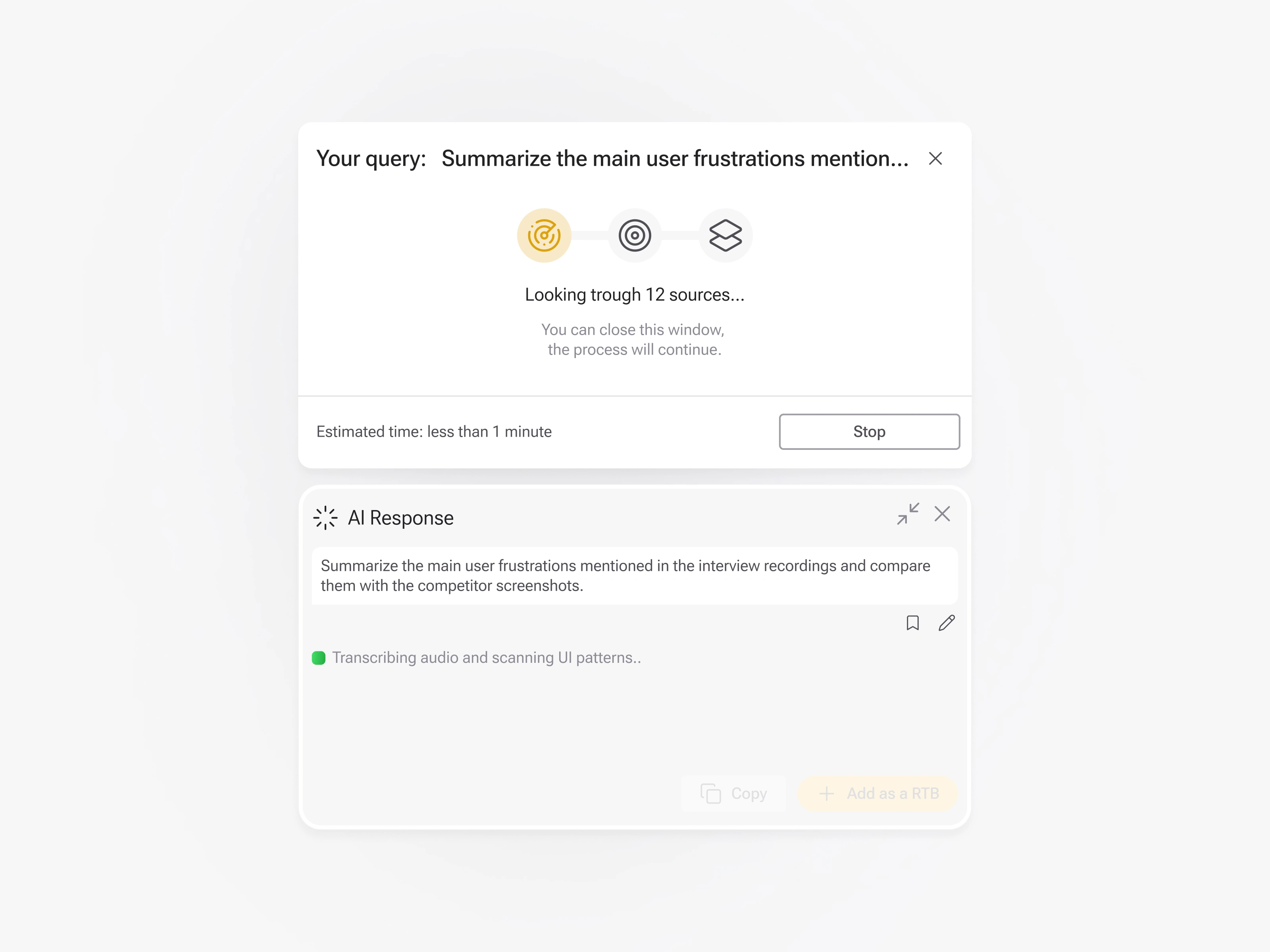
02. Semantic feedback loop
A static spinner creates anxiety ("Is it stuck?"). I replaced it with a Semantic Loader that mirrors the user's request (e.g., "Reading report..." instead of just "Generating results"). This psychological trick reassures the user that the specific context was captured and the system is "thinking," not just loading.
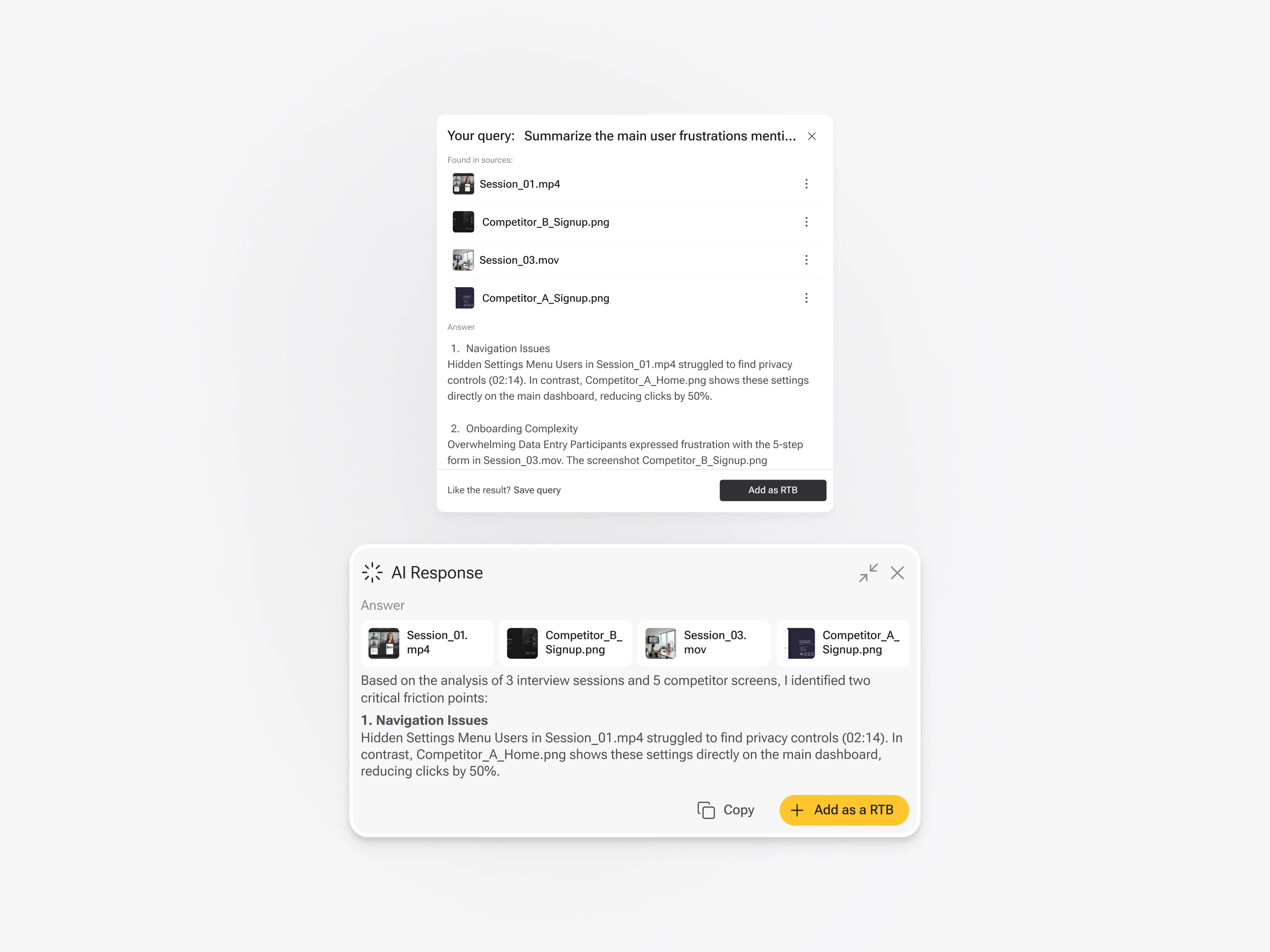
03. Perceived speed via streaming
The backend needed time to process vector data. To mask this latency, I implemented Block Streaming. Instead of waiting for the full answer to load, the UI renders content in chunks immediately. This visual activity reduces the perceived wait time to near zero.
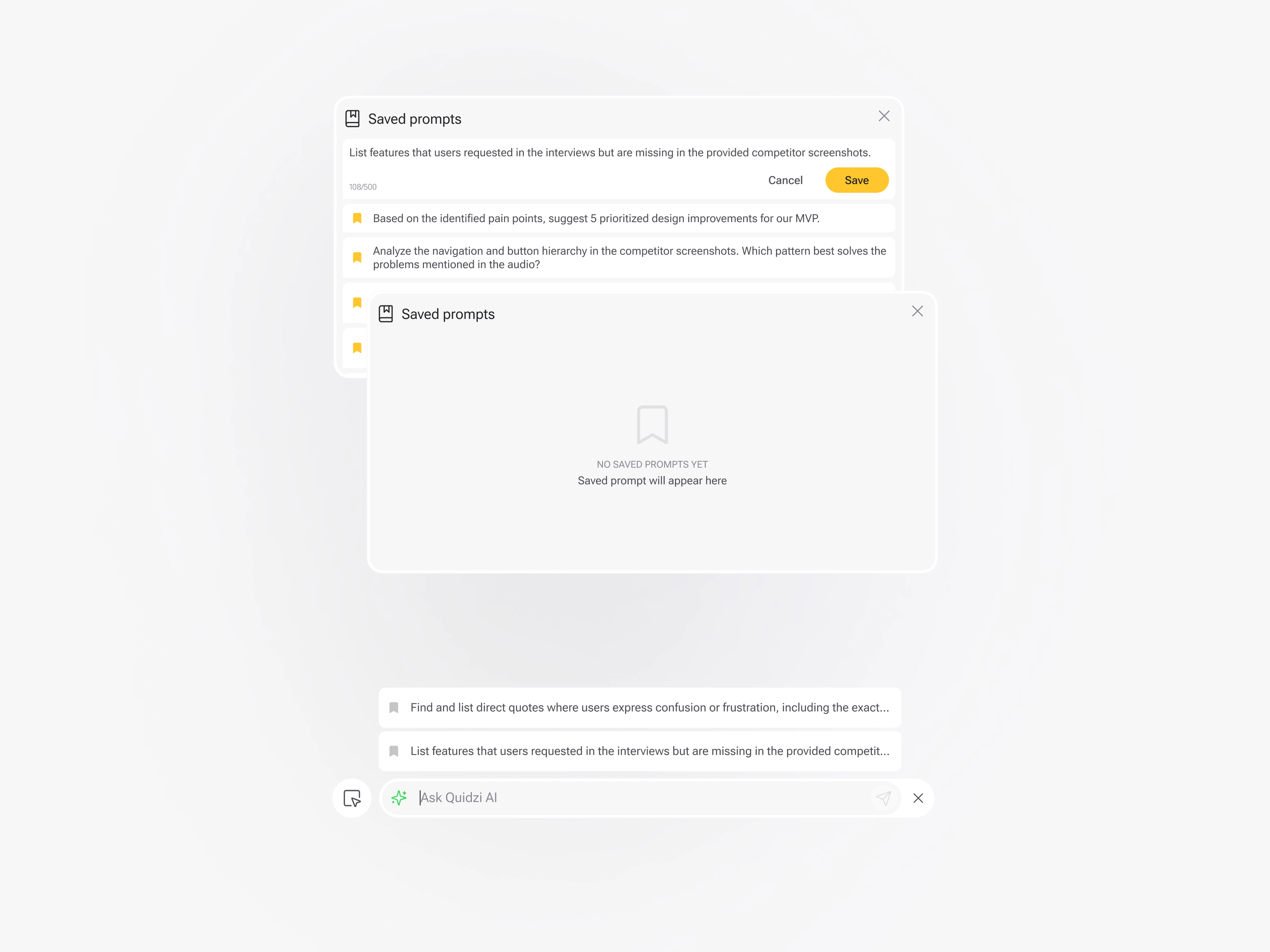
04. Personalized prompt library
Since users often work with similar content types, typing the same commands became repetitive. I introduced a "Save Prompt" feature. The AI now learns from the user's library and surfaces relevant prompt suggestions upon opening, transforming the panel from a blank slate into a personalized toolkit.
05. Building Trust via сontrol & transparency
My research showed that trust wasn't about aesthetics, but about provenance. Users needed to know where the answer came from.
Source control: I designed a toggles allowing users to switch context between SmartFile (internal documents) and the external knowledge base (Internet) and control the accuracy by blocking the related content to focus output on the entire query . This gave users control over the search boundaries, reducing the fear of irrelevant data.
Verifiable outputs: To combat hallucinations, I introduced clickable reference links in the results. This "citation layer" allowed users to verify facts instantly, transforming the AI from a "black box" into a credible, reliable tool.
Outcomes
76% Increase in adoption: More users started using AI as part of their daily routine.
2.5x Faster workflows: Reducing UI friction and automating intent meant users got to the result significantly quicker.
15% Higher accuracy: By simplifying the input context and adding source filters, users received better, verifiable outputs.
Higher satisfaction: Users reported the new, cleaner UI felt "lighter" and less intrusive, contributing to longer session times.
Takeaways
Perception is reality: A fast backend means nothing if the UI feels slow. Investing in semantic loaders and streaming was just as important as the code optimization.
Trust requires proof: In AI products, "magic" isn't enough. Giving users the ability to verify sources (reference links) and control the data scope (SmartFiles) was the key to unlocking adoption for professional use cases.
0 likes · 0 views · Oct 15, 2026
Transformed Quidzi's AI assistant into an intent-driven workflow, improving trust, adoption and speed via transparency, intent detection and streaming results.