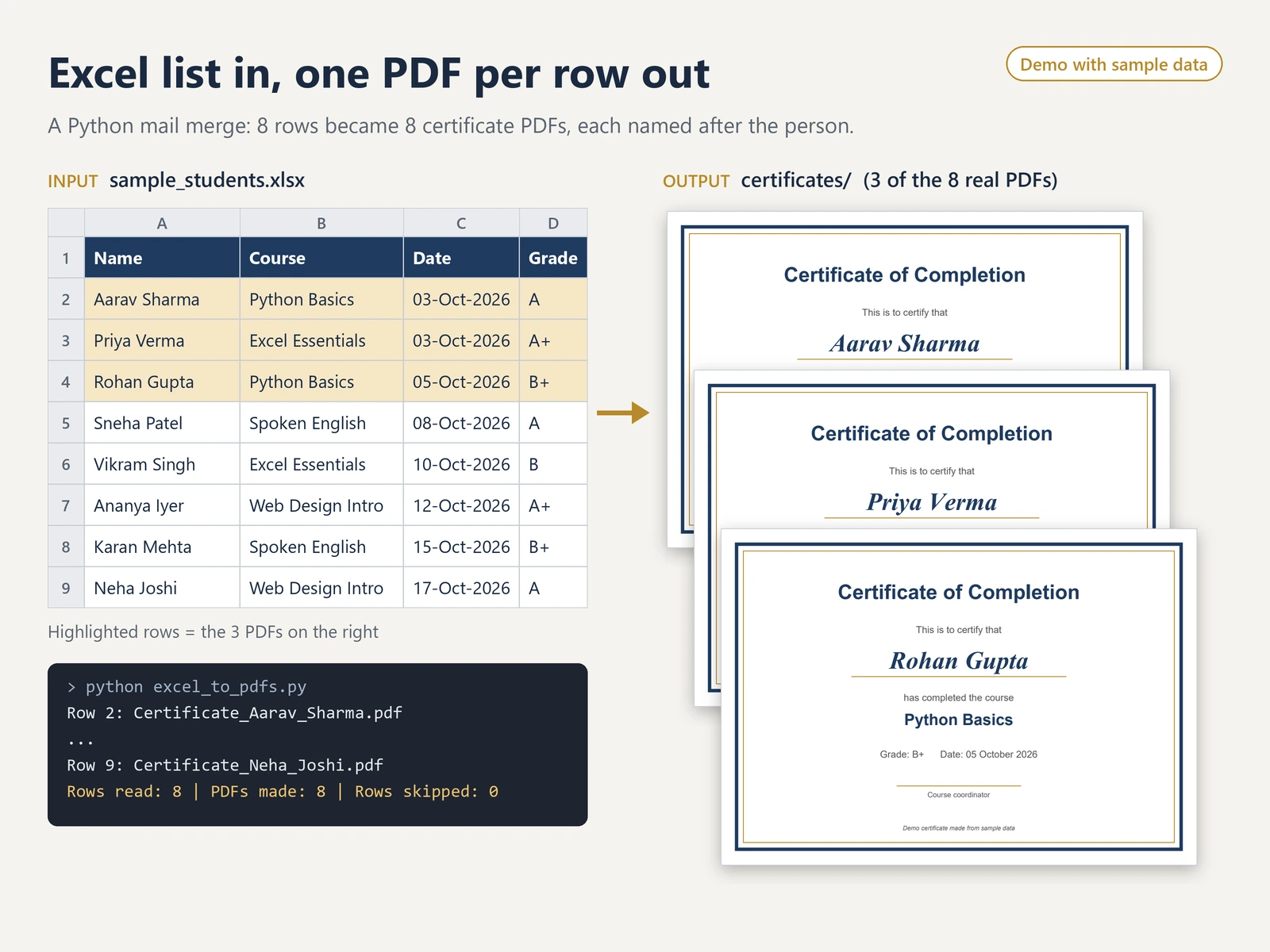
"""Make one PDF certificate for every row of an Excel sheet (a simple mail merge).

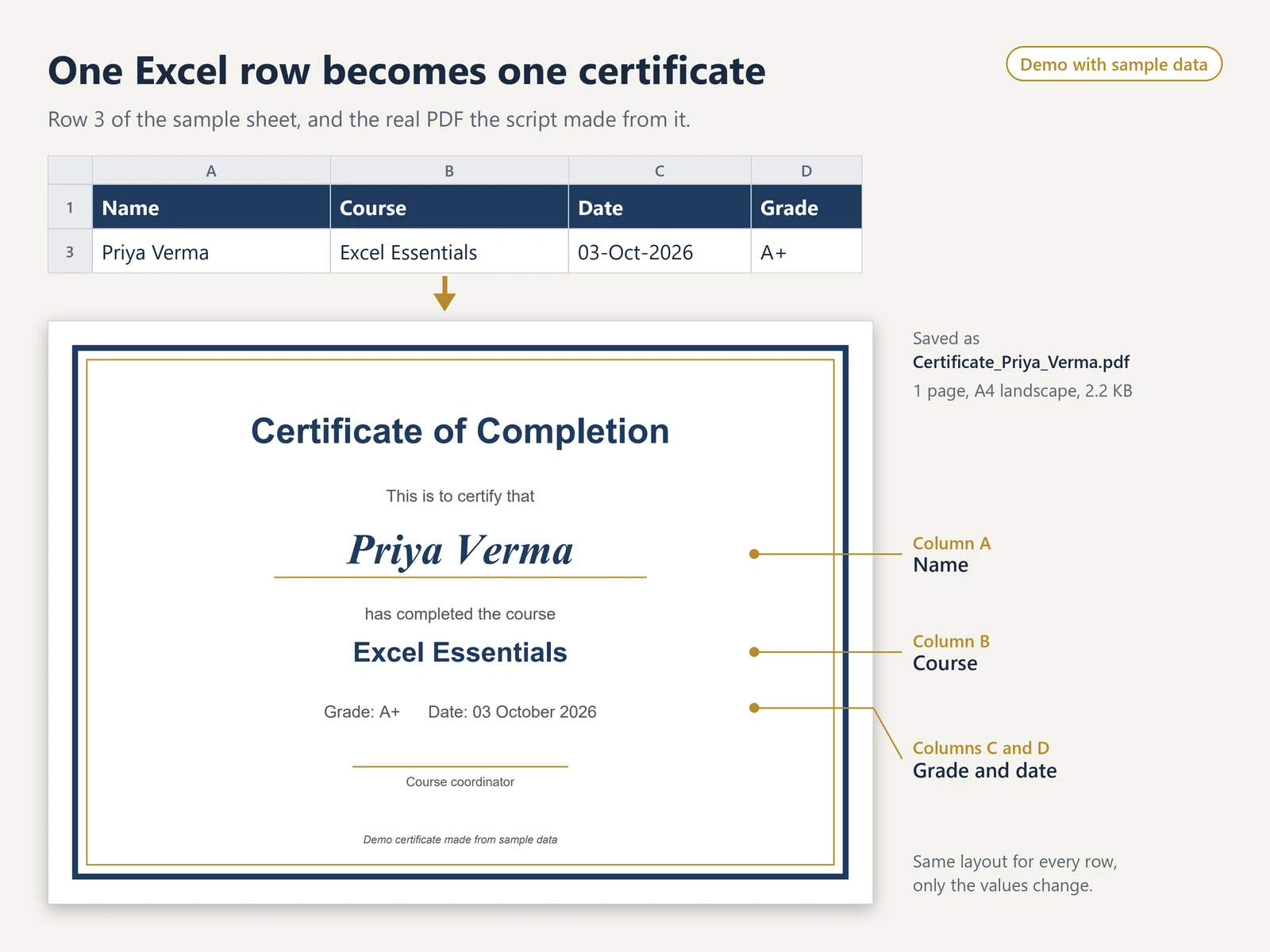
Input:  an .xlsx file with the columns Name, Course, Date, Grade
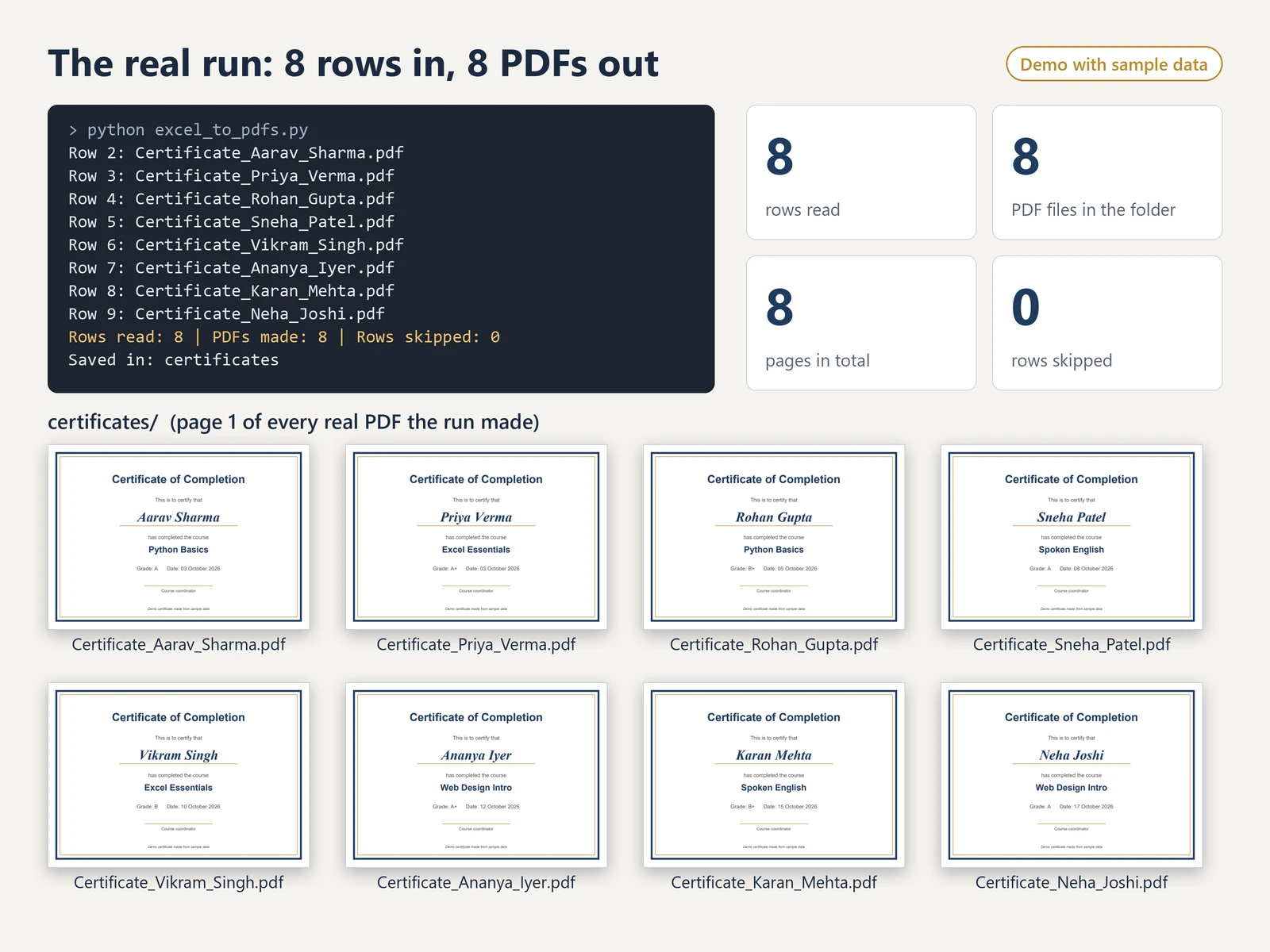
Output: one A4 PDF per row, named after the person, in an output folder
        (a repeated name also gets its Excel row number, so no file is overwritten),
        plus a short summary of how many PDFs were made and which rows were skipped.

Run:    python excel_to_pdfs.py
        python excel_to_pdfs.py my_list.xlsx my_output_folder
Needs:  pip install pandas openpyxl reportlab
"""
import re
import sys
from pathlib import Path

import pandas as pd
from reportlab.lib.colors import HexColor
from reportlab.lib.pagesizes import A4, landscape
from reportlab.pdfgen import canvas

HERE = Path(__file__).parent
REQUIRED_COLUMNS = ["Name", "Course", "Date", "Grade"]
PAGE_W, PAGE_H = landscape(A4)
NAVY, GOLD, GREY = HexColor("#1F3A5F"), HexColor("#B8892B"), HexColor("#555555")


def safe_file_name(name):
    """'Aarav Sharma' -> 'Aarav_Sharma' (only letters, digits and underscores)."""
    return re.sub(r"[^A-Za-z0-9]+", "_", str(name)).strip("_")


def write_text(pdf, text, y, font, size, color):
    pdf.setFont(font, size)
    pdf.setFillColor(color)
    pdf.drawCentredString(PAGE_W / 2, y, text)


def draw_certificate(pdf_path, row):
    pdf = canvas.Canvas(str(pdf_path), pagesize=(PAGE_W, PAGE_H))
    pdf.setStrokeColor(NAVY)
    pdf.setLineWidth(6)
    pdf.rect(28, 28, PAGE_W - 56, PAGE_H - 56)
    pdf.setStrokeColor(GOLD)
    pdf.setLineWidth(1.5)
    pdf.rect(40, 40, PAGE_W - 80, PAGE_H - 80)
    pdf.line(PAGE_W / 2 - 190, PAGE_H - 262, PAGE_W / 2 + 190, PAGE_H - 262)
    pdf.line(PAGE_W / 2 - 110, 140, PAGE_W / 2 + 110, 140)  # signature line
    date_text = pd.to_datetime(row["Date"]).strftime("%d %B %Y")
    write_text(pdf, "Certificate of Completion", PAGE_H - 125, "Helvetica-Bold", 36, NAVY)
    write_text(pdf, "This is to certify that", PAGE_H - 185, "Helvetica", 17, GREY)
    write_text(pdf, str(row["Name"]), PAGE_H - 248, "Times-BoldItalic", 44, NAVY)
    write_text(pdf, "has completed the course", PAGE_H - 305, "Helvetica", 17, GREY)
    write_text(pdf, str(row["Course"]), PAGE_H - 348, "Helvetica-Bold", 28, NAVY)
    write_text(pdf, f"Grade: {row['Grade']}      Date: {date_text}", PAGE_H - 405, "Helvetica", 17, GREY)
    write_text(pdf, "Course coordinator", 120, "Helvetica", 13, GREY)
    write_text(pdf, "Demo certificate made from sample data", 62, "Helvetica-Oblique", 11, GREY)
    pdf.showPage()
    pdf.save()


def main():
    excel_file = Path(sys.argv[1]) if len(sys.argv) > 1 else HERE / "sample_students.xlsx"
    out_dir = Path(sys.argv[2]) if len(sys.argv) > 2 else HERE / "certificates"
    out_dir.mkdir(exist_ok=True)
    rows = pd.read_excel(excel_file)
    missing = [col for col in REQUIRED_COLUMNS if col not in rows.columns]
    if missing:
        sys.exit(f"Missing columns in {excel_file.name}: {', '.join(missing)}")

    made, skipped = [], []
    for index, row in rows.iterrows():
        excel_row = index + 2  # row 1 in Excel is the header
        if row[REQUIRED_COLUMNS].isna().any():
            skipped.append(excel_row)
            continue
        pdf_path = out_dir / f"Certificate_{safe_file_name(row['Name'])}.pdf"
        if pdf_path in made:  # two people with the same name: add the row number, keep both files
            pdf_path = pdf_path.with_name(f"{pdf_path.stem}_row{excel_row}.pdf")
        draw_certificate(pdf_path, row)
        made.append(pdf_path)
        print(f"Row {excel_row}: {pdf_path.name}")

    print(f"Rows read: {len(rows)} | PDFs made: {len(made)} | Rows skipped: {len(skipped)}")
    if skipped:
        print(f"Skipped Excel rows (a cell was empty): {skipped}")
    print(f"Saved in: {out_dir.name}")


if __name__ == "__main__":
    main()