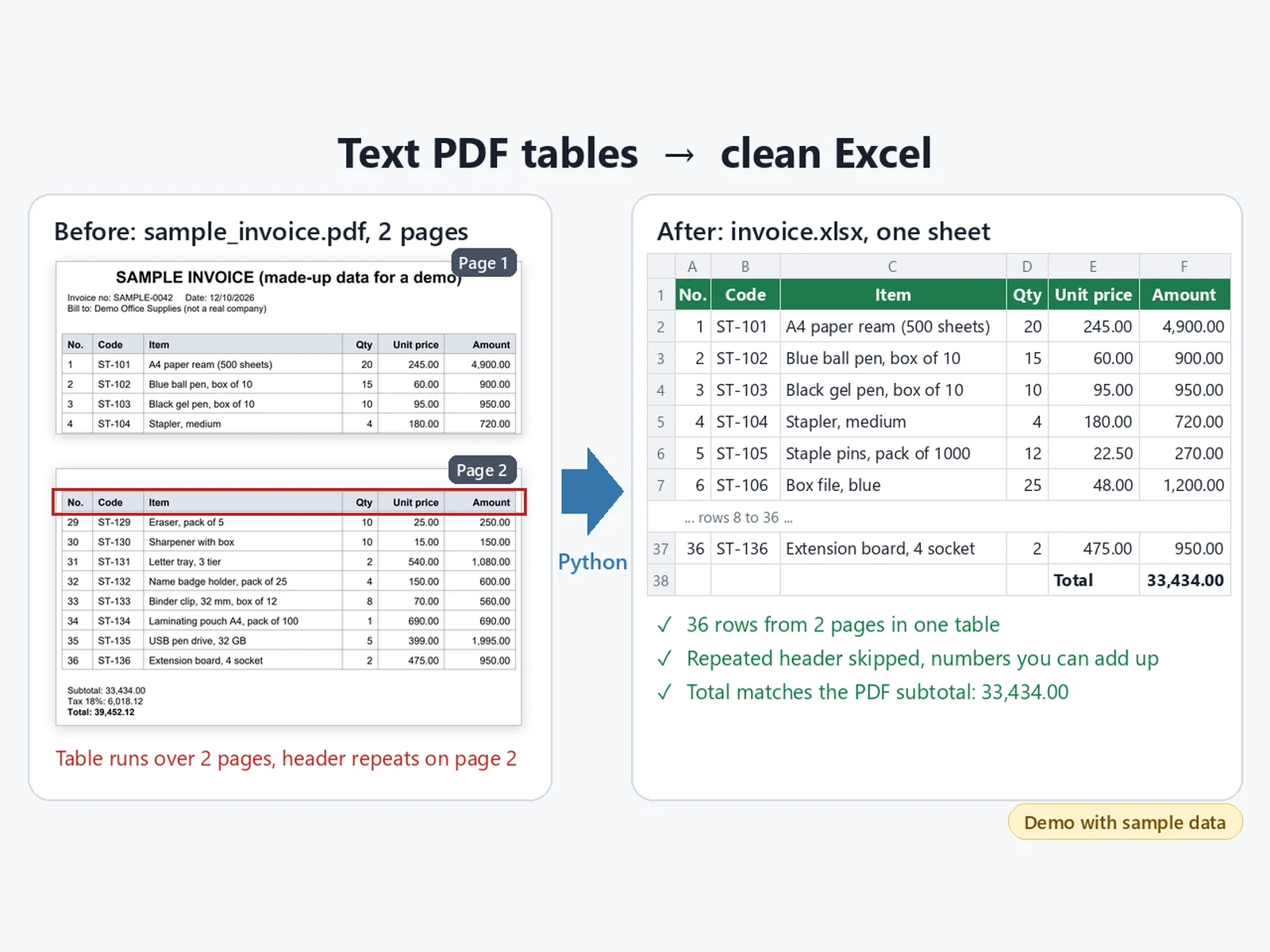
"""Copy the table out of a text PDF into one clean Excel sheet.

Usage:  python pdf_to_excel.py sample_invoice.pdf invoice.xlsx

- reads every page with pdfplumber (works for PDFs with real text, not scans)
- joins a table that runs over several pages and skips the repeated header
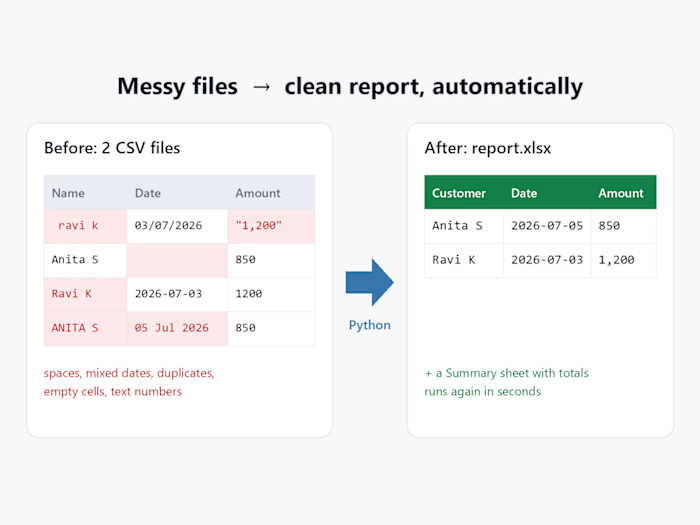
- turns "1,250.00" text into real numbers you can add up
- adds a total row, and a Check sheet that compares the total with the
  Subtotal printed in the PDF
"""
import re
import sys

import pdfplumber
from openpyxl import Workbook
from openpyxl.styles import Alignment, Font, PatternFill
from openpyxl.utils import get_column_letter

NUMBER_COLS = {"No.", "Qty", "Unit price", "Amount"}


def to_number(text):
    text = text.replace(",", "").strip()
    return float(text) if "." in text else int(text)


def read_pdf(path):
    header, rows, subtotal, pages = None, [], None, 0
    with pdfplumber.open(path) as pdf:
        for page in pdf.pages:
            pages += 1
            for table in page.extract_tables():
                for raw in table:
                    cells = [(c or "").replace("\n", " ").strip() for c in raw]
                    if not any(cells):
                        continue
                    if header is None:
                        header = cells
                    elif cells == header:
                        continue  # header repeated at the top of the next page
                    else:
                        rows.append(cells)
            found = re.search(r"Subtotal:\s*([\d,]+\.\d\d)", page.extract_text() or "")
            if found:
                subtotal = to_number(found.group(1))
    return header, rows, subtotal, pages


def write_excel(header, rows, subtotal, pages, out):
    wb = Workbook()
    ws = wb.active
    ws.title = "Items"
    ws.append(header)
    for cells in rows:
        ws.append([to_number(v) if h in NUMBER_COLS else v for h, v in zip(header, cells)])

    last = ws.max_row
    amount_col = get_column_letter(header.index("Amount") + 1)
    ws.append([None] * (len(header) - 2) + ["Total", f"=SUM({amount_col}2:{amount_col}{last})"])

    head_fill = PatternFill("solid", fgColor="1F7A4D")
    for cell in ws[1]:
        cell.font = Font(bold=True, color="FFFFFF")
        cell.fill = head_fill
        cell.alignment = Alignment(horizontal="center")
    for cell in ws[ws.max_row]:
        cell.font = Font(bold=True)
    for col, h in enumerate(header, start=1):
        letter = get_column_letter(col)
        if h in ("Unit price", "Amount"):
            for r in range(2, ws.max_row + 1):
                ws[f"{letter}{r}"].number_format = "#,##0.00"
        width = max(len(str(c.value or "")) for c in ws[letter]) + 2
        ws.column_dimensions[letter].width = min(max(width, 8), 45)
    ws.freeze_panes = "A2"
    ws.auto_filter.ref = f"A1:{get_column_letter(len(header))}{last}"

    total = round(sum(to_number(r[header.index("Amount")]) for r in rows), 2)
    check = wb.create_sheet("Check")
    check.append(["What", "Value"])
    check.append(["Pages read", pages])
    check.append(["Item rows found", len(rows)])
    check.append(["Sum of Amount", total])
    check.append(["Subtotal printed in the PDF", subtotal])
    check.append(["Match", "Yes" if subtotal is not None and abs(total - subtotal) < 0.005 else "NO, check by hand"])
    for cell in check[1]:
        cell.font = Font(bold=True)
    check.column_dimensions["A"].width = 30
    check.column_dimensions["B"].width = 18
    for r in (4, 5):
        check[f"B{r}"].number_format = "#,##0.00"
    wb.save(out)
    return total


if __name__ == "__main__":
    src, out = sys.argv[1], sys.argv[2]
    header, rows, subtotal, pages = read_pdf(src)
    total = write_excel(header, rows, subtotal, pages, out)
    print(f"pages={pages} rows={len(rows)} sum={total:,.2f} pdf_subtotal={subtotal:,.2f}")