Flayr — AI content creation and visual automation

Don Matthews


A connected content workflow
Creating social content involves more than generating an image. Ideas need to become reusable assets, assets need captions and platform-specific presentation, and repeated work needs a process people can understand and control.
Flayr brings those steps into one web product. This walkthrough follows a fictional coffee campaign from AI image creation through the media library and into an unpublished Instagram draft, then shows how related steps can be organized in a visual workflow.
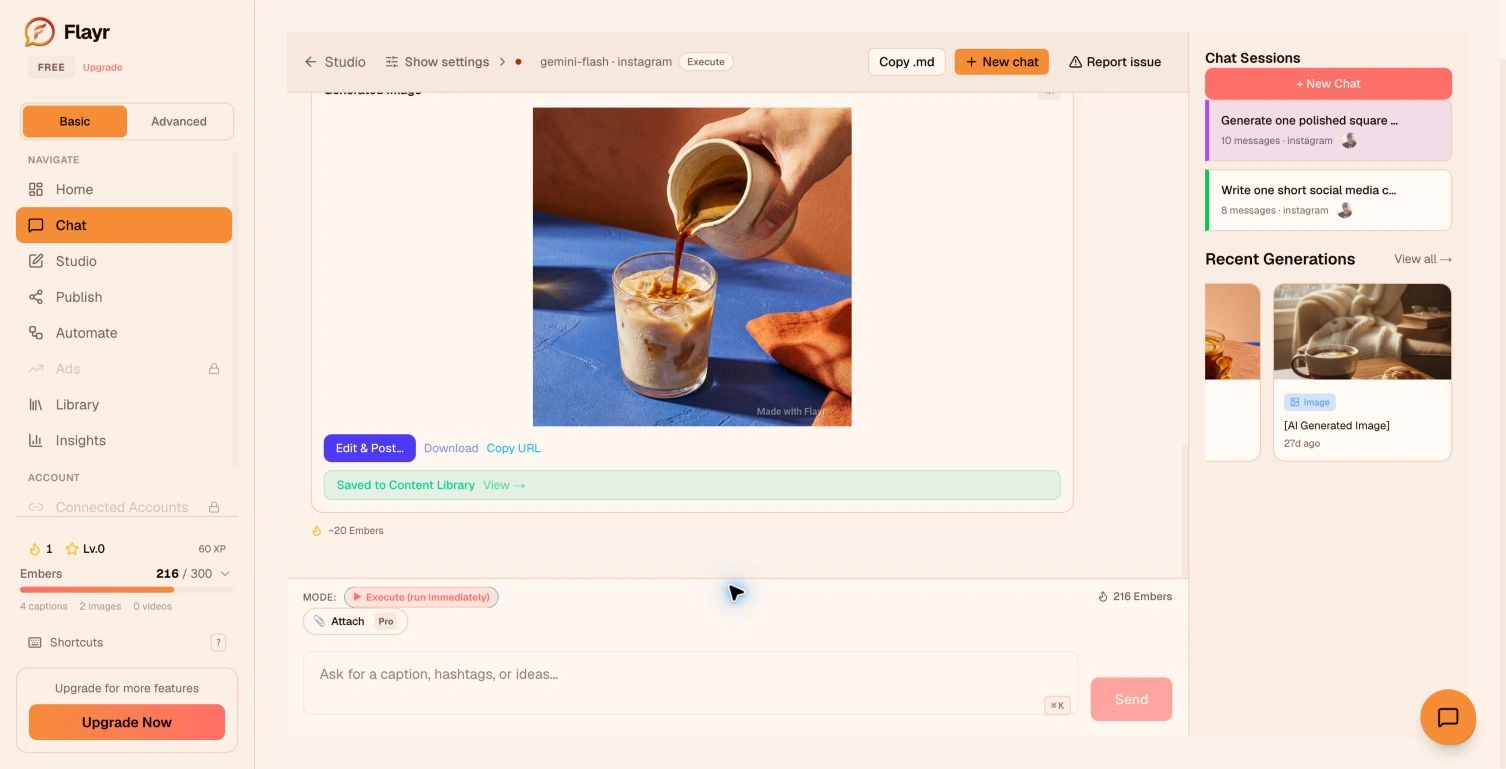
AI-generated campaign imagery in Flayr Chat.
Create, keep, and refine
Chat provides a direct entry point for creating campaign imagery. Generated results stay available in the media library, where they can be reviewed and reused instead of becoming files scattered across separate tools.
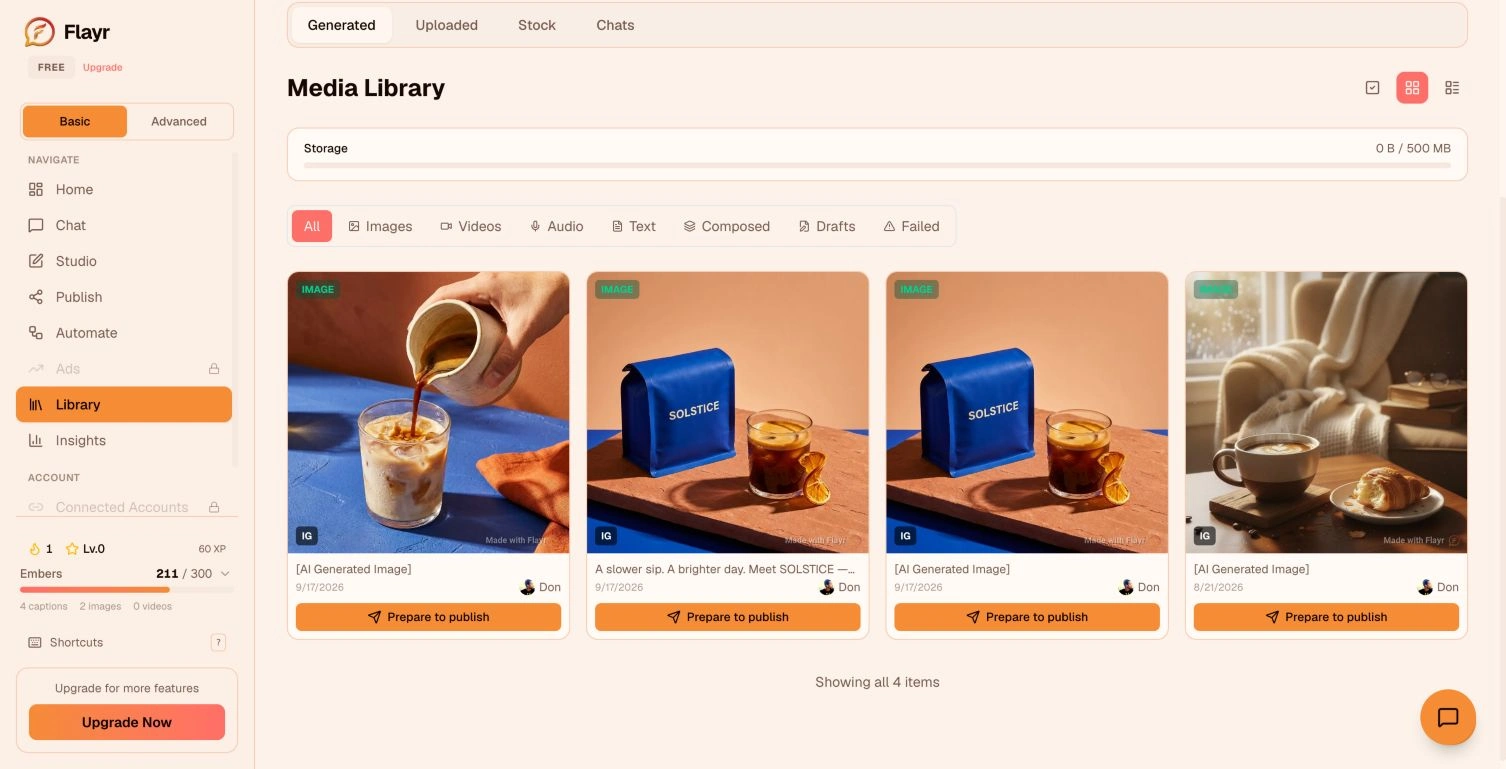
The media library keeps generated images and saved drafts together.
The post studio puts the caption, selected media, and platform preview together. This gives the user a place to shape the final post after generation, keeping creative iteration connected to the content that will eventually be published.
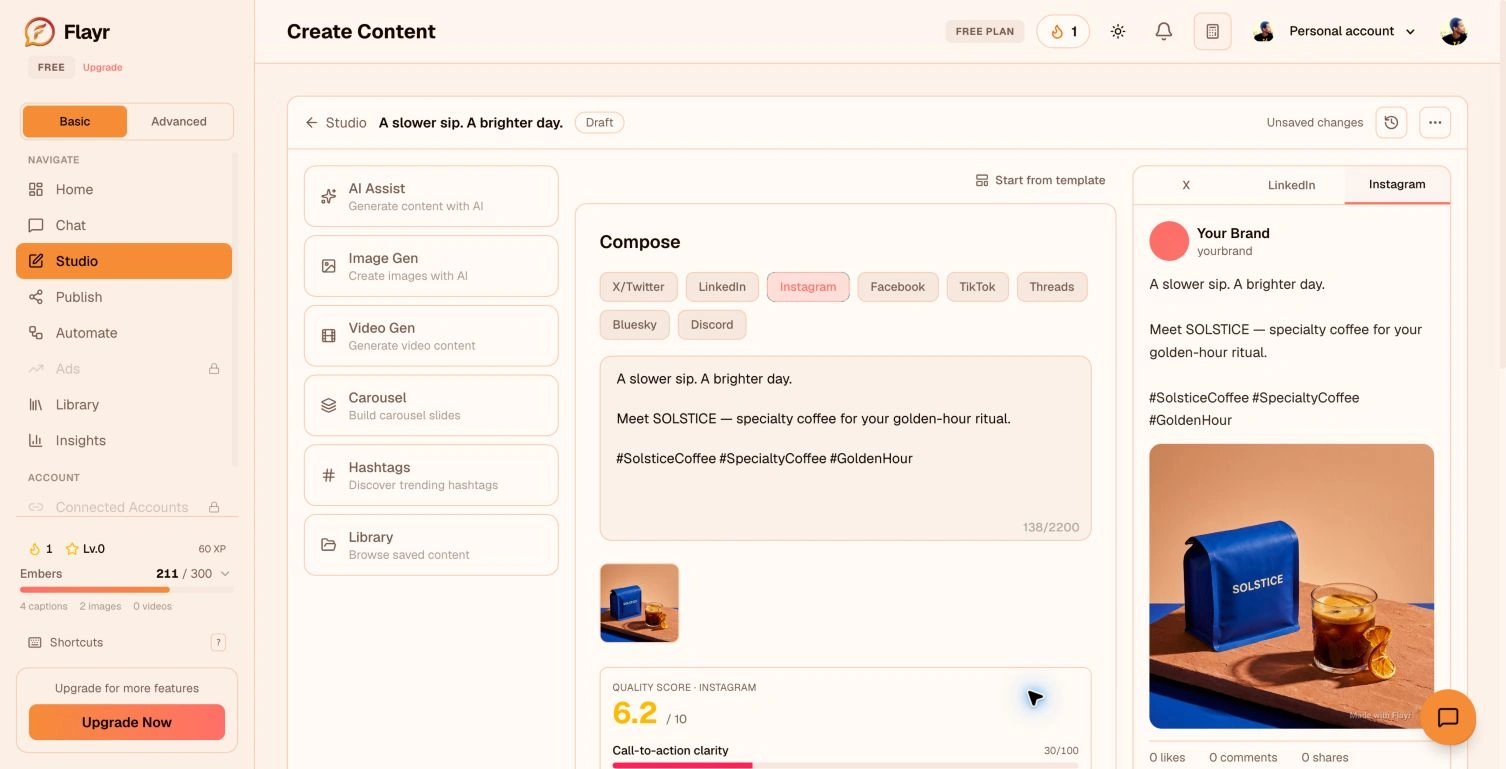
Post studio: caption, image, and Instagram preview in one workspace.
Make the process visible
The workflow builder exposes the process as connected nodes. The captured AI Content Pipeline shows a trigger, generation steps, and a publishing destination, with the selected image node’s configuration visible alongside the canvas.
This example is saved as a draft. It demonstrates the workflow-authoring interface without implying that the sample campaign was activated or distributed.
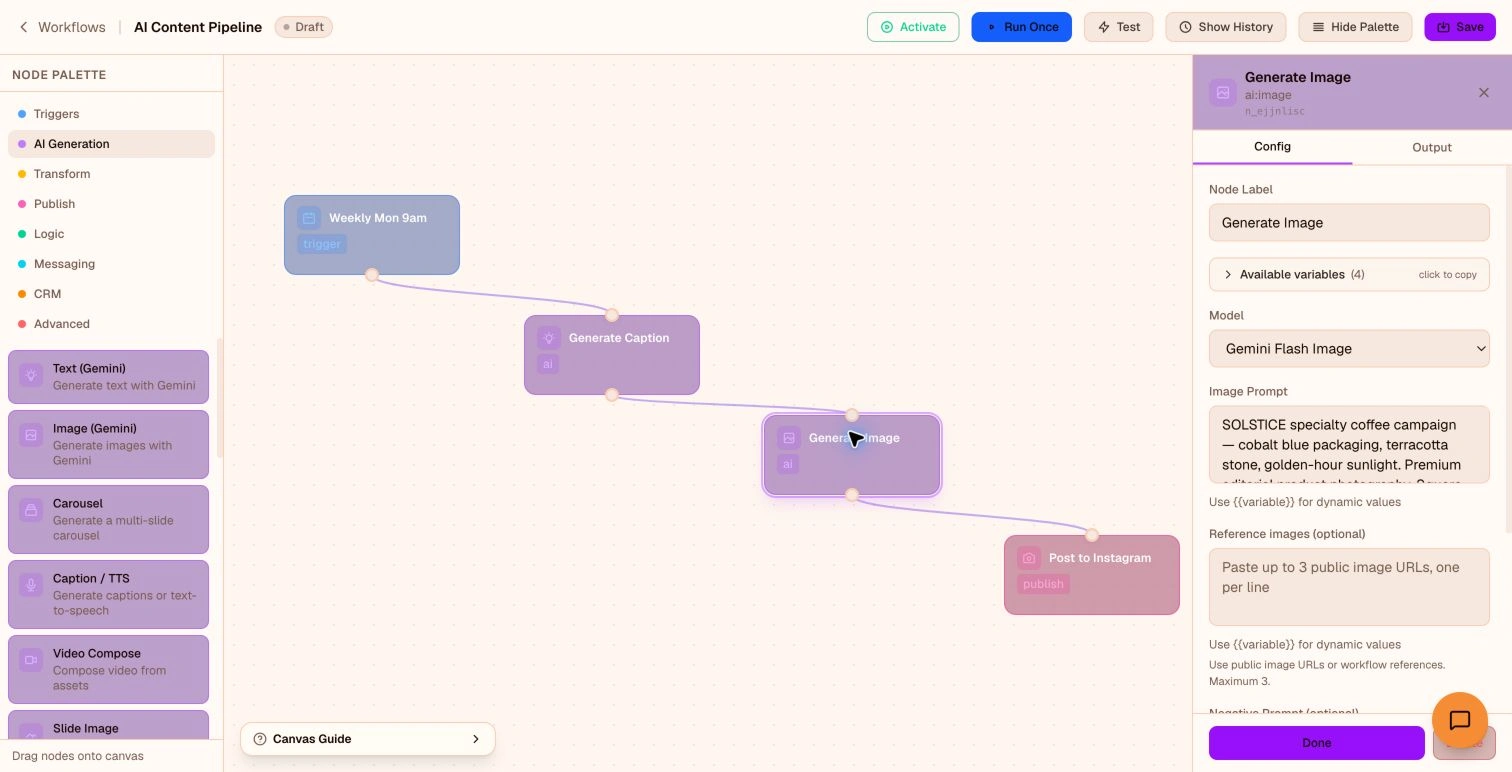
AI Content Pipeline with the image node selected; saved as an inactive draft.
A website that explains the product
The public website introduces the same product through a content replay and animated cards for Chat, Wizard, and Workflow modes. The visual language connects a bold marketing surface with the warmer, quieter application interface.
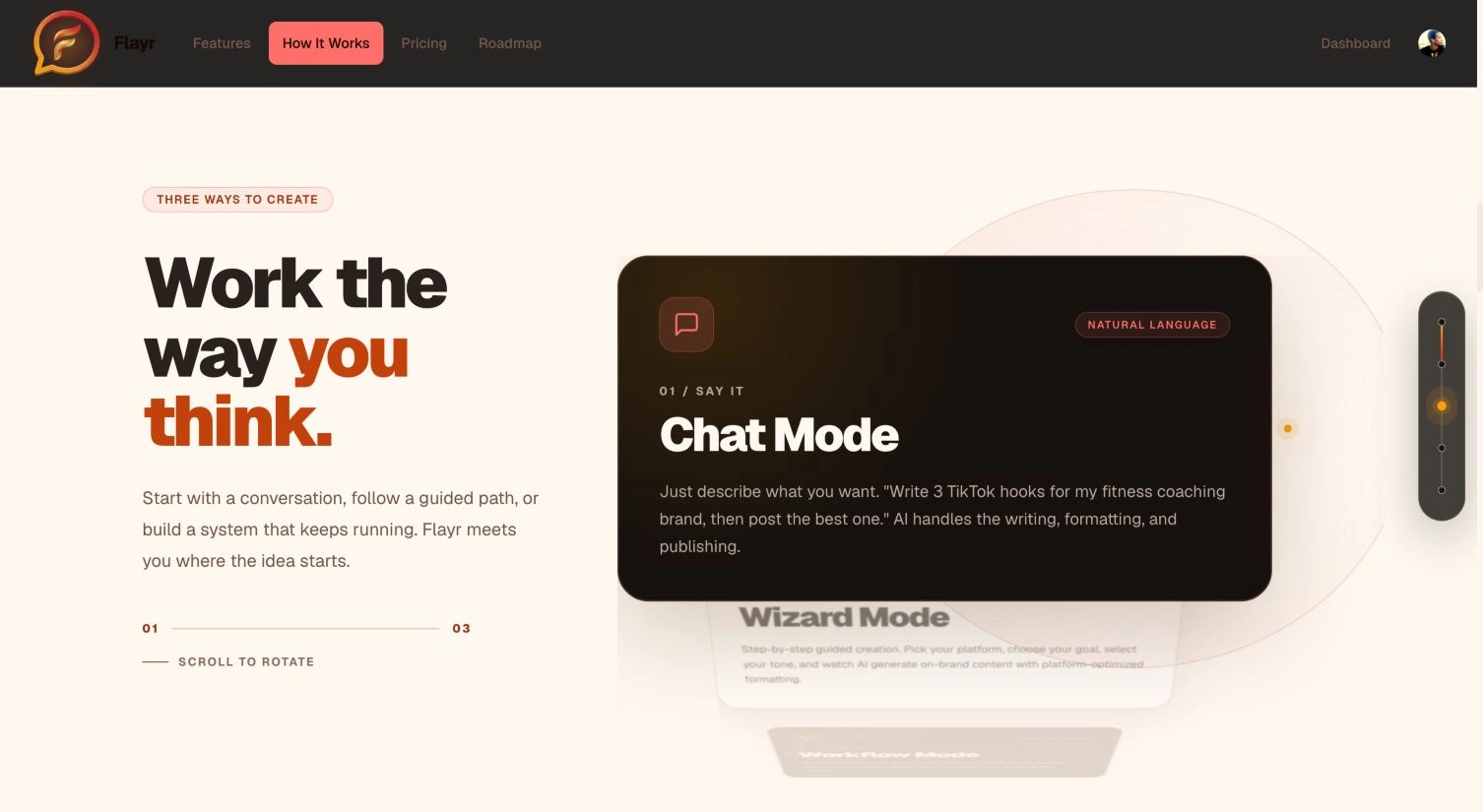
The website introduces Chat, Wizard, and Workflow creation modes.
Product outcome
Flayr connects creation, asset organization, post editing, and workflow authoring in one experience. This case study uses real interface captures rather than speculative mockups. The SOLSTICE images are fictional campaign content generated inside Flayr for this walkthrough; the featured post remains unpublished.
Like this project
Posted Sep 18, 2026
A connected AI content platform: create campaign images, organize assets, shape social posts, and build visual workflows in one product.
Likes
0
Views
0