What's for Dinner — Meal planning from recipe to grocery list

Don Matthews


FROM “WHAT SHOULD WE EAT?” TO A WEEKLY PLAN THAT IS READY TO SHOP
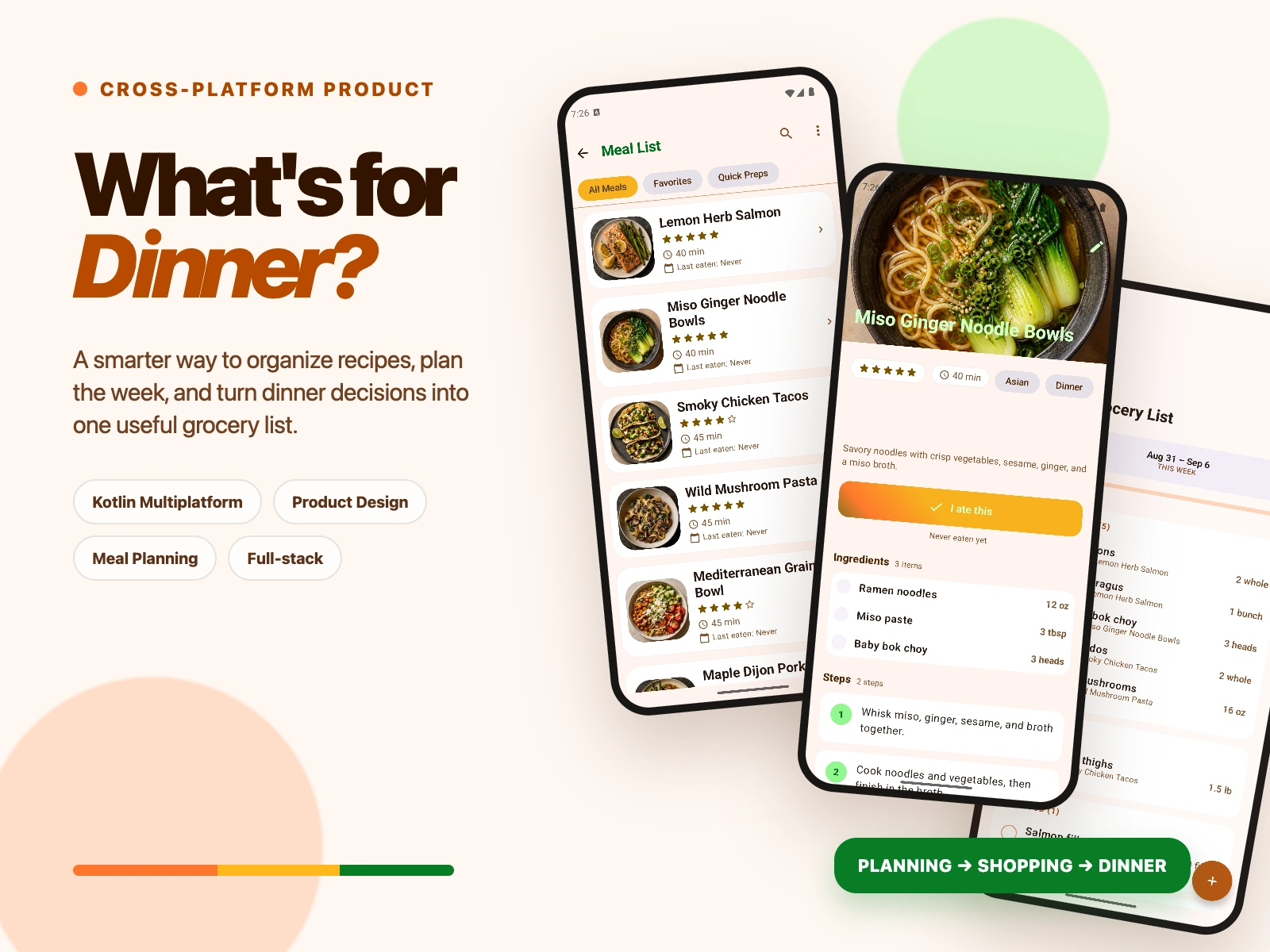
What’s for Dinner is a Kotlin Multiplatform product that connects four activities people usually manage separately: saving meals, understanding recipes, assigning dinners to the week, and building the grocery list. I designed the experience with Claude and implemented the shared product architecture so the workflow stays coherent from the first decision through the shopping aisle.
THE COORDINATION PROBLEM
Dinner planning looks simple until the same information has to move between recipes, calendars, preferences, and a shopping list. A saved recipe is not yet a plan, and a weekly plan is not yet a useful grocery list. People end up repeating the same decisions across browser tabs, notes, calendars, and shopping apps.
The product challenge was to preserve context across the full journey without turning a familiar household routine into project management. Every screen needed to answer one immediate question: What sounds good? Does it fit this week? What do I need to buy?
DESIGNING THE DECISION FLOW
I organized the product around a four-stage loop: Organize → Understand → Plan → Shop.
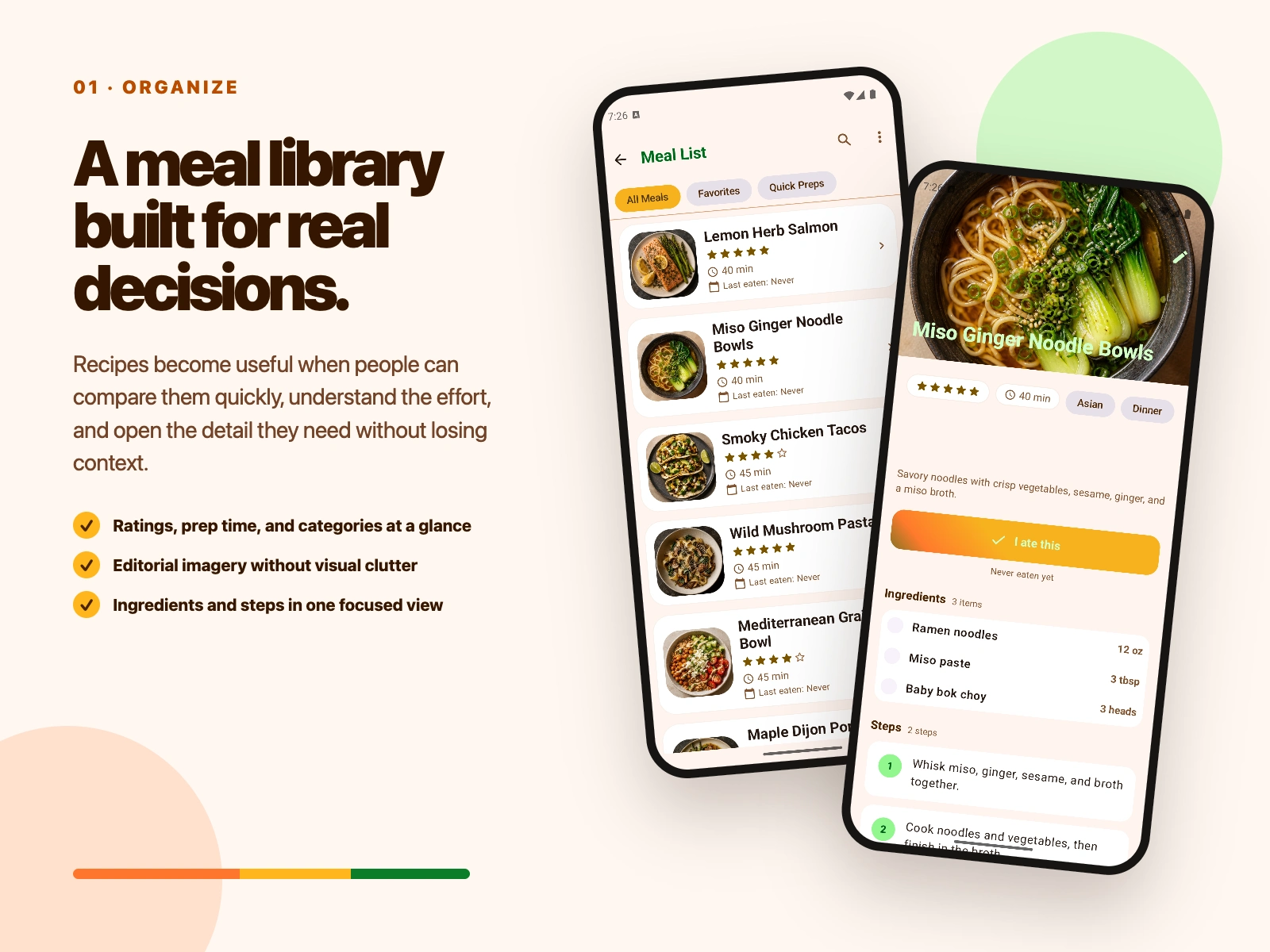
The meal library makes the first decision visual and fast. Ratings, preparation time, categories, and editorial imagery help people compare options without opening every recipe. The detail view then exposes ingredients and steps when deeper evaluation is useful. From there, meals can move into a weekly plan, and the plan provides the context for an organized grocery list.
The warm, food-forward visual system keeps the product inviting while clear hierarchy, generous spacing, and focused calls to action make each screen easy to scan. The goal was not to add more planning ceremony; it was to make the decisions people already make feel connected.
WHAT I DELIVERED
• A browsable meal library with ratings, preparation time, categories, and recipe imagery
• Detailed recipe views with ingredients, instructions, and planning actions
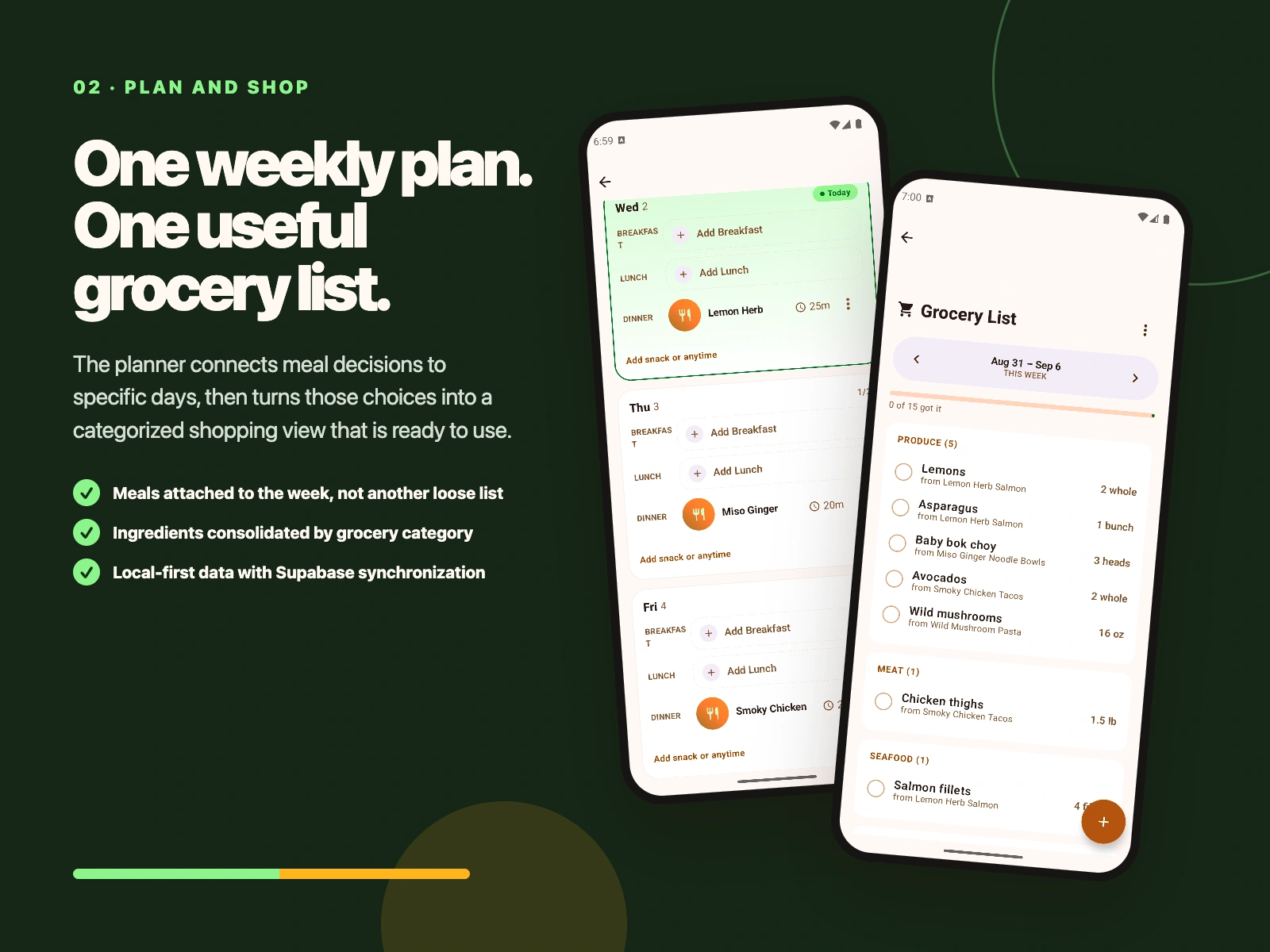
• A weekly planner that connects saved meals to specific days
• A categorized grocery list generated from the active meal plan
• A shared Kotlin Multiplatform foundation for cross-platform development
• Local-first persistence with a Supabase-backed synchronization architecture
A PRODUCT WORKFLOW, NOT A COLLECTION OF SCREENS
The key product decision was to treat the grocery list as the output of the planning workflow rather than as a separate notes feature. Meal context remains attached as the user moves through the experience, so the product can reduce duplicate entry and keep shopping aligned with the current week.
That same principle shaped the information architecture. The library supports discovery, the recipe view supports evaluation, the planner supports commitment, and the grocery list supports execution. Each feature has a distinct job, but together they form one continuous system.
LOCAL-FIRST KOTLIN MULTIPLATFORM ARCHITECTURE
The application uses Kotlin Multiplatform and Compose Multiplatform to share product logic and UI foundations across Android and Darwin clients. This keeps behavior consistent while avoiding separate implementations of the planning model.
SQLDelight provides structured local persistence so core interactions remain responsive and the product can retain useful state on-device. Koin manages dependency injection, Ktor provides the networking layer, and Kotlin Coroutines support asynchronous and reactive flows. Supabase supplies the remote foundation for authentication, data APIs, realtime updates, and storage, while Coil handles image loading throughout the food-first interface.
Separating local product behavior from remote services gives the application a durable base: the day-to-day planning experience can remain fast, while synchronization capabilities are layered onto a clear shared data model.
STACK
Kotlin Multiplatform, Compose Multiplatform, SQLDelight, Supabase, Ktor, Koin, Coil, Kotlin Coroutines, and kotlinx.serialization.
MY ROLE
Product strategy, Claude-assisted design, UX/UI, application architecture, Kotlin Multiplatform implementation, data modeling, backend integration, and testing.
THE RESULT
The result is a cohesive meal-planning product rather than a disconnected recipe collection. A user can move from “What should we eat?” to a week that is planned and a grocery list that is ready to use without rebuilding the same information in multiple tools.
For the portfolio, the project demonstrates how I translate an everyday workflow into a clear product system—and how I carry that system through visual design, shared cross-platform architecture, local data, and backend integration.
Like this project
Posted Sep 3, 2026
A Kotlin Multiplatform meal-planning product, designed with Claude, that turns saved recipes into weekly plans and organized grocery lists.