
Seznam Rank Tracker: Monitor Seznam.cz Rankings and Grow Your Search Visibility with SerpSpur
Search engine optimization is no longer limited to monitoring positions on Google. Businesses targeting international customers need to understand how their websites perform across different search platforms, regional markets, and search experiences. For companies operating in the Czech Republic, monitoring visibility on Seznam.cz can be an important part of a well-rounded SEO strategy.
A Seznam Rank Tracker helps website owners, SEO professionals, digital marketing agencies, and e-commerce businesses monitor keyword positions on Seznam.cz and understand how their search visibility changes over time.
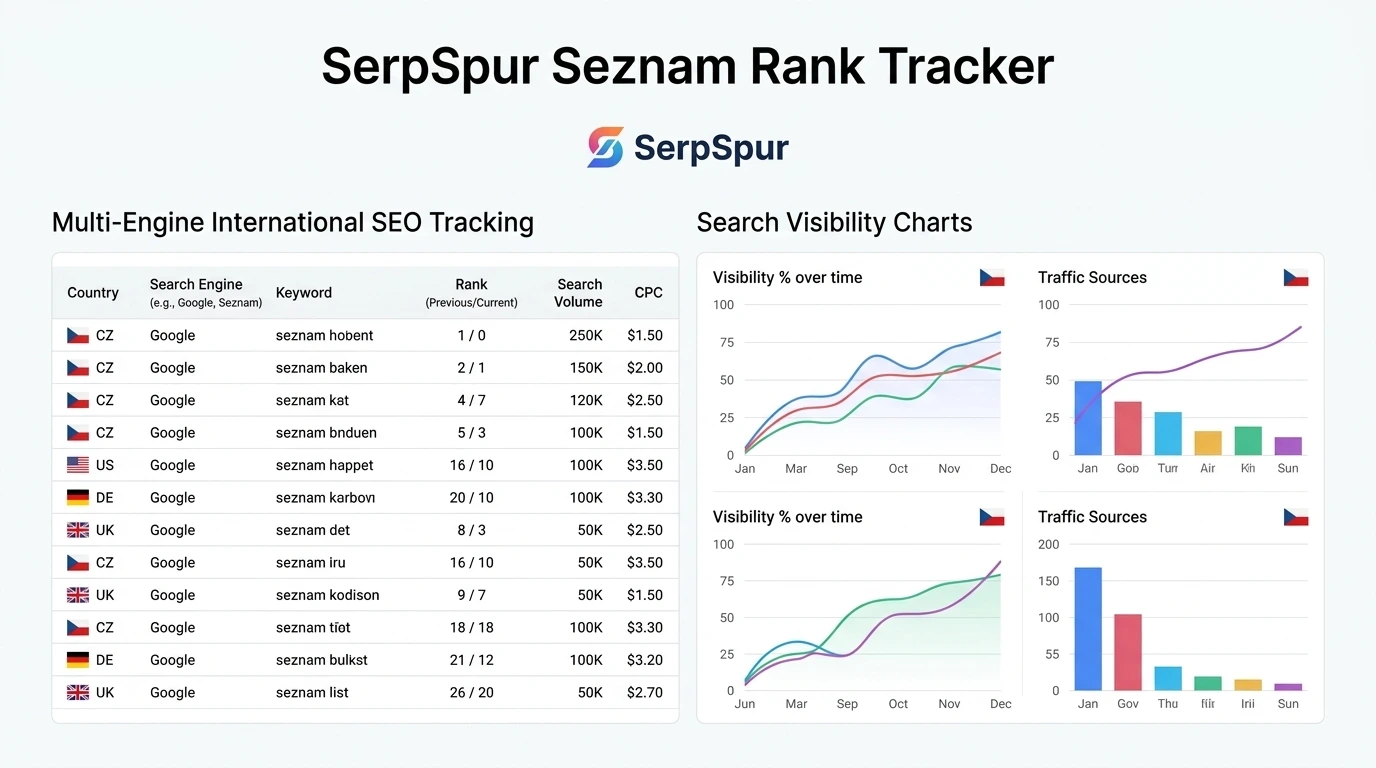
SerpSpur takes this approach further with its Multi-Engine Rank Tracker. Instead of limiting keyword monitoring to a single search platform, it supports seven search engines: Google, Microsoft Bing, Yahoo!, YouTube, Seznam.cz, Naver, and Baidu.
This gives SEO professionals a central place to monitor keyword performance, compare search engine visibility, organize campaigns, identify ranking changes, and investigate important search result features.
Whether you manage a Czech e-commerce store, an international website, a SaaS business, or multiple client projects, SerpSpur Rank Tracker provides a practical way to monitor organic search performance and make more informed SEO decisions.
What Is a Seznam Rank Tracker?
A Seznam Rank Tracker is an SEO monitoring solution that checks where selected keywords and their associated website pages appear in Seznam.cz search results.
Seznam.cz is an important search platform in the Czech market. It operates its own search infrastructure, including the SeznamBot crawler, and uses its own ranking systems. This makes it useful for businesses targeting Czech-speaking audiences to monitor their visibility separately instead of assuming that Google rankings tell the complete story.
For example, a Czech online store might rank well on Google for a commercial product keyword but have a different position on Seznam.cz. Without dedicated monitoring, the business may overlook opportunities to improve its visibility among users who rely on Seznam.
SerpSpur includes Seznam.cz as one of its seven supported search engines. You can add keywords, select the relevant engine, specify a target location and language, and monitor ranking performance through its tracking interface.
Introducing SerpSpur Multi-Engine Rank Tracker
SerpSpur is designed to help SEO professionals monitor keyword positions across multiple search environments from one dashboard.
Its Daily Rank Tracker allows users to add keywords to projects and automatically monitor their search positions according to their selected scan frequency.
Rather than focusing only on Google, the platform combines traditional keyword tracking with additional capabilities such as AI Overview detection, target URL verification, search intent classification, shopping result detection, keyword grouping, and automated ranking alerts.
The seven supported search engines include:
Google: Monitor organic search rankings across more than 80 localized country indexes and over 40 languages.
Microsoft Bing: Track visibility on Bing, which also contributes to search experiences such as ChatGPT Search and Microsoft Copilot.
Yahoo!: Monitor Yahoo! search visibility, including markets such as the United States and Japan.
YouTube: Track the positions of videos, tutorials, and branded content in YouTube search.
Seznam.cz: Monitor keyword positions for businesses targeting Czechia and Central European audiences.
Naver: Track organic search visibility for businesses targeting South Korea.
Baidu: Monitor search performance for businesses and exporters targeting the Chinese market.
This multi-engine coverage is particularly useful for international SEO campaigns where search visibility can differ between countries and platforms.
Why Seznam.cz Tracking Matters for Czech SEO
International SEO requires more than translating website content or selecting a country in Google Search Console. Different markets have different search habits, platforms, languages, and competitive environments.
For businesses targeting Czechia, Seznam.cz deserves consideration because it maintains its own search infrastructure and ranking ecosystem.
A dedicated Seznam Rank Tracker can help answer important questions:
Does your target keyword appear in Seznam.cz search results?
Which website URL is ranking for a particular query?
Are your important commercial keywords improving or declining?
Are competitors gaining visibility for valuable search terms?
Are your Czech-language landing pages reaching their intended audience?
Are ranking changes happening consistently or only temporarily?
With SerpSpur, users can select Seznam as the search engine when adding a keyword and organize the resulting tracking data alongside their other search engine campaigns.
This is especially useful for Czech e-commerce stores, SaaS companies, agencies, publishers, and international businesses expanding into Central Europe.
Add and Manage Keywords with Flexible Tracking Options
SerpSpur offers several ways to add keywords to a tracking project, making it suitable for both small campaigns and larger keyword portfolios.
1. Add Individual Keywords
If you want to monitor a specific keyword, you can add it individually through the keyword entry interface.
The setup includes:
Keyword: Enter the search phrase you want to monitor.
Target URL or Domain: Specify the page or website associated with the keyword.
Location: Select the target geographical market.
Language: Choose the relevant language.
Scan Frequency: Select the preferred tracking schedule.
Search Engine: Choose Google, Bing, Yahoo!, YouTube, Seznam, Naver, or Baidu.
Tag or Group: Optionally organize the keyword under a label such as Brand, UK, Product, or a campaign name.
After entering the required information, you can add the keyword to your tracking list.
2. Add Keywords in Bulk
Managing hundreds of keywords individually can take considerable time. SerpSpur provides a bulk keyword option that allows users to paste comma-separated or line-separated keyword lists.
You can apply shared settings to the entire batch, including location, language, scan frequency, search engine, and optional keyword tags.
This is useful for SEO agencies managing several client campaigns or businesses tracking multiple product categories.
3. Import Keywords Through CSV
For larger keyword lists, users can upload a CSV file.
The supported import structure is:
keyword,location_name,language_code,target_url
The target URL is optional. Users can also select the scan frequency, search engine, and an optional group label for the imported rows.
A sample CSV file is available on the platform to help users prepare their keyword data correctly.
This import method is useful when transferring existing keyword lists from spreadsheets or organizing multi-country SEO campaigns.
Track Rankings Across More Than 80 Countries and 40 Languages
Location and language can influence search results. A keyword's position in one country does not necessarily represent its position in another market.
SerpSpur's Google tracking supports more than 80 localized country indexes and over 40 languages. Its broader multi-engine approach also allows users to organize tracking according to the market and search platform relevant to their audience.
For example, an international SEO agency could organize campaigns for:
Czech-language keywords on Seznam.cz.
English-language keywords on Google UK.
Commercial search terms on Google US.
Korean-language keywords on Naver.
Chinese-market keywords on Baidu.
This makes it easier to separate international SEO performance and avoid relying on a single market's ranking data.
Understand Keyword Cannibalization with Target URL Verification
One of the valuable features of SerpSpur is its Target URL versus Ranked URL verification.
Keyword cannibalization can happen when multiple pages on the same website compete for similar search terms. Sometimes, the search engine ranks a different page from the one you intended to optimize.
SerpSpur allows you to assign a specific Target URL to a keyword. During tracking, the platform compares your selected URL with the page actually appearing in search results.
It displays two important indicators:
Perfect Match: A green indicator appears when the page ranking in search results matches your assigned Target URL.
Ranked (Mismatch): A red warning appears when another page from your domain ranks instead of the designated page.
This makes it easier to identify potential keyword cannibalization without manually comparing every ranking URL.
If the wrong page appears, you can investigate the competing content, improve internal linking, or reconsider which page should target the keyword.
The platform also provides a practical recommendation: add a relevant internal link with suitable anchor text from the incorrectly ranking page to your intended target page, or update the Target URL if the currently ranking page is actually the better conversion destination.
Monitor Google AI Overviews and Inspect AI Citations
Search experiences are changing as search engines introduce generative AI features. Traditional organic positions are still important, but businesses also need to understand whether their content appears in AI-generated search summaries.
SerpSpur includes Google AI Overview detection within its rank-tracking interface.
When a tracked keyword triggers a Google AI Overview, the platform displays an AI indicator beside the keyword.
Users can expand the relevant row and select the Generate Blueprint option to:
Extract the live AI Overview answer.
Inspect the cited sources displayed in the generated response.
Review source links and references.
Check whether their own website is cited.
Understand which external pages are being referenced in the AI-generated summary.
This provides additional insight into how a search query is being answered and whether your website has visibility within the AI-generated experience.
For SEO professionals working on Generative Engine Optimization (GEO), this can complement traditional keyword position tracking with a closer look at AI search visibility.
Discover Google Shopping Feed Results Automatically
E-commerce websites often compete through both standard organic listings and product-related search placements.
SerpSpur can identify ranking URLs containing Google Merchant Center organic shopping parameters, including srsltid.
When this type of result is detected, the platform displays a Shopping Feed indicator next to the relevant keyword. It also cleans tracking clutter from the displayed URL.
This helps users distinguish between standard organic results and product listings associated with Google Merchant Center.
For online retailers, this additional visibility can make keyword monitoring more informative when evaluating product-related search performance.
Understand Search Intent with Four Keyword Categories
A keyword's search intent helps explain what a user expects to find after entering a query.
SerpSpur automatically classifies tracked keywords into four intent categories:
Informational (I): Users are looking for answers, explanations, guides, or educational content.
Navigational (N): Users want to find a specific website, brand, or online destination.
Commercial (C): Users are comparing products, services, or available solutions before making a decision.
Transactional (T): Users are ready to purchase, subscribe, book, or complete another action.
This classification helps SEO professionals understand whether their ranking pages match the likely purpose behind a search.
For example, an informational keyword may be better served by an educational article, while a transactional keyword may require a product or service landing page.
Combining search intent information with ranking positions can support more focused content planning and landing-page optimization.
Control Tracking Frequency and Manage Credits
Not every keyword needs to be checked every day.
A high-value commercial keyword may require frequent monitoring, while a stable informational keyword might not need daily scans.
SerpSpur provides three scan frequency options:
Daily
Weekly
Monthly
Users can select different schedules for individual keywords or apply settings to bulk keyword additions and CSV imports.
For example, an SEO agency could monitor important revenue-generating keywords daily while checking lower-priority long-tail keywords weekly or monthly.
This flexible approach helps users manage their tracking activity and avoid spending daily credits on keywords that do not require frequent monitoring.
According to the platform's pricing explanation, standard weekly and monthly Google tracking is included within the plan's keyword slot allowance. Daily tracking, usage beyond the included slot limit, and specialized international or video engine tracking may consume credits per scan. The applicable rate is displayed inside the Scan Frequency dropdown.
Users can review the displayed scan cost before choosing their tracking schedule.
Organize SEO Campaigns with Custom Keyword Tags
When managing multiple websites, products, or clients, a large keyword list can quickly become difficult to navigate.
SerpSpur includes a custom Tag / Group field that allows users to organize keywords according to their SEO workflow.
Possible labels include:
Brand
UK Store
Product
Q4 Promo
Client Campaign
Commercial Keywords
Local SEO
Competitor Research
The platform also provides a unified filter bar for selecting search engines and keyword tags.
You can filter your tracking table by Google, Bing, Yahoo!, YouTube, Seznam, Naver, or Baidu and combine that selection with your chosen groups.
This makes it easier to review a specific campaign without sorting through unrelated keywords. The filtering experience is designed to work without requiring a full page reload.
Track Competitors and Standalone Domains Without a Full Site Audit
Sometimes you need to monitor a competitor, potential client, or external landing page without conducting a complete technical website audit.
SerpSpur provides a standalone tracking option for this purpose.
Users can select the Track New Domain option from the interface or choose the standalone domain option in the project dropdown.
This allows you to enter a keyword, specify the external target domain or URL, choose the location and search engine, and start monitoring its ranking performance.
The workflow is useful for:
Competitor keyword monitoring.
Evaluating prospective SEO clients.
Tracking external landing pages.
Monitoring selected URLs without running a full technical crawl.
Researching pages involved in competitive SEO campaigns.
It provides a lightweight way to begin rank monitoring without requiring a complete site audit first.
Understand Ranking Performance Through Visual Reports
SerpSpur does more than display individual keyword positions. Its dashboard provides several metrics and visual indicators to help users understand overall ranking performance.
The five key performance indicators include:
Keywords in Top 3: Shows how many tracked keywords rank within the first three positions.
Keywords in Top 10: Displays the number of keywords appearing on the first page of search results.
Keywords in Top 100: Measures how many tracked keywords appear within the first 100 results.
Average Position: Provides an overview of the average ranking position across tracked keywords.
Daily Changes: Highlights positive and negative ranking movements.
The dashboard also includes:
Ranking Distribution Chart: A doughnut chart that helps visualize how keywords are distributed across ranking positions.
SERP Feature Presence Chart: A visual summary of search result features appearing for tracked keywords.
30-Day Ranking Trends: Interactive position sparklines provide a quick view of keyword movement over the previous 30 days.
Together, these indicators help website owners and SEO teams identify improvements, monitor declining keywords, and evaluate campaign performance.
Receive Automated Ranking Movement Email Alerts
Checking keyword positions manually every day can become time-consuming, particularly when managing several projects.
SerpSpur includes an Email Alerts option within the tracked keyword interface.
After enabling the feature and providing an email address, users can receive automated ranking movement summaries when scheduled scans finish.
These reports highlight:
Ranking winners showing positive movement.
Ranking losers experiencing negative movement.
Keywords newly entering the Top 100.
Overall tracked keyword performance.
The alert control is available at the project level, helping users manage notification preferences for their tracking work.
For agencies and website owners, this can make it easier to stay informed about important ranking changes without repeatedly opening the dashboard.
Export and Manage Your Keyword Data
SerpSpur provides additional controls for managing tracked keywords.
Users can expand all keyword rows, filter results, export data through the CSV export option, or delete tracked entries when they are no longer needed.
The interface also includes a plan-related visibility restriction: on plans that currently display only Top 10 rankings, exact positions across the full Top 100 require an eligible plan upgrade or additional credits.
This distinction is important when evaluating ranking reports and planning keyword tracking usage.
Who Can Benefit from SerpSpur Seznam Rank Tracker?
SerpSpur's multi-engine tracking features can support different types of SEO work.
SEO Freelancers: Monitor client keywords, identify ranking changes, and organize campaigns without relying on multiple tracking dashboards.
SEO Agencies: Manage keyword portfolios, group client campaigns, monitor multiple search engines, and use ranking alerts to stay updated.
Czech E-Commerce Businesses: Track Seznam.cz visibility, monitor product-related keywords, and identify Google Shopping feed appearances.
International Businesses: Monitor different search engines across relevant countries and languages.
SaaS Companies: Track commercial and informational search terms, investigate competing pages, and monitor visibility in traditional and AI-powered search experiences.
Content Publishers and Bloggers: Follow keyword movements, evaluate search intent, and identify content pages that need further optimization.
SerpSpur Multi-Engine Rank Tracker vs. Traditional Rank Tracking Tools
Many conventional rank-tracking workflows concentrate on Google positions. SerpSpur expands this approach by bringing several search engines and additional diagnostics into one tracking environment.
Its published comparison highlights these differences:
Capability | SerpSpur | Traditional tracking workflows
Search engine coverage | Seven engines | Often Google-focused
Scan scheduling | Daily, weekly, monthly per keyword | May use plan-wide schedules
AI Overview analysis | On-demand answer and citation inspection | May provide basic feature indicators
Keyword cannibalization | Target URL and ranked URL comparison | May require separate reports
Shopping feed detection | Automatic srsltid detection | Not always available
Keyword organization | Custom tags and engine filters | Depends on the platform
The practical advantage is having rank monitoring, URL verification, search intent, AI Overview inspection, and multi-engine filtering within one workflow.
Different SEO platforms have different data coverage and reporting approaches, so businesses should evaluate the features they actually need before selecting a tracking solution.
How to Start Tracking Seznam.cz Rankings with SerpSpur
Open the rank-tracking interface and select your project or standalone domain.
Add a keyword individually, paste a bulk keyword list, or import a CSV file.
Enter the target URL or domain.
Select the appropriate location and language.
Choose Seznam as your search engine.
Select a suitable scan frequency.
Add an optional tag to organize your keyword.
Start tracking and review the available ranking information.
You can repeat the process for other search engines and compare your visibility across different markets.
The interactive demo mode on the page also allows visitors to explore ranking features, search intent tags, AI Overviews, and multi-engine tracking.
Frequently Asked Questions About Seznam Rank Tracking
1. What is the best way to track keyword rankings on Seznam.cz?
A dedicated rank tracker allows you to select Seznam.cz, enter your target keywords, choose the relevant location and language, and monitor ranking positions over time. SerpSpur includes Seznam.cz within its seven-engine tracking interface.
2. Does SerpSpur support Seznam.cz keyword tracking?
Yes. Seznam.cz is one of the seven supported search engines, alongside Google, Bing, Yahoo!, YouTube, Naver, and Baidu.
3. Can I track the same keyword on Google and Seznam?
Yes. You can add the same keyword separately for Google and Seznam, selecting the appropriate search engine for each tracking entry. You can then use the engine filter to review the results.
4. Can I track Seznam rankings for different locations?
SerpSpur's keyword setup includes location and language selection. Its multi-engine system is designed for international SEO monitoring. Choose the available target settings that match your campaign.
5. Does SerpSpur support bulk keyword tracking?
Yes. You can paste comma-separated or line-separated keywords or import a CSV file containing keyword, location, language, and optional target URL information.
6. Can I monitor keyword rankings daily?
Yes. SerpSpur offers daily, weekly, and monthly scan frequency options. The credit cost depends on the selected schedule, engine, and plan allowance. Check the rate shown in the scan frequency selector before starting tracking.
7. What is keyword cannibalization detection?
Keyword cannibalization occurs when a different page on your website ranks for a keyword instead of your intended target page. SerpSpur compares the assigned Target URL with the actual Ranked URL and displays a match or mismatch indicator.
8. Can I check whether my website appears in Google AI Overviews?
SerpSpur detects when a tracked keyword triggers a Google AI Overview. Its AI SERP Blueprint feature lets users inspect the generated answer and cited sources and check whether their domain is mentioned.
9. Can I track competitors without performing a full website audit?
Yes. The standalone domain tracking option allows you to monitor an external URL or domain without running a full technical site audit first.
10. Can I receive ranking alerts by email?
Yes. SerpSpur includes an Email Alerts option for automated ranking movement summaries, including winners, losers, and keywords newly entering the Top 100.
Final Thoughts: Monitor Seznam.cz and Build a Stronger International SEO Strategy
Tracking search positions is more useful when you understand where your website appears, which page is ranking, how search visibility changes, and which opportunities deserve attention.
For businesses targeting Czechia, Seznam.cz monitoring can provide additional insight that Google-only tracking may not reveal. For international websites and SEO agencies, the ability to monitor seven search engines through one interface offers a broader view of search performance.
SerpSpur combines Seznam Rank Tracking with daily, weekly, and monthly schedules, keyword imports, international targeting, URL cannibalization warnings, AI Overview analysis, shopping feed detection, search intent classification, visual ranking reports, custom tags, and automated email alerts.
Instead of checking different platforms separately, you can organize your keyword portfolio and monitor important ranking signals from one place.
Ready to monitor your Seznam.cz keyword positions?
Visit the official SerpSpur Rank Tracker and explore its multi-engine tracking features. Start monitoring your keywords, identify ranking opportunities, and make more informed SEO decisions with SerpSpur.
Stop guessing. Start tracking.
0 likes · 0 views · Nov 2, 2026
Seznam Rank Tracker: Monitor Seznam.cz Rankings and Grow Your Search Visibility with SerpSpur Search engine optimization is no longer limited to monitoring ...


