HeeyCoach | MVP Product Design for Football Coaching Platform

Nohelia Pereira
1 collaborator


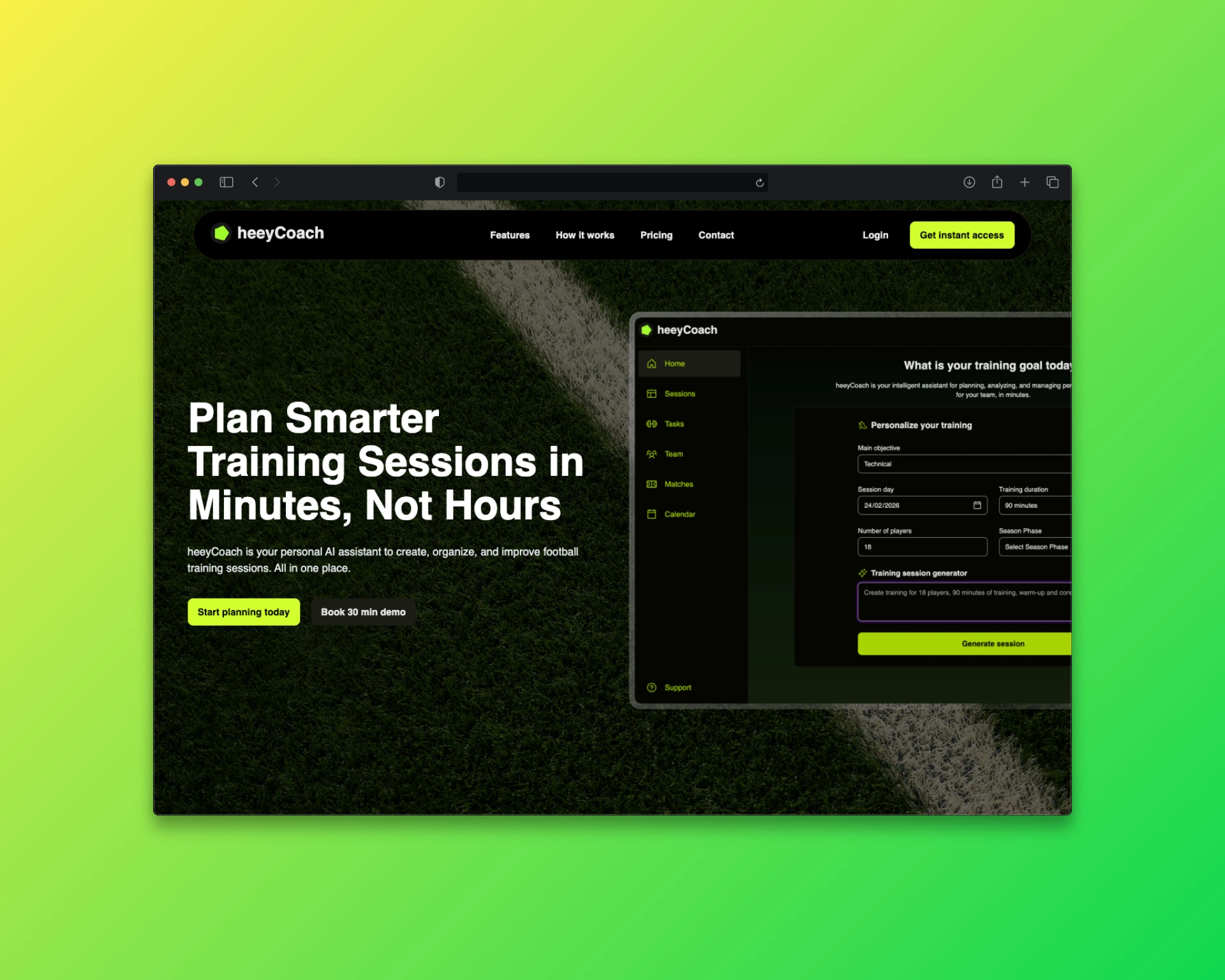
heeyCoach ⚽️🚀 MVP Product Design for an AI-Powered Football Coaching Platform
Overview
HeeyCoach is an early-stage AI-powered platform designed to help football coaches plan, organize, and manage training sessions more efficiently. The goal of the MVP was to validate core assumptions around coaching workflows, reduce manual planning time, and introduce AI-assisted session creation in a practical, usable way.
As the product designer, I was responsible for defining the product experience from scratch, covering discovery, information architecture, user flows, wireframes, UI design, and interactive prototyping.
heeyCoach
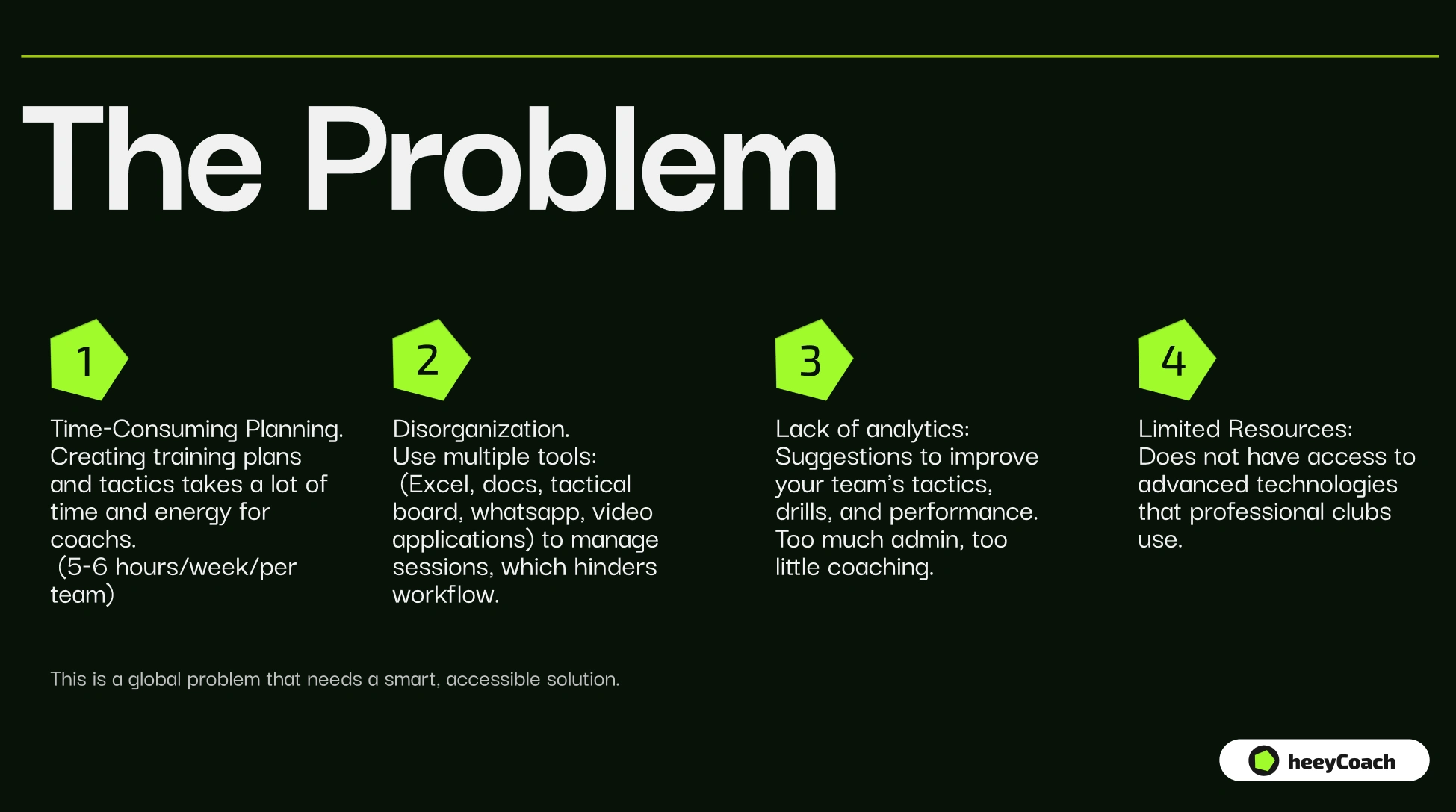
Football coaches typically rely on fragmented tools (notes, spreadsheets, messaging apps, and memory) to manage their training sessions.
Goals of the MVP
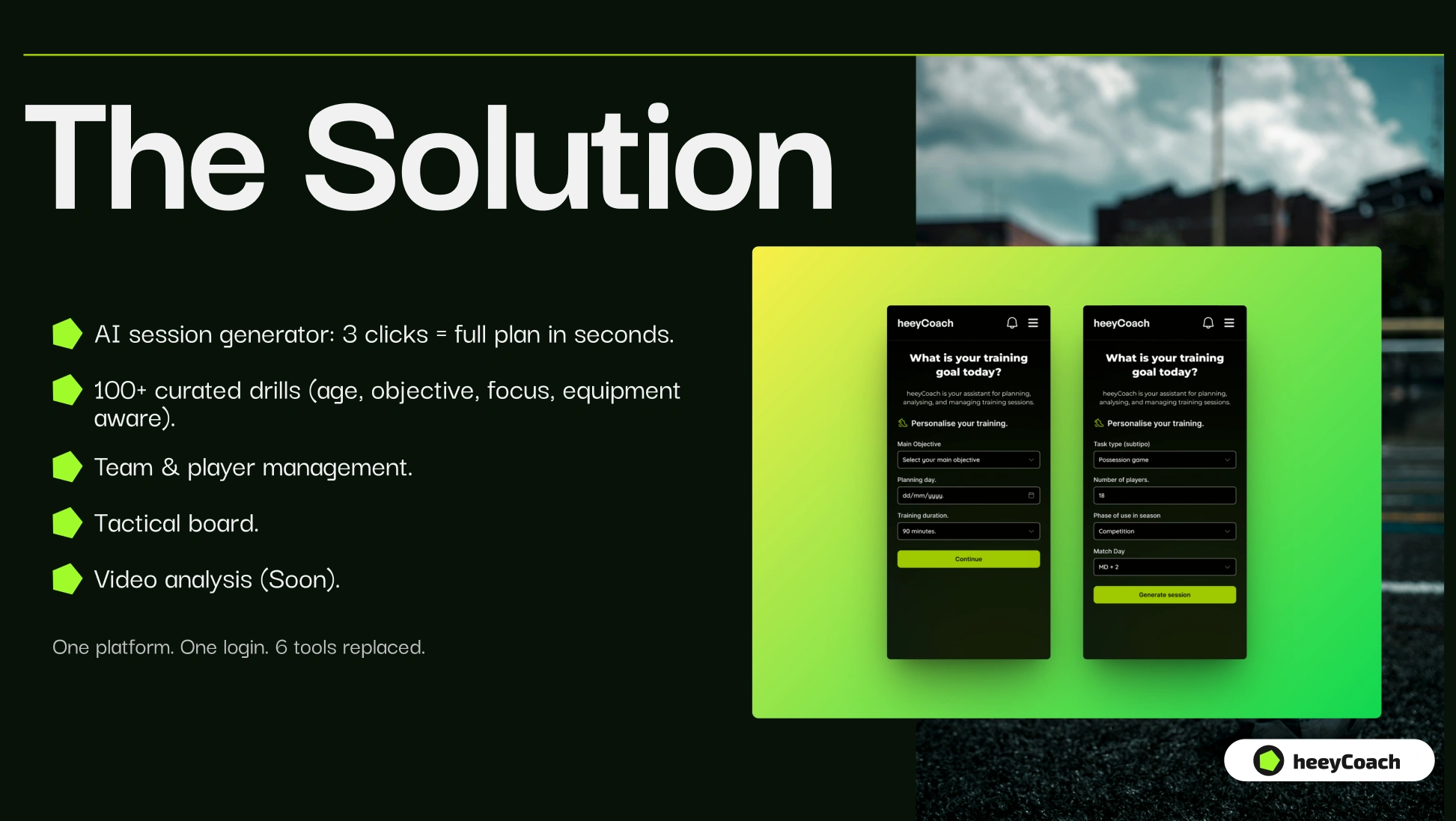
The MVP was designed to validate three key hypotheses:
⚽️ Coaches need a faster way to plan structured sessions.
⚽️ A visual, board-based interface aligns with how coaches think.
⚽️ AI can meaningfully assist in generating drills and session plans.
My Role
Product strategy & UX direction.
User research (early-stage).
Information architecture.
User flows.
Wireframing & UI design.
Interactive prototyping.
Design system foundations (MVP level)
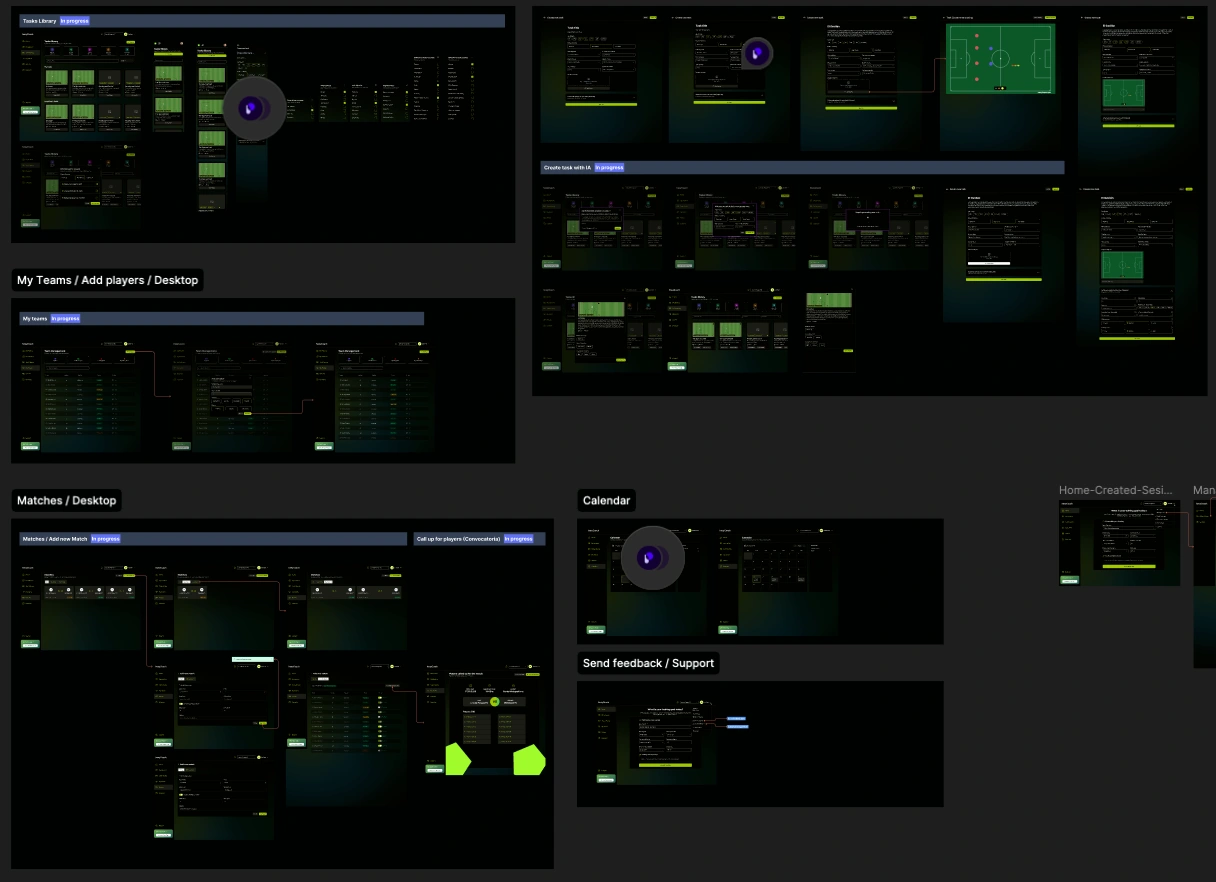
User Flows
1. Create a New Session
User clicks “Create Session”
Enters basic parameters:
Age group
Duration
Objective
AI generates a suggested session structure
2. Build Session Manually or Generate with IA
User starts from an empty board.
Adds modules (warm-up, main phase, drills, etc.)
Selects exercises from a library or creates custom ones.
Reorders blocks via drag & drop.
Adds notes and tactical instructions.
3. AI Drill Suggestion Flow
User selects a module (e.g. “Technical Drill”).
Clicks “Generate with AI”.
Inputs context (goal, constraints).
AI returns suggested drills.
User selects, edits, or regenerates.
4. Session Review & Export
User reviews full session layout.
Adjusts timing and sequence.
Saves or exports session for on-field use.
UI Direction
The visual design followed principles of:
Minimalism and clarity.
Strong spacing and hierarchy.
Component-driven layout.
Neutral color system with functional accents.
Focus on content over decoration.
The interface was designed to feel like a “professional workspace” rather than a consumer app.
Prototype
An interactive prototype was created to validate:
Drag-and-drop interactions.
Session creation flow.
AI generation experience.
Editing and reordering of modules.
This helped simulate real usage scenarios and gather early feedback before development.
Key learnings:
Simplicity wins over feature richness in early-stage products.
Clear mental models are more important than visual complexity.
Prototyping interactions early is critical for validating usability.
Let’s Build Your MVP 👇
If you’re looking to design and launch a product from idea to MVP, Push Studio can help you define the right product strategy, user experience, and interface to move fast and validate your idea.
We specialize in:
MVP product design.
UX/UI for SaaS & digital products.
Design systems.
End-to-end product strategy & execution.
👉 Contact us:
https://thepushstudio.com/
Like this project
Posted Apr 2, 2026
heeyCoach is an early-stage AI-powered platform designed to help football/soccer coaches plan, organize, and manage training sessions more efficiently.
Likes
10
Views
128
Collaborators